A Researcher's Guide to Troubleshooting Common GATK Variant Calling Errors
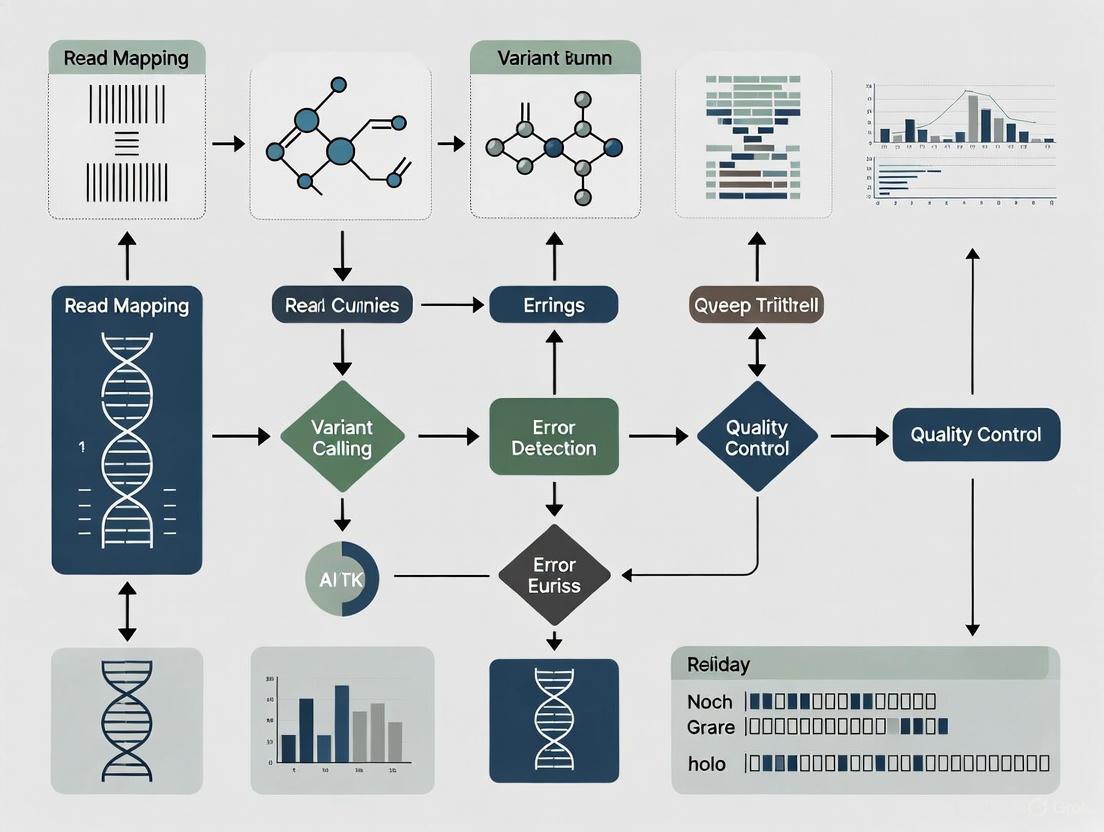
This guide provides a comprehensive framework for researchers, scientists, and drug development professionals to diagnose, troubleshoot, and resolve common errors encountered during GATK variant calling workflows.
A Researcher's Guide to Troubleshooting Common GATK Variant Calling Errors
Abstract
This guide provides a comprehensive framework for researchers, scientists, and drug development professionals to diagnose, troubleshoot, and resolve common errors encountered during GATK variant calling workflows. Covering the foundational principles of the GATK Best Practices, it details methodological approaches for germline short variant discovery, offers targeted solutions for frequent issues like contig mismatches and memory failures, and explores advanced strategies for validation and performance optimization. By integrating practical troubleshooting with validation techniques, this resource aims to enhance the accuracy, efficiency, and reliability of genomic analyses in both research and clinical settings.
Understanding GATK Best Practices and Common Error Landscapes
GATK Best Practices Workflow for Variant Discovery
This technical support center article provides an overview of the GATK Best Practices workflow for germline short variant discovery (SNPs and Indels) and addresses common troubleshooting issues, framed within a broader thesis on resolving errors in genomic research.
The GATK Best Practices workflow is a systematic, multi-step process for identifying genetic variants from high-throughput sequencing data. The entire process, from raw sequencing reads to high-confidence variants, involves three main phases: Data Preprocessing, Joint Calling, and Variant Filtering [1] [2] [3]. The following diagram illustrates the complete workflow and the logical relationship between its key stages.
Phase 1: Data Preprocessing for Variant Discovery
This initial phase prepares raw sequencing data for accurate variant calling by cleaning up alignments and correcting for systematic technical errors [1] [2]. Its purpose is to generate analysis-ready BAM files.
- Alignment: Map raw sequencing reads (FASTQ) to a reference genome using aligners like BWA-MEM [4] [3].
- Mark Duplicates: Identify and tag PCR duplicates that can bias variant allele frequencies using tools like
MarkDuplicatesSpark[2]. This step is critical because most variant detection tools require duplicates to be tagged to reduce bias [2]. - Base Quality Score Recalibration (BQSR): Correct systematic errors in the base quality scores assigned by the sequencer using
BaseRecalibratorandApplyBQSR[2] [5]. This process builds a model using covariates encoded in the read groups and then applies adjustments to generate recalibrated base qualities [2].
Phase 2: Joint Calling
Joint calling analyzes multiple samples together to improve the sensitivity and accuracy of genotype inference for each individual [2]. This approach accounts for the difference between a missing variant call due to absent data and good data showing no variation, and it makes it easier to add samples progressively [2].
- HaplotypeCaller: Call potential variants per sample and save them in GVCF format, which includes information about both variant and non-variant sites [4] [2].
- Consolidate GVCFs: Combine GVCF data from multiple samples into a single dataset using
GenomicsDBImportorCombineGVCFs[4] [2]. - GenotypeGVCFs: Perform joint genotyping on the consolidated GVCFs to identify candidate variants across the cohort [4] [2].
Phase 3: Variant Filtering
The final phase separates high-confidence real variants from technical artifacts using a machine learning-based approach [2].
- Variant Quality Score Recalibration (VQSR): Apply a Gaussian mixture model to classify variants based on how their annotation values cluster, using training sets of high-confidence variants [2]. This builds a recalibration model that is then applied to filter out low-quality calls.
- Calculate Genotype Posteriors (Optional): Use pedigree information and population allele frequencies to further refine genotype calls [2].
The following table details key resources required for executing the GATK Best Practices workflow.
| Resource Name | Function & Purpose in the Workflow |
|---|---|
| Reference Genome (e.g., GRCh38) | Serves as the map against which all sequencing reads are aligned; essential for alignment and variant calling [3]. |
| GATK Resource Bundle | Provides known variant sets (e.g., HapMap, 1000G, Mills indels) used as training resources for BQSR and VQSR [3]. |
| BWA Index Files | Specialized data structures created from the reference genome that allow the BWA aligner to quickly map reads [3]. |
Conda Environment (gatk4, bwa, samtools) |
An isolated software environment that manages tool versions and dependencies to ensure reproducibility and prevent conflicts [3] [6]. |
Frequently Asked Questions & Troubleshooting Guides
This section addresses specific, common issues encountered during GATK variant discovery projects.
FAQ 1: How should I handle a single DNA sample sequenced across multiple lanes?
Question: After following GATK's guide for multi-lane sequencing, my merged BAM files show highly discordant variant results and incorrect variant allele frequencies (VAFs) between lanes. Why does this happen and how can I resolve it? [4]
Answer: This issue can arise from several sources, including improper read group definitions, sample contamination, or software bugs in older GATK versions. The following troubleshooting flowchart outlines a systematic diagnostic approach.
Detailed Methodology & Commands:
Verify Read Groups: Ensure each lane's BAM file has a unique read group (
@RG)` with correct SM (sample), LB (library), PL (platform), and PU (platform unit) tags. Incorrect tags can cause the caller to treat lanes as different samples [4].- Example BWA command with read group info:
bwa-mem2 mem -t 12 -Y -R '@RG\tID:lane1\tSM:sample1\tLB:lib1\tPL:ILLUMINA' ref.fasta lane1_1.fq lane1_2.fq[4]
- Example BWA command with read group info:
Analyze Lanes Individually: Process the BAM files from each lane separately through the entire variant calling pipeline. If the final results remain discordant, the issue lies with the data itself or the per-lane analysis, not the merging step [4].
Visual Inspection in IGV: Load the individual lane BAM files into the Integrative Genomics Viewer (IGV) to visually confirm the presence or absence of aligned reads at discordant variant positions. This checks if the discordance is in the alignment or the calling step [4].
Check for Contamination: Significant discordance between lanes of the same sample can indicate contamination in one lane or a sample mix-up [4].
Update GATK Version: The user in our case study was using GATK v4.2.6.1. Some versions contain bugs that affect calling. Updating to the latest version (e.g., v4.6.1.0 or newer) can resolve these issues [4].
Advanced HaplotypeCaller Parameters: If specific variants are missing in one lane despite read support, assembly-level parameters might help recover them. Note that some advanced options like
--pileup-detectionare not available in older versions [4].- Example command:
gatk HaplotypeCaller ... --recover-all-dangling-branches true[4]
- Example command:
FAQ 2: How do I resolve "Dependency Not Found" and version compatibility errors?
Question: When setting up or running the pipeline, I encounter errors that required software like GATK, BWA, or Samtools cannot be found or have incompatible versions. What is the best solution? [6]
Answer: This is a common environment setup issue. The solution involves using a containerized or managed environment and verifying paths and versions.
Troubleshooting Steps:
Use Conda for Environment Management: Create a dedicated Conda environment with all necessary tools to isolate dependencies and prevent conflicts [3] [6].
- Example setup command:
conda create -n gatk_analysis -c bioconda gatk4 bwa samtools picard[3]
- Example setup command:
Verify Software Paths: If tools are not in your standard PATH, specify the full path to the executable in your workflow configuration or script [6].
Check Minimum Required Versions: Ensure your software meets the minimum version requirements. The table below summarizes these requirements [6].
| Software | Minimum Required Version |
|---|---|
| GATK | 4.0.0.0 |
| BWA | 0.7.17 |
| Samtools | 1.10 |
| Picard | 2.27.0 |
FAQ 3: What should I do when my pipeline fails with an "Out of Memory" error?
Question: My workflow, particularly during HaplotypeCaller or CombineGVCFs steps, crashes with Java heap space or memory allocation errors. How can I optimize resource usage? [6]
Answer: Memory errors indicate that the Java Virtual Machine (JVM) has insufficient RAM allocated for the task, especially when processing large genomic intervals or many samples.
Solutions:
Adjust JVM Memory Arguments: Explicitly set the maximum heap size for GATK commands using the
-Xmxparameter. Allocate enough memory based on your node's capacity but leave room for the operating system.- Example: Add
--java-options "-Xmx8G"to yourgatkcommand to allocate 8 GB of RAM.
- Example: Add
Reduce Thread Count: High parallelism (
--native-pair-hmm-threads) increases memory overhead. Reducing the number of threads can significantly lower total memory requirements [6].Split the Analysis: For large cohorts, break the analysis into smaller batches, such as by genomic region, to reduce the memory footprint of each job [6].
Use the
--resumeFlag: If using a workflow manager like Nextflow, use the--resumeflag to continue from the last successful step after fixing the memory issue, rather than restarting from the beginning [6].
The GATK Variant Calling Workflow
The following diagram illustrates the three primary phases of the GATK variant calling workflow, from raw sequencing data to a filtered variant callset.
This table details essential files and tools required for a successful GATK analysis.
| Resource Name | Function & Purpose |
|---|---|
| Reference Genome ( [7] [8]) | FASTA file for read alignment and variant calling. Must be indexed. |
| Known Sites Resources ( [9]) | VCFs of known polymorphisms (e.g., dbSNP, Mills indels) for BQSR and VQSR. |
| BWA-MEM ( [7] [8]) | Aligner for mapping sequencing reads to the reference genome. |
| Picard Tools ( [7]) | Suite for SAM/BAM processing (sorting, duplicate marking, validation). |
| ValidateSamFile ( [10]) | Picard tool for diagnosing errors in SAM/BAM file format and content. |
Frequently Asked Questions & Troubleshooting Guides
Data Pre-processing Phase
I get the error: "SAM/BAM file appears to be using the wrong encoding for quality scores." What should I do?
This error occurs when quality scores in your SAM/BAM file do not use the standard Sanger encoding (Phred+33) that the GATK expects, often because the data uses an older Illumina encoding (Phred+64) [11].
Solution:
- Use the
--fix_misencoded_quality_scores(GATK3) or-fixMisencodedQualsflag in your command to have the GATK automatically subtract 31 from each quality score during processing [11]. - Important: This is a temporary fix for the analysis flow. For a permanent correction, consider re-processing the raw data with the correct quality encoding.
My job fails with "Exit code 137" or a log message stating "Killed" or "Out of memory." How can I fix this?
This error indicates that the job was terminated because it ran out of memory (OOM) on the system [12].
Solution:
- Identify the Failing Task: Check the workflow logs to determine which specific step (e.g., BaseRecalibrator, HaplotypeCaller) ran out of memory [12].
- Increase Memory Allocation: Increase the memory allocated to that task. In WDL workflows, this is typically done by increasing the
mem_gbruntime attribute for the failing task [12]. - Consider Disk Space: If the error message states "no space left on device," you must also increase the
disk_gbruntime attribute for the task [12].
My GATK run fails with a cryptic error about the SAM/BAM file. How can I diagnose it?
Invalid or malformed SAM/BAM files are a common source of failures. Errors can be in the header, alignment fields, or optional tags [10].
Solution:
Use the Picard ValidateSamFile tool to diagnose the problem systematically [10].
- Generate an Error Summary:
- Inspect ERRORs First: The summary will list
ERRORandWARNINGcounts. Focus on fixingERRORs first, as they will block analysis. UseMODE=VERBOSEandIGNORE_WARNINGS=trueto get detailed reports on each error [10]. - Common Fixes:
Variant Discovery & Filtering Phase
When should I use VQSR vs. hard-filtering for my variant callset?
The choice depends on your data type and cohort size [9].
Solution: The following table compares the two approaches to help you decide.
| Feature | Variant Quality Score Recalibration (VQSR) | Hard-Filtering |
|---|---|---|
| Recommended Use Case | Germline SNPs and Indels in large cohorts (e.g., >30 WGS samples) [9]. | Small cohorts, non-model organisms, or when VQSR fails [9]. |
| Methodology | Applies a machine learning model to variant annotations to assign a probability of being a true variant [9]. | Applies fixed thresholds to specific variant annotations using tools like VariantFiltration [13]. |
| Key Advantage | Robust, data-adaptive filtering that considers multiple annotations simultaneously [9]. | Simple, transparent, and works on any dataset. Allows filtering on sample-level (FORMAT) annotations [9]. |
| Example Command | VariantRecalibrator & ApplyVQSR [9]. |
gatk VariantFiltration ... --filter-expression "QD < 2.0" --filter-name "LowQD" [13]. |
VQSR fails with an error about "Insufficient data" for modeling. What are my options?
This happens when your dataset is too small to fit the Gaussian mixture models used by VQSR, often because you have fewer than 30 samples [9].
Solution:
- Use Hard-Filtering: The primary solution is to switch to a hard-filtering approach. The GATK Best Practices provide recommended thresholds for filtering SNPs and indels [9].
- Adjust VQSR Parameters (Advanced): You can try decrementing the
--max-gaussiansparameter (e.g., from 4 to 2 for indels) to reduce the model's complexity, but this is not guaranteed to work for very small datasets [9].
How do I apply a basic hard-filter to a variant callset?
Use the VariantFiltration tool with one or more filtering expressions [13].
Solution: The command below shows the syntax for applying a filter based on Quality by Depth (QD) and Mapping Quality (MQ0).
--filter-expression: The JEXL expression that defines the filtering rule (e.g., "QD < 2.0", "FS > 60.0") [13].--filter-name: The label that will be added to theFILTERfield of any variant that fails the expression [13]. Variants that pass all filters are labeledPASS.
Systematic categorization of common GATK error types and their triggers
Container and Dependency Issues
Common Errors and Solutions
This table catalogs common errors related to software containers and dependencies, their primary triggers, and recommended solutions.
| Error Type | Common Triggers | Recommended Solutions |
|---|---|---|
| 401 Unauthorized Image Pull | Docker registry authentication issues; outdated or invalid container image tags [14]. | Use the singularity.pullTimeout configuration to increase pull timeouts; verify the container image exists and is accessible [14]. |
| Java Version Mismatch | Running GATK with an incompatible Java version [15]. | Ensure GATK is used with its required major Java version, as specified in the documentation [15]. |
| AbstractMethodError or NoSuchMethodError | Using Spark 1.6 instead of the required Spark 2 when running on a cluster [16]. | Specify the Spark 2 submit command by adding --sparkSubmitCommand spark2-submit to the GATK arguments [16]. |
Resource Allocation and Computational Limits
Common Errors and Solutions
This table outlines errors caused by insufficient computational resources and how to resolve them.
| Error Type | Common Triggers | Recommended Solutions |
|---|---|---|
| Job Exit Code 137 / "Killed" | The task was terminated by the operating system for exceeding its memory limit (OOM) [12]. | Increase the memory allocation (mem_gb) for the failed task [12]. |
| No space left on device | The task ran out of disk space on the virtual machine [12]. | Increase the disk allocation (disk_gb) for the task [12]. |
| OutOfMemoryError in Spark | Memory settings for Spark drivers or executors are not tuned for the job's complexity [16]. | Tune memory settings; prefer a smaller number of larger executors over many small ones [16]. |
| PAPI Error Code 10 / VM Crash | An abrupt crash of the virtual machine, often due to an out-of-memory condition [12]. | Check logs for memory issues and increase the memory, or both memory and disk resources [12]. |
Input Data and File Format Issues
Common Errors and Solutions
This table describes errors stemming from problematic input data or incorrectly formatted files.
| Error Type | Common Triggers | Recommended Solutions |
|---|---|---|
| Invalid/Malformed SAM/BAM | The SAM/BAM file has errors in header tags, alignment fields, or optional tags, often introduced by upstream processing tools [10]. | Use Picard's ValidateSamFile to diagnose issues; use tools like FixMateInformation or AddOrReplaceReadGroups to fix errors [10]. |
Missing Read Group (@RG) SM Tag |
The required SM (sample name) tag within the @RG header line is missing. While not always a formal format error, it is required by GATK analysis tools [10]. |
Add or replace read groups using Picard's AddOrReplaceReadGroups tool to ensure the SM tag is present [10]. |
| CIGAR Maps Off End of Reference | A read's CIGAR string indicates alignment beyond the end of a reference sequence. This can occur due to differences in reference assemblies [17]. | Use Picard's CleanSam tool to clean the BAM file [17]. |
| Path Errors on HDFS | Using relative paths instead of absolute paths for file locations on HDFS [16]. | Ensure all file paths on HDFS are absolute (e.g., hdfs://hostname:port/path/to/file) [16]. |
Algorithmic and Expected Variant Issues
Common Errors and Solutions
This table explains issues where the variant caller's output does not match user expectations.
| Error Type | Common Triggers | Recommended Solutions |
|---|---|---|
| Expected Variant Not Called | Low base quality or mapping quality of supporting reads; variant obscured after local reassembly; too many alternate alleles at a site [18]. | Generate a bamout file from HaplotypeCaller to inspect reassembled reads; check base and mapping qualities; consider adjusting --max-alternate-alleles (with caution) [18]. |
| Variant Missing in Repeats | In repetitive sequence contexts, default-sized kmers are non-unique, causing the variant to be pruned from the assembly graph [18]. | (Advanced) Use -allowNonUniqueKmersInRef or adjust --kmer-size parameters. Use with caution as it may increase false positives [18]. |
Troubleshooting Workflow Diagram
The following diagram provides a systematic workflow for diagnosing and resolving common GATK errors.
Key Research Reagent Solutions
This table lists essential resources and data files required for a successful GATK variant calling analysis.
| Research Reagent | Function in GATK Analysis |
|---|---|
| Known Sites (e.g., dbSNP) | A list of previously identified variants. Used by tools as input without the assumption that all calls are true [19]. |
| Training Set (e.g., HapMap, 1000G) | A high-quality, curated set of variants used to train machine learning models like Base Quality Score Recalibration (BQSR) and Variant Quality Score Recalibration (VQSR) [19]. |
| Truth Set | A highest-standard, orthogonally validated set of variants used to evaluate the quality (sensitivity/specificity) of a final variant callset [19]. |
| Reference Dictionary | A sequence dictionary file (.dict) for the reference genome, required by many GATK tools [19]. |
Experimental Protocols for Key Steps
Protocol: Base Quality Score Recalibration (BQSR)
This protocol corrects systematic errors in base quality scores emitted by sequencers [19] [2].
- Model Errors: Run
BaseRecalibrator. This tool uses known variant sites and training sets (e.g., dbSNP, Mills indels) to build a model of covariation based on sequence context and read position. - Apply Corrections: Run
ApplyBQSR. This tool adjusts the base quality scores in the BAM file based on the recalibration table produced in step 1. - Generate Plots (Optional): Run
AnalyzeCovariatesto produce plots comparing base qualities before and after recalibration, allowing for visual validation of the process.
Protocol: Germline Short Variant Discovery with HaplotypeCaller
This is the recommended workflow for germline SNP and Indel discovery [19] [2].
- Per-Sample GVCF Calling: Run
HaplotypeCalleron each sample's BAM file with the-ERC GVCFoption. This does not perform final genotyping but produces a GVCF file containing all sites for the sample, both variant and reference. - Consolidate Cohort Data: Use
GenomicsDBImport(for many samples) orCombineGVCFs(for smaller cohorts) to aggregate the data from all sample GVCFs into a single database. - Joint Genotyping: Run
GenotypeGVCFson the consolidated database. This performs joint genotyping across all samples, which increases sensitivity and statistical power. - Filter Variants: Apply filters to the raw variant calls. The recommended method is to use
VariantRecalibrator(VQSR) to build a machine learning model to separate true variants from artifacts, followed byApplyVQSR[2].
In the context of genomic variant discovery with the Genome Analysis Toolkit (GATK), the use of correct reference files, known sites, and training resources is fundamental to distinguishing true biological variants from technical artifacts. Many GATK tools require these auxiliary datasets to function correctly, as they provide a baseline of known variation that guides the statistical analysis of sequencing data. Without these resources, results may be subject to increased false positives and false negatives, potentially compromising the reliability of scientific conclusions and downstream applications in drug development research. This guide addresses the critical role these resources play and provides practical solutions to common implementation errors.
Resource categories and functions
GATK utilizes three main categories of known variants resources, each associated with different validation standards and use cases [20]:
- Known variants: These are lists of variants previously identified and reported (e.g., dbSNP), without an assumption that all calls are true. Tools use these to mask out positions where real variation is commonly found during Base Quality Score Recalibration (BQSR).
- Training sets: Curated lists of variants used by machine-learning algorithms (like Variant Quality Score Recalibration) to model the properties of true variation versus artifacts. These require higher validation standards.
- Truth sets: The highest standard of validation, these resources are used to evaluate the quality of a variant callset (e.g., sensitivity and specificity) and are assumed to contain exclusively true variants.
Essential resource repository
The following table summarizes the core resource types, their purposes, and examples essential for GATK workflows:
Table 1: Essential Resource Types for GATK Analysis
| Resource Type | Primary Function in GATK | Common Examples |
|---|---|---|
| Reference Genome | Provides the standard coordinate system and sequence against which reads are aligned and variants are called. | Broad Institute Resource Bundle (e.g., HG19, HG38), GATK Test Data (e.g., s3://gatk-test-data/refs/) [21] |
| Known Variants | Masks out known variant sites during BQSR to avoid confusing real variation with technical artifacts. | dbSNP, gnomAD |
| Training Resources | Trains the machine learning model for VQSR to identify annotation profiles of true vs. false variants. | HapMap, Omni array sites, 1000G gold standard indels |
| Truth Sets | Provides a high-confidence set of variants for benchmarking callset sensitivity and specificity. | Genome in a Bottle (GIAB) data for NA12878 [21] |
Integrated workflow for resource utilization
The following diagram illustrates how these essential resources integrate into a typical GATK variant discovery workflow, highlighting key steps where correct resource selection is critical.
Figure 1: Workflow for resource integration in GATK variant discovery. Resources from the Broad Institute Resource Bundle are integrated at multiple stages: known variants for BQSR, and training/truth sets for VQSR.
Troubleshooting common resource errors
FAQ: Contig mismatch errors
Question: I encountered the error "Input files have incompatible contigs" when running my GATK tool. What does this mean and how can I resolve it?
This is a classic problem indicating that the names or sizes of contigs (chromosomes/sequences) don't match between your input files (e.g., BAM or VCF) and your reference genome [22]. GATK evaluates everything relative to the reference, and any inconsistency will cause failure.
Error Example with BAM File:
ERROR: Input files reads and reference have incompatible contigs: Found contigs with the same name but different lengths: contig reads = chrM / 16569 contig reference = chrM / 16571[22]Error Example with VCF File:
ERROR: Input files known and reference have incompatible contigs...[22]
Solution Pathways:
The solution depends on which file is mismatched relative to your chosen reference.
Table 2: Troubleshooting Contig Mismatch Errors
| Faulty File Type | Root Cause | Recommended Solution |
|---|---|---|
| BAM File | The BAM was aligned against a different reference genome build than the one you are now using. | Option 1 (Best): Switch to the correct reference genome that matches your BAM file [22].Option 2 (Only if necessary): If you must use your current reference and lack the original FASTQs, use Picard tools to revert the BAM to an unaligned state (FASTQ or uBAM) and then re-align against your correct reference [22]. |
| VCF File | The VCF of known variants (e.g., dbSNP) was derived from a different reference build. | Option 1 (Best): Find a version of the VCF resource that is built for your reference. These are available in the Broad Institute's Resource Bundle [22].Option 2: Use Picard's LiftoverVCF tool to transfer the variants from the old reference coordinates to your new reference coordinates using a chain file [22]. |
Special Case - b37 vs. hg19: These human genome builds are very similar but use different contig naming conventions (e.g., "1" vs. "chr1") and have slight length differences in chrM [22]. While renaming contigs in your files is technically possible, it is error-prone and only applies to canonical chromosomes. It is generally safer to use the correctly matched reference build.
FAQ: Missing read group errors
Question: My pipeline failed because of "MISSINGREADGROUP" errors. How do I fix this?
Read groups (RG) are essential metadata in BAM files, containing information about the sample, library, and sequencing run. GATK requires them for virtually all analysis steps.
Solution: Add read group information to your BAM file. This can be done during the initial alignment with BWA using the -R parameter [17]. If you already have a BAM file without RGs, use Picard's AddOrReplaceReadGroups tool [17] [23].
Example Picard Command:
FAQ: Bootstrap resource generation
Question: For a non-model organism, how can I bootstrap a set of known variants?
Bootstrapping refers to generating a resource from your own data using a less stringent initial method [20].
Methodology:
- Initial Calling: Perform an initial round of variant calling on your data without using BQSR.
- Stringent Filtering: Apply manual hard filters (e.g., based on quality depth, strand bias) to this raw callset to produce a high-confidence subset of variants.
- Resource Creation: Use this high-confidence subset as your "known variants" file for subsequent runs of BQSR on the full dataset. This iterative process helps refine the results, though it benefits greatly from orthogonal validation [20].
Research reagent solutions
The following table lists key materials and resources, often called the "research reagent toolkit," required for setting up and executing a GATK variant discovery pipeline.
Table 3: Research Reagent Solutions for GATK Analysis
| Reagent / Resource | Function / Application | Technical Notes |
|---|---|---|
| Reference Genome (FASTA) | The foundational sequence for read alignment and variant calling. | Must include both the .fa file and the associated index (.fai) and dictionary (.dict) [22]. |
| BWA-MEM | Aligns sequencing reads from FASTQ format to the reference genome. | Use the -M and -R flags to ensure compatibility with downstream Picard/GATK steps [17]. |
| Picard Tools | A suite of Java command-line tools for manipulating SAM/BAM and VCF files. | Critical for file sorting, read group addition, duplicate marking, and file validation [17] [22]. |
| GATK Jar File | The core engine for variant discovery. | Be aware that command-line syntax can change between minor versions [23]. |
| Known Sites VCFs (dbSNP, indels) | Used for masking known variation during BQSR. | Ensure these VCFs are compatible with your reference genome build to avoid contig errors [22] [20]. |
| High-Quality Training Resources (HapMap, Omni) | Used as training sets for the VQSR machine learning model. | The quality of these resources directly impacts the success of variant recalibration [20]. |
| GATK Test Data | Publicly available datasets (e.g., NA12878) for pipeline validation and testing. | Accessed via s3://gatk-test-data/ [21]. Useful for benchmarking and troubleshooting. |
The critical role of experimental design (WGS, Exomes, Panels, RNAseq) in error prevention
Errors in genomic analysis often originate not during computational analysis, but in the initial experimental design phase. Proper experimental design establishes the foundation for reliable variant calling and prevents systematic errors that cannot be fully corrected bioinformatically. This guide addresses how strategic planning of sequencing experiments—including selection of appropriate sequencing methods, replication strategies, and quality controls—can prevent common errors in GATK variant calling pipelines and ensure robust, interpretable results for researchers and drug development professionals.
Sequencing Strategy Selection Guide
Comparative Analysis of Sequencing Approaches
The choice of sequencing strategy significantly impacts which variants can be detected and with what confidence. Each approach offers distinct advantages and limitations for variant detection [24].
Table 1: Sequencing Strategy Comparison for Variant Detection
| Strategy | Target Space | Average Depth | SNV/Indel Detection | CNV Detection | SV Detection | Low VAF Detection |
|---|---|---|---|---|---|---|
| Panel | ~0.5 Mbp | 500-1000× | ++ | + | - | ++ |
| Exome | ~50 Mbp | 100-150× | ++ | + | - | + |
| Genome | ~3200 Mbp | 30-60× | ++ | ++ | + | + |
Performance indicators: ++ (outstanding), + (good), - (poor/absent)
Technical Specifications by Method
Table 2: Technical Specifications and Experimental Design Requirements
| Sequencing Method | Minimum Replicates | Recommended Depth | Key Quality Metrics | Primary Applications |
|---|---|---|---|---|
| DNA Panel | 3 biological | 500-1000× | >95% target coverage at 20× | Inherited disorders, cancer driver mutations |
| Whole Exome | 4 biological | 100-150× | >90% exons at 20× | Mendelian disorders, rare variant discovery |
| Whole Genome | 3-4 biological | 30-60× | >95% genome at 15× | Comprehensive variant discovery, structural variants |
| RNA-Seq | 3-4 biological | 10-60M PE reads | RIN >8 for mRNA | Gene expression, splicing, fusion genes |
| ChIP-Seq | 2-3 biological | 10-30M reads | High-quality antibodies confirmed by ENCODE | Transcription factor binding, histone modifications |
Troubleshooting Guides & FAQs
Pre-Sequencing Experimental Design FAQs
Q1: How many biological replicates are needed for robust RNA-Seq results?
- Answer: Factor in at least 3 replicates (absolute minimum), but 4 if possible (optimum minimum). Biological replicates are recommended rather than technical replicates as they better capture biological variability [25].
Q2: What are the key considerations for ChIP-Seq experimental design?
- Answer: For ChIP-Seq, include at least 2 replicates (absolute minimum), but 3 if possible. Biological replicates are required, not technical replicates. Use "ChIP-seq grade" antibody validated by reliable sources such as ENCODE or Epigenome Roadmap. Include appropriate controls (input or IgG) for all experimental conditions [25].
Q3: When should I choose whole genome sequencing over exome sequencing?
- Answer: Whole genome sequencing is preferred when structural variant detection is needed, for more comprehensive coverage of exonic regions (avoiding capture biases), and when investigating non-coding regions. Due to considerable reductions in cost and overall higher accuracy, whole genome is now preferred for germline variant detection even when exonic variants are the primary focus [24].
Post-Sequencing Analysis Troubleshooting
Q4: Why do lanes from the same sample show discordant variant calls?
- Answer: This issue can arise from several experimental factors [4]:
- Contamination: One lane may have sample contamination
- Sample mix-up: Incorrect sample tracking during library preparation
- Library preparation artifacts: Inconsistent library preparation across lanes
- Solution: Check alignment files in IGV to visualize the source of discordance. Analyze lanes separately to identify which calls are consistent. Verify that read groups are properly assigned in BAM files.
Q5: How can I resolve variants of uncertain significance (VUS) from exome sequencing?
- Answer: Integrate RNA sequencing data to provide functional evidence. RNA sequencing facilitates the resolution of VUS by providing insights into the impact of DNA variants on protein production. In clinical practice, 10-15% of qualified VUS are expected to have a classification change with RNA-Seq data [26].
Q6: What are the minimum coverage requirements for somatic variant detection in tumor/normal pairs?
- Answer: For exome sequencing of tumor/normal pairs, aim for mean target depth of ≥100X for tumor sample and ≥50X for germline sample. When germline samples are unavailable, somatic variant detection is still possible but with significantly reduced sensitivity and precision [25].
Workflow Visualization
Experimental Design Decision Pathway
Multi-lane Sequencing Error Prevention Workflow
Research Reagent Solutions
Essential Materials for Error-Free Sequencing
Table 3: Key Research Reagents and Their Functions in Experimental Design
| Reagent/Resource | Function | Quality Control Requirements | Impact on Variant Calling |
|---|---|---|---|
| High-quality DNA | PCR-free WGS library prep | 900 ng DNA for PCR-free; RIN >8 for RNA | Reduces sequencing artifacts and false positives |
| Validated Antibodies | ChIP-Seq target enrichment | "ChIP-seq grade"; confirmed by ENCODE | Ensures specific enrichment, reduces background noise |
| Exome Capture Kits | Target enrichment for WES | TWIST Human Exome or NEXome; quality controls for capture efficiency | Affects uniformity of coverage, missing variants |
| Spike-in Controls | Normalization across samples | Remote organism spike-ins (e.g., fly for human) | Enables cross-sample comparison in ChIP-Seq |
| Reference Standards | Benchmarking variant calls | Genome in a Bottle (GIAB) or Platinum Genome datasets | Allows pipeline validation and accuracy assessment |
Preventing variant calling errors begins long before data analysis—it starts with rigorous experimental design. By selecting appropriate sequencing strategies, incorporating sufficient biological replicates, implementing proper controls, and understanding the limitations of each method, researchers can avoid systematic errors that compromise data interpretation. The integration of multiple genomic technologies, such as combining WES with RNA-Seq, provides orthogonal validation that significantly enhances diagnostic yield and variant interpretation confidence. These experimental design principles form the critical foundation for all subsequent bioinformatic analyses and ultimately determine the success of genomic studies in both research and clinical applications.
Implementing Robust Germline Variant Discovery Pipelines
Proceeding from an analysis-ready BAM file to a filtered Variant Call Format (VCF) file is a critical stage in genomic analysis, enabling the discovery of genetic variants such as single nucleotide polymorphisms (SNPs) and insertions/deletions (indels). The Genome Analysis Toolkit (GATK) developed by the Broad Institute provides a robust, well-validated framework for this process, widely regarded as the industry standard in both research and clinical settings [3]. This guide details the step-by-step methodology for this conversion process while incorporating essential troubleshooting methodologies that address common experimental challenges encountered during GATK variant calling research. The workflow is designed to handle whole genome sequencing (WGS) data, providing an unbiased view of genetic variation across the entire genome [3]. Following established best practices is crucial for generating high-quality, reliable variant calls suitable for downstream analysis in disease research, population genetics, and drug development applications.
Core Methodology: From BAM to Filtered VCF
Prerequisites and Input Requirements
Before executing the variant calling workflow, ensure you have the following inputs prepared and properly formatted:
- Analysis-Ready BAM File: A coordinate-sorted BAM file containing reads aligned to a reference genome. The file must be indexed (have a corresponding
.baifile) [27]. - Reference Genome: A FASTA file of the reference genome and its associated index (
.fai) and sequence dictionary (.dict) files [3]. - Known Sites Resources: VCF files of known polymorphic sites used for base quality score recalibration (BQSR). These typically include databases such as dbSNP, HapMap, 1000 Genomes, and Mills indel gold standard [3] [28].
The table below summarizes the essential research reagents and their functions in the GATK workflow:
Table 1: Key Research Reagent Solutions for GATK Variant Calling
| Reagent/Resource | Function & Importance |
|---|---|
| Reference Genome (FASTA) | The reference sequence against which sample reads are aligned and compared to identify variants [3]. |
| BAM File | The input aligned sequencing data; must be sorted and indexed for proper processing [27]. |
| Known Sites VCFs (dbSNP, Mills) | Provide datasets of known variants to guide the Base Quality Score Recalibration (BQSR) process, which corrects systematic errors in base quality scores [3]. |
| Genomic Intervals File (BED) | Defines specific genomic regions to analyze, confining variant calling to targeted areas and reducing computational runtime [27]. |
Step-by-Step Workflow
The following diagram illustrates the complete workflow from analysis-ready BAM to filtered VCF:
Step 1: BAM File Validation and Quality Control
Before variant calling, validate the integrity and formatting of your input BAM file using Picard's ValidateSamFile tool [10].
- Purpose: Identifies formatting issues in the BAM file that could cause failures in downstream analysis.
- Critical Checks: Look for
ERROR-level issues that must be fixed, such asMISSING_READ_GROUP,MATE_NOT_FOUND, orMISMATCH_MATE_ALIGNMENT_START[10]. - Troubleshooting: If errors are detected, run the tool in
VERBOSEmode withIGNORE_WARNINGS=trueto get detailed information about each problematic record. Common fixes include usingAddOrReplaceReadGroupsto add missing read group information orFixMateInformationto correct mate pair issues [10].
Step 2: Base Quality Score Recalibration (BQSR)
BQSR corrects systematic errors in the base quality scores assigned by the sequencer, which are important for accurate variant calling.
- Generate Recalibration Table:
- Apply Recalibration:
- Purpose: Uses known variant sites to build a model of systematic errors in base quality scores, then adjusts these scores to reflect more accurate probabilities [3].
Step 3: Variant Calling with HaplotypeCaller
The core variant calling step identifies potential genetic variants in your sample.
- Purpose: Uses a sophisticated assembly-based algorithm to call SNPs and indels in your sequencing data [27].
- Key Parameters:
-R: Reference genome file.-I: Input BAM file (use the recalibrated BAM from Step 2).-O: Output VCF file for raw variants.-L: (Optional) Genomic intervals to restrict calling to specific regions [27].
Step 4: Variant Filtering
Apply filters to separate high-confidence variants from likely false positives.
- Purpose: Applies hard filters to variant calls based on established quality metrics.
- Common Filtering Thresholds:
- QD (Quality by Depth): Variant confidence normalized by depth of supporting reads.
- FS (Fisher Strand): Phred-scaled probability of strand bias.
- MQ (Mapping Quality): Root mean square mapping quality of supporting reads [29].
Troubleshooting Common Experimental Issues
Missing Expected Variants
Problem: After running HaplotypeCaller, results don't show variants that were expected to be present based on prior knowledge or IGV visualization [30].
Diagnosis and Solutions:
- Examine the data in IGV: Verify that reads with good mapping quality (MAPQ) and base quality support the expected variant. Check if the region has complex characteristics like repeats [30].
- Check the GVCF output: If there is a
GQ=0hom-ref call at the site, the tool detected something unusual but couldn't make a confident variant call [30]. - Adjust assembly parameters: Try re-running HaplotypeCaller with advanced parameters that make the assembly more sensitive:
- Use the
--bam-outputoption: Generates a BAM file showing how reads were reassembled at the specific site, which is invaluable for diagnosing assembly failures [30].
Resource Allocation and Performance Issues
Problem: The workflow fails with out-of-memory errors or does not complete in a reasonable time frame.
Diagnosis and Solutions:
Table 2: Troubleshooting Resource Allocation Errors
| Error Message | Cause | Solution |
|---|---|---|
| Job exit code 137 or "Killed" in logs | The task ran out of memory [12]. | Increase the memory allocation (--java-options -Xmxg) for the offending step. For WGS, 32G is often a safe starting point. |
| "No space left on device" | The working directory ran out of disk space [12]. | Increase disk allocation (--tmp-dir or overall disk_gb in cloud environments). |
| PAPI error code 10 | Abrupt crash of the virtual machine, often due to memory issues [12]. | Increase both memory and disk allocation. |
| Extremely long runtime | Insufficient computational resources or lack of parallelization. | Use genomic intervals (-L or --intervals) to split the work across multiple threads or nodes [27]. |
File Format and Compatibility Issues
Problem: Errors related to input files, such as BAM, VCF, or reference genome formats.
Diagnosis and Solutions:
- BAM File Errors: Use
ValidateSamFileas described in Step 1. Address allERROR-level issues before proceeding [10]. - Reference Genome Mismatches: Ensure all input files (BAM, VCF resources) are aligned to the same reference genome build. The error often manifests as "contigs don't match between input files" [15].
- Incorrect File Indices: Verify that all BAM and VCF files have corresponding index files (
.bai,.tbi) in the same directory [27].
Frequently Asked Questions (FAQs)
Q1: Why do the Allele Depth (AD) values in my VCF not match what I see in IGV?
A: This discrepancy occurs because the VCF's AD field counts only informative reads that unambiguously support a specific haplotype. Reads that are ambiguous, don't span the entire variant, or have too many errors compared to their best-matching haplotype are excluded from the AD calculation by the genotyper, even though they may be visible in IGV [30].
Q2: Can I use this germline variant calling pipeline for non-human data?
A: Yes, the core workflow is applicable to other diploid organisms. However, you will need organism-specific reference genomes and known variant sets for the BQSR step. If known sites are unavailable, you may need to skip BQSR or generate a set of high-confidence variants from multiple samples first [8].
Q3: What should I do if my dataset is very small or from a non-model organism, making VQSR unsuitable?
A: The Variant Quality Score Recalibration (VQSR) method requires large sample sizes to build robust models. For small datasets, use the hard filtering approach described in Step 4 of this guide, as it does not depend on a cohort of samples [15].
Q4: Why does my BAM file pass validation but still fails in GATK with a read group error?
A: The SAM/BAM format specification does not strictly require SM (sample) tags in the @RG header lines. However, GATK tools require them for analysis. Use AddOrReplaceReadGroups to add missing SM tags [10].
Q5: How can I improve variant calling in difficult genomic regions, such as those with high homology or low complexity?
A: For amplicon data or regions with high homology, avoid using MarkDuplicates and turn off positional downsampling. Consider using the --debug and --bam-output parameters in HaplotypeCaller to inspect the local assembly and adjust assembly parameters like --min-pruning and --recover-all-dangling-branches [30].
Per-sample variant calling with HaplotypeCaller in GVCF mode
Frequently Asked Questions
Q1: Why should I use GVCF mode for a single sample instead of producing a regular VCF directly?
Even for a single sample, using GVCF mode is beneficial. A standard VCF only contains positions where the variant caller found evidence of variation. In contrast, a GVCF also includes records for non-variant regions, summarizing the confidence that a site is truly homozygous-reference. This allows you to distinguish between locations with high-quality data confirming the absence of variation and locations with insufficient data to make a determination. For a single sample, the genotype calls at variant sites are identical between the two methods, but the GVCF provides a more complete record of the entire sequencing effort, enabling you to answer questions like, "Could my sample have variant X?" by checking the site's status in the GVCF [31].
Q2: I am working with a cohort of samples. What is the advantage of the GVCF workflow over calling all samples together in a single step?
The GVCF workflow (per-sample GVCF creation followed by joint genotyping) is more efficient and scalable than running HaplotypeCaller on multiple BAM files simultaneously. If you add new samples to your cohort, the traditional multi-sample calling would require re-processing all BAM files together, which becomes progressively slower. With the GVCF workflow, you only need to generate a GVCF for the new sample and then re-run the much faster joint genotyping step on the combined dataset. This approach is the GATK best practice for scalable variant calling in cohorts [32] [33].
Q3: What are the minimum computational resources required to run HaplotypeCaller efficiently?
Benchmarking tests indicate that HaplotypeCaller's performance does not improve significantly with more than two CPU threads, as it is primarily a single-threaded tool. Allocating excessive memory also does not boost performance; however, a minimum of 20 GB is recommended to ensure the job completes successfully when using two threads [34].
Q4: My joint genotyping step with GenotypeGVCFs fails. What could be wrong?
A common issue is that GenotypeGVCFs can encounter errors when it misses reference confidence blocks, especially if no genomic interval is specified. To avoid this, always specify a genomic interval using the -L parameter when running GenotypeGVCFs, even if the interval was used in the previous GenomicsDBImport step [35].
Q5: When should I avoid using HaplotypeCaller?
HaplotypeCaller is not recommended for somatic variant discovery in cancer (tumor-normal pairs). The algorithms it uses to calculate variant likelihoods are not well-suited for the extreme allele frequencies often present in somatic data. For this purpose, you should use Mutect2 instead [36].
Troubleshooting Guide
| Problem | Possible Cause | Solution |
|---|---|---|
| Pipeline expects a VCF but finds a GVCF | Output file extension not updated in pipeline script after adding -ERC GVCF [32]. |
Ensure the output file in the HaplotypeCaller command and the pipeline's output declaration both use the .g.vcf or .g.vcf.gz extension [32]. |
| Extremely slow runtime | HaplotypeCaller is a resource-intensive tool. Running without intervals or with too many threads can hinder performance [34]. | 1. Use the -L parameter with a list of intervals (e.g., target regions for exome data) to restrict analysis [36].2. Do not use more than 2 threads for the non-Spark version of HaplotypeCaller [34]. |
| Job fails due to memory error | Insufficient Java heap memory allocation [34]. | Allocate sufficient memory using the -Xmx parameter (e.g., --java-options "-Xmx20G"). A starting point of 20GB is recommended [34]. |
| Poor indel calling accuracy | Read misalignment around indels can cause false positives and missed calls [33]. | HaplotypeCaller performs local reassembly, which improves indel calling. Use the --bam-output option to generate a realigned BAM for visual validation in IGV [33]. |
Benchmarking Data and Key Parameters
The following table summarizes quantitative data and key parameters to guide your experimental setup and performance expectations.
| Aspect | Configuration / Value | Notes / Effect |
|---|---|---|
| Recommended Threads | 2 [34] | Adding more threads does not reduce runtime significantly [34]. |
| Recommended Memory (Xmx) | 20 GB [34] | Minimum recommended for job completion; increasing further does not boost performance [34]. |
Base Quality Threshold (-mbq) |
10 [36] | Minimum base quality required to consider a base for calling. |
Heterozygosity (-heterozygosity) |
0.001 [36] | Heterozygosity value used to compute prior likelihoods for SNPs. |
Indel Heterozygosity (-indel-heterozygosity) |
1.25E-4 [36] | Heterozygosity value used to compute prior likelihoods for indels. |
| PCR-free Data | -pcr_indel_model NONE [36] |
Should be set when working with PCR-free sequencing data. |
Experimental Protocol: GVCF Workflow
This protocol details the steps for per-sample GVCF creation and subsequent joint genotyping for a cohort, following GATK best practices [32] [33].
Step 1: Generate a GVCF for Each Sample Run the following command for each sample's BAM file. This should be executed in a container or environment where GATK is installed.
-R: Reference genome FASTA file.-I: Input BAM file (must be indexed).-O: Output GVCF file.-ERC GVCF: Sets the emission mode to GVCF.-L: (Optional) Genomic intervals to process, highly recommended to speed up analysis [36].
Step 2: Consolidate GVCFs into a GenomicsDB Data Store Combine the per-sample GVCFs into a single data store for efficient joint genotyping.
-V: List each sample's GVCF file.--genomicsdb-workspace-path: Path to the output database directory.-L: The genomic interval to operate on (e.g., a chromosome or a set of intervals).
Step 3: Perform Joint Genotyping Run the joint genotyping analysis on the combined data store to produce a final cohort VCF.
-V: Path to the GenomicsDB workspace created in Step 2.-O: Final output VCF file for the cohort.-L: Critical: Always specify an interval to avoid failures related to missing reference confidence blocks [35].
The workflow for this protocol is summarized in the following diagram:
The Scientist's Toolkit: Research Reagent Solutions
| Item | Function in the Experiment |
|---|---|
| Reference Genome FASTA | The reference sequence file to which the reads were aligned. It is required for all steps to determine reference bases and coordinate contexts [36]. |
| Indexed BAM File | The input sequence data (aligned reads). The BAM file must have a corresponding index (.bai file) for random access [32]. |
| GVCF File | The intermediate output from HaplotypeCaller. It contains variant calls and, critically, blocks of non-variant sites with confidence scores, enabling joint genotyping [32] [33]. |
| GenomicsDB Data Store | A specialized database for efficiently storing and accessing variant data from many GVCFs, which is used as input for the joint genotyping step [32] [35]. |
| Intervals List File | A file specifying genomic regions (e.g., exome capture targets) to restrict analysis. Using intervals dramatically speeds up computation by limiting processing to areas of interest [36]. |
| 6-Cyanohexanoic acid | 6-Cyanohexanoic Acid|CAS 5602-19-7|Supplier |
| Fendizoic acid | Fendizoic acid, CAS:84627-04-3, MF:C20H14O4, MW:318.3 g/mol |
Efficient cohort consolidation using GenomicsDBImport
Frequently Asked Questions (FAQs)
Q1: What is the primary function of GenomicsDBImport in the GATK workflow? GenomicsDBImport is a GATK tool that imports single-sample GVCFs into a GenomicsDB workspace before joint genotyping. It efficiently consolidates data from multiple samples by transposing sample-centric variant information across genomic loci, making the data more accessible for subsequent analysis. This replaces the older CombineGVCFs approach and is optimized for handling large cohorts [37].
Q2: What are the most common causes of GenomicsDBImport failures? The most frequent issues users encounter include:
- Incorrectly formatted sample map files
- Insufficient memory allocation
- Malformed input GVCFs
- Interval list parsing errors
- Issues with mixed ploidy samples [38] [39] [40]
Q3: Can GenomicsDBImport handle samples with different ploidy levels? GenomicsDBImport has known limitations with mixed ploidy samples. While the tool may start without errors, it can fail to process beyond certain positions or produce invalid block size errors during subsequent operations like SelectVariants [39].
Q4: What memory considerations are important for GenomicsDBImport? The -Xmx value should be less than the total physical memory by at least a few GB, as the native TileDB library requires additional memory beyond Java's allocation. Insufficient memory can cause confusing error messages or fatal runtime errors [37] [40].
Troubleshooting Guides
Issue 1: Sample Map Formatting Errors
Problem: GenomicsDBImport fails with errors about incorrect field numbers in sample map.
Error Message Examples:
- "Bad input: Expected a file with 2 fields per line" [38]
- "Sample name map file must have 2 or 3 fields per line" [41]
Solution:
- Ensure your sample map follows the exact format: samplename[TAB]fileuri
- Verify no blank lines or trailing whitespace exists
- Check that tabs (not spaces) separate columns
- Validate all file paths are accessible
Sample Map Structure:
Validation Method:
Use --validate-sample-name-map true to enable checks on the sample map file. This verifies that feature readers are valid and warns if sample names don't match headers [37].
Issue 2: Input GVCF Malformations
Problem: Failures due to problematic GVCF content, including duplicate fields or formatting issues.
Error Message Examples:
- "Duplicate fields exist in vid attribute" [42]
- "The provided VCF file is malformed" [42]
- "There aren't enough columns for line" [42]
Solution:
- Remove duplicate INFO field definitions from VCF headers
- Ensure all variant records have the required eight columns
- Verify no positional errors (e.g., "." as start position) exist
- Check for truncated or corrupted GVCF files
Diagnostic Approach:
Issue 3: Interval List Parsing Problems
Problem: Errors when specifying genomic intervals for import.
Error Message Examples:
Solution:
- Use properly formatted interval lists with standard notation:
chr:start-end - Ensure contig names match your reference dictionary
- Avoid mixing interval formats (BED vs. GATK interval list)
- Use consistent coordinate systems throughout
Proper Interval Formats:
Issue 4: Memory and Resource Allocation
Problem: Tool crashes with memory errors or resource exhaustion.
Error Message Examples:
- "A fatal error has been detected by the Java Runtime Environment" [40]
- "SIGSEGV" in native code [40]
- Job exit code 137 (out of memory) [12]
Solution:
- Allocate adequate memory with
-Xmxbut leave headroom for native libraries - Use
--tmp-dirto specify sufficient temporary storage - Implement batching (
--batch-size) for large sample sets - Enable consolidation (
--consolidate) when using many batches
Memory Configuration Example:
Issue 5: Mixed Ploidy and Complex Variants
Problem: Incomplete processing or invalid output with samples of varying ploidy.
Error Message Examples:
- "Invalid block size" when querying database [39]
- Tool appears to hang at certain genomic positions [39]
Solution:
- Consider separating samples by ploidy when possible
- Verify GVCFs with ValidateVariants
- Use smaller intervals to isolate problematic regions
- As a last resort, consider alternative approaches for mixed ploidy datasets
Error Reference Table
The following table summarizes common GenomicsDBImport errors and their solutions:
| Error Category | Example Error Messages | Solution Steps |
|---|---|---|
| Sample Map Issues | "Bad input: Expected a file with 2 fields per line" [38], "Sample name map file must have 2 or 3 fields per line" [41] | Verify tab separation, remove blank lines, validate file paths |
| GVCF Format Problems | "Duplicate fields exist in vid attribute" [42], "The provided VCF file is malformed" [42] | Remove duplicate header lines, validate VCF structure, check for truncated files |
| Interval Parsing Errors | "Problem parsing start/end value in interval string" [43], "Badly formed genome unclippedLoc" [43] | Standardize interval format, verify contig names, use consistent coordinate systems |
| Memory Allocation | "A fatal error has been detected by the JRE" [40], "SIGSEGV" [40], Exit code 137 [12] | Increase -Xmx with headroom, use tmp-dir with sufficient space, implement batching |
| Mixed Ploidy Limitations | "Invalid block size" during querying [39], Incomplete genomic coverage [39] | Separate samples by ploidy, validate input GVCFs, use smaller intervals |
Research Reagent Solutions
Essential materials and their functions for successful GenomicsDBImport experiments:
| Reagent/Resource | Function | Specification |
|---|---|---|
| Sample Map File | Maps sample names to GVCF file paths | Tab-delimited text, 2-3 columns, no header [37] |
| Input GVCFs | Single-sample variant calls with probabilities | HaplotypeCaller output with -ERC GVCF or -ERC BP_RESOLUTION [37] |
| GenomicsDB Workspace | Database structure for consolidated variant data | Empty or non-existent directory path [37] |
| Interval Lists | Genomic regions to process | Standardized format matching reference contigs [43] |
| Reference Genome | Reference sequence for coordinate mapping | Same version used for GVCF generation [37] |
GenomicsDBImport Workflow
GenomicsDBImport Workflow Relationship: This diagram illustrates the data flow from individual GVCF files through GenomicsDBImport to joint genotyping, highlighting key inputs and outputs.
Joint genotyping of cohorts with GenotypeGVCFs
The following diagram illustrates the GATK joint genotyping workflow, from raw data to filtered variants.
Troubleshooting Common Errors
Error: "Couldn't create GenomicsDBFeatureReader"
Problem Description
When running GenotypeGVCFs on a GenomicsDB workspace created with GenomicsDBImport, the tool fails with the error: "A USER ERROR has occurred: Couldn't create GenomicsDBFeatureReader" [44].
Diagnosis and Solutions
| Possible Cause | Diagnostic Steps | Solution |
|---|---|---|
| Incremental database update issues | Check if the database was created by progressively adding samples using --genomicsdb-update-workspace-path [44]. |
Recreate the GenomicsDB workspace in a single operation if possible, rather than using incremental updates. |
| Corrupted callset.json | Verify the structure and content of the callset.json file for inconsistencies or missing sample entries [44]. |
Ensure the callset.json file is correctly formatted and contains all expected samples with proper row_idx mapping. |
| Version incompatibility | Confirm that the same GATK version is used for both GenomicsDBImport and GenotypeGVCFs [6]. |
Use consistent GATK versions (preferably the latest stable release) for all workflow steps. |
| Memory allocation | Check system logs for memory-related errors preceding the failure [6]. | Increase memory allocation using --java-options "-Xmx4g" or higher based on cohort size [45]. |
Error: "use-new-qual-calculator is not a recognized option"
Problem Description
The GenotypeGVCFs command fails with an error stating that --use-new-qual-calculator is not a recognized option [46].
Diagnosis and Solutions
| Possible Cause | Diagnostic Steps | Solution |
|---|---|---|
| GATK version mismatch | Verify the GATK version using gatk --version [6]. |
This option was removed in GATK4.1.5.0; remove the --use-new-qual-calculator argument from your command [46]. |
| Outdated workflow script | Check if the command comes from a workflow designed for an older GATK version [46]. | Update to the latest version of the joint genotyping workflow from official GATK repositories [46]. |
Error: "Bad input: Presence of '-RAW_MQ' annotation is detected"
Problem Description
The tool fails with an error about the deprecated -RAW_MQ annotation, indicating the input was produced with an older GATK version [46].
Diagnosis and Solutions
| Possible Cause | Diagnostic Steps | Solution |
|---|---|---|
| GVCFs from older GATK | Identify which input GVCFs were generated with older GATK versions [45]. | Re-generate GVCF inputs using the current version of HaplotypeCaller, or use the argument --allow-old-rms-mapping-quality-annotation-data to override (may yield suboptimal results) [46]. |
| Inconsistent tool versions | Check for version mismatches between HaplotypeCaller and GenotypeGVCFs [6]. | Use the same GATK version for HaplotypeCaller (GVCF creation) and GenotypeGVCFs [6]. |
Research Reagent Solutions
The following table details the essential inputs and resources required for the GenotypeGVCFs process.
| Item | Function in Experiment | Key Specifications |
|---|---|---|
| Reference Genome | Provides the reference sequence for alignment and variant calling [45]. | Must match the build used for read alignment; FASTA format with associated index (.fai) and dictionary (.dict) files. |
| GVCF Inputs | Contain per-sample genotype likelihoods for joint analysis [45] [2]. | Must be produced by HaplotypeCaller with -ERC GVCF or -ERC BP_RESOLUTION; other "GVCF-like" files are incompatible [45]. |
| GenomicsDB Workspace | Efficiently consolidates cohort data from multiple GVCFs for joint genotyping [2]. | Created by GenomicsDBImport; specified to GenotypeGVCFs via gendb:// path [45]. |
| dbSNP Database | Known variant resource used for annotation and reference [45]. | VCF format; provided via the --dbsnp argument. |
Frequently Asked Questions (FAQs)
What are the valid input types for GenotypeGVCFs?
GenotypeGVCFs accepts only one input track, which can be one of three types [45]:
- A single-sample GVCF produced by HaplotypeCaller.
- A multi-sample GVCF created by CombineGVCFs.
- A GenomicsDB workspace created by GenomicsDBImport.
Can I provide multiple GVCF files directly to GenotypeGVCFs?
No. The tool is designed to take only a single input track [45]. To process multiple samples, you must first consolidate them into either a multi-sample GVCF using CombineGVCFs or, more efficiently for larger cohorts, into a GenomicsDB workspace using GenomicsDBImport [45] [2].
How do I handle "Out of Memory" errors during processing?
Increase the memory allocated to the Java virtual machine [6]:
- Use the
--java-optionsparameter: e.g.,--java-options "-Xmx8g"to allocate 8 GB of memory. - For very large cohorts, you may need to further increase this value or split your analysis into smaller genomic intervals using the
-Loption [6].
My job failed partway through. Do I need to start over?
Many workflow execution systems support resumption. Use the --resume or similar flag in your workflow orchestrator to skip successfully completed steps and continue from the last failed step [6]. Always check the specific documentation for your pipeline runner.
Does GenotypeGVCFs require a specific ploidy setting for non-diploid organisms?
No. The tool intelligently handles any ploidy (or mix of ploidies) automatically. There is generally no need to specify a ploidy for non-diploid organisms [45].
Frequently Asked Questions
Q1: Can I use VQSR for my non-model organism if I have a small number of samples? Generally, no. VQSR requires well-curated training resources (like known variant databases) that are typically unavailable for non-model organisms. It also needs a large amount of variant sites to operate properly, which small datasets (e.g., under 30 exomes) often cannot provide [47] [48].
Q2: What is the main disadvantage of hard-filtering compared to VQSR? Hard-filtering forces you to look at each annotation dimension individually, which can result in throwing out good variants that have one bad annotation or keeping bad variants to avoid losing the good ones. In contrast, VQSR uses machine learning to evaluate how variants cluster across multiple annotation dimensions simultaneously, providing a more powerful and nuanced filtering approach [49].
Q3: My dataset has fewer than 10 samples. Which hard-filtering annotation should I omit?
You should omit the InbreedingCoeff filter. The InbreedingCoeff statistic is a population-level calculation that is only available with 10 or more samples [47] [48].
Q4: What should I do if I get a "No data found" error when running VariantRecalibrator?
This error often occurs when the dataset gives fewer distinct clusters than expected. The tool will notify you of insufficient data. Try decrementing the --max-gaussians parameter value (e.g., from 4 to 2) and rerun the analysis [9].
Troubleshooting Guides
Problem: VQSR is Unsuitable or Fails
Scenario: You are working with a non-model organism or a small cohort and encounter issues running the VariantRecalibrator tool.
Diagnosis: VQSR has two primary requirements that are often unmet in non-human studies:
- Well-curated training/truth resources (e.g., HapMap, Omni, 1000G) [47] [48].
- A large number of variant sites (typically from many samples) for the machine learning model to train effectively [47] [48]. Small datasets, such as targeted panels or exome studies with fewer than 30 samples, often cannot support VQSR.
Solution: Use hard-filtering with VariantFiltration.
- Split your variants into SNPs and Indels, as they require different filters.
- Apply hard filters using the recommended thresholds in the tables below.
- Merge the filtered files.
Problem: Base Quality Score Recalibration (BQSR) for Non-Model Organisms
Scenario: You want to perform BQSR but lack a large, high-confidence known variant dataset for your non-model organism.
Diagnosis: BQSR uses known variant sites to detect systematic errors. Without a species-specific training database, the recalibration may be ineffective or even reduce data quality [50].
Solution: If a reliable known sites file is unavailable, it may be necessary to skip the BQSR step. Attempting to create a custom training set from your own data with stringent filters is theoretically possible but can be challenging to implement correctly [50].
Strategy Selection Workflow
The following diagram outlines the decision process for choosing between VQSR and hard-filtering, helping you quickly identify the appropriate path for your research context.
Hard-Filtering Annotation Guide
The tables below provide the standard filtering recommendations. Use them as a starting point and adjust based on your specific data [47] [48].
SNP Filtering Parameters
| Annotation | Filter Expression | Threshold | Explanation |
|---|---|---|---|
| QD | QD < 2.0 |
2.0 | Variant confidence normalized by depth [49]. |
| FS | FS > 60.0 |
60.0 | Phred-scaled probability of strand bias [49]. |
| SOR | SOR > 3.0 |
3.0 | Symmetric Odds Ratio for strand bias [49]. |
| MQ | MQ < 40.0 |
40.0 | Root mean square of mapping quality [49]. |
| MQRankSum | MQRankSum < -12.5 |
-12.5 | Mapping quality rank sum test statistic [49]. |
| ReadPosRankSum | ReadPosRankSum < -8.0 |
-8.0 | Read position rank sum test statistic [49]. |
Indel Filtering Parameters
| Annotation | Filter Expression | Threshold | Explanation & Caveats |
|---|---|---|---|
| QD | QD < 2.0 |
2.0 | Variant confidence normalized by depth [47]. |
| FS | FS > 200.0 |
200.0 | Phred-scaled probability of strand bias [47]. |
| SOR | SOR > 10.0 |
10.0 | Symmetric Odds Ratio for strand bias [48]. |
| ReadPosRankSum | ReadPosRankSum < -20.0 |
-20.0 | Read position rank sum test statistic [47]. |
| InbreedingCoeff | InbreedingCoeff < -0.8 |
-0.8 | Omit if fewer than 10 samples [47]. |
The Scientist's Toolkit: Key Research Reagents
This table lists essential data resources and their functions for setting up a robust variant filtering workflow.
| Item Name | Function / Purpose | Key Considerations |
|---|---|---|
| Known Sites Resources (e.g., dbSNP, HapMap) | Used as training/truth sets for VQSR and BQSR. | For non-model organisms, these are often unavailable and must be skipped or custom-built [47] [51]. |
| Reference Genome | The standard sequence for read alignment and variant calling. | High-quality assembly is crucial. For non-model organisms, a sister species genome is often used, which can impact mapping [50]. |
| Variant Call Format (VCF) File | The output of the variant caller containing raw variants and annotations. | This is the primary input for both VQSR and hard-filtering tools [9] [52]. |
| Sites-Only VCF | A VCF that drops sample-level information, keeping only the first 8 columns. | Can speed up the VQSR analysis during the modeling step [9]. |
| Z-3-Amino-propenal | Z-3-Amino-propenal, CAS:25186-34-9, MF:C3H5NO, MW:71.08 g/mol | Chemical Reagent |
| Glu-Ser | H-GLU-SER-OH|5875-38-7|Research Dipeptide | H-GLU-SER-OH is a high-purity Glu-Ser dipeptide for research into bioactive peptides and synthesis. For Research Use Only. Not for human or veterinary use. |
Methodology: Implementing Hard-Filtering
This section provides the detailed command-line protocol for applying hard filters to a variant dataset.
Step 1: Filter SNPs This command applies multiple filter expressions to the SNP VCF file. Variants that fail one or more checks are tagged in the FILTER column, but not removed.
Step 2: Filter Indels
This command applies the recommended filters for indel variants. Remember to omit the InbreedingCoeff filter for cohorts with fewer than 10 samples.
Important Note on Application: These recommendations are a starting point. You must evaluate the results critically and adjust parameters for your specific data, as the appropriateness of annotations and thresholds is highly dataset-dependent [47] [48].
Diagnosing and Resolving Specific GATK Errors and Performance Issues
Solving input file contig mismatches between BAM, VCF, and reference
Table of Contents
- Problem Overview: Understanding Contig Mismatches
- Troubleshooting Guide: Diagnosis and Solutions
- FAQs: Specific Scenarios and Solutions
- The Scientist's Toolkit: Essential Resources
Contig mismatches are a common error in GATK variant calling that occur when the sequence dictionaries (the "contigs" or chromosomes) in your input files—such as BAM alignment files, VCF variant files, and the reference genome FASTA file—do not agree with each other. The GATK requires consistency in contig names, lengths, and order across all files to function correctly [22]. These errors typically fall into two main categories:
- True Mismatches: The contig names or lengths are fundamentally different between files. For example, a contig like
chrMin your BAM file might have a length of 16569, while the same contig in your reference file has a length of 16571 [22]. This often indicates the use of different genome builds (e.g., hg19 vs. GRCh38). - Sorting/Ordering Mismatches: The contigs are the same, but their order in the file's sequence dictionary is not identical. The GATK can be particular about the ordering of contigs in BAM and VCF files and will fail with an error even if the contig sets are otherwise compatible [53] [54].
The following workflow helps diagnose the specific type of contig error and directs you to the appropriate solution.
Troubleshooting Guide: Diagnosis and Solutions
Step 1: Analyze the Error Message
The GATK error message is the first place to look. It will specify which files are incompatible and the nature of the problem [22]. Key phrases include:
"Found contigs with the same name but different lengths"→ A true mismatch, likely a wrong genome build [22]."The contig order in ... and reference is not the same"→ A sorting issue [55] [56]."No overlapping contigs found"→ A severe mismatch, often with different naming conventions (e.g., "chr1" vs. "1") [22] [57].
Step 2: Identify the Faulty File
The error message identifies the problematic input file. It will say, for example, "Input files reads and reference have incompatible contigs" (BAM is the problem) or "Input files knownSites and reference have incompatible contigs" (VCF is the problem) [22].
Step 3: Apply the Correct Solution
Based on your diagnosis from the flowchart and error log, apply the solutions below.
Table 1: Solutions for Contig Mismatches and Ordering Issues
| File Type | Problem Type | Recommended Solution | Key Tools & Commands |
|---|---|---|---|
| BAM | True Mismatch | 1. Use the correct reference. This is the preferred solution if possible. 2. Realign the BAM. If the correct reference is unavailable, revert the BAM to unaligned FASTQ and realign with the correct reference. | picard RevertSam or picard SamToFastq followed by bwa mem |
| VCF | True Mismatch | 1. Use a compatible resource. Download a version matched to your reference (e.g., from GATK Resource Bundle). 2. Liftover the VCF. Convert coordinates to your reference build. | picard LiftoverVCF (requires a chain file) |
| BAM | Order Mismatch | Reorder the BAM file to match the reference dictionary's order. | java -jar picard.jar ReorderSam I=input.bam O=reordered.bam R=reference.fasta CREATE_INDEX=TRUE [53] [54] |
| VCF | Order Mismatch | Sort the VCF file using the reference dictionary as a template. | java -jar picard.jar SortVcf I=input.vcf O=sorted.vcf SEQUENCE_DICTIONARY=reference.dict [53] [54] |
FAQs: Specific Scenarios and Solutions
Q1: I downloaded my VCF from the official GATK resource bundle, but I'm still getting a contig error. Why?
This usually happens when there is a naming convention disparity. The resource bundle for GRCh38 often uses contig names without the "chr" prefix (e.g., "1", "2", "MT"), while many custom references use the "chr" prefix (e.g., "chr1", "chr2", "chrM") [55]. If you manually add "chr" to the VCF, you must ensure the contig order also matches your reference. The solution is to use Picard SortVcf with your reference's dictionary (reference.dict) to re-sort the VCF correctly [55].
Q2: My BAM files are very large, and reordering them is storage-intensive. Can I adjust the reference instead?
Yes, it is possible to reorder the contigs within your reference FASTA file to match the order in your BAM files [53]. You can extract the contig order from your BAM using samtools view $BAM | cut -f3 | uniq and then concatenate your reference FASTA files in that exact order. Subsequently, reindex the new reference and create a new sequence dictionary. However, this approach is generally not recommended unless you are certain all your BAM files were aligned to a different build of the same reference and you must avoid realignment [53].
Q3: What is the specific issue with mixing b37 and hg19 genome builds?
The canonical chromosomes in b37 and hg19 are very similar but use different naming conventions (b37: "1", "2"; hg19: "chr1", "chr2"). While you could theoretically rename contigs in your files, this is error-prone and not a complete solution. The mitochondrial contig (chrM/MT) has a different length (16569 in b37 vs. 16571 in hg19), and many auxiliary contigs (decoys, etc.) do not have direct equivalents. The safest approach is to consistently use one reference build and its matching resources [22] [58].
Q4: I get a "Lexicographically sorted human genome sequence detected" error. What does this mean?
This is a specific type of ordering error. It means your BAM file's contigs are sorted in alphabetical order (e.g., chr1, chr10, chr11, chr2...), which is incorrect. GATK expects them to be in a natural, numerical order (e.g., chr1, chr2, chr3 ... chr10) [53]. The solution is to use Picard ReorderSam with the correct reference to fix the BAM file's contig order.
Table 2: Key Software Tools and Resources for Resolving Contig Issues
| Tool / Resource | Function | Use Case |
|---|---|---|
| Picard Tools | A set of command-line tools for manipulating high-throughput sequencing data. | Essential for solving most contig-related problems. It is often bundled with GATK [54]. |
| ReorderSam | A Picard tool that reorders the contigs in a BAM file to match the order in a provided reference dictionary. | Fixing "contig order mismatch" or "lexicographically sorted" errors for BAM files [53] [54]. |
| SortVcf | A Picard tool that sorts the contigs in a VCF file according to the order in a provided reference dictionary. | Fixing "contig order mismatch" errors for VCF files, such as knownSites VCFs for BaseRecalibrator [53] [54]. |
| LiftoverVCF | A Picard tool that converts a VCF file from one reference build to another using a chain file. | Converting a knownSites VCF (e.g., dbSNP) from an old genome build to the one you are using [22] [58]. |
| CreateSequenceDictionary | A Picard tool that generates a sequence dictionary file (*.dict) from a reference FASTA file. |
Creating the necessary dictionary file that defines contig names, lengths, and order for your reference genome. |
| GATK Resource Bundle | A collection of standard resource files (like dbSNP, Indels) pre-formatted for supported reference genomes. | The best source for knownSites VCFs that are guaranteed to be compatible with standard reference builds like GRCh37/hg19 and GRCh38/hg38 [22]. |
Addressing memory and disk space errors (Exit Code 137, 'No space left on device')
How do I resolve an "Exit Code 137" error in GATK?
An Exit Code 137 error indicates that a task was terminated because it ran out of memory. This is a common issue when processing large genomic datasets [12].
Solution
- Increase memory allocation: Identify which task failed and increase its
mem_gbruntime attribute. The specific method for this depends on your execution platform (e.g., Terra, Cromwell) [12]. - Check logs: Review stderr logs for messages containing "Killed" or "OutOfMemory," which confirm an out-of-memory error [12].
- Alternative indicators: In some environments, the same out-of-memory issue may present as a message in the logs that simply states "Killed" without an exit code [12].
What does "No space left on device" mean and how can I fix it?
The error "No space left on device" typically means the disk volume where your tools are trying to write data is full. This can happen even if the file system appears to have free space, often due to exhausted inodes [59] [60] [61].
Solution
Follow this diagnostic workflow to identify and resolve the issue:
Step-by-step diagnosis and resolution:
Check disk space usage [61] [62]:
Identify which partition is full (Use% at 100%). The
ducommand can then help find large files or directories [61]:-
If the IUse% column shows 100% for a partition, you have too many small files. Use
findto identify directories with a high file count. Check for deleted files held by processes [60]:
This command lists processes that are still using deleted files, preventing the space from being freed. Restarting these processes will release the space.
GATK-SV Specific Fixes
For the GATK-SV pipeline, if your logs mention “no space left on device,†increase the disk_gb runtime attribute for the failing task [12].
My analysis failed with a disk space error, but I have free space. What is happening?
This discrepancy often occurs when your temporary directory (/tmp) is on a different, smaller partition than your working directory. Bioinformatics tools frequently use /tmp for intermediate files, which can fill up quickly [63].
Solution
- Redirect temp files: Use the
--tmp-diror-Targument in GATK or Samtools to specify a temporary directory on a partition with ample space [59] [63]. - Clean up temporary files: For pipelines like GATK-SV, enable the option to delete intermediate files to prevent accumulation of large temporary outputs [12].
What are PAPI error codes 9 and 10 in Terra?
When running the GATK-SV pipeline on the Terra platform, you might encounter PAPI error codes.
| Error Code | Meaning & Primary Cause | Action |
|---|---|---|
| PAPI Error Code 9 | Task failed in the VM. Causes can vary [12]. | Check the relevant log files for a more specific error message [12]. |
| PAPI Error Code 10 | Abrupt crash of the VM, often due to running out of memory [12]. | Check logs for memory-related clues. Try increasing the memory (mem_gb) or both memory and disk (disk_gb) for the task [12]. |
How can I reduce cloud computing costs and prevent storage issues?
Large-scale analyses in the cloud require proactive management to control costs and avoid errors [12].
- Delete intermediate files: Enable the option to delete intermediate files in your workflow configuration [12].
- Manual cleanup: Manually delete files from failed workflows after a successful run, especially large intermediate BAM files [12].
- Preliminary QC: Perform sample QC and exclude outlier samples before starting GATK-SV to reduce processing failures [12].
- Test on a small scale: Run the workflow on a single sample or small batch to verify success before launching a full cohort analysis [12].
Research Reagent Solutions
| Item | Function |
|---|---|
| Terra Platform | A cloud-based environment for running scalable genomic analyses like GATK-SV, handling resource management and job execution [12]. |
| GATK-SV Pipeline | A structured workflow for discovering structural variants from sequencing data, requiring precise resource configuration [12]. |
mem_gb / disk_gb |
Runtime attributes in a WDL workflow that control the amount of memory and disk space allocated to a task [12]. |
--tmp-dir argument |
A command-line option for many bioinformatics tools to specify a custom directory for temporary files, avoiding filling the default /tmp [59] [63]. |
Investigating missing expected variants with HaplotypeCaller's bamout analysis
The GATK HaplotypeCaller is a powerful tool for germline short variant discovery (SNPs and Indels) that operates by performing local de-novo assembly of haplotypes in genomic regions showing signs of variation [36] [64]. Despite its sophistication, researchers often encounter situations where expected variants are not called in their results. This discrepancy frequently stems from the tool's default assembly and calling parameters being optimized for large-scale human whole genome sequencing data, which may not align perfectly with specialized datasets like amplicon panels or RNA-seq [30]. This guide provides a systematic approach to diagnosing and resolving these missing variant cases through targeted troubleshooting methodologies.
Understanding the core workflow of HaplotypeCaller is essential for effective troubleshooting:
- Define Active Regions: The program identifies genomic regions showing evidence of variation [64].
- Local Assembly: For each active region, it builds a De Bruijn-like graph to reassemble haplotypes from the read data [64].
- Likelihood Determination: Using the PairHMM algorithm, it calculates how well each read supports each potential haplotype [64].
- Genotype Assignment: Finally, it assigns the most likely genotype based on calculated posterior likelihoods [64].
Troubleshooting Guide: A Step-by-Step Diagnostic Approach
Step 1: Initial Data Investigation
When a variant is missing, begin with a thorough inspection of your data at the locus of interest.
- Check for Alternate Representations: Your expected variant might be called but represented in a different format, especially in complex genomic regions [30].
- Examine Region Characteristics: Investigate whether the site falls within a repeat region, which can complicate assembly [30].
- Assess Data Quality: Scrutinize Mapping Quality (MAPQ) and base quality scores. If these are low, HaplotypeCaller may not have sufficient confidence to call a variant [30].
- Inspect the GVCF: Look for a
GQ=0hom-ref call at the position, which indicates the tool detected activity but could not make a variant call [30].
Step 2: Employing the bamout Function for Deep Diagnosis
The -bamout parameter is a crucial diagnostic tool that outputs a BAM file showing how reads were realigned to the assembled haplotypes during the assembly process [36].
Command Example:
Diagnostic Interpretation of bamout:
- No Reads Overlapping Region: If the bamout file shows no reads covering your variant site, the region may not have been flagged as active, or assembly may have failed entirely [30].
- Reads Present But Variant Missing: If reads are present in bamout but the variant is not called, this points to a failure in the assembly or genotyping step [30] [65]. A real case study showed a heterozygous variant called with an AD of 68,102, yet the corresponding bamout displayed only 3 reads supporting the alternate allele, highlighting this critical discrepancy [65].
Step 3: Advanced Parameter Tuning for Recovery
If initial data checks and bamout analysis are inconclusive, systematically adjust assembly parameters.
Table 1: Key HaplotypeCaller Tuning Parameters for Recovering Missing Variants
| Parameter | Default Behavior | Tuning Recommendation | Use Case |
|---|---|---|---|
--linked-de-bruijn-graph |
Disabled | Enable to potentially fix assembly engine failures [30]. | General assembly failures [30] [66]. |
--recover-all-dangling-branches |
Does not recover all branches | Enable to recover more dangling branches during assembly [30]. | Variants at read ends; complex regions [30]. |
--min-pruning 0 |
Varies | Disables pruning of low-support graph edges [30]. | Low coverage data [30]. |
--max-reads-per-alignment-start |
50 | Set to 0 to disable downsampling for amplicon data [66]. |
Amplicon/gene panel data with high depth [66]. |
--maxNumHaplotypesInPopulation |
128 | Increase (e.g., to 512) for complex regions [67]. | Regions with many events creating complex graphs [67]. |
--kmerSize |
Multiple kmer sizes | Try larger kmer sizes (e.g., 35) [67]. | Prevents non-ref paths from merging in complex graphs [67]. |
Frequently Asked Questions (FAQs)
Why would the same variant be called in one sample but missed in another, despite similar depth and quality?
This can occur due to subtle differences in local sequence context that affect the assembly graph's complexity. Even with similar coverage, the arrangement of mismatches and indels can cause the assembler to hit limits on the number of haplotypes it considers (default: 128), potentially dropping the correct path in one sample but not another [67]. Enabling debugging with --debug can reveal if the haplotype limit is being exceeded [30] [66].
For amplicon data, should I set--max-reads-per-alignment-startto 0 as recommended?
While setting this to 0 uses all reads, it can sometimes paradoxically lead to missed variants due to overwhelming complexity, as one user observed [66]. A balanced approach is to empirically determine a threshold. The same user found that a threshold up to 900 recovered variants, while higher values caused misses. Test different values on a known problematic sample [66].
The bamout file shows reads supporting my variant, but it's not called. Why?
This indicates a failure in the genotyping step after assembly. The reads in the bamout are realigned to their best-matching haplotype. If the supporting haplotype was not among the top candidates selected for genotyping, the variant will be absent from the final call set [30] [65]. This underscores the importance of the parameters that control haplotype selection and graph complexity (e.g., --maxNumHaplotypesInPopulation, --recover-all-dangling-branches) [30] [67].
How do I validate that my BAM file isn't the source of the problem?
Use Picard's ValidateSamFile to check for formatting issues that could interfere with any variant caller, including HaplotypeCaller [10]. Run it in SUMMARY mode first, then VERBOSE mode to pinpoint errors like missing read groups or mate pair information, which should be fixed before re-running HaplotypeCaller [10].
Table 2: Key Tools and Resources for HaplotypeCaller Troubleshooting
| Item | Function / Description | Role in Troubleshooting |
|---|---|---|
| GATK HaplotypeCaller | Primary tool for germline SNP/Indel discovery via local assembly [36]. | Core variant caller being debugged. |
-bamout output BAM |
Specialized BAM showing reads realigned to assembled haplotypes [30] [65]. | Visualize assembly results in IGV; confirm haplotype support. |
| IGV (Integrative Genomics Viewer) | Free visualization tool for genomic data. | Correlate bamout haplotypes with original BAM alignments and variant calls. |
| Picard ValidateSamFile | Tool checks SAM/BAM file for format compliance and integrity [10]. | Rule out underlying file format issues causing unexpected behavior. |
| dbSNP Database | Public archive of documented genetic variants. | Used with --dbsnp flag to annotate known variants; helps verify expected calls [36]. |
Visual Guide: Diagnostic Workflow for Missing Variants
The following diagram illustrates the logical sequence of steps to diagnose and resolve missing variant issues.
Optimizing computational performance and resource allocation for large cohorts
Hardware and system configuration
Server hardware recommendations
For large-scale GATK workflows, proper hardware configuration is crucial for optimal performance. The following table summarizes key recommendations based on community experience and benchmarking studies [68] [69].
| Component | Recommendation | Rationale |
|---|---|---|
| CPU Architecture | x86_64 with AVX2 instruction set | Required for accelerated PairHMM and Smith-Waterman libraries; ARM architectures have significantly lower performance [68] |
| CPU Cores | Balance based on workflow | Most GATK tools are single-threaded; multithreading benefits vary by tool [69] |
| Memory | 4-8GB heap size + native library overhead | Java heap space plus additional memory for native libraries working outside heap [68] |
| Storage | Fast SSDs preferred over HDDs | Most operations are I/O-limited; faster storage improves overall throughput [68] |
| Filesystem | Avoid /tmp for temporary files |
Default temporary directories often have limited space and may be mounted as noexec [68] |
GATK version considerations
The choice between GATK versions involves important performance trade-offs:
- GATK4: More cost-effective for routine analyses or large population studies. Enables processing multiple samples on the same CPU simultaneously due to significant algorithm rewrites [69]
- GATK3.8: Potentially faster for time-sensitive situations when samples are split into chunks and computed across multiple nodes [69]
Performance optimization strategies
Tool-specific thread scalability
Understanding how individual GATK tools respond to threading helps optimize resource allocation. The following table summarizes findings from empirical testing [69].
| Tool | Optimal Threads | Performance Gain | Notes |
|---|---|---|---|
| BaseRecalibrator (GATK3.8) | 16 threads | ~5x speedup vs. single-threaded | No significant scaling beyond 16 threads [69] |
| HaplotypeCaller (GATK3.8) | 16 threads | ~5x speedup vs. single-threaded | PairHMM portion shows different scaling characteristics [69] |
| PrintReads (GATK3.8) | 3 threads | Initial improvement | Performance degrades at higher thread counts [69] |
| Most GATK4 Tools | Single-threaded | N/A | Except for PairHMM in HaplotypeCaller; use scatter-gather [69] |
Data management and parallelization
- File Formats: Use CRAM for read data compression and BGZIP for other files (VCF, BED, GTF) as the defacto open standards [68]
- Parallelization Approach: Implement scatter-gather methodology using sharded intervals rather than relying on tool-level multithreading [68]
- Workflow Management: Use Cromwell with WDL for optimal orchestration of parallel tasks and reusable workflow components [68]
Memory and resource allocation
(GATK Memory Optimization Strategy)
The automatic performance optimization system detects available CPU cores and memory, then calculates optimal settings [6]. For manual tuning:
- Allocate approximately 70% of available memory to Java heap [6]
- Reserve sufficient memory for native libraries that operate outside the Java heap [68]
- Reduce thread count or split analysis into smaller batches if encountering out-of-memory errors [6]
Frequently asked questions
How can I minimize processing time for a single sample in time-critical situations?
For critical situations where processing time must be minimized (such as clinical emergencies), use GATK3.8 with data-level parallelization by splitting the genome into chunks and processing across multiple high-performance nodes. This approach can achieve wall times under 4 hours for 20X whole human genome sequencing data [69].
What is the most cost-effective approach for large population studies?
For large cohorts where throughput matters more than individual sample time, use GATK4 to maximize the number of samples processed per unit time. Running multiple samples on a single node provides better cost efficiency, with benchmarking showing processing of 1.18 samples per hour at approximately $2.60 per sample on cloud infrastructure [69].
How should I handle I/O bottlenecks during GATK execution?
I/O bottlenecks are common in genomics workflows. Implement these strategies:
- Use high-speed local SSDs for temporary files rather than network-attached storage [68] [69]
- Employ piping to pass data between tools where applicable to reduce intermediate file writing [68]
- Monitor I/O wait times using system monitoring tools to identify storage-related bottlenecks [68]
What is the recommended approach for parallel processing in GATK4?
Since most GATK4 tools are single-threaded, implement scatter-gather parallelization:
(Scatter-Gather Parallel Processing)
Split the genome into intervals (shards) and process each interval independently, then gather the results. This approach provides near-linear speedup and is more effective than relying on tool-level multithreading [68].
How do I troubleshoot out-of-memory errors in HaplotypeCaller or CombineGVCFs?
- First, decrease the thread count in configuration files [6]
- Increase maximum memory allocation if system resources permit [6]
- Consider splitting analysis into smaller batches using the
--from-stepand--to-stepoptions to run the pipeline in parts [6] - For very large cohorts, process samples in smaller groups and combine results incrementally [70]
The scientist's toolkit
| Resource | Function | Source |
|---|---|---|
| GATK Resource Bundle | Standard reference files, known sites, and resources for human resequencing data | Broad Institute [71] |
| Reference Genome | FASTA file and associated index and dictionary files for alignment and variant calling | GATK Best Practices [72] [73] |
| Cromwell + WDL | Workflow management system for orchestrating parallel GATK executions | Broad Institute [68] |
| GATK Docker Images | Containerized environments for reproducible execution across systems | Broad Institute [70] |
| 6-fluoro-1-hexanol | 6-Fluoro-1-hexanol|CAS 373-32-0|Research Chemical |
Experimental protocols for performance benchmarking
The performance data cited in this guide was obtained through rigorous benchmarking [69]:
Dataset: Whole genome sequencing of NA12878 to approximately 20X depth with 126nt paired-end reads aligned to hg38 reference.
Hardware Specification: Tests conducted on Skylake Xeon Gold 6148 processors with 40 cores at 2.40 GHz, 192 GB 2666 MHz RAM, and network-attached IBM GPFS storage.
Methodology: Tools executed with varying thread counts (1-40) while monitoring wall time, core engagement, and thread spawning via Linux top command. Chromosome 21 subset used for settings requiring multiple tests.
Troubleshooting workflow
(GATK Troubleshooting Workflow)
When encountering performance issues or failures in large cohort analyses [6]:
- Check logs for detailed error messages and run with
--verboseflag for more information - Identify the specific failed step and ensure its dependencies are satisfied
- Verify input files exist and have correct format, especially when previous steps completed successfully
- Use
--resumeflag to continue from the last successful step after addressing issues - For persistent resource issues, decrease thread counts or increase memory allocation based on available system resources
Frequently Asked Questions
1. Why does my GATK analysis miss true variants in regions with high read support? This is a common issue often linked to the assembly step, where the algorithm fails to construct correct haplotypes. The problem can be exacerbated in high-depth regions or areas with low sequence complexity. A primary culprit is adaptive pruning, which may over-aggressively eliminate plausible haplotypes due to low initial likelihoods before they can be properly evaluated. This can occur even when read evidence for a variant appears clear in visualization tools like IGV [74].
2. How does high sequencing depth negatively impact variant calling?
Excessively high depth (e.g., ~60,000X in targeted sequencing) can sometimes cause the HaplotypeCaller or Mutect2 to fail, resulting in no variant calls at all. This is often related to computational bottlenecks during the local assembly process. A practical workaround is to use the --max-reads-per-alignment-start parameter to downsample the data at these problematic loci. For example, limiting reads to 10,000 per start site may restore successful calling where using all reads fails [75].
3. What is "hard filtering" and when should I use it? Hard filtering is the process of applying fixed, user-defined thresholds to variant annotation values to separate true positives from false positives. This is the recommended best practice when you cannot use the Variant Quality Score Recalibration (VQSR) method, which requires large datasets (e.g., >30 exomes). Hard filtering is essential for targeted gene panel studies, and the parameters can be tailored to your specific experiment for improved accuracy [76].
4. Which parameters are most critical for tuning assembly in difficult regions? Key parameters control the initial assembly graph construction and the pruning of unlikely paths. Adjusting these can help recover variants that are otherwise missed [74]:
- Kmer Sizes (
--kmer-size): The length of k-mers used to build the De Bruijn-like assembly graph. - Pruning Parameters (
--min-pruning,--pruning-lod-threshold): Control how aggressively the assembly graph is simplified. - Dangling Branch Recovery (
--recover-all-dangling-branches,--min-dangling-branch-length): Help recover indels and other events that create "dangling" paths in the graph.
Troubleshooting Guides
Guide 1: Resolving Missed Variants Due to Adaptive Pruning
Problem: Mutect2 or HaplotypeCaller skips a true variant despite strong supporting reads in the BAM file. The debug logs may show the region was assembled, but no mutation was detected.
Investigation Strategy:
- Use the
--bam-outputargument to generate a BAM file showing how reads were realigned to the assembled haplotypes. Inspect this BAM in IGV to see if the variant was incorporated into any haplotype [74]. - Enable debug logging to see details of the assembly process for the specific genomic region [74].
Solution - Parameter Adjustments: The goal is to make the assembly step more permissive, allowing marginally supported haplotypes to persist longer in the analysis. The following parameters can be tuned. It is recommended to adjust one at a time and test the impact on your specific region of interest.
Table: Key Parameters for Troubleshooting Adaptive Pruning
| Parameter | Default (Example) | Tuning Recommendation | Function |
|---|---|---|---|
--min-pruning |
2 [74] | Reduce to 1 or 0 | Increases permissiveness by reducing the number of supporting reads needed to keep a graph path. |
--pruning-lod-threshold |
Not specified in results | Set to a lower (more negative) value, e.g., -4 is used in mitochondrial mode [77] |
Lowers the log-odds threshold for pruning; paths with very low initial likelihoods are retained. |
--recover-all-dangling-branches |
false |
Set to true [74] |
Directs the algorithm to attempt assembly of all "dangling" branches, which can be crucial for indel calling. |
--min-dangling-branch-length |
4 [74] | Reduce (e.g., to 2) [74] | Allows shorter indels or variants that create dangling branches to be considered. |
Experimental Protocol for Validation: To systematically optimize these parameters, a simulation-based approach can be used [76]:
- Dataset Creation: Simulate sequencing data (e.g., using ART simulator [76]) for your target regions, spiking in known true variants at observed frequencies.
- Variant Calling: Run GATK with different combinations of the parameters listed above.
- Performance Evaluation: Compare the called variants against the ground truth of known simulated variants. Use classification trees or other statistical methods to identify the parameter values that best discriminate true from false calls for your specific dataset [76].
Guide 2: Managing Variant Calling in High-Depth Regions
Problem: The variant caller fails to produce any calls in regions of extremely high sequencing depth, while it works fine when the data is downsampled.
Solution:
The most effective and straightforward solution is to use the --max-reads-per-alignment-start parameter. This forces downsampling at genomic positions with excessive coverage, which can prevent computational overload and facilitate successful assembly [75].
Table: Handling High Depth with Downsampling
| Scenario | Parameter Setting | Expected Outcome |
|---|---|---|
| Standard Analysis | --max-reads-per-alignment-start 0 (default, no downsampling) |
May fail in ultra-high-depth regions [75]. |
| Targeted Amplicon Sequencing (High Depth) | --max-reads-per-alignment-start 10000 |
Can resolve failures and restore variant calls without significantly impacting sensitivity in high-depth regions [75]. |
| Mitochondrial Mode (Extreme Depth) | Uses internal defaults optimized for high depth [77] | Automatically handles depths that can exceed 20,000X. |
GATK Haplotype Assembly & Troubleshooting Workflow
The following diagram maps the core assembly steps in HaplotypeCaller/Mutect2 and the key tuning parameters that influence each stage, based on the GATK documentation [78] and community troubleshooting [74] [75].
The Scientist's Toolkit: Research Reagent Solutions
Table: Essential Materials and Tools for GATK Parameter Optimization Experiments
| Item | Function in Experiment |
|---|---|
| GATK Software Suite | Primary tool for variant discovery. Used for running HaplotypeCaller or Mutect2 with adjusted parameters [78] [77]. |
| BWA Aligner | Standard aligner for mapping sequencing reads to a reference genome in the GATK Best Practices pipeline, creating the input BAM files [8]. |
| Reference Genome (FASTA) | The standard reference sequence (e.g., HG19, HG38) required for read alignment, local reassembly, and variant calling [74] [8]. |
| IGV (Integrative Genomics Viewer) | Visualization tool for inspecting BAM files (input and output from --bam-output) to visually confirm read support and assembly results [74]. |
| Simulated Datasets | Artificially generated sequencing data (e.g., using ART simulator [76]) with a known set of true variants, enabling objective measurement of sensitivity and precision when tuning parameters [76]. |
| Panel of Normals (PoN) & Germline Resource (e.g., gnomAD) | Used in somatic variant calling (Mutect2) to filter out common sequencing artifacts and population polymorphisms [77]. |
| R Statistical Environment | Software platform for running classification trees and performing statistical analysis to determine optimal filter thresholds and evaluate tuning results [76]. |
Ensuring Accuracy: Validation, Benchmarking, and Novel Approaches
Utilizing orthogonal validation and benchmark sets (e.g., GIAB)
Orthogonal validation is a cornerstone of robust bioinformatics analysis, ensuring that variant calling pipelines generate accurate and reliable results. This process involves using a trusted, independently-derived dataset to benchmark and validate your own findings. The Genome in a Bottle (GIAB) Consortium develops and provides such benchmark sets for widely used reference genomes [79] [80].
These GIAB benchmarks are crafted from complex integrations of multiple sequencing technologies and variant calling methods, creating a high-confidence "truth set" for a specific sample (e.g., HG002). When you run your GATK pipeline on the same sample and compare your variant calls (VCF file) against the GIAB benchmark, you can quantitatively assess your performance using metrics like recall (sensitivity), precision, and the number of true positive variants identified [79].
The following diagram illustrates the core workflow for using GIAB benchmarks to validate a GATK analysis:
Key Research Reagents and Solutions
Successful validation requires specific, high-quality data and reference materials. The table below details the essential "research reagents" for your experiments.
| Item | Function in Validation | Example / Source |
|---|---|---|
| GIAB Reference Samples | Provides DNA from characterized cell lines for sequencing; the source of benchmark variants. | HG001, HG002, HG005 [79] [80] |
| GIAB Benchmark Variant Calls | The high-confidence "truth set" of variants for a reference sample; used for comparison. | HG002 v4 draft benchmark [79] |
| Masked Reference Genome | A reference genome where difficult-to-map regions are masked, improving alignment accuracy. | Illumina alt-masked GRCh38 [80] |
| Known Sites Resources | Databases of known polymorphisms, used for benchmarking and error rate estimation. | 1000 Genomes Project SNPs, dbSNP [73] |
Quantitative Benchmarking: Interpreting Your Results
Once you have compared your VCF against the GIAB benchmark, you will generate quantitative results. The following table, inspired by an evaluation of the HG002 v4 benchmark, shows the level of performance you can expect from a well-configured GATK pipeline using HiFi reads, and how it improves with newer benchmark versions [79].
Table 1. Example Performance Metrics for GATK on HiFi Reads (vs. GIAB v4 draft benchmark on GRCh38)
| Variant Type | Recall (%) | Precision (%) | True Positive Variants |
|---|---|---|---|
| SNVs | 99.7 | 99.8 | 3,314,633 |
| Indels | 86.1 | 92.8 | 444,945 |
These results highlight a key finding: while GATK can achieve very high SNP recall and precision, indel calling is inherently more challenging, with lower recall primarily due to errors in homopolymer stretches [79]. Furthermore, using an improved benchmark (v4 vs. v3.3.2) can reveal thousands of additional true positive variants that were previously unaccounted for [79].
FAQs and Troubleshooting Guides
FAQ 1: My benchmarking reveals low indel recall. What are the common biological causes?
Low indel recall, often around 85-90%, is a known challenge [79]. Manual curation of false negatives and false positives often traces back to specific genomic contexts:
- Homopolymer Stretches: GATK and other callers frequently miss or make incorrect indel calls within runs of identical nucleotides (e.g.,
AAAAA) [79]. - Repetitive Regions: Low-copy repeats, segmental duplications, and mis-mapped LINE elements can lead to false positives, as reads from similar regions are incorrectly aligned [79].
- Low-Complexity Regions: Areas with low sequence complexity often have poor mapping quality or low coverage, leading to false negatives as variants are not called with confidence [79].
FAQ 2: How can I improve my variant calling accuracy based on GIAB findings?
- Use a Masked Reference Genome: Replacing the standard GRCh38 with an alt-masked version can significantly improve accuracy. One study showed consistent improvement in F1 scores and a reduction in false negatives for both SNPs and indels across multiple GIAB samples [80].
- Consider Alternative Variant Callers: The GATK HaplotypeCaller is optimized for the error profile of short-read data. For long-read data (e.g., PacBio HiFi), using a caller designed for its specific error mode, such as DeepVariant, can yield better results, especially for indels [79].
- Validate Supporting Evidence for Discrepant Calls: If a variant is in the GIAB benchmark but missing from your callset (false negative), or vice-versa (false positive), manually inspect the alignment in a tool like IGV. Check for support from multiple sequencing technologies (e.g., Illumina, PacBio, ONT) before concluding the benchmark is incorrect [79].
FAQ 3: I encountered a GATK error stating a required dictionary or index file is missing. How do I fix this?
This is a common setup issue. GATK requires reference genomes and certain input files to be properly formatted and indexed.
- Error Message:
Fasta dict file ... does not exist[73] - Solution: Create the missing sequence dictionary file using Picard tools.
- Error Message:
An index is required but was not found for file ...vcf.gz[73] - Solution: Index the VCF file using GATK's
IndexFeatureFile.
FAQ 4: My GATK job fails with an "Out of Memory" error or a cryptic exit code. What should I do?
Memory issues are frequent when processing whole genomes. Here is a troubleshooting workflow for these resource-related errors:
As shown in the workflow, the solution often involves increasing the memory (mem_gb) or disk space (disk_gb) allocation for the failed task [12]. For transient cloud errors (e.g., 504 Gateway Timeout), simply re-running the workflow may resolve the issue [12].
FAQ 5: GATK HaplotypeCaller fails with "Exit Code 3" and "samples cannot be empty". What does this mean?
This error often points to a problem with the input BAM file that prevents GATK from reading the sample information. The solution involves validating and correcting the input file [81].
- Root Cause: The BAM file is missing critical metadata or is corrupted.
- Solution Protocol:
- Check BAM Header: Run
samtools view -H your_file.bamto ensure the file is accessible and the header is intact. - Validate Read Groups: A common cause is missing read groups. Use Picard's
AddOrReplaceReadGroupsto add them. - Index the BAM File: Ensure the BAM file is indexed.
- Validate File Integrity: Use Picard's
ValidateSamFileto check for other underlying issues [81].
- Check BAM Header: Run
Leveraging Machine Learning for Error Prediction with Tools Like StratoMod
Frequently Asked Questions (FAQs)
General Troubleshooting
Q: My pipeline failed with an out-of-memory error during HaplotypeCaller. How can I resolve this?
A: This common issue has several solutions [6]:
- Decrease thread count in your configuration file to reduce memory pressure
- Increase max_memory value if system resources permit
- Split analysis into smaller genomic regions using
-Lintervals - Run pipeline in parts using the
--from-stepand--to-stepoptions
Q: How can I resume an interrupted pipeline without starting over?
A: Use the --resume flag, which will [6]:
- Load progress information from the
.progressfile in the output directory - Skip steps that were already successfully completed
- Continue execution from the last uncompleted step
Data Quality and Preprocessing
Q: I'm getting "MATENOTFOUND" and "MISSINGREADGROUP" errors in ValidateSamFile. How do I fix this?
A: These BAM file issues require mate fixation [82]:
This command:
- Sorts input into queryname order
- Traverses query name sorted records
- Fixes mate pair information comprehensively
- Ensures all mate pairs are properly synchronized
Q: After merging BAM files from different lanes, I see discordant variant calls. What could be causing this?
A: Lane-specific discordance can stem from several issues [4]:
- Sample contamination in one lane
- Incorrect read group definitions and splitting
- Assembly graph pruning of legitimate variants in one lane
Solution approach:
- Analyze lanes separately without merging to identify lane-specific issues
- Check alignment files in IGV to visualize the source of discordance
- Verify that BAM files reflect the expected variant calls
- Consider updating to the latest GATK version for improved handling
Tool-Specific Issues
Q: BCFtools query fails with thread parameter errors. What's the solution?
A: This occurs because [6]:
- BCFtools
querycommand doesn't support the--threadsparameter - Newer pipeline versions automatically handle this incompatibility
- Solution: Either update your pipeline version or manually modify the command to remove the threads parameter
Q: HaplotypeCaller fails with "samples cannot be empty" error. How do I troubleshoot this?
A: This typically indicates issues with input BAM files [82]:
- Run
ValidateSamFileto identify BAM structure problems - Use
FixMateInformationto repair mate pair issues - Ensure read groups are properly defined in your BAM file
- Verify that all samples are correctly tagged in the input file
Performance Optimization Guide
Memory and Resource Management
Optimal Thread Configuration for Different Hardware
| System Memory | Recommended Threads | Max Memory Setting | Use Case |
|---|---|---|---|
| 16GB | 4-6 | 12G | Exome sequencing |
| 32GB | 8-12 | 24G | Whole genome (small batches) |
| 64GB | 16-20 | 48G | Whole genome (standard) |
| 128GB+ | 32-40 | 96G+ | Population-scale calling |
Source: Based on GATK best practices and community experience [6]
Version Compatibility Matrix
| Software | Minimum Version | Recommended Version | Critical Fixes |
|---|---|---|---|
| GATK | 4.0.0.0 | 4.6.1.0+ | Lane concordance, assembly recovery [4] |
| BWA | 0.7.17 | 0.7.17 | Alignment accuracy |
| Samtools | 1.10 | 1.17+ | BAM handling efficiency |
| Picard | 2.27.0 | 2.27.0+ | Duplicate marking |
| Java | 1.8 | 17.0.0+ | Performance & security [83] |
Experimental Protocols and Methodologies
Standard Germline Variant Calling Protocol
Protocol 1: Whole Genome Sequencing Analysis [3]
Sample Requirements:
- DNA quality: RIN > 8.0 or equivalent DNA integrity
- Input amount: 100-1000ng depending on library prep method
- Sequencing depth: 30x minimum for WGS, 100x+ for exome
Step-by-Step Methodology:
Quality Control & Preprocessing
- Tool: FastQC
- Parameters: Default settings with adapters auto-detection
- Output: HTML report with per-base quality scores
Read Alignment
- Tool: BWA-MEM2
- Command:
bwa-mem2 mem -t 12 -Y -R '<read_group>' <reference> <R1.fastq> <R2.fastq> - Output: Coordinate-sorted BAM file
Post-Alignment Processing
- Mark duplicates:
gatk MarkDuplicatesSpark - Base Quality Recalibration: Using known sites from GATK resource bundle
- Critical: Use bootstrapping when gold standard variants unavailable [84]
- Mark duplicates:
Variant Calling
- Tool: GATK HaplotypeCaller
- Ploidy setting: Match organism biology (1 for haploid, 2 for diploid)
- ERC mode: GVCF for joint genotyping workflows
Variant Filtering
- SNPs: Apply QD < 2.0, FS > 60.0, MQ < 40.0, SOR > 4.0 filters
- Indels: Use QD < 2.0, FS > 200.0, SOR > 10.0 thresholds [4]
Lane Concordance Validation Protocol
Protocol 2: Multi-Lane Sequencing Concordance Check [4]
Purpose: Identify and resolve technical artifacts from different sequencing lanes.
Experimental Design:
- Process each sequencing lane independently through full variant calling pipeline
- Generate separate VCF files for each lane
- Compare variant calls using
bcftools isecor custom concordance scripts
Troubleshooting Steps:
- Inspect IGV alignments for discordant positions
- Verify read group assignments in BAM files
- Test assembly parameters to recover missing variants:
--recover-all-dangling-branches true--linked-de-bruijn-graph true
- Update GATK version if using older versions with known issues
Validation Metrics:
- Calculate concordance rate: shared variants / total variants
- Expected concordance: >98% for technical replicates
- Investigate positions with allele frequency differences >20%
Quantitative Performance Data
Variant Calling Tool Accuracy Comparison
Table: Performance Metrics of GATK vs. SAMtools [85]
| Metric | GATK UnifiedGenotyper | GATK HaplotypeCaller | SAMtools mpileup | Best Performer |
|---|---|---|---|---|
| Positive Predictive Value | 92.55% | 95.37% | 80.35% | HaplotypeCaller |
| Sensitivity | 99.87% | >99.9%* | 95.2%* | HaplotypeCaller |
| Specificity | 99.79% | >99.8%* | 98.1%* | HaplotypeCaller |
| Effect of Realignment | +7.44% PPV | +8.2% PPV* | +5.3% PPV* | HaplotypeCaller |
| Filtering Method | VQSR superior | VQSR recommended | Hard filtering | GATK VQSR |
Estimated based on study results [85]
Impact of Processing Steps on Variant Quality
Key Findings from Validation Study [85]:
- Realignment and recalibration improve positive predictive value by 7.44% for GATK
- Variant Quality Score Recalibration (VQSR) outperforms hard filtering across all metrics
- HaplotypeCaller algorithm shows 2.82% better PPV than UnifiedGenotyper
- SAMtools-only calls have significantly lower validation rate (69.89% vs 95.37%)
Research Reagent Solutions
Essential Computational Tools
Table: Core Software Tools for GATK Analysis [3] [83]
| Tool Category | Specific Tool | Version | Function | Installation Method |
|---|---|---|---|---|
| Variant Caller | GATK4 | 4.6.1.0+ | Primary variant discovery | Conda: gatk4 or GitHub releases |
| Read Aligner | BWA-MEM2 | 0.7.17+ | Read alignment to reference | Conda: bwa |
| Sequence Manipulation | Samtools | 1.10+ | BAM/CRAM file processing | Conda: samtools |
| Duplicate Marking | Picard | 2.27.0+ | PCR duplicate identification | Bundled with GATK4 |
| Variant Annotation | SnpEff | 4.3+ | Variant effect prediction | Conda: snpeff |
| Quality Control | FastQC | 0.11.9+ | Sequencing data QC | Conda: fastqc |
| Variant Filtering | bcftools | 1.10+ | VCF manipulation and filtering | Conda: bcftools |
Reference Files and Resource Bundles
Essential Reference Data [3]:
- Reference Genome: GRCh38/hg38 (Homosapiensassembly38.fasta)
- dbSNP Database: Homosapiensassembly38.dbsnp138.vcf.gz
- Known Indels: Millsand1000Ggoldstandard.indels.hg38.vcf.gz
- Training Variants: hapmap3.3.hg38.vcf.gz, 1000Gomni2.5.hg38.vcf.gz
Advanced Troubleshooting Workflows
Comprehensive Error Resolution Framework
GATK Variant Calling Workflow with Quality Control
High-performance computing (HPC) workflows for accelerated variant calling
Troubleshooting Guides
Common GATK Error Codes and Solutions
The table below summarizes frequent GATK error codes encountered in HPC environments and their recommended solutions [12] [6].
| Error Code / Message | Possible Cause | Solution |
|---|---|---|
| Exit Code 137 | Job was killed after exceeding memory limits (Out of Memory) [12]. | Increase the mem_gb runtime attribute for the task; check if workflow can be split into smaller batches [12] [6]. |
| Exit Code 3 | Input file issues; BAM file may lack read groups or be unindexed [81]. | Run samtools view -H <inputbam> to check file; use Picard's ValidateSamFile and AddOrReplaceReadGroups; index BAM with samtools index [81]. |
| PAPI Error Code 9 | Task failed within the virtual machine (VM) [12]. | Check relevant log files for a more specific cause [12]. |
| PAPI Error Code 10 | Abrupt crash of the VM, often due to out-of-memory errors [12]. | Check logs for memory issues; increase memory or both memory and disk allocation [12]. |
| "No space left on device" | The VM ran out of disk space [12]. | Increase the disk_gb runtime attribute for the failing task [12]. |
| "samples cannot be empty" | HaplotypeCaller could not read the input BAM file, often due to missing read groups [81]. | Add read groups to the BAM file using Picard's AddOrReplaceReadGroups tool [81]. |
| "Fasta dict file ... does not exist" | The required sequence dictionary file for the reference FASTA is missing [73]. | Create the dictionary using GATK CreateSequenceDictionary or Picard CreateSequenceDictionary [73] [8]. |
| "An index is required but was not found" | A VCF or BAM file is not indexed [73]. | For a VCF file, use GATK's IndexFeatureFile; for a BAM file, use samtools index [73] [81]. |
Performance and Resource Optimization on HPC
Optimizing resource allocation is critical for running GATK efficiently on HPC clusters. The following diagram outlines the decision process for diagnosing and fixing performance-related failures [12] [6]:
Key Configuration Adjustments:
- Memory and Threads: If a task fails with out-of-memory errors, increase the
mem_gbinput. For general performance, the GATK wrapper script on NIH Biowulf automatically sets the number of parallel garbage collection threads to one less than the allocated CPUs [86]. You can manually limit threads using-XX:ParallelGCThreads=##in the Java command [86]. - Temporary Directory: Redirect temporary files to the node-local scratch space (
/lscratch/${SLURM_JOB_ID}) for better performance and to reduce strain on shared filesystems [86]. The GATK wrapper script handles this automatically. - Open File Limits: GATK can hit open-file limits. Reduce multithreading flags (e.g.,
-nt,-nct) to 1 or addulimit -n 16384to your batch script [86].
Missing Variants in Output
If HaplotypeCaller or Mutect2 does not call an expected variant, follow this diagnostic workflow to identify the root cause and apply the appropriate fix [30]:
Detailed Methodologies:
- Initial Data Inspection: Use IGV to visually check your BAM file at the site-of-interest. Look for the variant in an alternate representation, check if the region is a repeat, and confirm that mapping qualities (MAPQ) and base quality scores are sufficiently high [30]. In the GVCF output, a
GQ=0hom-ref call suggests the tool detected anomalous activity but could not make a variant call [30]. - Generate Debug Output: Re-run HaplotypeCaller/Mutect2 with the
--bam-outputparameter to generate a BAM file showing the assembled haplotypes and reads at the site. If no reads overlap the region, the region was not flagged as active or assembly failed [30]. - Tune Assembly Parameters: If assembly is suspected to have failed, use the following parameters [30]:
--linked-de-bruijn-graph: Can fix failures in the assembly engine.--recover-all-dangling-branches: Recovers more potential haplotypes.--min-pruning 0: Useful for low-coverage data, prevents the graph from pruning paths too aggressively.
Frequently Asked Questions (FAQs)
General Workflow Questions
Q: What are the essential preprocessing steps for germline short variant calling? A: The GATK best practices workflow consists of three main stages [2]:
- Clean Up Raw Alignments: Mark duplicate reads (
MarkDuplicates) and perform Base Quality Score Recalibration (BQSR) usingBaseRecalibratorandApplyBQSR[2]. - Joint Calling: Call variants per-sample in GVCF mode using
HaplotypeCaller, consolidate GVCFs withGenomicsDBImport, and perform joint genotyping withGenotypeGVCFs[2]. - Variant Filtering: Apply Variant Quality Score Recalibration (VQSR) using
VariantRecalibratorandApplyVQSR[2].
Q: How can I resume an interrupted pipeline?
A: Many modern pipeline implementations support a --resume flag. This command checks for a progress file in the output directory, skips steps that were completed successfully, and continues execution from the last unfinished step [6].
Q: My data is from amplicon sequencing. Are there any special considerations?
A: Yes. GATK tools are optimized for data with Unique Molecular Identifiers (UMIs). If your amplicon data does not have UMIs, the callers may not perform optimally. Critically, you should not use MarkDuplicates on amplicon data, as you will lose genuine data. Similarly, turn off positional downsampling [30].
Technical Configuration Questions
Q: What are the minimum software versions required for a GATK workflow? A: The following table lists the commonly required minimum versions [6]:
| Software | Minimum Version |
|---|---|
| GATK | 4.0.0.0 |
| BWA | 0.7.17 |
| Samtools | 1.10 |
| Picard | 2.27.0 |
| Java | 1.8 |
Q: How do I properly set up a reference genome for GATK? A: A properly formatted reference requires multiple files [8]:
- The base FASTA file (e.g.,
ahalleri.fasta). - FASTA index file (
.fai), created withsamtools faidx. - Sequence dictionary (
.dict), created withgatk CreateSequenceDictionaryorpicard CreateSequenceDictionary.
Q: Why do my Depth (DP) and Allele Depth (AD) values not match the read counts I see in IGV? A: This is a common observation. "IGV Depth" shows all aligned reads, while the VCF's DP is the number of reads passed to the genotyper after filters (e.g., low MAPQ, failed validation, downsampling). The AD counts only reads that were informative for a specific haplotype, excluding ambiguous reads or those that don't fully span repetitive sites [30].
Data and Input Questions
Q: What are read groups and why are they critical?
A: Read groups (RGs) are tags added to every read in a BAM file (e.g., @RG ID, SM, LB, PL). They are essential for GATK because they are used to determine sample identity and handle data per-sample during analysis. Missing read groups will cause HaplotypeCaller and other tools to fail [81]. Use Picard's AddOrReplaceReadGroups to add them.
Q: I get "Contigs are not in the same order" errors. How do I fix this?
A: This error occurs when the order of chromosomes (contigs) in your BAM file does not match the order in your reference FASTA file. Ensure that all processing steps (alignment, sorting, etc.) use the same reference file. The Picard tool ReorderSam can be used to realign a BAM file to a new reference dictionary [87].
The Scientist's Toolkit: Key Research Reagent Solutions
The table below details essential data resources and their roles in a robust GATK variant calling workflow [2] [86].
| Item | Function in the Experiment |
|---|---|
| Reference Genome Bundle | Contains the FASTA file, index, and dictionary. Provides the reference sequence to which reads are aligned and variants are called against [86]. |
| Known Sites (e.g., dbSNP, HapMap) | VCF files of known polymorphic sites. Used as training resources for Base Quality Score Recalibration (BQSR) and Variant Quality Score Recalibration (VQSR) to help distinguish true variants from technical artifacts [2] [73]. |
| High-Confidence Callset | A set of validated variant calls for your organism. Serves as a truth set for benchmarking the performance of your pipeline and for building a robust VQSR model [2]. |
| BAM/CRAM Files | The aligned sequencing data, which must be marked for duplicates, have read groups defined, and be sorted and indexed before variant calling [81]. |
Comparative Analysis of Pipeline Performance Across Genomic Contexts
Troubleshooting Common GATK Errors
Missing Reference Genome Dictionary File
Problem: GATK fails with error "Fasta dict file does not exist" when running HaplotypeCaller.
Error Message:
Solution:
- Create the dictionary file using Picard or GATK CreateSequenceDictionary tool [72]:
- Verify file location: Ensure the .dict file is in the same directory as your reference.fasta file [72]
- Check file permissions: Confirm the file is readable and properly formatted
Prevention: Always validate reference genome files before starting analysis. The dictionary file must accompany the FASTA reference genome for GATK to function properly [72].
SAM/BAM File Validation Errors
Problem: GATK tools fail with cryptic errors related to input BAM files.
Diagnostic Approach: Use Picard's ValidateSamFile to identify specific issues [10]:
Step 1: Generate Error Summary
Step 2: Examine ERROR Records
Step 3: Examine WARNING Records
Common BAM File Errors and Solutions:
| Error Type | Description | Solution |
|---|---|---|
MISSING_READ_GROUP |
Read group information missing | Use AddOrReplaceReadGroups Picard tool |
MATE_NOT_FOUND |
Mate pair information inconsistent | Use FixMateInformation Picard tool |
CIGAR_MAPS_OFF_REFERENCE |
CIGAR string extends beyond reference | Examine alignment and consider remapping |
MISMATCH_MATE_ALIGNMENT_START |
Mate alignment coordinates don't match | Use FixMateInformation tool |
Best Practice: Run ValidateSamFile proactively at all key analysis steps to catch errors early [10].
Memory and Performance Issues
Problem: GATK tools, particularly HaplotypeCaller, fail with out-of-memory errors or run extremely slowly.
Symptoms:
- Java heap space errors
- Jobs killed by cluster job manager
- Extremely long processing times
Solutions:
Memory Optimization:
- Adjust Java memory settings: Use
--java-options "-Xmx4g -Xms4g"to allocate appropriate memory [6] - Reduce thread count: Decrease the number of parallel threads in configuration [6]
- Split analysis into intervals: Use scatter-gather approach for large genomes [88]
Performance Optimization Strategies:
| Strategy | Implementation | Benefit |
|---|---|---|
| Scatter-Gather | Split genome into intervals for parallel processing [88] | Reduces runtime by 50-70% |
| Native HMM Threads | Optimize --native-pair-hmm-threads setting [88] |
Improves HaplotypeCaller efficiency |
| Batch Processing | Process samples in batches with --from-step and --to-step [6] |
Manages resource constraints |
| Java Garbage Collection | Optimize GC and heap size settings [88] | Reduces processing overhead |
Configuration Example:
Performance Across Genomic Contexts
SNV Detection Performance Variations
Comparative Analysis of Variant Callers:
Research has systematically evaluated SNV detection methods across different genomic contexts, revealing significant performance variations [89].
Performance Metrics by Genomic Context:
| Genomic Context | Best Performing Tools | Key Limitations | Recommended Depth |
|---|---|---|---|
| Coding Regions | Strelka2, FreeBayes | Reduced sensitivity in low-expression genes [89] | >30x |
| Intronic Regions | SAMtools | Higher false positive rates [89] | >50x |
| High-Identity Regions | GATK, Strelka2 | Mapping errors affect all tools [89] | >100x |
| Low Complexity Regions | FreeBayes, SAMtools | All tools show reduced specificity [89] | >100x |
Key Findings:
- SAMtools shows highest sensitivity with low supporting reads but has relatively low specificity in introns or high-identity regions [89]
- Strelka2 demonstrates consistently good performance when sufficient supporting reads are provided [89]
- FreeBayes performs well with high variant allele frequencies [89]
- GATK HaplotypeCaller provides balanced performance across most contexts but requires proper configuration [89]
Experimental Design Impact on Performance
Sequencing Protocol Considerations:
Different experimental designs significantly impact variant calling performance [89]:
Protocol-Specific Considerations:
| Protocol | Variant Calling Challenge | Recommended Approach |
|---|---|---|
| scRNA-seq | Limited coverage, reverse transcription errors [89] | SAMtools for low-depth detection [89] |
| Whole Genome | Large data volume, structural variants [3] | GATK with interval scattering [88] |
| Whole Exome | Capture efficiency variations [90] | GATK with base quality recalibration [3] |
| Targeted Panels | Ultra-high depth, PCR artifacts [90] | Modified filtering thresholds |
Essential Research Reagents and Tools
Reference Files and Resource Bundles
Core Reference Materials:
| Resource | Function | Source |
|---|---|---|
| Reference Genome (FASTA) | Primary alignment reference [3] | GRCh38, GRCh37, or organism-specific |
| Sequence Dictionary (.dict) | Required GATK reference index [72] | Generated from FASTA with CreateSequenceDictionary |
| BWA Index Files | Efficient read alignment [3] | Generated with bwa index |
| GATK Resource Bundle | Known variants for BQSR and filtering [3] | Broad Institute Google Cloud Storage |
GATK Resource Bundle Components:
| Resource File | Purpose in Analysis |
|---|---|
| HapMap 3.3 | High-quality SNPs for BQSR training [3] |
| 1000 Genomes Omni | Additional variant set for BQSR [3] |
| Mills and 1000G Indels | Gold standard indels for BQSR [3] |
| dbSNP | Comprehensive variant database for annotation [3] |
Computational Environment Setup
Software Dependencies and Requirements:
| Tool | Minimum Version | Critical Configuration |
|---|---|---|
| GATK | 4.0.0.0 [6] | Java 8+, appropriate memory settings |
| BWA | 0.7.17 [6] | Proper index generation |
| Samtools | 1.10 [6] | Compatibility with BAM format |
| Picard | 2.27.0 [6] | Java runtime configuration |
| Python | 3.6+ | For workflow management |
Conda Environment Setup:
Diagnostic Workflows
Comprehensive GATK Error Diagnosis
Performance Optimization Workflow
Frequently Asked Questions
Configuration and Setup
Q: How do I properly set up the reference genome for GATK analysis? A: A complete reference genome setup requires:
- FASTA file (primary sequence)
- Sequence dictionary (.dict) created with CreateSequenceDictionary [72]
- BWA index files for alignment [3]
- FASTA index (.fai) file
- Ensure all files are in the same directory and have consistent naming.
Q: What are the minimum software versions required for GATK4 workflows? A: Current minimum versions [6]:
- GATK: 4.0.0.0
- BWA: 0.7.17
- Samtools: 1.10
- Picard: 2.27.0
- Java: 1.8
Analysis Strategy
Q: Which variant caller should I choose for my specific genomic context? A: Select based on your specific context [89]:
- General purpose WGS: GATK HaplotypeCaller
- Low-coverage data: SAMtools
- High VAF variants: FreeBayes
- High-depth targeted sequencing: Strelka2
Q: How can I improve variant calling sensitivity in challenging genomic regions? A:
- Increase sequencing depth to >100x for low-complexity regions [89]
- Use multiple callers and intersect results [89]
- Adjust filtering thresholds based on genomic context
- Validate with orthogonal methods for critical regions
Troubleshooting and Validation
Q: My pipeline runs successfully but finds unexpected variants. How can I validate results? A:
- Cross-check with orthogonal sequencing methods where possible [89]
- Examine read alignment quality in IGV browser
- Check variant allele frequencies and strand bias
- Validate using known variant databases (dbSNP, gnomAD)
- Perform Sanger sequencing confirmation for critical variants
Q: How do I resume an interrupted GATK analysis? A: Most modern workflows support resumption capabilities [23]:
- Use
--resumeflag in workflow managers - Snakemake and Cromwell automatically handle job continuation
- Check for existing output files - well-designed workflows skip completed steps
- For custom scripts, implement checkpointing at major analysis stages
Clinical Validation Frameworks for Integrated RNA and DNA Sequencing Assays
Integrated RNA and DNA sequencing represents a transformative approach in clinical genomics, combining whole exome sequencing (WES) with RNA sequencing (RNA-seq) to provide a comprehensive view of genomic alterations and their functional transcriptional consequences. This integrated method substantially improves the detection of clinically relevant alterations in cancer and rare genetic diseases compared to either method alone [91]. Despite its demonstrated promise, routine clinical adoption remains limited due to the absence of standardized validation frameworks and the technical complexity of implementing robust, reproducible assays that meet regulatory standards [92].
The clinical value of integration stems from the complementary nature of DNA and RNA-level information. While WES identifies protein-coding variants including single nucleotide variants (SNVs), insertions/deletions (INDELs), and copy number variations (CNVs), RNA-seq simultaneously evaluates gene expression, detects gene fusions, characterizes tumor microenvironment signatures, and provides functional validation of DNA-level findings [91] [93]. This synergy enables researchers and clinicians to uncover biologically significant alterations that would likely remain undetected using single-modality approaches.
Clinical Validation Framework
Core Components of a Validation Framework
Implementing a clinically validated integrated RNA and DNA sequencing assay requires a rigorous, multi-component framework that addresses technical reliability, analytical performance, and clinical utility. The validation framework must demonstrate that the assay consistently produces accurate, reproducible results across its entire intended scope, from sample preparation through final interpretation.
Table 1: Key Performance Metrics for Integrated Assay Validation
| Validation Component | Performance Metrics | Target Performance | Reference Materials |
|---|---|---|---|
| SNV/INDEL Calling | Sensitivity, Specificity | >99% for high-confidence variants | Custom references with 3,042 known variants [91] |
| Copy Number Variations | Accuracy, Reproducibility | High concordance across replicates | 47,466 CNV reference set [91] |
| Gene Expression | Precision, Reproducibility | Correlation coefficient ≥0.97, CV <3.6% [92] | Cell lines at varying purities |
| Gene Fusions | Sensitivity, Specificity | Improved detection vs. DNA-only | Positive control cell lines |
| Sample Types | Success rate across sample types | High performance with FFPE samples | FFPE and fresh frozen specimens |
A successfully implemented validation framework follows a structured three-step process: (1) comprehensive analytical validation using custom reference samples; (2) orthogonal verification using established methods and patient samples; and (3) assessment of clinical utility in real-world cases [91] [92]. This systematic approach ensures technical robustness before evaluating clinical impact.
Reference Materials and Standards
The foundation of any rigorous validation is well-characterized reference materials. For integrated sequencing assays, this requires specialized resources that reflect the complexity of real clinical samples. The BostonGene team addressed this challenge by generating exome-wide somatic reference standards and using multiple sequencing runs of cell lines at varying purities [91]. Their publicly available dataset includes 3,042 small mutations (SNVs/INDELs) and nearly 50,000 gene amplifications and deletions across five cell lines, establishing a new benchmark for validating complex integrated assays [92].
For gene expression validation using RNA-seq, demonstrating accuracy and reproducibility is particularly important for degraded samples commonly encountered in clinical practice. Using formalin-fixed paraffin-embedded (FFPE) tissue samples, which often contain fragmented RNA, researchers have demonstrated high accuracy (correlation coefficient = 0.97) and reproducibility (<3.6% coefficient of variation at 1 transcript per million) in gene expression results, confirming robustness even under suboptimal conditions [92].
Figure 1: Integrated Assay Validation Workflow. This diagram illustrates the three-step clinical validation process for integrated RNA and DNA sequencing assays, with key analytical validation components.
Troubleshooting Common Technical Issues
Library Preparation and Quality Control
Library preparation represents a critical initial phase where many experimental issues originate. For integrated sequencing assays, both DNA and RNA libraries must be prepared in parallel while maintaining compatibility between platforms.
Insufficient Library Yield: Low library concentration is the most frequent cause of sequencing failure. For DNA libraries, verify template DNA concentration is optimal (typically 100-200 ng/μL for Sanger sequencing, adjusted for NGS platforms) using fluorometric methods rather than spectrophotometry for accurate quantification of low concentrations [94] [95]. For RNA libraries, ensure RNA integrity numbers (RIN) exceed 7.0 whenever possible, though specialized protocols can accommodate more degraded samples from FFPE tissue.
Contamination Issues: Contaminants such as residual salts, ethanol, or primers can inhibit library preparation reactions. Purify DNA templates using ion exchange resin columns and verify purity through absorbance ratios (260/280 ≥1.8) [95]. For RNA, use DNase treatment to eliminate genomic DNA contamination. In PCR-based library preparations, ensure complete removal of residual primers and dNTPs using validated purification kits.
Adapter Dimer Formation: Excessive adapter dimers in final libraries compete with target molecules during sequencing. Optimize adapter concentration and use double-sided size selection during cleanup to remove fragments shorter than 150 bp. For RNA-seq libraries, ensure fragmentation is appropriate for your platform and read length.
Sequencing Data Quality Issues
Once libraries proceed to sequencing, several quality issues can arise that affect downstream analysis.
Low Signal Intensity: Weak signal throughout the sequencing run often stems from insufficient template concentration, poor primer binding efficiency, or degraded reagents [94]. Verify template and primer concentrations are within recommended ranges and that primers are not degraded. For integrated assays, ensure both DNA and RNA libraries are quantified using sensitive fluorometric methods and pooled at appropriate ratios.
High Error Rates: Elevated error rates in sequencing data can originate from sample quality issues, library preparation artifacts, or sequencing chemistry problems. For RNA-seq data specifically, errors can substantially impact downstream analysis, particularly for de novo transcriptome assembly where reference-based correction is unavailable [96]. Specialized tools like SEECER (SEquencing Error CorrEction in Rna-seq data) use hidden Markov models to correct errors while accounting for RNA-specific challenges like non-uniform abundance, polymorphisms, and alternative splicing [96].
Sequence-Specific Problems: Regions with mononucleotide repeats often cause polymerase slippage, resulting in mixed signals downstream of the homopolymer tract [94]. Secondary structures in templates can cause sequencing to terminate abruptly. For DNA sequencing, using alternate dye chemistries designed for difficult templates may help. For RNA-seq, ensure adequate fragmentation to disrupt secondary structures.
Table 2: Troubleshooting Common Sequencing Data Issues
| Problem | Possible Causes | Solutions |
|---|---|---|
| Failed reactions (mostly N's) | Low template concentration, poor quality DNA, bad primer | Verify concentration (100-200 ng/μL), check DNA purity (260/280 ≥1.8), validate primer [94] [95] |
| High background noise | Low signal intensity, poor amplification | Increase template concentration, optimize primer binding efficiency [94] |
| Early termination | Secondary structure, long mononucleotide repeats | Use alternate chemistry for difficult templates, design primers after problematic regions [94] |
| Double peaks/mixed sequence | Colony contamination, multiple templates, toxic sequences | Verify single colony pickup, use low copy vectors, ensure single primer site [94] |
| Poor resolution (broad peaks) | Unknown contaminants, polymer breakdown | Change cleanup method, dilute template, contact core facility [94] |
Bioinformatics and Analysis Challenges
The computational analysis of integrated sequencing data presents unique challenges that require specialized troubleshooting approaches.
Variant Calling Errors in GATK: The "samples cannot be empty" error during HaplotypeCaller execution typically indicates issues with input BAM files [82]. Running ValidateSamFile frequently reveals problems such as "MATENOTFOUND" errors or missing read groups. These issues can be addressed using FixMateInformation with the -MC flag to add mate CIGAR tags and ensure proper pairing information [82].
Memory and Performance Issues: GATK tools, particularly HaplotypeCaller and CombineGVCFs, may report memory-related errors with large datasets [6]. Solutions include decreasing the number of threads in configuration files, increasing maximum memory allocation if system resources permit, or splitting analysis into smaller batches. For extremely large cohorts, consider using genomic intervals to process the genome in sections.
RNA-seq Specific Analysis Problems: Unlike DNA sequencing, RNA-seq data exhibits non-uniform coverage due to varying transcript abundance, contains splicing variants, and may include polymorphisms—all factors that challenge standard error correction methods [96]. Tools developed specifically for DNA sequencing data often perform poorly with RNA-seq data, potentially introducing false-positive corrections at exon borders or other biologically relevant sites.
Figure 2: Sequencing Issue Troubleshooting. This decision pathway outlines systematic approaches to identify and resolve common sequencing data quality problems.
Frequently Asked Questions (FAQs)
Validation and Regulatory Compliance
Q: What regulatory standards apply to clinically implemented integrated sequencing assays? A: In the United States, clinically implemented tests must comply with Clinical Laboratory Improvement Amendments (CLIA) standards, with additional certifications from the College of American Pathologists (CAP) and state-specific requirements such as those from the New York State Department of Health (NYSDOH) [92]. The validation framework must demonstrate analytical and clinical validity for all reported data types, including SNVs, INDELs, CNVs, gene expression, and fusions.
Q: How can we validate integrated assays across multiple sample types? A: Comprehensive validation should include performance verification across all intended sample types, particularly focusing on challenging but clinically relevant specimens like FFPE tissue. Demonstrate accuracy (correlation with orthogonal methods), precision (reproducibility across replicates and operators), and robustness (performance under varying conditions) for each sample type [91] [92].
Q: What is the minimum sample size for adequate assay validation? A: While requirements vary by application, recent successful validations have utilized large cohorts (2,000+ samples) to establish robust performance metrics [91]. For rare variant detection, ensure sufficient samples containing the variant types of interest, potentially using synthetic controls or cell line mixtures to supplement clinical samples.
Technical and Analytical Questions
Q: Why does RNA-seq improve variant detection compared to DNA-only approaches? A: RNA-seq can confirm DNA-based mutations and recover variants that WES alone might miss due to low allele fraction or technical limitations. In one study, up to 50% of relevant protein-coding mutations found by RNA-seq were below the WES detection threshold, demonstrating the complementary nature of these approaches [92]. Additionally, RNA-seq provides functional evidence for variant impact through analysis of allele-specific expression and splicing alterations.
Q: How can we address the computational challenges of integrated data analysis? A: For large genomic datasets, implement batch processing strategies and optimize resource allocation. The GATK pipeline automatically optimizes performance based on available hardware, detecting CPU cores and allocating memory accordingly [6]. For memory-intensive steps like HaplotypeCaller, consider splitting analysis by chromosome or using intervals. Ensure adequate temporary storage space is available during processing.
Q: What distinguishes RNA-seq error correction from DNA sequencing error correction? A: RNA-seq error correction must account for non-uniform abundance of transcripts, the presence of splicing variants, polymorphisms, and alternative splicing events—factors not typically encountered in DNA sequencing data [96]. Methods like SEECER use hidden Markov models specifically designed for these RNA-specific challenges, avoiding false corrections at biologically relevant sites like exon borders.
Clinical Implementation Questions
Q: In what clinical scenarios does integrated sequencing provide the greatest diagnostic value? A: Integrated sequencing demonstrates particular value in resolving previously undiagnosed rare disease cases (providing diagnostic resolution in 27-35% of cases) [93] and in oncology (identifying actionable alterations in 98% of tumors) [91]. The approach is especially powerful for detecting splicing defects, allele-specific expression, and functional impacts of non-coding variants that DNA sequencing alone cannot resolve.
Q: How does integrated sequencing impact variant classification? A: By providing functional evidence of transcript-level impacts, RNA-seq facilitates reclassification of variants of uncertain significance (VUS). In one study, 62% of variants (including 5 VUS and 3 likely pathogenic variants) were reclassified as pathogenic based on RNA-seq evidence of aberrant splicing [93]. This functional evidence provides strong support for pathogenicity according to ACMG/AMP guidelines.
Q: What tissue types are suitable for clinical RNA sequencing? A: Both whole blood and skin fibroblasts have demonstrated utility for clinical RNA-seq, with diagnostic resolution rates of 55% and 27% respectively in one study [93]. The optimal tissue depends on the disease context—blood is suitable for hematological and immune disorders, while fibroblasts may be preferable for constitutional disorders. When possible, profiling multiple tissues can increase diagnostic sensitivity.
Table 3: Key Research Reagent Solutions for Integrated Sequencing
| Reagent/Resource | Function | Application Notes |
|---|---|---|
| Reference Standards | Analytical validation | Cell lines with 3,042 SNVs and 47,466 CNVs; available on GitHub [91] [92] |
| PolyA-Enrichment Kits | RNA library preparation | Ideal for high-quality RNA; enables focused transcriptome analysis [93] |
| Ribo-Zero Depletion Kits | RNA library preparation | Superior for degraded samples (e.g., FFPE); preserves non-polyadenylated transcripts [93] |
| STRT Protocol | RNA library preparation | Unique molecular identifiers; reduces amplification bias [93] |
| BAITS Exome Capture | DNA library preparation | Consistent coverage across exonic regions; compatible with RNA-seq libraries |
| Validation Software | Quality control | QualTrace III for trace analysis; SEECER for RNA-seq error correction [97] [96] |
| GATK Best Practices | Variant calling | Industry standard for germline variants; extensive documentation [3] [6] |
Successful implementation of integrated RNA and DNA sequencing assays requires not only high-quality wet lab reagents but also robust computational resources and reference materials. The reagents listed in Table 3 represent essential components for establishing a clinically validated integrated sequencing workflow. Each component should be thoroughly validated in your specific laboratory context to ensure performance meets clinical standards.
Additionally, computational tools and reference datasets play a critical role in assay validation and quality control. Publicly available resources like the reference dataset containing 3,042 small mutations and nearly 50,000 copy number alterations across five cell lines provide essential benchmarks for validating assay performance [92]. Similarly, automated trace analysis systems like QualTrace III can systematically identify sequencing problems by analyzing raw data independent of the basecaller used [97].
When establishing an integrated sequencing assay, allocate sufficient resources for both the wet lab and computational components. The computational infrastructure must handle the substantial data storage and processing requirements of simultaneous WES and RNA-seq analysis, while the laboratory must maintain strict quality control for both DNA and RNA workflows. This comprehensive approach ensures generation of clinically actionable results from integrated sequencing data.
Conclusion
Effective troubleshooting in GATK variant calling requires a holistic approach that integrates a solid understanding of Best Practices, meticulous pipeline implementation, proactive error diagnosis, and rigorous validation. Mastering these elements allows researchers to not only resolve common technical errors related to contigs, memory, and missing variants but also to significantly enhance the quality and reliability of their genomic findings. Future directions point towards the increased integration of interpretable machine learning models for error prediction, the adoption of high-performance computing workflows to manage large-scale data, and the development of comprehensive clinical validation frameworks for combined assays. These advancements are pivotal for translating genomic discoveries into actionable insights for drug development and personalized medicine, ultimately ensuring that variant calling pipelines meet the stringent demands of both research and clinical applications.
References
- 1. – Best Practices Workflows GATK [https://gatk.broadinstitute.org/hc/en-us/sections/360007226651-Best-Practices-Workflows]
- 2. Chapter 2 GATK practice workflow | A practical introduction to GATK 4 on Biowulf (NIH HPC) [https://hpc.nih.gov/training/gatk_tutorial/workflow-overview.html]
- 3. How To Analyze Whole Genome Sequencing Data For Absolute... [https://ngs101.com/how-to-analyze-whole-genome-sequencing-data-for-absolute-beginners-part-1-from-raw-reads-to-high-quality-variants-using-gatk/]
- 4. Lanes from same sample show very discordant called results. variant [https://gatk.broadinstitute.org/hc/en-us/community/posts/32021481521051-Lanes-from-same-sample-show-very-discordant-called-variant-results]
- 5. Tutorial: Comprehensive Guide to GATK and... Variant Discovery [https://omicstutorials.com/gatk-tutorial-comprehensive-guide-to-variant-discovery-and-genotyping/]
- 6. and FAQs | DeepWiki Troubleshooting [https://deepwiki.com/craftor18/gatk_callSNP_workflow_package/6-troubleshooting-and-faqs]
- 7. - Pre – NGS Analysis Processing [https://learn.gencore.bio.nyu.edu/variant-calling/pre-processing/]
- 8. Best Practices Workflow for DNA-Seq - Bioinformatics Workbook GATK [https://bioinformaticsworkbook.org/dataAnalysis/VariantCalling/gatk-dnaseq-best-practices-workflow.html]
- 9. (How to) Filter variants either with VQSR or by hard-filtering – GATK [https://gatk.broadinstitute.org/hc/en-us/articles/360035531112--How-to-Filter-variants-either-with-VQSR-or-by-hard-filtering]
- 10. Errors in SAM or BAM files can be diagnosed with ValidateSamFile – GATK [https://gatk.broadinstitute.org/hc/en-us/articles/360035891231-Errors-in-SAM-or-BAM-files-can-be-diagnosed-with-ValidateSamFile]
- 11. Errors about misencoded quality scores – GATK [https://gatk.broadinstitute.org/hc/en-us/articles/360035532312-Errors-about-misencoded-quality-scores]
- 12. Troubleshooting GATK-SV – GATK [https://gatk.broadinstitute.org/hc/en-us/articles/5334566940699-Troubleshooting-GATK-SV]
- 13. VariantFiltration – GATK [https://gatk.broadinstitute.org/hc/en-us/articles/360037434691-VariantFiltration]
- 14. 401 Unauthorized error from Singularity gatk · Issue #2040... [https://github.com/nf-core/sarek/issues/2040]
- 15. Troubleshooting GATK4 Issues – GATK [https://gatk.broadinstitute.org/hc/en-us/sections/360007226791-Troubleshooting-GATK4-Issues]
- 16. Spark · broadinstitute/ Troubleshooting Wiki · GitHub gatk [https://github.com/broadinstitute/gatk/wiki/Troubleshooting-Spark]
- 17. Tutorial (How to analyze) on Whole Exome sequencing. Common ... [https://www.biostars.org/p/118929/]
- 18. Expected variant at a specific site was not called – GATK [https://gatk.broadinstitute.org/hc/en-us/articles/360035891111-Expected-variant-at-a-specific-site-was-not-called]
- 19. Variant calling using GATK - UC Davis Bioinformatics Core [https://ucdavis-bioinformatics-training.github.io/2021-July-Genome-Wide-Association-Studies/data_reduction/variantcalling]
- 20. Known variants - Training resources - Truth sets – GATK [https://gatk.broadinstitute.org/hc/en-us/articles/360035890831-Known-variants-Training-resources-Truth-sets]
- 21. GATK Test Data [https://s3.amazonaws.com/gatk-test-data/gatk-test-data-readme.html]
- 22. Errors about input files having missing or incompatible contigs – GATK [https://gatk.broadinstitute.org/hc/en-us/articles/360035891131-Errors-about-input-files-having-missing-or-incompatible-contigs]
- 23. GitHub - jrvalverde/ GATK - BestPractices -Bash: Bash scripts... [https://github.com/jrvalverde/GATK-BestPractices-Bash]
- 24. Best practices for variant calling in clinical sequencing - PMC [https://pmc.ncbi.nlm.nih.gov/articles/PMC7586657/]
- 25. Experimental Design: Best Practices [https://bioinformatics.ccr.cancer.gov/ccbr/project-support/experimental-design-best-practices/]
- 26. Baylor Genetics Launches RNASeq Test for Whole Genome and Whole Exome Sequencing, Reduces Turnaround Times, Introduces Four New Genetic Analysis Panels - Baylor Genetics [https://www.baylorgenetics.com/news/baylor-genetics-launches-rnaseq-test-for-whole-genome-and-whole-exome-sequencing-reduces-turnaround-times-introduces-four-new-genetic-analysis-panels/]
- 27. Part 1: Per-sample variant - training.nextflow.io calling [https://training.nextflow.io/2.1/es/nf4_science/genomics/01_per_sample_variant_calling/]
- 28. WGS Germline ( GATK ) [ VARIANTS only] — Janis documentation [https://janis.readthedocs.io/en/translate-docs/pipelines/wgsgermlinegatkvariantsonly.html]
- 29. GitHub - Bio-protocol/ GATK -SNP- Calling [https://github.com/Bio-protocol/GATK-SNP-Calling]
- 30. When HaplotypeCaller and Mutect2 do not call an expected variant [https://gatk.broadinstitute.org/hc/en-us/articles/360043491652-When-HaplotypeCaller-and-Mutect2-do-not-call-an-expected-variant]
- 31. HaplotypeCaller: GVCF-Mode or VCF for variant calling of single sample? [https://www.biostars.org/p/9550033/]
- 32. Part 2: Joint calling on a cohort - training.nextflow.io [https://training.seqera.io/latest/nf4_science/genomics/02_joint_calling/]
- 33. Germline SNV and Indel Calling | Griffith Lab [https://pmbio.org/module-04-germline/0004/02/01/Germline_SnvIndel_Calling/]
- 34. Chapter 5 HaplotypeCaller | A practical introduction to GATK 4 on Biowulf (NIH HPC) [https://hpc.nih.gov/training/gatk_tutorial/haplotype-caller.html]
- 35. Generating invariant sites VCFs — pixy documentation [https://pixy.readthedocs.io/en/latest/generating_invar/generating_invar.html]
- 36. – GATK HaplotypeCaller [https://gatk.broadinstitute.org/hc/en-us/articles/360037225632-HaplotypeCaller]
- 37. – GenomicsDBImport GATK [https://gatk.broadinstitute.org/hc/en-us/articles/360036883491-GenomicsDBImport]
- 38. Getting an error with genomicsdbimport – GATK [https://gatk.broadinstitute.org/hc/en-us/community/posts/360074439631-Getting-an-error-with-genomicsdbimport]
- 39. not completing for mixed ploidy samples · Issue... GenomicsDBImport [https://github.com/broadinstitute/gatk/issues/6275]
- 40. : A fatal GenomicsDBImport has been detected by the Java... error [https://github.com/broadinstitute/gatk/issues/5045]
- 41. Exercise 5 - training.nextflow.io [https://training.nextflow.io/2.0/troubleshoot/05_exercise/]
- 42. 4.1.1.0 GATK error : Duplicate fields exist in vid... GenomicsDBImport [https://support.terra.bio/hc/en-us/community/posts/360047823231-GATK-4-1-1-0-GenomicsDBImport-error-Duplicate-fields-exist-in-vid-attribute-fields-and-The-provided-VCF-file-is-malformed-at-approximately-and-there-aren-t-enough-columns-for-line]
- 43. Problem parsing interval list file to GenomicsDBImport in GATK 4 [https://www.biostars.org/p/289822/]
- 44. - A USER GenotypeGVCFs has occurred: Couldn't create... ERROR [https://github.com/broadinstitute/gatk/issues/8709]
- 45. GenotypeGVCFs – GATK [https://gatk.broadinstitute.org/hc/en-us/articles/360037057852-GenotypeGVCFs]
- 46. – Terra Support GenotypeGVCFs errors [https://support.terra.bio/hc/en-us/community/posts/360078051372-GenotypeGVCFs-errors]
- 47. Can't use VQSR on non - model or small dataset – organism GATK [https://gatk.broadinstitute.org/hc/en-us/articles/360035532412-Can-t-use-VQSR-on-non-model-organism-or-small-dataset]
- 48. I am unable to use VQSR recalibration to filter variants [https://sites.google.com/a/broadinstitute.org/legacy-gatk-documentation/solutions-to-problems/3225-I-am-unable-to-use-VQSR-recalibration-to-filter-variants]
- 49. Hard-filtering germline short variants – GATK [https://gatk.broadinstitute.org/hc/en-us/articles/360035890471-Hard-filtering-germline-short-variants]
- 50. : the best practice for genotype GATK in a calling - non model organism [https://evodify.com/gatk-in-non-model-organism/]
- 51. GitHub - digo4/Clinical-Genomics: Here we are going to discuss variant... [https://github.com/digo4/Clinical-Genomics]
- 52. Filtering & evaluation - NGS - variant analysis [https://sib-swiss.github.io/NGS-variants-training/2021.9/day2/filtering_evaluation/]
- 53. Errors about contigs in BAM or VCF files not being properly ordered or sorted [https://sites.google.com/a/broadinstitute.org/legacy-gatk-documentation/solutions-to-problems/1328-Errors-about-contigs-in-BAM-or-VCF-files-not-being-properly-ordered-or-sorted]
- 54. Errors about contigs in BAM or VCF files not being properly ordered or sorted – GATK [https://gatk.broadinstitute.org/hc/en-us/articles/360035532232-Errors-about-contigs-in-BAM-or-VCF-files-not-being-properly-ordered-or-sorted]
- 55. BaseRecalibrator - Input files knownSites and GATK have... reference [https://www.biostars.org/p/223088/]
- 56. How to fix between snp file and reference? mismatch [https://www.biostars.org/p/304405/]
- 57. GATK Input files reference and features have incompatible contigs: No overlapping contigs found. [https://www.biostars.org/p/9475152/]
- 58. Errors about input files having missing or incompatible contigs [https://sites.google.com/a/broadinstitute.org/legacy-gatk-documentation/solutions-to-problems/11012-Errors-about-input-files-having-missing-or-incompatible-contigs]
- 59. : Unable to load libgkl_compression.so from... Error [https://gatk.broadinstitute.org/hc/en-us/community/posts/360073631532-Error-Unable-to-load-libgkl-compression-so-from-native-libgkl-compression-so-No-space-left-on-device]
- 60. linux - No space left on device - Stack Overflow [https://stackoverflow.com/questions/24671621/no-space-left-on-device]
- 61. Resolving the 'No Space Left on Device' Error on Linux [https://linuxconfig.org/resolving-the-no-space-left-on-device-error-on-linux]
- 62. Fix "Linux No Space Left on Device" Error – Quick Solutions [https://cyberpanel.net/blog/linux-no-space-left-on-device]
- 63. samtools sort: failed to create temporary file: No space left on device [https://www.biostars.org/p/388771/]
- 64. HaplotypeCaller in a nutshell – GATK [https://gatk.broadinstitute.org/hc/en-us/articles/360035531412-HaplotypeCaller-in-a-nutshell]
- 65. Haplotypecaller is GATK Heterozygous calling , but variant ... bamout [https://gatk.broadinstitute.org/hc/en-us/community/posts/13572361401627-GATK-Haplotypecaller-is-calling-Heterozygous-variant-but-bamout-doesn-t-reflect-the-read-frequencies-in-gvcf-file]
- 66. in amplicon gene panel data GATK HaplotypeCaller missed variants [https://www.biostars.org/p/9613390/]
- 67. a potentially good HaplotypeCaller · Issue #941... missing variant [https://github.com/broadinstitute/gatk-protected/issues/941]
- 68. What are the Best Practices for Optimizing Server Performance When... [https://gatk.broadinstitute.org/hc/en-us/community/posts/28062071549595-What-are-the-Best-Practices-for-Optimizing-Server-Performance-When-Running-Large-Scale-GATK-Workflows]
- 69. Recommendations for performance when using... optimizations [https://bmcbioinformatics.biomedcentral.com/articles/10.1186/s12859-019-3169-7]
- 70. Tips for Training GCNV Model with Optimization Sample Sizes... Large [https://github.com/broadinstitute/gatk-sv/issues/794]
- 71. Bundle - Azure Open GATK | Microsoft Learn Resource Datasets [https://learn.microsoft.com/en-us/azure/open-datasets/dataset-gatk-resource-bundle]
- 72. Problems calling using variants due to .dict file. I have tried... GATK [https://gatk.broadinstitute.org/hc/en-us/community/posts/22803660765595-Problems-calling-variants-using-GATK-due-to-dict-file-I-have-tried-using-Picard-and-GATK-to-generate]
- 73. Help with error in GATK variant calling [https://www.biostars.org/p/9563135/]
- 74. Look into adaptive pruning in GATK 4.2.0.0 · Issue #7232 · broadinstitute/gatk [https://github.com/broadinstitute/gatk/issues/7232]
- 75. HaplotypeCaller fails at regions of high depth – GATK [https://gatk.broadinstitute.org/hc/en-us/community/posts/9113893059611-HaplotypeCaller-fails-at-regions-of-high-depth]
- 76. GATK hard filtering: tunable parameters to improve variant calling for next generation sequencing targeted gene panel data | BMC Bioinformatics | Full Text [https://bmcbioinformatics.biomedcentral.com/articles/10.1186/s12859-017-1537-8]
- 77. Mutect2 – GATK [https://gatk.broadinstitute.org/hc/en-us/articles/360040097852-Mutect2]
- 78. HaplotypeCaller – GATK [https://gatk.broadinstitute.org/hc/en-us/articles/360041415292-HaplotypeCaller]
- 79. GRC Workshop ASHG 2019 Billy Rowell Evaluation of v4 with... GIAB [https://www.slideshare.net/slideshow/giab-grc-workshop-ashg-2019-billy-rowell-evaluation-of-v4-with-ccs-gatk/184843981]
- 80. Masked reference genomes – GATK [https://gatk.broadinstitute.org/hc/en-us/articles/17295731870235-Masked-reference-genomes]
- 81. HaplotypeCaller fails with Exit code 3, but no further information is given – GATK [https://gatk.broadinstitute.org/hc/en-us/community/posts/360062166272-HaplotypeCaller-fails-with-Exit-code-3-but-no-further-information-is-given]
- 82. rna seq - Issues performing variant with calling - Bioinformatics... GATK [https://bioinformatics.stackexchange.com/questions/4449/issues-performing-variant-calling-with-gatk]
- 83. GitHub - broadinstitute/gatk: Official code repository for GATK versions 4 and up [https://github.com/broadinstitute/gatk]
- 84. Pipeline using Variant 4 – Genomics Core at NYU CGSB Calling GATK [https://gencore.bio.nyu.edu/variant-calling-pipeline-gatk4/]
- 85. Validation and assessment of variant pipelines for... calling [https://humgenomics.biomedcentral.com/articles/10.1186/1479-7364-8-14]
- 86. GATK on Biowulf [https://hpc.nih.gov/apps/GATK.html]
- 87. failing to find any GATK - how to variants ? troubleshoot [https://www.biostars.org/p/371095/]
- 88. OVarFlow: a resource optimized GATK 4 based Open source Variant calling workFlow - PMC [https://www.ncbi.nlm.nih.gov/pmc/articles/PMC8361789/]
- 89. Systematic comparative analysis of single-nucleotide variant detection... [https://genomebiology.biomedcentral.com/articles/10.1186/s13059-019-1863-4]
- 90. About the GATK – Best Practices GATK [https://gatk.broadinstitute.org/hc/en-us/articles/360035894711-About-the-GATK-Best-Practices]
- 91. and analytical Clinical of a combined validation and RNA exome... DNA [https://pubmed.ncbi.nlm.nih.gov/40523952/]
- 92. From Bench to Trial: Validating -Seq and WES to Accelerate... RNA [https://communities.springernature.com/posts/from-bench-to-trial-validating-rna-seq-and-wes-to-accelerate-oncology-therapeutics]
- 93. provides functional insights and diagnostic resolution... RNA sequencing [https://bmcmedgenomics.biomedcentral.com/articles/10.1186/s12920-025-02227-z]
- 94. Sanger DNA Sequencing: Troubleshooting [https://dnacore.mgh.harvard.edu/new-cgi-bin/site/pages/sequencing_pages/seq_troubleshooting.jsp]
- 95. Why did my sequence fail? | Yale Research [https://research.yale.edu/why-did-my-sequence-fail]
- 96. Probabilistic error correction for RNA sequencing - PMC [https://www.ncbi.nlm.nih.gov/pmc/articles/PMC3664804/]
- 97. DNA Sequencing Troubleshooting [https://www.nucleics.com/DNA_sequencing_support/DNA-sequencing-troubleshooting.html]