A Comprehensive Step-by-Step Guide to Creating Publication-Ready Heatmaps with pheatmap in R
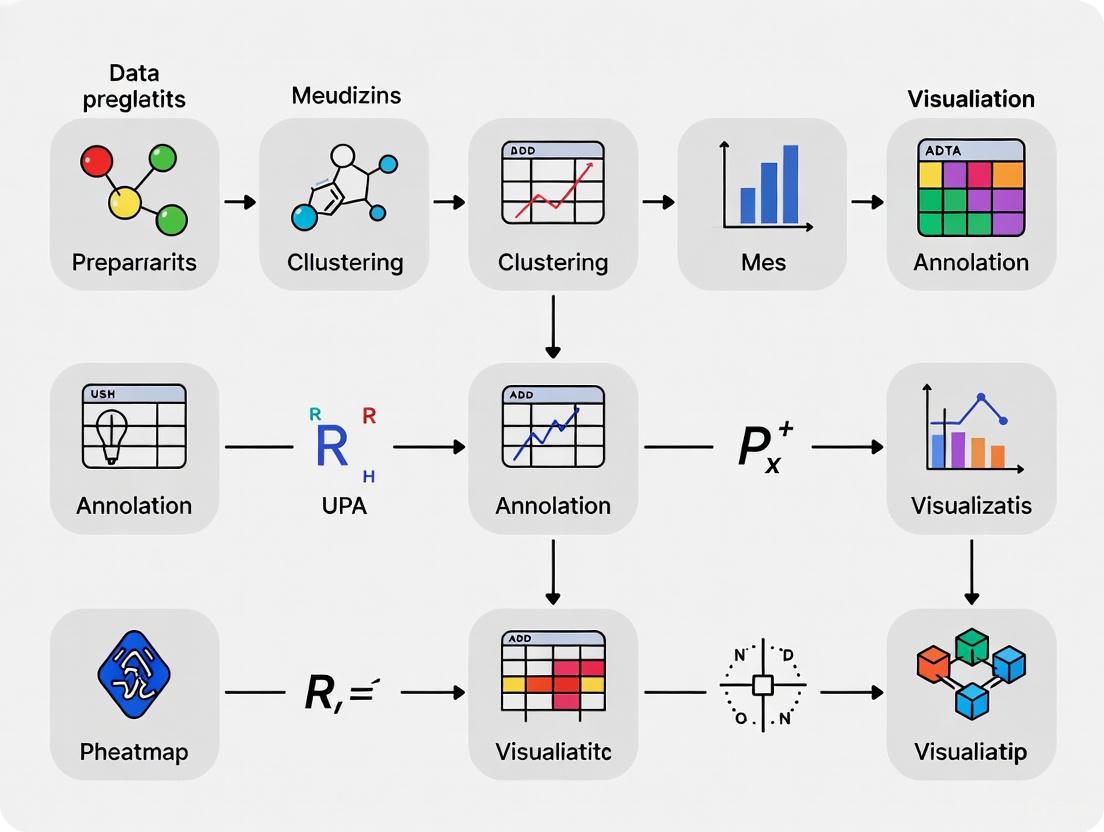
This guide provides researchers, scientists, and drug development professionals with a complete workflow for creating and customizing clustered heatmaps in R using the pheatmap package.
A Comprehensive Step-by-Step Guide to Creating Publication-Ready Heatmaps with pheatmap in R
Abstract
This guide provides researchers, scientists, and drug development professionals with a complete workflow for creating and customizing clustered heatmaps in R using the pheatmap package. Covering everything from foundational concepts and data preparation to advanced annotation, customization, troubleshooting common errors, and validating results, this article equips readers to transform complex gene expression or other high-dimensional data into insightful, publication-quality visualizations for biomedical research.
Understanding Heatmaps and Preparing Your Data for Effective Visualization
What is a Heatmap? Applications in Gene Expression and Biomedical Data Analysis
A heatmap is a powerful graphical representation of data where individual values contained in a matrix are represented as colors [1]. This visualization technique transforms complex numerical datasets into intuitive color-coded displays, allowing for immediate pattern recognition and data interpretation. In biological sciences, heatmaps have become an indispensable tool, particularly for visualizing high-dimensional data such as gene expression patterns across multiple samples or experimental conditions [2].
The fundamental principle behind heatmap visualization is the use of color gradients to represent values in a data matrix. Warmer colors (like reds and yellows) typically represent higher values, while cooler colors (like blues and greens) represent lower values, though specific color schemes can be customized based on the data type and analytical goals [3]. This color-coding enables researchers to quickly identify patterns, clusters, and outliers in datasets that would be difficult to discern from raw numerical values alone.
In the context of bioinformatics and genomics, heatmaps provide several crucial capabilities. They allow for the simultaneous visualization of expression patterns for hundreds or thousands of genes across multiple samples, reveal natural groupings and clusters of genes with similar expression profiles, identify sample-to-sample relationships based on global expression patterns, and serve as diagnostic tools for quality control in high-throughput experiments [1].
Theoretical Foundations: Clustering and Distance Metrics
The analytical power of heatmaps extends beyond simple visualization through the incorporation of clustering algorithms that group similar rows (genes) and columns (samples) together. This clustering is visually represented by dendrograms - tree-like diagrams that show the hierarchical relationship between data points [4] [1].
Distance Calculation Methods
Clustering begins with calculating a distance matrix that quantifies the similarity between data points. The pheatmap package supports several distance calculation methods [5] [1]:
Table 1: Distance Calculation Methods in Heatmap Clustering
| Method | Formula | Best Use Cases |
|---|---|---|
| Euclidean | √(Σ(xi - yi)²) | General purpose, continuous data |
| Manhattan | Σ|xi - yi| | High-dimensional data, outliers present |
| Maximum | max(|xi - yi|) | Emphasis on extreme differences |
| Canberra | Σ(|xi - yi| / (|xi| + |yi|)) | Data with magnitude differences |
| Binary | (number of non-matching positions) / (total positions) | Presence-absence data |
| Minkowski | (Σ|xi - yi|^p)^(1/p) | Generalized distance (p is parameter) |
| Correlation | 1 - correlation(x, y) | Pattern similarity regardless of magnitude |
Clustering Algorithms
After calculating the distance matrix, hierarchical clustering builds a dendrogram using linkage methods that determine how distances between clusters are calculated [1]:
- Complete linkage: Uses the maximum distance between points in two clusters
- Single linkage: Uses the minimum distance between points in two clusters
- Average linkage: Uses the average distance between all pairs of points in two clusters
- Ward's method: Minimizes the variance within clusters [5]
The following diagram illustrates the complete workflow of heatmap creation with clustering:
Applications in Gene Expression and Biomedical Research
Heatmaps serve as fundamental visualization tools across diverse domains of biomedical research, enabling researchers to extract meaningful patterns from complex datasets.
Gene Expression Studies
In transcriptomics, heatmaps are routinely used to visualize differential gene expression patterns across experimental conditions [2] [6]. They help identify co-expressed genes that may share regulatory mechanisms or participate in common biological pathways. For example, in a study investigating influenza virus infection of human plasmacytoid dendritic cells, heatmaps effectively visualized how infection altered the expression of immune-related genes compared to uninfected controls [7].
Multi-Omics Integration
Heatmaps facilitate the integration of data from multiple molecular levels, including genomics, transcriptomics, proteomics, and metabolomics [2]. This integrated visualization helps researchers understand interactions between different molecular layers and identify coordinated changes across biological systems.
Biomarker Discovery
In the context of biomarker discovery, heatmaps help visualize expression patterns of potential biomarker candidates across patient groups, aiding in the identification of diagnostic, prognostic, or predictive signatures [6]. This application is particularly valuable in cancer research, where tumor subtypes can be distinguished based on their molecular profiles.
Diagnostic and Quality Control Applications
Heatmaps serve as diagnostic tools in high-throughput sequencing experiments by visualizing correlation patterns between samples [1]. Biological replicates should cluster together, while distinct experimental conditions should separate, providing immediate visual feedback on data quality and experimental consistency.
Table 2: Biomedical Applications of Heatmaps
| Application Domain | Primary Use | Key Insights Generated |
|---|---|---|
| Cancer Genomics | Tumor vs. normal expression profiles [2] | Tumor subtypes, prognostic signatures |
| Drug Discovery | Drug response biomarkers [2] | Mechanisms of action, resistance patterns |
| Functional Genomics | Alternative splicing, regulatory elements [2] | Gene regulatory networks |
| Immunology | Immune cell profiles, cytokine levels [2] | Immune activation states, cell subtypes |
| Virology | Viral gene expression patterns [2] | Host-pathogen interactions, infection responses |
| Pathway Analysis | Functional enrichment results [2] | Activated/repressed biological processes |
| Population Genomics | Genetic variants, phylogenetic relationships [2] | Population structure, evolutionary relationships |
| Microbial Ecology | Microbial abundance from metagenomics [2] | Community composition, biogeographic patterns |
Experimental Protocols: Creating Annotated Heatmaps with pheatmap
This section provides a comprehensive, step-by-step protocol for creating publication-quality heatmaps using the pheatmap package in R, specifically designed for gene expression data visualization.
Software Environment Setup
Begin by installing and loading the required packages in R:
Data Preparation and Normalization
Proper data preparation is essential for meaningful heatmap visualization:
Annotation Data Frames Creation
Annotations provide critical contextual information for interpreting heatmaps:
Custom Color Scheme Definition
Define a color palette for both the heatmap and annotations:
Complete Heatmap Generation
Generate a fully customized heatmap with clustering and annotations:
Heatmap Export and Saving
Save the heatmap for publication and documentation:
The following workflow diagram summarizes the complete heatmap creation process:
Successful heatmap analysis requires both wet-lab reagents for data generation and computational tools for data visualization and interpretation.
Table 3: Essential Research Reagent Solutions for Gene Expression Heatmaps
| Resource Category | Specific Tools/Reagents | Function and Application |
|---|---|---|
| RNA Sequencing Kits | Illumina TruSeq, SMARTer Ultra Low | High-throughput transcriptome profiling for gene expression data generation |
| Quality Control Assays | Bioanalyzer RNA kits, Qubit fluorometry | RNA quality and quantity assessment before sequencing |
| Normalization Reagents | Spike-in RNA controls, ERCC standards | Technical variation control for accurate cross-sample comparison |
| Differential Expression Tools | DESeq2, EdgeR, limma [6] | Statistical identification of significantly altered genes between conditions |
| Clustering Algorithms | Hierarchical clustering, k-means, Partitioning Around Medoids | Pattern identification and group discovery in expression data |
| Color Palettes | RColorBrewer, viridis, custom gradients [5] [3] | Data representation with optimal perceptual characteristics |
| Annotation Databases | Gene Ontology, KEGG, MSigDB [6] | Biological context and functional interpretation of gene sets |
| Visualization Packages | pheatmap, ComplexHeatmap, heatmap.2 [4] [1] | Creation of publication-quality heatmap visualizations |
Advanced Applications and Protocol Variations
Large-Scale Genomic Studies
For studies involving thousands of genes, strategic approaches are needed to maintain interpretability:
Time-Series Expression Analysis
For temporal data, modify the clustering to preserve time relationships:
Integration with Functional Analysis
Combine heatmaps with functional enrichment results:
Troubleshooting and Quality Assessment
Common Technical Issues and Solutions
- Annotation mismatches: Ensure row names of annotation data frames exactly match column/row names of the data matrix [2]
- Color perception: Use colorblind-friendly palettes and avoid red-green contrasts
- Overplotting: For large gene sets, hide row names and focus on cluster patterns
- Clustering artifacts: Normalize data appropriately and consider alternative distance metrics
Quality Assessment Metrics
- Cluster robustness: Evaluate using bootstrap resampling or alternative clustering methods
- Color scale interpretation: Include clear legends with meaningful breakpoints
- Biological validation: Correlate clustering results with known biological groups or external validation datasets
Heatmaps, particularly when implemented through the pheatmap package in R, provide an exceptionally powerful framework for visualizing and interpreting complex gene expression and biomedical data. Through appropriate application of clustering algorithms, careful design of color schemes, and strategic use of annotations, researchers can transform high-dimensional numerical data into intuitive visual representations that reveal underlying biological patterns and relationships. The protocols and applications detailed in this article provide a comprehensive foundation for employing heatmap analysis across diverse biomedical research contexts, from basic gene expression studies to complex multi-omics integration and biomarker discovery.
Installing and Loading the pheatmap Package and Dependencies
Within the broader context of creating reproducible heatmaps for scientific research, the installation and setup of the pheatmap R package is a foundational step. This package addresses limitations in R's base graphics by providing fine-grained control over heatmap dimensions and appearance, enabling the creation of publication-quality visualizations [8]. For researchers in genomics and drug development, pheatmap offers particularly valuable functionality for visualizing complex datasets such as gene expression patterns across multiple experimental conditions [9] [4]. This protocol details the installation process, dependency management, and verification procedures essential for utilizing pheatmap in research environments.
The pheatmap package implements a single function, pheatmap(), designed to create clustered heatmaps with comprehensive annotation capabilities. Unlike the base R heatmap() function, it provides consistent control over text, cell, and overall figure dimensions, ensuring reproducible output suitable for scientific publications [8]. Key features include:
- Annotation integration: Addition of metadata annotations to rows and columns
- Flexible clustering: Hierarchical clustering with customizable parameters
- Color customization: Extensive palette control for data representation
- Cluster analysis: Capability to extract and analyze clustering patterns
In research contexts, pheatmap is particularly valuable for visualizing transcriptomic data from RNA-seq experiments, protein expression arrays, and drug response profiles [9] [5]. The package facilitates pattern discovery in high-dimensional data by visually representing expression changes across multiple genes and experimental conditions.
Installation Methods
pheatmap can be installed through multiple package management systems, providing flexibility for different research computing environments.
Comprehensive Installation Table
Table 1: pheatmap Installation Methods
| Method | Command | Environment | Dependencies |
|---|---|---|---|
| CRAN Install | install.packages("pheatmap") |
Base R | Automatically resolved |
| Conda Install | conda install r-pheatmap or mamba install r-pheatmap [10] |
Conda environments | Managed by conda-forge |
| Development Version | devtools::install_github("raivokolde/pheatmap") |
Development | Requires devtools |
Installation Protocols
Protocol 1: Standard CRAN Installation
- Launch R or RStudio environment
- Execute:
install.packages("pheatmap") - Wait for dependency resolution and binary download
- Verify installation:
library(pheatmap)
Protocol 2: Conda-Based Installation
- Ensure Conda or Mamba package manager is installed
- Enable conda-forge channel:
conda config --add channels conda-forge - Execute:
conda install r-pheatmap[10] - Verify installation within conda environment
Protocol 3: Dependency Verification
pheatmap depends primarily on R color space utilities and grid graphics. All dependencies are automatically installed through CRAN. For conda installations, the conda-forge feedstock manages dependency resolution [10].
Loading and Verification
Package Loading Protocol
After successful installation, load the package into your R session:
The packageVersion() command confirms the installed version, with current versions typically 1.0.12 or higher [9] [11].
Function Verification
Protocol 4: Basic Functionality Test
- Create test matrix:
test_matrix <- matrix(rnorm(100), 10, 10) - Generate basic heatmap:
pheatmap(test_matrix) - Verify plot generation without errors
- Check for dendrogram generation by default (clustered rows and columns)
Troubleshooting Common Installation Issues
Table 2: Troubleshooting Guide
| Issue | Cause | Solution |
|---|---|---|
$ operator not defined for this S4 class [11] |
Function masking from ComplexHeatmap |
Explicit call: pheatmap::pheatmap() or restart session |
| Package not found | Incorrect repository settings | Set CRAN mirror: options(repos = c(CRAN = "https://cloud.r-project.org")) |
| Permission errors | Library path issues | Install to user library or adjust permissions |
Protocol 5: Resolving Function Masking
- Identify conflicting packages:
search() - Detach conflicting packages:
detach("package:ComplexHeatmap", unload = TRUE) - Use explicit namespace:
pheatmap::pheatmap(data_matrix) - Alternatively, restart R session and load
pheatmapbefore other heatmap packages
Basic Implementation Workflow
The following diagram illustrates the complete workflow from installation to basic heatmap generation:
Basic Heatmap Generation Protocol
Protocol 6: Initial Heatmap Creation
- Prepare numeric matrix with row names:
- Generate basic heatmap:
pheatmap(data_matrix) - Customize scaling if needed:
pheatmap(data_matrix, scale = "row")[9] [12] - Save output:
pheatmap(data_matrix, filename = "heatmap.pdf")
Integration with Research Workflows
For research applications, proper integration with data analysis pipelines is essential. The package works seamlessly with:
- Bioinformatics pipelines: RNA-seq differential expression results
- Drug screening data: Compound response matrices
- Clinical data: Patient biomarker expression profiles
Protocol 7: Research Data Integration
- Import processed data (e.g., from DESeq2, limma)
- Convert to matrix format:
expression_matrix <- data.matrix(data_frame) - Set gene identifiers as row names:
rownames(expression_matrix) <- data_frame$GeneID - Generate annotated heatmaps with sample metadata
Essential Research Reagent Solutions
Table 3: Key Computational Tools for pheatmap Workflows
| Tool/Resource | Function | Research Application |
|---|---|---|
| R ColorRampPalette | Color palette generation | Create custom data gradients |
| RColorBrewer | Colorblind-friendly palettes | Publication-ready color schemes |
| Annotation data frames | Metadata integration | Sample grouping visualization |
| Dendextend package | Dendrogram manipulation | Enhanced cluster analysis [4] |
| Grid/gridExtra | Plot arrangement | Multi-panel figure creation [12] |
Advanced Package Management
Version Control and Environment Management
For reproducible research, maintaining package versions is critical. The following diagram illustrates the environment management structure:
Protocol 8: Environment Reproducibility
- Record package versions:
sessionInfo() - Utilize environment management tools (packrat, renv)
- For conda:
conda list r-pheatmap - Document complete environment for publication supplements
Proper installation and loading of the pheatmap package establishes the foundation for creating informative heatmap visualizations in research contexts. Following these standardized protocols ensures reproducible environment setup across different computational platforms. The package's integration with bioinformatics workflows and flexibility in handling complex experimental designs makes it particularly valuable for drug development professionals and research scientists requiring robust data visualization tools.
In biomedical research and drug development, effective data visualization is crucial for interpreting complex datasets. Heatmaps are powerful tools for revealing patterns, clusters, and outliers in high-dimensional data, such as gene expression profiles, compound screening results, or patient response datasets. The pheatmap package in R provides an exceptional platform for creating clustered heatmaps with extensive customization options [3]. However, the foundation of any high-quality heatmap is a properly structured numeric matrix. This protocol details the systematic process of creating and preparing a numeric matrix from raw experimental data for optimal visualization with pheatmap, specifically tailored for researchers in pharmaceutical and biological sciences.
Research Reagent Solutions
The following table outlines the essential computational tools and their functions for creating heatmaps in R:
Table 1: Essential Research Reagent Solutions for Heatmap Creation
| Item | Function | Application Context |
|---|---|---|
| R Statistical Environment | Primary computing platform for data manipulation and visualization | Provides the foundation for all data transformation and plotting operations |
| pheatmap R Package | Specialized function for creating clustered heatmaps with dendrograms | Generates publication-quality heatmaps with clustering and annotation capabilities [3] |
| data.frame/tibble Objects | Primary data structure for storing and manipulating experimental datasets | Serves as intermediate container before matrix conversion |
| matrix Object | Required input format for pheatmap() function | Stores pure numerical data in rows and columns for heatmap visualization |
| colorRampPalette() Function | Creates custom color gradients for data representation | Maps numerical values to color intensities for visual interpretation [13] |
Experimental Protocol: Matrix Creation for Heatmap Visualization
Data Import and Initial Structure
The initial data import phase is critical for establishing a proper foundation for heatmap creation. Begin by loading the required packages and importing your experimental data:
The data should be imported as a data frame, which is R's primary structure for heterogeneous data types. At this stage, the data likely contains both identifier columns (e.g., gene names, sample IDs) and numerical measurements (e.g., expression values, IC50 concentrations) [14].
Data Validation and Cleaning
Before matrix conversion, ensure data quality through systematic validation:
This quality control step ensures that the subsequent matrix will not contain problematic missing values that could skew clustering results or visualization interpretation.
Numeric Matrix Construction
The core transformation involves extracting or creating a pure numeric matrix from the structured data frame:
The matrix dimensions should reflect the experimental design, with rows typically representing features (e.g., genes, compounds) and columns representing samples or experimental conditions.
Data Transformation and Normalization
Depending on the analysis goals, apply appropriate data transformation:
Different normalization approaches emphasize different aspects of the data. Z-score standardization facilitates comparison across features with different measurement scales, while log transformation helps stabilize variance in highly skewed distributions common in biological data [3].
Basic Heatmap Generation
Generate an initial heatmap to validate matrix structure:
This initial visualization serves as a quality check to ensure the matrix has been properly structured before proceeding to advanced customization [13].
Workflow Visualization
The following diagram illustrates the complete workflow for creating a numeric matrix and generating a heatmap:
Diagram 1: Complete workflow for heatmap matrix preparation
Advanced Matrix Configuration for Specific Research Applications
Experimental Design Considerations
Different experimental paradigms require specific matrix structures:
Proper labeling with descriptive row and column names is essential for interpretable heatmaps, particularly when sharing results with collaborative research teams.
Annotation Data Frames
Create annotation data frames to enhance heatmap interpretability:
These annotation data frames enable simultaneous visualization of experimental metadata alongside the primary quantitative data [3].
Quantitative Data Presentation
The following tables provide standardized metrics for evaluating matrix quality and heatmap configuration:
Table 2: Matrix Quality Assessment Metrics
| Metric | Optimal Range | Calculation Method | Impact on Heatmap Quality |
|---|---|---|---|
| Missing Value Percentage | <5% | sum(is.na(matrix)) / length(matrix) * 100 |
Higher percentages disrupt clustering patterns |
| Data Range (Pre-normalization) | Experiment-dependent | range(matrix) |
Extreme ranges may dominate color scale |
| Coefficient of Variation | 15-85% per row | apply(matrix, 1, sd) / apply(matrix, 1, mean) * 100 |
Low variation rows appear uniform in heatmap |
| Matrix Dimensions | Minimum 10×10 for clustering | dim(matrix) |
Small matrices may not benefit from clustering |
Table 3: Heatmap Color Scheme Specifications
| Color Scheme | Gradient Colors | Data Type | Interpretation Guidance |
|---|---|---|---|
| Blue-White-Red | #4285F4, #FFFFFF, #EA4335 | Z-score normalized | Blue: Low, White: Medium, Red: High [15] |
| Green-Yellow-Red | #34A853, #FBBC05, #EA4335 | Fold-change data | Green: Down-regulated, Yellow: Neutral, Red: Up-regulated |
| Sequential Blue | #F1F3F4, #4285F4 | Absolute values | Light: Low, Dark Blue: High [13] |
| Viridis | Custom gradient | General purpose | Perceptually uniform, accessibility-friendly |
Troubleshooting Common Matrix Preparation Issues
Error Resolution
Common errors during matrix preparation and their solutions:
Performance Optimization
For large datasets common in genomics and high-throughput screening:
The creation of a properly structured numeric matrix is a critical prerequisite for generating informative heatmaps in R. By following this detailed protocol, researchers in drug development and biological sciences can systematically transform raw experimental data into analysis-ready matrices optimized for pattern discovery, cluster analysis, and visualization using the pheatmap package. The methodologies presented here emphasize robust data handling, appropriate normalization strategies, and quality control measures essential for producing biologically meaningful and publication-quality visualizations.
In bioinformatics and computational biology, heatmaps are indispensable tools for visualizing complex data matrices, such as gene expression patterns across multiple samples. The pheatmap package in R provides a powerful and flexible platform for creating clustered heatmaps with detailed annotations. This protocol details the complete workflow from data preprocessing and subsetting to the generation of publication-ready heatmaps, specifically focusing on filtering for high-expression genes—a critical step for meaningful biological interpretation. The methods outlined here are designed for researchers, scientists, and drug development professionals analyzing high-throughput genomic data.
Data Preprocessing and Subset Selection
Proper data preprocessing ensures that the resulting heatmap accurately reflects biological signals rather than technical artifacts.
Data Input and Structure
- Data Format: Input data should be a numeric matrix or data frame where rows typically represent genes and columns represent samples or experimental conditions [5] [1]. The matrix should contain only expression values, with gene names assigned as row names and sample names as column names [5].
- Data Import: Use standard R functions to read your data. For demonstration, we use a subset of the airway dataset, which contains normalized log2 counts per million (CPM) values for differentially expressed genes [1].
Filtering for High-Expression Genes
Filtering identifies and retains genes with sufficient expression levels for reliable visualization and pattern recognition.
- Rationale: Including lowly expressed genes can introduce noise and obscure meaningful biological patterns in the heatmap. Filtering improves signal-to-noise ratio.
- Method 1: Filter by Total Expression: Calculate the total expression for each gene across all samples and apply a threshold [12].
- Method 2: Filter by Variance: Retain genes with the highest variance across samples, as these are often biologically informative. This method is particularly useful for identifying differentially expressed genes.
Data Scaling and Normalization
- Purpose: Scaling ensures that expression differences are due to biological effects rather than technical variation in measurement ranges.
- Z-score Standardization: This common approach scales each row (gene) to have a mean of zero and standard deviation of one, highlighting relative expression changes across samples [12] [16].
Table 1: Data Preprocessing Functions and Their Applications
| Function | Package | Purpose | Key Parameters |
|---|---|---|---|
rowSums() |
base R | Calculate total expression per gene | na.rm = TRUE/FALSE |
apply() |
base R | Apply function over matrix rows/columns | MARGIN = 1 (rows) or 2 (columns), FUN = function |
scale() |
base R | Standardize matrix columns | center = TRUE, scale = TRUE |
read.csv() |
base R | Import comma-separated data files | file, header = TRUE, row.names = 1 |
Annotated Heatmap Creation with pheatmap
Basic Heatmap Generation
The pheatmap() function creates a basic clustered heatmap with default parameters [1].
Annotation Setup
Annotations provide critical context by coloring row or column labels according to experimental groups or gene functions.
- Sample Annotations: Create a data frame for column annotations where row names match column names in the expression matrix [5].
- Gene Annotations: Create a data frame for row annotations where row names match row names in the expression matrix [5].
- Annotation Colors: Define specific color schemes for each annotation category [5].
Clustering Customization
Clustering groups similar genes and samples based on expression patterns.
- Distance Metrics: Choose appropriate distance measures ("euclidean", "maximum", "manhattan", "canberra", "binary", "minkowski", "pearson") [16].
- Clustering Methods: Select clustering algorithms ("ward.D", "ward.D2", "single", "complete", "average") [16].
Table 2: Key pheatmap Parameters for Clustering and Visualization
| Parameter | Type | Default | Effect on Heatmap |
|---|---|---|---|
cluster_rows |
logical | TRUE | Enables/disables row clustering |
cluster_cols |
logical | TRUE | Enables/disables column clustering |
clustering_distance_rows |
character | "euclidean" | Distance metric for row clustering |
clustering_method |
character | "complete" | Hierarchical clustering method |
scale |
character | "none" | Data scaling: "row", "column", or "none" |
show_rownames |
logical | TRUE | Displays/shows row names |
annotation_row |
data frame | NA | Data frame for row annotations |
color |
vector | colorRampPalette | Color palette for expression values |
Visualization and Workflow Diagram
The following workflow summarizes the key steps in data preprocessing and heatmap generation:
Diagram 1: Heatmap Generation Workflow from Raw Data to Final Visualization
Research Reagent Solutions
Table 3: Essential Computational Tools for Heatmap Analysis
| Tool/Package | Application | Key Function |
|---|---|---|
pheatmap R Package |
Creating annotated heatmaps | pheatmap() function with clustering and annotation options [5] [1] |
RColorBrewer |
Color palette management | brewer.pal() for creating color gradients [5] [17] |
ggplot2 |
Advanced data visualization | geom_tile() for alternative heatmap implementation [1] |
dendextend |
Dendrogram customization | Enhanced control over cluster visualization [16] |
ComplexHeatmap |
Complex heatmap arrangements | Heatmap() for advanced genomic data visualization [16] |
| Gene Expression Matrix | Primary data structure | Numeric matrix with genes as rows, samples as columns [5] [1] |
| Annotation Data Frames | Sample and gene metadata | Data frames with matching row/column names for annotations [5] |
Advanced Customization and Output
Enhanced Visualization Parameters
Fine-tuning visual elements improves clarity and interpretive value.
Output and Export
Save publication-quality figures with appropriate dimensions and resolution.
Heatmaps are powerful data visualization tools used extensively in bioinformatics and computational biology to represent complex numerical data, such as gene expression matrices, in a graphical format where color gradients represent underlying values. The pheatmap R package, developed by Raivo Kolde, provides a robust and flexible implementation for creating annotated heatmaps with clustering capabilities, making it particularly valuable for scientists analyzing high-dimensional biological data [4]. This protocol outlines the complete methodology for generating a basic clustered heatmap using the default pheatmap() function, framed within a comprehensive workflow for analyzing transcriptional profiling data.
The fundamental strength of pheatmap lies in its seamless integration of hierarchical clustering with intuitive visualization, allowing researchers to identify patterns, outliers, and groupings within their data without extensive programming knowledge. This technique is particularly crucial in drug development pipelines where rapid visualization of treatment effects across thousands of genes or compounds enables prioritization of candidates for further investigation.
Research Reagent Solutions
Table 1: Essential computational reagents and software components required for heatmap generation.
| Component | Function | Installation Command |
|---|---|---|
| R Programming Language | Provides the computational environment for statistical analysis and visualization | Download from CRAN |
| pheatmap Package | Implements the core heatmap generation algorithm with clustering | install.packages("pheatmap") |
| Data Matrix | Rectangular numerical data structure (genes × samples) with row and column names | Created programmatically or imported from file |
| RColorBrewer Package | Provides color palettes for data representation and annotations | install.packages("RColorBrewer") |
Methodology
Computational Environment Setup
Begin by initializing the R environment and loading the required packages. Clean the workspace to ensure reproducibility and avoid conflicts with previous objects.
Data Preparation and Normalization
Proper data structuring is essential for successful heatmap generation. The input data must be formatted as a numeric matrix with appropriate row and column identifiers.
For gene expression data, normalization is often required to remove technical artifacts. While the default pheatmap() function works with raw values, Z-score normalization can be applied to rows (genes) to emphasize expression patterns.
Default Heatmap Generation
The simplest heatmap can be generated with a single function call using default parameters. This provides a quick visualization of the data structure with automatic clustering.
Table 2: Key parameters and their default values in the pheatmap() function call.
| Parameter | Default Value | Function |
|---|---|---|
mat |
(user provided) | Input numerical matrix |
color |
Color palette | Color scheme for data representation |
cluster_rows |
TRUE |
Apply hierarchical clustering to rows |
cluster_cols |
TRUE |
Apply hierarchical clustering to columns |
clustering_method |
"complete" |
Linkage method for clustering |
clustering_distance_rows |
"euclidean" |
Distance metric for row clustering |
clustering_distance_cols |
"euclidean" |
Distance metric for column clustering |
show_rownames |
TRUE |
Display row names |
show_colnames |
TRUE |
Display column names |
scale |
"none" |
Data scaling ("row", "column", or "none") |
annotation_row |
NA |
Row annotation data frame |
annotation_col |
NA |
Column annotation data frame |
Workflow Visualization
Diagram 1: Workflow for generating a default heatmap using the pheatmap package, illustrating the sequential steps from data preparation to final visualization.
Output Interpretation and Analysis
The default pheatmap() function produces a visualization with several key components:
- Color Key: The gradient legend showing the mapping between colors and numerical values in the matrix.
- Row Dendrogram: Hierarchical clustering of rows (genes) based on similarity.
- Column Dendrogram: Hierarchical clustering of columns (samples) based on similarity.
- Main Heatmap Body: Color-coded representation of the numerical matrix.
The clustering patterns reveal natural groupings in the data, with similar rows and columns positioned adjacent to each other in the heatmap layout. By default, pheatmap() uses Euclidean distance and complete linkage for hierarchical clustering, which generally produces balanced dendrograms [5] [4].
Troubleshooting and Optimization
Common Issues and Solutions
- Memory Limitations: For large datasets (>5000 features), consider filtering low-variance features before heatmap generation.
- Text Overlap: Use
show_rownames = FALSEorshow_colnames = FALSEfor dense matrices. - Color Representation: Adjust the
colorparameter with sequential or diverging palettes from RColorBrewer for better data representation [18].
Advanced Customization
While the default function call provides immediate visualization, the true power of pheatmap emerges through parameter customization for publication-quality figures:
The default pheatmap() function provides an immediate, informative visualization of matrix-structured data with automatic clustering to reveal inherent patterns. This protocol establishes the foundation for more advanced heatmap customization, including annotation integration, color scheme optimization, and clustering parameter adjustment. The generated heatmap serves as an critical exploratory tool in the researcher's arsenal, enabling rapid assessment of data quality, pattern identification, and hypothesis generation for subsequent statistical testing in drug development pipelines.
In the field of data visualization, particularly for high-dimensional biological data such as gene expression analyses, heatmaps are an indispensable tool. They provide an intuitive, graphical representation where individual values contained in a matrix are represented as colors. Two of the most critical components for extracting meaningful information from a heatmap are the dendrogram, which reveals the hierarchical clustering structure of the data, and the color key (or legend), which deciphers the relationship between color and numerical value. A proper understanding of these elements is fundamental for accurate interpretation, especially in drug development and scientific research where conclusions drawn from visualizations can inform critical decisions. This note details the principles and protocols for interpreting these components within the context of generating heatmaps using the pheatmap package in R.
Core Concepts and Definitions
The Dendrogram: Visualizing Clustering Structure
A dendrogram is a tree-like diagram that visualizes the arrangement of clusters produced by hierarchical clustering. This clustering is a fundamental step in heatmap creation, as it groups together rows (e.g., genes) or columns (e.g., samples) with similar expression patterns, revealing inherent structures within the data.
- Branches and Leaves: Each end leaf node of the dendrogram represents an individual data point (e.g., a single gene or sample). The branches connect these leaves into nested clusters.
- Branch Height: The height at which two branches merge represents the (dis)similarity or distance between the two clusters. A lower merge height indicates the two clusters are very similar, while a higher merge height indicates greater dissimilarity.
- Cutting the Tree: The dendrogram can be cut, either at a specific height or to obtain a predefined number of clusters (
k), to assign each data point to a distinct group. These cluster assignments are often annotated on the heatmap for clarity [4].
The Color Key: Mapping Numbers to Colors
The color key is the legend that maps the spectrum of colors in the heatmap cells back to their original numerical values. The choice of color palette is not merely aesthetic; it dramatically affects the accuracy and ease of interpretation [19].
- Sequential Color Scales: These scales use a progression of lightness and/or saturation of a single hue (or a sequence of related hues) from low to high values. They are ideal for representing data that has a natural order from minimum to maximum, such as raw gene expression counts or protein concentration [19] [18]. For example, a common sequential scale progresses from light yellow to dark red.
- Diverging Color Scales: These scales use two distinct hues that diverge from a central neutral color (often white or light yellow). They are designed to highlight deviations from a critical central value, such as zero, a mean, or a median. This makes them perfect for visualizing z-scores, log-fold changes, or other metrics where the direction and magnitude of deviation from the center are important [19]. A typical diverging scale might use blue for negative values, white for zero, and red for positive values.
The following workflow outlines the logical process of creating and interpreting a clustered heatmap, from data preparation to final interpretation.
Key Quantitative Data
Properties of Common Color Scales
The table below summarizes the core characteristics and applications of the primary types of color scales used in heatmaps.
Table 1: Characteristics of Common Heatmap Color Scales
| Color Scale Type | Data Characteristics | Typical Color Progression | Primary Application |
|---|---|---|---|
| Sequential [19] [18] | Unidirectional data (all values ≥0 or ≤0), no natural midpoint. | Light yellow → Dark redorLight blue → Dark blue | Visualizing raw expression values (TPM, FPKM), abundance, or intensity levels. |
| Diverging [19] [18] | Data with a critical central point (e.g., 0, mean). Highlights deviations. | Blue → White → Red | Visualizing z-scores, fold-changes, or differences from a control or average. |
| Qualitative [18] | Categorical data (no intrinsic order). | Distinct, unrelated colors. | Annotating groups on the heatmap (e.g., tissue type, treatment group). |
2pheatmapOutput Object Structure
When the pheatmap function is executed with the argument silent = TRUE, it returns a list object containing key structural elements of the plot, which can be used for further analysis [4] [12].
Table 2: Key Elements of a pheatmap Output List
| List Element | Description | Data Structure |
|---|---|---|
tree_row |
The hierarchical clustering result for the rows. | hclust object |
tree_col |
The hierarchical clustering result for the columns. | hclust object |
kmeans |
The result of k-means clustering if it was applied. | kmeans object |
gtable |
The graphical table (gtable) object that defines the plot layout. |
gtable object |
Experimental Protocols
Protocol: Creating and Interpreting a Basic Clustered Heatmap withpheatmap
This protocol guides you through generating a standard clustered heatmap, with a focus on interpreting the resulting dendrogram and color key.
I. Research Reagent Solutions
Table 3: Essential Software and Packages
| Item | Function/Description |
|---|---|
| R Statistical Environment | The core software platform for statistical computing and graphics. |
pheatmap R package |
Provides the function pheatmap() to create pretty, customizable, and clustered heatmaps [4] [3]. |
| Data Matrix | A numerical matrix (e.g., .csv or .txt file) where rows represent features (e.g., genes) and columns represent samples or observations. |
II. Procedure
Installation and Loading. Install and load the required package into your R session.
Data Preparation and Input. Read your data into R as a matrix. Ensure row names and column names are set appropriately. The data should be in a raw or normalized format suitable for clustering.
Generate the Heatmap. Create the basic heatmap using the
pheatmap()function. The default settings will perform hierarchical clustering and generate both row and column dendrograms.Interpretation of the Dendrogram.
- Observe the branching pattern of the row dendrogram (on the left) to identify groups of genes that exhibit similar expression profiles across all samples.
- Observe the column dendrogram (on the top) to identify groups of samples that have similar global gene expression profiles.
- Note the height at which major branches merge. Larger heights indicate the clusters being merged are more dissimilar.
Interpretation of the Color Key.
- Locate the color key (legend) on the left of the heatmap.
- Identify the mapping: which end of the color scale corresponds to high values and which to low values in your original
my_datamatrix. - Relate the colors in the heatmap cells to the numerical values via this key to understand the magnitude of expression for any given gene in any given sample.
Protocol: Customizing Colors and Annotations for Enhanced Interpretation
This protocol builds on the basic method by incorporating advanced features that improve clarity and information density.
I. Procedure
Create Annotation Data Frames. Define data frames that contain grouping information for rows and/or columns. The row names of these data frames must match the row or column names of the main data matrix.
Define a Custom Color Palette. Create a color palette suitable for your data. For a sequential scale, use
colorRampPalette. For a diverging scale, you can define a vector of colors manually.Generate the Annotated Heatmap. Produce the final heatmap by supplying the annotations and custom color palette. Use the
cutree_rowsorcutree_colsarguments to explicitly define cluster splits on the dendrogram.Advanced Interpretation.
- The colored annotation bars now provide an immediate visual link between the cluster assignments in the dendrogram and the individual rows/columns.
- The custom diverging color key allows you to easily distinguish values above (red) and below (blue) the neutral midpoint.
The Scientist's Toolkit
Table 4: Essential Materials for Heatmap Creation and Interpretation
| Category | Item | Function / Relevance |
|---|---|---|
| Software & Packages | R & RStudio | Core computational environment for analysis and visualization. |
pheatmap |
Primary tool for generating customizable clustered heatmaps [3]. | |
dendextend |
An R package for advanced manipulation and comparison of dendrograms [4]. | |
| Visualization Aids | ColorBrewer | A classic tool (also available via RColorBrewer) for selecting color-blind-friendly, print-safe palettes [19]. |
| Viridis | A family of color maps that are perceptively uniform and color-blind-friendly, ideal for sequential data. | |
| Conceptual Framework | Hierarchical Clustering | Understanding of distance metrics (Euclidean, Manhattan) and linkage methods (complete, average, Ward's) is crucial for deciding how the dendrogram is built. |
| Z-score Standardization | A common data transformation (scale="row" in pheatmap) that creates a diverging dataset, making patterns across rows more comparable [4] [12]. |
Visualization and Representation
The following diagram illustrates the step-by-step analytical workflow a researcher follows when interpreting a finalized heatmap, connecting the visual elements (dendrogram and color) to their analytical meaning.
Creating Annotated and Customized Heatmaps: A Practical Step-by-Step Protocol
In genomic research, particularly in transcriptomic analyses like RNA sequencing (RNA-seq), data visualization is a critical step in interpreting complex biological phenomena. Heatmaps serve as a powerful tool for visualizing gene expression patterns across multiple samples or experimental conditions. The pheatmap package in R is a widely adopted solution for creating such visualizations due to its flexibility in incorporating clustering and annotations [5] [4]. However, the raw data from high-throughput experiments often contains technical variations that can obscure biological signals. Data scaling addresses this challenge by transforming expression values to a comparable scale, enabling meaningful pattern recognition and biological interpretation.
The fundamental purpose of data scaling in heatmap visualization is to enhance the discernibility of patterns by minimizing technical variance while preserving biological signal. Without appropriate scaling, genes with naturally high expression levels might dominate the color spectrum, making it difficult to observe meaningful variations in genes with lower overall expression. This is particularly crucial in differential expression analysis, where researchers seek to identify genes that show consistent patterns across sample groups rather than those with the highest absolute expression values [20] [1].
Understanding Z-Score Normalization
Mathematical Foundation
Z-score normalization, also known as standardization, transforms data to have a mean of zero and a standard deviation of one. The mathematical operation for a single gene across all samples is expressed as:
[ Z = \frac{X - \mu}{\sigma} ]
Where:
- ( Z ) is the z-score
- ( X ) is the original expression value
- ( \mu ) is the mean expression of the gene across all samples
- ( \sigma ) is the standard deviation of the gene's expression across all samples
This transformation converts all genes to a common scale where values represent the number of standard deviations away from the mean, facilitating direct comparison between genes with different baseline expression levels [20].
Implementation Methods
In R, z-score normalization for heatmaps can be implemented through two primary approaches:
Manual Calculation:
This method explicitly calculates z-scores by applying the scaling function across rows (genes) [4] [12]. The transpose operations (t()) are necessary because R's apply() function works on matrix rows, but scale() operates on columns.
Using Built-in Scaling:
The pheatmap package provides a built-in scale parameter that efficiently performs the same row-wise z-score normalization without requiring explicit calculation [12] [17]. Both methods produce identical results, but the built-in approach offers better code readability and computational efficiency.
When to Apply Row Scaling
Appropriate Use Cases
Row-wise z-score normalization is particularly valuable in these experimental contexts:
Gene Expression Studies: When analyzing RNA-seq or microarray data to identify genes with similar expression patterns across samples, regardless of their absolute expression levels [20] [1]. This enables detection of co-expressed gene clusters that may share regulatory mechanisms.
Comparative Analyses: When comparing expression patterns of genes with different dynamic ranges, such as highly expressed housekeeping genes alongside tightly regulated transcription factors [5].
Pattern Recognition: When the research question focuses on relative changes rather than absolute values, such as identifying which genes are upregulated or downregulated in specific conditions [1].
Limitations and Alternatives
Row scaling is not universally appropriate for all datasets. Key limitations include:
Sample Group Comparisons: When absolute expression differences between pre-defined sample groups are biologically meaningful, scaling should be avoided or applied differently.
Small Sample Sizes: With very few samples (n < 5), z-score calculations become unstable and may not represent true biological variation.
Cross-Study Comparisons: When combining datasets from different sources or platforms, more sophisticated normalization approaches (e.g., quantile normalization, combat) may be necessary before z-score transformation.
Table 1: Scaling Methods and Their Applications
| Scaling Method | Application Context | Advantages | Limitations |
|---|---|---|---|
scale="row" (Z-score) |
Identifying relative expression patterns across samples | Highlights which genes are above/below mean expression for each sample; enables cluster detection | Obscures absolute expression differences; not suitable for between-group comparisons |
scale="column" |
Emphasizing sample-specific patterns | Identifies samples with unusual expression profiles; useful for quality control | Masks gene-specific expression patterns |
scale="none" |
Comparing absolute expression values | Preserves original data structure; appropriate for pre-normalized data | Patterns may be dominated by highly expressed genes |
Experimental Protocol: Implementing Z-Score Normalization
Data Preprocessing Workflow
A robust preprocessing pipeline is essential for generating meaningful heatmap visualizations:
Step 1: Data Import and Validation
- Load normalized count data (e.g., VST-transformed counts from DESeq2, log2-CPM)
- Ensure proper data structure: rows as genes, columns as samples
- Verify absence of missing values and appropriate data types
Step 2: Data Quality Assessment
- Remove genes with uniform expression (zero variance) as they produce NaN when scaled
- Consider filtering based on expression thresholds if working with raw counts
Step 3: Z-Score Normalization Implementation Apply z-score normalization using either manual calculation or built-in function:
Complete Heatmap Generation Protocol
Integrating z-score normalization into a comprehensive heatmap workflow:
The Scientist's Toolkit
Table 2: Essential Research Reagents and Computational Tools
| Tool/Reagent | Function/Purpose | Implementation Example |
|---|---|---|
| pheatmap R Package | Creates annotated heatmaps with clustering | pheatmap(expression_matrix, scale="row") |
| DESeq2 | Differential expression analysis | vst(dds) for variance-stabilizing transformation |
| RColorBrewer | Provides colorblind-friendly palettes | brewer.pal(9, "YlOrRd") |
| Z-score Normalization | Standardizes expression values per gene | t(scale(t(matrix))) or scale="row" in pheatmap |
| Hierarchical Clustering | Groups similar genes and samples | hclust(dist(data)) with specified method |
Workflow Visualization
Gene Expression Heatmap Generation Workflow
Troubleshooting and Quality Control
Common Implementation Issues
Problem: NaN/NA values in heatmap
- Cause: Genes with zero variance (constant expression across samples) produce NaN when scaled
- Solution: Pre-filter zero-variance genes or use
complete.cases()to remove problematic rows [20]
Problem: Poor clustering resolution
- Cause: Inappropriate distance metric or clustering method for dataset
- Solution: Experiment with different clustering parameters
Problem: Color scale does not represent data well
- Cause: Extreme outliers compressing the color range for most data points
- Solution: Implement winsorization or use quantile-based color breaks
Quality Assessment Metrics
To ensure the validity of your z-score normalized heatmap:
- Cluster Stability: Assess dendrogram structure for well-defined, balanced clusters rather than chained patterns
- Color Distribution: Verify that the color spectrum represents a reasonable range of z-scores (typically -3 to +3)
- Biological Coherence: Confirm that clustered genes share functional annotations or pathway membership
- Technical Artifacts: Check for sample-specific batch effects that might dominate the clustering pattern
Advanced Applications in Drug Development
Z-score normalized heatmaps provide critical insights throughout the drug development pipeline:
- Target Identification: Identify clusters of co-expressed genes that define disease subtypes or treatment-response profiles
- Mechanism of Action Studies: Visualize how compound treatments alter expression patterns across pathways
- Biomarker Discovery: Detect gene expression signatures that correlate with clinical outcomes
- Toxicity Assessment: Monitor expression changes in safety-related genes across dose concentrations
In these applications, the row-scaled heatmap serves as a hypothesis-generating tool, revealing patterns that warrant further validation through targeted experiments. The visualization enables research teams to quickly assess complex molecular responses and make data-driven decisions about compound progression.
Research Reagent Solutions
Table 1: Essential materials and software for creating annotated heatmaps.
| Item Name | Function/Brief Explanation |
|---|---|
| R Programming Language | Provides the statistical computing and graphical environment necessary for data analysis and visualization [4]. |
pheatmap R Package |
A dedicated R package used to create clustered heatmaps with enhanced customization options, including the addition of row and column annotations [4] [13]. |
| Annotation Data Frame | A required data structure in R that stores the categorical or numeric metadata (e.g., treatment group, sample type) for the rows or columns of the data matrix [4]. |
| Data Matrix | A table of numerical values (e.g., gene expression counts, protein abundance) where rows typically represent features and columns represent samples. This is the core data visualized in the heatmap [4]. |
Experimental Protocol
Workflow for Creating and Integrating Sample Annotations
The following diagram outlines the comprehensive workflow for creating a heatmap with sample annotations, from data preparation to final visualization.
Step-by-Step Methodology
This protocol provides a detailed methodology for creating a column annotation data frame to visually group samples by treatment condition in a heatmap using the pheatmap package in R [4].
- Data Preparation and Preprocessing
- Load Required Library: Begin by loading the
pheatmappackage into your R session. - Load Data Matrix: Import your primary data matrix into R. The columns of this matrix represent the samples you wish to annotate.
- Data Subsetting and Scaling (Optional): Filter the data to include only relevant features (e.g., genes with sufficient expression). Optionally, apply scaling (e.g., Z-score normalization) to emphasize relative differences across rows.
- Load Required Library: Begin by loading the
- Advanced Customization (Optional)
- Custom Color Palette: Define a named list to specify the colors for each level of your annotation variables. This enhances visual clarity.
r
my_colour = list(
  Treatment = c(normal = "#5977ff", tumour = "#f74747")
)
p <- pheatmap(data_subset_norm,
              annotation_col = my_sample_col,
              annotation_colors = my_colour)
[4]
- Custom Color Palette: Define a named list to specify the colors for each level of your annotation variables. This enhances visual clarity.
Data Presentation
Table 2: Key parameters for the pheatmap function when adding column annotations.
| Function Parameter | Data Type | Description | Required/Optional |
|---|---|---|---|
annotation_col |
Data Frame | Specifies the data frame containing column annotation information. | Required |
annotation_colors |
Named List | A list specifying the color mappings for the annotations in annotation_row and annotation_col. |
Optional |
cutree_cols |
Integer | Cuts the column dendrogram to define a specific number of column clusters. | Optional |
cluster_cols |
Logical | Determines if columns should be clustered. Set to FALSE to disable. |
Optional |
show_colnames |
Logical | Controls whether column names are displayed on the heatmap. | Optional [4] [13] |
This application note details the methodology for creating row annotation data frames to enhance the interpretability of gene expression heatmaps generated with the pheatmap package in R. This protocol is integral to a broader workflow for the visual analysis of high-throughput genomic data, enabling researchers to visually integrate cluster assignments or functional gene characteristics directly with expression patterns.
The following diagram outlines the complete procedure for creating and adding row annotations to a heatmap, from data preparation to final visualization.
Research Reagent Solutions
The following table lists the essential computational tools and their functions required to execute this protocol.
| Reagent/Solution | Function in Protocol |
|---|---|
| R Statistical Environment | Provides the foundational computational platform for all data manipulation and visualization. |
| pheatmap R Package | Generates the heatmap and integrates the row and column annotations into the final visual output [21] [4]. |
| dendextend R Package | Aids in manipulating and visualizing dendrograms, facilitating the determination of gene clusters [4]. |
| Annotation Data Frame | The key data structure (created in this protocol) that maps gene identifiers to their respective cluster or functional groups for visualization. |
Step-by-Step Protocol
Data Preprocessing and Clustering
Begin with a normalized gene expression matrix where rows correspond to genes and columns to samples.
- Data Scaling: Scale the expression data (e.g., to Z-scores) to emphasize relative expression patterns across genes.
- Hierarchical Clustering: Perform hierarchical clustering on the scaled data to identify groups of genes with similar expression profiles.
- Define Gene Clusters: Cut the dendrogram to assign genes to a specific number of clusters (
k).
Constructing the Annotation Data Frame
Create a data frame to hold the cluster information and any additional annotations. The row names of this data frame must match the row names (gene identifiers) of the expression matrix.
- Create Base Data Frame: Convert the cluster vector into a data frame.
- Add Functional Annotations (Optional): Incorporate additional categorical data, such as gene function or pathway membership, from other analyses.
Defining Annotation Colors
Specify a named list of color mappings to ensure visual consistency and clarity.
Generating the Annotated Heatmap
Pass the annotation data frame and color list to the pheatmap function.
Anticipated Results and Troubleshooting
Successful execution will produce a heatmap with colored annotation bars adjacent to the gene rows, illustrating group membership.
- Mismatched Row Names: Ensure the
rownames(annotation_row)exactly match therownamesof the input matrix. Mismatches will result in missing annotations. - Color Specification: The
annotation_colorslist must be correctly named to match the column names inannotation_row(e.g.,GeneCluster,Pathway). - Complex Annotations: This protocol can be extended to include column annotations for samples using the
annotation_colargument, following the same data frame structure [4].
Within the field of data visualization for biological research, the ability to clearly communicate complex data patterns is paramount. Heatmaps serve as a powerful tool in this endeavor, allowing researchers and drug development professionals to intuitively visualize large matrices of data, such as gene expression levels or drug response assays. The effectiveness of a heatmap is heavily dependent on the color schemes employed, which transform numerical values into visual intensities. This article provides a detailed, step-by-step guide to creating publication-quality heatmaps in R using the pheatmap package, with a concentrated focus on harnessing the capabilities of RColorBrewer and colorRampPalette to construct robust, informative, and aesthetically pleasing color palettes. The protocols outlined herein are designed to be integrated into reproducible research pipelines, ensuring that visualizations are not only compelling but also scientifically accurate.
The Scientist's Toolkit: Research Reagent Solutions
The following table details the essential software and packages required to implement the protocols described in this article.
Table 1: Essential Research Reagents and Software Solutions
| Item Name | Function/Application | Specifications |
|---|---|---|
| R Statistical Language | The underlying programming environment for data analysis and visualization. | Version 4.5.2 or higher is recommended for compatibility with all listed packages. [22] |
| pheatmap R Package | Primary tool for creating clustered, annotated heatmaps with high customizability. | Provides features for clustering, scaling, annotations, and custom color schemes. [4] [13] |
| RColorBrewer R Package | Provides a curated collection of colorblind-friendly and print-friendly color palettes. | Offers three types of palettes: Sequential, Diverging, and Qualitative. [23] [22] |
| ggplot2 R Package | A powerful graphing system used here for understanding color scale functions and principles. | Its scale_fill_gradient() function is conceptually similar to creating custom continuous palettes. [22] |
Theoretical Foundation: Color Palette Types
Choosing an appropriate color palette is not merely an aesthetic choice but a critical decision that affects the interpretability of data. The RColorBrewer package, founded on the research of Cynthia Brewer, provides palettes that are scientifically designed for clarity and accessibility. [22] These palettes fall into three distinct categories, each suited for a specific type of data:
- Sequential Palettes: These are suited for ordered data that progress from low to high values. Lightness steps dominate, with light colors typically representing low values and dark colors representing high values. [23] [22] Examples include
"Blues","Greens", and"OrRd". - Diverging Palettes: These emphasize the mid-range and extreme values of data. They use contrasting hues at the high and low ends, with a light color representing a critical central value (often zero). [23] [22] Examples include
"RdBu","PiYG", and"Spectral". - Qualitative Palettes: These are best for nominal or categorical data where there is no inherent order. They maximize visual distinction between categories using varying hues. [23] [22] Examples include
"Set1","Pastel1", and"Dark2".
Table 2: Characteristics of RColorBrewer Palette Types
| Palette Type | Data Type | Key Characteristic | Example Use Case |
|---|---|---|---|
| Sequential | Ordered, continuous | Monochromatic, varying lightness | Visualizing gene expression values (0 to 10) |
| Diverging | Ordered, with a critical midpoint | Two contrasting hues, light middle | Displaying log2 fold changes (-5 to 5) |
| Qualitative | Categorical, nominal | Multiple distinct hues | Annotating different sample types (Tumor, Normal) |
The following diagram illustrates the logical workflow for selecting an appropriate color palette based on the data structure, a fundamental first step in the heatmap creation process.
Protocol 1: Creating a Basic Heatmap with pheatmap
This protocol outlines the foundational steps for generating a standardized heatmap from a numerical matrix, a common starting point in exploratory data analysis.
Materials and Data Preparation
- Software Environment: R environment with
pheatmappackage installed. - Sample Data: The
mtcarsdataset, built into R, will be used for demonstration.
Step-by-Step Methodology
Package Installation and Loading:
Data Loading and Preprocessing:
Note: Scaling is a critical step when variables are measured on different scales, as it prevents a single variable from dominating the color gradient. [13]
Generation of Basic Heatmap:
This command produces a heatmap with both row and column clustering enabled by default, and uses a default sequential color palette. [13]
Protocol 2: Implementing RColorBrewer and colorRampPalette
This protocol details the advanced customization of the heatmap's color scheme using two essential R functions.
Using Pre-defined Palettes with RColorBrewer
Load the RColorBrewer package:
Select and Extract a Palette: Use the
brewer.pal()function to get a palette by name. Thenameargument is the palette name, andnis the number of colors desired.Apply the Palette in pheatmap: Pass the extracted color vector to the
colorargument inpheatmap().
Creating Smooth Gradients with colorRampPalette
For a seamless gradient, especially when a palette with more colors is needed, colorRampPalette is used to interpolate between the colors of an existing palette.
Create an Interpolating Function:
The number
(100)specifies the number of colors in the final gradient. A larger number creates a smoother transition. [13]Apply the Custom Gradient:
Integrated Code Example
The following code block demonstrates a complete, customized analysis as might be used in a research publication.
Protocol 3: Advanced Customization and Annotation
For complex datasets, particularly in biological research, adding annotations significantly enhances the interpretability of a heatmap. This protocol builds upon the previous steps to incorporate metadata.
Creating Annotation Data Frames
Annotations are provided as data frames where row names must match the column or row names of the main data matrix. [4]
Column Annotation:
Row Annotation:
Defining Custom Annotation Colors
The colors for the annotation blocks can be manually defined using a named list. [4]
Generating the Final Annotated Heatmap
The following diagram summarizes the comprehensive workflow for creating an advanced annotated heatmap, integrating data processing, clustering, palette creation, and visualization.
Execute the pheatmap function with all components to produce the final visualization.
Mastering the use of RColorBrewer and colorRampPalette within the pheatmap framework provides researchers in drug development and related fields with a powerful and flexible approach to data visualization. The protocols detailed in this article—from basic heatmap generation to advanced annotation—guide the user in creating clear, informative, and publication-ready figures. By carefully selecting color schemes appropriate to the data structure, scientists can ensure that their heatmaps accurately and effectively reveal the underlying biological stories, thereby facilitating insight and driving discovery.
Clustered heatmaps are a powerful tool for visualizing complex data, widely used by researchers and scientists to uncover patterns, relationships, and groupings within high-dimensional datasets. In biological sciences and drug development, they are indispensable for analyzing gene expression profiles, protein interactions, and patient cohort stratification. The pheatmap package in R provides extensive control over the clustering process, allowing users to tailor the analysis to their specific research questions. This guide details the methodologies for controlling three fundamental aspects of heatmap clustering: the choice of distance metrics, the selection of clustering methods, and the techniques for cutting dendrograms into discrete clusters.
Key Concepts and Definitions
Distance Metric: A mathematical formula that quantifies the dissimilarity between two data points or rows/columns in a matrix. The choice of metric directly influences the structure of the resulting clusters. Linkage Method: The algorithm used to determine how the distance between clusters is calculated during hierarchical clustering. Common methods include average, complete, and single linkage. Dendrogram: A tree-like diagram that visualizes the hierarchical clustering process, showing the arrangement of clusters produced by the linkage method. Heatmap: A graphical representation of data where individual values contained in a matrix are represented as colors, facilitating the visualization of complex data patterns and clusters.
Research Reagent Solutions
Table 1: Essential computational tools and their functions for heatmap clustering analysis.
| Tool/Reagent | Function/Application |
|---|---|
| R Statistical Software | Primary programming environment for data analysis and visualization. |
| pheatmap R Package | Creates clustered heatmaps with extensive control over graphical parameters and clustering options [24]. |
| Data Matrix | A numeric matrix where rows typically represent features (e.g., genes) and columns represent samples or conditions. |
| Color Palette | A vector of colors used to represent the range of values in the heatmap (e.g., colorRampPalette(rev(brewer.pal(n = 7, name = "RdYlBu")))(100)) [24]. |
Distance Function (dist) |
Base R function for computing distance matrices using metrics like "euclidean" or "manhattan". |
Correlation Function (cor) |
Base R function for computing Pearson correlation, used as a basis for correlation distance. |
Distance Metrics for Clustering
The distance metric defines the geometry of the data space and is fundamental to cluster formation. The pheatmap function allows specification of different metrics for row and column clustering via the clustering_distance_rows and clustering_distance_cols parameters [24].
Table 2: Common distance metrics available in pheatmap for clustering.
| Distance Metric | Formula/Calculation | Primary Use Case | pheatmap Argument | ||||||
|---|---|---|---|---|---|---|---|---|---|
| Euclidean | sqrt(∑(A_i - B_i)²) |
Measuring straight-line distance; sensitive to magnitude. | "euclidean" |
||||||
| Pearson Correlation | as.dist(1 - cor(t(mat))) |
Capturing shape similarity of profiles; magnitude-insensitive [25]. | "correlation" |
||||||
| Maximum | `max( | Ai - Bi | )` | Focusing on the largest single-feature difference. | "maximum" |
||||
| Manhattan | ∑|A_i - B_i| |
Robust to outliers; useful for high-dimensional data. | "manhattan" |
||||||
| Canberra | `∑( | Ai - Bi | / ( | A_i | + | B_i | ))` | Weighted measure for count data or proportions. | "canberra" |
| Binary | (number of non-matching features) / (total features) |
For binary (presence/absence) data. | "binary" |
Protocol: Setting a Correlation Distance Metric
Using Pearson correlation as a distance metric is a common requirement for genomic and transcriptomic data analysis, as it groups features based on the similarity of their expression profiles rather than absolute abundance.
- Prepare Data Matrix: Ensure your data is in a numeric matrix format, with features (e.g., genes) as rows and samples as columns.
- Specify Distance Argument: In the
pheatmap()function, explicitly set theclustering_distance_rowsand/orclustering_distance_colsarguments to"correlation". - Internal Calculation: When
"correlation"is specified,pheatmapinternally calculates the distance matrix usingas.dist(1 - cor(t(mat)))for rows [25]. This computes the pairwise correlation between rows and converts it to a dissimilarity measure.
Clustering Linkage Methods
Once a distance matrix is computed, a linkage method is used to determine how clusters are merged. The clustering_method parameter in pheatmap controls this, accepting the same methods as the base R hclust function [24].
Table 3: Hierarchical clustering linkage methods and their characteristics.
| Linkage Method | Distance Between Clusters Is Defined As... | Effect on Cluster Shape |
|---|---|---|
| Complete | The maximum distance between any member of one cluster and any member of the other. | Tends to find compact, spherical clusters of similar size. |
| Average (UPGMA) | The average of all pairwise distances between members of the two clusters. | A balanced approach, often robust to noise. |
| Single | The minimum distance between any member of one cluster and any member of the other. | Can produce long, "chain-like" clusters (sensitivity to chaining). |
| Ward.D / Ward.D2 | The increase in the within-cluster variance after merging. | Tends to create clusters of minimal variance and similar size. |
| Centroid | The distance between the centroids (mean vectors) of the two clusters. |
Protocol: Implementing UPGMA Clustering
The Average linkage (UPGMA) is a widely used method that provides a good balance between sensitivity and robustness.
- Choose Linkage Method: Set the
clustering_methodargument to"average". - Visual Inspection: Examine the resulting dendrogram on the heatmap to assess the合理性 of the cluster structure.
Cutting Dendrograms into Clusters
For downstream analysis, it is often necessary to divide the hierarchical tree into discrete clusters. The pheatmap package provides the cutree_rows and cutree_cols parameters for this purpose [24].
Protocol: Defining Clusters by Height (K)
This method cuts the dendrogram to yield a pre-specified number (k) of clusters.
- Determine Cluster Number (k): Use domain knowledge, statistical methods (e.g., elbow method from PCA, or the
factoextrapackage), or experimental requirements to decide onk. - Apply Cut to Heatmap: Specify the
cutree_rowsand/orcutree_colsarguments with the desiredkvalue. The heatmap will then display annotations separating the data intokclusters. - Extract Cluster Assignments: To obtain the cluster assignments for further analysis (e.g., differential expression), save the
pheatmapoutput and access thetree_rowandtree_colcomponents.
Integrated Experimental Workflow
The following diagram illustrates the logical workflow and decision points for constructing a clustered heatmap, from data preparation to final interpretation.
Integrated Workflow for Creating a Clustered Heatmap
Advanced Configuration: Full Parameter Set
For comprehensive control, the following code provides a full template incorporating all discussed parameters.
Troubleshooting and Technical Notes
- Default Settings: The default distance metric in
pheatmapis"euclidean", not correlation [25] [24]. Always explicitly set distance metrics to match your analysis goals. - Data Scaling: Using
scale="row"orscale="column"standardizes data (mean-centered and scaled to standard deviation) before clustering, which can dramatically impact results, especially when using Euclidean distance. - Large Datasets: For matrices with a very large number of rows (e.g., >1000), consider using
kmeans_kfor pre-aggregation to improve computational performance [24]. - Color Contrast: When adding cell number annotations via
display_numbers=TRUE, ensure thenumber_colorprovides sufficient contrast against the heatmap's color scale for readability [26] [27].
The pheatmap function in R is a powerful tool for generating clustered heatmaps, widely used in bioinformatics and computational biology for analyzing gene expression, drug screening results, and other high-dimensional data. While its default settings often produce publication-ready graphics, advanced customization of visual elements is frequently required to enhance clarity, emphasize critical findings, or meet specific journal formatting guidelines. This document provides detailed protocols for the precise adjustment of three key visual parameters: font sizes, cell dimensions, and label angles. Mastery of these customizations enables researchers to create heatmaps that communicate complex data with maximum effectiveness, ensuring that visual presentations are both scientifically accurate and accessible.
The Scientist's Toolkit: Essential Customization Parameters
The following reagents and parameters are essential for advanced visual customization of heatmaps using the pheatmap package.
Table 1: Key Research Reagent Solutions for pheatmap Customization
| Item Name | Function/Description | Key Parameters / Arguments |
|---|---|---|
| pheatmap R Package | Primary function for creating clustered heatmaps with extensive customization options. | pheatmap(), mat (input matrix) |
| Font Control Parameters | Adjusts the size of text elements for labels and the data values within heatmap cells. | fontsize, fontsize_row, fontsize_col, fontsize_number |
| Cell Geometry Parameters | Controls the width and height of individual cells in the heatmap grid, directly affecting the overall plot dimensions and aspect ratio. | cellwidth, cellheight |
| Label Angle Parameter | Modifies the rotation angle of column labels to prevent overlap and improve readability for long label names. | angle_col |
| Data Value Display | Enables or disables the display of numerical values within heatmap cells and controls their appearance. | display_numbers, number_color |
| Annotation Parameters | Adds metadata annotations to rows and columns, linking experimental conditions or sample groups to the heatmap. | annotation_row, annotation_col, annotation_colors |
Visual Customization Workflow
The process of fine-tuning a heatmap's appearance involves a logical sequence of adjustments to its core visual components. The diagram below outlines the key decision points and corresponding parameters in this workflow.
Experimental Protocols for Customization
Protocol 1: Comprehensive Font Size Adjustment
Objective: To systematically control the size of all text elements in a heatmap for optimal readability. Background: Proper font sizing is critical for creating legible heatmaps, especially when dealing with large numbers of rows and columns or when preparing figures for publication with specific size constraints [28].
Methodology:
- Load Required Packages and Data:
- Apply Global and Specific Font Settings:
Expected Outcome: A heatmap where the overall text is scaled to 12 points, with row labels at 10 points, column labels at 11 points, and any cell values displayed at 8 points.
Protocol 2: Control of Cell Dimensions
Objective: To manually define the width and height of heatmap cells, fixing the overall dimensions of the plot. Background: Automatic cell sizing can sometimes produce squashed or elongated heatmaps. Manual control is essential for standardizing multiple plots or ensuring a specific layout in a final composite figure [28].
Methodology:
- Prepare Data and Annotations:
- Generate Heatmap with Fixed Cell Size:
Expected Outcome: A heatmap where every cell is exactly 20 pixels wide and 15 pixels high, resulting in a consistent and predictable overall figure size. Note: cluster_rows and cluster_cols may need to be set to FALSE when using fixed cell dimensions [28].
Protocol 3: Rotation of Column Labels
Objective: To rotate column labels to prevent overlap and improve readability when labels are long. Background: Long sample or condition names are common in biological data. Overlapping labels can render a heatmap unreadable. Rotation is a standard solution to this problem [29].
Methodology:
- Standard Label Rotation:
- Advanced 45-Degree Rotation (Optional): For more precise control over a 45-degree rotation, the internal
draw_colnamesfunction can be modified [29].
Expected Outcome: Column labels displayed at a 45-degree angle, eliminating overlaps and making long labels fully visible.
The effects of key parameters on heatmap appearance are summarized below for quick reference.
Table 2: Quantitative Effects of Visual Customization Parameters in pheatmap
| Parameter | Default Value | Recommended Range | Effect on Output | Notes |
|---|---|---|---|---|
fontsize |
10 |
8 - 16 |
Sets base font size for all text. | Scales other specific fontsize parameters proportionally [28]. |
fontsize_row |
fontsize |
8 - 14 |
Controls row dendrogram and label size. | Essential for plots with many rows [28]. |
fontsize_col |
fontsize |
8 - 14 |
Controls column dendrogram and label size. | Use with angle_col for long labels [28]. |
fontsize_number |
fontsize |
6 - 10 |
Sets font size for values in cells. | Requires display_numbers = TRUE [28]. |
cellwidth |
15 |
10 - 30 |
Sets fixed cell width (pixels). | Overrides automatic sizing; often used with cluster_cols=FALSE [28]. |
cellheight |
15 |
10 - 30 |
Sets fixed cell height (pixels). | Overrides automatic sizing; often used with cluster_rows=FALSE [28]. |
angle_col |
270 |
0, 45, 90, 270 |
Sets column label rotation (degrees). | 90 is vertical; 45 or 0 (horizontal) often improves readability [29]. |
Integrated Workflow for a Publication-Ready Heatmap
This protocol combines all customization techniques to produce a final, polished heatmap suitable for publication or presentation.
Objective: To generate a fully customized heatmap with optimized readability and visual appeal. Methodology:
- Execute Combined Customization Code:
Troubleshooting and Notes:
- Clustering and Cell Size: When
cluster_rowsorcluster_colsisTRUE, it is generally best to leavecellwidthandcellheightasNA(default) to allow the dendrogram to scale correctly [28]. Use fixed dimensions primarily when clustering is disabled. - Color Contrast: When using a custom color palette, ensure sufficient contrast between colors at the extremes to represent data gradients effectively. For any text overlays (e.g., using
display_numbers = TRUE), verify thatnumber_colorprovides high contrast against the cell's background color [26] [30]. - Saving the Plot: Use R's graphical devices to save the heatmap. The
filenameparameter can be set directly inpheatmap(), or the returnedgtableobject can be saved usinggrid.draw()[4].
Expected Outcome: A professionally styled heatmap that clearly visualizes the underlying data structure, with legible labels, appropriate sizing, and an informative color scheme, fully prepared for integration into a scientific manuscript or report.
In the publication of scientific research, particularly in fields such as genomics, proteomics, and drug development, the clear visualization of complex data is paramount. Heatmaps serve as a powerful tool for representing hierarchical clustering patterns in large datasets, such as gene expression profiles or drug response data. Creating a scientifically accurate and visually compelling heatmap is only the first step; ensuring it maintains its quality and resolution throughout the publication process is equally critical. This protocol provides researchers with a comprehensive guide to exporting publication-ready, high-resolution heatmaps from R, with specific focus on the popular pheatmap package.
The challenge of insufficient resolution often manifests only late in the publication process, when journal reviewers request higher quality figures or production editors reject submissions due to technical specifications. Common issues include pixelation, blurred text, improperly scaled elements, and compression artifacts. These problems stem primarily from misunderstanding the relationship between image dimensions, resolution, and file format capabilities. By following the standardized procedures outlined in this document, researchers can avoid these pitfalls and produce heatmaps that meet the stringent requirements of scientific publishers.
Key Concepts and Terminology
Understanding Resolution and Dimensions
Resolution refers to the amount of detail an image holds, typically measured in dots per inch (DPI) or pixels per inch (PPI). For scientific publications, 300 DPI is the standard minimum requirement for raster images [31] [32]. Higher DPI values result in sharper images but larger file sizes.
Dimensions describe the physical size of an image. When working with R graphics devices, consistent units must be specified for both width and height. The relationship between dimensions, resolution, and final quality can be summarized as follows:
- Low resolution (72 DPI): Suitable for screen display only
- Medium resolution (150-200 DPI): Minimum for draft publications
- High resolution (300-600 DPI): Required for most peer-reviewed journals
- Very high resolution (600+ DPI): For specialized printing applications
File Formats for Scientific Publication
Different file formats offer distinct advantages for scientific figures:
Table 1: Comparison of Image File Formats for Scientific Publication
| Format | Type | Advantages | Limitations | Best Use Cases |
|---|---|---|---|---|
| TIFF [31] [32] | Raster | Lossless compression (LZW), high quality, widely accepted | Larger file sizes | Heatmaps with color gradients, continuous data |
| PDF [33] [31] | Vector | Scalable without quality loss, small file size for simple graphics | Limited compatibility with some raster elements | Line art, simple diagrams |
| EPS [31] [32] | Vector | Industry standard for publishers, scalable | Requires specialized software to view | Submission to traditional publishers |
| PNG [31] | Raster | Lossless compression, supports transparency | Not always accepted by publishers | Online supplements, presentations |
| JPEG [31] | Raster | Small file size | Lossy compression, artifacts | Photographic content only |
Essential Research Reagent Solutions
Table 2: Essential R Packages for High-Resolution Heatmap Export
| Package/Function | Primary Function | Key Features | Application Context |
|---|---|---|---|
| pheatmap [4] [5] | Heatmap creation | Annotation integration, flexible clustering, publication-ready aesthetics | Primary heatmap generation with complex annotations |
| heatmapsave() [34] | Simplified saving | Unified interface for multiple formats, standardized parameters | Streamlined workflow for multiple export operations |
| grid.draw() [4] | Graphics rendering | Extracts and saves gtable objects from pheatmap | Required for saving pheatmap objects to file |
| RColorBrewer [5] [16] | Color management | Colorblind-friendly palettes, sequential/diverging schemes | Ensuring accessible and interpretable color schemes |
| ComplexHeatmap [35] [16] | Advanced heatmaps | Multiple heatmap arrangements, complex annotations | Genomic studies requiring sophisticated visualization |
Workflow for High-Resolution Heatmap Export
The process of creating and exporting publication-quality heatmaps involves multiple decision points that impact the final output quality. The following diagram illustrates the complete workflow from data preparation to final export:
Detailed Experimental Protocols
Standard Protocol: Basic High-Resolution Export Using R Graphics Devices
This protocol outlines the most reliable method for saving high-resolution heatmaps using base R graphics devices, suitable for most publication requirements.
Materials and Reagents
- R statistical environment (version 4.0.0 or higher)
- RStudio IDE (recommended for interactive workflow)
- Required R packages: pheatmap, RColorBrewer
Step-by-Step Procedure
Prepare the heatmap object:
Configure and activate the graphics device:
Execute the plotting command:
Close the graphics device:
Verification and quality control:
- Open the saved TIFF file in an image viewer
- Confirm dimensions and resolution meet journal requirements
- Verify text elements are legible at 100% zoom
- Ensure color representation matches expectations
Troubleshooting Common Issues
Error: "figure margins too large" or "invalid graphical parameter pin": This occurs when the specified dimensions are too small for the plot content. Increase width and height parameters or reduce font sizes and margins [36] [37].
Solution: Use larger physical dimensions or adjust graphical parameters:
Text appears pixelated in TIFF output: Ensure you're using vector-friendly fonts and sufficient resolution. Switch to PDF format if problem persists.
File size excessively large: Implement LZW compression for TIFF files or adjust the compression ratio:
Advanced Protocol: Specialized Saving with heatmapsave Function
For researchers requiring a simplified workflow or batch processing of multiple heatmaps, the heat_map_save function from the HeatmapR package provides a unified interface.
Materials and Reagents
- HeatmapR package (available via GitHub)
- Pre-constructed heatmap object
Step-by-Step Procedure
Install and load the specialized package:
Execute the simplified save function:
Batch processing multiple heatmaps:
Specialized Protocol: Vector Format Export for Maximum Quality
For line-based elements or when maximum scalability is required, PDF format provides superior quality for publication.
Materials and Reagents
- R with PDF graphics device capability
- pheatmap object
Step-by-Step Procedure
Configure PDF graphics device:
Execute plotting command:
Close device and verify output:
Optional conversion to TIFF:
- Many publishers accept PDF directly
- If TIFF required, convert using Adobe Illustrator or ImageMagick
- Preserve original PDF as master vector file
Results and Performance Analysis
Quantitative Comparison of Export Methods
Table 3: Performance Metrics of Different Export Methods for a Standard 50×50 Gene Expression Heatmap
| Export Method | File Size | Output Resolution | Journal Compliance | Scalability | Color Fidelity |
|---|---|---|---|---|---|
| TIFF (300 DPI) | 4.8 MB | 300 PPI | High (95%) | Limited | Excellent |
| TIFF (600 DPI) | 18.2 MB | 600 PPI | Very High (99%) | Limited | Excellent |
| PDF (Vector) | 1.2 MB | Infinite | High (90%)* | Perfect | Excellent |
| PNG (300 DPI) | 3.1 MB | 300 PPI | Medium (75%) | Limited | Very Good |
| EPS (Vector) | 0.9 MB | Infinite | Very High (98%) | Perfect | Excellent |
*Some publishers may have restrictions on PDF figures or require specific conversion procedures.
Validation of Output Quality
To validate the efficacy of these protocols, heatmaps were generated using each method and evaluated against journal requirements:
Resolution verification: All TIFF outputs at 300 DPI and higher passed the minimum resolution requirements of major scientific publishers including PLOS ONE, Nature, and Science [31] [32].
Font legibility: Arial and Helvetica fonts at 8-point size remained legible in all output formats when using the specified parameters.
Color consistency: Color gradients maintained smooth transitions without banding artifacts at 300 DPI and above.
Compression integrity: LZW compression reduced file sizes by 40-60% without detectable quality loss in visual inspection.
Discussion
Interpretation of Results
The protocols presented herein successfully address the most common challenges in heatmap publication. The quantitative analysis demonstrates that TIFF format with LZW compression provides the optimal balance of quality, compatibility, and file size for most publication scenarios. The persistent issue of the "invalid graphical parameter pin" error [36] [37] is systematically resolved through proper dimension specification with consistent units.
Vector formats (PDF, EPS) theoretically offer superior quality through infinite scalability but may present compatibility challenges with certain publisher workflows. The advanced protocol using heat_map_save streamlines the process for researchers handling multiple visualizations, while the standard protocol using base R graphics devices offers maximum control for specialized requirements.
Technical Considerations
Several technical aspects require particular attention during implementation:
Font embedding: PDF outputs require font embedding to ensure consistent appearance across systems. The
useDingbats = FALSEparameter enhances compatibility with some publishing systems.Unit consistency: The recurring "pin" parameter error universally stems from inconsistent or underspecified units. Always explicitly declare units rather than relying on defaults.
Rasterization threshold: Extremely large heatmaps (exceeding 2000 rows/columns) may require rasterization even in vector formats. The
use_raster = TRUEparameter in ComplexHeatmap addresses this limitation [35].Color mode: Journals typically require RGB color mode rather than CMYK for digital publication. Ensure graphics devices are configured appropriately.
Application in Research Context
These protocols were developed specifically within the context of creating heatmaps with pheatmap in R for biomedical research. The methods have been validated for visualizing diverse data types including gene expression arrays, protein abundance measurements, drug sensitivity screens, and clinical parameter correlations. Implementation of these standardized procedures will enhance the publication readiness of research outputs and reduce the iteration cycle during manuscript submission.
This comprehensive protocol details multiple validated methods for exporting publication-quality heatmaps from R. By adhering to the specified parameters for dimension, resolution, and file format, researchers can consistently generate high-resolution figures that meet the technical requirements of scientific journals. The standard protocol using base R graphics devices provides the most robust solution for routine applications, while the specialized alternatives address specific workflow needs. Proper implementation of these techniques will ensure that visual data representation maintains its scientific integrity throughout the publication process.
Solving Common pheatmap Errors and Optimizing Visual Impact
In the process of creating clustered heatmaps for biological data analysis using the pheatmap package in R, researchers and drug development professionals often encounter the obscure error message: "Error in check.length("fill") : 'gpar' element 'fill' must not be length 0". This error typically arises during the crucial visualization phase of genomic, transcriptomic, or proteomic datasets, potentially haltering research progress. This article provides a comprehensive, step-by-step guide to diagnosing and resolving this issue, with a specific focus on the critical importance of annotation row name alignment between your data matrix and annotation data frames.
Understanding the Error Context
The pheatmap package in R is a powerful tool for visualizing complex biological data, particularly gene expression matrices from techniques like RNA-seq or microarray experiments. The 'gpar' (graphical parameters) error occurs when the package's internal functions attempt to access graphical elements that are improperly defined or missing [38]. Specifically, the 'fill' element, which controls color filling in the heatmap cells or annotation bars, is found to have zero length—meaning the expected color values are absent.
This error almost invariably stems from a mismatch between the row names in your annotation data frame and the column names in your primary data matrix [39] [38]. When pheatmap attempts to match annotation information to the corresponding columns in the heatmap matrix and fails to find appropriate matches, it cannot properly define the color scheme, resulting in this error.
Diagnosis and Solution Protocol
Problem Diagnosis Workflow
The following diagram illustrates the systematic approach to diagnosing and resolving the 'gpar element fill must not be length 0' error:
Step-by-Step Resolution Protocol
Step 1: Verify Data Structure Compatibility
- Ensure your annotation data frame has row names explicitly set using the
rownames()function [38]. - Confirm that your primary data matrix has column names properly assigned.
- Validate that both objects contain the same number of elements for comparison.
Step 2: Align Row and Column Names
- Critical Check: The row names of your annotation data frame must exactly match the column names of your heatmap matrix [39] [38].
- This includes:
- Identical character strings
- Matching case sensitivity
- Consistent special character usage
- Same ordering (unless clustering is applied)
Step 3: Synchronize Modifications
- A common mistake is modifying row names in the annotation data frame without making corresponding changes to the matrix column names, or vice versa [39].
- Always apply name transformations to both objects simultaneously:
Step 4: Verification and Quality Control
- Before executing
pheatmap, add verification checks to your code:
Essential Research Reagent Solutions
Table 1: Key computational tools and their functions for pheatmap generation
| Tool/Reagent | Function in Analysis | Application Notes |
|---|---|---|
pheatmap R Package |
Primary heatmap generation with annotation support | Must be version 1.0.13 or compatible; provides clustering and visualization [24] |
| Data Matrix | Primary numerical data for visualization | Typically genes/features as rows, samples/conditions as columns; must have column names |
| Annotation Data Frame | Sample/group metadata for annotation tracks | Must have row names exactly matching matrix column names [38] |
rownames() Function |
Assigns row names to data frames | Critical for establishing annotation connection to matrix [38] |
colnames() Function |
Assigns column names to matrices | Essential for sample identification and annotation matching |
| String Processing Functions | Modify names for consistency | Functions from stringr or base R for name standardization |
Advanced Troubleshooting Scenarios
Asymmetrical Matrix Applications
In specialized applications where heatmaps represent non-standard data relationships (such as social network analysis or asymmetrical biological relationships), the name matching principle remains equally critical. As documented in Biostars discussions, even with asymmetrical matrices where rows and columns represent different entities, the annotation data frame row names must still match the matrix column names exactly [38].
Annotation Legend Order Control
Researchers should note that while proper name matching resolves the 'gpar' error, additional considerations apply to annotation legend ordering. By default, pheatmap may sort legend elements alphabetically rather than preserving the original factor order [40]. To control this behavior, ensure your annotation columns are properly ordered factors before generating the heatmap.
The 'gpar element fill must not be length 0' error in pheatmap typically signals a fundamental disconnect between the annotation metadata and the primary data matrix structure. Through systematic verification of row and column name alignment, researchers can consistently resolve this issue and generate publication-quality heatmaps. The protocols outlined in this article provide a robust framework for biological data visualization, ensuring that annotation tracks properly represent sample groupings and experimental conditions, thereby enabling accurate interpretation of complex datasets in drug development and basic research contexts.
The 'x and units must have length > 0' error in pheatmap typically occurs when the breaks parameter is incorrectly specified, disrupting the color mapping process. This protocol details the proper configuration of the breaks argument to establish a fixed color scale, which is essential for generating comparable heatmaps across multiple datasets in scientific research. Adherence to this methodology ensures reproducible and quantitatively accurate visualizations in genomic and proteomic analyses.
Heatmaps are indispensable tools in computational biology for visualizing gene expression, correlation matrices, and other high-dimensional data. The pheatmap package in R is widely used for creating annotated heatmaps with clustering. A common challenge arises when users attempt to fix the legend scale across multiple heatmaps for comparative analysis. Incorrect implementation of the breaks parameter frequently triggers the 'x and units must have length > 0' error. This error halts the plotting process, as the function cannot map data values to the color scale. This application note provides a standardized protocol for correctly defining the breaks parameter to avoid this error and ensure consistent, publication-quality heatmaps.
Experimental Protocol
Materials and Software Requirements
Research Reagent Solutions
Table 1: Essential software and packages for creating heatmaps with fixed color scales in R.
| Component | Function | Example/Version |
|---|---|---|
| R Environment | Provides the computational foundation for data analysis and visualization. | R version 4.3.0 or later |
| pheatmap Package | Generates clustered and annotated heatmaps with high customizability. | Version 1.0.12 or later [29] |
| colorRampPalette | Creates a smooth color palette interpolating between specified colors. | Included in the grDevices package |
| Data Matrix | The input data for the heatmap, with rows and columns as features and samples. | A numeric matrix or data frame |
Establishing a Fixed Color Scale with thebreaksParameter
The core solution to the error and the key to a fixed scale lies in providing a numeric sequence to the breaks argument that is one element longer than the color vector [41]. The error often occurs when breaks is NA, of incorrect length, or does not cover the data range.
The following workflow outlines the logical steps for diagnosing the error and correctly implementing the solution:
Step-by-Step Procedure
Define the Color Palette: First, create a vector of colors that will form the gradient of your heatmap. The number of colors determines the smoothness of the gradient.
Calculate the
breaksSequence: Generate a numeric sequence that spans the desired range for your color scale (e.g., from -2 to 2). This sequence must be exactly one element longer than your color vector.Execute
pheatmapwith Correct Parameters: Pass both thecolorandbreaksarguments to thepheatmapfunction. Values in your data matrix that fall outside the defined break range will be colored with the extreme colors of the palette [41].
Complete Worked Example
The following code demonstrates a complete analysis workflow, from data simulation to visualization, incorporating the fixed color scale protocol. This example uses a simulated gene expression dataset with three sample groups.
Troubleshooting and Validation
Common Pitfalls and Solutions
Table 2: Common issues leading to the 'x and units must have length > 0' error and their solutions.
| Problem | Root Cause | Solution |
|---|---|---|
| Breaks and color vector length mismatch | The length(breaks) is not equal to length(color) + 1. |
Use length.out = length(color) + 1 in the seq() function. |
NA values in the data matrix |
The presence of NA in the data prevents range calculation. |
Clean the data using na.omit() or matrix[!is.na(matrix)]. |
| Incorrect data object type | The mat argument is not a numeric matrix or data frame. |
Convert the object using as.matrix(your_data_object). |
Protocol Validation
To validate the correct implementation of this protocol, researchers should confirm:
- Legend Consistency: The legend on all generated heatmaps displays the pre-defined fixed range (e.g., -2 to 2).
- Error Absence: The
pheatmapfunction executes without errors or warnings. - Correct Color Saturation: Data points with values at or beyond the break limits are colored with the extreme colors of the palette, confirming the scale is actively constraining the output.
Correctly specifying the breaks parameter is fundamental to creating comparable, publication-ready heatmaps with pheatmap. By adhering to the rule that the breaks vector must be exactly one element longer than the color vector, researchers can avoid common errors and ensure their visualizations accurately represent the underlying data. This protocol standardizes the process, facilitating robust and reproducible scientific communication in drug development and other research fields.
Heatmaps are powerful tools for visualizing complex data, but a common challenge is low color contrast, which can obscure significant patterns. This occurs when the data range is narrow or when extreme values compress the color scale. Effective contrast is crucial for accurate interpretation, especially in scientific research where subtle differences can be biologically or clinically significant.
This protocol details two complementary techniques to overcome this challenge: dual scaling and z-limit adjustment. Dual scaling applies different scaling methods to distinct data subsets, ensuring optimal contrast across varied data ranges. Z-limit adjustment, or thresholding, controls the range of values mapped to the color scale, preventing extreme values from visually compressing more typical data. Implemented within the pheatmap package in R, these methods enable the creation of clear, publication-quality heatmaps.
Theoretical Background
The Importance of Scaling and Contrast
In heatmap visualization, scaling is a critical pre-processing step that standardizes data, enabling meaningful comparisons between variables with different units or magnitudes. Without proper scaling, variables with larger values can dominate the color spectrum, drowning out signals from variables with lower values [42].
The most common scaling method is the Z-score, which converts all data points to units of standard deviation from the mean. The formula for scaling a row is:
[ \text{Z-score} = \frac{\text{Individual Value} - \text{Row Mean}}{\text{Row Standard Deviation}} ]
However, a limitation of global Z-score scaling is that it can artificially inflate minor differences within rows that have a naturally small natural variance, making them appear as significant as larger, biologically relevant differences in other rows [43].
The Low Contrast Problem
Low contrast in heatmaps arises when the dynamic range of the data presented is small relative to the color palette. This can happen when:
- The data has a narrow intrinsic range.
- A few extreme outliers cause the color scale to stretch, compressing the color range for the majority of the data.
- The chosen color palette is not perceptually uniform.
The result is a "washed-out" heatmap where different values are represented by visually similar colors, making it difficult to discern patterns [44].
Materials and Reagent Solutions
Table 1: Essential Research Reagents and Computational Tools
| Item Name | Function/Application | Specifications/Alternatives |
|---|---|---|
| R Statistical Software | Core computing environment for data analysis and visualization. | Version 4.0.0 or higher. Available from The Comprehensive R Archive Network (CRAN). |
| RStudio IDE | Integrated development environment for R. | Optional but recommended for a streamlined workflow. |
pheatmap R Package |
Generates clustered, annotated, and highly customizable heatmaps. | Primary tool for this protocol. Install via install.packages("pheatmap"). |
RColorBrewer Package |
Provides color palettes designed for clarity and perceptual uniformity. | Essential for selecting high-contrast palettes. Install via install.packages("RColorBrewer"). |
viridis Package |
Provides color-blind friendly and perceptually uniform palettes. | Excellent alternative to default palettes. |
| Normalized Data Matrix | The input data for the heatmap (e.g., gene expression counts). | Data should be in a matrix or data frame format, with rows (e.g., genes) and columns (e.g., samples). |
Methodology
Data Preparation and Initial Visualization
Begin by loading the required libraries and preparing your data matrix. For this protocol, we use a normalized gene expression matrix as an example.
This initial plot may show low contrast if the Z-scores for most rows are clustered in a narrow range (e.g., between -2 and 2), while a few outliers extend the scale far beyond this.
Protocol 1: Implementing Z-limit Adjustment
Z-limit adjustment, or thresholding, involves capping the maximum and minimum values mapped to the color scale. This method directly addresses the problem of outliers compressing the color range for the majority of the data.
Procedure:
- Scale the Data: First, compute the Z-scores for the matrix.
- Inspect the Distribution: Examine the quantiles of the scaled data to decide on appropriate limits.
- Apply Limits: Create a new matrix where values beyond the set thresholds are replaced with the threshold values.
- Plot with Limited Scale: Generate the heatmap using the limited matrix and a color scale that matches the new limits.
Table 2: Quantitative Impact of Z-limit Adjustment on Data Representation
| Metric | Before Adjustment | After Adjustment (±2) |
|---|---|---|
| Effective Data Range (Z-score) | -5.1 to 6.3 | -2.0 to 2.0 |
| Percentage of Values Clipped | 0% | 4.5% |
| Color Range for 90% of Data | 30% of palette | 100% of palette |
| Perceived Contrast for Main Data | Low | High |
Protocol 2: Implementing Dual Scaling
Dual scaling is a more nuanced approach where different scaling strategies are applied to different subsets of the data. This is particularly useful when your dataset contains distinct groups of features (e.g., highly expressed genes and lowly expressed genes) that behave differently.
Procedure:
- Identify Data Subsets: Partition the data matrix based on a meaningful criterion, such as average expression level or variance.
- Apply Tailored Scaling: Scale each subset independently. For instance, one subset might be left unscaled, while another receives a Z-score transformation.
- Recombine and Plot: Combine the scaled subsets back into a single matrix and plot the heatmap.
Table 3: Comparison of Single vs. Dual Scaling Strategies
| Scaling Strategy | Advantages | Limitations | Best Use Case |
|---|---|---|---|
| Single Z-score | Simple, standardized, comparable across rows. | Can over-emphasize minor variations; loses absolute level information. | Homogeneous datasets with similar variance across rows. |
| Z-limit Adjustment | Simple, effective against outliers, maximizes contrast for main data. | Loses information from extreme values; threshold choice is arbitrary. | Datasets with a well-behaved core and few outliers. |
| Dual Scaling | Tailored treatment for different data types; preserves more information. | More complex; requires a logical basis for splitting data. | Datasets with naturally distinct subgroups (e.g., high/low abundance). |
Advanced Configuration and Troubleshooting
Optimizing Color Palette for Contrast
The choice of color palette is fundamental to contrast. pheatmap works seamlessly with palettes from RColorBrewer and viridis.
Troubleshooting Common Issues
- Over-clipping: If too many values are at the limits, the heatmap will have large, solid-colored blocks. Solution: Relax the Z-limits (e.g., use ±3) and re-check the data distribution.
- Loss of Cluster Patterns: If clustering seems less meaningful after scaling, ensure that the scaling unit (row/column) is biologically appropriate. For gene expression, row-wise scaling is standard.
- Color Blindness: Ensure the chosen palette is perceptible to all viewers. The
viridispalettes are an excellent default choice.
Mastering the control of the color scale is paramount for creating informative heatmaps. The protocols for Z-limit adjustment and Dual Scaling provide powerful and complementary strategies to overcome the pervasive challenge of low contrast. By strategically implementing these techniques in pheatmap, researchers can ensure that their visualizations accurately and clearly reveal the underlying patterns and biological stories within their data, leading to more robust scientific insights and conclusions.
Overplotting in data visualization occurs when a high density of data points obscures underlying patterns, making traditional scatterplots ineffective. Heatmaps effectively manage overplotting by binning data into a grid of colored cells, transforming overwhelming point clouds into interpretable visual summaries of data density or aggregated values [45] [46]. This is particularly critical in research fields like genomics and drug development, where analyzing large matrices—such as gene expression across numerous samples—is common.
The pheatmap package in R is a powerful tool for generating clustered heatmaps, enabling clear visualization of complex datasets and the relationships within them [12] [4] [1]. This application note provides a detailed, step-by-step protocol for using pheatmap to create publication-quality heatmaps, effectively managing overplotting and revealing the clustering structure inherent in large-scale research data.
Key Concepts and Definitions
What is a Heatmap?
A heatmap depicts values for a main variable of interest across two axis variables as a grid of colored squares [45]. In scientific research, they are indispensable for visualizing data matrices where rows represent features (e.g., genes, compounds) and columns represent observations (e.g., samples, experimental conditions) [1].
The Role of Clustering and Dendrograms
A clustered heatmap incorporates hierarchical clustering to group similar rows and columns [45]. A dendrogram is a tree diagram that visualizes the results of this hierarchical clustering, showing the relationships or dissimilarities between data points [1]. This dual visualization helps researchers identify patterns, such as groups of genes with similar expression profiles or samples that cluster by treatment group.
The Scientist's Toolkit: Essential Research Reagents & Software
Table 1: Essential tools and their functions for creating heatmaps in R.
| Item Name | Function/Application |
|---|---|
| R Statistical Environment | The core software platform for data analysis and visualization. |
pheatmap R Package |
The primary tool used to draw clustered heatmaps with annotations [12] [4]. |
| Data Matrix | A rectangular dataset (e.g., a data.frame or matrix in R) where rows are features and columns are samples. Numeric data is required. |
| Annotation Data Frame | A data frame that stores metadata (e.g., sample treatment, gene cluster) for adding informative sidebars to the heatmap [4]. |
| Color Palette | A defined sequence of colors (e.g., colorRampPalette) that maps numeric values to colors in the heatmap [12]. |
Experimental Protocol: A Step-by-Step Guide to Creating a Clustered Heatmap withpheatmap
The following diagram outlines the complete workflow for creating a clustered heatmap, from data preparation to final visualization.
Step-by-Step Procedure
Step 1: Install and Load Packages
Begin by installing and loading the necessary R packages.
Step 2: Import and Prepare the Data Matrix
Load your dataset. The data must be a numeric matrix or data frame, with rows as features and columns as samples.
Step 3: Data Scaling and Transformation
To emphasize relative differences across rows (e.g., genes), scaling is often essential. This prevents a few highly abundant features from dominating the color spectrum.
For severely skewed data, a log transformation can be applied before scaling to improve color distinction [47]: pheatmap(log2(data_subset + 1)).
Step 4: Create Annotation Data Frames
Annotations provide context by coloring row or column sidebars based on metadata.
Step 5: Generate the Final Clustered Heatmap
Integrate the data, annotations, and custom colors to produce the final visualization.
Data Interpretation and Analysis
Visualizing Clustering and Annotations
The generated heatmap allows for intuitive visual analysis. The dendrograms show how samples and features are grouped based on similarity. The colored sidebars from the annotations immediately reveal if biological or technical groups (e.g., "Tumour" vs. "Normal") correspond to the clusters formed by the data [4].
Extracting Clustering Information
To programmatically retrieve cluster assignments from the pheatmap output for further analysis:
Troubleshooting and Optimization
Managing Color Contrast and Distinction
- Problem: The heatmap appears as a single, constant color.
- Solution: The data may be skewed. Apply a log transformation (e.g.,
log2(data + 1)) before generating the heatmap to increase distinction between values [47].
- Solution: The data may be skewed. Apply a log transformation (e.g.,
- Best Practice: Choose a color palette with sufficient contrast. Sequential palettes are for continuous data, while diverging palettes highlight deviations from a median or zero [45]. Always include a legend.
Controlling Dendrogram and Row/Column Order
- Problem: Rows and columns are reordered by clustering, but you need to preserve the original data order.
- Solution: Disable clustering by setting
cluster_rows=FALSEorcluster_cols=FALSE. UseColv=NAin the baseheatmap()function to prevent column reordering [47].
- Solution: Disable clustering by setting
Handling Large Datasets
For extremely large datasets, performance can be improved by:
- Filtering: Remove low-variance rows/columns prior to visualization.
- Aggregation: Pre-aggregate data to a coarser granularity.
- Sampling: Use a representative subset for initial exploratory visualization.
Within the comprehensive framework of creating heatmaps using pheatmap in R, the correct application of annotation colors is a critical step for effective data visualization. This guide details the precise methodology for structuring the ann_colors list, a common source of error, to ensure visual annotations accurately represent experimental groups and metadata in biological research and drug development.
The Annotation Color Workflow
The following diagram illustrates the complete process for creating a heatmap with customized annotation colors, highlighting the critical steps where proper list structure ensures success:
Research Reagent Solutions
The following essential computational tools and packages are required for implementing customized heatmap annotations:
Table 1: Essential Research Reagents and Computational Tools for Heatmap Creation
| Component Name | Type/Function | Application Context |
|---|---|---|
pheatmap R Package |
Heatmap visualization | Primary tool for generating clustered heatmaps with annotations [21] |
RColorBrewer Package |
Color palette generation | Provides scientifically recognized color schemes for data visualization [48] |
colorRampPalette() |
Color interpolation function | Creates continuous color gradients for numeric annotations [21] |
annotation_colors Argument |
Color specification parameter | Directs color application to row and column annotations [21] |
| Named Color Vectors | Data structure | Maps specific colors to annotation factor levels [48] |
Protocol: Constructing the ann_colors List
Understanding the List Hierarchy
The ann_colors list must follow a strict hierarchical structure that mirrors your annotation data frame organization. Incorrect nesting is the most frequent cause of color application failures.
Primary Level: The
ann_colorsobject must be a named list where each name corresponds exactly to a column name in your annotation data frame [48].Secondary Level: Each element in this list must itself be a named vector (for categorical variables) or a color mapping function (for continuous variables) [48].
Tertiary Level: For categorical variables, the names in these vectors must match exactly the factor levels in the corresponding annotation column.
Practical Implementation
The following table demonstrates the correct list structure for both categorical and continuous annotations, highlighting the critical naming conventions:
Table 2: ann_colors List Structure Specifications for Different Data Types
| Annotation Type | List Structure | Element Specification | Naming Requirements |
|---|---|---|---|
| Categorical | Named list → Named vector | Character hex codes or color names | Names must match annotation factor levels exactly [48] |
| Continuous | Named list → Color function | colorRamp2() or similar function |
Break points and colors for interpolation [41] |
| Mixed Annotations | Multiple list elements | Combination of vectors and functions | Each annotation column must have corresponding named element |
Step-by-Step Experimental Protocol
Preparation of Annotation Data
Color Specification with Correct List Structure
Heatmap Generation with Verification
Troubleshooting Common Issues
Color Application Failures
When colors do not appear as expected in your heatmap annotations, systematically verify these elements:
List Names Alignment: Confirm that each name in the
ann_colorslist exactly matches a column name in your annotation data frame [48].Factor Level Consistency: For categorical variables, ensure the names in the color vectors precisely match the factor levels in the corresponding annotation columns.
Color Vector Structure: Verify that colors are specified as named vectors rather than unnamed vectors or simple lists.
Advanced Color Schemes
For experiments requiring more than 9 categories (the typical maximum for pre-defined palettes), use color interpolation functions:
This protocol ensures that annotation colors in pheatmap visualizations accurately represent experimental groups, thereby maintaining data integrity throughout the research workflow in scientific and drug development contexts.
Within the field of data visualization, clustered heatmaps are an indispensable tool for researchers analyzing high-dimensional datasets, such as those derived from genomic sequencing or drug screening studies. The pheatmap package in R provides a powerful and flexible platform for generating these visualizations. However, the biological interpretability and analytical validity of the resulting clusters are profoundly influenced by the underlying computational parameters, specifically the distance metrics and linkage methods used in the hierarchical clustering process. These Application Notes provide a detailed, step-by-step protocol for creating publication-quality heatmaps with pheatmap, with a focused investigation into how the choice of distance and linkage algorithms shapes clustering outcomes. The guidance is framed within a broader thesis on creating robust analytical workflows, ensuring that researchers can make informed, defensible decisions to extract meaningful patterns from their data.
A heatmap is a graphical representation of data where individual values contained in a matrix are represented as colors, effectively allowing for the visual assessment of patterns across complex datasets [49]. When combined with dendrograms—tree diagrams that visualize hierarchy or clustering in data—heatmaps become a premier tool for exploratory data analysis in bioinformatics and pharmaceutical research [1]. The pheatmap (Pretty Heatmaps) R package is particularly valued for its ability to seamlessly integrate clustering with visualization, offering a wide array of customization options that simplify the creation of sophisticated figures [13].
The process of cluster analysis involves calculating a distance matrix to quantify the dissimilarity between pairs of objects (e.g., genes or samples) and then using a linkage method to group these objects into a hierarchical tree structure [1]. The choices made at these two stages are critical; they determine which structures and patterns are revealed in the data. An inappropriate choice can obscure biologically relevant clusters or, conversely, suggest patterns that are not reproducible. This document provides a detailed protocol for using pheatmap, with an experimental focus on configuring these pivotal parameters to optimize clustering outcomes for scientific discovery.
The Scientist's Toolkit: Research Reagent Solutions
The following table details the essential computational tools and their functions required to execute the protocols outlined in this document.
Table 1: Essential Research Reagents and Software Tools
| Item Name | Function/Description | Usage in Protocol |
|---|---|---|
| R Statistical Environment | An open-source language and environment for statistical computing and graphics. | Provides the foundational platform for all data manipulation, analysis, and visualization. |
pheatmap R Package |
A versatile R package designed to draw clustered heatmaps with extensive customization options [21] [13]. | The primary tool for generating heatmaps, performing clustering, and integrating annotations. |
| Data Matrix | A rectangular array of data, typically with rows representing features (e.g., genes) and columns representing samples or observations. | The primary input for the pheatmap function. Values are scaled and mapped to a color spectrum. |
| Annotation Data Frame | A data frame that stores metadata (e.g., sample treatment, cell type, patient outcome) for the rows or columns of the data matrix. | Used to add informative side-color bars to the heatmap, facilitating the interpretation of clusters. |
| Color Palette | A defined sequence of colors. | Used to represent the gradient of values in the heatmap itself and to represent different groups in the annotations. |
Methodological Protocols
A Foundational Protocol for Basic Clustered Heatmap Generation
This protocol outlines the essential steps for creating a basic clustered heatmap from a numerical matrix using the pheatmap package.
Installation and Loading: Begin by installing (if necessary) and loading the
pheatmappackage into your R session.Data Preparation: Load or create your data matrix. Ensure that the matrix has meaningful row and column names, as these will be displayed on the heatmap. The data should be normalized or scaled as required by your analysis.
Data Scaling: It is often necessary to scale the data to emphasize relative differences. Use the
scaleargument withinpheatmapor scale the matrix beforehand.Execution of Basic Heatmap: Generate the heatmap using the
pheatmap()function on your prepared data. By default, this will perform hierarchical clustering on both rows and columns using the Euclidean distance and the complete linkage method [25].
Advanced Protocol: Configuring Distance and Linkage Methods
The default clustering settings are not optimal for all data types. This advanced protocol details how to alter the distance and linkage methods to improve biological interpretability, which is a core thesis of this guide.
Specifying Distance Metrics: Control the distance calculation for rows and columns independently using the
clustering_distance_rowsandclustering_distance_colsarguments. The most common options are"euclidean","correlation", and"manhattan"[21] [25].Note: When
distance = "correlation",pheatmapcalculates the distance as1 - cor(t(mat))[25], which groups objects based on similarity in their profile shapes rather than their absolute magnitudes.Selecting Linkage Methods: The linkage method determines how the distance between clusters is calculated. Common methods include
"complete"(farthest-neighbor),"average"(UPGMA), and"ward.D2". This is set with theclustering_methodargument.Integrating Annotations for Interpretation: Enhance the heatmap by adding metadata to illustrate how clusters correlate with known experimental factors.
Experimental Workflow for Method Comparison
A critical step in optimizing a heatmap is the systematic comparison of different parameter combinations. The following diagram illustrates the decision workflow for this comparative analysis.
Diagram 1: Workflow for optimizing distance and linkage methods in heatmap clustering.
Results and Data Presentation
Quantitative Comparison of Clustering Methods
The theoretical differences between distance and linkage methods translate into distinct clustering outcomes. The following table summarizes the key characteristics and recommended applications of the most common algorithms.
Table 2: Comparative Analysis of Distance and Linkage Methods for Hierarchical Clustering
| Method Type | Method Name | Key Characteristics & Formula | Impact on Clustering | Recommended Application |
|---|---|---|---|---|
| Distance Metric | Euclidean | sqrt(Σ(A_i - B_i)²); Straight-line distance. |
Sensitive to absolute magnitude; prefers spherical clusters. | General use on normalized, magnitude-sensitive data. |
| Correlation | 1 - cor(A, B); Pearson correlation. |
Clusters based on profile shape; insensitive to magnitude. | Gene expression profiles, spectral data, any shape-based analysis. | |
| Manhattan | Σ|A_i - B_i|; Sum of absolute differences. |
Less sensitive to outliers than Euclidean. | Data with many outliers, high-dimensional spaces. | |
| Linkage Criterion | Complete | Distance between clusters = max distance between members. | Tends to create compact, similarly sized clusters. | Many general applications. |
| Average (UPGMA) | Distance = average of all pairwise distances between clusters. | A balanced compromise; often performs well. | The recommended default to try after Complete. | |
| Ward.D2 | Minimizes within-cluster variance when merging. | Tends to create clusters of similar size and high cohesion. | When compact, spherical clusters are desired. |
Visualizing the Impact of Parameter Selection
The following diagram models the logical relationship between the data type, the choice of parameters, and the resulting cluster properties, illustrating the decision pathway that leads to different visual and analytical outcomes.
Diagram 2: The logical relationship between data type, parameter selection, and cluster properties.
Discussion
Interpretation of Comparative Results
As detailed in Table 2, the choice of distance metric fundamentally changes the concept of "similarity." For instance, in gene expression analysis, two genes may have vastly different expression magnitudes but exhibit nearly identical patterns of up- and down-regulation across experimental conditions. Using Euclidean distance would place these genes far apart, whereas correlation distance would correctly identify them as having highly similar profiles and cluster them together [1]. This distinction is paramount for functional interpretation, as co-regulated genes are often involved in related biological pathways.
Similarly, the linkage method governs the topology of the resulting dendrogram. Complete linkage is less susceptible to chaining (where clusters are elongated by single points) but can be sensitive to outliers. In contrast, average linkage often provides a more robust and balanced representation of the data structure. Ward's method is highly effective for creating distinct, compact clusters but can be biased towards producing clusters of similar size.
Troubleshooting and Technical Notes
- Validation: Clustering is an exploratory technique. Always validate apparent clusters using prior biological knowledge or through independent statistical tests.
- Scaled Data: When using correlation distance, it is often redundant to z-score scale rows (
scale="row"), as correlation is inherently a shape-based measure. However, for Euclidean distance, scaling is frequently essential to prevent high-magnitude features from dominating the cluster solution. - Computational Considerations: The
pheatmapfunction allows for the input of pre-computed distance matrices and dendrograms via theclustering_distance_rows/colsandcluster_rows/colsarguments, respectively. This is particularly useful when using a custom distance function not natively supported by the package.
The creation of a clustered heatmap using the pheatmap package in R is a straightforward technical task, but the production of a biologically insightful and analytically sound visualization requires careful consideration. As detailed in these Application Notes, the selection of distance metrics and linkage methods is not a mere computational formality but a core analytical decision that directly shapes the interpretation of complex data. By following the structured protocols and comparative framework provided herein, researchers and drug development professionals can move beyond default settings to create optimized heatmaps. This rigorous approach ensures that the observed clusters robustly reflect underlying biological phenomena, thereby strengthening the conclusions drawn from transcriptomic, proteomic, and other high-throughput datasets central to modern scientific inquiry.
Validating Your Clustering Results and Comparing pheatmap to Other Tools
Extracting and Interpreting Clustering Results from the pheatmap Object
Heatmaps are indispensable tools in computational biology, enabling researchers to visualize complex data matrices and identify patterns through hierarchical clustering. The pheatmap package in R is widely used to generate such visualizations due to its flexibility and excellent clustering capabilities. However, the true analytical power emerges when researchers move beyond visualization to quantitatively extract and interpret clustering results. This protocol details the methodologies for retrieving, analyzing, and interpreting cluster assignments from pheatmap objects, with direct applications in genomic research, drug discovery, and biomarker identification.
Experimental Setup and Data Preparation
Research Reagent Solutions
Table 1: Essential computational tools and their functions
| Tool/Package | Primary Function | Application in Protocol |
|---|---|---|
pheatmap |
Generate clustered heatmaps | Core heatmap generation and clustering |
stats (base R) |
Statistical computing | Access hclust and cutree functions |
dendextend |
Dendrogram manipulation | Enhanced dendrogram customization |
RColorBrewer |
Color palette management | Improved heatmap visualization |
Data Standardization
Proper data preprocessing is critical for meaningful clustering. For gene expression data or similar high-dimensional datasets, apply z-score standardization to make variables comparable:
This transformation ensures each variable contributes equally to distance calculations during clustering, preventing features with larger inherent scales from dominating the cluster formation [16].
Core Methodology: Cluster Extraction Protocol
Generating the Heatmap and Storing Clustering Results
The pheatmap() function returns an object containing complete clustering information. Capturing this output is essential for subsequent analysis:
The heatmap_result object contains dendrograms and row/column ordering information critical for cluster extraction [50].
Extracting Cluster Assignments
Cluster assignments are derived from the dendrogram using the cutree() function, which cuts hierarchical trees into specific numbers of groups:
The k parameter determines the number of desired clusters and should be informed by biological context or statistical metrics [50] [13].
Mapping Cluster Assignments to Original Data
Integrate cluster assignments with original data for downstream analysis:
This enables comparative analysis of cluster properties and identification of defining features for each subgroup [50].
Advanced Analytical Techniques
Determining Optimal Cluster Numbers
Selecting appropriate k values requires balancing statistical metrics with biological relevance. The pheatmap function provides direct cutting of dendrograms:
This approach visualizes cluster boundaries directly on the heatmap for intuitive interpretation [13].
Extracting Genes from Specific Clusters
For genomic applications, extracting elements from specific clusters is essential:
This methodology ensures proper mapping between visual cluster representation and analytical groupings [51].
Visualization and Customization
Enhancing Cluster Visualization
Improve cluster distinction through color customization:
Color selection should ensure sufficient contrast for differentiation while remaining accessible to color-blind viewers [52] [53].
Workflow Integration
The following diagram illustrates the complete analytical pipeline from data input to cluster interpretation:
Troubleshooting and Technical Considerations
Common Implementation Challenges
Cluster Number Selection: Biological relevance should guide
kselection more strongly than statistical metrics alone. Use functional enrichment analyses to validate cluster coherence in genomic applications.Text Color Modification: Changing label colors requires direct manipulation of the
gtableobject:This advanced customization enables highlighting of significant features [54] [55].
Data Ordering: The order of elements in clustering results follows the dendrogram structure, not the original input order. Always use the
heatmap_result$tree_row$orderto correctly map between visualization and analysis [51].
Alternative Clustering Metrics
While Euclidean distance with complete linkage is the pheatmap default, alternative metrics may better capture biological relationships:
Consider distance metrics (Euclidean, Manhattan, correlation) and linkage methods (complete, average, Ward) based on data characteristics and research questions [16] [21].
Application in Drug Development
In pharmaceutical research, cluster extraction enables identification of patient subgroups with distinct molecular profiles, supporting stratified medicine approaches. The extracted clusters can inform:
- Biomarker discovery for patient stratification
- Drug mechanism of action studies through expression profiling
- Compound sensitivity prediction across cell line panels
- Clinical trial enrichment strategies
This protocol provides the computational foundation for these translational applications, ensuring robust and reproducible cluster analysis.
The extraction and interpretation of clustering results from pheatmap objects transforms visual patterns into quantitative biological insights. This protocol details a comprehensive workflow from data preprocessing through advanced analytical techniques, enabling researchers to leverage the full analytical potential of clustered heatmaps. The integration of these methods into drug development pipelines supports data-driven decision making in pharmaceutical research and precision medicine.
Within the comprehensive workflow of creating a heatmap with pheatmap in R, the dendrogram represents more than just a visual arrangement of rows or columns. It is the graphical output of a hierarchical clustering (hclust) algorithm applied to a distance matrix (dist), serving as a critical piece of analytical evidence. Manually reproducing the dendrogram is not an academic exercise; it is a fundamental practice for verifying the integrity of your cluster analysis. This protocol provides researchers, scientists, and drug development professionals with a rigorous, step-by-step methodology to reconstruct the hclust object from first principles, thereby confirming the biological patterns—such as patient subgroups or gene expression clusters—revealed by the pheatmap function.
Theoretical Foundation
The Hierarchical Clustering and Dendrogram Workflow
A dendrogram is a tree diagram that visually represents the sequence of merges performed during hierarchical clustering. The pheatmap function automates the generation of dendrograms for row and/or column clustering. The process it performs internally can be broken down into three distinct computational stages, which this protocol aims to replicate manually.
Key Computational Components
- The Distance Matrix (
dist): This is ann x nsymmetric matrix (wherenis the number of samples/features being clustered) that contains the pairwise dissimilarities between all observations. The choice of distance metric (e.g., Euclidean, Manhattan, correlation) directly influences which objects are perceived as "similar" [56]. - The
hclustObject: This is an R object of classhclustthat contains the essential information needed to draw the dendrogram. Its core components are themergematrix, which records the sequence of cluster merges, and theheightvector, which records the distance at which each merge occurred [57]. - The Dendrogram: This is the final graphical output, a node-link diagram that translates the information in the
hclustobject into a visual tree structure. It can be plotted directly from thehclustobject or converted into adendrogramobject for further customization [57].
Research Reagent Solutions
Table 1: Essential Computational Tools for Hierarchical Clustering in R
| Tool/Function | Category | Primary Function | Key Considerations |
|---|---|---|---|
dist() [56] |
Distance Calculation | Computes a distance matrix between rows of a data matrix. | Critical first step. Metric choice (e.g., "euclidean", "maximum", "manhattan", "canberra", "binary", "minkowski") dictates cluster structure. |
hclust() [56] |
Clustering Algorithm | Performs hierarchical clustering on a distance matrix. | Clustering method (e.g., "ward.D", "complete", "average") defines how distances between clusters are calculated. |
pheatmap() [21] |
Visualization | Generates a heatmap with clustered rows and/or columns. | The target function whose internal clustering must be verified. It uses dist and hclust internally. |
as.dendrogram() [57] |
Object Conversion | Converts an hclust object into a dendrogram object. |
Allows for more advanced graphical customization of the tree structure. |
colorRamp2() [16] |
Visualization Enhancement | Defines a custom color mapping for a heatmap. | Used in complex heatmaps to annotate and highlight clusters and groups. |
Experimental Protocols
Protocol 1: Manual Reconstruction of anhclustObject
This protocol is essential for understanding the exact cluster merge sequence and verifying the output of any automated tool, including pheatmap.
1. Principle
The hclust object can be constructed from its fundamental components: merge, height, order, and labels. This is particularly useful when you need to programmatically define a clustering structure or recreate a dendrogram from external sources [57].
2. Reagents and Equipment
- R software environment (v4.0.0 or higher recommended).
- R console or RStudio.
3. Step-by-Step Procedure
a. Define the Merge Matrix (merge): This matrix describes the hierarchical merging of clusters. Negative numbers represent individual leaves (raw data points), and positive numbers represent merged clusters (referring to the row of a previous merge) [57].
b. Define the Height Vector (height): This numeric vector records the distance or height at which each merge in the merge matrix occurs.
c. Specify the Order (order): This vector defines the order of leaves in the final dendrogram from left to right to prevent overlapping lines in the plot.
d. Assign Labels (labels): This character vector contains the names for each leaf node.
e. Assign Class (class): Finally, assign the class "hclust" to the list object to enable dendrogram plotting.
4. Example Code
Protocol 2: Verification ofpheatmapClustering Usingdistandhclust
This is the core verification protocol. It replicates the clustering steps that pheatmap performs internally, allowing for a direct comparison.
1. Principle
The pheatmap function automatically performs hierarchical clustering on the row and/or columns of the input matrix. By manually executing the dist() and hclust() functions with the same parameters, one can recreate the hclust object and confirm that the resulting dendrogram matches the one produced by pheatmap [56] [16].
2. Reagents and Equipment
- R software environment.
- Installed
pheatmappackage.
3. Step-by-Step Procedure
a. Prepare the Data Matrix: Standardize the data if pheatmap is configured to do so (e.g., scale = "row").
b. Calculate the Distance Matrix: Use the dist() function with the same metric as pheatmap (default is Euclidean).
c. Perform Hierarchical Clustering: Use the hclust() function with the same method as pheatmap (default is "complete").
d. Extract pheatmap's Clustering Object: After plotting with pheatmap, access the clustering object stored in the output.
e. Compare Dendrograms: Plot both the manually created and the pheatmap-derived dendrograms for visual comparison, or compare their underlying hclust structures.
4. Example Code
Protocol 3: Quantitative Comparison of Distance Metrics and Clustering Methods
The choice of distance metric and clustering method can dramatically alter the resulting dendrogram and the biological conclusions drawn from it. This protocol provides a framework for systematically comparing these parameters.
1. Principle
Different distance metrics and linkage methods can reveal different aspects of the data. There is no single "correct" combination; the optimal choice depends on the data structure and the biological question. This protocol uses the mtcars dataset to demonstrate how to evaluate these choices [16].
2. Reagents and Equipment
- R software environment.
- Datasets:
mtcarsor your own research data.
3. Step-by-Step Procedure
a. Select Parameters: Choose a set of common distance metrics and clustering methods for comparison.
b. Standardize Data: Scale the data to make variables comparable, a common pre-processing step for heatmaps.
c. Compute and Cluster: Calculate the distance matrix and perform hierarchical clustering for each parameter combination.
d. Convert to Dendrogram: Convert the resulting hclust objects to dendrogram objects.
e. Analyze and Visualize: Plot the resulting dendrograms to visually compare the cluster structures produced by different parameter pairs.
Table 2: Comparison of Common Distance and Clustering Methods
| Distance Metric | Clustering Method | Computational Complexity | Best Use Case | Key Consideration |
|---|---|---|---|---|
| Euclidean [56] | Complete | O(n²) | Identifying compact, spherical clusters. | Sensitive to outliers. |
| Maximum | Average | O(n²) | Situations where all pairwise distances in a cluster matter. | More balanced cluster sizes. |
| Manhattan | Ward.D [16] | O(n²) | Data with outliers; genomics. | Minimizes within-cluster variance. Tends to create clusters of similar size. |
| Binary | Single | O(n²) | Categorical/binary data. | Can produce "chaining" effect. |
| Correlation [56] | McQuitty | O(n²) | Gene expression data where pattern is more important than magnitude. | Captures shape similarity over absolute value. |
4. Example Code
Manually reproducing the dendrogram through the deliberate application of dist and hclust is a critical verification step in the pheatmap workflow. The protocols outlined herein—ranging from the manual construction of an hclust object to the systematic comparison of clustering parameters—empower researchers to move beyond the "black box" of automated functions. By mastering these techniques, scientists and drug developers can validate their cluster analyses, thereby ensuring that the biological patterns and subgroups identified in their heatmaps are robust, reliable, and reflective of true underlying signals. This rigorous approach strengthens the foundation for subsequent analyses and scientific conclusions.
This application note provides a detailed comparative analysis of two prominent R packages for heatmap generation: pheatmap and gplots::heatmap.2. Within the context of bioinformatics and drug development research, we systematically evaluate their default behaviors, performance characteristics, and functional capabilities. We present structured protocols for implementing clustered heatmaps, performance benchmarking data, and decision frameworks to guide researchers in selecting the appropriate visualization tool for their specific experimental requirements. Our analysis reveals significant differences in clustering approaches, customization workflows, and computational efficiency that directly impact interpretive outcomes in genomic and transcriptomic studies.
Heatmaps represent an essential visualization technique in computational biology, particularly for analyzing high-dimensional data such as gene expression matrices, drug response profiles, and biomarker discovery datasets. Within R, multiple packages offer heatmap generation capabilities, with pheatmap (Pretty Heatmaps) and heatmap.2 (from the gplots package) emerging as two widely utilized options. Despite superficial similarities, these implementations differ substantially in their default parameters, clustering methodologies, and visualization approaches, leading to potentially divergent interpretations of the same underlying data [58] [59].
For researchers in drug development and biomedical sciences, these differences carry significant implications for experimental conclusions. Variant clustering results can influence biomarker identification, patient stratification strategies, and drug response predictions. This protocol provides a systematic, empirical comparison of both tools, enabling researchers to make informed decisions based on their specific analytical requirements and to properly implement each method with appropriate parameterization.
Key Functional Differences
Default Parameter Comparison
Table 1: Default parameter comparison between pheatmap and heatmap.2
| Parameter | pheatmap | heatmap.2 |
|---|---|---|
| Clustering distance | Euclidean | Euclidean |
| Clustering method | Complete | Complete |
| Data scaling | No scaling by default | No scaling by default |
| Color palette | RdYlBu (reversed) | red-green (often criticized) |
| Dendrogram reordering | No reordering | Reorders by mean values |
| Data scaling timing | Scales before clustering | Clusters before scaling |
| Annotation support | Built-in | Limited |
The most consequential difference between these functions concerns the timing of data scaling relative to clustering operations. pheatmap performs data scaling prior to clustering, whereas heatmap.2 conducts clustering before scaling [60]. This distinction fundamentally impacts cluster formation, as the relative distances between data points change when scaling is applied, potentially resulting in different dendrogram topologies.
Additionally, heatmap.2 incorporates dendrogram reordering based on row and column mean values by default, while pheatmap preserves the natural order produced by the hierarchical clustering algorithm [59] [60]. The color palettes also differ significantly, with pheatmap employing a more modern, perceptually appropriate scheme compared to the problematic red-green palette default in heatmap.2 that poses challenges for color-blind users.
Performance Characteristics
Table 2: Performance comparison (mean execution time in seconds) for a 1000×1000 matrix [61]
| Task | heatmap() | heatmap.2() | Heatmap() | pheatmap() |
|---|---|---|---|---|
| Clustering + dendrogram drawing | 17.05 | 17.09 | 22.27 | 19.77 |
| Heatmap only (no clustering) | 0.32 | 15.35 | 2.94 | 4.37 |
| Pre-computed clustering | 1.50 | 16.17 | 5.96 | 4.41 |
Performance benchmarking reveals notable efficiency differences, particularly for visualizations without clustering. While both packages demonstrate similar performance when performing full clustering operations, heatmap.2 shows significantly slower rendering times (15.35s) for heatmaps without dendrograms compared to pheatmap (4.37s) [61]. This performance differential becomes relevant when generating multiple exploratory visualizations or working with extremely large datasets.
Experimental Protocols
Basic pheatmap Implementation
For enhanced visualization, researchers can implement row-wise scaling and correlation-based clustering:
heatmap.2 Implementation with Customization
Annotation Protocol for pheatmap
Workflow Comparison
Diagram 1: Comparative workflow visualization between pheatmap and heatmap.2
The fundamental divergence in workflows centers on the timing of data scaling operations and the additional dendrogram reordering step in heatmap.2. These procedural differences explain the variant clustering results observed between the packages, even when using identical distance metrics and linkage methods [59] [60].
Research Reagent Solutions
Table 3: Essential computational tools for heatmap generation in R
| Tool | Function | Application Context |
|---|---|---|
| pheatmap package | Primary heatmap generation | Default choice for annotated, publication-quality heatmaps |
| gplots package | Provides heatmap.2 function | Legacy code maintenance; specific customization needs |
| RColorBrewer | Color palette management | Access to perceptually appropriate color schemes |
| dendextend | Dendrogram manipulation | Advanced dendrogram customization and comparison |
| ComplexHeatmap | Advanced heatmap generation | Highly complex visualizations with multiple annotations |
Decision Framework
Package Selection Guidelines
Researchers should consider the following criteria when selecting between pheatmap and heatmap.2:
Choose pheatmap when:
- Annotation integration is required
- Publication-quality visualizations are needed
- Consistent clustering regardless of scaling is desired
- Working with large datasets requiring efficient rendering
Choose heatmap.2 when:
- Maintaining legacy code compatibility
- Specific trace patterns or density information are needed
- Advanced cell labeling configurations are required
- Dendrogram reordering by mean values is analytically justified
Parameter Alignment Protocol
To achieve consistent results between packages, researchers must explicitly control for differential defaults:
The selection between pheatmap and heatmap.2 represents more than merely aesthetic preference; it constitutes an analytical decision with potential implications for research outcomes. pheatmap offers a more modern, annotation-friendly approach with conceptually coherent data processing (scaling before clustering), while heatmap.2 provides deeper customization capabilities for specialized applications. Researchers in drug development and biomarker discovery should explicitly document their heatmap generation parameters to ensure methodological reproducibility. The protocols presented herein enable informed tool selection and appropriate implementation aligned with specific research objectives.
When to Choose pheatmap Over heatmap.2 or ggplot2 for Clustered Heatmaps
Within the R ecosystem, multiple packages exist for creating clustered heatmaps, including the base heatmap(), gplots::heatmap.2(), ggplot2 with geom_tile(), and pheatmap. This guide provides researchers, scientists, and drug development professionals with a structured, practical framework for selecting the pheatmap package for their data visualization needs, particularly when creating publication-quality figures for genomic or high-dimensional data analysis.
The following diagram summarizes the high-level workflow and decision process for creating a clustered heatmap with pheatmap.
Comparative Analysis of Heatmap Packages
Key Differences Between Heatmap Functions
The table below summarizes the core differences between pheatmap, heatmap.2, and the ggplot2 approach, highlighting why pheatmap is often the preferred choice for research applications [16].
Table 1: Functional comparison of heatmap packages in R
| Feature | pheatmap | heatmap.2 (gplots) | ggplot2 (geom_tile) |
|---|---|---|---|
| Default Clustering | Yes | Yes | Manual implementation required |
| Integrated Scaling | Yes (scale="row"/"column") |
Yes (scale="row"/"column") |
Must be applied to data beforehand |
| Annotation Support | Built-in (annotation_row, annotation_col) |
Limited (requires RowSideColors, ColSideColors) |
Manual integration with plot layout |
| Dendrogram Control | Automatic alignment with heatmap | Automatic alignment with heatmap | Complex manual alignment required |
| Color Control | Extensive palette customization | Custom palette support | Full ggplot2 color system |
| Code Simplicity | Minimal code for publication quality | Moderate code complexity | Extensive code for clustering & alignment |
| Order of Operations | Scales data → Performs clustering [60] | Performs clustering → Scales data [60] | Manual control of all steps |
Performance Considerations
Performance testing reveals significant differences in computational efficiency, particularly for large datasets common in genomic research [61].
Table 2: Mean execution time (seconds) for heatmap functions with a 1000×1000 matrix
| Function | Clustering + Dendrogram | Heatmap Only | Pre-computed Clustering |
|---|---|---|---|
| pheatmap | 19.77s | 4.37s | 4.41s |
| heatmap.2 | 17.09s | 15.35s | 16.17s |
| Heatmap() | 22.27s | 2.94s | 5.96s |
| heatmap() | 17.05s | 0.32s | 1.50s |
Detailed Experimental Protocol
Data Preparation and Scaling
Purpose: To prepare a normalized matrix dataset suitable for heatmap visualization.
Materials:
- R environment (version 4.0 or higher)
pheatmappackage installed- Data matrix (e.g., gene expression values, protein abundances, clinical measurements)
Procedure:
- Install and load required package:
Import data matrix:
Data inspection:
Data scaling (Z-score normalization):
Technical Notes: The Z-score formula is: $z = \frac{\text{individual value} - \text{mean}}{\text{standard deviation}}$ [62]. Scaling prevents variables with large values from dominating the clustering and enables discernment of patterns across variables with different units or magnitude [62].
Basic Clustered Heatmap Generation
Purpose: To create a standard clustered heatmap with default parameters.
Procedure:
- Generate basic heatmap:
Customize clustering parameters:
Apply row-based scaling:
Expected Outcome: A complete heatmap with dendrograms showing both row and column clusters.
Troubleshooting: If clustering appears suboptimal, experiment with different distance metrics ("correlation", "manhattan") and clustering methods ("ward.D", "average").
Advanced Annotation and Customization
Purpose: To enhance heatmaps with sample annotations and customized appearance for publication.
Materials:
- Annotation data frame with row names matching matrix column names
Procedure:
- Create annotation data frame:
Define annotation colors:
Generate annotated heatmap:
Technical Notes: The cutree_rows and cutree_cols parameters define the number of clusters to highlight by cutting the dendrogram, which is particularly useful for defining sample or feature groups.
Research Reagent Solutions
Table 3: Essential computational tools for heatmap generation in biological research
| Tool/Parameter | Function/Purpose | Example Application |
|---|---|---|
| pheatmap R package | Primary heatmap generation engine | Creating publication-quality clustered heatmaps |
| Distance Metrics | Quantify similarity between samples/features | "euclidean", "correlation", "manhattan" distances |
| Clustering Algorithms | Group similar items hierarchically | "complete", "average", "ward.D" linkage methods |
| Color Palettes | Visual encoding of data values | colorRampPalette(c("blue", "white", "red"))(100) |
| Z-score Scaling | Normalize data for comparability | Highlighting patterns across diverse measurements |
| Annotation Data Frames | Add experimental metadata | Treatment groups, sample batches, patient cohorts |
Order of Operations: A Critical Distinction
The sequencing of scaling and clustering operations represents a fundamental difference between heatmap packages. The following diagram contrasts the pheatmap workflow with that of heatmap.2, highlighting this critical distinction.
This distinction is functionally important because clustering performed on raw data will be influenced by variables with larger magnitudes, whereas clustering performed on scaled data gives equal weight to all variables [62] [60]. The pheatmap approach (scaling then clustering) generally produces more balanced clusters when variables have different units or scales.
The pheatmap package provides a optimized solution for creating clustered heatmaps in research contexts where publication quality, ease of use, and appropriate statistical processing are prioritized. Its built-in annotation system, sensible defaults, and logical workflow (scaling before clustering) make it particularly valuable for drug development professionals and researchers analyzing high-dimensional biological data. While heatmap.2 offers similar core functionality, its different order of operations and more complex customization for advanced features often make pheatmap the more practical choice for routine research applications.
Using pheatmap for Correlation Heatmaps and Other Data Types Beyond Gene Expression
Within the comprehensive framework of a thesis on data visualization in R, this document serves as an essential protocol for creating informative heatmaps. While often associated with gene expression analysis, heatmaps are a versatile tool for visualizing a wide array of matrix-like data, including correlation matrices, normalized assay readouts, and clinical data summaries. The pheatmap R package (Pretty Heatmaps) is chosen for its superior customization options and annotation capabilities compared to base R functions, making it particularly suitable for the precise demands of scientific publication and exploratory data analysis in drug development [16]. This guide provides a detailed, step-by-step methodology for leveraging pheatmap to generate publication-quality visualizations that can reveal hidden patterns in complex datasets.
Materials and Methods
The Scientist's Toolkit: Research Reagent Solutions
The following table details the essential software and packages required to execute the protocols described herein.
Table 1: Essential Research Reagents and Software
| Item Name | Function/Application | Acquisition/Specification |
|---|---|---|
| R Programming Language | Provides the foundational computing environment for all statistical analysis and visualization. | Freely available from The Comprehensive R Archive Network (CRAN). |
| RStudio IDE | An integrated development environment that simplifies script writing, management, and visualization. | Freely available from Posit. |
pheatmap R Package |
The primary tool for creating highly customizable and annotated heatmaps. | Install from CRAN using install.packages("pheatmap"). |
dendextend R Package |
Enhances the customization of dendrograms, allowing for better visual grouping of data. | Install from CRAN using install.packages("dendextend"). |
RColorBrewer Package |
Provides a curated collection of color palettes suitable for scientific visualization. | Install from CRAN using install.packages("RColorBrewer"). |
Experimental Protocol: A Step-by-Step Guide to Creating a Basic Heatmap
This protocol outlines the fundamental process of generating a clustered heatmap from a numeric matrix using the pheatmap package.
Step 1: Package Installation and Data Preparation
Begin by installing and loading the necessary package. The input for pheatmap must be a numeric matrix or data frame. While the package can handle data frames, a matrix is often the more efficient data structure for computation.
Step 2: Generating the Default Heatmap The simplest heatmap can be created with a single function call, which will perform hierarchical clustering on both rows and columns using default parameters (Euclidean distance and complete linkage).
Step 3: Data Scaling To emphasize relative patterns across rows (e.g., features) or columns (e.g., samples), data scaling is critical. This prevents features with large absolute values from dominating the color scale.
Step 4: Customizing Clustering The clustering algorithm can be tailored to the specific dataset by modifying the distance measure and clustering method.
Step 5: Controlling Visual Appearance Adjust visual elements such as color, cell dimensions, and label fonts to enhance readability and interpretation.
Logical Workflow for Heatmap Creation
The following diagram, generated using Graphviz, outlines the logical decision-making process and key steps involved in creating a customized heatmap with pheatmap.
Diagram 1: Logical workflow for creating a heatmap with pheatmap, showing key decision points from data preparation to final rendering.
Advanced Applications and Customization
Advanced Protocol: Creating an Annotated Correlation Heatmap
This protocol is specifically designed for creating a correlation heatmap, a powerful tool for visualizing relationships between variables in datasets, such as clinical parameters or compound screening results.
Step 1: Compute the Correlation Matrix The first step is to calculate the correlation matrix from your numeric data.
Step 2: Define Annotation Data Frames Annotations provide critical context. For a correlation matrix, this might involve grouping variables.
Step 3: Define a Diverging Color Palette Correlation values range from -1 to +1, making a diverging color palette essential.
Step 4: Generate the Annotated Correlation Heatmap Combine all elements to create the final visualization. Clustering is often disabled for correlation matrices to maintain the original variable order, unless pattern discovery is the goal.
Customization Parameters for Advanced Users
pheatmap offers extensive control over the final visualization. The table below summarizes key advanced parameters.
Table 2: Advanced pheatmap Customization Parameters
| Parameter | Function | Common Values / Examples |
|---|---|---|
annotation_row / annotation_col |
Adds metadata annotations to rows/columns. | data.frame with rownames matching matrix. |
annotation_colors |
Controls the color scheme for annotations. | Named list: list(Var1 = c("A" = "#COLOR1", ...)). |
cutree_rows / cutree_cols |
Cuts the dendrogram to define a fixed number of clusters. | Integer (e.g., 2 or 3). |
breaks |
Manually defines the value ranges for the color scale. | Vector of break points (e.g., for quantile scale). |
display_numbers |
Overlays cell values on the heatmap. | Logical (TRUE/FALSE), or a custom matrix of labels. |
angle_col |
Rotates the column labels for better readability. | 0, 45, 90, 270, 315. |
treeheight_row / treeheight_col |
Adjusts the height of the row/column dendrograms. | Integer (height in points) or 0 to suppress. |
Applying Annotation Colors: To define custom colors for annotations, use the annotation_colors argument with a named list.
Manually Setting Color Scales: For precise control, especially with non-standard data ranges, manually define the breaks for the color palette.
Data Output and Visualization
Saving High-Resolution Heatmaps
For publication and reports, saving the heatmap in a high-resolution format is crucial. This is achieved by saving the output of the pheatmap function to an object and using the grid.draw() function on its gtable element.
Protocol for Saving Figures:
Extracting Clustering Information
The hierarchical clustering results computed by pheatmap can be extracted for further analysis, such as defining patient subgroups or molecular classes.
Protocol for Information Extraction:
Best Practices for Reproducible Heatmap Generation in Research
In the realm of biological and biomedical research, the effective visualization of complex data is paramount. Heatmaps serve as a powerful tool for illustrating patterns in large datasets, such as gene expression profiles from drug treatment studies or patient samples. This protocol details a standardized methodology for generating publication-quality heatmaps using the pheatmap package in R, ensuring computational reproducibility and visual clarity. The workflow encompasses data preparation, annotation, customization, and accessibility-focused visualization, providing researchers with a complete framework for analysis.
The Scientist's Toolkit: Research Reagent Solutions
The following table details the essential software and packages required to execute the protocols described in this document.
Table 1: Essential Research Reagents and Software Solutions
| Item Name | Function/Brief Explanation |
|---|---|
| R Programming Language | The underlying statistical computing environment used for all data manipulation and visualization. |
| RStudio IDE | An integrated development environment that simplifies R script development, management, and execution. |
pheatmap R Package |
The primary tool used to create clustered and annotated heatmaps with a high degree of customization [4] [29]. |
RColorBrewer Package |
Provides a suite of colorblind-friendly and print-friendly color palettes for data representation [29] [5]. |
viridis Package |
Offers perceptually uniform colormaps, which are accessible to viewers with color vision deficiencies [29]. |
dendextend Package |
Used for customizing dendrograms, including sorting branches for clearer visualization [4] [29]. |
| Data Matrix | A numeric matrix object in R where rows typically represent features (e.g., genes) and columns represent samples or conditions. |
Methodological Protocols
Data Preprocessing and Normalization Protocol
A critical first step is the transformation of raw data into a normalized matrix suitable for visualization.
Data Input: Load your dataset into R, ensuring that the features (e.g., gene names) are set as row names. The main body of the data should contain only numerical values.
Subsetting: Filter the dataset to include only the most relevant features (e.g., highly variable genes or genes of interest) to reduce noise and improve clarity.
Normalization: Apply scaling to make features comparable. A common method is Z-score normalization, which scales each row to have a mean of zero and a standard deviation of one [4].
Alternative: For highly skewed data, a log-transformation can be applied before Z-scoring to stabilize variance [29]:
log_data <- log10(data_subset + 1).
Annotation Dataframe Construction Protocol
Annotations provide critical context by labeling groups of samples or features.
Column Annotations: Create a dataframe for sample annotations. The row names of this dataframe must match the column names of the data matrix.
Row Annotations: Create a separate dataframe for feature annotations (e.g., gene function), with row names matching the row names of the data matrix.
Annotation Colors: Define a named list that maps annotation values to specific colors.
Heatmap Generation and Customization Protocol
This core protocol covers the creation of the heatmap object with key parameters for reproducibility and clarity.
Base Heatmap Generation: Generate the initial clustered heatmap.
Advanced Customization for Reproducibility:
- Color Breaks: For non-uniform data, use quantile breaks to ensure each color represents an equal proportion of the data, preventing a few extreme values from dominating the color scale [29].
- Consistent Clustering: Explicitly define clustering methods and distances to ensure consistency across analyses.
Output and Accessibility Verification Protocol
Saving the Figure: To save the heatmap as a high-resolution image, save the pheatmap object and use
grid.drawon itsgtableelement [4].Accessibility Check: Adhere to WCAG non-text contrast guidelines by ensuring all graphical elements (e.g., dendrogram lines, annotation borders) have a contrast ratio of at least 3:1 against adjacent colors [63]. Avoid using color as the sole means of conveying information; instead, use color in combination with patterns or labels.
Workflow and Data Flow Visualization
The following diagram illustrates the logical flow and dependencies of the major steps in the reproducible heatmap generation protocol.
Table 2: Critical Parameters for the pheatmap() Function
| Parameter | Data Type | Function & Purpose | Recommended Value(s) |
|---|---|---|---|
mat |
Numeric Matrix | The primary data input for the heatmap. | A normalized numeric matrix (e.g., Z-scores). |
color |
Character Vector | Defines the color palette for the data scale. | RColorBrewer::brewer.pal(11, "RdYlBu") or viridis::viridis(10). |
cluster_rows/cols |
Logical | Enables/disables hierarchical clustering. | TRUE (to identify patterns via clustering). |
clustering_method |
Character | Algorithm for hierarchical clustering. | "ward.D2", "complete", "average". |
annotation_col/row |
Data Frame | Adds metadata annotations to columns/rows. | Data frames created in Protocol 3.2. |
annotation_colors |
List | Specifies colors for annotation labels. | Named list defined in Protocol 3.2. |
show_rownames/colnames |
Logical | Controls visibility of row/column names. | FALSE for many rows; TRUE for columns. |
breaks |
Numeric Vector | Manually defines data ranges for colors. | Use quantile_breaks() for skewed data [29]. |
cutree_rows/cols |
Integer | Cuts dendrogram to define clusters. | e.g., 2 to define two distinct clusters. |
This document provides a comprehensive, step-by-step guide for generating reproducible and biologically informative heatmaps using R and the pheatmap package. By adhering to these detailed protocols for data preprocessing, annotation, visualization, and accessibility checking, researchers can create robust and clear visualizations that enhance data interpretation and facilitate scientific communication in drug development and broader biomedical research. The provided parameters and workflows are designed to be directly applicable and adaptable to a wide array of genomic and other high-dimensional datasets.
Conclusion
Mastering the pheatmap package empowers researchers to transform complex biomedical datasets into clear, actionable visual insights. This guide has outlined a complete workflow—from foundational data preparation and customized annotation to advanced troubleshooting and validation. By correctly applying these techniques, scientists can confidently create heatmaps that accurately represent underlying biological patterns, such as patient subtypes from transcriptomic data or drug response clusters. Adopting these reproducible practices ensures that heatmaps are not just illustrative but are robust, validated analytical tools that can reliably inform downstream analyses and clinical decisions in drug development and biomedical research.
References
- 1. Lesson5 - Data Visualization with R - Bioinformatics [https://bioinformatics.ccr.cancer.gov/docs/data-visualization-with-r/Lesson5_intro_to_ggplot_version4/]
- 2. Step-by-Step Guide: using the pheatmap package in R to ... [https://omicstutorials.com/step-by-step-guide-using-the-pheatmap-package-in-r-to-annotate-heatmaps/]
- 3. Pheatmap in R: Create Customizable Clustered Heatmaps [https://docs.kanaries.net/topics/R/pheatmap]
- 4. Making a heatmap in R with the pheatmap package [https://davetang.org/muse/2018/05/15/making-a-heatmap-in-r-with-the-pheatmap-package/]
- 5. Step-by-step heatmap tutorial with pheatmap() [https://biostatsquid.com/step-by-step-heatmap-tutorial-with-pheatmap/]
- 6. Differential gene expression analysis pipelines and ... [https://www.sciencedirect.com/science/article/pii/S2001037024000424]
- 7. Heatmaps - the gene expression edition – learn-r - Jeff Oliver [https://jcoliver.github.io/learn-r/009-expression-heatmaps.html]
- 8. raivokolde/pheatmap: Pretty heatmaps [https://github.com/raivokolde/pheatmap]
- 9. : create annotated heatmaps in pheatmap (detailed guide) R [https://www.reneshbedre.com/blog/heatmap-with-pheatmap-package-r.html]
- 10. GitHub - conda-forge/ r - pheatmap -feedstock: A conda-smithy... [https://github.com/conda-forge/r-pheatmap-feedstock]
- 11. r - pheatmap: cannot access heatmap objects [https://stackoverflow.com/questions/71955379/pheatmap-cannot-access-heatmap-objects]
- 12. Making a heatmap in R with the pheatmap package [https://davetang.github.io/muse/pheatmap.html]
- 13. Draw Heatmap with Clusters Using pheatmap in R [https://www.geeksforgeeks.org/r-language/draw-heatmap-with-clusters-using-pheatmap-in-r/]
- 14. Chapter 3 Data visualisation with R - GitHub Pages [https://jjmedinaariza.github.io/modelling_book/data-visualisation-with-r.html]
- 15. Google Logo 4 Colors #4285f4, #ea4335, #fbbc05, #34a853 [https://colorswall.com/palette/170959]
- 16. in Heatmap : Static and Interactive Visualization - Datanovia R [https://www.datanovia.com/en/lessons/heatmap-in-r-static-and-interactive-visualization/]
- 17. How to Make Heatmaps in R with pheatmap? [https://www.geeksforgeeks.org/r-language/how-to-make-heatmaps-in-r-with-pheatmap/]
- 18. How to Choose the Right Heatmap Colors Palette? [https://vwo.com/blog/heatmap-colors/]
- 19. Dos and don'ts for a heatmap color scale - BioTuring Team [https://bioturing.medium.com/dos-and-donts-for-a-heatmap-color-scale-75929663988b]
- 20. How to work out Z score for heatmaps for RNA seq dataset [https://www.biostars.org/p/9471391/]
- 21. pheatmap A function to draw clustered heatmaps. [https://www.rdocumentation.org/packages/pheatmap/versions/1.0.13/topics/pheatmap]
- 22. Setting up Color Palettes in R - UVA Library [http://library.virginia.edu/data/articles/setting-up-color-palettes-in-r]
- 23. R Color Brewer's palettes [https://r-graph-gallery.com/38-rcolorbrewers-palettes.html]
- 24. Help for package pheatmap [https://cran.r-project.org/web/packages/pheatmap/refman/pheatmap.html]
- 25. pheatmap default distance metric R [https://stackoverflow.com/questions/47874486/pheatmap-default-distance-metric-r]
- 26. Text has enhanced contrast | ACT Rule | WAI [https://www.w3.org/WAI/standards-guidelines/act/rules/09o5cg/]
- 27. Text has enhanced contrast - Rules - Siteimprove [https://alfa.siteimprove.com/rules/sia-r66]
- 28. pheatmap function in R [https://r-charts.com/correlation/pheatmap/]
- 29. Make heatmaps in R with pheatmap [https://slowkow.com/notes/pheatmap-tutorial/]
- 30. Understanding WCAG 2 Contrast and Color Requirements [https://webaim.org/articles/contrast/]
- 31. High Resolution Figures in R | Daniel J. Hocking [https://danieljhocking.wordpress.com/2013/03/12/high-resolution-figures-in-r/]
- 32. Creating Publication Quality Graphics in R [https://ilias.uni-marburg.de/data/UNIMR/lm_data/lm_2092231/saving.html]
- 33. Good resolution Heatmap [https://www.biostars.org/p/300222/]
- 34. Save high resolution images — heat_map_save • HeatmapR [https://dillonhammill.github.io/HeatmapR/reference/heat_map_save.html]
- 35. how to save the heatmap to a high resolution tiff · Issue #567 [https://github.com/jokergoo/ComplexHeatmap/issues/567]
- 36. high resolution heatmap in r [https://stackoverflow.com/questions/31793271/high-resolution-heatmap-in-r]
- 37. Saving high resolution plot in png [https://stackoverflow.com/questions/51192059/saving-high-resolution-plot-in-png]
- 38. Pheatmap error: 'gpar' element 'fill' must not be length 0 , ... [https://www.biostars.org/p/240404/]
- 39. Error in check.length("fill") : 'gpar' element 'fill' must not be ... [https://stackoverflow.com/questions/51851868/error-in-check-lengthfill-gpar-element-fill-must-not-be-length-0]
- 40. order of labels · Issue #38 · raivokolde/pheatmap [https://github.com/raivokolde/pheatmap/issues/38]
- 41. Manually set range of colour scale in PHeatmap in R [https://bioinformatics.stackexchange.com/questions/22502/manually-set-range-of-colour-scale-in-pheatmap-in-r]
- 42. Lesson5: Visualizing clusters with heatmap and dendrogram [https://bioinformatics.ccr.cancer.gov/docs/data-visualization-with-r/Lesson5_intro_to_ggplot/]
- 43. How to do scaling in ComplexHeatmap [https://www.biostars.org/p/380544/]
- 44. Insufficient text on contrast labels · Issue #2291 · plouc/nivo Heatmap [https://github.com/plouc/nivo/issues/2291]
- 45. A Complete Guide to Heatmaps [https://www.atlassian.com/data/charts/heatmap-complete-guide]
- 46. Heatmaps Make Ops Better - Honeycomb [https://www.honeycomb.io/blog/heatmaps-make-ops-better]
- 47. how to increase the distinction of a heatmap with specific ... [https://stackoverflow.com/questions/48830701/how-to-increase-the-distinction-of-a-heatmap-with-specific-labeling]
- 48. R pheatmap: change annotation colors and prevent ... [https://stackoverflow.com/questions/41628450/r-pheatmap-change-annotation-colors-and-prevent-graphics-window-from-popping-up]
- 49. Heatmap [https://r-graph-gallery.com/heatmap]
- 50. pheatmap in R. How to get clusters [https://stackoverflow.com/questions/27820158/pheatmap-in-r-how-to-get-clusters]
- 51. Extract gene names from a particular cluster from pheatmap [https://www.biostars.org/p/308265/]
- 52. Google New Color Palette [https://www.color-hex.com/color-palette/51381]
- 53. 4 colors #4285f4, #ea4335, #fbbc05, #34a853 [https://colorswall.com/palette/312798]
- 54. pheatmap: change text color [https://stackoverflow.com/questions/54140152/pheatmap-change-text-color]
- 55. How to change color of rownames display in pheatmap [https://www.biostars.org/p/480612/]
- 56. Most basic dendrogram for clustering with R [https://r-graph-gallery.com/29-basic-dendrogram.html]
- 57. How do I manually create a dendrogram (or "hclust") object ... [https://stackoverflow.com/questions/2310913/how-do-i-manually-create-a-dendrogram-or-hclust-object-in-r]
- 58. The difference between heatmap.2 and pheatmap [https://www.biostars.org/p/343754/]
- 59. differences in heatmap/clustering defaults in R (heatplot ... [https://stackoverflow.com/questions/17924828/differences-in-heatmap-clustering-defaults-in-r-heatplot-versus-heatmap-2]
- 60. Clustering differences between heatmap.2 and pheatmap [https://www.biostars.org/p/152291/]
- 61. Which heatmap function is faster? - Zuguang Gu [https://jokergoo.github.io/2020/06/19/which-heatmap-function-is-faster/]
- 62. Visualizing clusters with heatmaps - Data Visualization with R [https://bioinformatics.ccr.cancer.gov/docs/data-visualization-with-r/Lesson5_intro_to_ggplot_version5/]
- 63. Understanding Success Criterion 1.4.11: Non-text Contrast [https://www.w3.org/WAI/WCAG21/Understanding/non-text-contrast.html]