Beyond the Colors: A Researcher's Practical Guide to Advanced Clustered Heatmap Interpretation
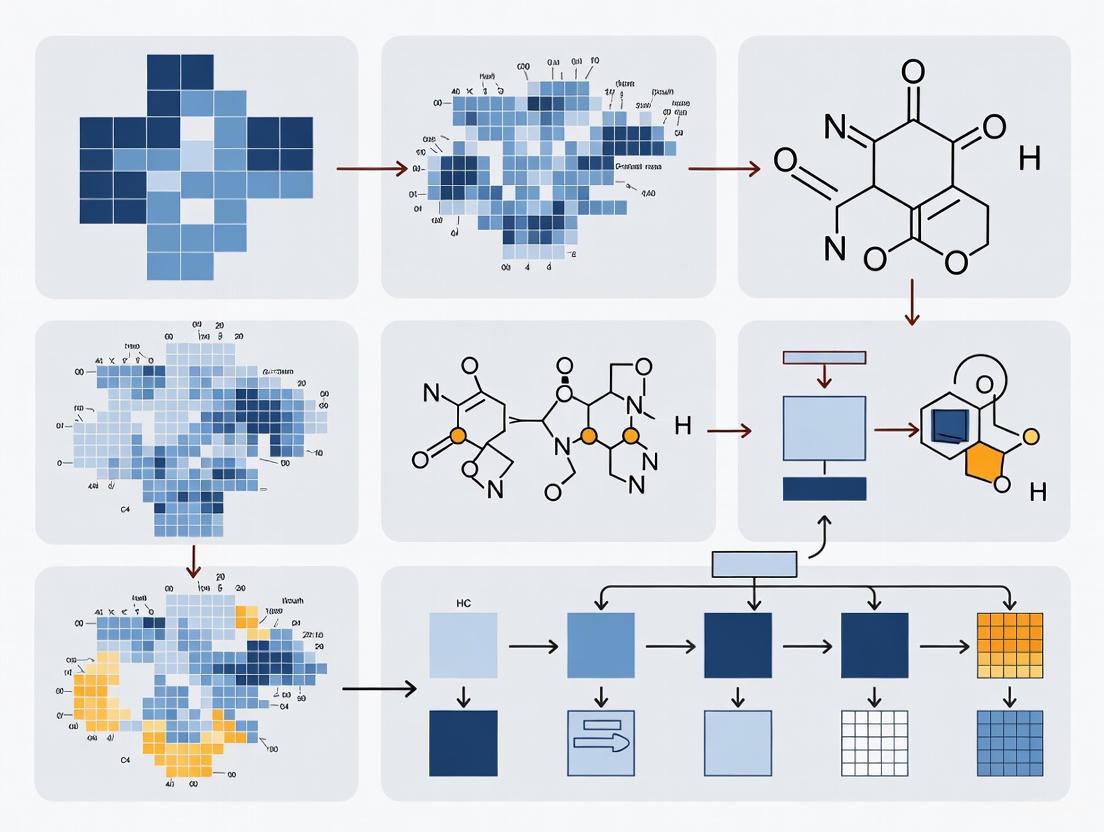
This guide provides researchers, scientists, and drug development professionals with a comprehensive framework for mastering clustered heatmap interpretation.
Beyond the Colors: A Researcher's Practical Guide to Advanced Clustered Heatmap Interpretation
Abstract
This guide provides researchers, scientists, and drug development professionals with a comprehensive framework for mastering clustered heatmap interpretation. It moves beyond basic visualization to address critical challenges in bioinformatics, covering foundational principles, advanced methodological choices, troubleshooting for robust results, and validation techniques essential for deriving biologically meaningful and statistically sound conclusions from complex genomic and clinical datasets.
Decoding the Matrix: Understanding the Core Components of a Clustered Heatmap
What is a Clustered Heatmap? Defining the visualization of data matrices as colors with integrated hierarchical clustering.
Contents
- Definition & Core Concepts: What a clustered heatmap is and its key components.
- Construction Workflow: The step-by-step process for creating a clustered heatmap.
- FAQs on Best Practices: Answers to common questions on color scales, interpretation, and more.
- Troubleshooting Guide: Solutions to common issues during creation and interpretation.
- Experimental Protocol: A detailed methodology for creating a clustered heatmap in R.
- Research Reagent Solutions: Key software tools for creating clustered heatmaps.
Definition and Core Concepts
A clustered heatmap is a powerful visualization tool that combines a heatmap (a two-dimensional representation of a data matrix where colors represent values) with hierarchical clustering (a statistical method for grouping similar objects) [1] [2]. This dual technique reveals patterns and relationships in complex datasets that are not immediately apparent through other forms of analysis [1]. They are widely used in biology and medicine to make sense of high-dimensional data from techniques like genomics, metabolomics, and proteomics [1].
The key components of a standard clustered heatmap include [1]:
- Heat Map Matrix: The main grid where each cell's color represents a data value from the underlying matrix.
- Dendrogram: Tree-like structures showing the hierarchical clustering of rows and columns. The branches represent the similarity between rows or columns; shorter branches indicate greater similarity.
- Row and Column Labels: Identifiers for the data points, such as gene names for rows and sample IDs for columns.
- Color Key: A legend that maps the color spectrum to the numerical values in the data matrix.
The following diagram illustrates the logical structure of a clustered heatmap and the process that leads to its creation:
Construction Workflow
The construction of a clustered heatmap is a multi-step process that involves both data preparation and statistical computation [1]:
- Data Preparation: The dataset is organized into a matrix format. Typically, rows represent different observations (e.g., genes, proteins), and columns represent different conditions or features (e.g., time points, treatments, patients) [1].
- Normalization and Standardization: To ensure comparability across samples, data is often normalized or standardized. A common method is calculating the Z-score, which transforms data to have a mean of zero and a standard deviation of one [3]. This prevents variables with large original values from dominating the analysis [3].
- Distance Calculation: A distance metric (e.g., Euclidean, Manhattan, Pearson correlation) is chosen to measure the similarity or dissimilarity between pairs of rows and pairs of columns [1] [4].
- Hierarchical Clustering: A clustering algorithm (typically agglomerative) is applied to group similar rows and columns into clusters. The result of this clustering is the dendrogram [1].
- Heat Map Generation: The data matrix is visualized as a heatmap, where each cell's color represents its value. The order of rows and columns is rearranged based on the hierarchical clustering results [1].
- Dendrogram Integration: The dendrograms from the hierarchical clustering are added to the sides of the heatmap to show the clustering results [1].
FAQs on Best Practices and Interpretation
What is the difference between a sequential and a diverging color scale, and when should I use each?
The choice between sequential and diverging color scales depends on the nature of your data [5]:
- Sequential Scale: Use this when your data progresses from low to high values without a meaningful central reference point. It typically uses a single hue that progresses from light, less saturated shades to dark, more saturated shades (e.g., the
viridispalette). This is ideal for data like raw gene expression counts (TPM) which are all non-negative [5]. - Diverging Scale: Use this when your data has a critical central value, such as zero, a mean, or a neutral point. This scale uses two contrasting hues that progress to a neutral color (often white or light gray) in the middle. It is perfect for visualizing data that includes both up-regulation and down-regulation, such as Z-scores of gene expression [5].
How do I choose a color-blind-friendly palette?
Approximately 5% of the population has some form of color vision deficiency, so choosing an accessible palette is crucial [5]. Avoid problematic color combinations like red-green, green-brown, and blue-purple [5]. Instead, opt for palettes that are perceptually uniform and designed for clarity. The viridis palettes in R are an excellent default choice as they are printer-friendly, perceptually uniform, and readable by those with colorblindness [6]. The RColorBrewer package also offers colorblind-friendly palettes, which can be viewed using display.brewer.all(colorblindFriendly = TRUE) [6].
Why should I avoid using the "rainbow" color scale?
The rainbow color scale is strongly discouraged for several reasons [5]:
- Misperception of Magnitude: The scale has abrupt changes between hues (e.g., from green to yellow) that make data values appear drastically different when they are actually very close.
- Lack of Intuitive Order: There is no consistent intuitive direction, meaning viewers may not know which color represents the highest value.
- Non-Uniformity: The scale is not perceptually uniform, meaning equal steps in data value do not correspond to equal steps in perceived color change. Palettes like
viridisandColorBreweralternatives are superior for accurately conveying data [5] [6].
What do the dendrograms tell me, and how should I interpret the clusters?
Dendrograms represent the hierarchical relationships and similarity between rows or columns. Shorter branch lengths indicate higher similarity [2]. However, it is critical to remember that clusters identified in a heatmap do not automatically imply causation or biological relevance; they represent patterns of similarity that must be validated with additional statistical methods or experimental work [1]. Clusters should be treated as hypotheses-generating tools.
Troubleshooting Guide
| Problem | Possible Cause | Solution |
|---|---|---|
| The heatmap is dominated by a few variables with large values. | Data not scaled. Variables with large variances drown out signals from other variables [3]. | Scale the data (e.g., Z-score standardization) before generating the heatmap to give all variables equal weight [3]. |
| The clustering pattern changes drastically with a different distance metric. | Choice of distance metric (e.g., Euclidean vs. Pearson correlation) is highly influential [1]. | The metric should reflect the biological question. Test different metrics (Euclidean for magnitude, Pearson for pattern) and justify your choice [1] [4]. |
| The heatmap is visually cluttered and unreadable. | Extremely large number of rows and/or columns [1]. | Filter the data to include only relevant features (e.g., top variable genes). Adjust label sizes and plot margins, or use an interactive heatmap to zoom and explore [3] [4]. |
| The color differences are hard to distinguish. | Poor color palette choice (e.g., not color-blind friendly, low perceptual contrast) [5]. | Switch to a robust, perceptually uniform palette like viridis or a ColorBrewer sequential/diverging scale [6]. |
| Clusters do not align with expected sample groupings. | Clustering is sensitive to algorithm parameters and data quality [1]. | Verify the clustering method (e.g., Ward's, average linkage) and ensure correct data normalization. Use bootstrap methods to assess cluster stability [4]. |
Experimental Protocol: Creating a Clustered Heatmap in R
This protocol provides a detailed methodology for generating a publication-quality clustered heatmap from a gene expression matrix using the pheatmap package in R [3].
Software and Package Installation
- R Programming Language: Ensure R is installed.
- RStudio: Recommended integrated development environment.
- Required R Packages: Install the following packages.
Data Input and Preprocessing
- Load Data: Import your data matrix. The example uses a hypothetical gene expression matrix from an RNA-seq experiment.
- Data Scaling: Scale the data by row (gene) to emphasize expression patterns across samples. This calculates a Z-score for each gene.
Color Scheme Definition
- Divergent Palette (for Z-scores): Define a divergent color palette with a neutral color at zero. The
colorRampPalettefunction is used here, butviridisis also highly recommended.
Heatmap Generation withpheatmap
- Basic Command: Execute the
pheatmapfunction with the prepared data and color palette. - Advanced Customization: The
pheatmapfunction offers extensive customization, including the ability to add annotations for sample groups, change clustering methods, and adjust the dendrogram appearance.
Output and Saving
- Save Plot: Use R's graphical device to save the heatmap as a high-resolution image suitable for publications.
Research Reagent Solutions: Essential Software Tools
The following table lists key software tools and their functions for creating and analyzing clustered heatmaps.
| Tool/Package | Language | Primary Function | Key Feature |
|---|---|---|---|
| pheatmap [3] [7] | R | Generates static, publication-quality heatmaps. | Highly customizable annotations, integrated scaling, and clustering. |
| ComplexHeatmap [1] [7] | R (Bioconductor) | Manages complex heatmaps with multiple annotations. | Arranges multiple heatmaps, integrates with genomic data. |
| seaborn.clustermap [1] | Python | Creates clustered heatmaps with dendrograms. | Integrates with Python's SciPy and Pandas stack for analysis. |
| heatmap.2 (gplots) [1] [7] | R | An enhanced version of the base R heatmap. |
Adds density plot and trace lines to the color key. |
| heatmaply [3] | R | Generates interactive heatmaps. | Allows mouse-over inspection of values, zooming, and panning. |
| NG-CHM [1] | Web-based | Creates next-generation interactive heatmaps. | Dynamic exploration, link-outs to external databases, handles large datasets. |
Frequently Asked Questions
Q1: Why are my row and column labels overlapping or unreadable? This typically occurs when visualizing large datasets. To resolve this, you can:
- Increase the plot size: Provide more space for the labels to render.
- Hide labels: Temporarily suppress the display of row or column labels when the number of data points is too high for clear rendering. The underlying data structure remains intact for analysis [1].
- Use interactive heatmaps: Utilize tools like
heatmaplyin R orPlotlyin Python, which allow you to zoom and hover to see individual labels and values clearly [3] [1].
Q2: The clustering in my heatmap looks illogical. What could be wrong? Illogical clustering often stems from two key factors:
- Inappropriate distance metric: The choice of distance metric (e.g., Euclidean, correlation) defines how similarity is calculated. Experiment with different metrics to see which best captures the biological relationships in your data [3] [8].
- Insufficient data scaling: If your variables (e.g., genes) are on different scales, those with larger variances can dominate the clustering. Standardizing or normalizing your data (e.g., using Z-score) prior to generating the heatmap ensures each variable contributes equally to the clustering [3] [1] [8].
Q3: How can I add experimental annotations to my heatmap? Annotations are crucial for providing context. Most modern heatmap packages support this:
- In R: Use the
ComplexHeatmappackage to add multiple annotations to rows and columns, such as treatment groups or sample types [9]. - In Python: The
seabornlibrary allows you to add color bars that convey metadata about your samples, integrating this information directly with the clustermap [8].
Q4: My heatmap is dominated by a few extreme values. How can I see more variation? This is a common issue with outliers. You can:
- Use robust scaling: Set
robust=Trueinseaborn.clustermap()to compute the colormap range based on quantiles, reducing the influence of extreme outliers [8]. - Manually adjust the color scale: Define the minimum and maximum values for your color legend to cap the extremes and bring out variation in the main body of your data.
Troubleshooting Guide
Problem: Poor or Misleading Clustering
| Step | Action | Rationale & Details |
|---|---|---|
| 1 | Verify Data Preprocessing | Ensure data is properly normalized or standardized. Z-score normalization is common for gene expression to make features comparable [3] [1]. |
| 2 | Check Distance Metric | The metric defines "similarity." Euclidean distance is common, but correlation distance may be better for expression patterns [3] [8]. |
| 3 | Inspect Clustering Method | The linkage method (e.g., ward, average, complete) determines how clusters are merged. ward.D2 is a good default that tends to create compact clusters [3]. |
| 4 | Validate with Annotations | Compare the resulting clusters with known sample annotations (e.g., treatment vs. control). Consistent alignment increases confidence in the result [9]. |
Problem: The Heatmap is Visually Overwhelming
| Step | Action | Rationale & Details |
|---|---|---|
| 1 | Filter the Data | Focus on a subset, like the top N most variable genes or genes of interest from a differential expression analysis [3]. |
| 2 | Adjust the Color Palette | Choose a perceptually uniform palette (e.g., viridis, mako). Avoid red-green palettes due to color blindness [10] [8]. |
| 3 | Hide Dendrograms | If clustering structure is not the primary focus, you can suppress the drawing of row or column dendrograms to simplify the view. |
| 4 | Plot a Subset | Many tools allow you to plot a random subset of rows for an initial overview of the data structure. |
The Core Components of a Clustered Heatmap
A clustered heatmap is a powerful visualization tool that integrates three main components to reveal patterns in complex data [1].
- 1. The Heatmap Matrix: This is the core grid where each cell's color represents the value of a data point. The color scale, defined in the legend, maps numeric values to colors, allowing for rapid visual assessment of high and low values across the entire dataset [1] [10].
- 2. The Dendrogram: These tree-like diagrams are displayed on the top and/or left side of the heatmap. They illustrate the results of hierarchical clustering, which groups similar rows and similar columns together based on a chosen distance metric and linkage method. The length of the branches represents the degree of similarity between clusters [3] [1].
- 3. Row and Column Labels: These are the identifiers for the data points, such as gene names for rows and sample IDs for columns. In a clustered heatmap, the order of these labels is rearranged based on the structure of the dendrograms [1].
The following diagram illustrates the logical relationship and workflow that integrates these components into a final visualization.
Key Decisions in Heatmap Construction
The choices made during data preparation and analysis significantly impact the final heatmap and its biological interpretation.
Table 1: Common Distance Metrics for Clustering
| Metric | Best Use Case | Formula / Description |
|---|---|---|
| Euclidean | Measuring absolute distance in multivariate space. A good general-purpose metric. | √[Σ(xᵢ - yᵢ)²] |
| Correlation | Clustering based on similar patterns or profiles, rather than magnitude. Ideal for gene expression. | Pearson's correlation coefficient between two vectors. |
| Manhattan | Less sensitive to outliers than Euclidean distance. | Σ|xᵢ - yᵢ| |
Table 2: Common Hierarchical Clustering Methods
| Method | Clustering Strategy | Resulting Cluster Shape |
|---|---|---|
| Ward.D2 | Minimizes the variance within clusters. | Tends to create compact, spherical clusters of similar size. |
| Complete | Measures the maximum distance between points in two clusters. | Tends to create smaller, tightly-bound clusters. |
| Average | Uses the average distance between all pairs of points in two clusters. | A balanced approach, less sensitive to outliers. |
The Scientist's Toolkit
Table 3: Essential Research Reagents & Software for Heatmap Analysis
| Item | Function | Example Use in Analysis |
|---|---|---|
| Normalized Data Matrix | The preprocessed input; ensures comparability across samples (e.g., log2(CPM) for RNA-seq). | Provides the numeric values that are visualized as colors in the heatmap matrix [3]. |
| Clustering Algorithm | A method (e.g., hierarchical clustering) to group similar rows and columns. | Generates the dendrogram structure that reorders the heatmap [3] [1]. |
| Distance Metric | A mathematical definition of "similarity" between two data points. | Determines which rows/columns are considered close together for clustering [3] [8]. |
| Heatmap Software | A tool or library to render the visualization. | Integrates the matrix, dendrograms, and labels into a single, interpretable figure [3] [1] [8]. |
The following diagram outlines a standard workflow for creating a clustered heatmap, from raw data to final interpretation, highlighting key decision points.
Frequently Asked Questions
What is hierarchical clustering in the context of heatmaps? Hierarchical clustering is an unsupervised machine learning technique that builds a hierarchy of clusters, often visualized as a dendrogram alongside a heatmap. It groups similar rows (e.g., genes) and columns (e.g., samples) together based on a chosen similarity measure, revealing inherent patterns and relationships in the data [11].
My heatmap lacks contrast and all the colors look similar. How can I fix this? This is often caused by the color scale being dictated by extreme global data values. To increase contrast, adjust the color scale (
zminandzmaxin some tools) to reflect the range of your specific dataset or feature of interest. This makes variations within your data more visible [12].How do I choose the right distance metric and linkage method? The choice depends on your data's nature. Common distance metrics include Euclidean (for spatial "as-the-crow-flies" distance) and Manhattan (more robust to outliers) [11]. For linkage, "complete" linkage (based on maximum pairwise dissimilarity) is common, but "average" linkage often produces more balanced clusters [11]. Experimentation is key.
What is the most common mistake in selecting a color scale? Using a "rainbow" scale is a common error. This scale can be misleading as it lacks a clear perceptual ordering, creates artificial boundaries where colors change abruptly, and is often not colorblind-friendly [5]. Instead, use a perceptually uniform sequential or diverging palette [13] [5].
How can I make my clustered heatmap accessible to those with color vision deficiencies? Avoid color combinations that are problematic for color blindness, such as red-green or green-brown [5]. Use tools like Coblis or ColorBrewer to test and select colorblind-safe palettes [13] [14]. Leveraging differences in lightness and saturation, rather than hue alone, also improves accessibility [13] [15].
My dendrogram is messy and hard to read. What can I do? This can happen with very large datasets. Consider filtering your data to focus on the most variable or significant rows/columns first. You can also experiment with different linkage methods, as "single" linkage, for instance, can lead to elongated, "stringy" clusters that are harder to interpret [11].
Troubleshooting Guides
Problem: Poor Color Contrast and Readability
Issue: The heatmap visualization lacks clear contrast, making it difficult to distinguish between different value levels.
Solution:
- Choose the Correct Color Scheme:
- Use a sequential color scheme for continuous data that progresses from low to high (e.g., gene expression levels) [13] [5].
- Use a diverging color scheme when your data has a critical central point, like zero or an average, to distinguish positive and negative deviations [13] [5].
- Avoid the "rainbow" scale as it can misrepresent data and confuse viewers [5].
- Adjust the Color Scale Range: Manually set the minimum (
zmin) and maximum (zmax) values of your color bar based on the actual range of your dataset, rather than the global range of all data. This enhances contrast for the features you are analyzing [12]. - Ensure Accessibility: Select colorblind-friendly palettes (e.g., blue-orange, blue-red) and use online simulators like Coblis to check your visualization [5] [14].
Problem: Non-Numeric Data Causes Clustering to Fail
Issue: The clustering algorithm returns an error because the data matrix contains non-numeric values, such as gene names or sample IDs.
Solution:
- Separate Labels from Data: Before performing calculations, separate the identifier column (e.g.,
Gene names <- gene_data$Gene) from the numeric data matrix [11]. - Create a Numeric Matrix: Remove the non-numeric column from the data frame used for clustering (e.g.,
gene_data_numeric <- gene_data[, -1]) [11]. - Use Labels for Annotation: After clustering, use the separated labels to annotate the heatmap's rows and columns so the final visualization remains informative [11].
Problem: Clustering Results Are Not Meaningful
Issue: The resulting clusters do not reflect expected biological or experimental groups.
Solution:
- Re-evaluate Distance and Linkage:
- Experiment with Distance Metrics: Switch between Euclidean, Manhattan, and correlation-based distances to see which best captures the similarity in your dataset [11].
- Try Different Linkage Methods: Test "complete," "average," and "single" linkage to see which produces the most biologically interpretable dendrogram structure [11].
- Check Data Preprocessing: Ensure the data is properly normalized. Differences in scale between variables can dominate the distance calculation and skew results.
- Incorporate Domain Knowledge: Use your biological expertise to assess if the clusters make sense. The inclusion of a heatmap generation algorithm that integrates medical knowledge for filtering can also help distinguish clinically significant features from noise [16].
Experimental Protocols & Data Presentation
Methodology: Standard Workflow for Creating a Clustered Heatmap
The following workflow outlines the key steps for generating a hierarchically clustered heatmap, from data preparation to visualization.
Quantitative Data: Comparison of Common Distance Metrics
The choice of distance metric fundamentally changes how similarity is defined. The table below summarizes key characteristics to guide your selection [11].
| Distance Metric | Description | Best Use Cases |
|---|---|---|
| Euclidean | The straight-line ("as-the-crow-flies") distance between two points in space. | Data where all variables are on the same scale and "spatial" distance is meaningful. |
| Manhattan | The sum of absolute differences along each axis. More robust to outliers. | Data with outliers, or when movement is constrained to axes (grid-like paths). |
| Pearson Correlation | Measures the linear relationship between two profiles, ignoring magnitude. | When the pattern of change (e.g., co-expression) is more important than absolute values. |
The Scientist's Toolkit: Essential Research Reagents & Software
This table lists key computational tools and conceptual "reagents" essential for conducting clustered heatmap analysis.
| Item Name | Type | Function / Purpose |
|---|---|---|
| R Statistical Language | Software Environment | A primary platform for statistical computing and generating advanced graphics, including heatmaps [11]. |
| pheatmap / heatmap.2 | R Package | Specialized R libraries that provide high-quality functions for creating clustered heatmaps with dendrograms [11]. |
| ColorBrewer | Online Tool | A classic tool for selecting safe and effective color palettes (sequential, diverging, qualitative) for data visualization [13] [14]. |
| U-Net & EfficientNetV2 | Deep Learning Model | Advanced AI models used for high-precision segmentation and classification, which can be integrated with heatmap generation for interpretable results in pathological image analysis [16]. |
| Hierarchical Clustering | Algorithm | The core "clustering engine" that builds a tree of data point merges (dendrogram) based on pairwise distances [11]. |
| Grad-CAM | Algorithm | A technique for making convolutional neural network decisions interpretable by generating heatmaps that highlight important image regions [16]. |
Hierarchical clustering is an unsupervised machine learning technique that builds a hierarchy of clusters, most commonly created as an output from hierarchical clustering analysis [17]. This hierarchical relationship is visualized through a dendrogram, a tree-like diagram where the height of branches represents the dissimilarity between clusters [17]. In life sciences and drug development, this method is invaluable for analyzing gene expression patterns, patient subtypes, or compound efficacy, revealing natural groupings within complex datasets without predefined categories [11].
Experimental Protocols & Methodologies
Protocol 1: Agglomerative Hierarchical Clustering
This bottom-up approach is the most common method, where each data point starts as its own cluster and pairs are iteratively merged [18] [11].
- Step 1: Data Preparation - Ensure data is numeric and standardized. Handle or remove missing values. Non-numeric identifiers (e.g., gene names) should be stored separately from the numeric matrix used for calculations [11].
- Step 2: Distance Matrix Calculation - Compute the pairwise distance between all data points. Common metrics include:
- Step 3: Hierarchical Clustering - Apply the clustering algorithm (
hclustin R) using the distance matrix and a linkage method [18] [11]. - Step 4: Dendrogram Construction - Plot the resulting
hclustobject to visualize the hierarchical relationship [18].
Protocol 2: Linkage Methods
The linkage criterion determines how the distance between clusters is calculated and dramatically impacts the dendrogram's shape [18].
- Single Linkage (Minimum): The distance between two clusters is the shortest distance between any two points in the clusters. This method can produce long, "chain-like" clusters [18].
- Complete Linkage (Maximum): The distance between two clusters is the maximum distance between any two points in the clusters. This method tends to create more compact, spherical clusters [18].
- Average Linkage: The distance between two clusters is the average distance between every pair of points in the two clusters. This is a compromise between single and complete linkage [11].
Protocol 3: Creating a Clustered Heatmap
A clustered heatmap combines a color-coded data matrix with dendrograms for rows and columns, providing a powerful overview of patterns and clusters [11] [10].
- Step 1: Data Preparation - Prepare a numeric data matrix. It is common to scale or normalize rows (e.g., genes) to highlight relative patterns.
- Step 2: Dual Clustering - Perform hierarchical clustering independently on the rows and columns of the matrix. This may involve using different distance metrics for each [11].
- Step 3: Visualization - Use a specialized function like
pheatmapin R to plot the data matrix, using color to represent values, and annotate it with the row and column dendrograms [11].
The Scientist's Toolkit: Research Reagent Solutions
Table: Essential Computational Tools for Hierarchical Clustering
| Tool Name | Category | Primary Function in Analysis |
|---|---|---|
| R / Python | Programming Language | Provides a flexible environment for all steps of data analysis, from data manipulation to statistical computation and visualization [18] [11]. |
hclust() / scipy.cluster.hierarchy |
Core Algorithm | The fundamental function that performs hierarchical clustering on a distance matrix [18] [17]. |
dist() function |
Distance Calculation | Computes the distance matrix between data points using metrics like Euclidean, Manhattan, or correlation [18] [11]. |
dendextend / ggraph |
Dendrogram Customization | R packages used to enhance dendrograms, for example, by coloring labels based on external metadata [19] [20]. |
pheatmap / seaborn.clustermap |
Heatmap Visualization | Specialized libraries for generating publication-ready clustered heatmaps with integrated dendrograms [11] [10]. |
Frequently Asked Questions (FAQs) & Troubleshooting
Q1: How do I accurately interpret a dendrogram to define clusters?
- A: The key is to focus on the height (distance) at which clusters merge. A greater height indicates a larger dissimilarity between clusters. To assign data points to clusters, draw a horizontal line across the dendrogram; each vertical line it intersects defines a separate cluster [17]. The resulting number of clusters depends on where you "cut" the tree.
Q2: Can I use a dendrogram to determine the true number of clusters in my data?
- A: This is a common pitfall. While the dendrogram's structure might suggest a natural number of clusters (e.g., where the vertical segments are longest), this interpretation is only statistically justified if the data satisfies the rare ultrametric tree inequality [17]. Therefore, dendrograms should not be the sole tool for determining cluster number. They are most reliable for identifying which individual items are very similar at the bottom of the tree [17].
Q3: How can I color the labels on my dendrogram based on experimental groups (e.g., treatment vs. control)?
- A: Yes, this is a highly informative customization. In R, the
dendextendpackage simplifies this process.- Create your dendrogram from the
hclustresult:hcd <- as.dendrogram(hc). - Create a vector of colors corresponding to the order of labels in the dendrogram.
- Assign the colors using the
labels_colors()function:labels_colors(hcd) <- colors_to_use[19]. This technique directly improves interpretation by visually validating if the clustering matches predefined experimental groups.
- Create your dendrogram from the
Q4: My heatmap colors are not effectively revealing patterns. What should I check?
- A: This is often a configuration issue. Follow these steps:
- Color Palette: Use a sequential palette (light to dark) for data that is all positive or negative. Use a diverging palette (e.g., blue-white-red) for data with a meaningful center point, like zero [21] [10].
- Data Scaling: Ensure your data is appropriately scaled (e.g., Z-scores for rows) to prevent a few large values from dominating the color scale.
- Legend: Always include a legend so viewers can map colors back to numerical values [10].
Q5: What is the practical difference between single and complete linkage clustering?
- A: The choice of linkage method dramatically changes your results.
- Single Linkage is sensitive to noise and can produce long, drawn-out clusters by chaining points together, as it only requires one pair of points to be close [18].
- Complete Linkage is more robust to outliers and tends to find compact, spherical clusters, as it requires all points in two clusters to be similar for a merge [18].
- For biological data, which often contains noise, average or complete linkage is typically more robust than single linkage.
Table: Summary of Common Distance Metrics and Linkage Methods
| Method Type | Name | Best Use Case & Notes |
|---|---|---|
| Distance Metric | Euclidean | Default for physical measurements; variables should be on comparable scales [11]. |
| Distance Metric | Manhattan | More robust to outliers than Euclidean; good for high-dimensional data [11]. |
| Distance Metric | Pearson Correlation | For comparing profiles or trends (e.g., gene expression), rather than magnitudes [11]. |
| Linkage Criterion | Single | Can find non-spherical shapes but is sensitive to noise and chaining [18]. |
| Linkage Criterion | Complete | Produces tight, compact clusters; less sensitive to noise [18]. |
| Linkage Criterion | Average | A balanced compromise between single and complete linkage [11]. |
A heatmap is a two-dimensional visualization of data where individual values contained in a matrix are represented as colors [3]. In biological research, heatmaps are indispensable for interpreting complex datasets, such as gene expression across samples, correlation matrices, or disease case distributions [3]. When combined with dendrograms (tree diagrams), they become clustered heatmaps, which visualize hierarchy or clustering within the data, revealing groups of samples with similar characteristics or genes with similar expression patterns [3]. This guide will help you translate the visual outputs of these analyses into robust, initial biological hypotheses.
Frequently Asked Questions (FAQs)
General Interpretation
1. What is the fundamental principle behind a heatmap's color scheme? A heatmap uses color gradients to represent numerical values [22] [21]. Warmer colors (like reds and oranges) typically indicate higher values, while cooler colors (like blues and greens) represent lower values [22]. The specific mapping between color and value is defined by a legend, which is essential for accurate interpretation [3].
2. How do I choose between a sequential and a diverging color palette? The choice depends on the nature of your data [21]. Use a sequential palette (e.g., light yellow to dark red) for data that is either all positive or all negative, such as expression levels or population counts [21]. Use a diverging palette (e.g., blue-white-red) for data that includes a central, neutral value (like zero) and has both positive and negative deviations, such as fold-change in gene expression or correlation coefficients [21].
3. What do the dendrograms in a clustered heatmap represent? Dendrograms visualize the results of a hierarchical clustering analysis [3]. They show the relatedness or dissimilarity between data points.
- The column dendrogram clusters samples (e.g., control vs. treatment) based on their overall similarity across all measured features [3].
- The row dendrogram clusters features (e.g., genes) based on their similarity across all samples [3]. Branches that are close together indicate high similarity, while longer branches indicate greater dissimilarity [3].
Technical Troubleshooting
4. My heatmap is dominated by a few high-value features. How can I see more variation? This is often a scaling issue. Variables with large values can drown out the signal from those with lower values [3]. Apply data scaling before generating the heatmap. A common method is Z-score normalization, which converts all features to a common scale with a mean of zero and a standard deviation of one, preventing any single variable from dominating the analysis [3].
5. My sample clusters don't match my experimental groups. What could be wrong? Several factors can cause this:
- Batch Effects: Technical variability between different experiment runs can be stronger than your biological signal. Check your experimental design and consider batch correction methods.
- Inappropriate Clustering Parameters: The choice of distance calculation (e.g., Euclidean, Manhattan) and clustering method (e.g., Ward.D, complete) can significantly impact results [3]. Experiment with different parameters to see if the clustering becomes more biologically plausible.
- Confounding Variables: An unaccounted biological or technical variable might be the primary driver of the observed clustering.
6. How can I test if the patterns in my heatmap are statistically significant? The heatmap itself is a descriptive tool. To establish significance, you need additional analyses:
- For group differences, perform statistical tests (e.g., t-tests, ANOVA) on the individual features that define the clusters.
- For cluster robustness, use resampling techniques like bootstrapping to see if the clusters are stable.
- For correlation patterns in a correlogram, the color intensity is based on a correlation coefficient (e.g., Pearson's r), but you should also check the associated p-values for each correlation [21].
Troubleshooting Guides
Guide 1: Resolving Poor or Unexpected Clustering
Unexpected clustering results can be frustrating but often reveal important aspects of your data.
Step-by-Step Protocol:
- Verify Data Preprocessing: Ensure your data is clean and properly normalized. Re-check for missing values and the application of scaling (e.g., Z-score) [3] [23].
- Audit Clustering Parameters: In your software (e.g.,
pheatmapin R), explicitly set theclustering_distance_rows,clustering_distance_cols, andclustering_methodarguments [3]. Test different combinations (e.g., Euclidean distance with Ward.D clustering vs. Manhattan distance with average linkage). - Conduct a Sensitivity Analysis: Systematically run the clustering with different parameters and compare the resulting dendrograms. Stable clusters across multiple parameter sets are more reliable.
- Correlate with Metadata: Color-code your heatmap's column sidebar with known sample metadata (e.g., treatment, batch, patient sex). This can visually reveal if an unexpected cluster is driven by a known, but potentially confounding, variable [3].
- Formulate a Hypothesis: If clusters are robust but unexpected, they may point to a novel biological subgroup or a strong technical artifact. This is a starting point for further investigation, not a final conclusion.
Guide 2: Translating Visual Patterns into Testable Hypotheses
This guide provides a framework for moving from observation to hypothesis.
Workflow for Hypothesis Generation:
Detailed Methodology:
- Systematic Observation: Don't just look at the "hottest" spots. Identify all major color blocks and note which rows (genes/features) and columns (samples) they correspond to. Examine the dendrogram to see which features or samples are most closely related [3].
- Contextual Description: Annotate your observations with biological and experimental context.
- Example 1: "Cluster A (50 genes) shows high expression (red) exclusively in the dexamethasone-treated samples, while showing low expression (blue) in controls." [3]
- Example 2: "The dendrogram shows that all biological replicates from the same treatment group cluster together with short branches, indicating high reproducibility." [3]
- Hypothesis Formulation: Convert your description into a causal or functional statement.
- From Example 1, the hypothesis could be: "The 50 genes in Cluster A are functionally related and are upregulated in response to dexamethasone treatment."
- From Example 2, the hypothesis is reinforced: "The treatment induces a consistent and reproducible transcriptomic response."
- Experimental Design: Define a follow-up experiment to test your hypothesis.
- To test the hypothesis from Example 1, you could: (a) Perform gene ontology (GO) enrichment analysis on Cluster A genes to see if they belong to a common pathway. (b) Use siRNA to knock down a key gene in the cluster and measure the phenotypic effect.
Research Reagent Solutions
The following table details key materials and computational tools used in the generation and interpretation of clustered heatmaps, as featured in the cited experiments and common in the field.
| Reagent/Tool Name | Function/Brief Explanation | Example/Reference |
|---|---|---|
| Pheatmap R Package | A versatile R package for drawing publication-quality clustered heatmaps with built-in scaling and customization options [3]. | Used to generate heatmaps and dendrograms from normalized gene expression matrices [3]. |
| Normalized Expression Matrix | The primary input data for a gene expression heatmap. Values are often normalized counts (e.g., Log2(CPM)) to make samples comparable [3]. | RNA-seq data from the airway study, formatted as a matrix with genes as rows and samples as columns [3]. |
| Z-score Scaling | A data preprocessing method that transforms data for each row (gene) to have a mean of 0 and standard deviation of 1, preventing high-expression genes from dominating color scale [3]. | Applied to the gene expression matrix before heatmap generation to visualize relative expression per gene [3]. |
| Hierarchical Clustering | An algorithm used to build dendrograms by grouping objects (samples/genes) based on their similarity [3]. | The pheatmap function performs hierarchical clustering on rows and columns by default, using distance and linkage methods [3]. |
| Distance Matrix | A matrix quantifying the pairwise dissimilarity between all objects. It is the input for clustering algorithms [3]. | Calculated from the (scaled) expression data using methods like Euclidean or Manhattan distance [3]. |
| Heatmaply R Package | Generates interactive heatmaps that allow users to mouse over tiles to see exact values (e.g., sample ID, gene, expression value), useful for data exploration [3]. | An alternative to static heatmaps for exploring large datasets in detail before final analysis [3]. |
Data Presentation and Protocols
Key Quantitative Data from a Model Experiment
The table below summarizes hypothetical quantitative outcomes from a analysis of cotton genotypes, illustrating the type of data that can be visualized and interpreted via a clustered heatmap [24].
| Genotype | Plant Height (cm) | Boll Number per Plant | Seed Cotton Yield (kg/ha) | Lint Percentage | Assigned Cluster |
|---|---|---|---|---|---|
| Z-60 | 112.67 | 25 | 6733.73 | 42.5 | High-Performer |
| J-228 | 105.33 | 23 | 6450.10 | 41.8 | High-Performer |
| Z-92 | 98.50 | 22 | 6100.45 | 40.5 | Medium-Performer |
| Xinluzao-33 | 89.00 | 18 | 4614.16 | 38.1 | Low-Performer |
| Z-50 | 55.00 | 12 | 2685.33 | 35.2 | Low-Performer |
Detailed Protocol for Clustered Heatmap Analysis
Objective: To generate and interpret a clustered heatmap from a normalized gene expression matrix using R and the pheatmap package.
Methodology:
- Data Import: Load your normalized data matrix into R. The data should be structured with features (e.g., genes) as rows and samples as columns.
- Data Scaling (Z-score): Scale the data to emphasize relative patterns. The
pheatmapfunction can do this automatically. - Generate Heatmap: Create the basic clustered heatmap with dendrograms.
- Customize and Annotate: Incorporate sample annotations and adjust parameters.
- Interpretation: Analyze the resulting visualization by:
- Identifying clusters of samples and genes via the dendrograms [3].
- Correlating these clusters with the experimental annotations.
- Forming initial hypotheses about the biological relationships revealed by the clustering pattern.
The Analyst's Toolkit: Methodological Choices and Their Impact on Your Results
Technical Support Center: Clustering Configuration & Heatmap Interpretation
Frequently Asked Questions (FAQs)
Q1: My clustered heatmap shows tight, compact clusters that don't seem biologically meaningful. The samples within clusters are too similar, and I'm missing broader functional groups. What went wrong?
- A: This is often a result of using Euclidean distance with Ward's linkage. This combination preferentially finds compact, spherical clusters of similar size. For biological data where you expect gradual transitions or co-regulated modules, this can be too restrictive.
- Troubleshooting Guide:
- Suspect Metric/Linkage: Re-cluster your data using Pearson correlation distance with average linkage. This combination is more sensitive to shape and trend similarity than absolute magnitude.
- Validate Biologically: Check if the new clusters group genes from a known pathway or samples from a similar phenotypic group using external annotations.
- Quantify Cluster Quality: Use the Silhouette Score (see Table 1) to compare the compactness and separation of clusters from different methods.
Q2: After clustering my gene expression data, one cluster is extremely large and diffuse, while others are very small. How can I achieve more balanced clusters?
- A: This "chaining effect" can occur with single linkage methods, where clusters are merged based on their closest points. Complete or average linkage are better choices as they consider the overall structure of the cluster, preventing single points from pulling large groups together.
- Troubleshooting Guide:
- Change Linkage Method: Switch from single linkage to complete or average linkage.
- Re-assess Distance Metric: If you are using Euclidean distance, ensure it is appropriate. For log-fold-change data, Manhattan distance might be more robust to outliers.
- Inspect Dendrogram: Look for long, unbranched paths in the dendrogram, which are indicative of chaining.
Q3: I get different cluster assignments when I use the same algorithm in different software packages (e.g., R vs. Python). Why does this happen and how can I ensure reproducibility?
- A: Discrepancies can arise from default settings for distance calculations, handling of missing data, or random initializations in some algorithms (like k-means). Reproducibility is key for scientific rigor.
- Troubleshooting Guide:
- Explicitly Define Parameters: Never rely on defaults. Explicitly specify the distance metric and linkage method in your code.
- Set Random Seed: If using an algorithm with a random component, always set a seed for random number generation.
- Document Versioning: Note the exact version of the software and libraries used.
Q4: My heatmap looks noisy, and the dendrogram structure is weak. How can I determine if my data is even suitable for clustering?
- A: Clustering will always produce groups, even on random data. It is essential to assess the strength of the cluster structure before interpretation.
- Troubleshooting Guide:
- Calculate Cophenetic Correlation: This measures how well the dendrogram preserves the original pairwise distances between points. A value above 0.75 is generally considered good (see Table 1).
- Perform Gap Statistic Analysis: This compares the total within-cluster variation of your data to that of a reference dataset (e.g., uniform random data). A peak in the gap statistic suggests the optimal number of clusters.
- Pre-filter Data: Reduce noise by filtering out genes with low variance or low expression before clustering.
Data Presentation
Table 1: Quantitative Comparison of Common Distance-Linkage Pairs
| Distance Metric | Linkage Method | Optimal Data Type | Silhouette Score (Example Range)* | Cophenetic Correlation (Example Range)* | Key Characteristic |
|---|---|---|---|---|---|
| Euclidean | Ward's | Continuous, magnitude-sensitive data with ~equal cluster size. | 0.6 - 0.8 | 0.8 - 0.9 | Forms compact, spherical clusters. Minimizes within-cluster variance. |
| Euclidean | Complete | Data with potential outliers. | 0.5 - 0.7 | 0.7 - 0.85 | Forms tight, well-separated clusters. Uses farthest neighbor distance. |
| Euclidean | Average | General-purpose for many data types. | 0.5 - 0.75 | 0.8 - 0.95 | Balanced approach. Uses average distance between all pairs. |
| Pearson Correlation | Average | Pattern-sensitive data (e.g., gene expression time-series). | 0.4 - 0.7 | 0.75 - 0.9 | Clusters based on profile shape, not magnitude. Robust to scaling. |
| Manhattan | Average | Data with outliers or noise. | 0.5 - 0.75 | 0.75 - 0.9 | More robust to outliers than Euclidean distance. |
*Scores are hypothetical examples for well-structured biological data. Actual values depend on your specific dataset.
Experimental Protocols
Protocol 1: Benchmarking Cluster Configurations for Transcriptomic Data
Objective: To systematically evaluate distance metric and linkage method pairs for identifying biologically coherent gene clusters from RNA-seq data.
- Data Preprocessing: Obtain a normalized gene expression matrix (e.g., TPM or FPKM). Filter out genes with low variance (e.g., bottom 20%) to reduce noise.
- Cluster Analysis: For each combination of distance metric (Euclidean, Pearson) and linkage method (Complete, Average, Ward's), perform hierarchical clustering on the gene dimension.
- Cluster Cutting: Cut the dendrogram to generate k gene clusters for each configuration. The value of k can be determined empirically (e.g., by the Gap Statistic method).
- Biological Validation: a. For each gene cluster, perform Gene Ontology (GO) enrichment analysis. b. Calculate the -log10(p-value) of the most significant GO term for each cluster.
- Internal Validation: For each configuration, compute the average Silhouette Width and Cophenetic Correlation Coefficient.
- Synthesis: The optimal configuration is identified as the one that maximizes both the statistical robustness (Silhouette Width, Cophenetic Correlation) and biological relevance (GO enrichment p-value).
Protocol 2: Optimizing Sample Clustering for Patient Stratification
Objective: To identify the most stable and clinically relevant clustering configuration for grouping patient samples based on proteomic profiles.
- Data Input: Start with a normalized protein abundance matrix (rows = patients, columns = proteins).
- Cluster Stability Assessment: a. Use a resampling method (e.g., bootstrap 80% of samples 100 times). b. For each resampled dataset and each clustering configuration, perform hierarchical clustering and cut the tree to get k patient clusters. c. Compute the Jaccard similarity index between cluster assignments from the resampled data and the full dataset.
- Clinical Correlation: a. For the cluster assignments from the full dataset, test for association with key clinical outcomes (e.g., survival using a log-rank test, or response to treatment using a Chi-squared test).
- Decision Matrix: Rank each clustering configuration based on its average cluster stability (Jaccard index) and strength of clinical association (e.g., survival p-value).
- Selection: The final configuration is selected based on a pre-defined priority (e.g., highest clinical association, provided stability is above a threshold of 0.75 Jaccard index).
Mandatory Visualization
Clustering Analysis Workflow
Choosing a Metric & Linkage
The Scientist's Toolkit
Table 2: Essential Research Reagents & Software for Clustering Analysis
| Item | Function / Application |
|---|---|
| R Statistical Software | Open-source environment for statistical computing and graphics. Essential for implementing clustering algorithms and generating heatmaps. |
| Python (SciPy, scikit-learn) | A powerful programming language with libraries like scipy.cluster.hierarchy and sklearn.cluster for performing hierarchical clustering. |
| ComplexHeatmap R Package | A highly flexible and widely used R package for creating annotated, clustered heatmaps for publication. |
| Seaborn / Matplotlib (Python) | Python libraries used for creating static, animated, and interactive visualizations, including heatmaps. |
| Normalized Expression Matrix | The primary input data, typically generated from RNA-seq or microarray pipelines after normalization for sequencing depth and other technical biases. |
| Gene Ontology (GO) Database | A foundational resource for functional enrichment analysis to biologically validate gene clusters. |
| Silhouette Score Script | A custom script or function to calculate the Silhouette Width, a key metric for evaluating cluster cohesion and separation. |
Frequently Asked Questions
Q1: Why is data preprocessing especially critical for creating accurate clustered heatmaps?
Clustered heatmaps use clustering algorithms to group rows and columns with similar values. If the data features are on different scales, variables with larger ranges will disproportionately dominate the distance calculations used by these algorithms, leading to misleading clusters and patterns. Preprocessing ensures all features contribute equally to the analysis [25] [26].
Q2: My data has many missing values. What are my options before generating a heatmap?
Most clustering algorithms and heatmap visualization tools cannot handle datasets with missing values. You have several main options for dealing with them [23]:
- Removal: Delete rows or columns with missing values (complete case analysis). This is simple but can introduce bias if the data is not Missing Completely at Random.
- Imputation: Replace missing values with a statistical estimate like the mean, median, or mode of the feature.
- Advanced Imputation: Use more sophisticated methods like k-nearest neighbor (KNN) imputation or regression imputation to estimate a more probable value.
Q3: Should I normalize or standardize your data for a clustered heatmap?
The choice depends on your data and goal [26] [27] [28].
- Use Normalization (Min-Max Scaling) when you need to bound your data to a specific range (e.g., [0, 1]) and your data does not follow a Gaussian distribution. It is sensitive to outliers.
- Use Standardization (Z-Score Scaling) when your data follows a Gaussian distribution (or approximately so), when you need to compare features that have different units, or when your algorithm (like PCA) assumes centered data. It is less sensitive to outliers.
Q4: How can I tell if my preprocessing steps have improved my clustered heatmap?
A well-preprocessed heatmap should reveal clear, interpretable patterns. You can evaluate the improvement by [25] [23]:
- Cluster Cohesion: Data points within a cluster should be tightly grouped.
- Cluster Separation: Different clusters should be distinct from one another.
- Biological/Technical Relevance: The resulting clusters should make sense in the context of your experiment (e.g., samples from the same treatment group cluster together).
Q5: What is the most common mistake in interpreting heatmaps, and how can I avoid it?
A common mistake is conflating user behavior with user intent or misinterpreting the cause of a pattern. For example, a "hot" spot on a click heatmap might indicate interest, or it might indicate frustration with a non-clickable element that looks like a button. To avoid this, never rely on heatmaps alone. Corroborate your findings with other data sources like A/B testing, user session replays, or direct user feedback to understand the "why" behind the pattern [29].
Troubleshooting Guides
Problem: Poor or Uninterpretable Clustering in Heatmap
Symptoms: Clusters appear random, fragmented, or do not separate from each other. The cluster dendrogram shows no clear hierarchical structure.
| Potential Cause | Diagnostic Steps | Solution |
|---|---|---|
| Features on different scales | Check the summary statistics (min, max, mean, standard deviation) for each variable/feature in your dataset. | Apply standardization (e.g., Z-score) or normalization (e.g., Min-Max) to all features to put them on a common scale [26] [28]. |
| Presence of outliers | Create boxplots for each variable to identify extreme values. | Use a robust scaler (e.g., RobustScaler in scikit-learn) which uses the median and interquartile range and is less sensitive to outliers, or carefully filter out outliers if they are erroneous [25] [28]. |
| High dimensionality/noise | The dataset has a very large number of variables, many of which may not be informative. | Apply dimensionality reduction techniques like Principal Component Analysis (PCA) before clustering, or use feature selection to include only the most relevant variables [23] [30]. |
| Incorrect number of clusters | The clustering algorithm (like k-means) was set to an inappropriate number of clusters. | Use methods like the Elbow Method or Silhouette Analysis to estimate the optimal number of clusters before generating the final heatmap [23]. |
Problem: Misleading Color Representation in Heatmap
Symptoms: The heatmap appears dominated by a single color, or visual patterns do not match the underlying data values.
| Potential Cause | Diagnostic Steps | Solution |
|---|---|---|
| Inappropriate color palette | The chosen color scheme does not have a perceptually uniform gradient or is not suitable for the data type (e.g., using a sequential palette for data with a meaningful zero point). | Select an appropriate color palette. Use sequential palettes for data from low to high, and diverging palettes for data that deviates from a meaningful center point (like zero) [10]. |
| Poor color scale legend | The legend is missing, or the mapping from value to color is not clear. | Always include a clear and accurate legend. For precise interpretation, consider annotating the heatmap cells with their actual numerical values [10]. |
| Data not scaled for visualization | The raw data values are used directly for coloring, compressing most values into a narrow color range. | Ensure the data has been preprocessed (normalized/standardized) not just for clustering, but also to ensure a dynamic range that is effectively represented by the color scale [25] [26]. |
Preprocessing Methodologies for Clustered Heatmaps
The following table summarizes the core data preprocessing techniques essential for preparing your data for clustered heatmap analysis.
| Preprocessing Step | Purpose | Recommended Method | Key Considerations |
|---|---|---|---|
| Handling Missing Data | To address gaps in the dataset that would otherwise prevent analysis. | K-Nearest Neighbor (KNN) Imputation or Mean/Median Imputation. | Avoid simply removing missing data unless sure it is Missing Completely at Random, as this can introduce bias [23]. |
| Managing Outliers | To reduce the influence of anomalous data points that can distort clustering. | Statistical methods (e.g., IQR rule) to identify, then replace using surrounding values or robust scaling. | Determine if outliers are due to measurement error (remove) or natural variation (keep but manage) [25]. |
| Data Transformation | To modify the dataset into a preferred format for analysis. | Normalization (Min-Max): Rescales features to a fixed range (e.g., [0, 1]). Formula: X' = (X - X.min) / (X.max - X.min) [30] [27] [28]. Standardization (Z-Score): Centers data around zero with unit variance. Formula: Z = (X - μ) / σ [27] [28]. Log Transformation: Reduces skewness in highly skewed data. |
Normalization is sensitive to outliers. Standardization is preferred for methods assuming Gaussian-like data [27] [28]. |
| Data Filtering | To remove noise or irrelevant data, enhancing the signal. | Smoothing: Apply a moving average or median filter to time-series or sequential data. Variance Filtering: Remove features with very low variance across samples. | Smoothing can help reveal underlying trends but may also obscure sharp, biologically significant changes [25]. |
| Data Reduction | To reduce dataset size while maintaining its essential information, improving computational efficiency and clarity. | Feature Selection: Choose a subset of the most relevant features (e.g., based on statistical tests). Dimensionality Reduction: Use PCA to transform the data into a lower-dimensional space [23] [30]. | PCA-transformed data can be used to create a heatmap, but the axes' interpretability in relation to original features is lost. |
Experimental Protocol: Standardization for a Gene Expression Heatmap
This protocol details the steps to standardize a gene expression matrix prior to generating a clustered heatmap, a common task in genomic research.
- Data Input: Load your raw gene expression matrix (e.g., from RNA-seq). Rows represent genes, columns represent samples.
- Initial Assessment: Visually inspect the data for missing values and extreme outliers using summary statistics and boxplots.
- Imputation: Apply a suitable method (e.g., KNN imputation) to handle any missing expression values.
- Standardization (Z-Score Scaling):
- For each gene (row), calculate the mean (μ) and standard deviation (σ) of its expression across all samples.
- Subtract the mean (μ) from each expression value for that gene.
- Divide the result by the standard deviation (σ) for that gene.
- This results in a new matrix where each gene has a mean expression of 0 and a standard deviation of 1 across samples [26] [28].
- Heatmap Generation: Input the standardized matrix into a clustered heatmap function (e.g., in R or Python with Seaborn), which will perform hierarchical clustering on both rows and columns.
The Scientist's Toolkit: Research Reagent Solutions
| Essential Material / Tool | Function in Analysis |
|---|---|
| Statistical Software (R, Python) | Provides the computational environment and libraries (e.g., scikit-learn, pheatmap, Seaborn) for performing all preprocessing, clustering, and visualization steps [25] [28]. |
| Normalization & Standardization Algorithms | Built-in functions (e.g., StandardScaler, normalize) that mathematically transform the data to ensure features are comparable [27] [28]. |
| Clustering Algorithm | A method (e.g., Hierarchical Clustering, k-means) that groups similar rows and columns together based on a distance metric (e.g., Euclidean), which is the foundation of the heatmap's structure [23] [26]. |
| Robust Scaler | A preprocessing tool that uses robust statistics (median, IQR) to scale data, minimizing the influence of outliers during transformation [28]. |
| Dimensionality Reduction Tool | Techniques like PCA are used to reduce the number of variables, helping to eliminate noise and highlight the strongest sources of variation in the data for a cleaner heatmap [23] [30]. |
Technical Support Center
Troubleshooting Guides & FAQs
R (pheatmap & ComplexHeatmap)
Q: My pheatmap is taking an extremely long time to render and is consuming all my memory. How can I improve performance?
A: This is common with large datasets. First, ensure your data matrix is a numeric matrix and not a data frame. Consider subsetting your data to the most variable features (e.g., top 500-1000 genes by variance). If you must plot the entire dataset, use the cluster_rows and cluster_cols arguments and set them to FALSE to avoid the computationally expensive clustering step. For massive datasets, consider using ComplexHeatmap with the Heatmap() function and its use_raster = TRUE option, which rasterizes the heatmap body for faster rendering.
Q: How can I add custom annotations to my rows and columns in ComplexHeatmap?
A: ComplexHeatmap uses the HeatmapAnnotation() and rowAnnotation() functions. You create annotation objects and then pass them to the top_annotation, bottom_annotation, left_annotation, or right_annotation arguments of the main Heatmap() function. Ensure your annotation data frames have row names (for row annotations) or column names (for column annotations) that match the main heatmap matrix.
Q: I get an error "figure margins too large" when saving my ComplexHeatmap. How do I fix this?
A: This error occurs when the plot is too complex or large for the current graphics device. Use the pdf(), png(), or other dedicated graphics device functions to save the plot, specifying a sufficiently large width and height. Alternatively, use ComplexHeatmap's draw() function and then dev.off() to close the device properly.
Python (seaborn)
Q: My seaborn clustermap has mixed-up row and column orders compared to my data. How is the order determined?
A: The sns.clustermap() function performs hierarchical clustering on both rows and columns by default, which reorganizes the data. The order is determined by the dendrogram. If you have a predefined order, you must set row_cluster=False and/or col_cluster=False. To add a specific clustering result, you can pre-compute a linkage matrix using scipy.cluster.hierarchy.linkage() and pass it to the row_linkage or col_linkage parameter.
Q: How can I change the color palette of my seaborn heatmap to a custom one?
A: Use the cmap parameter in sns.heatmap() or sns.clustermap(). You can provide any Matplotlib colormap name (e.g., cmap='viridis') or a custom ListedColormap object created from a list of colors.
Q: The text labels on my seaborn clustermap are overlapping. How can I fix this?
A: This happens when there are too many rows/columns to display clearly. You can: 1) Rotate the labels using plt.xticks(rotation=90) after creating the plot. 2) Hide some or all labels by setting xticklabels=False or yticklabels=False. 3) Increase the figure size using the figsize parameter. 4) For a permanent solution, subset your data to show only the most significant features.
Interactive Web Tools (Clustergrammer & NG-CHM)
Q: After uploading my data to Clustergrammer, I get an error "All row/column names must be unique." How do I resolve this? A: Clustergrammer requires unique identifiers for rows and columns. Check your input matrix for duplicate row names (e.g., gene symbols) or column names (e.g., sample IDs). A common solution is to use unique identifiers like Ensembl IDs for genes. If you must use gene symbols, consider appending a number or using another strategy to make them unique.
Q: My NG-CHM built from a large RNA-seq dataset fails to render properly in the viewer. What could be wrong? A: NG-CHM is optimized for large datasets, but browser memory can be a limitation. Ensure you are using the latest version of the NG-CHM viewer. Try building the heatmap with a lower-resolution raster image by adjusting the tiling parameters during the build process. Also, verify that the data file is correctly formatted and not corrupted.
Q: How can I share my interactive Clustergrammer heatmap with a collaborator who does not have a Clustergrammer account? A: Clustergrammer provides a unique URL for each saved heatmap. You can simply share this link. The recipient can view and interact with the heatmap without an account. For NG-CHM, you can export the entire heatmap as a self-contained HTML file that can be shared and opened in any modern web browser.
Comparative Analysis Tables
Table 1: Feature Comparison of Heatmap Software and Tools
| Feature | R (pheatmap) | R (ComplexHeatmap) | Python (seaborn) | Clustergrammer | NG-CHM Builder |
|---|---|---|---|---|---|
| Primary Use Case | Static, publication-quality | Highly customizable static | Exploratory analysis in Python | Web-based, interactive exploration | High-quality, scalable interactive |
| Ease of Use | Simple | Steep learning curve | Moderate | User-friendly web interface | Requires installation/config |
| Customization | Moderate | Very High | Moderate | Limited by GUI | High (via configuration) |
| Interactivity | None | None | Limited (with widgets) | High (zooming, tooltips) | High (linking, details-on-demand) |
| Handling Large Data | Poor | Good (with rasterization) | Moderate | Good | Excellent |
| Annotation Support | Basic row/column | Extensive, multiple layers | Basic row/column | Rich, via input file | Rich, multiple types |
| Integration | R ecosystem | R ecosystem | Python ecosystem | Web service/API | Standalone/server |
| Learning Resource | CRAN documentation | Bioconductor vignettes | Seaborn documentation | Official website tutorials | Official documentation |
Table 2: Common Error Codes and Solutions
| Tool | Error/Symptom | Probable Cause | Solution |
|---|---|---|---|
| pheatmap | Error in hclust() : NA/NaN/Inf in foreign function call |
NA/NaN/Inf values in data matrix. | Use na.omit() or matrix[!is.infinite(matrix)] <- NA to clean data. |
| ComplexHeatmap | Error: The two matrices have different number of rows. |
Annotation row names don't match heatmap row names. | Check and align row names of matrix and annotation data frame. |
| seaborn | ValueError: Could not interpret input 'x' |
Input data is not a Pandas DataFrame or 2D array. | Convert input to a DataFrame using pd.DataFrame(). |
| Clustergrammer | Data upload fails silently. | Input file format is incorrect. | Ensure file is a tab-separated (.txt, .tsv) matrix with unique IDs. |
| NG-CHM | "Missing dependency" error during build. | Required Perl modules not installed. | Run the NG-CHM dependency checker and install missing modules. |
Experimental Protocol for Heatmap Generation and Interpretation
Objective: To generate and interpret a clustered heatmap from a normalized gene expression matrix (e.g., from RNA-seq) to identify patterns and groups in the data, as part of a thesis on improving heatmap interpretation.
Methodology:
Data Preparation:
- Start with a normalized expression matrix (e.g., TPM, FPKM, or variance-stabilized counts). Rows represent features (e.g., genes), columns represent samples.
- Filtering: Subset the matrix to include only the most informative features. A common method is to select the top N genes (e.g., 1000) with the highest variance across samples. This reduces noise and computational load.
- Scaling: Center and scale the data. Typically, Z-scores are calculated by feature (row) so that each gene has a mean of 0 and a standard deviation of 1. This ensures that color intensity reflects relative expression per gene.
Clustering:
- Perform hierarchical clustering on both rows and columns. The default method is often Euclidean distance with complete linkage.
- Distance Metric: Choose an appropriate metric (e.g., Euclidean, Manhattan, Pearson correlation).
- Linkage Method: Choose a linkage method (e.g., complete, average, Ward's). The choice affects cluster shape and should be considered during interpretation.
Visualization:
- Generate the heatmap using the chosen tool (e.g.,
pheatmap,ComplexHeatmap,sns.clustermap). - Color Palette: Select a diverging color palette (e.g., blue-white-red) to represent low, medium, and high expression values effectively.
- Annotations: Add sample annotations (e.g., disease state, treatment group) and/or gene annotations (e.g., pathway membership) to provide biological context.
- Generate the heatmap using the chosen tool (e.g.,
Interpretation:
- Identify sample clusters that correspond to known biological groups (e.g., treated vs. control).
- Identify gene clusters that are co-expressed and may be functionally related.
- Use interactive tools (Clustergrammer, NG-CHM) to zoom, query specific genes, and access linked resources (e.g., Gene Ontology).
Workflow and Pathway Diagrams
Heatmap Generation Workflow
From Heatmap to Hypothesis
The Scientist's Toolkit: Research Reagent Solutions
| Item | Function |
|---|---|
| Normalized Gene Expression Matrix | The primary quantitative data input. Contains expression levels for features (genes) across multiple samples. |
| Sample Annotation File | A metadata file describing the samples (e.g., phenotype, treatment, batch). Used for adding context to heatmap columns. |
| Feature Annotation File | A metadata file describing the features (e.g., gene symbols, genomic location, pathway). Used for adding context to heatmap rows. |
| R / Python Environment | The computational environment with necessary packages (pheatmap, ComplexHeatmap, seaborn, scipy) installed. |
| Web Browser | A modern web browser (Chrome, Firefox) for using interactive tools like Clustergrammer and viewing NG-CHM outputs. |
| NG-CHM Server (Optional) | A local or remote server for building, hosting, and sharing complex NG-CHM heatmaps. |
Frequently Asked Questions (FAQs)
Q1: When I add a column annotation for patient age to my heatmap, the color scale doesn't intuitively represent the data. What are the best practices for setting annotation colors? A1: For continuous data like age, use a sequential color palette. For categorical data like ER status, use a qualitative palette with distinct colors. Avoid using red/green combinations due to color blindness.
| Data Type | Palette Type | Example Colors (Hex) | Use Case |
|---|---|---|---|
| Continuous | Sequential | #FBBC05 -> #EA4335 |
Patient Age, Tumor Size |
| Categorical | Qualitative | #4285F4, #EA4335, #34A853 |
ER Status (Positive, Negative), Cancer Subtype |
| Divergent | Diverging | #4285F4 -> #F1F3F4 -> #EA4335 |
Gene Expression (Up, Neutral, Down) |
Q2: My sample annotations are misaligned with the heatmap columns after performing hierarchical clustering. How do I ensure the annotations stay synchronized with the clustered data matrix?
A2: Clustering reorders rows/columns. The annotation data frame must be reordered to match the clustered matrix indices. Most software libraries (e.g., pheatmap in R, seaborn in Python) do this automatically if the annotation data frame shares the same row names as the input matrix.
Q3: I have missing clinical data (e.g., unknown PR status for some samples). How should I handle this in my annotations to avoid misleading interpretation?
A3: Do not omit the sample. Represent missing data explicitly in the annotation using a dedicated, neutral color (e.g., #F1F3F4 or #5F6368) and clearly label it in the legend as "Data Not Available" or "NA".
Troubleshooting Guides
Problem: Annotations are visually cluttered and hard to read.
- Cause: Too many annotation rows or categories with poorly distinguishable colors.
- Solution:
- Prioritize only the most biologically relevant annotations (e.g., ER Status, Grade, Treatment).
- Group infrequent categories (e.g., "Stage III" and "Stage IV" can be grouped as "Late Stage").
- Increase the height of the annotation bar in your plotting function.
Problem: The statistical association between a cluster and an annotation is unclear.
- Cause: Visual inspection is subjective.
- Solution: Perform statistical enrichment tests to quantify the relationship.
- Protocol: Fisher's Exact Test for Categorical Annotations
- Define Clusters: From your heatmap, extract the cluster assignments for each sample (e.g., Cluster 1, Cluster 2).
- Create Contingency Table: Build a 2x2 table comparing cluster membership against an annotation category (e.g., ER+ vs. ER-).
- Perform Test: Apply Fisher's Exact Test to the contingency table.
- Interpret P-value: A significant p-value (< 0.05) indicates a non-random association between the cluster and the annotation.
- Protocol: Fisher's Exact Test for Categorical Annotations
Experimental Protocols
Protocol: Validating Cluster-Annotation Associations
Objective: To statistically confirm that gene expression clusters derived from a heatmap are significantly associated with key clinical variables like ER status.
- Generate Clustered Heatmap: Perform hierarchical clustering on your normalized gene expression matrix and generate the heatmap with a column annotation for ER status.
- Extract Cluster Labels: Assign each sample to a cluster based on the dendrogram cutting point (e.g., k=2 for two main clusters).
- Formulate Hypothesis: "Cluster 1 is significantly enriched with ER+ samples compared to Cluster 2."
- Statistical Testing:
- Execute the Fisher's Exact Test protocol described above.
- For continuous annotations (e.g., age), use a Wilcoxon rank-sum test (Mann-Whitney U test) to compare the age distributions between two clusters.
- Multiple Testing Correction: If testing multiple annotations, apply a correction method (e.g., Bonferroni, Benjamini-Hochberg) to control the False Discovery Rate (FDR).
Pathway and Workflow Diagrams
Title: Heatmap Annotation Integration Workflow
Title: Estrogen Receptor Signaling Pathway
The Scientist's Toolkit: Research Reagent Solutions
| Item | Function/Benefit |
|---|---|
R: pheatmap / ComplexHeatmap |
Powerful libraries for creating highly customizable annotated heatmaps with integrated clustering and statistical analysis. |
Python: seaborn.clustermap |
A high-level interface for drawing clustered heatmaps with annotations, built on matplotlib. |
| Immunohistochemistry (IHC) Kits | Used to determine protein-level status of biomarkers like ER, PR, and HER2 on patient tissue samples, generating the clinical annotation data. |
| RNA Extraction Kits (e.g., Qiagen RNeasy) | For isolating high-quality RNA from patient-derived samples (tumors, cell lines) to generate the gene expression matrix. |
| NanoString nCounter | A digital multiplexed gene expression system that can directly count RNA molecules, often used for focused gene panels in clinical research. |
Frequently Asked Questions
Q1: What is the primary advantage of using a clustered heatmap over a simple heatmap for gene expression analysis? A clustered heatmap integrates hierarchical clustering with color representation, grouping similar rows (e.g., genes) and columns (e.g., samples) together based on a chosen similarity measure. This reveals patterns and relationships in complex datasets that are not immediately apparent in a simple heatmap. The resulting dendrograms provide a visual summary of these relationships, which is crucial for identifying co-expressed genes or patient subgroups [1].
Q2: In a patient stratification study, what is a key consideration when interpreting clusters identified from a heatmap? Clusters identified in a heatmap represent patterns of similarity but do not imply causation or biological relevance on their own. These patterns must be validated with additional statistical methods or experimental validation to confirm their biological significance and utility for classifying patients [1].
Q3: My heatmap is visually cluttered and hard to interpret. What are the likely causes and solutions? This is a common limitation when dealing with extremely large datasets or highly noisy data [1]. Solutions include:
- Filtering: Prior to visualization, filter your data to include only the most relevant variables (e.g., the top differentially expressed genes from a statistical test).
- Interactive Visualization: Using tools like Next-Generation Clustered Heat Maps (NG-CHMs) or the
heatmaplyR package, which allow for zooming, panning, and interactive data selection to explore large datasets in detail [1] [3]. - Aggregation: Cluster your data first and then create a heatmap that shows average profiles for each cluster, reducing the number of data points displayed.
Q4: How can a clustered heatmap be used as a diagnostic tool in a high-throughput sequencing experiment? A clustered heatmap of sample correlations can serve as a quality control measure. The idea is that biological replicates should be more highly correlated and thus cluster together. If your replicates do not cluster together, or if samples group by unexpected factors (e.g., batch), it may indicate technical issues or unwanted variation in your experiment that needs to be addressed [3].
Troubleshooting Guide
The following table outlines common issues encountered during the creation and interpretation of clustered heatmaps, along with recommended solutions.
| Problem | Possible Cause | Solution |
|---|---|---|
| Misleading cluster patterns | Inappropriate choice of distance metric or clustering algorithm [1]. | Experiment with different distance metrics (e.g., Euclidean, Pearson correlation) and clustering methods (e.g., average, complete linkage). Justify your choice based on your data type and analysis goals [3]. |
| Dominance of high-value variables | Data not scaled prior to heatmap generation, causing variables with large values to drown out signals from variables with low values [3]. | Scale the data (e.g., using Z-score normalization) by row and/or column to make variables comparable. Many heatmap tools like pheatmap have built-in scaling functions [3]. |
| Poor performance with large datasets | Static heatmaps become less informative and computationally intensive with extremely large matrices [1]. | Use interactive heatmap tools (e.g., NG-CHMs, heatmaply) for dynamic exploration, or employ pre-filtering to focus on a meaningful subset of the data [1] [3]. |
| Unable to validate heatmap clusters | Clusters were treated as definitive findings without independent validation [1]. | Use the clusters to generate hypotheses. Validate the identified patient strata or gene signatures in an independent cohort using statistical survival analysis or functional experiments [31] [32]. |
Experimental Protocols
Protocol 1: Constructing a Publication-Ready Clustered Heatmap using R
This protocol uses the pheatmap package, noted for its versatility and built-in features for customization [3].
- Data Preparation: Organize your data into a matrix format where rows represent observations (e.g., genes) and columns represent features (e.g., samples). Ensure data is normalized appropriately for your experiment (e.g., log2-transformed counts) [1] [3].
- Load Libraries and Data:
- Generate Basic Heatmap:
- Customize Parameters: Add critical parameters for a robust analysis.
Protocol 2: An Integrated Pipeline for Biomarker Discovery and Validation This methodology, adapted from a study published in Scientific Reports, integrates TCGA data with functional genomic screens to discover robust biomarkers [32].
- Data Retrieval: Obtain gene expression (e.g., RNA-seq) and corresponding clinical data (e.g., survival status) for your cancer of interest from TCGA via the Genomic Data Commons Data Portal [33] [32].
- Functional Data Integration: Integrate data from loss-of-function screens (e.g., from The Cancer Dependency Map/Project Achilles) to identify genes essential for cancer cell survival [32].
- Signature Identification: Apply a biomarker discovery pipeline to identify a progression gene signature (PGS) that is associated with both patient survival and essential for cancer cell function [32].
- Validation: Validate the predictive power of the PGS in one or more independent patient cohorts from repositories like the Gene Expression Omnibus (GEO). The validation should confirm the signature's ability to stratify patients into high-risk and low-risk groups with significant differences in survival outcomes [32].
Research Reagent Solutions
| Item | Function in Analysis |
|---|---|
| The Cancer Genome Atlas (TCGA) | A landmark cancer genomics program that provides a vast, publicly available dataset containing molecular characterization (genomic, epigenomic, transcriptomic, proteomic) of over 20,000 primary cancers across 33 cancer types [33]. |
| Cancer Dependency Map (DepMap) | A database containing results from genome-wide RNAi and CRISPR screens across hundreds of cancer cell lines. It helps identify genes essential for cancer cell survival, providing functional context for candidate biomarkers [32]. |
| pheatmap R Package | A comprehensive R package used to draw clustered heatmaps with built-in scaling, support for annotations, and high customization options, facilitating the creation of publication-quality figures [1] [3]. |
| NG-CHM (Next-Gen Clustered Heat Maps) | An interactive heatmap format developed by MD Anderson that allows for dynamic exploration (zooming, panning), enhanced data integration, and efficient handling of large-scale genomic studies, overcoming limitations of static heatmaps [1]. |
Workflow and Signaling Diagrams
Biomarker Discovery and Validation Workflow
Clustered Heatmap Construction Process
Navigating Pitfalls: A Troubleshooting Guide for Robust Heatmap Analysis
Frequently Asked Questions (FAQs)
1. Why does the clustering pattern in my heatmap not align with the known biological groups in my experiment? Clustering is based solely on mathematical similarity in the data you provide, which can be influenced by technical artifacts (e.g., batch effects) or biological variables other than your primary variable of interest (e.g., patient age, sample processing time). The clustering algorithm will group samples based on the strongest signals in the data, which may not be the biological effect you are testing [1] [34].
2. We found a strong cluster of genes. Does this mean these genes work together in the same biological pathway? Not necessarily. Hierarchical clustering groups items based on statistical similarity in their expression patterns across samples, but this does not confirm a functional relationship. The observed co-expression could be coincidental or driven by a shared, indirect regulator. Functional enrichment analysis (e.g., GO, KEGG) and experimental validation are required to establish biological relevance [1] [34].
3. How do my choices of distance metric and clustering method influence the results? The choice of distance metric (e.g., Euclidean, Pearson correlation) and clustering method (e.g., complete, average linkage) can significantly alter the resulting dendrogram and heatmap layout. Different metrics highlight different types of patterns; there is no single "correct" choice. The results should be interpreted as one of several possible data organization schemes, not as an absolute truth [1] [3].
4. What are the first steps I should take if my heatmap is uninterpretable or too noisy? First, ensure your data has been properly normalized and scaled. For gene expression data, it is common to apply Z-score scaling across rows (genes) to make patterns more visible. Next, consider filtering out genes with low variance, as they contribute little to the clustering structure. Using a curated list of genes of known biological importance can also improve clarity [34] [3].
Troubleshooting Guide
| Problem | Possible Cause | Solution |
|---|---|---|
| Weak or unexpected clustering | The signal of interest is weak compared to other sources of variation (e.g., batch effects, unrelated biological processes). | 1. Check for and statistically correct for batch effects.2. Use a supervised or semi-supervised clustering approach that incorporates known sample annotations. |
| Heatmap is visually dominated by a few high-expression genes | Data not scaled, so genes with high absolute expression levels drown out the signal from genes with more subtle but biologically relevant changes. | Scale the data (e.g., Z-score normalization by row) before generating the heatmap to ensure all genes contribute equally to the color scheme [3]. |
| Clustering results are inconsistent when parameters are slightly changed | The natural grouping in the data is not strong, or the dataset is highly noisy. | Do not over-interpret unstable clusters. Use resampling techniques (e.g., bootstrapping) to assess cluster stability and only trust robust, reproducible groupings [1]. |
| Unable to discern if a cluster is biologically meaningful | Lack of association between the clustering output and sample metadata. | Statistically test for associations between the derived clusters and known sample phenotypes (e.g., using chi-square tests for categorical data or ANOVA for continuous data) [34]. |
Experimental Protocols & Data Presentation
Key Experimental Validation Workflow
After identifying a cluster of interest (e.g., a group of genes or a putative patient subtype), a typical validation workflow involves the steps in the diagram below.
| Analysis Goal | Recommended Test | Brief Rationale |
|---|---|---|
| Test association between sample clusters and a categorical phenotype | Chi-squared Test or Fisher's Exact Test | Determines if the distribution of a categorical label (e.g., disease stage) is non-random across the computed clusters [34]. |
| Test association between sample clusters and a continuous phenotype | Analysis of Variance (ANOVA) | Assesses whether a continuous variable (e.g., patient age, drug dosage) differs significantly between the clusters [34]. |
| Assess stability and reliability of clusters | Bootstrap Resampling / P-value for clusters | Repeatedly samples the data to see how often the same clusters re-occur. A stable cluster should appear frequently upon resampling [1]. |
| Validate clustering on an independent dataset | Apply cluster centers from the discovery set to a validation set | Tests if the clustering structure holds true in a new cohort of samples, which is the gold standard for confirming robustness [34]. |
The Scientist's Toolkit: Research Reagent Solutions
| Tool / Reagent | Function in Analysis |
|---|---|
R package pheatmap |
A widely used tool for generating highly customizable, publication-quality clustered heatmaps with built-in scaling and annotation features [3]. |
R package heatmap3 |
An advanced version of the base heatmap function, offering improved customization, faster clustering for large datasets, and automatic association testing between clusters and phenotypes [34]. |
R package ComplexHeatmap |
A versatile R package designed for complex, annotated heat maps, supporting multiple heat maps in a single plot and advanced customization options [1]. |
Python seaborn.clustermap |
A Python visualization library that includes a function for creating clustered heat maps with automatic dendrogram generation and various clustering options [1]. |
| Distance Metrics (Euclidean, Pearson) | Mathematical methods to quantify similarity between data points. The choice of metric dictates which patterns the clustering algorithm will emphasize [1] [3]. |
| Fastcluster R package | Efficiently implements seven widely used hierarchical clustering schemes (e.g., Ward, average linkage), speeding up analysis with large expression matrices [34]. |
| Next-Generation Clustered Heat Maps (NG-CHMs) | Provide an interactive environment for data exploration, allowing zooming, panning, and link-outs to external databases for richer contextual interpretation [1]. |
A Framework for Robust Interpretation
To avoid common traps, adopt a systematic approach for interpreting your clustered heatmaps, as illustrated below.
Frequently Asked Questions
FAQ 1: Why do my heatmap results look completely different when I use a different distance metric? The distance metric fundamentally changes how similarity between data points is calculated. For example, Euclidean distance measures straight-line geometric distance, while Pearson correlation measures whether two variables have a linear relationship, regardless of absolute magnitude [1] [3]. Using these different metrics on the same dataset can group data points in vastly different ways, altering the final cluster structure and the patterns you see.
FAQ 2: My clustering seems dominated by a few high-value variables. How can I ensure other variables contribute? This is a common issue that is typically solved by data scaling [3]. Without scaling, variables with large values can disproportionately influence the distance calculation. Applying a Z-score standardization (which transforms data to have a mean of 0 and a standard deviation of 1) ensures that all variables contribute equally to the clustering, preventing high-magnitude variables from drowning out the signal from others [3].
FAQ 3: The dendrogram shows a cluster, but I am unsure if it is biologically meaningful. How should I proceed? Clusters identified in a heatmap represent patterns of similarity, but they do not imply causation or biological relevance [1]. These patterns must be validated with additional statistical methods or experimental validation. You should treat the clustered heatmap as a powerful tool for generating hypotheses, not for drawing final conclusions.
FAQ 4: I need to let non-technical collaborators explore my heatmap findings. What are my options? Consider using interactive heatmap tools. Unlike static images, tools like Clustergrammer and Next-Generation Clustered Heat Maps (NG-CHMs) allow users to zoom, pan, and hover over tiles to see specific values [1] [35]. Some interactive tools also integrate directly with gene annotation databases and enrichment analysis tools, providing immediate biological context [35].
Troubleshooting Guides
Problem: Clusters are unstable and change with minor parameter adjustments.
- Potential Cause: The choice of clustering algorithm (linkage method) can significantly impact the results, especially with certain data structures [1].
- Solution:
- Experiment with Linkage Methods: Test different hierarchical clustering linkage methods (e.g., complete, average, single) to see how they affect cluster stability [3].
- Validate Clusters: Use the heatmap as an exploratory starting point. Employ other statistical methods or leverage prior biological knowledge to assess whether the identified clusters are consistent and meaningful [1].
- Document Parameters: Always report the exact distance metric and clustering method used to ensure reproducibility.
Problem: The heatmap is visually cluttered and impossible to interpret due to a large number of rows/columns.
- Potential Cause: Extremely large datasets or highly noisy data can become less informative when visualized in their entirety [1].
- Solution:
- Filter by Variance: Use the row filter function available in many heatmap tools (like Clustergrammer) to focus on the features (e.g., genes) with the highest variance, as these are often the most informative [35].
- Focus on Clusters: Interactive heatmaps allow you to "crop" the visualization to a specific cluster of interest identified in the dendrogram, simplifying the view for detailed analysis [35].
- Adjust Granularity: A useful heatmap strikes a balance in detail. Experiment with the level of data aggregation or the number of bins to reveal clear patterns without overwhelming visual noise [36].
Problem: The color scheme makes it difficult to distinguish values or is not accessible for colorblind colleagues.
- Potential Cause: Using an inappropriate or non-intuitive color palette [10] [36].
- Solution:
- Choose an Appropriate Palette: Use a sequential color palette (e.g., light yellow to dark red) for data that ranges from low to high. Use a diverging palette (e.g., blue-white-red) when there is a meaningful central point, like zero [10].
- Ensure Accessibility: Select colorblind-friendly palettes. Many modern visualization tools and libraries offer these as default options.
- Always Include a Legend: A legend is vital for viewers to grasp the values in a heatmap, as color on its own has no inherent association with value [10].
Technical Choices and Their Impacts
The following table summarizes key technical parameters, their options, and their dramatic influence on the final clustered heatmap.
| Technical Parameter | Common Choices | Impact on Visualization & Interpretation |
|---|---|---|
| Distance Metric [1] [3] | Euclidean Distance, Pearson Correlation, Manhattan Distance | Determines the fundamental definition of "similarity." Different metrics group data differently; for example, Pearson will cluster based on expression pattern shape, while Euclidean will cluster based on absolute magnitude. |
| Clustering Algorithm (Linkage Method) [1] [3] | Complete, Average, Single Linkage | Influences how the distance between clusters is calculated, affecting the compactness and size of the resulting clusters. Sensitive to outliers. |
| Data Scaling [3] | Z-score, Min-Max, or None | Prevents variables with large natural values from dominating the distance calculation. Essential for ensuring all variables contribute equally to the clustering. |
| Color Palette [10] [36] | Sequential, Diverging, Categorical | Directly affects the readability and intuitive understanding of the data. An incorrect palette can hide patterns or mislead the viewer. |
Experimental Protocol: Constructing a Reproducible Clustered Heatmap
This protocol outlines the steps for creating a clustered heatmap from a normalized gene expression matrix, highlighting critical choice points.
1. Data Preparation
- Input: A data matrix (e.g., from RNA-seq) where rows represent features (e.g., genes) and columns represent samples or conditions [1] [3].
- Action: Load the data into your analysis environment (e.g., R, Python). Ensure the data is properly normalized (e.g., as Log2 counts per million) before beginning the heatmap construction process [3].
2. Data Scaling (Critical Choice Point)
- Action: Scale the data row-wise (by gene) to make expression profiles comparable. A common method is Z-score standardization:
z-score = (individual value - row mean) / row standard deviation[3]. - Rationale: This step ensures that highly expressed genes do not dominate the clustering, allowing genes with similar expression patterns, even at lower absolute levels, to cluster together.
3. Distance Calculation (Critical Choice Point)
- Action: Choose a distance metric to compute the pairwise dissimilarity between rows (genes) and between columns (samples). The
pheatmappackage in R allows specification viaclustering_distance_rowsandclustering_distance_colsarguments [3]. - Rationale: This is a foundational choice. For example, in gene expression analysis, Pearson correlation is often chosen to find genes with similar expression patterns across samples, even if their baseline expression levels are different.
4. Hierarchical Clustering (Critical Choice Point)
- Action: Apply a hierarchical clustering algorithm (e.g., agglomerative) to the distance matrices. In
pheatmap, this is specified by theclustering_methodargument [3]. - Rationale: The linkage method (e.g., complete, average) determines how the distance between clusters is calculated, which directly shapes the structure of the dendrogram and the resulting clusters.
5. Heatmap Generation & Visualization
- Action: Generate the heatmap, integrating the dendrograms from the clustering step. Select an appropriate, colorblind-friendly sequential or diverging color palette and include a legend [10] [3].
- Output: The final visualization is a grid of colored squares (the heatmap) with dendrograms attached to the rows and columns, showing the hierarchical clustering of the data [1].
The logical flow and key decision points of this protocol are visualized below.
The Scientist's Toolkit: Research Reagent Solutions
| Tool or Resource | Function in Analysis |
|---|---|
| R Statistical Environment [3] | A programming language and environment for statistical computing and graphics, essential for implementing complex data analysis. |
| pheatmap R Package [1] [3] | A versatile R package that draws publication-quality clustered heatmaps with built-in scaling and extensive customization options. |
| ComplexHeatmap R Package [1] | An R/Bioconductor package designed for complex, annotated heatmaps, supporting multiple heatmaps in a single plot and advanced layouts. |
| Seaborn (Python) [1] | A Python data visualization library based on Matplotlib that includes a clustermap function for creating clustered heatmaps with dendrograms. |
| Clustergrammer [35] | A web-based tool for generating interactive, shareable heatmaps that allows zooming, panning, and direct integration with enrichment analysis. |
| Next-Generation Clustered Heat Maps (NG-CHMs) [1] | An advanced tool from MD Anderson that offers highly interactive features, dynamic exploration, and enhanced data integration over static heatmaps. |
This guide provides targeted solutions for a common challenge in biomedical research: creating clear and informative clustered heatmaps from large, noisy datasets. Clustered Heat Maps (CHMs) are powerful for visualizing complex data, but their effectiveness depends heavily on proper construction and interpretation [1]. The following FAQs address specific pitfalls and offer proven methodologies to enhance your analysis.
Frequently Asked Questions
1. My heatmap is visually overwhelming and noisy. What are the first steps to simplify it?
Pre-processing your data is the most critical step in reducing noise. Follow this established protocol:
- Data Normalization/Standardization: Ensure comparability across samples by transforming your data to a common scale. This prevents variables with large native values from dominating the heatmap and drowning out signals from lower-value variables [3]. A common method is calculating the Z-score:
- Formula:
Z score = (individual value - mean) / standard deviation[3]
- Formula:
- Data Filtering: Reduce the dimensionality of your dataset. In gene expression studies, this often means filtering out genes with very low counts or low variance across samples before proceeding with differential expression analysis and heatmap generation.
- Strategic Scaling: Use the built-in scaling function in tools like
pheatmapto visualize patterns across variables with different units or value ranges effectively [3].
2. The default color scheme in my software is misleading or hard to read. How can I choose a better one?
Color choice directly impacts the accuracy of interpretation. The strategy depends on your data's structure.
- For Sequential Data (e.g., gene expression levels): Use a single-color gradient that moves from light (low values) to dark (high values) [37].
- For Diverging Data (e.g., correlation values, z-scores): Use a palette with two contrasting hues to highlight deviations from a central point (like zero) [22].
- For Colorblind Accessibility: Avoid the common red-green palette. Instead, use a colorblind-friendly palette that also varies in perceived brightness. For example, a palette that uses blue and orange-yellow is often a safe choice [38] [39]. Always test your visualization in grayscale to ensure it is interpretable without color [39].
3. The clustering in my heatmap seems to change with different parameters. How do I ensure my clusters are valid?
The choice of distance metric and clustering algorithm can significantly influence your results [1]. There is no single "correct" method; the choice should be guided by your data and research question.
- Select a Distance Metric: This defines how similarity between data points is calculated.
- Choose a Clustering Algorithm: Hierarchical clustering is common, but different linkage methods (e.g., complete, average, single) will produce different tree structures.
The table below summarizes common choices. It is good practice to test several combinations and validate any identified clusters with additional statistical methods or experimental evidence [1].
| Parameter | Common Options | Best Use Cases |
|---|---|---|
| Distance Metric | Euclidean Distance | General use, measures straight-line distance [3]. |
| Pearson Correlation | Measuring patterns of expression, common in genomics [1] [3]. | |
| Clustering Algorithm | Agglomerative Hierarchical | Building tree-based dendrograms to show nested relationships [1]. |
4. I am working with a massive dataset and my heatmap is slow to render and difficult to explore. What are my options?
For very large datasets, static heatmaps become limiting. Consider these solutions:
- Switch to Interactive Heatmaps: Tools like NG-CHMs (Next-Generation Clustered Heat Maps) or R's
heatmaplypackage allow you to zoom, pan, and hover over individual cells to see exact values [1] [3]. This transforms a static image into an explorable data interface. - Advanced Engineering Solutions: For extreme scale (e.g., trillions of datapoints), strategies like data binning and optimized rendering are used. This involves aggregating source points into a constant number of "bins" to maintain a manageable payload size and using efficient rendering techniques to handle high resolution [40].
Experimental Protocol: Generating a Publication-Ready Clustered Heatmap
This protocol uses the R package pheatmap, recommended for its comprehensive and customizable features [3].
1. Software and Data Preparation
- Install R Packages: Ensure the following packages are installed in your R environment.
- Load Data: Import your data matrix (e.g.,
RNAseq_mat_top20.csv). Ensure rows represent observations (e.g., genes) and columns represent samples [3].
2. Code Implementation
The R code below creates a basic clustered heatmap. Key parameters for handling noise and clutter are highlighted.
3. Interpretation and Validation
- Interpret Clusters: Examine the dendrograms to identify groups of samples or genes with similar profiles.
- Critical Caution: Remember that clusters identified in a heatmap represent patterns of similarity, not necessarily causation or biological relevance [1]. These patterns must be validated with additional statistical tests or experimental follow-up.
Research Reagent Solutions
The following table lists key software tools essential for creating and analyzing clustered heatmaps.
| Tool Name | Function | Application Context |
|---|---|---|
| pheatmap (R) | Generates highly customizable, publication-quality static heatmaps with clustering [3]. | Standard analysis for most biomedical research data. |
| ComplexHeatmap (R) | Creates advanced, annotated heatmaps, supporting multiple heatmaps in a single plot [1]. | Complex figures integrating multiple data layers. |
| seaborn.clustermap (Python) | Generates clustered heatmaps with dendrograms within the Python ecosystem [1]. | Python-based data science workflows. |
| heatmaply (R) | Produces interactive heatmaps that allow exploration via tooltips, zooming, and panning [3]. | Exploring large datasets where inspecting individual values is necessary. |
| NG-CHM (Next-Generation Clustered Heat Maps) | Builds highly interactive heatmaps with features like dynamic zooming and link-outs to external databases [1]. | Large-scale genomic studies and collaborative, in-depth data exploration. |
Visual Workflows for Heatmap Analysis
The diagram below outlines the logical workflow for creating and troubleshooting a clustered heatmap, incorporating key strategies from this guide.
Workflow for Creating Clustered Heatmaps
The second diagram illustrates the cause-and-effect relationship between common data issues and the strategies to resolve them.
Problem-Solving Strategy Map
A guide for researchers to create publication-ready clustered heatmaps that communicate data with precision and impact.
Why is visual clarity non-negotiable in research heatmaps?
Heatmaps are powerful tools for visualizing complex datasets, but their effectiveness hinges on appropriate design choices. Poor color selection or layout can obscure patterns, mislead interpretation, and undermine the credibility of your research [41] [10]. This guide provides methodologies to ensure your clustered heatmaps are visually clear, accurately interpreted, and optimized for scientific publication.
Heatmap Color Palette Selection Guide
Choosing the correct color palette is fundamental to creating an interpretable heatmap. The palette must match the nature of your data to intuitively represent its structure and values [41].
| Palette Type | Best Used For | Description | Example |
|---|---|---|---|
| Sequential | Ordered numeric data (ascending/descending) [41] | Uses shades of a single hue or a gradient from warm to cool colors; darker shades typically represent higher values [41] [10]. | Representing gene expression levels from low to high. |
| Diverging | Data with a critical central value (often zero) [41] | Combines two sequential palettes with a shared central color; colors on each side represent values above or below the midpoint [41]. | Showing upregulated (red) and downregulated (blue) genes relative to a control. |
| Qualitative | Categorical data or distinct groups [41] | Uses distinct colors to represent different categories or data groups; not suitable for representing numerical magnitude [41]. | Differentiating between tissue types, disease states, or treatment groups. |
Detailed Methodology for Palette Application
For Sequential Palettes:
- Ensure a smooth, monotonic transition in luminance from one end of the palette to the other. This creates an intuitive perception of order [41].
- Avoid using the full "rainbow" scale, as the striking differences between adjacent colors can exaggerate minor value differences and confuse perception [41].
For Diverging Palettes:
- Clearly define the central value in the legend. This value is the reference point from which all other data points are assessed [41].
- Use two contrasting hues that are easily distinguishable, even for individuals with color vision deficiencies.
General Color Rules:
- Limit Color Hues: Using too many colors increases cognitive load and can leave viewers with more questions than answers [41].
- Ensure Contrast: The chosen palette must create a clear contrast between different levels of intensity or value [41].
- Test in Grayscale: Convert your heatmap to grayscale to verify that the intensity gradient is perceptible without color, ensuring accessibility and print-friendliness.
Legends, Labels, and Annotations
A heatmap without a legend is a locked vault of information. Legends and annotations are the keys that unlock precise data interpretation [10].
Best Practices for Implementation
- Include a Detailed Legend: Always provide a legend that explicitly shows how colors map to numeric values [10]. The legend should have a clear title and accurately reflect the data range.
- Annotate Cell Values: Where possible and if the grid is not overly dense, add the numeric value inside each cell. This double-encoding of information—through both color and number—reduces the lack of precision inherent in mapping color to value [10].
- Use Clear Axis Labels: Provide essential context with clear labels for rows and columns, indicating what they represent (e.g., gene names, sample IDs, time points) [42].
Optimizing Heatmap Layout for Publication
A well-structured layout maximizes clarity and ensures the heatmap communicates its story effectively within the constraints of a publication format.
Best Practices for Layout
- Clustering and Sorting: For categorical data without an inherent order, sort rows and columns by their average cell value or by similarity using hierarchical clustering. This helps the reader grasp patterns in the data [43] [10].
- Minimize White Space: Use the layout control parameters in your software (e.g.,
lmat,lhei, andlwidin R'sheatmap.2()) to reduce excessive white space between the heatmap matrix, dendrograms, legend, and titles [44]. This creates a more compact and professional figure. - Select Useful Tick Marks: For numeric axes with many bins, plot tick marks between sets of bins to avoid overcrowding and improve readability [10].
The following diagram illustrates how these components should be assembled into a cohesive whole.
Optimal Heatmap Component Layout
The Scientist's Toolkit: Research Reagent Solutions
| Tool / Reagent | Function in Heatmap Creation |
|---|---|
| Interactive CHM Builder | A web-based tool that allows for iterative transformation, clustering, and generation of publication-quality heatmaps without requiring programming skills [43]. |
| R (with packages like ggplot2, heatmap.2, Seaborn) | Programming environments that offer maximum flexibility for customizing data transformation, clustering algorithms, and visual design elements like color and layout [41] [44]. |
| Data Matrix File (.txt, .csv, .xlsx) | The formatted input data, where rows and columns have identifiers and cells contain numeric values, ready for upload to analysis tools [43]. |
Frequently Asked Questions (FAQs)
My heatmap has low or no data. What should I check?
This is often a data collection or tracking issue. Please verify the following:
- Tracking Code Installation: Ensure the tracking code for your heatmap software is correctly installed on all relevant pages [45] [46].
- Session Capture Settings: Check that session capture is not limited to a specific page or custom event that hasn't been met [46].
- Site Security: Confirm your site is not blocking the tool's server. You may need to add the tool's IP addresses to your allow list or adjust the Content Security Policy [46].
- Caching: After installing the code, wait at least 30 minutes for the system to generate heatmap data [45].
Why is my heatmap missing click data on specific dynamic elements?
Web pages with dynamically generated content can cause missing data. Elements with IDs or classes that change will not be tracked consistently [46].
- Solution: Use an attribute like
data-hj-ignore-attributes(specific to your tool) on the dynamic element or its parent container. This forces the tool to rely on stable HTML tags for tracking instead of volatile IDs or classes [46].
The styling of my website appears broken in the heatmap. How can I fix this?
This happens when the heatmap tool cannot access your site's CSS stylesheets.
- Solution: Ensure your styling resources are publicly accessible and not blocked by IP restrictions, geolocation, or domain/referrer rules. The tool may have a cached version of an old stylesheet; contact support to request a cache refresh [45].
NG-CHM Technical Support Center
This support center addresses common challenges researchers face when creating and interpreting Next-Generation Clustered Heat Maps (NG-CHMs) to advance heatmap-based research.
Troubleshooting Guides & FAQs
Data Integration & Formatting
Q: My NG-CHM fails to render, and the console shows a "data type error". What should I check?
- A: This error typically occurs with non-numeric data. Ensure your data matrix contains only numerical values (integers or floats). Check for and remove any text,
NA,NaN, orInfvalues. Categorical data should be encoded in the row or column annotations, not the main data matrix.
- A: This error typically occurs with non-numeric data. Ensure your data matrix contains only numerical values (integers or floats). Check for and remove any text,
Q: How can I integrate my gene annotation data to enable link-outs to Ensembl or GeneCards?
- A: You must provide a separate annotation file that maps your row (e.g., gene) identifiers to standard database accession numbers (e.g., ENSG, Entrez IDs). The NG-CHM builder API uses this mapping to construct the URLs. Ensure your identifier types match those expected by the external database.
Visualization & Interactivity
Q: The "Zoom to Selection" feature is not working after I draw a box on the heatmap. What is wrong?
- A: This is often a browser-specific issue. First, ensure you are using a supported browser (Chrome, Firefox, Safari). Clear your browser cache and reload the NG-CHM. If the problem persists, check the browser's JavaScript console for errors, which may indicate a conflict with other scripts on your page.
Q: Why are my custom color gradients not applying correctly to the data?
- A: Verify that your color gradient is defined with a minimum of three points (low, mid, high) and that the corresponding data values (cutpoints) are within the range of your actual data. Incorrect cutpoints can cause the entire map to appear a single color.
Analysis & Interpretation
Q: The clustering pattern in my NG-CHM seems counterintuitive. How can I validate it?
- A: First, confirm the distance metric and linkage method used for clustering (e.g., Euclidean distance with Ward linkage). Different combinations can yield vastly different results. Re-run the clustering with several standard methods and compare the resulting dendrogram structures. Refer to the protocol below for standard methodology.
Q: I see an interesting cluster of samples. How can I extract that specific data for further analysis?
- A: Use the interactive selection tool to draw a box around the cluster of interest. The NG-CHM interface should provide an option to "Export Selected Data" or "View Data Subset," which will download a text file containing only the numerical data for the selected rows and columns.
Experimental Protocols for NG-CHM Construction and Validation
Protocol 1: Standard Workflow for Constructing a NG-CHM from RNA-Seq Data
Objective: To transform a normalized gene expression matrix into an interactive NG-CHM with gene and sample annotations.
- Data Preparation:
- Start with a normalized count matrix (e.g., TPM, FPKM). Log2-transform the data to improve visualization of fold-changes.
- Prepare two annotation data frames:
row_annotations: Contains gene identifiers, gene symbols, and other relevant gene metadata.col_annotations: Contains sample identifiers, experimental groups (e.g., Control, Treatment), and other sample phenotypes.
- Clustering:
- For both rows (genes) and columns (samples), perform hierarchical clustering. A common starting point is to use a Euclidean distance matrix followed by Ward's linkage method.
- NG-CHM Assembly:
- Use the NG-CHM R/Bioconductor package (
NGCHM). - Create a new CHM object using the
chmNew()function, specifying the transformed data matrix. - Add the row and column annotations using
chmAddAnnotation(). - Define the clustering results using
chmAddDendrogram().
- Use the NG-CHM R/Bioconductor package (
- Adding Interactivity:
- Configure link-outs for gene rows by providing a mapping file that links gene identifiers to external database URLs using
chmAddToolbox().
- Configure link-outs for gene rows by providing a mapping file that links gene identifiers to external database URLs using
- Rendering:
- Export the final NG-CHM as a standalone HTML file using
chmExport()or deploy it to a NG-CHM server for web-based sharing.
- Export the final NG-CHM as a standalone HTML file using
Protocol 2: Validating Clustering Robustness via Consensus Clustering
Objective: To ensure the identified clusters in the NG-CHM are stable and not artifacts of random noise.
- Subsampling: From the original dataset, randomly select 80% of the samples (columns). Repeat this process 100 times to create 100 perturbed datasets.
- Re-clustering: For each of the 100 datasets, perform the same hierarchical clustering (e.g., Euclidean distance, Ward linkage) as used in the original NG-CHM.
- Consensus Matrix: Construct a consensus matrix where each cell
(i,j)represents the proportion of iterations that sampleiand samplejwere clustered together. - Visualization: Create a new NG-CHM using the consensus matrix as the data input. The resulting heatmap will show a clear block-like structure if the original clusters are robust. High consensus values (darker colors) within blocks indicate stable clusters.
Data Presentation
Table 1: Common Clustering Methods and Their Use Cases in NG-CHMs
| Method | Distance Metric | Linkage Method | Best For |
|---|---|---|---|
| Hierarchical | Euclidean | Ward.D2 | General-purpose, creates compact spherical clusters. |
| Hierarchical | Euclidean | Complete | Identifying clusters with well-defined boundaries. |
| Hierarchical | Manhattan | Average | Data with outliers; less sensitive to noise. |
| Hierarchical | 1-Pearson Correlation | Average | Clustering by pattern similarity (e.g., gene co-expression). |
| k-Means | Euclidean | N/A | Pre-defining a specific number (k) of clusters. |
Table 2: Troubleshooting Common NG-CHM Rendering Issues
| Symptom | Possible Cause | Solution |
|---|---|---|
| Blank/White Screen | JavaScript error, missing data file. | Check browser console for errors. Verify data file paths. |
| Incorrect Colors | Data cutpoints misconfigured. | Recalculate data quantiles and adjust gradient cutpoints. |
| Link-outs Fail | Incorrect gene identifier mapping. | Validate annotation file uses standard IDs (e.g., ENSEMBL). |
| Performance Lag | Very large dataset (>10,000 rows/cols). | Pre-filter low-variance features or use server-side rendering. |
Visualizations
The Scientist's Toolkit
Table 3: Research Reagent Solutions for NG-CHM-Based Analysis
| Item | Function |
|---|---|
| NG-CHM R/Bioconductor Package | The core software library for constructing, customizing, and exporting next-generation clustered heat maps. |
| Normalized Gene Expression Matrix | The primary quantitative data input (e.g., from RNA-Seq or microarray), typically log2-transformed for better dynamic range. |
| Annotation Data Frames | CSV/TSV files that provide metadata for heatmap rows and columns, enabling meaningful grouping and link-outs. |
| ConsensusClusterPlus R Package | A tool for performing consensus clustering, used to validate the stability and robustness of identified clusters. |
| Web Server (e.g., Shiny, NG-CHM Server) | A platform for hosting interactive NG-CHMs, allowing for secure sharing and collaborative exploration within a research team. |
From Visualization to Discovery: Validating Findings and Comparing Methodologies
Troubleshooting Guides & FAQs
Q1: Why does my chi-squared test return NaN or fail when validating clusters against a categorical annotation?
A: This occurs when a contingency table has a row or column with all zero counts.
- Solution: Ensure your clustering produces enough clusters to cover all annotation categories. Check your contingency table:
table(cluster_labels, sample_annotations)
- Action: Consider merging small, under-represented annotation categories or increasing sample size.
Q2: My ANOVA reports a significant p-value when testing a continuous annotation across clusters. How do I determine which specific clusters are different?
A: A significant ANOVA indicates a difference exists somewhere among the cluster means, but not where.
- Solution: Perform a post-hoc test.
- Protocol (R):
- Perform ANOVA:
aov_result <- aov(continuous_annotation ~ cluster_labels) - Run Tukey's HSD:
tukey_result <- TukeyHSD(aov_result) - Identify significant pairs:
print(tukey_result)
- Perform ANOVA:
Q3: How should I correct for multiple testing when running many association tests?
A: Running tests for multiple annotations increases the family-wise error rate.
- Solution: Apply a multiple testing correction.
- Protocol: Use the Benjamini-Hochberg (False Discovery Rate, FDR) procedure in R:
p_values <- c(0.01, 0.04, 0.03) # Your raw p-valuesadjusted_p <- p.adjust(p_values, method = "BH")# A significant adjusted p-value < 0.05 indicates association
Q4: My clusters show a significant association with an annotation, but the heatmap visualization looks unconvincing. What is wrong?
A: Statistical significance can be driven by a strong effect in just one or two clusters, not a global pattern.
- Solution: Inspect the standardized residuals from your chi-squared test or the effect sizes from your ANOVA.
- Protocol (Chi-squared residuals in R):
chi_test <- chisq.test(cluster_labels, sample_annotations)# Large absolute residuals (e.g., > |2|) highlight cells driving the associationround(chi_test$residuals, 2)
Q5: What is the best practice for validating clusters derived from a heatmap?
A: Use a systematic workflow that separates discovery from validation.
Title: Cluster Validation Workflow
Experimental Protocols
Protocol: Automated Chi-squared Test for Cluster Annotations
Objective: Test if cluster assignments are independent of a categorical sample annotation (e.g., disease stage, tissue type).
Generate Contingency Table:
- Input:
cluster_labels(vector),categorical_annotation(vector) - Code (R):
cont_table <- table(cluster_labels, categorical_annotation)
- Input:
Execute Chi-squared Test:
- Code (R):
chi_result <- chisq.test(cont_table)
- Code (R):
Interpret Results:
- Check p-value:
chi_result$p.value - Examine standardized residuals:
chi_result$stdresto identify which clusters and annotations contribute most to significance.
- Check p-value:
Protocol: One-way ANOVA for Continuous Annotations
Objective: Test if a continuous annotation (e.g., patient age, expression of a key gene) differs significantly across clusters.
Check Assumptions:
- Normality: Check residuals are approximately normal (e.g., Shapiro-Wilk test).
- Homogeneity of Variances: Check with Levene's test (
car::leveneTest).
Perform ANOVA:
- Input:
continuous_annotation(vector),cluster_labels(vector) - Code (R):
aov_result <- aov(continuous_annotation ~ cluster_labels) - Output:
summary(aov_result)
- Input:
Post-hoc Analysis (if p < 0.05):
- Code (R):
TukeyHSD(aov_result)
- Code (R):
Data Presentation
Table 1: Association Test Results for Three Sample Annotations
| Annotation Name | Annotation Type | Test Used | p-value | FDR Adjusted p-value | Significant? | Notes |
|---|---|---|---|---|---|---|
| Tumor Stage | Categorical | Chi-squared | 0.003 | 0.009 | Yes | Strong association in Clusters 2 & 4 |
| Patient Age | Continuous | ANOVA | 0.120 | 0.180 | No | No significant age difference |
| EGFR Expression | Continuous | ANOVA | < 0.001 | < 0.001 | Yes | Cluster 1 shows elevated expression |
Table 2: Research Reagent Solutions
| Item | Function |
|---|---|
| R Statistical Software | Open-source environment for statistical computing and graphics. Essential for running association tests. |
| Python (SciPy, scikit-learn) | Alternative programming environment with libraries for clustering and statistical testing. |
| pheatmap / ComplexHeatmap | R packages for generating annotated heatmaps that visually integrate clustering and sample annotations. |
| Clustering Algorithm (e.g., k-means, hierarchical) | Method to group samples into clusters based on feature similarity (e.g., gene expression). |
| Sample Annotations DataFrame | A table containing metadata for each sample (e.g., clinical data, experimental batch). |
Clustering Algorithm Selection Guide
Frequently Asked Question: "How do I choose the right clustering algorithm for my biological data analysis?"
Selecting the appropriate clustering algorithm is crucial for generating meaningful biological insights from your data. Different algorithms make varying assumptions about cluster shape, size, and structure, which significantly impacts your results and interpretation. Below is a comparative table of key clustering algorithms to guide your selection process.
Table 1: Comparison of Clustering Algorithms for Biological Data
| Algorithm | Cluster Shape | Handles Outliers | Parameters Required | Best For | Key Limitations |
|---|---|---|---|---|---|
| K-Means [47] [48] | Spherical, convex [49] | No [49] | Number of clusters (K) [47] | Large datasets with roughly spherical clusters [47] [48] | Sensitive to initial centroid position; assumes equal cluster sizes [47] |
| Hierarchical [47] | Arbitrary | Moderate | Linkage criterion, distance metric [47] | Exploring data structure at multiple granularity levels; smaller datasets [47] | High computational cost for large datasets; early merge/split decisions are irreversible [47] |
| DBSCAN [47] [48] | Arbitrary, non-convex [49] | Yes (explicitly identifies noise) [49] | epsilon (eps), minimum samples (min_samples) [47] | Data with irregular shapes and noise; when cluster number is unknown [48] | Struggles with varying density clusters and high-dimensional data [49] |
Troubleshooting Common Clustering Issues
Frequently Asked Question: "My clustered heatmap results don't make biological sense. What could be wrong?"
Issue: Poor Cluster Separation in Heatmap
Potential Causes and Solutions:
- Incorrect distance metric: The default Euclidean distance may not capture the biological similarity in your data. For gene expression, try correlation-based distances [34].
- Inadequate data scaling: Without proper scaling, variables with large values can dominate the clustering. Apply z-score normalization (standardization) to ensure each variable contributes equally to distance calculations [3].
- Algorithm mismatch: If your biological samples form non-spherical clusters, K-means will perform poorly. Switch to DBSCAN or hierarchical clustering with appropriate parameters [48].
Issue: Clusters Dominated by Outliers or Noise
Potential Causes and Solutions:
- Outlier sensitivity: K-means forces all points into clusters, including outliers. Use DBSCAN, which explicitly identifies and separates noise points, preventing them from distorting your clusters [49].
- Parameter tuning: In DBSCAN, adjust the
min_samplesparameter to control the density requirement for core points. Start withmin_samples = 2 * dimensionsas a rule of thumb [47].
Issue: Determining the Correct Number of Clusters
Potential Causes and Solutions:
- Elbow method: For K-means, run the algorithm with different K values and plot the within-cluster sum of squares. The "elbow" point suggests an optimal K [47].
- Dendrogram inspection: For hierarchical clustering, cut the dendrogram where you observe the largest vertical distances between merges [47].
- Density-based approach: DBSCAN automatically determines cluster count, eliminating the need to specify K beforehand [48].
Experimental Protocols for Robust Clustering
Standardized Clustering Workflow for Transcriptomic Data
Detailed Protocol:
- Data Preprocessing: Begin with normalized expression data (e.g., log2-CPM for RNA-seq). Remove genes with low variance across samples, as they contribute little to cluster separation [3].
- Data Scaling: Apply z-score normalization across samples for each gene using the formula:
z = (individual value - mean) / standard deviation. This ensures genes with different expression ranges contribute equally to clustering [3]. - Algorithm Selection: Reference Table 1 to select the algorithm matching your data characteristics and research question.
- Parameter Optimization:
- K-means: Use the elbow method with K ranging from 2-10. Run multiple initializations to avoid local optima [47].
- Hierarchical Clustering: Test different linkage criteria (ward, complete, average) with correlation and Euclidean distance metrics [47] [34].
- DBSCAN: Start with
eps=0.5andmin_samples=5, then adjust based on cluster results. Use k-distance graphs to inform eps selection [47].
- Validation: Assess cluster quality using both statistical measures (silhouette score) and biological validation (enrichment of known markers in clusters).
Integrated Heatmap Clustering with Annotations
Protocol for Enhanced Biological Interpretation:
- Generate preliminary clusters using the standardized workflow above.
- Incorporate phenotypic annotations alongside your heatmap (e.g., clinical variables, treatment groups). Tools like
pheatmapandheatmap3allow automatic annotation integration [3] [34]. - Conduct association tests between identified clusters and annotated phenotypes. The
heatmap3package can automatically perform chi-squared tests for categorical variables and ANOVA for continuous variables to statistically validate cluster-phenotype relationships [34]. - For gene clustering, analyze enriched biological pathways within co-clustered genes using pathway analysis tools to determine if the clustering reveals biologically meaningful groups [50].
Research Reagent Solutions
Table 2: Essential Computational Tools for Clustering Analysis
| Tool Name | Language | Primary Function | Key Advantage |
|---|---|---|---|
| pheatmap [3] | R | Generate clustered heatmaps | Comprehensive features for publication-quality figures; built-in scaling [3] |
| heatmap3 [34] | R | Advanced heatmap visualization | Automatic phenotype association tests; multiple distance metrics [34] |
| ComplexHeatmap [1] | R | Complex annotated heatmaps | Supports multiple heatmaps in single plot; highly customizable [1] |
| seaborn.clustermap [1] | Python | Clustered heatmaps | Integration with Python data analysis ecosystem; automatic dendrograms [1] |
| scikit-learn [47] [48] | Python | Clustering algorithms | Unified API for multiple algorithms; efficient implementation [48] |
Advanced Diagnostic Framework
Implementation Guide:
- When clusters lack biological coherence, follow the diagnostic path to identify potential issues.
- Leverage interactive visualization tools like
heatmaplyin R to explore your data dynamically. Mouse-over functionality helps identify specific genes/samples driving cluster formation [3]. - Utilize cluster embedding techniques like t-SNE or UMAP alongside traditional clustering to validate that identified groups represent true biological subtypes rather than algorithmic artifacts [50].
- Implement the correlation clustering approach to identify co-regulated metabolites or genes, which can reveal functional relationships beyond expression patterns alone [50].
Troubleshooting Guides & FAQs
General Integration Issues
Q1: My heatmap does not show a clear pattern that corresponds to my PCA plot. What could be the cause? A1: This discrepancy often arises from data scaling differences or feature selection.
- Troubleshooting Steps:
- Verify Scaling: Ensure the data matrix used for the PCA and the heatmap is scaled identically (e.g., Z-score normalized per row/gene).
- Check Feature Set: Confirm you are visualizing the same set of highly variable genes/features in both plots. The PCA might be based on all features, while the heatmap should use a filtered subset.
- Inspect Clustering: The row and column dendrograms on the heatmap may be suggesting a different grouping than the PCA. Re-run the PCA, coloring the points by the heatmap's column clusters.
Q2: How do I formally link the clusters from my heatmap to the groups identified by my differential expression (DE) analysis? A2: The link is established by annotating the heatmap with DE results and statistically testing cluster membership.
- Troubleshooting Steps:
- Heatmap Annotation: Create a side annotation bar for your heatmap rows (genes) that color-codes genes based on their DE status (e.g., significantly upregulated, downregulated, or not significant).
- Enrichment Testing: Perform a hypergeometric test or Fisher's exact test to check if the genes within a specific heatmap cluster are significantly enriched for genes from a particular DE list.
Q3: The color scale on my heatmap makes it hard to distinguish differences. How can I improve it? A3: Poor color contrast is a common issue that obscures biological patterns.
- Troubleshooting Steps:
- Choose a Divergent Palette: For expression data, use a divergent color palette (e.g., blue-white-red) where the mid-point (e.g., white) represents a baseline (e.g., mean expression).
- Adjust Scale Limits: Do not use the default min/max of your data. Set symmetric limits (e.g., -2 to 2 for Z-scores) to ensure the mid-point is truly central. Cap extreme outliers to prevent them from dominating the color scale.
- Use a Colorblind-Friendly Palette: Ensure your chosen colors are distinguishable for all users.
Dimensionality Reduction (PCA) Integration
Q4: When I select top principal components (PCs) for analysis, how many should I use to inform my heatmap? A4: The goal is to capture the majority of the biological variation.
- Troubleshooting Steps:
- Scree Plot Analysis: Create a scree plot to visualize the proportion of variance explained by each PC.
- Cumulative Variance: Select the number of PCs that together explain >70-80% of the total variance. The features (genes) contributing most to these PCs are excellent candidates for your heatmap.
Q5: How can I directly use PCA loadings to create a more informative heatmap? A5: PCA loadings indicate how much each original variable (gene) contributes to a principal component.
- Troubleshooting Steps:
- Extract Loadings: For each PC of interest (e.g., PC1 & PC2), extract the loadings for every gene.
- Select Influential Genes: Select the top N genes with the highest absolute loading scores for each PC. This identifies the drivers of the major sources of variation.
- Generate Heatmap: Create a heatmap using the expression matrix of these selected "high-loading" genes.
Differential Expression Integration
Q6: I have a long list of significant DE genes. How do I decide which ones to plot on the heatmap? A6: Visualizing hundreds of genes is impractical. A ranked selection is necessary.
- Troubleshooting Steps:
- Rank by Significance: Sort the DE list by adjusted p-value.
- Filter by Effect Size: Apply a fold-change cutoff (e.g., |log2FC| > 1).
- Top N Selection: Select the top 50-100 most significant genes that also pass the fold-change filter. This ensures you visualize the most biologically relevant changes.
Q7: How can I validate that the patterns in my DE-based heatmap are robust? A7: Robustness can be checked through resampling and statistical validation.
- Troubleshooting Steps:
- Cluster Stability: Re-run the clustering algorithm (e.g., hierarchical clustering) with multiple distance metrics and linkage methods. Consistent cluster formation indicates robustness.
- P-Value Annotation: On the heatmap itself, use asterisks or other symbols to annotate rows (genes) with their significance level (e.g., p<0.05, *p<0.01). This directly overlays statistical confidence onto the visual pattern.
Data Presentation
Table 1: Common Heatmap Artifacts and Solutions
| Artifact | Description | Solution |
|---|---|---|
| Washer Board Effect | Strong, alternating stripes of color caused by a single dominant gene. | Filter out extremely high-variance genes or use a moderated color scale. |
| Uniform Color Blob | Little to no color variation, making patterns invisible. | Check if data is properly normalized and scaled. Adjust color scale limits. |
| Misleading Dendrogram | The tree structure suggests groups that are not biologically meaningful. | Experiment with different distance metrics (e.g., Euclidean, Manhattan) and linkage methods (e.g., Ward's, average). |
| Overcrowding | Too many rows/columns to distinguish individual elements. | Filter features (e.g., by DE significance, variance). Plot a subset of samples or aggregate replicates. |
Table 2: Key Metrics for Integrated Analysis Workflow
| Analysis Step | Key Metric | Interpretation | ||
|---|---|---|---|---|
| PCA | Proportion of Variance Explained | The percentage of total data inertia captured by a PC. Higher is better. | ||
| Differential Expression | Log2 Fold-Change (log2FC) | Magnitude of expression difference. | log2FC | > 1 is often a relevant threshold. |
| Differential Expression | Adjusted P-value (FDR) | Statistical significance corrected for multiple testing. FDR < 0.05 is standard. | ||
| Heatmap Clustering | Cophenetic Correlation Coefficient | Measures how well the dendrogram preserves original pairwise distances. Closer to 1 is better. |
Experimental Protocols
Protocol 1: Integrated PCA-Heatmap Workflow for Sample Analysis
Objective: To identify and visualize the primary sources of variation in a dataset and display the expression patterns of the driving genes across samples.
- Data Preprocessing: Begin with a normalized count or expression matrix (e.g., TPM, FPKM, log2(CPM)).
- Feature Selection: Filter for genes with the highest variance across all samples (e.g., top 500-1000 by variance).
- Z-score Normalization: Scale the filtered matrix by row (gene) to obtain Z-scores.
- Perform PCA: Execute PCA on the Z-score normalized matrix.
- Scree Plot & PC Selection: Plot the scree plot and select the top N PCs that explain the majority of the variance.
- Extract High-Loading Genes: From the PCA loadings, identify the top M genes with the highest absolute loadings on PC1 and PC2.
- Generate Integrated Heatmap: Create a heatmap using the Z-scores of the high-loading genes from Step 6. Annotate the heatmap columns (samples) with their PC1 and PC2 coordinates or cluster assignment from the PCA plot.
Protocol 2: DE-Informed Heatmap Workflow for Candidate Gene Validation
Objective: To create a heatmap that visually confirms the expression patterns of genes identified as statistically significant in a DE analysis.
- Differential Expression Analysis: Perform a DE analysis (e.g., using DESeq2, limma) to obtain a list of genes with log2 fold-changes and adjusted p-values.
- Candidate Gene Selection: Apply significance and effect size filters (e.g., FDR < 0.05 and |log2FC| > 1). Select the top N most significant genes from this filtered list.
- Subset Expression Matrix: Extract the normalized expression values for the candidate gene list from your original matrix.
- Row Scaling: Calculate Z-scores for each gene (row) in the subset matrix.
- Generate Annotated Heatmap:
- Plot the heatmap of Z-scores.
- Add a row-side annotation bar indicating the direction of change (e.g., Up/Down) and/or significance level for each gene.
- Add column-side annotations for sample groups (e.g., Control vs. Treatment).
Mandatory Visualization
Integrated Analysis Workflow
Heatmap Color Interpretation Logic
Troubleshooting Pathway
The Scientist's Toolkit
Table 3: Research Reagent Solutions for Integrated Omics Analysis
| Item | Function |
|---|---|
| R/Bioconductor | An open-source software environment providing packages like ComplexHeatmap, DESeq2, and limma for statistical analysis and visualization. |
| Python (SciPy/Scikit-learn) | A programming language with libraries such as scikit-learn for PCA and seaborn/matplotlib for generating heatmaps. |
| DESeq2 | A specialized Bioconductor package for robust differential expression analysis of RNA-seq count data using a negative binomial model. |
| ComplexHeatmap | A powerful R/Bioconductor package for creating highly customizable and annotated heatmaps, essential for integrating multiple data types. |
| Seaborn | A Python data visualization library based on matplotlib that provides a high-level interface for drawing attractive statistical graphics, including heatmaps. |
| FastQC | A quality control tool for high throughput sequence data, used to check for potential problems before beginning formal analysis. |
Frequently Asked Questions
FAQ 1: Why do my clustered heatmaps show different patterns when I analyze different subsets of my data?
This is a classic sign of instability in your clustering results. Clusters should represent genuine biological patterns, not random artifacts of your specific sample. This inconsistency can be caused by high dimensionality, the presence of noise/outliers, or an incorrectly chosen number of clusters [51]. To diagnose and address this:
- Assess Cluster Stability: Use techniques like bootstrapping or consensus clustering to evaluate how consistently your clusters form across different data samples [51].
- Check Key Parameters: Ensure the number of clusters (k) is appropriate using methods like the silhouette score or gap statistic [51].
- Preprocess Data: Perform comprehensive data cleaning, handle missing values, and normalize or standardize your features to ensure all variables contribute equally to the distance calculations [51].
FAQ 2: How can I be sure the color patterns in my heatmap are reliable and not driven by my specific clustering method?
The choice of clustering algorithm and its parameters can significantly influence the final heatmap. To ensure your findings are reproducible and not method-dependent:
- Use Multiple Algorithms: Compare results from different algorithms (e.g., K-Means, Hierarchical Clustering) on the same dataset. Consistent patterns across methods increase confidence in your findings [51].
- Perform Consensus Clustering: This technique aggregates results from multiple clustering runs to generate a stable, consensus heatmap that best represents the underlying data structure [51] [52].
- Tune Parameters Systematically: Use grid search or Bayesian optimization to find robust parameter settings (e.g., the epsilon value in DBSCAN) that are not overly sensitive to small changes [51].
FAQ 3: The data labels on my heatmap are hard to read against some cell colors. How can I fix this for publication?
Poor color contrast can misrepresent data and make your heatmap inaccessible. This is a common issue when software's automatic text color selection fails [53].
- Adhere to Accessibility Standards: Follow Web Content Accessibility Guidelines (WCAG), which require a minimum contrast ratio of 4.5:1 for normal text [54].
- Automate Contrasting Colors: Use programming techniques to dynamically set the label color to black or white based on the luminance of the background cell color [55]. Alternatively, leverage libraries like
prismatic::best_contrastin R to automatically choose the color with the best contrast [55]. - Test Your Palette: Use online color contrast tools to grade your chosen color schemes and ensure text remains legible across the entire value range [53].
Experimental Protocols for Robustness Assessment
Protocol 1: Assessing Cluster Stability via Bootstrapping
This resampling technique evaluates the consistency of your clusters under minor data perturbations [51].
- Resampling: Generate multiple (e.g., 100 or 1000) bootstrap samples from your original dataset by randomly sampling data points with replacement.
- Clustering: Apply your chosen clustering algorithm (e.g., Hierarchical Clustering) to each bootstrap sample.
- Evaluation: Compare the cluster assignments from each bootstrap sample to the clusters from the original dataset using stability metrics like the Adjusted Rand Index (ARI) [51].
- Interpretation: A high average ARI across all bootstrap samples indicates stable clusters. Low ARI values suggest the clusters are sensitive to small changes in the data and may not be reliable.
Protocol 2: Achieving a Consensus Clustering
Consensus clustering aggregates multiple clustering runs to find a stable, consensus partition, which is ideal for generating robust heatmaps [51] [52].
- Multiple Runs: Perform clustering on your dataset numerous times. This can be done by using different algorithms, different parameters for the same algorithm, or different subsamples of the data.
- Build Co-occurrence Matrix: Create a matrix (M) where each entry M[i, j] represents the proportion of times data points i and j were assigned to the same cluster across all runs.
- Derive Consensus Clusters: Use a clustering algorithm (e.g., Hierarchical Clustering) on the co-occurrence matrix to identify the final, consensus clusters.
- Visualize: The consensus matrix itself can be visualized as a heatmap, showing the probability of pairs of samples clustering together.
The following workflow integrates these protocols into a standard heatmap analysis pipeline to systematically assess robustness:
Stability and Robustness Metrics
Use the following metrics to quantitatively evaluate the robustness of your clustered heatmaps.
Table 1: Key Metrics for Assessing Clustering Stability and Robustness
| Metric | Description | Interpretation | Use Case |
|---|---|---|---|
| Adjusted Rand Index (ARI) [51] | Measures the similarity between two clusterings, adjusted for chance. | Range: -1 to 1. 1 = perfect agreement; 0 = random labeling. | Comparing clusters from bootstrap samples to original clusters. |
| Silhouette Score [51] | Measures how similar a data point is to its own cluster compared to other clusters. | Range: -1 to 1. Values near +1 indicate well-separated clusters. | Evaluating cluster cohesion and separation; determining 'k'. |
| Jaccard Index [51] | Measures similarity between two sets of clusters as the size of their intersection over the size of their union. | Range: 0 to 1. 1 = perfect agreement. | Comparing cluster consistency across different algorithm runs. |
| Consensus Matrix [51] [52] | A matrix showing the probability that two samples cluster together across multiple runs. | Visualized as a heatmap. A block-diagonal structure indicates stable clusters. | Validating the final output of consensus clustering. |
The Scientist's Toolkit: Research Reagent Solutions
Table 2: Essential Tools and Software for Robust Clustered Heatmap Analysis
| Tool / Resource | Function | Key Feature for Robustness |
|---|---|---|
| R / Python (scikit-learn) | Statistical computing and machine learning. | Libraries for bootstrapping, multiple clustering algorithms, and stability metric calculation (e.g., ARI, Silhouette Score) [51]. |
| Interactive Clustered Heat Map Builder [52] | Web-based tool for creating clustered heatmaps. | Allows iterative exploration of different clustering options and approaches without programming. |
| ConsensusClusterPlus (R) | Implements consensus clustering for unsupervised analyses. | Performs multiple clustering runs and aggregates results to produce a stable consensus [51] [52]. |
| Color Contrast Analyzer [55] [53] [54] | Tools to check contrast ratios between foreground and background colors. | Ensures data labels on heatmaps are legible and visualizations meet accessibility standards (WCAG). |
The logical relationships between the core components of a robustness assessment, from data input to final validation, are summarized below:
Troubleshooting Guide
Table 3: Common Issues and Solutions in Clustered Heatmap Analysis
| Problem | Potential Cause | Solution |
|---|---|---|
| Inconsistent clusters across data subsamples. | Cluster instability; high dimensionality; noisy data [51]. | Apply bootstrapping and consensus clustering. Use feature selection or dimensionality reduction (e.g., PCA) [51]. |
| Unreadable data labels on heatmap cells. | Insufficient color contrast between text and cell background [53]. | Automatically set label color based on background luminance or use a tool that ensures WCAG compliance [55] [54]. |
| Uncertain number of clusters (k). | No clear "elbow" in heuristic methods; data structure is ambiguous [51]. | Use stability-based methods (e.g., consensus clustering) to choose k. Combine metrics like Silhouette Score with visual inspection [51]. |
| Heatmap reveals no clear patterns. | Clustering algorithm or parameters are unsuitable; data may have no real clusters. | Experiment with different algorithms (K-Means, DBSCAN) and parameters. Validate with internal metrics [51]. |
Troubleshooting Guides and FAQs
Frequently Asked Questions
Q1: The text labels on my heatmap rows and columns all appear black. How can I color them to indicate different experimental groups?
A: You can modify the base heatmap.2 function to use the mtext command for axis labels, which accepts a vector of colors. This allows each label to be a different color. Ensure your color vector is reordered to match the final arrangement of the heatmap labels, which is affected by dendrogram permutation. The process involves creating a custom function where the standard axis call is replaced with mtext(side, text, at, las, line, col) [56].
Q2: The color contrast in my heatmap is poor because one extreme value dominates the color scale. How can I improve the visualization of the subtler differences?
A: You have two primary strategies:
- Use a Logarithmic Color Scale: Applying a log transformation can dramatically improve contrast for data with a large dynamic range. In Python, you can use
LogNormfrommatplotlib.colorswhen generating the heatmap. This will allocate a wider range of colors to the orders of magnitude with the most variation [57]. - Use a Robust Color Mapping Function: In R's
ComplexHeatmappackage, explicitly define your color mapping with thecolorRamp2function. This function maps specific colors to specific break points in your data, making the color scale resilient to outliers and ensuring consistent interpretation across multiple plots [58].
Q3: When I create a heatmap of interaction features, the contrast is low. Should I use the global data range or the local feature range for the color bar?
A: For interpreting individual interaction features, using the local range (zmin and zmax set to the feature's minimum and maximum) is often more informative. This maximizes color contrast within the feature, making patterns and differences easier to see. Using a global range can wash out these subtler traits when the overall data range is large [12].
Q4: What do the different clustering methods (e.g., "Complete," "Average," "Ward") do, and how should I choose one?
A: The clustering method defines how the distance between clusters is calculated. Your choice impacts the shape and size of the resulting clusters [4]:
- Complete Linkage: Measures the greatest distance between points in two clusters. Tends to create compact, similarly sized clusters.
- Average Linkage: Measures the average distance between all pairs of points in two clusters. A compromise between sensitivity and robustness.
- Ward's Method: Minimizes the variance within clusters. Tends to create clusters that are as spherical as possible.
Troubleshooting Common Experimental Correlations
Problem: Heatmap clustering pattern is unstable and changes significantly with minor data perturbations.
- Diagnosis: The statistical support for the dendrogram nodes may be low.
- Solution: Perform bootstrap resampling to assess cluster stability. In the context of heatmaps, this involves resampling your data with replacement many times and recalculating the dendrogram to see how often the same clusters reappear. Only consider clusters with high bootstrap support (e.g., >95%) as reliable for guiding experimental validation [4].
Problem: Biological interpretation is confounded by technical artifacts in the heatmap.
- Diagnosis: Data may contain outliers or not be properly normalized.
- Solution: Implement a rigorous data pre-processing protocol before generating the heatmap. This includes:
- Thresholding: Set values above or below a detection limit (e.g., in assay sensitivity) to a threshold value to prevent them from distorting the color scale [4].
- Imputation: Carefully handle missing values (
NA) by imputing them using statistical methods appropriate for your data, as a matrix with manyNAvalues can produce unreliable clustering [58]. - Normalization: Apply appropriate data transformation (e.g., log, Z-score) to ensure differences are due to biology and not measurement bias.
Data Presentation
Table 1: Quantitative Breakdown of Clustering Method Performance
| Clustering Method | Distance Metric | Best Use-Case Scenario | Computational Complexity | Stability to Outliers |
|---|---|---|---|---|
| Complete Linkage | Euclidean | Identifying compact, spherical clusters of similar size | Moderate | Moderate |
| Average Linkage | Manhattan | A general-purpose compromise for most biological data | Moderate | High |
| Ward's Method | Euclidean | Creating clusters that minimize internal variance; very common | Moderate | Low |
| Complete Linkage | Binary | Working with presence/absence data (e.g., mutation maps) | Low | High |
Table recommendations are based on standard practices in heatmap generation and hierarchical clustering [4].
Table 2: Color Palette Configuration for Enhanced Data Interpretation
| Palette Type | Color Progression (Low to High) | Ideal Data Type | Contrast & Accessibility Notes |
|---|---|---|---|
| Sequential (Brewer) | Light Yellow → Dark Red | Continuous, unimodal data (e.g., gene expression) | Excellent lightness gradient; colorblind-friendly options available. |
| Diverging | Blue → White → Red | Data with a critical midpoint (e.g., correlation Z-scores) | Clearly differentiates positive and negative deviations. |
| Logarithmic (Plasma) | Dark Blue → Yellow → Light Yellow | Data with a large dynamic range (e.g., metabolite conc.) | Reveals variance in both low and high magnitude values [57]. |
| Categorical (Google) | #4285F4, #EA4335, #FBBC05, #34A853 | Group labels, discrete categories | Ensure text has sufficient contrast against the background color [59]. |
Experimental Protocols
Protocol 1: Generating a Publication-Ready Clustered Heatmap with R
This protocol uses the ComplexHeatmap package, which offers superior customization for biological data.
Methodology:
- Data Preparation: Format your data into a numeric matrix where rows represent features (e.g., genes) and columns represent samples. Clean the data by handling missing values and log-transforming if necessary for variance stabilization [58].
- Color Mapping Definition: Create a robust color mapping function using
circlize::colorRamp2. This function linearly interpolates colors in the LAB color space, which is more perceptually uniform than RGB. - Heatmap Rendering: Generate the heatmap, specifying the data, color function, and any dendrogram tuning.
- Bootstrap Validation (Optional): Assess the stability of your dendrogram clusters using the
pvclustpackage, which provides p-values for each cluster node [4].
Protocol 2: Enhancing Contrast in Python Heatmaps for Image Recognition
This protocol is essential for preparing heatmaps as input for machine learning models, where contrast is critical.
Methodology:
- Data Conversion: Convert your list of values into a NumPy array.
- Logarithmic Normalization: Apply a logarithmic normalization to the colormap to accentuate differences in lower-value ranges. This is crucial when your data has a few very large values that would otherwise compress the color range for the majority of the data [57].
- Heatmap Visualization: Plot the heatmap using the logarithmic normalization.
Mandatory Visualization
Heatmap Generation and Validation Workflow
Data Range Selection for Optimal Contrast
The Scientist's Toolkit
Table 3: Research Reagent Solutions for Validation Experiments
| Reagent / Material | Function in Experimental Validation | Example Application |
|---|---|---|
| Primary Antibodies | Specifically bind to target protein of interest for detection and quantification. | Confirm protein abundance trends suggested by proteomics heatmaps via Western Blot. |
| qPCR Assays (TaqMan/SYBR) | Precisely measure the expression levels of specific RNA transcripts. | Validate gene expression clusters identified in RNA-seq heatmap analysis. |
| CRISPR/Cas9 Knockout Kits | Genetically inactivate a gene to determine its functional role. | Test the biological significance of a hub gene within a cluster by assessing phenotypic consequences of its loss. |
| Inhibitors/Agonists | Chemically modulate the activity of a specific protein or pathway. | Functionally probe a pathway highlighted in a phosphoproteomics heatmap by perturbing its key components. |
| Cell Viability/Proliferation Assays | Quantify the metabolic activity or number of cells as a readout for health/growth. | Assess the functional impact of a treatment or gene knockout suggested by clustering analysis. |
Conclusion
Mastering clustered heatmap interpretation is not merely about reading a colorful graphic; it is a rigorous process that intertwines statistical methodology with biological expertise. By building a strong foundational understanding, making informed methodological choices, proactively troubleshooting common pitfalls, and rigorously validating results, researchers can transform these powerful visualizations from simple summaries into genuine engines of discovery. The future of heatmap analysis in biomedicine lies in increasingly interactive and integrated platforms, paving the way for more precise patient stratification, reliable biomarker identification, and ultimately, the advancement of personalized medicine.
References
- 1. Clustered Heat Maps (CHMs) - Bioinformatics [https://bioinformatics.mdanderson.org/public-software/ngchm/heatmaps]
- 2. Hierarchical clustering / heatmap [https://help.connected.illumina.com/icm/analyses/analysis-functionality/task-menu/exploratory-analysis/hierarchical-clustering]
- 3. Lesson5: Visualizing clusters with heatmap and dendrogram [https://bioinformatics.ccr.cancer.gov/docs/data-visualization-with-r/Lesson5_intro_to_ggplot/]
- 4. Heatmap Hierarchical Clustering Help [https://www.hiv.lanl.gov/content/sequence/HEATMAP/help.html]
- 5. Dos and don'ts for a heatmap color scale - BioTuring Team [https://bioturing.medium.com/dos-and-donts-for-a-heatmap-color-scale-75929663988b]
- 6. Top R Color Palettes to Know for Great Data Visualization [https://www.datanovia.com/en/blog/top-r-color-palettes-to-know-for-great-data-visualization/]
- 7. Heatmap in R: Static and Interactive Visualization - Datanovia [https://www.datanovia.com/en/lessons/heatmap-in-r-static-and-interactive-visualization/]
- 8. Dendrogram with heat map [https://python-graph-gallery.com/404-dendrogram-with-heat-map/]
- 9. Chapter 3 Heatmap Annotations - Zuguang Gu [https://jokergoo.github.io/ComplexHeatmap-reference/book/heatmap-annotations.html]
- 10. A Complete Guide to Heatmaps [https://www.atlassian.com/data/charts/heatmap-complete-guide]
- 11. Creating Heatmaps with Hierarchical Clustering [https://www.geeksforgeeks.org/machine-learning/creating-heatmaps-with-hierarchical-clustering/]
- 12. Improve contrast of interaction heatmaps · Issue #236 [https://github.com/interpretml/interpret/issues/236]
- 13. How to choose colors for data visualizations [https://www.atlassian.com/data/charts/how-to-choose-colors-data-visualization]
- 14. Data Visualization: Design Considerations [https://guides.lib.berkeley.edu/data-visualization/design]
- 15. How to Improve Color Contrast and Readability of Heat Maps [https://www.linkedin.com/advice/0/how-can-you-improve-color-contrast-readability-gxhce]
- 16. Deep learning methods for improving the accuracy and ... [https://pmc.ncbi.nlm.nih.gov/articles/PMC11736776/]
- 17. What is a Dendrogram? Hierarchical Cluster Analysis [https://www.displayr.com/what-is-dendrogram/]
- 18. Visualizing Hierarchical Data with Dendrograms [https://www.geeksforgeeks.org/r-language/visualizing-hierarchical-data-with-dendrograms/]
- 19. How to colour the labels of a dendrogram by an additional ... [https://stackoverflow.com/questions/27485549/how-to-colour-the-labels-of-a-dendrogram-by-an-additional-factor-variable-in-r]
- 20. Dendrogram [https://r-graph-gallery.com/dendrogram.html]
- 21. Heatmaps in Data Visualization: A Comprehensive ... [https://inforiver.com/insights/heatmaps-in-data-visualization-a-comprehensive-introduction/]
- 22. How to Use Heatmaps in Data Visualization in 2025 [https://www.upgrad.com/blog/heatmaps-in-data-visualization/]
- 23. Comprehensive Guide to Cluster Analysis [https://www.displayr.com/understanding-cluster-analysis-a-comprehensive-guide/]
- 24. Heatmap clustering and performance analysis of cotton ... [https://www.nature.com/articles/s41598-025-02682-9]
- 25. Data Preprocessing Techniques and Steps - MATLAB & ... [https://www.mathworks.com/discovery/data-preprocessing.html]
- 26. Clustered Heat Maps (Double Dendrograms) - Video [https://www.ncss.com/videos/ncss/training/clustered-heat-maps-double-dendrograms/]
- 27. Data Normalization Explained: Types, Examples, & Methods [https://risingwave.com/blog/data-normalization-explained-types-examples-and-methods/]
- 28. 7.3. Preprocessing data [https://scikit-learn.org/stable/modules/preprocessing.html]
- 29. 9 Common Mistakes When Analyzing Heatmap Insights [https://sprig.com/blog/9-common-mistakes-when-analyzing-heatmap-insights]
- 30. Data Preprocessing in Data Mining [https://www.geeksforgeeks.org/data-science/data-preprocessing-in-data-mining/]
- 31. Methods for Stratification and Validation Cohorts [https://pmc.ncbi.nlm.nih.gov/articles/PMC9144352/]
- 32. An integrated approach to biomarker discovery reveals ... [https://www.nature.com/articles/s41598-020-78126-3]
- 33. The Cancer Genome Atlas Program (TCGA) - NCI [https://www.cancer.gov/ccg/research/genome-sequencing/tcga]
- 34. Advanced Heat Map and Clustering Analysis Using ... [https://pmc.ncbi.nlm.nih.gov/articles/PMC4124803/]
- 35. Clustergrammer, a web-based heatmap visualization and ... [https://www.nature.com/articles/sdata2017151]
- 36. Heatmaps 101: Numbers To Insight In One Glance | Sigma [https://www.sigmacomputing.com/blog/heatmaps]
- 37. Introducing CARTO Heatmaps for Big Data Visualization [https://carto.com/blog/carto-heatmaps-for-big-data-visualization]
- 38. A colorblind-friendly heatmap palette [https://github.com/wistia/heatmap-palette]
- 39. The best charts for color blind viewers - Datylon [https://www.datylon.com/blog/data-visualization-for-colorblind-readers]
- 40. How we built the Datadog heatmap to visualize ... [https://www.datadoghq.com/blog/engineering/how-we-built-the-datadog-heatmap-to-visualize-distributions-over-time-at-arbitrary-scale/]
- 41. How to Choose the Right Heatmap Colors Palette? [https://vwo.com/blog/heatmap-colors/]
- 42. What is a Heatmap - Comprehensive Guide and Best ... [https://vwo.com/website-heatmap/what-is-a-heatmap/]
- 43. Interactive Clustered Heat Map Builder: An easy web- ... [https://pmc.ncbi.nlm.nih.gov/articles/PMC7111501/]
- 44. Difficulty positioning heatmap.2 components [https://stackoverflow.com/questions/55585166/difficulty-positioning-heatmap-2-components]
- 45. Troubleshooting Heatmaps [https://learn.microsoft.com/en-us/clarity/heatmaps/troubleshooting-heatmaps]
- 46. Heatmap Data Troubleshooting [https://help.hotjar.com/hc/en-us/articles/36820042392209-Heatmap-Data-Troubleshooting]
- 47. When and Why To Choose Density-Based Methods - Hex [https://hex.tech/blog/comparing-density-based-methods/]
- 48. DBSCAN vs. K-Means: A Guide in Python [https://www.newhorizons.com/resources/blog/dbscan-vs-kmeans-a-guide-in-python]
- 49. Difference between K-Means and DBScan Clustering [https://www.geeksforgeeks.org/dbms/difference-between-k-means-and-dbscan-clustering/]
- 50. Clustering Analysis [https://www.metabolon.com/bioinformatics/clustering-analysis/]
- 51. Stability and Cluster | DataScienceBase Robustness [https://www.datasciencebase.com/unsupervised-ml/advanced-clustering-topics/cluster-stability-and-robustness/]
- 52. Interactive Clustered Builder: An easy web-based tool for... Heat Map [https://pubmed.ncbi.nlm.nih.gov/32269754/]
- 53. Heatmap colors don't have enough contrast · Issue #17273 [https://github.com/highcharts/highcharts/issues/17273]
- 54. Understanding WCAG 2 Contrast and Color Requirements [https://webaim.org/articles/contrast/]
- 55. How can I set a text color to always contrast with the fill ... [https://stackoverflow.com/questions/62800823/how-can-i-set-a-text-color-to-always-contrast-with-the-fill-color-of-a-chart]
- 56. Color Labels (text) in R heatmap [https://stackoverflow.com/questions/13206335/color-labels-text-in-r-heatmap]
- 57. How to accentuate subtler traits (smaller numbers) in a ... [https://stackoverflow.com/questions/57419332/how-to-accentuate-subtler-traits-smaller-numbers-in-a-heat-map]
- 58. Chapter 2 A Single Heatmap | ComplexHeatmap Complete ... [https://jokergoo.github.io/ComplexHeatmap-reference/book/a-single-heatmap.html]
- 59. Google Logo 4 Colors #4285f4, #ea4335, #fbbc05, #34a853 [https://colorswall.com/palette/170959]