From Data to Discovery: A Comprehensive Guide to Integrating Heatmap Visualization in Your RNA-seq Workflow
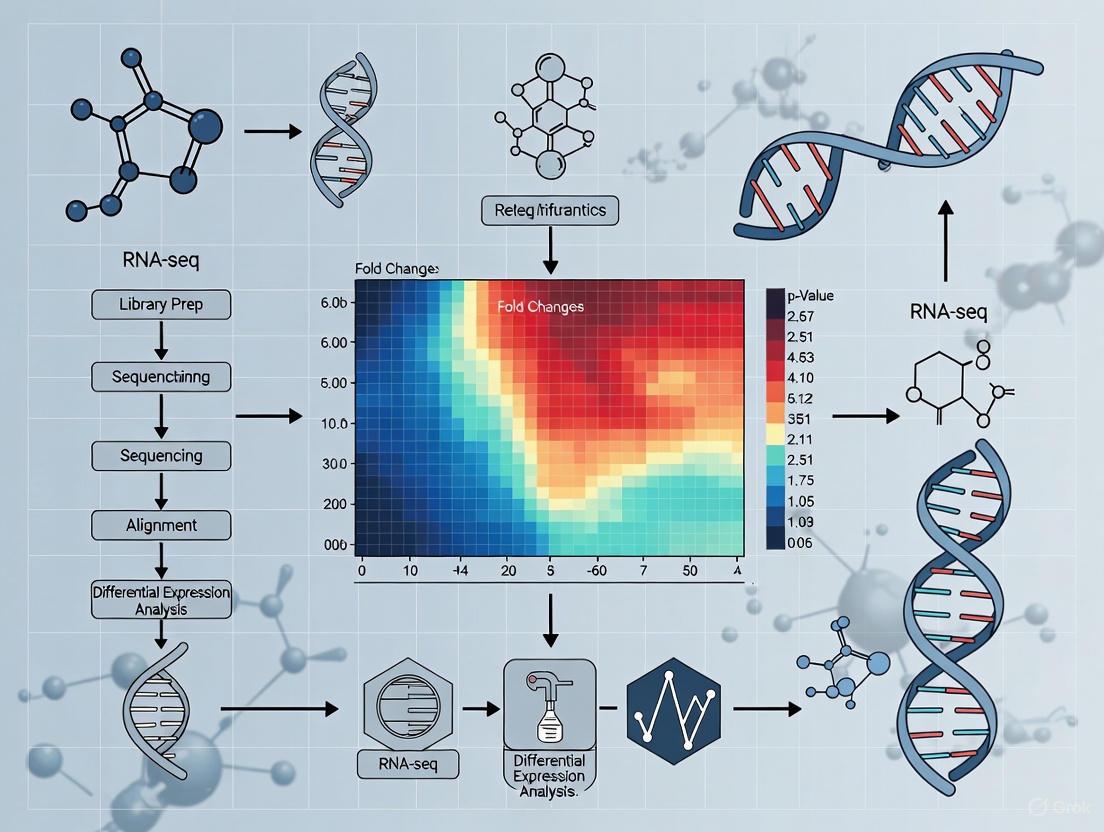
This guide provides researchers, scientists, and drug development professionals with a comprehensive framework for effectively integrating heatmap visualizations into RNA-seq data analysis.
From Data to Discovery: A Comprehensive Guide to Integrating Heatmap Visualization in Your RNA-seq Workflow
Abstract
This guide provides researchers, scientists, and drug development professionals with a comprehensive framework for effectively integrating heatmap visualizations into RNA-seq data analysis. It covers the foundational principles of heatmaps in transcriptomics, from data preprocessing and normalization to the practical generation of publication-quality figures using tools like pheatmap and heatmap2. The content addresses common pitfalls, including overlapping labels and batch effects, and offers advanced strategies for troubleshooting and optimizing visualizations across diverse datasets. By linking heatmap patterns to biological validation and downstream analysis, this article empowers users to transform complex gene expression data into robust, interpretable, and clinically actionable insights.
The Why and What: Foundational Principles of Heatmaps in Transcriptomics
In the field of transcriptomics, RNA sequencing (RNA-Seq) has become a fundamental tool for quantifying gene expression at a genome-wide scale [1]. While the statistical identification of differentially expressed genes is crucial, the visualization of complex gene expression data is equally important for biological interpretation. Heatmaps, coupled with dendrograms, serve as a powerful graphical method to represent this data, revealing inherent patterns, clusters, and relationships between genes and samples that might otherwise remain hidden in large numerical matrices. Within a comprehensive RNA-seq workflow, these visualizations are indispensable for summarizing results, identifying co-expressed gene modules, and communicating findings to a broad scientific audience. This guide details the role of heatmaps and dendrograms within the RNA-seq analysis pipeline, providing protocols for their generation and interpretation to advance research in molecular biology and drug development.
Theoretical Foundations
The RNA-Seq Workflow and the Role of Visualization
RNA-Seq analysis is a multi-step process that begins with the isolation of RNA and culminates in biological insight. The initial stages involve converting RNA to complementary DNA (cDNA), followed by high-throughput sequencing to produce millions of short reads [1]. These reads are then processed through a series of critical preprocessing steps:
- Quality Control (QC): Tools like FastQC or multiQC assess raw sequence data for technical artifacts such as adapter contamination or unusual base composition [1].
- Read Trimming: Adapter sequences and low-quality base calls are removed using tools like Trimmomatic or fastp [1].
- Alignment/Mapping: Cleaned reads are aligned to a reference genome or transcriptome using aligners like STAR or HISAT2. Alternatively, faster pseudo-alignment tools such as Kallisto or Salmon can be used to estimate transcript abundances directly [1].
- Post-Alignment QC and Quantification: Tools like SAMtools filter poorly aligned reads, and programs like featureCounts generate the final raw count matrix, which summarizes the number of reads mapped to each gene in each sample [1].
The resulting gene expression matrix is a high-dimensional dataset where each row represents a gene and each column represents a sample. Heatmaps and dendrograms are applied after statistical analysis (such as differential expression testing) to visualize the patterns in this processed data. They transform numerical values into an intuitive color scale, allowing researchers to quickly assess overall expression trends and sample similarities.
Understanding Heatmaps and Dendrograms
A heatmap is a two-dimensional graphical representation of data where individual values contained in a matrix are represented as colors. In gene expression analysis, the color intensity of each cell in the heatmap corresponds to the normalized expression level of a particular gene in a specific sample, effectively translating quantitative data into a visual format.
A dendrogram is a tree-like diagram that records the sequence of merges or splits during a clustering process. In the context of gene expression heatmaps, two dendrograms are typically displayed:
- Column Dendrogram: Shows the clustering of samples based on the similarity of their global gene expression profiles.
- Row Dendrogram: Shows the clustering of genes based on the similarity of their expression patterns across all samples.
The following diagram illustrates the logical relationship between the data and these visualization components:
Materials and Reagents
Research Reagent Solutions
The following table details essential materials and computational tools required for generating RNA-seq data suitable for heatmap visualization.
Table 1: Key Research Reagents and Computational Tools for RNA-seq Analysis
| Item Name | Function/Application | Specific Examples |
|---|---|---|
| RNA Isolation Reagents | Extraction of high-quality total RNA from cells or tissues. | TRIzol reagent [2] |
| Library Prep Kits | Conversion of RNA into a sequenceable library, often involving rRNA depletion, cDNA synthesis, and adapter ligation. | MGIEasy rRNA removal kit [2] |
| Spike-In Control RNAs | External RNA controls added to samples to monitor technical performance and assist in normalization. | ERCC, Sequin, SIRV spike-ins [3] |
| Quality Control Instruments | Assessment of RNA integrity and library quality prior to sequencing. | Fragment Analyzer (Agilent) [2] |
| Alignment Software | Mapping of sequencing reads to a reference genome or transcriptome. | STAR, HISAT2 [1] |
| Quantification Tools | Generation of the count matrix from aligned reads. | featureCounts, HTSeq-count [1] |
Software for Visualization
Specialized software is required to create publication-quality heatmaps. These tools often integrate clustering algorithms and color scheme management.
Table 2: Software Suites for Heatmap and Dendrogram Generation
| Software Name | Key Features | Accessibility |
|---|---|---|
| MicroScope | An R Shiny web application designed for interactive visualization and analysis of gene expression heatmaps; includes integrated PCA, differential expression, and gene ontology analysis [4]. | Online web application; R package available on GitHub [4] |
| Custom R/Python Scripts | High flexibility using packages like pheatmap, ComplexHeatmap (R), or seaborn, matplotlib (Python). Allows for complete customization of clustering methods and aesthetics. |
Requires programming expertise; runs locally or on servers. |
Protocols
Protocol: Generating a Heatmap from an RNA-seq Count Matrix
This protocol outlines the steps to create a clustered heatmap, starting from a raw count matrix and proceeding through normalization and visualization.
Step 1: Data Preprocessing and Normalization
- Input: Raw count matrix (genes as rows, samples as columns).
- Procedure: Raw counts are not directly comparable between samples due to differences in sequencing depth and library composition [1]. Apply a normalization method suitable for downstream visualization. While Counts Per Million (CPM) or Transcripts Per Million (TPM) are simple options, for differential expression analysis, more robust methods like the median-of-ratios method (used in DESeq2) or the Trimmed Mean of M-values (TMM, used in edgeR) are recommended [1].
- Output: A normalized expression matrix.
Step 2: Data Transformation and Filtering
- Transformation: Convert normalized counts to a log2 scale. This stabilizes variance and ensures that color gradients in the heatmap are driven by relative fold-changes rather than absolute abundance.
- Filtering: To reduce noise, filter out genes with very low expression across all samples (e.g., genes with less than 10 counts in a minimum number of samples).
Step 3: Clustering and Heatmap Generation
- Clustering Method: Select a clustering algorithm. Hierarchical clustering is most common for heatmaps. Choose a distance metric (e.g., Euclidean, Manhattan) and a linkage method (e.g., complete, average, Ward's).
- Generate Heatmap: Using a tool like MicroScope or an R package, create the heatmap. The normalized and log-transformed values are mapped to a color gradient. The software simultaneously computes and displays the row and column dendrograms.
The following workflow diagram summarizes the key steps in the protocol:
Data Analysis and Interpretation
Case Study: Integration of Bulk and Single-Cell RNA-seq in Disease Research
A study on deep vein thrombosis (DVT) exemplifies the power of integrating different transcriptomic approaches. Researchers first performed bulk RNA-seq on blood samples from 11 DVT patients and 6 healthy controls, identifying 193 differentially expressed genes (DEGs) [2]. Subsequent analysis pinpointed eight highly characteristic genes, including CXCR4. To deconvolve the cellular origin of these signals, they then performed single-cell RNA-seq (scRNA-seq) on samples from 3 DVT patients and 3 controls. The scRNA-seq data revealed that CXCR4 expression was actively involved in specific cell types, including B cells, T cells, and monocytes [2]. A heatmap of gene expression across these distinct cell populations would effectively visualize which cell types express the DVT-associated genes, thereby localizing disease-relevant transcriptomic signatures and generating novel hypotheses about cellular mechanisms in DVT.
Interpreting the Visual Output
Reading a heatmap involves analyzing both the color patterns and the dendrogram structures:
- Color Intensity: The core of the heatmap. A consistent color scale (e.g., blue for low expression, red for high expression) is critical. The legend must be clearly labeled with the corresponding log2-fold change or normalized value range.
- Column Clusters: Groups of samples that cluster together in the dendrogram have similar overall gene expression profiles. This can reveal whether biological replicates are consistent, if treatment groups separate from controls, or if there are unknown batch effects or subtypes.
- Row Clusters: Groups of genes that cluster together are potentially co-expressed, which may suggest co-regulation, membership in the same biological pathway, or shared functional roles.
Technical Specifications for Accessible Visualization
Color Palette and Contrast Requirements
Adherence to accessibility standards is paramount for inclusive science. The Web Content Accessibility Guidelines (WCAG) require a minimum contrast ratio of 3:1 for graphical objects and user interface components [5] [6]. The following color palette, inspired by the Google logo, meets these requirements when paired appropriately and ensures visual clarity.
Table 3: Recommended Accessible Color Palette for Data Visualization
| Color Name | Hex Code | RGB Value | Suggested Use |
|---|---|---|---|
| Blue | #4285F4 |
(66, 133, 244) | High expression, primary data |
| Red | #EA4335 |
(234, 67, 53) | Low expression, alerts |
| Yellow | #FBBC05 |
(251, 188, 5) | Medium expression, warnings |
| Green | #34A853 |
(52, 168, 83) | Medium expression, positive indicators |
| White | #FFFFFF |
(255, 255, 255) | Background, lowest values |
| Light Grey | #F1F3F4 |
(241, 243, 244) | Node background, secondary elements |
| Dark Grey | #202124 |
(32, 33, 36) | Text, high-contrast foreground |
| Medium Grey | #5F6368 |
(95, 99, 104) | Borders, arrows |
Implementing Accessible Design
- Contrast Verification: Always use a contrast checker tool to validate that the chosen foreground and background color pairs meet the 3:1 ratio. For example, the combination of
#4285F4(blue) on a#FFFFFF(white) background provides sufficient contrast [7] [6]. - Beyond Color: Do not rely on color alone to convey meaning. For users with color vision deficiencies, augment the color scale with patterns (e.g., hatched lines, different dot sizes) or direct data labels where feasible [6]. This ensures that the visualized data is interpretable even when color perception is impaired.
RNA sequencing (RNA-seq) has revolutionized transcriptomics by enabling genome-wide quantification of RNA abundance with high accuracy and low background noise [1]. As a high-throughput technology, it generates complex datasets that require sophisticated visualization techniques for interpretation. Among these, heatmaps serve as a critical tool, providing an intuitive color-based representation of gene expression data across multiple samples. This article details the integral role of heatmaps within the RNA-seq workflow, from initial quality assessment to the derivation of biological insights, providing specific protocols for their implementation in research and drug development contexts.
RNA-seq Workflow and Heatmap Integration Points
A standard RNA-seq analysis begins with converting isolated RNA into stable complementary DNA (cDNA), followed by high-throughput sequencing that produces millions of short reads [1]. The subsequent computational workflow involves multiple quality control points where heatmap visualization can dramatically improve data interpretation and downstream analysis reliability. The following diagram illustrates the complete workflow with key integration points for heatmaps.
Experimental Protocols and Data Presentation
RNA-seq Preprocessing and Quality Control Protocol
The initial phase of RNA-seq analysis requires rigorous quality assessment to ensure data integrity before biological interpretation [1].
Detailed Protocol:
- Quality Control (QC): Process raw FASTQ files through FastQC or multiQC to generate quality metrics. Critically review the QC report for technical artifacts, including leftover adapter sequences, unusual base composition, or duplicated reads [1].
- Read Trimming: Use tools such as Trimmomatic, Cutadapt, or fastp to remove low-quality base calls and adapter sequences. Avoid over-trimming, which reduces data quantity and weakens subsequent analysis [1].
- Read Alignment: Map cleaned reads to a reference genome or transcriptome using aligners like STAR or HISAT2. Alternatively, for faster processing and reduced memory usage, employ pseudo-alignment tools such as Kallisto or Salmon, which use bootstrapping to improve accuracy [1].
- Post-Alignment QC: Process aligned reads (BAM files) with SAMtools, Qualimap, or Picard to remove poorly aligned or multi-mapped reads. This step prevents artificially inflated gene expression counts [1].
- Read Quantification: Generate a raw count matrix using tools like featureCounts or HTSeq-count, where the number of reads mapped to each gene is summarized per sample [1].
Normalization Techniques for Comparative Analysis
The raw count matrix cannot be directly compared between samples due to technical biases such as sequencing depth and library composition. Normalization adjusts these counts to remove such biases, forming a reliable foundation for heatmap visualization [1]. The table below compares common normalization methods.
Table 1: Comparison of RNA-seq Normalization Methods
| Method | Sequencing Depth Correction | Gene Length Correction | Library Composition Correction | Suitable for DE Analysis | Key Characteristics |
|---|---|---|---|---|---|
| CPM | Yes | No | No | No | Simple scaling by total reads; highly affected by highly expressed genes. |
| RPKM/FPKM | Yes | Yes | No | No | Adjusts for gene length; still affected by library composition bias. |
| TPM | Yes | Yes | Partial | No | Scales sample to a constant total (1M), reducing composition bias; good for cross-sample comparison [1]. |
| median-of-ratios (DESeq2) | Yes | No | Yes | Yes | Robust to composition bias; can be affected by large-scale expression shifts [1]. |
| TMM (edgeR) | Yes | No | Yes | Yes | Robust to composition bias; can be affected by over-trimming of genes [1]. |
Generating a Heatmap for Differential Expression Analysis
This protocol outlines the creation of a heatmap to visualize top differentially expressed (DE) genes, following the methodology demonstrated in a Galaxy tutorial using a dataset from Fu et al. (2015) on mammary gland cells in mice [8].
Detailed Protocol:
- Input Data Preparation: Obtain a normalized counts file (e.g., from limma-voom, DESeq2, or edgeR) where genes are in rows and samples in columns. A file containing DE analysis results is also required [8].
- Extract Significant Genes: Apply filtering to select genes passing thresholds for statistical and biological significance. A common standard is an adjusted p-value < 0.01 and an absolute log2 fold change > 0.58 (equivalent to a fold change > 1.5) [8].
- Select Top Genes: If the number of significant genes is large (e.g., >1,000), sort the list by ascending adjusted p-value and select the top N genes (e.g., 20-50) for clear visualization [8].
- Extract Normalized Counts: Join the list of top genes with the normalized counts file using a unique gene identifier (e.g., ENTREZID). Extract a final matrix containing only the gene names/symbols and the normalized count values for the selected samples [8].
- Plot the Heatmap: Use a tool like the
heatmap2function from the Rgplotspackage or its implementation in platforms like Galaxy. Key parameters include:- Data transformation: Plot the normalized data as it is, often in log2 scale.
- Z-score calculation: Optionally compute Z-scores per row (gene) to emphasize expression patterns across samples.
- Clustering: Enable hierarchical clustering on rows and/or columns to group genes and samples with similar profiles.
- Colormap: Select a color gradient (e.g., Blue-White-Red or Viridis) to represent low, medium, and high expression levels [8] [9].
Visualization and Accessibility Guidelines
Effective heatmaps rely on careful design choices to accurately convey information without misleading the viewer. Adherence to accessibility standards ensures that the visualizations are interpretable by a wider audience, including those with color vision deficiencies.
Color Palette Selection and Application
Color serves as the primary channel for encoding quantitative values in a heatmap. The choice of palette should be perceptually uniform and ordered.
Table 2: Heatmap Color Palettes and Their Properties
| Palette Name | Color Sequence (Hex Codes) | Perceptual Characteristics | Accessibility Recommendation |
|---|---|---|---|
| Sequential Blue | #1d4877, #1b8a5a, #fbb021, #f68838, #ee3e32 [10] |
Good perceptual ordering from cool to warm. | Low contrast between some adjacent colors; not recommended for accessibility. |
| Sequential Yellow-Red | #fff33b, #fdc70c, #f3903f, #ed683c, #e93e3a [11] |
Classic "heat" scale, intuitively understood. | Check contrast between light yellows and a white background. |
| Viridis | (Example colors not in palette) | Perceptually uniform and colorblind-safe. | High inherent accessibility; contrasts well with backgrounds. |
Implementing Accessible Design
The Web Content Accessibility Guidelines (WCAG) provide a framework for creating accessible visualizations. The following diagram summarizes the key requirements and strategies for designing accessible heatmaps.
Key Guidelines:
- Non-Text Contrast (WCAG 1.4.11): Visual elements required to understand graphics, such as the lines in a heatmap's grid, must have a contrast ratio of at least 3:1 against adjacent colors. This ensures users can distinguish the structure of the visualization [12] [5].
- Use of Color (WCAG 1.4.1): Color must not be the only visual means of conveying information. For heatmaps, this can be addressed by adding a secondary cue, such as differing symbol sizes (e.g., circles that grow with value) overlaid on the color cells, or by using patterns [5] [6].
- Text Contrast (WCAG 1.4.3): All axis labels, legend text, and any other text within the graphic must maintain a minimum contrast ratio of 4.5:1 against its background [12].
- Implementation Tip: If using a multi-color gradient, ensure each step in the legend has sufficient contrast to its neighbors. In practice, finding more than 4-5 colors that are mutually distinct and meet contrast requirements is challenging, which reinforces the need for supplemental patterns or symbols [6].
The Scientist's Toolkit
Table 3: Essential Research Reagent Solutions for RNA-seq and Heatmap Visualization
| Item Name | Function/Application | Example Tools/Resources |
|---|---|---|
| RNA Reference Materials | Provides "ground truth" for benchmarking RNA-seq workflow performance, especially for detecting subtle differential expression. | Quartet Project reference materials, MAQC reference samples [13]. |
| External RNA Controls (ERCC) | Spike-in RNA controls used to assess technical performance, accuracy, and dynamic range of the RNA-seq assay. | ERCC Spike-In Mix [13]. |
| Quality Control Suites | Generates initial quality metrics from raw sequencing data (FASTQ) to identify technical errors and guide trimming. | FastQC, multiQC [1]. |
| Trimming Tools | Removes low-quality bases and adapter sequences from raw reads to improve downstream mapping accuracy. | Trimmomatic, Cutadapt, fastp [1]. |
| Alignment/Pseudoalignment Software | Maps sequencing reads to a reference genome/transcriptome to identify expressed genes/transcripts. | STAR, HISAT2, Kallisto, Salmon [1] [14]. |
| Quantification Tools | Counts the number of reads mapped to each gene or transcript, producing the raw expression matrix. | featureCounts, HTSeq-count, RSEM [1] [14]. |
| Differential Expression Analysis Packages | Performs statistical testing to identify genes expressed significantly different between conditions. | DESeq2, edgeR, limma-voom [1] [8]. |
| Visualization Software | Generates heatmaps and other plots for exploratory data analysis and presentation of results. | R gplots package (heatmap.2), Galaxy Platform [8] [9]. |
Within the context of RNA-sequencing workflows, heatmap visualization serves as an indispensable tool for synthesizing complex gene expression data into an intuitively understandable format. This application note details the core components—data matrices, color mapping, and clustering—that form the foundation of effective heatmap generation in genomic research. By translating a matrix of numerical values into a grid of colored cells, heatmaps enable researchers and drug development professionals to visually identify patterns, trends, and outliers in high-dimensional data, such as differentially expressed genes across multiple sample conditions [15] [16]. The proper implementation of these components is critical for drawing biologically meaningful conclusions from RNA-Seq experiments.
Core Components of a Heatmap
The Data Matrix
The data matrix is the foundational element of any heatmap. In RNA-Seq analysis, this is typically a numerical table where rows represent features (e.g., genes or transcripts) and columns represent samples or experimental conditions [8] [16]. Each cell in the matrix contains a value, such as a normalized gene expression count, which will be encoded by color.
- Structure: A gene-by-sample matrix is the standard input format for most heatmap tools.
- Data Preparation: Prior to visualization, RNA-Seq data must be processed and normalized to correct for differences in sequencing depth and library composition between samples [1] [8]. Common normalized formats include TPM (Transcripts per Million) or the variance-stabilized counts produced by tools like DESeq2 and limma-voom.
Table 1: Common Normalization Methods for RNA-Seq Data Matrices
| Method | Sequencing Depth Correction | Gene Length Correction | Library Composition Correction | Suitable for Differential Expression? |
|---|---|---|---|---|
| CPM (Counts per Million) | Yes | No | No | No |
| TPM (Transcripts per Million) | Yes | Yes | Partial | No, good for visualization and cross-sample comparison [1] |
| RPKM/FPKM | Yes | Yes | No | No |
| median-of-ratios (e.g., DESeq2) | Yes | No | Yes | Yes [1] |
| TMM (Trimmed Mean of M-values, e.g., edgeR) | Yes | No | Yes | Yes [1] |
Color Mapping
Color mapping is the process of assigning colors to numerical values in the data matrix, creating the visual "heat" [15] [16]. The choice of color palette is paramount for accurate interpretation.
- Sequential Palettes: Used for data that are all positive or all negative (e.g., gene expression levels). These palettes use gradients from light to dark, often of a single hue [16].
- Diverging Palettes: Used for data that includes a meaningful zero point and has both positive and negative values (e.g., log2 fold changes). These palettes use two contrasting hues, with a neutral color (like white or light yellow) representing the midpoint [16].
Table 2: Color Palette Selection Guide
| Data Type | Purpose | Recommended Palette Type | Example Use Case in RNA-Seq |
|---|---|---|---|
| Unidirectional Values | Show magnitude | Sequential | Visualizing normalized gene expression levels (e.g., from 0 to high) |
| Bidirectional Values | Show deviation from a center | Diverging | Visualizing Z-scores (row-scaled data) or log2 fold changes |
| Categorical/Binned | Show classes or intervals | Qualitative/Binned | Discretizing expression into "low," "medium," and "high" groups |
Clustering
Clustering is an analytical technique used to group similar rows (genes) and/or similar columns (samples) together [15] [17]. This reorganizes the heatmap to reveal inherent structures, such as groups of co-expressed genes or samples with similar expression profiles.
- Purpose: To identify patterns and relationships that are not obvious in the original data order.
- Method: Hierarchical clustering is commonly used, which produces a dendrogram—a tree-like diagram that shows the nested relationships of clusters [17] [16]. The distance between branches represents the degree of similarity between genes or samples.
- Application: In a clustered heatmap, both rows and columns are reordered based on the results of the clustering algorithm, bringing similar features and samples proximally to facilitate interpretation [17].
Experimental Protocol: Creating a Heatmap from RNA-Seq Data
The following protocol outlines the key steps for generating a clustered heatmap of top differentially expressed genes from RNA-Seq data, using tools available in the Galaxy platform as an example [8].
Step 1: Input Data Preparation
- Obtain Normalized Counts: Begin with a normalized counts table (e.g., from DESeq2, edgeR, or limma-voom), where genes are in rows and samples are in columns. Ensure expression values are appropriately normalized [8].
- Identify Genes of Interest: Obtain a list of genes to visualize. This is often the list of statistically significant differentially expressed (DE) genes from a differential expression analysis tool. For a focused heatmap, extract the top N genes (e.g., top 20) by adjusted P-value or fold change [8].
Step 2: Extract and Format Data
- Merge Files: Join the list of top genes with the normalized counts table using a unique gene identifier (e.g., ENTREZID or GeneID) to extract expression values only for the genes of interest [8].
- Create Heatmap Matrix: From the merged file, select only the columns containing the gene names and the normalized count values for the samples. This creates the final data matrix for the heatmap [8].
Step 3: Generate the Heatmap
- Tool: Use a heatmap plotting tool such as
heatmap2in Galaxy [8]. - Key Parameters:
- Data Transformation: Typically, plot the data as it is (using the normalized counts).
- Z-score Calculation: To highlight gene-wise expression patterns, select "Compute on rows (scale genes)". This converts expression for each gene to a Z-score (mean-centered and scaled by standard deviation), making it easier to see up- and down-regulation relative to the mean [8].
- Clustering: Enable data clustering for both rows and columns to group similar genes and samples. The default method is often hierarchical clustering.
- Colormap: Select a diverging color palette (e.g., a blue-white-red gradient) when using Z-scores, as the values are centered around zero [8].
Visualization Specifications and Workflow
The following diagram illustrates the logical workflow for creating a heatmap within an RNA-seq analysis pipeline.
Logic flow of heatmap creation in an RNA-seq workflow.
The Scientist's Toolkit: Research Reagent Solutions
Table 3: Essential Computational Tools for RNA-Seq Heatmap Analysis
| Tool / Resource | Function | Role in Heatmap Workflow |
|---|---|---|
| DESeq2 / edgeR | Statistical analysis for differential expression | Generates the normalized count matrix and identifies significant genes for visualization [1]. |
| Trimmomatic / Fastp | Read trimming and quality control | Prepares raw sequencing data (FASTQ) for accurate alignment, ensuring quality input data [1]. |
| STAR / HISAT2 | Splice-aware alignment of reads to a reference genome | Maps sequencing reads to genomic coordinates, a prerequisite for gene-level quantification [1]. |
| Kallisto / Salmon | Pseudoalignment for transcript quantification | Provides fast and accurate estimation of transcript abundance, an alternative to alignment [1]. |
| R / Python | Programming environments for data science | Provide ecosystems (e.g., Bioconductor in R, seaborn/matplotlib in Python) for sophisticated heatmap creation and customization. |
| Galaxy Project | Web-based platform for accessible data analysis | Offers tools like heatmap2 with a user-friendly interface, making heatmap generation accessible without programming [8]. |
RNA sequencing (RNA-Seq) is a powerful high-throughput technology that has revolutionized transcriptomics by enabling genome-wide quantification of RNA abundance [1]. However, the raw count data generated by sequencing platforms cannot be directly used for comparative analysis due to several technical biases that must be corrected through normalization [18] [19]. These biases include sequencing depth (variation in the total number of reads per sample), gene length (longer genes accumulate more reads), and library composition (differences in RNA population structure between samples) [1] [19]. Normalization methods mathematically adjust these raw counts to remove technical variations, thereby ensuring that observed differences reflect true biological effects rather than technical artifacts [1]. Without proper normalization, downstream analyses—including differential expression and visualization techniques like heatmaps—can yield misleading results, false positives, and incorrect biological interpretations.
RNA-seq Normalization Methods
Categories of Normalization
RNA-seq normalization methods can be divided into three main categories based on their application scope and purpose [19]:
- Within-sample normalization: Adjusts for gene length and sequencing depth to enable comparison of expression levels between different genes within the same sample. Essential for assessing which genes are most highly expressed in an individual sample.
- Between-sample normalization: Corrects for technical variations between different samples within the same dataset, such as differences in sequencing depth and library composition. Crucial for identifying differentially expressed genes across conditions.
- Across-datasets normalization: Addresses batch effects when integrating data from multiple independent studies sequenced at different times, locations, or with varying methods.
Comparison of Common Normalization Methods
Table 1: Overview of Common RNA-seq Normalization Methods
| Method | Sequencing Depth Correction | Gene Length Correction | Library Composition Correction | Primary Use Case |
|---|---|---|---|---|
| CPM | Yes | No | No | Simple scaling; not for DE analysis |
| FPKM/RPKM | Yes | Yes | No | Within-sample comparisons |
| TPM | Yes | Yes | Partial | Within-sample comparisons; cross-sample visualization |
| TMM | Yes | No | Yes | Between-sample DE analysis |
| RLE (DESeq2) | Yes | No | Yes | Between-sample DE analysis |
| GeTMM | Yes | Yes | Yes | Combined within- and between-sample analysis |
Detailed Methodologies
Within-Sample Normalization Methods
FPKM/RPKM Fragments per Kilobase of transcript per Million fragments mapped (FPKM) for paired-end data and Reads per Kilobase of transcript per Million reads mapped (RPKM) for single-end data correct for both library size and gene length [19]. The formula for FPKM is:
However, a significant limitation of FPKM/RPKM is that the expression of a gene in one sample may appear different from its expression in another sample even at identical true expression levels, as it depends on the relative abundance of a transcript among the entire sequenced transcript population [19].
TPM Transcripts per Million (TPM) represents the relative number of transcripts you would detect for a gene if you had sequenced one million full-length transcripts [19]. The calculation involves:
- Divide the read counts by the length of each gene in kilobases (yielding reads per kilobase)
- Divide these length-normalized read counts by the sum of all length-normalized read counts in the sample
- Multiply by 1,000,000 to get TPM
Unlike FPKM/RPKM, the sum of all TPMs in each sample is constant, which reduces variation between samples [19]. TPM is considered superior to FPKM for within-sample comparisons [1].
Between-Sample Normalization Methods
TMM (Trimmed Mean of M-values) The TMM method, implemented in the edgeR package, operates on the assumption that most genes are not differentially expressed between samples [18] [19]. The protocol involves:
- Reference selection: Choose one sample as a reference (typically the one with upper quartile closest to the mean upper quartile)
- M-value calculation: Compute log-fold changes (M-values) between each sample and the reference
- Trimming: Remove the top and bottom 30% of M-values and the top and bottom 5% of A-values (intensity measures)
- Scaling factor calculation: Compute the weighted mean of remaining M-values, with weights derived from the inverse of approximate asymptotic variances
- Normalization: Apply the scaling factor to adjust library sizes
TMM normalization is particularly effective for datasets where the majority of genes are not differentially expressed, though it may be affected by asymmetric differential expression or extreme composition biases [18].
RLE (Relative Log Expression) The RLE method, used in DESeq2, similarly assumes that most genes are non-DE [18] [1]. The experimental protocol consists of:
- Pseudoreference creation: Calculate the geometric mean of each gene across all samples
- Ratio calculation: For each sample, compute the ratio of each gene's count to its pseudoreference value
- Size factor determination: Take the median of these ratios for each sample (excluding zeros)
- Normalization: Divide all counts in a sample by its size factor
The RLE method has demonstrated strong performance in benchmark studies, producing condition-specific metabolic models with low variability and accurately capturing disease-associated genes [18].
TMM Normalization Workflow
Impact of Normalization on Biological Interpretation
The choice of normalization method significantly impacts downstream biological interpretations. Benchmark studies comparing five normalization methods (TPM, FPKM, TMM, GeTMM, and RLE) have demonstrated substantial differences in the outcomes of transcriptome mapping on human genome-scale metabolic models [18]. Between-sample normalization methods (RLE, TMM, GeTMM) enabled the production of condition-specific metabolic models with considerably lower variability in the number of active reactions compared to within-sample methods (FPKM, TPM) [18]. Furthermore, between-sample methods more accurately captured disease-associated genes, with average accuracy of approximately 0.80 for Alzheimer's disease and 0.67 for lung adenocarcinoma [18]. Covariate adjustment for factors such as age, gender, and post-mortem interval further improved accuracy across all normalization methods [18].
Integration with Heatmap Visualization
From Normalized Data to Heatmap
Heatmaps provide a powerful visualization tool for representing three-dimensional gene expression data (genes × samples × expression levels) in two dimensions using color gradients [20]. The process of transforming normalized RNA-seq data into a heatmap involves several critical steps that depend heavily on proper normalization.
Table 2: Heatmap Interpretation Guide Based on Normalization Method
| Normalization Method | Heatmap Pattern Characteristics | Best Suited Analysis Type |
|---|---|---|
| TPM | Enables comparison of expression patterns across genes within sample | Within-sample gene expression profiling |
| FPKM | Similar to TPM but with higher inter-sample variability | Single-sample exploratory analysis |
| TMM | Highlights differential expression patterns between conditions | Cross-sample comparative analysis |
| RLE | Reveals biologically relevant patterns with reduced technical artifacts | Differential expression visualization |
| GeTMM | Balanced representation of within- and between-sample patterns | Integrated analysis workflows |
Practical Implementation
The transition from normalized expression values to heatmap visualization requires specific data formatting. Normalized data must be transformed from a wide format (with samples as columns and genes as rows) to a long format for use with graphing packages like ggplot2 [20]. In this long format:
- One column represents sample identifiers (x-axis)
- Another column represents gene names (y-axis)
- A third column contains normalized expression values (color intensity)
For large gene sets, it is common practice to filter for the most variable genes or those showing significant differential expression to create more interpretable heatmaps. The Z-score transformation of normalized expression values (scaling by row) is frequently applied to better visualize patterns across genes with different expression ranges.
Heatmap Creation Process
The Scientist's Toolkit: Essential Research Reagents and Computational Tools
Table 3: Essential Research Reagent Solutions for RNA-seq Normalization and Analysis
| Category | Item/Software | Function/Purpose |
|---|---|---|
| Normalization Software | DESeq2 (R package) | Implements RLE normalization for differential expression analysis |
| edgeR (R package) | Provides TMM normalization for RNA-seq data | |
| Limma (R package) | Offers quantile normalization and batch effect correction | |
| Quality Control Tools | FastQC | Assesses raw read quality before normalization |
| MultiQC | Aggregates QC reports from multiple samples | |
| SAMtools | Processes aligned reads for post-alignment QC | |
| Alignment & Quantification | STAR | Aligns RNA-seq reads to reference genome |
| HISAT2 | Splice-aware alignment for transcriptome mapping | |
| featureCounts | Quantifies reads mapped to genomic features | |
| Visualization Tools | ggplot2 (R package) | Creates publication-quality heatmaps |
| ComplexHeatmap (R package) | Specialized heatmap creation for genomics data | |
| pheatmap (R package) | Simplified heatmap generation with clustering |
Proper normalization of RNA-seq data represents a critical step in the transition from raw sequencing counts to biologically meaningful expression values. The selection of an appropriate normalization method must be guided by the specific research question, experimental design, and intended downstream analyses, particularly when integrating heatmap visualization into the analytical workflow. Between-sample normalization methods such as TMM and RLE generally provide more reliable results for differential expression analysis and subsequent visualization, while within-sample methods like TPM serve specific purposes in gene expression profiling within individual samples. By following the structured protocols and methodologies outlined in this application note, researchers can ensure that their normalized data accurately reflects biological truth rather than technical artifacts, leading to more valid interpretations and scientific conclusions.
Within the framework of an integrated RNA-seq workflow research project, the step between identifying differentially expressed genes and generating a final visualization is critical. A heatmap is a powerful visualization that represents the magnitude of numerical data in a matrix format using color variations, typically with samples on the horizontal axis and genes on the vertical axis [9]. However, the clarity and biological insight derived from a heatmap are directly dependent on the gene set selected for visualization. Overloading a heatmap with thousands of genes obscures patterns, while a poorly chosen set can mislead interpretation. This application note provides detailed protocols and strategies for selecting focused, informative gene sets to create impactful and interpretable heatmaps that effectively communicate research findings.
Core Concepts and Selection Strategies
The process of gene selection can be broadly divided into two complementary approaches: statistically driven selection and biologically driven selection. A logical workflow for integrating these strategies is outlined below.
Statistically-Driven Selection
This method relies on quantitative metrics derived from differential expression analysis to prioritize genes with the most robust and substantial changes.
Table 1: Key Statistical Metrics for Gene Selection
| Metric | Description | Typical Threshold | Primary Function |
|---|---|---|---|
| Adjusted P-value | Corrects for multiple testing to reduce false discoveries. | < 0.05 | Filters for statistical significance [9]. |
| Fold Change (FC) | Magnitude of expression difference between conditions. | > 2 or < -2 | Identifies biologically relevant effect size. |
| Average Expression | Mean expression level across all samples. | > 50th Percentile | Filters out lowly expressed, noisy genes. |
| Top-N Ranking | Selects the N genes with the smallest adjusted P-values and/or largest Fold Change. | N = 50 - 200 | Creates a manageable, high-impact gene set. |
Biologically-Driven Selection
This approach uses existing biological knowledge to curate gene sets that tell a coherent story, often complementing statistically selected genes.
- Gene Ontology (GO) & Pathway Analysis: Select genes belonging to a specific, relevant biological process (e.g., "inflammatory response"), molecular function, or cellular component. This is crucial for testing a specific hypothesis about a mechanism of action [9].
- Curated Gene Sets: Utilize genes from known databases or published signatures, such as MSigDB hallmarks, or genes encoding proteins in a specific signaling pathway (e.g., Wnt/β-catenin pathway).
- Candidate Gene Approach: Focus on a pre-defined set of genes known to be relevant to the disease or biological context under study, even if they do not pass the strictest statistical thresholds.
Detailed Protocol for an Integrated Approach
This protocol describes a comprehensive method for selecting an informative gene set for heatmap visualization, combining statistical rigor with biological relevance.
Protocol: Tiered Gene Selection for Heatmap Visualization
Purpose: To systematically select a non-redundant, statistically significant, and biologically meaningful set of genes for heatmap visualization from an RNA-seq dataset.
Materials and Reagents:
- Input Data: A table of normalized gene expression counts (e.g., TPM, FPKM) and a results table from a differential expression analysis (e.g., from DESeq2, edgeR) containing P-values, adjusted P-values (FDR), and log2 Fold Change.
- Software: Statistical computing environment (R/Python) or interactive software capable of performing gene expression quantification, differential expression analysis, and gene ontology analysis [9].
- Biological Databases: Access to resources for gene set enrichment analysis (e.g., DAVID, Enrichr) and pathway databases (e.g., KEGG, Reactome).
Procedure:
Primary Statistical Filtering:
- Apply a significance threshold to the differential expression results. A common starting point is an adjusted P-value (FDR) < 0.05.
- Concurrently, apply a fold change threshold to ensure biological relevance, such as absolute log2 Fold Change > 1 (equivalent to a 2-fold change).
Secondary Filtering by Expression Level:
- From the statistically significant gene list, remove genes with very low average expression, as these can contribute to noise. A practical method is to filter for genes with a normalized count or TPM value above the median across all samples.
Dimensionality Reduction via Top-N Selection:
- To create a focused visualization, sort the remaining genes by statistical significance (adjusted P-value) and/or the magnitude of effect (absolute fold change).
- Select the top 100-200 genes. This number provides sufficient data points for pattern recognition without overwhelming the heatmap's visual clarity [21].
Biological Contextualization and Curation:
- Perform Gene Ontology (GO) enrichment analysis [9] on the top genes from Step 3 to identify over-represented biological themes.
- Manually review the gene list. Are key players in your field of study present? If not, consider adding them, even if they fall slightly outside the statistical cutoffs, provided there is a strong biological justification.
- If the goal is to highlight a specific pathway, extract all genes belonging to that pathway from a database and intersect them with your statistically filtered list from Step 1.
Final Gene Set Compilation:
- Combine the genes from the automated top-N selection (Step 3) with the biologically curated genes (Step 4), removing any duplicates.
- The final list is now ready for heatmap generation.
Troubleshooting:
- Too few genes: Loosen the statistical thresholds (e.g., use a nominal P-value before correction or a smaller fold change).
- Too many genes: Increase the stringency of thresholds or reduce the N in the top-N selection. Alternatively, use the average expression filter more aggressively.
- No coherent pattern in heatmap: Re-evaluate the biological rationale for the selected gene set. The analysis may benefit from a more focused, hypothesis-driven biological selection.
Visualization and Accessibility Considerations
Once the gene set is selected, the final step is its visual presentation as a heatmap. The following workflow ensures the creation of an accessible and interpretable figure.
The Scientist's Toolkit: Essential Materials for Heatmap Creation
Table 2: Research Reagent Solutions for RNA-seq Heatmap Visualization
| Item | Function/Description | Example Tools / Implementation |
|---|---|---|
| Normalized Expression Matrix | The quantitative foundation; raw counts must be normalized for sequencing depth and other technical biases before visualization. | TPM, FPKM; VST-normalized counts (DESeq2); CPM (edgeR). |
| Differential Expression Tool | Identifies genes with statistically significant changes in expression between experimental conditions. | DESeq2, edgeR, limma in R. |
| Gene Set Enrichment Software | Identifies biologically meaningful patterns by testing for over-representation of gene ontology terms or pathways. | clusterProfiler (R), DAVID, GSEA. |
| Heatmap Generation Software | Creates the final visualizations from the expression matrix and selected gene set. | ComplexHeatmap (R), Pheatmap (R), Heatmapper [22]. |
| Colorblind-Friendly Palette | A color scale that maintains data interpretability for individuals with color vision deficiency. | Viridis, Plasma; Blue-Orange diverging scale [23]. |
Optimizing Heatmap Design and Accessibility
Color Palette Selection:
- Sequential Scale: Use a single hue (e.g., white to dark blue) when representing data that progresses from low to high values without a meaningful central point, such as raw TPM values [23].
- Diverging Scale: Use two contrasting hues with a light, neutral color in the center (e.g., blue-white-red) when the data deviates from a critical central value, such as Z-score normalized expression where the mean is zero [23].
- Avoid Rainbow Scales: Rainbow color scales can be misleading and are not perceptually uniform. They are also problematic for color-blind users and should be avoided [23].
Ensuring Accessibility and Contrast:
- Color Blindness: Approximately 5% of the population has color vision deficiency. Avoid common problematic color combinations like red-green [23]. Instead, use a color-blind-friendly palette such as blue and orange [23].
- Contrast Ratio: For any text within the heatmap (e.g., axis labels, dendrogram labels), ensure a minimum contrast ratio of 4.5:1 against the background to meet accessibility guidelines (WCAG Level AA) [12]. When using colored labels for groups, ensure the color itself has sufficient contrast or use additional textual or pattern cues.
The How-To: A Step-by-Step Methodology for Generating RNA-seq Heatmaps
In RNA sequencing (RNA-Seq) analysis, the transformation of raw data into reliable biological insights hinges on the initial, critical steps of data preprocessing and normalization. High-throughput sequencing technologies output data in FASTQ format, which contains the nucleotide sequences of reads and their corresponding quality scores [1] [24]. However, this raw data is often compromised by technical artifacts, including adapter sequences, low-quality bases, and other sequencing errors, which can severely skew downstream interpretation [25] [1]. Effective preprocessing is therefore not merely a preliminary step but a foundational one, ensuring that subsequent analyses, such as the generation of informative heatmaps, accurately reflect the underlying biology. This protocol details a robust workflow using two cornerstone tools: FastQC for quality assessment and Trimmomatic for quality filtering and adapter trimming. By framing this process within a broader RNA-seq workflow that culminates in heatmap visualization, we emphasize the direct line from data integrity to clear, actionable visual output of gene expression patterns for researchers, scientists, and drug development professionals.
The Role of Preprocessing in the RNA-seq Workflow
Data preprocessing serves as the critical gatekeeper for quality in the RNA-seq analysis pipeline. Its primary objective is to identify and mitigate technical biases and errors introduced during library preparation and sequencing, thereby preventing these artifacts from propagating forward and compromising downstream results [25] [1]. The significance of this stage is most apparent in its impact on final visualizations. A heatmap of gene expression, for instance, can be distorted by the presence of a few samples with poor sequence quality or persistent adapter contamination, leading to incorrect clustering and misleading biological conclusions [8]. The key issues addressed by preprocessing include:
- Adapter Contamination: Artificially generated adapter sequences ligated during library preparation can remain in the reads. If not removed, they can prevent reads from mapping to the reference genome or lead to inaccurate mapping [25].
- Low-Quality Bases: Sequencing errors are more common toward the ends of reads. These low-quality bases increase the rate of mismatches during alignment and reduce the confidence of read quantification [26] [24].
- Short Reads: After trimming, some reads may become too short to map uniquely to the genome, increasing the number of reads that map to multiple locations and reducing the accuracy of expression quantification [25].
The workflow below illustrates how preprocessing integrates into the complete RNA-seq analysis pathway, from raw data to heatmap visualization.
Essential Tools and Materials
The following table catalogs the key research reagents and software solutions required to execute the protocols described in this application note.
Table 1: Research Reagent and Software Solutions for RNA-seq Preprocessing
| Item Name | Type | Primary Function in Preprocessing |
|---|---|---|
| Raw FASTQ Files | Data | The initial input data from the sequencer, containing nucleotide sequences and quality scores for each read [1] [24]. |
| FastQC | Software Tool | Performs initial and post-trimming quality control; generates comprehensive reports on read quality, GC content, adapter contamination, and more [26] [27] [1]. |
| Trimmomatic | Software Tool | A flexible, widely-used tool for trimming adapter sequences and removing low-quality bases from FASTQ files [26] [27] [25]. |
| Adapter Sequences | Reagent | Specific nucleotide sequences (e.g., TruSeq2/3 for Illumina) that must be provided to Trimmomatic for accurate identification and removal [27] [25]. |
| Reference Genome | Data | A species-specific genome sequence (FASTA format) and annotation file (GTF/GFF format) required for read alignment after preprocessing [26] [28]. |
Protocol 1: Initial Quality Assessment with FastQC
Objective and Principle
The objective of this initial quality control (QC) step is to assess the quality of the raw sequencing data directly from the sequencer. FastQC provides an overview of several key metrics, helping researchers identify potential issues such as high adapter contamination, pervasive low-quality bases, or unusual sequence composition that must be addressed in the trimming step [27] [24]. The principle involves translating the Phred quality scores embedded in the FASTQ files into interpretable visual and statistical reports.
Step-by-Step Methodology
- Software Activation: Ensure FastQC is installed and accessible from your command line. This can often be achieved via a package manager like Conda, as detailed in [26].
- Command Execution: Navigate to the directory containing your FASTQ files and run FastQC. The basic command to analyze a single file is: For paired-end reads, specify both files:
- Batch Processing: To process multiple files efficiently, use a loop in a bash script:
- Report Aggregation: Use MultiQC to compile all individual FastQC reports into a single, interactive HTML report for streamlined review:
Data Interpretation and Quality Metrics
The FastQC report consists of multiple modules. The following table summarizes the most critical modules for deciding if trimming is necessary.
Table 2: Key FastQC Metrics for Pre-trimming Assessment
| Metric | Ideal Outcome | Sign of Potential Problem | Required Action |
|---|---|---|---|
| Per Base Sequence Quality | High-quality scores (green) across all bases, with little degradation at the ends. | Quality drops significantly (into yellow/red) in the 3' ends of reads. | Trimming of low-quality ends is required [24]. |
| Adapter Content | Little to no adapter sequence detected. | A rising curve indicating increasing adapter contamination toward the end of reads. | Adapter trimming is essential [25]. |
| Per Sequence Quality Scores | A single, sharp peak at high quality values. | Multiple peaks or a peak at low-quality values. | Indicates a subset of low-quality reads that may need filtering. |
| Sequence Duplication Levels | High diversity, with low duplication levels for non-highly expressed genes. | Very high duplication levels. | May indicate PCR over-amplification or other technical issues. |
Protocol 2: Data Trimming with Trimmomatic
Objective and Principle
The objective of this protocol is to clean the raw FASTQ files by removing adapter sequences and low-quality bases, based on the findings from the FastQC report. Trimmomatic performs this cleaning in a single pass, using a variety of processing steps to improve overall data quality and ensure more accurate alignment in subsequent steps [26] [25].
Step-by-Step Methodology
- Parameter Configuration: The power of Trimmomatic lies in its parameters, which define the specific trimming operations. The tool is run from the command line, typically with the following structure for paired-end reads:
- Parameter Explanation:
PE/SE: Specifies Paired-End or Single-End mode.-phred33: Specifies the quality score encoding (standard for Illumina 1.8+).ILLUMINACLIP:adapters.fa:2:30:10: Removes adapter sequences. The parameters control mismatch tolerance, palindrome clip threshold, and simple clip threshold, respectively [26] [27].LEADING:3: Removes bases from the start of the read if their quality is below 3.TRAILING:10: Removes bases from the end of the read if their quality is below 10.SLIDINGWINDOW:4:20: Scans the read with a 4-base wide window, cutting when the average quality per base in the window falls below 20 [27].MINLEN:36: Discards any reads that are shorter than 36 bases after all trimming steps [25].
Post-Trimming Quality Re-assessment
After running Trimmomatic, it is crucial to run FastQC again on the trimmed output files (specifically the *_paired.fastq files). This verifies the effectiveness of the trimming process. The post-trimming FastQC report should show:
- Elimination or significant reduction of adapter content.
- Improved per-base sequence quality, especially at the 3' ends.
- A reduction in the number of sequences if short reads were filtered out [27].
From Cleaned Reads to Heatmap Visualization
The ultimate goal of preprocessing is to enable accurate downstream analysis. The cleaned and trimmed FASTQ files are now ready for alignment using tools like HISAT2 or STAR [26] [1]. The aligned reads are then quantified to generate a count matrix, where each number represents the raw expression level of a gene in a sample [28] [1].
However, this raw count matrix cannot be directly used for visualization or comparison because counts are influenced by technical factors like sequencing depth. Normalization is the final computational step that corrects for these biases, making expression levels comparable across samples. Methods like DESeq2's median-of-ratios or edgeR's TMM are specifically designed for this purpose and are considered best practices for differential expression analysis [1].
The normalized data is the ideal input for heatmap visualization. As demonstrated in [8], generating a heatmap involves:
- Selecting a set of genes of interest (e.g., significantly differentially expressed genes).
- Extracting their normalized expression values from the matrix.
- Clustering the genes and samples to reveal patterns.
- Plotting using tools like the
pheatmapR package or Galaxy'sheatmap2tool [26] [8]. A well-structured heatmap provides an intuitive and powerful summary of the expression landscape, allowing for immediate identification of sample clusters and co-expressed gene groups—a direct result of a rigorous preprocessing workflow.
Troubleshooting and Common Issues
Even with a standardized protocol, users may encounter challenges. The table below outlines common issues and their solutions.
Table 3: Common Preprocessing Issues and Troubleshooting Guide
| Problem | Potential Cause | Solution |
|---|---|---|
| STAR alignment fails after Trimmomatic. | Incorrect file formatting or paths; modified FASTQ headers. | Double-check file paths and ensure paired-end files are correctly specified. Inspect the first few lines of the trimmed FASTQ file to ensure headers are intact [29]. |
| High proportion of reads lost during trimming. | Trimming parameters are too stringent (e.g., MINLEN is too high, SLIDINGWINDOW threshold is too aggressive). |
Loosen parameters and re-run Trimmomatic. Refer to the original FastQC report to tailor parameters to the actual data quality [25]. |
| Adapter content remains high in post-trimming FastQC. | The correct adapter sequence file was not provided to the ILLUMINACLIP step. |
Ensure the path to the adapter FASTA file is correct and that it contains the specific sequences used in your library preparation kit [27] [25]. |
| Poor quality scores persist after trimming. | The raw data is of fundamentally low quality. | Consider if the data is usable. If the issue is systematic across all samples, it may be necessary to re-sequence. |
A meticulous approach to data preprocessing, utilizing FastQC for diagnostic quality control and Trimmomatic for corrective trimming, is non-negotiable for robust RNA-seq analysis. This protocol provides a clear, actionable framework for researchers to ensure their data is of the highest quality before proceeding. By directly linking the quality of the input data to the reliability of advanced outputs like heatmap visualizations, we underscore a critical tenet of bioinformatics: the soundness of biological conclusions is built upon the foundation of rigorous data preprocessing.
Within the comprehensive framework of an RNA-seq workflow research thesis, data visualization is not merely a final step but a critical component of analytical interpretation. Heatmaps stand as a cornerstone technique, enabling researchers to visualize complex gene expression matrices and discern patterns of transcriptional regulation across experimental conditions [30]. The selection of an appropriate heatmap tool directly influences the clarity, accuracy, and depth of these biological insights. This guide provides a detailed comparison of four prominent R packages—pheatmap, heatmap.2, ComplexHeatmap, and interactive options like heatmaply—focusing on their integration into a robust RNA-seq analysis pipeline. We include structured protocols to facilitate their immediate application, ensuring that researchers and drug development professionals can generate publication-quality figures and explore data dynamically.
Tool Comparison and Selection Guide
Selecting the right tool requires balancing ease of use, customization needs, and analytical context. The table below provides a quantitative comparison to guide this decision.
Table 1: Technical Comparison of Heatmap Visualization Tools in R
| Feature | pheatmap | heatmap.2 (gplots) | ComplexHeatmap | heatmaply |
|---|---|---|---|---|
| Primary Use Case | Quick, publication-ready static heatmaps | Standard static heatmaps, often in legacy code | Highly customizable and complex static visualizations | Interactive exploration for web reports |
| Ease of Use | High; intuitive and user-friendly [30] | Medium; requires more parameter manipulation [31] | Low; steep learning curve but high payoff [32] [33] | High; generates interactive plots from standard R code |
| Clustering Flexibility | Yes, with built-in distance and method options [30] | Yes, similar to heatmap.2 |
Advanced; supports multiple and custom clustering methods [33] | Yes, via underlying ggplot2 and plotly |
| Annotation Support | Basic row and column annotations [30] | Limited | Advanced; multiple, complex annotations [32] [33] | Limited, based on ggplot2 |
| Ability to Combine Plots | No | No | Yes; a key feature for multi-panel figures [32] | No |
| Interactivity | No | No | No | Yes; mouse-over values, zoom, pan [30] |
| Integration with RNA-seq Workflows | Excellent; built-in data scaling [30] | Good; widely used in genomics | Excellent; part of Bioconductor ecosystem | Good for data exploration and sharing |
The following decision workflow helps select the most appropriate tool based on your project's specific requirements:
Detailed Tool Protocols
Protocol for pheatmap: Standard Static Heatmaps
Application Context: This protocol is ideal for generating a standardized, clustered heatmap of top differentially expressed (DE) genes from an RNA-seq analysis, suitable for initial data exploration or publication figures [30].
Research Reagent Solutions:
- Normalized Count Matrix: A matrix of normalized expression values (e.g., log2-CPM or VST-transformed counts), with genes as rows and samples as columns.
- Annotation Data Frame: A data frame containing sample metadata (e.g., condition, cell type, batch) for visualization.
- R Software Environment: R version 4.0 or higher.
- pheatmap R Package: Installed via
install.packages("pheatmap").
Methodology:
- Data Preparation: Prepare your input matrix. Ensure the data is appropriately normalized for RNA-seq data. It is often necessary to scale the data per gene (z-score) to highlight patterns across rows.
- Annotation Setup: Create annotation data frames for rows and columns. The row names of the annotation data frame must match the column names of the heatmap matrix.
- Plot Generation: Execute the
pheatmapfunction with key parameters for customization. Thecolorargument defines the color palette, andcluster_rows/cluster_colscontrol clustering. Troubleshooting: If the heatmap colors appear washed out, check the range of your input matrix and adjust thebreaksparameter inpheatmapaccordingly. Overcrowded row names can be resolved by settingshow_rownames = FALSE.
Protocol for ComplexHeatmap: Advanced Multi-Panel Figures
Application Context: Use this protocol when creating sophisticated visualizations that combine multiple heatmaps and annotations, such as integrating gene expression with associated genomic data or creating complex multi-omics figures [32] [33].
Research Reagent Solutions:
- Normalized Count Matrix: As in Protocol 3.1.
- Annotation Objects: ComplexAnnotation objects from the
ComplexHeatmappackage. - Additional Data Matrices: For linked heatmaps (e.g., methylation data for the same genes).
- R Software Environment: R version 4.0 or higher.
- ComplexHeatmap R Package: Installed via
BiocManager::install("ComplexHeatmap").
Methodology:
- Data and Color Mapping: Prepare the matrix and define a color mapping function using
colorRamp2, which ensures a consistent and robust color scale across multiple plots, especially important in the presence of outliers [33]. - Create Annotations: Build rich annotations using
HeatmapAnnotationandrowAnnotation. These can include simple labels, bar plots, and more. - Construct and Draw Heatmap: Build the heatmap object and use the
drawfunction to render it, especially when working in scripts or loops [33]. The power ofComplexHeatmapis revealed when adding multiple heatmaps horizontally or vertically. Troubleshooting: If the plot does not appear in a script, explicitly calldraw(). For complex layouts, useht_opt(message = FALSE)to suppress verbose messages and carefully manage thewidthandheightof individual heatmap components.
Protocol for Interactive Heatmaps with heatmaply
Application Context: This protocol is designed for the exploratory phase of RNA-seq analysis, allowing researchers to interactively interrogate their data by hovering over points to identify specific genes and samples, which is invaluable for validating findings and generating new hypotheses [30] [34].
Research Reagent Solutions:
- Normalized Count Matrix: As in Protocol 3.1.
- Web Browser: A modern web browser (e.g., Chrome, Firefox) for viewing interactive plots.
- R Software Environment: R version 4.0 or higher.
- heatmaply R Package: Installed via
install.packages("heatmaply").
Methodology:
- Data Preparation: Prepare a scaled numeric matrix as input.
- Generate Interactive Plot: Use the
heatmaplyfunction with desired clustering and display options. The resulting plot will be displayed in the RStudio viewer or a web browser. - Export and Share: The interactive plot can be saved as a standalone HTML file using
htmlwidgets::saveWidget(), facilitating easy sharing with collaborators who do not use R. Troubleshooting: Large matrices (e.g., >1000 genes) can lead to slow rendering in the browser; subset your data to a manageable size for interactive exploration. Ensure all packages in the dependency chain (plotly,ggplot2) are up-to-date.
Visualization Best Practices
Effective heatmaps rely on thoughtful design choices that enhance readability and data interpretation.
Table 2: Color Palette Selection Guide for Heatmaps
| Palette Type | Best Use Case | Example Colors | RNA-seq Application |
|---|---|---|---|
| Sequential | Displaying data with a natural progression from low to high. | #F1F3F4 -> #4285F4 -> #202124 |
Visualizing a single value type, like normalized expression or p-value significance. |
| Diverging | Highlighting deviation from a critical central value, like zero. | #34A853 (Low) <- #FFFFFF (Mid) -> #EA4335 (High) |
Visualizing z-scores of gene expression, showing up- and down-regulation. |
| Qualitative | Representing categorical data with distinct, unrelated groups. | #4285F4, #EA4335, #FBBC05, #34A853 |
Annotating sample groups or gene ontology categories. |
Adhering to color contrast accessibility guidelines, such as the WCAG 2.0, is crucial for ensuring your visualizations are interpretable by all audiences, including those with visual disabilities [12]. Key principles include:
- Text Contrast: Ensure sufficient contrast between text labels and their background. For example, use dark gray (
#202124) text on light gray (#F1F3F4) backgrounds and white (#FFFFFF) text on dark or vibrant colored backgrounds [12]. - Data Visualization Contrast: For sequential and diverging palettes, ensure adjacent colors are distinguishable. Avoid using red-green palettes, which are problematic for color-blind users. The diverging palette suggested in Table 2 provides a more accessible alternative.
Integration into an RNA-Seq Workflow
Heatmap generation is a key step in the downstream analysis of RNA-seq data. The following diagram illustrates its place in a typical research workflow:
As shown, heatmaps are typically generated from a list of differentially expressed genes identified by tools like DESeq2, edgeR, or limma-voom [8]. The input is a normalized count matrix (often log-transformed or converted to Z-scores) for the selected genes across all samples. The resulting visualization serves as a critical bridge between statistical results and biological interpretation, allowing researchers to identify co-expressed gene clusters, assess sample-to-sample relationships, and generate new hypotheses for downstream experimental validation [30] [34].
In the field of genomics and drug development, RNA sequencing (RNA-seq) has become a cornerstone technology for understanding transcriptional changes under different experimental conditions. A critical step following the identification of differentially expressed genes is the visual interpretation of these complex datasets. Heatmap visualization serves as a powerful tool in this context, transforming numerical gene expression matrices into intuitive, color-coded representations that reveal underlying biological patterns, such as sample clustering and co-expressed gene groups [15] [16]. This protocol details a practical pipeline for generating publication-quality heatmaps of top differentially expressed genes, framed within a complete RNA-seq workflow. We will leverage the robust pheatmap package in R, which simplifies the process of creating clustered heatmaps, to visualize a subset of genes from a transcriptomic study of airway smooth muscle cells treated with dexamethasone [35] [36]. The methodology outlined below provides a step-by-step guide, from data preparation to advanced customization, enabling researchers to communicate their findings effectively.
Materials
Research Reagent Solutions and Essential Materials
Table 1: Key research reagents, software, and data packages used in the RNA-seq heatmap workflow.
| Name | Function/Description |
|---|---|
| R Statistical Software | An open-source environment for statistical computing and graphics, serving as the primary platform for all analyses [37] [35]. |
| RStudio | An integrated development environment (IDE) for R that facilitates script writing, visualization, and project management. |
| pheatmap R Package | A versatile R package designed to draw clustered heatmaps, automatically handling distance matrix calculation and hierarchical clustering [35]. |
| airway R Package | A Bioconductor data package containing the RNA-seq dataset from the Himes et al. (2014) study on dexamethasone treatment in airway smooth muscle cells [35] [36]. |
| ggplot2 R Package | A powerful plotting system for R based on the "Grammar of Graphics." It can be used to create heatmaps via geom_tile() and is integral to data exploration [37] [35]. |
| Dexamethasone | A synthetic glucocorticoid steroid with anti-inflammatory effects, used as the treatment condition in the featured experiment [36]. |
| Airway Smooth Muscle Cells | Primary human cell lines used in the experimental model system to study the effects of dexamethasone on gene expression [36]. |
Data Acquisition and Preparation
The initial steps involve installing necessary software and loading the gene expression data. The dataset used herein consists of normalized log2 Counts Per Million (log2 CPM) values for the top 20 differentially expressed genes from the airway study [35].
Experimental Protocol 1: Software and Data Setup
- Install R and RStudio: Download and install the latest versions of R and RStudio from their official websites.
- Install Required R Packages: Execute the following commands in an R console to install the necessary packages.
- Load Libraries and Data: Load the installed packages and the dataset into the R environment.
The resulting data structure, mat, is a numeric matrix where rows are genes and columns are samples. This format is the direct input for the pheatmap function.
Table 2: Example structure of the gene expression matrix (first 3 genes and 3 samples).
| Gene | SRR1039508 | SRR1039509 | SRR1039512 |
|---|---|---|---|
| WNT2 | 4.69 | 1.33 | 5.98 |
| DNM1 | 6.18 | 4.44 | 5.66 |
| ZBTB16 | -1.86 | 5.26 | -1.78 |
Methodology
The Basic Clustered Heatmap
The pheatmap package simplifies the creation of clustered heatmaps by automatically performing hierarchical clustering on both rows (genes) and columns (samples) based on a chosen distance metric and clustering method [35].
Experimental Protocol 2: Generating a Basic Clustered Heatmap
- Load the prepared data matrix into your R session.
- Execute the
pheatmapfunction on the matrix. The default settings will generate a heatmap with clustering and a color legend. - Interpret the output. The resulting plot (Figure 1) will display:
- Color Key: The gradient scale relating color to gene expression value.
- Dendrograms: Tree structures on the top (samples) and left (genes) showing the hierarchical clustering.
- Main Matrix: A grid where each cell's color represents the expression level of a gene in a specific sample.
Advanced Customization and Annotation
A significant advantage of using pheatmap is the ability to add sample annotations and customize the plot's appearance to enhance its informational value [35]. For instance, adding a treatment annotation helps visualize how the clustering aligns with the experimental design.
Experimental Protocol 3: Creating an Annotated and Customized Heatmap
- Create an annotation dataframe for the samples. This dataframe must have sample identifiers as row names, matching the column names of the expression matrix.
- Define colors for the annotations.
- Generate the customized heatmap by passing the annotation objects and adjusting other visual parameters.
Distance Calculation and Clustering Methods
The outcome of hierarchical clustering is highly dependent on the choice of distance metric and clustering method [35]. The pheatmap function allows for explicit control over these parameters.
- Clustering Distance: The
clustering_distance_rowsandclustering_distance_colsarguments control how the distance between two genes or two samples is calculated. Common options include"euclidean"(the straight-line distance) and"manhattan"(the sum of absolute differences). - Clustering Method: The
clustering_methodargument determines how clusters are linked. The"complete"linkage method is often used as it tends to create compact clusters.
Experimental Protocol 4: Modifying Clustering Parameters
To change the clustering behavior, specify the distance and method arguments within the pheatmap function.
Expected Results
Upon successful execution of this pipeline, the researcher will generate a clustered heatmap that visually summarizes the expression patterns of the top differentially expressed genes. The final figure (a conceptual representation of which is shown in Figure 3) should exhibit:
- Clear Clustering: Samples treated with dexamethasone should cluster separately from control samples, as visible in the column dendrogram. Similarly, genes with similar expression profiles across samples should cluster together in the row dendrogram.
- Informative Color Encoding: The color gradient (e.g., green-white-red for low-medium-high expression) will instantly highlight genes that are upregulated (red in treated samples) or downregulated (green in treated samples) in response to dexamethasone.
- Effective Annotation: The color bar above the samples will clearly distinguish between treatment groups, allowing for immediate visual correlation between cluster membership and experimental condition.
This visual output serves as a powerful tool for hypothesis generation and validation, providing an immediate overview of the transcriptional response and the quality of the experimental data.
Troubleshooting
- Poor or Unexpected Clustering: This is often due to the choice of distance metric or clustering method. Experiment with different combinations (e.g., Euclidean vs. Manhattan distance, complete vs. average linkage) to see which best reflects the biological reality of your system [35].
- Non-informative Color Scheme: If the heatmap appears washed out or lacks contrast, the color palette may not be effectively mapping the range of your data. Ensure your color palette is sequential for data with a meaningful direction or diverging if centered around a critical value like zero [15] [16].
- Missing or Misaligned Annotations: Verify that the row names of your annotation data frame exactly match the column names (for sample annotation) or row names (for gene annotation) of your expression matrix. Mismatches will result in errors or incorrect annotations.
- Saving High-Resolution Figures: Use R's graphical device functions to save publication-quality images. After creating the plot, you can wrap it in
png()anddev.off()commands, or use thefilenameargument directly in thepheatmapfunction.
This document details the key computational parameters and methodologies for effectively integrating heatmap visualization into RNA-seq research workflows. Heatmaps are indispensable for summarizing complex gene expression patterns, but their biological interpretability hinges on informed choices during data scaling, distance calculation, and cluster analysis. These application notes provide standardized protocols to guide researchers and drug development professionals in making these critical decisions, ensuring that visualizations accurately reflect underlying biology and drive robust scientific insights.
Data Scaling and Normalization in RNA-Seq
Prior to visualization, RNA-seq count data must be processed to remove technical artifacts that would otherwise obscure biological signals. Normalization corrects for differences in sequencing depth and library composition between samples, ensuring that expression levels are comparable [1].
Protocol 1.1: Implementing Normalization for Heatmap Visualization
Objective: To transform raw count data into a normalized matrix suitable for heatmap visualization, correcting for sequencing depth and library composition biases.
Materials:
- Input Data: A raw count matrix (genes/transcripts as rows, samples as columns).
- Software Environment: R/Bioconductor with appropriate packages (e.g.,
DESeq2,edgeR).
Methodology:
- Data Input: Load the raw count matrix into your analytical environment.
- Normalization Selection: Choose a normalization method appropriate for your downstream goal. For differential expression analysis preceding visualization, use the methods embedded in dedicated packages. For direct visualization of expression levels, TPM is often suitable.
- Application:
- For analyses using
DESeq2, thevst()orrlog()functions will automatically apply a median-of-ratios normalization during their transformation, which stabilizes variance and is suited for plotting. - To calculate TPM, first normalize gene counts by the length of each gene (in kilobases) to get Reads Per Kilobase (RPK). Then, sum all RPK values in a sample and divide each RPK by this "per million" scaling factor.
- For analyses using
Troubleshooting: If the heatmap is dominated by a few highly expressed genes, the normalization has failed to correct for library composition. Re-evaluate the use of simple CPM and employ methods like DESeq2's median-of-ratios or edgeR's TMM [1].
Table 1: Common RNA-Seq Data Normalization Techniques
| Method | Sequencing Depth Correction | Gene Length Correction | Library Composition Correction | Primary Use Case |
|---|---|---|---|---|
| CPM [1] | Yes | No | No | Basic scaling; not recommended for cross-sample comparison. |
| FPKM/RPKM [1] | Yes | Yes | No | Single-sample transcript abundance; cross-sample comparison is problematic. |
| TPM [1] | Yes | Yes | Partial | Transcript abundance; preferred over FPKM for cross-sample comparison. |
| Median-of-Ratios (DESeq2) [1] | Yes | No | Yes | Differential expression analysis and subsequent visualization. |
| TMM (edgeR) [1] | Yes | No | Yes | Differential expression analysis and subsequent visualization. |
RNA-Seq Data Normalization Workflow
Distance Metrics for Clustering
Clustering in heatmaps groups genes or samples with similar expression profiles. The choice of distance metric, which quantifies dissimilarity, fundamentally shapes the resulting clusters [38].
Protocol 2.1: Selecting and Computing a Distance Matrix
Objective: To compute a pairwise distance matrix from normalized expression data that will serve as input for clustering algorithms.
Materials:
- Input Data: A normalized expression matrix.
- Software: R/Python with standard statistical libraries (e.g.,
stats::dist()in R,scipy.spatial.distancein Python).
Methodology:
- Data Preparation: Ensure the data is appropriately transformed and scaled. For gene-wise clustering, the data is often Z-score standardized (mean-centered and scaled by standard deviation) across samples to ensure each gene contributes equally to the distance.
- Metric Selection: Refer to Table 2 to choose a metric based on the data structure and biological question.
- Computation:
- In R, use the
dist()function with themethodparameter (e.g.,"euclidean","maximum"). For correlation-based distance, compute 1 - Pearson correlation matrix usingas.dist(1 - cor(t(matrix))). - In Python, use
scipy.spatial.distance.pdist()with metrics like'euclidean'or'cityblock'. For correlation, use'correlation'.
- In R, use the
Troubleshooting: If clusters appear overly sensitive to outliers, switch from Euclidean to Manhattan distance. If the goal is to cluster based on expression profile shapes rather than absolute levels, use correlation-based distance.
Table 2: Comparison of Common Distance Metrics
| Metric | Formula | Sensitivity to Outliers | Ideal Use Case |
|---|---|---|---|
| Euclidean [38] | √(Σ(Aᵢ - Bᵢ)²) | High | Measuring the "as-the-crow-flies" geometric distance in expression space. |
| Manhattan [38] | Σ|Aᵢ - Bᵢ| | Low | More robust clustering when data contains outliers. |
| Pearson Correlation [38] | 1 - r, where r is Pearson's r | Low | Clustering genes/samples with similar expression profile shapes, independent of magnitude. |
| Dynamic Time Warping (DTW) [39] | Minimizes distance between | Low | Clustering time-series data where local time shifts are expected (e.g., developmental RNA-seq). |
Clustering Methodologies
Clustering algorithms use the distance matrix to partition data into meaningful groups. The choice of algorithm determines the structure and interpretability of the clusters visualized on the heatmap.
Protocol 3.1: Executing Hierarchical Clustering for Heatmaps
Objective: To perform hierarchical clustering on genes and/or samples to define the row and column dendrograms for a heatmap.
Materials:
- Input Data: A distance matrix (from Protocol 2.1).
- Software: R/Python (e.g.,
stats::hclust()in R,scipy.cluster.hierarchy.linkage()in Python).
Methodology:
- Linkage Selection: Choose a linkage criterion (see Table 3) that defines how the distance between clusters is calculated.
- Execution:
- In R, use
hclust()with themethodparameter (e.g.,"ward.D","complete") on your distance object. - The resulting object contains the dendrogram structure.
- In R, use
- Heatmap Integration: Pass the
hclustobject to your heatmap plotting function (e.g.,pheatmaporComplexHeatmapin R) to order the rows and columns accordingly.
Troubleshooting: If clusters appear stringy or non-compact ("chaining"), switch from single to complete or Ward's linkage. Ward's method typically produces the most balanced and interpretable clusters for RNA-seq data.
Table 3: Key Clustering Algorithms and Linkage Methods
| Algorithm / Method | Type | Key Parameter(s) | Advantages & Disadvantages |
|---|---|---|---|
| Hierarchical Clustering [38] | Agglomerative | Linkage Criterion, Number of clusters (k) | Produces intuitive dendrograms; computationally intensive for large datasets. |
| k-Means / k-Medoids [39] | Partitioning | Number of clusters (k), Initial centroids | Faster for large datasets; requires pre-specifying k; sensitive to initial conditions. |
| Ward's Linkage [38] | Agglomerative | - | Minimizes within-cluster variance; tends to create compact, equally sized clusters. |
| Complete Linkage [38] | Agglomerative | - | Uses the farthest distance between clusters; less sensitive to noise; can break large clusters. |
Clustering Strategy for Heatmaps
The Scientist's Toolkit: Essential Research Reagents & Software
Table 4: Key Reagent Solutions for RNA-Seq and Heatmap Visualization
| Item | Function/Application |
|---|---|
| DESeq2 [1] | An R/Bioconductor package for differential expression analysis that performs median-of-ratios normalization and provides variance-stabilized data ideal for heatmap visualization. |
| edgeR [1] | An R/Bioconductor package for differential expression analysis of count data, employing the TMM normalization method. |
| STAR Aligner [1] | A widely used tool for mapping RNA-seq reads to a reference genome, providing the initial BAM alignment files for quantification. |
| Salmon [1] | A fast and bias-aware tool for quantifying transcript abundances from RNA-seq data, enabling rapid generation of count matrices. |
| pheatmap / ComplexHeatmap (R) [38] | Specialized R packages for creating highly customizable and publication-quality heatmaps, with integrated support for dendrograms and annotations. |
| Seaborn [40] | A Python data visualization library that provides a high-level interface for drawing attractive and informative statistical graphics, including heatmaps. |
| ColorBrewer / Viridis Palettes [23] [38] | Pre-designed color palettes that are perceptually uniform and color-blind friendly, ensuring accessible and accurate data interpretation. |
Configuring the Heatmap Visualization
The final step involves translating the processed data and cluster structure into an effective visual representation. Color scale choice is paramount [23] [40].
Protocol 5.1: Designing an Accessible and Informative Heatmap
Objective: To configure the heatmap's color scale and layout for clear communication of results.
Materials:
- Input Data: A clustered, normalized expression matrix.
- Software: Heatmap plotting package (e.g.,
ComplexHeatmapin R,seaborn.heatmapin Python).
Methodology:
- Color Scale Selection:
- Sequential Scale: Use a single hue (e.g., light yellow to dark blue) for data representing absolute expression levels (e.g., TPM, normalized counts) [23] [40].
- Diverging Scale: Use two contrasting hues (e.g., blue-white-red) for data representing relative changes, such as Z-scores or log2 fold changes, where the center (e.g., white) has a meaningful neutral value [23] [38].
- Accessibility Check:
- Avoid red-green palettes due to prevalence of color vision deficiency [23].
- Use tools like ColorBrewer to select color-blind friendly palettes (e.g., blue-orange, blue-red) [23] [38].
- Ensure sufficient contrast between colors. While WCAG guidelines are for web text, the principle of high contrast is critical for interpretability [12].
- Layout and Annotation:
- Add a legend to explain the color scale.
- Clearly label rows and columns. For large heatmaps, consider suppressing gene names and using side annotations to indicate cluster membership or gene function.
Troubleshooting: If patterns are difficult to discern, the color scale may have too many or poorly contrasting colors. Simplify to a perceptually uniform, sequential scale. Avoid the common but misleading "rainbow" scale, as it creates artificial boundaries and has no consistent perceptual ordering [23].
Heatmaps are indispensable tools in the analysis of RNA sequencing data, providing a powerful visual representation of complex gene expression matrices. They enable researchers to quickly identify patterns, clusters, and outliers across multiple samples and thousands of genes. Within the context of an RNA-seq workflow, heatmaps are typically employed after differential expression analysis to visualize the expression levels of significant genes across different experimental conditions. The effectiveness of this visualization is heavily dependent on the careful customization of its color schemes, labels, and annotations. A well-designed heatmap transforms a table of normalized read counts into an intuitive and informative figure that can highlight biological relationships, support hypotheses, and guide further investigation. This document provides detailed application notes and protocols for creating publication-quality heatmaps that are both scientifically accurate and highly readable.
Foundational Concepts in Heatmap Design
Core Principles of Visual Data Representation
The primary goal of a heatmap is to facilitate the accurate and efficient interpretation of data. This is achieved by mapping numerical values to a color scale, allowing the human eye to perceive patterns and gradients more readily than from a table of numbers. In RNA-seq analysis, the values represented are often normalized read counts or transformed values such as Z-scores, which indicate the relative expression level of each gene in each sample. The key to an effective design lies in ensuring that the visual encoding (color) accurately reflects the underlying data without introducing distortion or ambiguity. This requires thoughtful selection of color palettes, strategic use of labels to provide context, and the addition of annotations to highlight key findings. The design must also adhere to established accessibility standards to ensure the information is perceivable by all viewers, including those with color vision deficiencies.
Quantitative Data on Color and Perception
The choice of color palette is not merely an aesthetic one; it has a direct impact on the interpretability of the data. Table 1 summarizes the properties and recommended applications of different types of color palettes used in scientific visualization, with a focus on RNA-seq data.
Table 1: Characteristics of Common Heatmap Color Palettes
| Palette Type | Description | Best For | RNA-seq Example | Accessibility Consideration |
|---|---|---|---|---|
| Sequential [#e93e3a, #ed683c, #f3903f, #fdc70c, #fff33b] [11] | Colors vary in lightness and saturation from low to high. | Representing expression levels or Z-scores (low to high). | Visualizing a set of upregulated genes. | Ensure extreme colors have sufficient contrast against background. |
| Diverging [#ea4335, #f1f3f4, #34a853] [41] [42] | Two contrasting hues diverge from a central neutral color. | Highlighting deviation from a central value (e.g., Z-scores). | Showing genes upregulated (red) and downregulated (green) vs. a control. | The neutral mid-point should be distinctly different from both hues. |
| Categorical [#4285F4, #EA4335, #FBBC05, #34A853] [41] | Distinct, unrelated colors. | Annotating sample groups or gene clusters. | Coloring sidebars for different treatment conditions. | Colors should be easily distinguishable from one another. |
A critical technical aspect of color selection is contrast. The Web Content Accessibility Guidelines (WCAG) stipulate that non-text elements, such as the graphical components of a heatmap, should have a minimum contrast ratio of 3:1 against adjacent colors [5]. This ensures that boundaries between cells and the elements of annotations are perceivable by users with moderately low vision. For example, using very light yellow (#FBBC05) on a white background would fail this requirement, whereas #34A853 on white would pass. All diagrams and visualizations in this document adhere to this standard.
Experimental Protocols for Heatmap Generation
Protocol 1: Data Preprocessing and Normalization for RNA-seq Heatmaps
Principle: A heatmap is only as valid as the data it represents. This protocol details the steps for preparing a count matrix from an RNA-seq experiment for heatmap visualization, ensuring that the colors accurately reflect biological differences rather than technical artifacts.
Materials:
- Input Data: A raw count matrix from RNA-seq alignment and quantification tools (e.g., featureCounts, HTSeq-count) [1].
- Software Environment: R statistical programming language with Bioconductor packages.
Method:
- Quality Control: Begin with the raw count matrix. Perform quality checks to ensure samples are comparable and outliers are identified. This follows the initial RNA-seq preprocessing steps of quality control, read trimming, alignment, and post-alignment QC [1].
- Normalization: Normalize the raw counts to account for differences in sequencing depth and library composition between samples. For differential expression, which often precedes heatmap visualization, tools like DESeq2 use a "median-of-ratios" method, while edgeR uses the "Trimmed Mean of M-values" (TMM) [1]. Table 2 compares common normalization methods.
- Transformation: For heatmap visualization, it is common to transform the normalized counts. Two standard approaches are:
- Variance Stabilizing Transformation (VST): Implemented in DESeq2, this transformation removes the mean-variance relationship in count data, making it more suitable for Euclidean distance calculations in clustering.
- Z-Score Calculation: Calculate the Z-score for each gene across samples. This centers the expression of each gene to a mean of zero and a standard deviation of one, making it easier to see which genes are expressed above or below the average in each sample.
- Subsetting: Subset the transformed matrix to include only the genes of interest, such as significantly differentially expressed genes (DEGs) or a targeted gene set.
Table 2: Common Normalization Techniques in RNA-seq Analysis
| Method | Sequencing Depth Correction | Gene Length Correction | Library Composition Correction | Suitable for DE analysis | Notes |
|---|---|---|---|---|---|
| CPM | Yes | No | No | No | Simple scaling; heavily affected by highly expressed genes [1]. |
| FPKM/RPKM | Yes | Yes | No | No | Allows within-sample comparison; not for cross-sample DE [1]. |
| TPM | Yes | Yes | Partial | No | Improves on FPKM; good for cross-sample comparison [1]. |
| median-of-ratios (DESeq2) | Yes | No | Yes | Yes | Robust to composition bias; recommended for DE and preceding heatmaps [1]. |
| TMM (edgeR) | Yes | No | Yes | Yes | Similar to median-of-ratios; also robust for DE analysis [1]. |
The following workflow diagram illustrates the logical progression from raw data to a finalized heatmap, incorporating the key decision points described in this protocol.
Data Preparation Workflow
Protocol 2: Implementing Custom Color Schemes and Annotations
Principle: This protocol provides a step-by-step methodology for creating a clustered heatmap with a customized, accessible color scheme and informative annotations, using standard bioinformatics tools.
Materials:
- Input Data: A normalized and transformed expression matrix (from Protocol 1).
- Software: R with
pheatmaporComplexHeatmappackages (or equivalent).
Method:
- Color Scheme Selection:
- For Z-scores (Diverging Palette): Use a palette where one hue represents low expression and another represents high expression, with a neutral color for the midpoint.
- Example:
low = "#4285F4", mid = "#F1F3F4", high = "#EA4335".
- Example:
- For Expression Levels (Sequential Palette): Use a single hue that varies in intensity, or a perceptually uniform palette like viridis.
- Example:
colorRampPalette(c("#F1F3F4", "#34A853"))(100).
- Example:
- Verify contrast ratios between adjacent color steps meet the 3:1 guideline [5].
- For Z-scores (Diverging Palette): Use a palette where one hue represents low expression and another represents high expression, with a neutral color for the midpoint.
Clustering and Layout:
- Perform hierarchical clustering on both the rows (genes) and columns (samples) to group similar entities. Typically, Euclidean distance and Ward's linkage are used, but the choice depends on the data.
- Set the heatmap cell size and aspect ratio to ensure all cells are clearly visible. The
pheatmapfunction in R automatically handles this, but cell size can be adjusted.
Annotations:
- Sample Annotations: Create a dataframe that maps sample names to experimental conditions (e.g., Treatment, Control; Timepoint; Cell Type). Pass this to the heatmap function to add a colored annotation bar above or below the column dendrogram.
- Gene Annotations: Similarly, annotate rows (genes) with information such as gene ontology terms or cluster membership.
- Use the predefined categorical color palette [
#4285F4", "#EA4335", "#FBBC05", "#34A853"] for these annotations [41].
Labels and Legend:
- Axis Labels: Suppress default row and column names (which are often too numerous) and rely on the dendrograms and annotations for orientation.
- Cell Value Annotations: For small heatmaps, consider overlaying the actual numerical values onto the cells for precise reading [15].
- Legend: Always include a clear and descriptive legend that explains the color scale (e.g., "Z-score of normalized expression").
The following diagram outlines the logical structure of decisions involved in the customization process.
Heatmap Customization Logic
The Scientist's Toolkit: Essential Research Reagents and Software
Table 3: Key Research Reagent Solutions for RNA-seq and Heatmap Visualization
| Item / Tool / Package | Function | Application Context in Protocol |
|---|---|---|
| DESeq2 / edgeR (R Packages) | Statistical analysis for differential gene expression. | Used in Protocol 1 for normalization and identification of significant genes for the heatmap [1]. |
| Trimmomatic / Cutadapt | Read trimming tool to remove adapter sequences and low-quality bases. | Part of the initial preprocessing to ensure clean data before alignment and quantification [1]. |
| STAR / HISAT2 | Spliced Transcripts Alignment to a Reference. | Maps sequenced reads to a reference genome, a prerequisite for generating the count matrix [1]. |
R pheatmap / ComplexHeatmap |
Specialized R packages for creating highly customizable heatmaps. | The primary tool used in Protocol 2 to generate the final visualized heatmap with annotations. |
| featureCounts / HTSeq-count | Tool for summarizing aligned reads into a count matrix for each gene. | Generates the raw count matrix that is the starting point for Protocol 1 [1]. |
| Color Contrast Analyzer | Software to check contrast ratios between foreground and background colors. | Used to verify that the chosen color palettes meet the 3:1 non-text contrast requirement [5]. |
Beyond the Basics: Troubleshooting Common Issues and Optimizing for Clarity
In the context of RNA-seq workflow research, heatmaps serve as an indispensable tool for visualizing complex gene expression patterns across multiple samples [9]. However, a common challenge encountered by researchers is label overlap, where row (gene) or column (sample) names become crowded and unreadable, particularly when visualizing large gene sets [8]. This issue compromises the interpretability of results, potentially obscuring critical biological insights relevant to drug development. Label overlap typically arises from an imbalance between the data density—the number of features plotted—and the allocated visualization space. This document details a systematic, practical approach to resolving label overlap through strategic adjustments to figure dimensions and font sizes, ensuring clarity without sacrificing data integrity.
Quantitative Guidelines for Figure and Font Adjustment
The following tables provide evidence-based, quantitative starting points for adjusting figure parameters to prevent label overlap. These recommendations are synthesized from standard practices in generating RNA-seq heatmaps.
Table 1: Recommended Figure Dimensions Based on Data Complexity
| Data Complexity (Number of Features) | Suggested Minimum Figure Width (pixels) | Suggested Minimum Figure Height (pixels) | Primary Use Case |
|---|---|---|---|
| Low (1 - 20 genes) | 800 | 600 | Top DE Genes |
| Moderate (21 - 100 genes) | 1200 | 900 | Pathway Analysis |
| High (101 - 500 genes) | 1600 | 1200 | Module Visualization |
| Very High (> 500 genes) | 2000+ | 1500+ | Global Expression Profiling |
Table 2: Font Size Guidelines for Heatmap Labels
| Label Type | Recommended Default Size (points) | Adjustable Range (points) | Condition for Adjustment |
|---|---|---|---|
| Column (Sample) Labels | 12 | 10 - 14 | Increase with more samples; decrease if overly long sample names exist. |
| Row (Gene) Labels | 10 | 8 - 12 | Critical to adjust based on the number of rows; often the first candidate for reduction. |
| Title & Legend | 14 | 12 - 16 | Generally stable, but should remain the most prominent text. |
Experimental Protocol: Generating a Non-Overlapping Heatmap in Galaxy with heatmap2
This protocol provides a detailed methodology for creating a clear, publication-ready heatmap of top differentially expressed (DE) genes from an RNA-seq dataset using the heatmap2 tool in Galaxy [8], with integrated steps to prevent label overlap.
Research Reagent Solutions
| Item or Tool Name | Function in the Protocol |
|---|---|
| Galaxy Platform | A web-based, accessible bioinformatics platform that provides the interface for analysis. |
| heatmap2 Tool | The specific tool (from the R gplots package) used to create the heatmap visualization. |
| Normalized Counts File | Input file containing gene expression values, normalized for sequencing depth and bias. |
| Differential Expression Results | Input file from tools like limma-voom, DESeq2, or edgeR, containing statistical results (e.g., P values, log fold change). |
| Filter & Sort Tools | Galaxy tools used to extract and order the significant genes for plotting. |
Step-by-Step Procedure
Data Preparation and Import
- Obtain a normalized counts file where expression values are typically in log2 scale, with genes in rows and samples in columns [8].
- Obtain a differential expression results file.
- Action: Import these files into your Galaxy history.
Extract Significant Genes
- Goal: Filter the DE results to obtain a manageable number of genes for visualization, thereby reducing the risk of label overlap.
- Action: Use the
Filtertool to extract genes passing significance thresholds (e.g., adjusted P-value < 0.01 and absolute log2 fold change > 0.58) [8].
Select Top Genes by P-value
- Goal: Further refine the gene set to the top N most significant genes. For a first attempt, N=20 is a manageable number.
- Action: Use the
Sorttool to order the significant genes by adjusted P-value in ascending order. Then, use theSelect firsttool to keep the top 20 genes plus the header row (i.e., select first 21 lines) [8].
Extract Normalized Counts for Top Genes
- Action: Use the
Jointool to merge the top 20 genes file with the normalized counts file, matching on a common identifier like ENTREZID. - Action: Use the
Cuttool on the joined dataset to extract only the columns for gene symbols and the normalized counts for your samples (e.g.,c2, c12-c23).
- Action: Use the
Generate the Heatmap with Anti-Overlap Adjustments
- Action: Launch the
heatmap2tool. - Parameter Tuning to Solve Label Overlap:
- Input: Provide the output from the
Cuttool. - Data transformation: Select "Plot the data as it is."
- Clustering: For initial clarity, disable clustering with "Enable data clustering:
No." Labeling columns and rows: This is a critical parameter. Select "Label my columns and rows."Colormap: Choose a color-blind-friendly, sequential palette like "Gradient with 3 colors" [23] [40].Figure Dimensions: This is the primary solution. Based on Table 1, input a custom width and height (e.g., 1200 pixels wide by 900 pixels high for ~20 genes).Font Size: Locate the advanced options forRow/Column Text Size. Based on Table 2, set the row text (gene) size to 10 and the column text (sample) size to 12. If labels are still overlapping, iteratively reduce the font size.
- Input: Provide the output from the
- Action: Launch the
Visualization Workflow for Optimal Heatmap Generation
The following diagram illustrates the logical workflow and decision points for adjusting visualization parameters to prevent label overlap, as outlined in the protocol.
Advanced Configuration: Conditional Text Color for Enhanced Readability
For programmatic generation of heatmaps (e.g., using R ggplot2 or plotly), an advanced technique to improve label clarity involves dynamically changing the text color based on the brightness of the underlying tile.
Technical Principle
The core principle is to calculate the perceptual brightness of a color and then select a high-contrast text color (either white or black) [43]. The W3C-recommended formula for this calculation is:
Brightness = (Red * 299 + Green * 587 + Blue * 114) / 1000 [43].
If the calculated brightness is greater than 125, the text color should be set to black (#000000); otherwise, it should be set to white (#FFFFFF) [43]. This ensures compliance with WCAG contrast guidelines and significantly enhances readability [44] [12].
Implementation Script
The following DOT script represents a node in a computational workflow where this conditional color logic is applied, adhering to the specified color palette and contrast rules.
In the analysis of high-throughput transcriptomic data, researchers are frequently confronted with the challenge of extracting biologically meaningful signals from datasets containing thousands of gene measurements. Filtering strategies that identify either Highly Variable Genes (HVGs) or statistically significant differentially expressed genes (DEGs) provide a powerful solution to this challenge by reducing dimensionality while retaining the most biologically relevant features. For research scientists and drug development professionals, implementing a rigorous approach to gene filtering is a critical step that enhances statistical power, mitigates multiple testing penalties, and clarifies biological interpretation.
This Application Note details a computational workflow for identifying and investigating HVGs and DEGs within RNA-sequencing data analysis, with particular emphasis on their integration with heatmap visualization for biological interpretation. The protocols described are framed within a broader research thesis on integrating advanced visualization techniques into transcriptomic workflows, enabling researchers to characterize dynamic expression patterns across multiple experimental conditions, time points, and cell types.
Key Concepts and Rationale
Highly Variable Genes (HVGs) versus Differentially Expressed Genes (DEGs)
The choice between HVG and DEG analysis depends primarily on experimental design and research objectives, as each approach addresses distinct biological questions:
- HVGs are particularly valuable in single-cell RNA-sequencing (scRNA-seq) studies and time-series experiments where the goal is to identify genes with high variation across multiple conditions, cell types, or time points rather than direct pairwise comparisons [45] [46]. These genes are often drivers of heterogeneity and can reveal cell subpopulations or dynamic biological processes.
- DEGs represent the classical approach for bulk RNA-seq analyses where the primary goal is to identify genes with statistically significant expression differences between two or more predefined experimental conditions (e.g., treated vs. control, disease vs. healthy) [47] [48].
Strategic Importance in Transcriptomic Workflows
Implementing appropriate gene filtering strategies provides several critical advantages that enhance downstream analysis:
- Dimensionality Reduction: Filtering focuses attention on a manageable subset of genes with the highest biological interest, reducing computational complexity for subsequent analyses.
- Noise Reduction: By eliminating genes with minimal variation or non-significant changes, researchers effectively filter out technical noise and biologically irrelevant transcript fluctuations.
- Enhanced Statistical Power: Reducing the number of tests mitigates the multiple testing burden, decreasing false discovery rates and improving detection of true biological effects.
- Improved Interpretability: Visualization and biological interpretation become more tractable and meaningful when applied to a curated set of relevant genes.
Table 1: Comparison of Gene Filtering Approaches for RNA-seq Data Analysis
| Feature | Highly Variable Genes (HVGs) | Differentially Expressed Genes (DEGs) |
|---|---|---|
| Primary Application | Single-cell RNA-seq, time-series experiments | Bulk RNA-seq, case-control studies |
| Statistical Basis | Dispersion or variance in expression across multiple conditions | Statistical significance of expression changes between groups |
| Research Question | "Which genes show interesting variation patterns across my experimental landscape?" | "Which genes are significantly altered between my specific experimental conditions?" |
| Typical Output | Genes with high cell-to-cell or condition-to-condition variation | Genes with significant fold changes and adjusted p-values |
| Visualization Strength | Revealing heterogeneity, temporal patterns, and cell subpopulations | Highlighting consistent expression differences between patient groups or treatments |
Computational Protocol for HVG Analysis in Time-Series scRNA-seq Data
This protocol adapts and extends the workflow described by Arora et al. for investigating HVGs across multiple time points and cell types in scRNA-seq data [45] [46]. The complete workflow from raw data processing to biological interpretation typically requires 2-4 days of computation time, depending on dataset size and computing resources.
Single-Cell RNA-seq Data Preprocessing and Quality Control
Proper quality control is essential for generating reliable HVG lists, as technical artifacts can manifest as apparent biological variation:
- Ambient RNA Correction: Correct for background RNA signals using SoupX or similar tools [45].
- Quality Filtering:
- Remove cells with >10% mitochondrial gene content (adjust threshold based on data)
- Exclude cells with unusually low or high UMI counts
- Discard cells with low detected gene counts
- Doublet Removal: Predict and exclude multiplets using DoubletFinder or similar approaches [45].
Table 2: Quality Control Parameters for scRNA-seq Data Preprocessing
| QC Step | Tool Options | Key Parameters | Interpretation Guidelines |
|---|---|---|---|
| Ambient RNA Correction | SoupX | Contamination fraction | High contamination levels require correction; >10% often problematic |
| Cell Quality Filtering | Seurat | percent.mt, nFeatureRNA, nCountRNA | Remove outliers in UMI counts and genes detected; exclude high mitochondrial percentage cells |
| Doublet Detection | DoubletFinder | pK, nExp, pN | Optimize parameters using mock doublet simulations; typically remove 5-10% of cells |
Data Normalization, Integration, and Cell Type Annotation
Following quality control, prepare the data for HVG detection:
- Normalization: Apply SCTransform regularized negative binomial regression to normalize counts and correct for technical variation [45].
- Integration: Use harmony, Seurat's integration, or similar methods to combine multiple samples or batches while preserving biological variation.
- Cell Type Annotation: Identify major cell populations using known canonical marker genes (Table S1) or reference-based annotation tools (SingleR, Azimuth) [45].
HVG Identification and Pathway Analysis
The core HVG analysis focuses on detecting genes with meaningful biological variation:
- HVG Detection: Calculate highly variable genes using the FindVariableFeatures function in Seurat (variance-stabilizing transformation method) or an equivalent approach.
- Pathway Enrichment Analysis: Input the identified HVGs into functional enrichment tools to identify overrepresented biological pathways [45] [49]:
- Use gProfiler2, clusterProfiler, or Enrichr for Gene Ontology and pathway analysis
- Select statistically enriched pathways using false discovery rate (FDR) correction
- Dynamic Expression Visualization: Generate heatmaps to visualize expression patterns of HVGs associated with key biological pathways across time points and cell types.
Integration with Heatmap Visualization for Biological Interpretation
Heatmap visualization serves as a critical bridge between statistical gene filtering and biological interpretation by enabling intuitive exploration of expression patterns across multiple dimensions.
Heatmap Configuration for Transcriptomic Data
Effective heatmap design requires careful consideration of several parameters to ensure accurate representation of the underlying biology:
Color Scale Selection:
- Use sequential color schemes (light to dark) for single-condition data or expression intensity
- Apply diverging color schemes (blue-white-red) to highlight deviations from a reference point or up/down-regulation
- Maintain consistent color mapping across comparable visualizations
Data Scaling and Transformation:
- Apply Z-score normalization (row scaling) to emphasize pattern recognition across genes with different expression levels
- Consider log transformation for count data to stabilize variance
- Preserve the ability to interpret original expression values through appropriate legends
Annotation Integration:
- Include sample annotations (condition, time point, cell type) as colored bars
- Add gene annotations (pathway membership, functional class) to facilitate pattern recognition
- Incorporate clustering dendrograms to reveal natural groupings in data
Advanced Heatmap Applications in Transcriptomics
Contemporary heatmap tools support sophisticated analytical visualizations that extend beyond basic expression matrices:
- Time-Series Heatmaps: Visualize dynamic expression patterns across multiple time points to identify temporal regulation of biological processes [50].
- Spatial Heatmaps: Map gene expression patterns onto tissue coordinates or cellular neighborhoods in spatial transcriptomics data [50].
- Interactive Heatmaps: Implement web-enabled heatmapping (Heatmapper2) for exploratory data analysis and result sharing across research teams [50].
- Integrated Pathway Visualizations: Superimpose expression data onto pathway diagrams using tools like pathview to create biologically contextualized representations [49].
Essential Research Reagents and Computational Tools
Successful implementation of these gene filtering and visualization workflows requires specific computational tools and resources. The following table details key components of the analytical toolkit:
Table 3: Essential Research Reagent Solutions for Gene Filtering and Visualization
| Category | Tool/Resource | Primary Function | Application Notes |
|---|---|---|---|
| Quality Control | FastQC, MultiQC | Quality assessment of raw and processed sequencing data | Identifies adapter contamination, sequence quality issues, and biases [47] [48] |
| scRNA-seq Analysis | Seurat, SoupX, DoubletFinder | Single-cell preprocessing, normalization, and doublet detection | Essential workflow for scRNA-seq data prior to HVG detection [45] |
| Differential Expression | DESeq2, edgeR, limma | Statistical detection of differentially expressed genes | Gold-standard methods for bulk RNA-seq analysis [51] [47] [48] |
| Pathway Analysis | gProfiler2, clusterProfiler, GSEA | Functional enrichment of gene sets | Provides biological context for filtered gene lists [45] [49] |
| Heatmap Visualization | pheatmap, ComplexHeatmap, Heatmapper2 | Creation of publication-quality heatmaps | ComplexHeatmap offers extensive customization options [52] |
| Gene Set Databases | MSigDB, KEGG, Reactome, GO | Curated collections of biologically meaningful gene sets | Essential for functional interpretation of results [49] [53] |
Expected Outcomes and Interpretation Guidelines
Proper implementation of this workflow generates biologically actionable insights through multiple complementary visualization products:
Key Analytical Outputs
- Prioritized Gene Lists: Ranked lists of HVGs or DEGs with associated statistical measures (variance, p-values, fold changes).
- Pathway Enrichment Results: Tables of significantly enriched biological processes, molecular functions, and cellular components with enrichment scores and FDR-corrected p-values.
- Expression Heatmaps: Visual representations of filtered gene expression across experimental conditions that reveal coherent patterns of co-regulation and sample clustering.
- Temporal Expression Profiles: For time-series designs, line plots or heatmaps showing dynamic regulation of key genes and pathways across time points.
Interpretation Framework
When analyzing the results of gene filtering and visualization:
- Validate Technical Quality: Ensure that identified patterns reflect biology rather than technical artifacts by examining QC metrics and control samples.
- Integrate Multiple Evidence Types: Corroborate heatmap patterns with statistical significance measures and pathway enrichment results.
- Contextualize with Biological Prior Knowledge: Interpret results in light of existing literature and established biological mechanisms.
- Generate Testable Hypotheses: Use the observed patterns to formulate new experimental questions and validation studies.
The integrated workflow of statistical gene filtering coupled with heatmap visualization provides a powerful framework for transforming high-dimensional transcriptomic data into biologically interpretable results, ultimately advancing drug discovery and basic research in molecular biology.
Technical biases, known as batch effects, introduce systematic non-biological variations into RNA-seq data that can severely compromise downstream analysis and interpretation. These effects arise from various technical sources such as different sequencing dates, personnel, library preparation protocols, or sequencing instruments [54] [55]. In the context of RNA-seq workflow research integrating heatmap visualization, failure to adequately address batch effects can result in misleading clustering patterns and erroneous biological conclusions. This protocol examines two prominent batch effect correction methods—limma::removeBatchEffect and ComBat/ComBat-Seq—within an integrated RNA-seq workflow, providing detailed application notes for researchers and drug development professionals.
The challenge of batch effects extends beyond technical artifacts to impact real-world research outcomes. In severe cases, uncorrected batch effects have led to false associations in clinical studies, including one ovarian cancer study where gene expression signatures were incorrectly identified due to unresolved batch issues, ultimately contributing to the study's retraction [55]. This underscores the critical importance of selecting appropriate correction strategies tailored to specific data types and research objectives.
Understanding Batch Effects in RNA-seq Data
Theoretical Foundations and Assumptions
Batch effects represent systematic technical variations introduced during experimental processing that are unrelated to the biological conditions of interest. These effects operate under three primary theoretical assumptions [55]:
- Loading Assumption: Describes how batch factors mathematically influence the data, which can be additive (constant shift), multiplicative (scaling effect), or mixed (combination of both). The ComBat algorithm explicitly models these loading patterns.
- Distribution Assumption: Batch effects may influence features uniformly, semi-stochastically, or randomly across the dataset. Semi-stochastic effects are particularly challenging as certain genes are more susceptible to technical variation than others.
- Source Assumption: Multiple batch effect sources may coexist in a dataset, potentially interacting with each other and with biological variables of interest.
Impact on RNA-seq Analysis
In RNA-seq workflows, batch effects manifest as systematic differences in count distributions across batches that can obscure true biological signals. These technical variations affect both unsupervised analyses (e.g., clustering, dimensionality reduction) and supervised approaches (e.g., differential expression testing). When visualizing results through heatmaps, uncorrected batch effects can cause samples to cluster by technical artifacts rather than biological relationships, leading to incorrect interpretations [56].
Comparative Analysis of Correction Methods
Table 1: Comparison of Batch Effect Correction Methods for RNA-seq Data
| Method | Underlying Algorithm | Input Data Type | Key Features | Limitations | Ideal Use Cases |
|---|---|---|---|---|---|
removeBatchEffect (limma) |
Linear model | Normalized log-counts | - Preserves biological variation using design matrix- Simple, interpretable correction- No distributional assumptions | - Can produce negative values- Primarily designed for known batches | Visualization purposes after DE analysis [56] |
| ComBat | Empirical Bayes | Pre-normalized expression | - Models batch distribution parameters- Robust for small sample sizes- Accounts for both additive and multiplicative effects | - Originally designed for microarrays- May over-correct with strong biological effects | Microarray data; known batch effects with parametric assumptions [57] |
| ComBat-Seq | Empirical Bayes | Raw count data | - Specifically designed for RNA-seq counts- Negative binomial model- Preserves integer count structure | - Less established in literature- Limited evaluation across diverse datasets | RNA-seq count data with known batches requiring count-preserving correction [57] [56] |
Method Selection Guidelines
Choosing between these methods requires careful consideration of your data characteristics and research goals:
For differential expression analysis, most experts recommend including batch as a covariate in your statistical model (e.g., in DESeq2 or edgeR) rather than pre-correcting the data [57] [56]. This approach models the batch effect size without directly modifying the raw data.
For visualization purposes such as heatmap generation,
removeBatchEffectapplied to normalized log-counts is widely accepted [56]. This approach creates batch-corrected values specifically for visualization while maintaining the integrity of the original data for statistical testing.When working with raw count data and requiring count-preserving correction, ComBat-Seq provides a specialized solution that maintains the integer structure of RNA-seq data [57].
Integrated Workflow for Batch Correction and Visualization
The following workflow diagram illustrates the recommended pathway for incorporating batch effect correction into an RNA-seq analysis pipeline, with particular emphasis on preparing data for heatmap visualization:
Workflow for RNA-seq Batch Correction and Visualization
This workflow emphasizes the critical distinction between statistical modeling for differential expression testing and data correction for visualization purposes. The parallel pathways ensure that batch effects are appropriately accounted for in both statistical inference and result presentation.
Experimental Protocols
Protocol 1: removeBatchEffect for Heatmap Visualization
This protocol generates batch-corrected data specifically for heatmap visualization of differentially expressed genes (DEGs), following the established best practice of performing differential expression testing with batch as a covariate before correction for visualization [56].
Table 2: Research Reagent Solutions for removeBatchEffect Protocol
| Reagent/Tool | Function | Implementation Notes |
|---|---|---|
| edgeR | Normalization and DEG analysis | Performs TMM normalization and differential expression testing with batch covariate |
| limma | Batch effect correction | Applies removeBatchEffect function to normalized log-counts |
| Normalized count data | Input for correction | Log2-transformed counts per million (CPM) or variance-stabilized counts |
| Batch information | Covariate for correction | Factor vector specifying batch membership for each sample |
| Design matrix | Preserves biological variation | Includes both biological conditions and batch effects |
Step-by-Step Methodology:
Input Data Preparation: Begin with a raw count matrix and associated metadata including both biological conditions and batch information. Ensure batch information is accurately recorded for all samples.
Normalization and DEG Identification:
This approach incorporates batch directly into the statistical model for differential expression testing, which is preferred over pre-correcting the data before testing [57].
Batch Correction for Visualization:
The
prior.countparameter stabilizes variances for genes with low counts, while thedesignargument helps preserve biological variation during correction.Heatmap Generation: Use the corrected log-CPM values (
heatmap_data) as input to heatmap functions. Thegplots::heatmap.2function or similar visualization tools can now display samples clustering by biological conditions rather than batch effects.
Protocol 2: ComBat-Seq for Count Data Correction
ComBat-Seq provides an alternative approach specifically designed for raw count data, preserving the integer nature of RNA-seq counts while removing batch effects [57].
Step-by-Step Methodology:
Input Requirements: ComBat-Seq operates directly on raw count data. Ensure your count matrix contains integer values without normalization.
Batch Correction Implementation:
The
groupargument helps preserve biological variation by accounting for treatment conditions during batch correction.Downstream Analysis: Use the ComBat-Seq corrected counts for both differential expression analysis and visualization. This approach may be particularly valuable when analyzing count data with strong batch effects that impact the entire analysis pipeline.
Validation and Quality Control
Assessing Correction Effectiveness
After applying batch correction methods, rigorous quality control is essential to verify effectiveness while preserving biological signal:
Principal Component Analysis (PCA): Visualize the first two principal components before and after correction, coloring points by both batch and biological conditions. Successful correction should show reduced clustering by batch while maintaining separation by biological groups [58].
Heatmap Inspection: Examine sample clustering patterns in heatmaps of DEGs. After successful correction, replicates from the same biological condition should cluster together regardless of batch [56].
Downstream Sensitivity Analysis: Compare the union and intersection of differentially expressed features identified in individual batches versus the corrected dataset. A reliable correction method should maximize recall of true positives while minimizing false positives [55].
Avoiding Over-Correction
A critical risk in batch effect correction is the potential removal of biological signal along with technical artifacts. To minimize this risk:
- Always include biological conditions in the design matrix when using
removeBatchEffect[56] - Compare results with and without batch correction to ensure biological effects remain intact
- Use negative control genes (housekeeping genes or genes known not to differ between conditions) to verify they show minimal change after correction
Effective batch effect correction is essential for robust RNA-seq analysis, particularly when integrating heatmap visualization into research workflows. The choice between removeBatchEffect and ComBat/ComBat-Seq depends on multiple factors including data type, analysis goals, and the need for count preservation. This protocol provides a structured approach to implementing these methods while emphasizing the critical distinction between correction for visualization versus statistical testing. By following these application notes, researchers can enhance the reliability of their RNA-seq analyses and produce more accurate visual representations of their data.
In the analysis of RNA-seq data, the z-score transformation serves as a powerful yet potentially misleading tool for data visualization and interpretation. A z-score represents the number of standard deviations a data point is from the mean of that same gene across all samples, calculated as (value - mean) / standard deviation [59]. This dimensionless measure enables comparison of expression levels across different genes and samples by standardizing the data to a common scale. When used appropriately, z-scoring can dramatically improve the visual interpretability of heatmaps by highlighting relative expression patterns rather than absolute values [60]. However, improper application of z-scoring can introduce significant artifacts, mask true biological signals, or create false patterns that lead to incorrect conclusions.
The fundamental challenge with z-scoring in RNA-seq analysis lies in its sensitivity to the distribution and variance structure of the data. When applied across samples from different experimental batches or platforms, z-scoring can amplify technical artifacts known as batch effects, causing samples to cluster by dataset origin rather than biological condition [61]. This peril is particularly acute in integrative studies combining multiple datasets, where the assumption of consistent expression distributions may not hold. Understanding when and how to apply z-scoring is therefore critical for generating biologically meaningful visualizations while avoiding statistical pitfalls that could compromise research conclusions in drug development and basic science.
Theoretical Foundations: The Mathematics and Interpretation of Z-Scores
Calculation and Statistical Interpretation
The z-score transformation standardizes gene expression data by centering each gene's expression values around a mean of zero and scaling to unit variance. For a gene g with expression values across n samples, the z-score for sample i is calculated as:
Zg,i = (Xg,i − μg) / σg
Where Xg,i is the expression value of gene g in sample i, μg is the mean expression of gene g across all samples, and σg is the standard deviation of gene g's expression across all samples [59]. This transformation creates a dimensionless quantity that represents how many standard deviations a particular expression value lies from the gene-specific mean.
In practical terms, a z-score of zero indicates that a gene's expression in that sample is exactly equal to the mean expression level across all samples. Positive z-scores indicate above-mean expression, while negative z-scores indicate below-mean expression [59]. The magnitude of the z-score reflects the strength of deviation from the mean, with values typically ranging from -3 to +3 in normally distributed data. However, RNA-seq data often deviates from perfect normality, requiring careful interpretation of extreme values.
Biological Meaning in Gene Expression Context
The biological interpretation of z-scores depends critically on the experimental context and the question being asked. When examining a heatmap of z-scores, the patterns reveal how each gene's expression in individual samples relates to its average expression across the entire dataset. This facilitates identification of genes that show consistent overexpression (positive z-scores) or underexpression (negative z-scores) in specific sample groups relative to the dataset as a whole.
For drug development applications, z-scores can help identify genes that respond to treatment relative to both control groups and their baseline expression across multiple conditions. However, this relative nature of z-scores means they cannot directly communicate absolute expression differences, which may be critical for understanding biological magnitude. A gene with a z-score of 2 in treated samples might represent either a modest fold-change in a low-variance gene or a small relative change in a high-variance gene, highlighting the importance of complementing z-score visualizations with absolute expression metrics.
Table 1: Interpretation of Z-Score Values in RNA-seq Analysis
| Z-Score Range | Statistical Interpretation | Biological Meaning in Context |
|---|---|---|
| -3 to -2 | Significantly below mean | Potentially strongly down-regulated |
| -2 to -1 | Moderately below mean | Moderately down-regulated |
| -1 to 1 | Near average expression | Not significantly differentially expressed |
| 1 to 2 | Moderately above mean | Moderately up-regulated |
| 2 to 3 | Significantly above mean | Potentially strongly up-regulated |
When to Z-Score: Appropriate Applications in RNA-seq Workflows
Ideal Use Cases for Z-Score Transformation
Z-score normalization is particularly valuable in specific analytical scenarios within RNA-seq workflows. The most appropriate application is for within-dataset visualization where the goal is to identify patterns of relative gene expression across samples. When creating heatmaps of differentially expressed genes, z-scoring by row (across samples for each gene) enables clear visualization of which samples show above- or below-average expression for each gene, making cluster patterns more interpretable [60]. This approach effectively highlights genes that behave similarly across sample groups, facilitating the identification of co-regulated gene sets and expression signatures.
Another justified use case is when comparing expression patterns across genes with different baseline expression levels. Since z-scoring places all genes on a common scale, it prevents highly expressed genes from dominating the color spectrum in heatmap visualizations, allowing patterns in moderately expressed but biologically important genes to become visible. This is particularly valuable when visualizing gene sets with mixed expression ranges, such as pathway-focused heatmaps where both high- and low-abundance transcripts may be functionally relevant. For these applications, z-scoring serves as an effective communication tool that enhances the human interpretability of complex expression patterns without replacing rigorous statistical testing for differential expression.
When to Avoid Z-Scoring: High-Risk Scenarios
The most significant peril of z-scoring emerges when analyzing combined datasets from different sources or experimental batches. When datasets are combined, systematic technical differences (batch effects) in sequencing depth, library preparation, or platform technology can create distinct expression distributions for each dataset [61]. Z-scoring across such combined samples will cause genes to appear dataset-specific rather than biology-specific, as the transformation will highlight the technical differences between datasets rather than the biological differences between conditions.
Z-scoring is also inappropriate when the research question requires absolute expression comparisons rather than relative patterns. For example, when assessing whether a gene is truly highly expressed in an absolute sense (e.g., for selecting housekeeping genes or evaluating expression level suitability for therapeutic targeting), z-scores provide misleading information because a gene can have a high z-score while having low absolute expression if its variance is low. Similarly, z-scores should not be used when the biological question concerns the magnitude of fold-change between specific conditions, as the relative nature of z-scores obscures actual expression differences.
Table 2: Decision Framework for Z-Score Application in RNA-seq Analysis
| Analytical Scenario | Recommendation | Rationale | Alternative Approach |
|---|---|---|---|
| Single dataset heatmap visualization | Recommended | Enhances pattern recognition for co-expressed genes | None needed |
| Multi-dataset integration | Avoid | Amplifies batch effects, creates artificial dataset-specific patterns | Batch correction before visualization |
| Differential expression detection | Use with caution (complementary only) | Obscures absolute fold-changes; provides only relative patterns | Statistical testing on normalized counts (DESeq2, edgeR) |
| Absolute expression assessment | Inappropriate | Relative measure only; cannot discern high/low absolute expression | Direct analysis of TPM/FPKM values |
| Time-course experiments | Context-dependent | Can highlight temporal patterns but obscures expression trajectories | Spline fitting or dedicated time-series methods |
Protocol: Proper Implementation of Z-Scoring in RNA-seq Heatmaps
Step-by-Step Z-Scoring Protocol for Single Datasets
Step 1: Data Preprocessing and Normalization Begin with properly normalized count data, such as TPM (Transcripts Per Million) or rlog/DESeq2-normalized counts. While z-scoring can be applied to TPM values for visualization purposes [60], ensure that statistical testing for differential expression has already been performed using appropriate methods like DESeq2, edgeR, or limma-voom [60] [62]. Filter out lowly expressed genes that may produce unreliable z-scores due to their low variance. A common approach is to keep only genes with counts above a minimum threshold (e.g., 10 counts) in a sufficient percentage of samples (e.g., 80%) [62].
Step 2: Z-Score Calculation
Calculate z-scores for each gene across samples using the formula provided in Section 2.1. Most programming environments offer efficient vectorized operations for this calculation. In R, the scale() function can be applied to the transposed expression matrix (genes as columns, samples as rows) to achieve row-wise scaling when preparing heatmap data:
Step 3: Visualization with Appropriate Color Scaling Create heatmaps using the z-score matrix with a diverging color scale that intuitively represents direction (up-/down-regulation) and magnitude of expression deviations. Use color-blind-friendly palettes such as blue-white-red, where blue represents negative z-scores (below mean), white represents zero (mean expression), and red represents positive z-scores (above mean) [23] [63]. Ensure sufficient color contrast between adjacent levels to facilitate interpretation [12].
Advanced Protocol: Multi-Dataset Integration Without Z-Scoring Artifacts
Step 1: Batch Effect Diagnosis Before combining multiple datasets, perform Principal Component Analysis (PCA) on normalized expression values to determine whether samples cluster primarily by dataset origin rather than biological condition [61]. If strong batch effects are detected, proceed with batch correction rather than direct z-scoring.
Step 2: Batch Effect Correction
Apply established batch correction methods such as ComBat from the sva package or removeBatchEffect() from the limma package [61]. When using these methods, specify a design matrix that preserves the biological conditions of interest while removing technical variability associated with dataset origin:
Step 3: Alternative Scaling Approaches For multi-dataset visualizations, consider scaling approaches that reduce batch effect amplification. One conservative method is to z-score within each dataset separately before combining:
This approach maintains relative expression patterns within each dataset while minimizing technical differences between datasets, though it still limits cross-dataset comparability of absolute z-score values.
The Scientist's Toolkit: Essential Research Reagents and Computational Tools
Table 3: Essential Research Reagent Solutions for RNA-seq Heatmap Visualization
| Tool/Reagent | Function | Application Context |
|---|---|---|
| DESeq2 | Differential expression analysis and normalization | Statistical testing of differential expression prior to visualization |
| edgeR | Differential expression analysis | Alternative to DESeq2 for RNA-seq count data |
| limma with voom transformation | Differential expression analysis | Particularly suited for complex experimental designs |
| sva package (ComBat) | Batch effect correction | Essential for integrating multiple datasets before visualization |
| pheatmap or ComplexHeatmap | Heatmap visualization | Create publication-quality heatmaps with customizable scaling |
| Viridis or ColorBrewer palettes | Color mapping | Ensure color-blind-friendly and perceptually uniform coloring |
| RSeQC or Qualimap | Quality control | Verify RNA-seq data quality before analysis and visualization |
Troubleshooting Guide: Addressing Common Z-Scoring Pitfalls
Problem: Dataset-Specific Clustering in Multi-Dataset Heatmaps
Symptoms: In heatmaps of combined datasets, samples cluster primarily by their dataset of origin rather than biological condition, even when biological groups are expected to be similar across datasets [61].
Solutions:
- Apply batch correction methods before z-scoring as described in Section 4.2
- Instead of z-scoring across all samples, consider displaying datasets separately in adjacent heatmaps with consistent coloring
- Use correlation-based heatmaps that show pairwise similarities between samples rather than absolute expression patterns
Problem: Loss of Biological Signal After Z-Scoring
Symptoms: Known differentially expressed genes between experimental conditions show weak or inconsistent z-score patterns, despite strong statistical evidence from differential expression analysis.
Solutions:
- Verify that z-scoring is applied appropriately - remember that z-scores show relative expression across the entire dataset, not just between specific conditions
- Complement z-scored heatmaps with alternative visualizations such as violin plots of normalized counts for key genes of interest
- Check whether the experimental effect is small relative to overall dataset variance, which would diminish condition-specific z-score patterns
Problem: Poor Heatmap Color Interpretation
Symptoms: Difficulty interpreting color patterns in the heatmap, particularly for readers with color vision deficiencies.
Solutions:
- Adopt color-blind-friendly palettes such as blue-orange or blue-red instead of the traditional red-green [23]
- Ensure sufficient contrast between adjacent color levels by following WCAG 2.0 guidelines, which recommend a contrast ratio of at least 4.5:1 for visual information [12]
- Use sequential color scales for unidirectional data and diverging color scales for z-scored data with natural midpoints [23]
- Avoid rainbow color scales, which create misperceptions of magnitude and have inconsistent interpretation across viewers [23]
Visual Guide: Z-Scoring Decision Framework and Workflow
Z-scoring represents a valuable transformation for specific visualization goals in RNA-seq analysis, particularly when aiming to highlight relative expression patterns within a coherent dataset. When applied appropriately to single-dataset analyses, z-scoring enhances heatmap interpretability by enabling clear identification of genes with similar expression patterns across samples. However, researchers must remain cognizant of its perils—particularly its tendency to amplify batch effects in multi-dataset analyses and its inability to convey absolute expression differences.
The most robust analytical approach combines appropriate statistical methods for differential expression testing with thoughtful application of z-scoring for visualization purposes only. By following the protocols and decision frameworks outlined in this article, researchers can avoid common pitfalls while leveraging the pattern-recognition advantages of z-scoring. Ultimately, strategic implementation of z-scoring that acknowledges both its power and limitations will lead to more accurate biological interpretations and more effective communication of RNA-seq findings in both basic research and drug development contexts.
Integrating effective visualization techniques into an RNA-seq workflow is paramount for interpreting complex biological data and communicating findings in scientific publications. Heatmaps serve as a powerful tool for visualizing gene expression patterns across multiple samples, allowing researchers to identify differentially expressed genes and coregulated clusters. However, creating figures that are both high-resolution for print and accessible to all readers, including those with color vision deficiencies, requires careful planning and execution. This application note provides detailed protocols for generating publication-ready, accessible heatmaps within an RNA-seq analysis framework, ensuring your data presentation meets the highest standards of scientific communication and inclusivity.
Accessibility and Color Contrast Fundamentals
Quantitative Contrast Requirements
Text and graphical components require sufficient color contrast to be perceivable by users with reduced vision or those in suboptimal viewing conditions. Contrast ratio, which measures the difference between foreground (e.g., text) and background colors, is quantified from 1:1 (white on white) to 21:1 (black on white) [64].
Table 1: WCAG Enhanced Contrast Requirements for Text
| Text Type | Minimum Ratio | Example Application |
|---|---|---|
| Standard Text | 7:1 | Paragraphs, axis labels, data point markers |
| Large-Scale Text | 4.5:1 | Headers, chart titles (≥18pt or ≥14pt bold) |
These enhanced contrast requirements (Level AAA) ensure that text remains readable when overlayed on complex backgrounds, including gradient fills or background images [44] [65]. While a higher contrast ratio generally improves readability, the minimum ratios specified in Table 1 represent the threshold for accessibility compliance.
Approved Color Palette with Contrast Validation
The following color palette has been selected for its visual harmony and accessibility compliance when used according to the specified pairings. This palette is optimized for both color vision deficiencies and print reproduction.
Table 2: Accessible Color Palette with Contrast Validations
| Color | Hex Code | RGB Values | Recommended Usage | Accessible Pairings |
|---|---|---|---|---|
| Google Blue | #4285F4 | (66, 133, 244) | Primary data series, links | White, Light Gray |
| Google Red | #EA4335 | (234, 67, 53) | Highlighted values, alerts | White, Light Gray |
| Google Yellow | #FBBC05 | (251, 188, 5) | Secondary emphasis, warnings | Dark Gray, Black |
| Google Green | #34A853 | (52, 168, 83) | Positive results, controls | White, Light Gray |
| White | #FFFFFF | (255, 255, 255) | Backgrounds, negative space | All colors except Light Gray |
| Light Gray | #F1F3F4 | (241, 243, 244) | Alternate backgrounds, grids | Dark Gray, Black, Yellow |
| Dark Gray | #202124 | (32, 33, 36) | Primary text, axes | White, Light Gray, Yellow |
| Medium Gray | #5F6368 | (95, 99, 104) | Secondary text, gridlines | White, Light Gray |
When applying this palette to heatmap visualizations, ensure that adjacent cells maintain sufficient contrast to distinguish expression levels. The contrast-color() CSS function can automatically determine whether white or black text provides better contrast against a colored background, though manual verification is recommended as mid-tone backgrounds may not provide sufficient contrast with either extreme [66].
Experimental Protocol: RNA-seq Heatmap Generation
Sample Preparation and RNA Sequencing
Begin with high-quality RNA samples isolated from your experimental material. The protocol below details the methodology for mammalian cells, though it can be adapted for other organisms.
Reagents and Materials:
- PicoPure RNA Isolation Kit (Thermo Fisher Scientific)
- NEBNext Poly(A) mRNA Magnetic Isolation Kit (New England BioLabs)
- NEBNext Ultra DNA Library Prep Kit for Illumina (New England BioLabs)
- NextSeq 500 High-Output Kit (75-cycle, Illumina)
Methodology:
- Cell Sorting and Lysis: Pellet freshly sorted cells and resuspend in 100 μL PicoPure Extraction Buffer. Store at -80°C until RNA isolation [67].
- RNA Isolation: Perform RNA isolation using the PicoPure RNA isolation kit following manufacturer protocols. Assess RNA quality using TapeStation or Bioanalyzer, accepting only samples with RNA Integrity Number (RIN) >7.0 [67].
- Library Preparation: Isolate mRNA from total RNA using poly(A) selection magnetic beads. Prepare cDNA libraries using the NEBNext Ultra DNA Library Prep Kit according to manufacturer specifications [67].
- Sequencing: Sequence libraries on the Illumina NextSeq 500 platform using a 75-cycle single-end high-output sequencing kit. Aim for approximately 8 million aligned reads per sample to ensure statistical power for differential expression analysis [67].
Computational Analysis Workflow
The following workflow processes raw sequencing data into normalized counts suitable for heatmap visualization.
Figure 1: RNA-seq Computational Workflow
Detailed Protocol:
- Quality Control and Trimming: Process raw FASTQ files using fastp or Trim Galore to remove adapter sequences and low-quality bases. Fastp significantly enhances processed data quality, improving Q20 and Q30 base proportions by 1-6% [68].
- Alignment: Align trimmed reads to the appropriate reference genome (e.g., mm10 for mouse) using splice-aware aligners such as TopHat2 or HISAT2 [67].
- Count Generation: Generate raw counts per gene using feature counting tools such as HTSeq, specifying the appropriate gene annotation file (e.g., Ensembl) [67].
- Normalization: Normalize raw counts to account for differences in sequencing depth and composition bias between samples. For the heatmap visualization protocol below, use tools such as edgeR or DESeq2 to generate normalized counts tables, typically as log2-transformed values [8].
Heatmap Visualization Protocol
This protocol uses the heatmap2 tool in Galaxy, which employs the heatmap.2 function from the R gplots package, to create publication-ready heatmaps from normalized RNA-seq data [8].
Input Requirements:
- Normalized counts table (genes in rows, samples in columns)
- Differential expression results file
- List of genes of interest for visualization
Step-by-Step Methodology:
Extract Significant Genes:
- Upload your normalized counts file and differential expression results to Galaxy.
- Filter the differential expression results to extract statistically significant genes using the "Filter" tool with the condition
c8<0.01(adjusted p-value < 0.01) [8]. - Apply a second filter to extract biologically significant genes using
abs(c4)>0.58(absolute log2 fold change > 0.58, equivalent to fold change > 1.5) [8]. - Rename the output file as "Significant genes."
Select Top Genes for Visualization:
Extract Normalized Counts for Selected Genes:
- Join the "top 20 by Pvalue" file with the normalized counts table using the "Join two Datasets" tool, matching on the gene identifier column (typically column 1) [8].
- Extract only the columns needed for the heatmap (gene symbols and normalized counts across samples) using the "Cut" tool, specifying columns such as
c2,c12-c23[8].
Generate the Heatmap:
- Use the "heatmap2" tool with the following parameters [8]:
- Input: The extracted normalized counts for top genes
- Data transformation: "Plot the data as it is"
- Z-score computation: "Compute on rows (scale genes)"
- Data clustering: Enable column and row clustering as needed
- Colormap: "Gradient with 3 colors" using accessible color combinations
- Download the resulting heatmap in a vector format (PDF or SVG) for publication.
- Use the "heatmap2" tool with the following parameters [8]:
The Scientist's Toolkit
Table 3: Essential Research Reagents and Computational Tools
| Item | Function | Specification |
|---|---|---|
| PicoPure RNA Isolation Kit | RNA extraction from limited cell populations | Optimized for 100-10,000 cells |
| NEBNext Poly(A) mRNA Magnetic Isolation Kit | mRNA enrichment from total RNA | Poly-A tail selection |
| NEBNext Ultra DNA Library Prep Kit | cDNA library preparation for Illumina sequencing | Compatible with low-input RNA |
| FastQC | Quality control of raw sequencing data | Provides base quality scores |
| fastp/Trim Galore | Adapter trimming and quality filtering | fastp improves Q20/Q30 by 1-6% [68] |
| TopHat2/HISAT2 | Splice-aware alignment to reference genome | Handles junction reads |
| HTSeq | Generation of raw counts per gene | Requires gene annotation file |
| edgeR/DESeq2 | Normalization and differential expression | Uses negative binomial distribution |
| Galaxy Platform | Web-based bioinformatics analysis | Provides heatmap2 tool interface |
| R gplots Package | Statistical visualization | Contains heatmap.2 function |
Diagram: Accessible Heatmap Creation Workflow
Figure 2: Accessible Heatmap Creation Workflow
Creating high-resolution, accessible figures for publication requires integration of rigorous bioinformatics protocols with thoughtful design principles. By following the detailed methodologies outlined in this application note—from RNA extraction through computational analysis to visualization—researchers can generate heatmaps that accurately represent complex RNA-seq data while remaining accessible to the broadest possible audience. The provided color palette, contrast requirements, and step-by-step protocols ensure that resulting figures meet both scientific and accessibility standards, enhancing the communication and impact of your research findings.
Ensuring Robustness: Validating Patterns and Comparative Analysis Across Datasets
The integration of differential expression (DE) analysis with heatmap visualization represents a critical junction in the interpretation of RNA-sequencing data. While DE analysis provides the statistical rigor for identifying genes with significant expression changes, heatmaps offer an intuitive visual platform for recognizing global patterns, clusters, and outliers across experimental conditions [1] [8]. This protocol details a standardized workflow for bridging these analytical domains, enabling researchers to move from raw statistical outputs to biologically meaningful insights through thoughtful visualization design. The methodology is particularly valuable for drug development professionals who must quickly identify candidate biomarkers and understand treatment effects across complex experimental setups.
Within RNA-seq workflows, heatmaps serve as more than just illustrative tools—they function as analytical instruments that can validate statistical findings, reveal subtle patterns masked by strict significance thresholds, and communicate complex relationships to diverse audiences [69]. When properly integrated with DE results, heatmaps transform normalized count matrices into color-coded representations that immediately highlight biologically relevant expression signatures, experimental artifacts, sample mislabeling, and unexpected relationships between experimental groups [8]. This application note provides a comprehensive framework for this integration, with particular emphasis on maintaining statistical integrity while optimizing visual communication.
Experimental Design and Data Preparation
Fundamental Considerations for RNA-seq Experimental Design
The reliability of both differential expression analysis and subsequent visualization depends entirely on appropriate experimental design. Two critical parameters must be optimized during planning: biological replication and sequencing depth.
Biological replicates are essential for estimating variability within treatment groups and enabling robust statistical testing. While differential expression analysis is technically possible with only two replicates per condition, the ability to accurately estimate biological variance and control false discovery rates is substantially compromised with minimal replication [1]. Although three replicates per condition is often considered a minimum standard, this number may be insufficient when biological variability is high. Increasing replicate count significantly improves power to detect true expression differences, particularly for genes with modest effect sizes [1].
Sequencing depth directly influences detection sensitivity for low-abundance transcripts. For standard differential expression analysis in mammalian genomes, approximately 20-30 million reads per sample typically provides sufficient coverage for most applications [1]. Prior to conducting full-scale experiments, pilot studies or power analysis tools (e.g., Scotty) can help model detection capabilities based on expected effect sizes and expression distributions [1].
RNA-seq Preprocessing Workflow
Raw RNA-seq data must undergo extensive preprocessing before differential expression analysis and visualization can be performed. The following workflow outlines critical steps for transforming raw sequencing outputs into analysis-ready data:
Quality Control (QC): Initial QC identifies technical artifacts including adapter contamination, unusual base composition, or duplicated reads. Tools such as FastQC or MultiQC generate comprehensive quality reports that guide subsequent processing steps [1]. This stage is critical for identifying samples that may require additional sequencing or exclusion from analysis.
Read Trimming: This cleaning process removes low-quality base calls and residual adapter sequences that interfere with accurate alignment. Commonly used tools include Trimmomatic, Cutadapt, or fastp [1]. Strategic trimming balances data quality preservation with sufficient read retention for downstream analysis.
Read Alignment/Mapping: Cleaned reads are aligned to a reference genome or transcriptome using aligners such as STAR, HISAT2, or TopHat2 [1]. This step identifies the genomic origins of expressed transcripts, enabling gene-level quantification. As an alternative, pseudoalignment tools like Kallisto or Salmon estimate transcript abundances without base-level alignment, offering substantial computational efficiency for large datasets [1].
Post-Alignment QC: This quality assurance step removes poorly aligned or multimapping reads using tools like SAMtools, Qualimap, or Picard [1]. Correctly mapped reads are essential for accurate expression quantification, as misaligned reads can artificially inflate counts and distort expression comparisons.
Read Quantification: The final preprocessing step counts the number of reads mapped to each genomic feature (genes, transcripts) using tools such as featureCounts or HTSeq-count [1]. This generates a raw count matrix that summarizes expression levels across all genes and samples, with higher counts indicating greater expression abundance.
Table 1: Essential Tools for RNA-seq Data Preprocessing
| Processing Step | Tool Options | Primary Function |
|---|---|---|
| Quality Control | FastQC, MultiQC | Assess raw read quality and technical artifacts |
| Read Trimming | Trimmomatic, Cutadapt, fastp | Remove adapter sequences and low-quality bases |
| Read Alignment | STAR, HISAT2, TopHat2 | Map reads to reference genome |
| Pseudoalignment | Kallisto, Salmon | Estimate transcript abundance without full alignment |
| Post-Alignment QC | SAMtools, Qualimap, Picard | Filter poorly aligned and multimapping reads |
| Read Quantification | featureCounts, HTSeq-count | Generate count matrix for expression analysis |
Normalization Techniques for Cross-Sample Comparison
Raw count matrices cannot be directly compared between samples due to technical variations, particularly differences in sequencing depth (library size). Normalization procedures adjust counts to remove these technical biases while preserving biological signals [1]. The choice of normalization method significantly impacts both differential expression results and heatmap visualization.
Table 2: Comparison of RNA-seq Count Normalization Methods
| Method | Sequencing Depth Correction | Gene Length Correction | Library Composition Correction | Suitable for DE Analysis | Key Characteristics |
|---|---|---|---|---|---|
| CPM | Yes | No | No | No | Simple scaling by total reads; heavily influenced by highly expressed genes |
| RPKM/FPKM | Yes | Yes | No | No | Adjusts for gene length; still affected by composition bias |
| TPM | Yes | Yes | Partial | No | Scales samples to constant total; reduces composition bias |
| Median-of-Ratios | Yes | No | Yes | Yes | Used in DESeq2; robust to expression shifts |
| TMM | Yes | No | Yes | Yes | Used in edgeR; trim-based approach |
For differential expression analysis followed by heatmap visualization, normalization methods embedded within dedicated DE tools (e.g., median-of-ratios in DESeq2 or TMM in edgeR) are generally recommended as they specifically address composition biases that can distort inter-sample comparisons [1]. The normalized counts output from these tools (often in log2 scale) provide the optimal input for heatmap generation, as they represent expression levels with minimal technical bias.
Differential Expression Analysis Protocol
Statistical Framework for Identifying Differentially Expressed Genes
Differential expression analysis identifies genes with statistically significant expression changes between experimental conditions. This protocol utilizes a well-established statistical approach that combines biological significance (fold change) with statistical significance (adjusted p-value) thresholds.
Step 1: Extract Statistically Significant Genes
- Apply an adjusted p-value (FDR) threshold of < 0.01 to control false discovery rates in multiple testing [8].
- Implementation: Filter DE results using
c8<0.01where column 8 contains adjusted p-values.
Step 2: Apply Biological Significance Threshold
- Implement fold change cutoff of > 1.5 (equivalent to log2FC of > 0.58) to focus on biologically meaningful expression changes [8].
- Implementation: Filter statistically significant genes using
abs(c4)>0.58where column 4 contains log2 fold change values.
Step 3: Select Top Genes for Visualization
- Sort significant genes by adjusted p-value in ascending order [8].
- Select top N genes (typically 20-50) based on statistical significance for heatmap visualization.
- This prioritization ensures the heatmap highlights the most robust expression changes.
Integration with Normalized Expression Data
Step 4: Extract Normalized Counts for Significant Genes
- Join the list of top significant genes with the normalized counts table using unique gene identifiers [8].
- Implementation: Match on ENTREZID or gene symbol columns between datasets.
Step 5: Prepare Expression Matrix for Visualization
- Extract columns containing gene identifiers and normalized expression values across all samples.
- Remove auxiliary columns (e.g., statistics, base means) not required for heatmap construction.
- Format: Final matrix should contain genes in rows and samples in columns, with normalized expression values (typically log2-transformed) as cell values [8].
Heatmap Visualization Methodology
Design Principles for Effective Heatmaps
Heatmap design choices directly impact interpretation accuracy and should be optimized for both analytical precision and communication clarity. The following design framework ensures visualizations effectively represent underlying expression patterns:
Color Scale Selection:
- Gradient Design: Traditional heatmaps use color gradients where warmer colors (reds, oranges) represent higher expression values and cooler colors (blues, greens) represent lower expression [69] [70]. The specific gradient should provide sufficient perceptual distinction between expression levels.
- Accessibility Considerations: For color vision deficiency accessibility, ensure a minimum 3:1 contrast ratio between adjacent color tiers in the gradient [6]. Alternatively, supplement color encoding with pattern or shape differentiation [6].
Data Transformation and Scaling:
- Z-score Standardization: Apply row-wise (gene-wise) z-score transformation to emphasize expression patterns relative to each gene's mean, facilitating comparison across genes with different baseline expression levels [8].
- Implementation: Compute z-scores as (expression - mean)/standard deviation for each gene across samples.
Clustering Configuration:
- Dendrogram Integration: Apply hierarchical clustering to both rows (genes) and columns (samples) to group similar expression patterns, revealing co-regulated gene sets and sample relationships [8].
- Distance Metrics: Typically use Euclidean or correlation-based distance measures with complete or average linkage methods.
The following diagram illustrates the complete integrated workflow from raw data to final visualization:
Implementation Protocol Using Heatmap2
The following step-by-step protocol details heatmap generation using the heatmap2 tool (Galaxy implementation), which utilizes the heatmap.2 function from the R gplots package [8]:
Input Preparation:
- Required input: Matrix of normalized expression values (log2 scale) for selected genes across all samples [8].
- Format: Tab-separated values with column headers (sample names) and row identifiers (gene symbols).
Tool Parameterization:
- Data Transformation: Select "Plot the data as it is" to visualize actual normalized counts without additional transformation [8].
- Z-score Computation: Choose "Compute on rows (scale genes)" to enable gene-wise z-score standardization [8].
- Clustering Configuration: Enable "Cluster on rows" and "Cluster on columns" to apply hierarchical clustering to both dimensions.
- Color Scheme Selection: Implement "Gradient with 3 colors" to define the expression value color mapping.
- Labeling Options: Select "Label my columns and rows" to display sample identifiers and gene symbols.
Visualization Output:
- The tool generates a clustered heatmap with dendrograms showing gene and sample relationships.
- Expression values are represented by color intensity based on the defined gradient.
- Default output includes side colors and key legend illustrating the color-value relationship [8].
Advanced Heatmap Applications in RNA-seq Analysis
Beyond visualizing top differentially expressed genes, heatmaps support several advanced analytical applications in RNA-seq studies:
Custom Gene Set Visualization:
- Import predefined gene sets (e.g., pathways, functional categories, published signatures) to visualize expression patterns independent of statistical significance thresholds [8].
- Implementation: Substitute the top DE genes list with custom gene identifiers during the expression matrix preparation step.
Time Series Expression Profiling:
- Visualize expression dynamics across multiple time points to identify temporal regulation patterns.
- Configuration: Arrange samples in chronological order and disable column clustering to preserve time series structure.
Multi-group Comparison:
- Extend beyond binary comparisons to visualize expression patterns across multiple experimental conditions or tissue types.
- Implementation: Include all relevant samples in the normalized counts matrix and apply appropriate grouping annotations.
The Scientist's Toolkit: Essential Research Reagent Solutions
Table 3: Key Research Reagents and Computational Tools for Integrated DE-Heatmap Analysis
| Category | Specific Tool/Reagent | Function in Workflow |
|---|---|---|
| Quality Control | FastQC, MultiQC | Assess sequence quality and technical artifacts |
| Read Trimming | Trimmomatic, Cutadapt | Remove adapter sequences and low-quality bases |
| Sequence Alignment | STAR, HISAT2 | Map reads to reference genome/transcriptome |
| Quantification | featureCounts, HTSeq-count | Generate count matrix from aligned reads |
| Normalization | DESeq2, edgeR | Remove technical biases from count data |
| Differential Expression | DESeq2, edgeR, limma-voom | Identify statistically significant expression changes |
| Heatmap Visualization | heatmap2 (gplots), ComplexHeatmap | Create publication-quality heatmap visualizations |
| Programming Environment | R/Bioconductor, Python | Provide computational framework for analysis |
Interpretation Guidelines and Quality Assessment
Analytical Framework for Heatmap Pattern Interpretation
Effective interpretation of RNA-seq heatmaps requires systematic evaluation of both individual expression patterns and global clustering structures:
Sample Cluster Validation:
- Biological replicates should cluster together, indicating technical reproducibility and biological consistency.
- Experimental groups should form distinct clusters corresponding to treatment conditions or phenotypes.
- Outlier samples that cluster in unexpected positions may indicate technical artifacts, sample mislabeling, or unique biological characteristics requiring further investigation.
Expression Pattern Recognition:
- Co-regulated gene clusters appearing as vertical stripes represent genes with similar expression patterns across samples, potentially indicating shared regulatory mechanisms or functional relationships.
- Horizontal patterns reveal genes with distinct expression profiles between experimental conditions, highlighting potential biomarkers or mechanistic drivers.
- Check for batch effects that might create clustering patterns correlated with processing dates or sequencing batches rather than biological variables.
Color Distribution Assessment:
- Evaluate whether color patterns align with experimental expectations—samples within the same condition should show similar color profiles for most genes.
- Identify genes with extreme expression values (saturated colors) that might dominate the color scale and compress variation for other genes.
Technical Validation and Troubleshooting
Common Artifacts and Solutions:
- Dominant Gene Effect: A few highly expressed genes can compress the color scale, minimizing visibility of variation in other genes. Solution: Consider separate visualization of extremely high-expression genes or use z-score scaling.
- Batch Effect Contamination: Technical batches can create spurious clustering patterns. Solution: Incorporate batch correction in normalization or include batch as a covariate in DE analysis.
- Weak Clustering Structure: Poor separation between experimental groups may indicate subtle expression differences or insufficient statistical power. Solution: Verify DE results and consider complementary visualization approaches.
Quality Metrics:
- Replicate consistency: Biological replicates should show high correlation in expression patterns.
- Positive controls: Known marker genes should display expected expression patterns across conditions.
- Scale appropriateness: Color gradient should adequately represent the range of expression variation in the dataset.
The relationship between analytical components and biological interpretation is summarized below:
The integration of heatmap visualization with differential expression analysis creates a powerful framework for extracting biological insights from RNA-seq data. This protocol provides a standardized approach for moving from statistical results to visual pattern recognition, enabling researchers to identify robust expression signatures, validate experimental outcomes, and communicate findings effectively. The combined methodology supports both discovery-driven research through pattern identification in heatmaps and hypothesis-driven validation through rigorous statistical testing in DE analysis. For drug development applications, this integrated approach facilitates biomarker identification, mechanism of action studies, and treatment response assessment across complex experimental designs.
A heatmap is a powerful visualization method that represents the magnitude of numerical data in a matrix format using color-coded variations [9]. In the context of RNA-Seq analysis, heatmaps are indispensable tools for visualizing gene expression patterns across multiple samples, enabling researchers to quickly assess sample correlation and replicate consistency. These visualizations typically position samples along the horizontal axis and genes along the vertical axis, with color intensity representing expression levels—commonly using red for high expression, white for medium expression, and blue for low expression [9]. The integration of hierarchical clustering further enhances their utility by grouping genes with similar expression patterns and samples with similar expression profiles, thus revealing underlying biological relationships and technical artifacts that might affect data interpretation.
Heatmaps serve as critical diagnostic tools within the RNA-Seq workflow, allowing researchers to verify experimental quality before proceeding with more complex differential expression analyses. By providing a global overview of expression patterns, they help identify batch effects, outliers, and the overall reliability of replicate samples. The visual nature of heatmaps enables rapid assessment of data quality and experimental consistency, which is particularly valuable in large-scale studies involving multiple tissue types, time points, or experimental conditions [71]. When properly implemented with appropriate color schemes and clustering methods, heatmaps transform complex numerical data into intuitively understandable visual patterns that can guide subsequent analytical decisions and experimental designs.
Experimental Design and Data Preparation
Sample Collection and RNA Sequencing
The foundation of reliable heatmap analysis begins with proper experimental design and sample preparation. For a typical RNA-Seq experiment investigating differential expression across conditions (e.g., luminal cells in pregnant versus lactating mice), researchers should include sufficient biological replicates (recommended n ≥ 3) to ensure statistical power [8]. Total RNA is extracted from all samples using standardized protocols, with RNA quality verified through appropriate methods such as Bioanalyzer analysis (RIN > 8.0 recommended). Libraries are prepared using compatible kits (e.g., TruSeq Stranded mRNA Kit) and sequenced on an appropriate platform (Illumina HiSeq or NovaSeq) to a minimum depth of 20-30 million reads per sample to ensure adequate coverage for gene expression quantification.
All samples should be processed in a randomized manner to avoid batch effects, with technical replicates included where feasible to assess technical variability. Metadata for each sample must be meticulously recorded, including experimental conditions, processing dates, and any other relevant factors that could influence expression patterns. This comprehensive approach to experimental design ensures that the resulting data will support meaningful interpretation when visualized through heatmaps and other analytical methods.
Data Preprocessing and Normalization
Raw sequencing data requires substantial preprocessing before heatmap visualization can be effectively applied. The following standardized protocol ensures data quality and comparability:
- Quality Control: Assess raw sequencing reads using FastQC (v0.11.9) to identify potential issues with sequence quality, adapter contamination, or overrepresented sequences.
- Adapter Trimming and Filtering: Remove adapter sequences and low-quality bases using Trimmomatic (v0.39) or similar tools with parameters: LEADING:3, TRAILING:3, SLIDINGWINDOW:4:15, MINLEN:36.
- Alignment: Map quality-filtered reads to the appropriate reference genome (e.g., GRCh38 for human, GRCm38 for mouse) using splice-aware aligners such as STAR (v2.7.10a) with standard parameters.
- Quantification: Generate gene-level counts using featureCounts (v2.0.1) or similar tools, specifying strandedness appropriate to the library preparation method.
- Normalization: Convert raw counts to normalized expression values using established methods. For the limma-voom approach, calculate counts per million (CPM) with
voom()transformation, which applies a log2 transformation to CPM values while incorporating mean-variance relationships [8]. Alternative approaches include DESeq2's median of ratios method or edgeR's TMM normalization.
The output of this preprocessing pipeline is a normalized counts table with genes as rows and samples as columns, which serves as the primary input for heatmap generation and downstream analyses.
Table 1: Essential Research Reagent Solutions for RNA-Seq Heatmap Analysis
| Reagent/Resource | Function/Purpose | Example Specifications |
|---|---|---|
| TruSeq Stranded mRNA Kit | Library preparation for transcriptome sequencing | Poly-A selection, strand-specific |
| STAR Aligner | Splice-aware alignment of RNA-Seq reads | Genome index required, recommends >30GB RAM |
| featureCounts | Quantification of gene-level expression | Requires GTF annotation file |
| limma-voom | Normalization of count data | Produces log2-CPM values |
| heatmap2 (R gplots) | Generation of publication-quality heatmaps | Implements hierarchical clustering |
Heatmap Generation Protocol
Identifying Genes for Visualization
The selection of appropriate genes for heatmap visualization is critical for meaningful interpretation of results. Two primary approaches are commonly employed, each serving different analytical purposes:
Differentially Expressed Genes Approach: This method focuses on genes that show statistically significant differences between experimental conditions, thereby highlighting biological responses. The protocol proceeds as follows:
- Perform differential expression analysis using tools such as limma-voom, DESeq2, or edgeR with appropriate experimental design matrices.
- Apply filtering thresholds to identify significant genes, typically using an adjusted p-value < 0.01 and absolute log2 fold change > 0.58 (equivalent to fold change > 1.5) [8].
- Sort the resulting list of significant genes by adjusted p-value in ascending order.
- Select the top 20-50 most significant genes for visualization, as larger numbers can create overcrowded, uninterpretable heatmaps.
Custom Gene Set Approach: This method targets specific genes of biological interest, such as those in a particular pathway or with known functional relevance:
- Compile a list of target genes based on prior knowledge, pathway analysis, or literature review.
- Extract normalized expression values specifically for these genes from the complete dataset.
- Proceed directly to heatmap generation with this targeted gene set.
Both approaches yield a focused gene expression matrix suitable for clear visualization, balancing comprehensiveness with interpretability.
Data Transformation and Z-Score Calculation
To enhance pattern recognition in heatmaps, data transformation is often necessary, particularly when visualizing genes with substantially different expression ranges. The most common approach is row-wise Z-score calculation, which standardizes expression values for each gene across samples:
- For each gene (row), calculate the mean expression across all samples.
- Compute the standard deviation of expression values for the same gene.
- Transform each expression value using the formula: Z = (expression value - mean) / standard deviation.
This transformation converts absolute expression values to relative measurements representing the number of standard deviations from the mean, enabling direct comparison of expression patterns across genes with different baseline expression levels. The resulting Z-scores are particularly effective for heatmap visualization as they create a consistent scale where deviations from average expression are immediately apparent through color variations.
Generating the Heatmap with heatmap2
The following step-by-step protocol utilizes the heatmap2 function from the R gplots package, available through Galaxy or directly in R [8]:
- Input Preparation: Format the input file as a matrix with genes in rows and samples in columns, including appropriate row and column headers.
- Parameter Configuration:
- Set
Data transformationto "Plot the data as it is" if using pre-transformed data (e.g., Z-scores). - For non-transformed data, select
Compute on rows (scale genes)to enable automatic Z-score calculation. - Enable data clustering by selecting appropriate options for both rows and columns (typically using default hierarchical clustering with complete linkage).
- Select
Label my columns and rowsto maintain sample and gene identifiers in the visualization. - Choose color mapping appropriate to the data type, typically "Gradient with 3 colors" for expression data.
- Set
- Execution and Output: Run the tool to generate the heatmap visualization, which will display clustered samples and genes with a dendrogram and color key.
This protocol produces a publication-quality heatmap that facilitates assessment of sample relationships and expression patterns, serving as a diagnostic tool for data quality and biological interpretation.
RNA-Seq Heatmap Analysis Workflow
Interpretation of Results
Assessing Sample Correlation and Replicate Consistency
Heatmaps provide intuitive visual assessment of sample relationships through two key features: the dendrogram structure and the color patterns across samples. Proper interpretation of these elements is essential for quality assessment and biological insight.
Sample Clustering Analysis: The dendrogram above the heatmap columns illustrates hierarchical relationships between samples based on their global expression profiles. In a well-controlled experiment, biological replicates of the same condition should cluster tightly together, demonstrating high reproducibility. For example, in a study comparing luminal cells from pregnant versus lactating mice, all pregnant replicates should form one distinct cluster while lactating replicates form another [8]. Samples that cluster outside their expected groups may indicate potential issues with sample mislabeling, batch effects, or true biological outliers that warrant further investigation.
Color Pattern Examination: Consistent color patterns across replicate samples within the same condition provide visual confirmation of data quality. Horizontal bands of similar color across all replicates of a condition indicate consistent gene expression, while inconsistent patterns may suggest technical variability or poor replicate quality. For instance, a group of highly expressed genes (red) should show similar intensity across all replicates of a condition where those genes are expected to be highly expressed. Significant color variation for the same gene across replicates indicates problematic consistency that may compromise downstream analyses.
Identifying Patterns in Gene Expression
The vertical dimension of the heatmap reveals expression patterns across gene clusters, offering insights into coordinated biological responses:
Co-regulated Gene Clusters: Genes that cluster together often participate in related biological processes or are regulated by common transcriptional mechanisms. For example, in the luminal pregnant versus lactating comparison, distinct gene clusters may emerge showing increased expression in one condition but decreased in the other [8]. These patterns can reveal fundamental biological responses to the experimental conditions.
Temporal Patterns: In time-series experiments, heatmaps can visualize how gene expression evolves over time. The Functional Heatmap tool is particularly valuable for such analyses, as it specializes in identifying patterns like early-responsive versus late-responsive genes and can represent expression trends using symbolic notation (e.g., '++-' for up-up-down patterns) [71]. These temporal patterns provide dynamic insights into biological processes that static comparisons cannot capture.
Table 2: Heatmap Color Schemes for RNA-Seq Data Visualization
| Color Scheme | Application Context | Accessibility Considerations |
|---|---|---|
| Red-Blue Gradient | Standard expression heatmaps (Red=high, Blue=low) | Problematic for color vision deficiency; add patterns |
| Red-White-Blue Gradient | Diverging expression from reference point | Ensure 3:1 contrast ratio between adjacent colors [6] |
| Viridis/Rocket/Mako | Perceptually uniform sequential palettes | Better luminance gradation; more accessible |
| Multi-hue Sequential | Representing ordered numeric data | Vary luminance rather than hue for numeric data [72] |
Technical Specifications and Accessibility
Color Palette Selection and Optimization
Effective heatmap design requires careful consideration of color palettes to ensure both accurate data representation and accessibility for all readers. The following technical specifications should be implemented:
Perceptually Uniform Colormaps: For sequential data representing expression values, use perceptually uniform colormaps where equal steps in data value correspond to equal perceived changes in color. Recommended palettes include "rocket", "mako", "viridis", or "magma" from seaborn and matplotlib, which are specifically designed for scientific visualization [72]. These palettes vary primarily in luminance rather than hue, creating intuitive representations where higher values appear more intense or brighter.
Accessibility Compliance: All color choices must meet WCAG 2.1 guidelines for non-text contrast, requiring a minimum 3:1 contrast ratio for graphical elements [12] [5]. This is particularly important for distinguishing adjacent colors in heatmaps and for interface components. To accommodate color vision deficiencies:
- Avoid red-green contrasts as the sole differentiator
- Consider adding pattern or symbol overlays (e.g., dot size variation) to complement color distinctions [6]
- Test heatmaps with color blindness simulators to ensure interpretability across different visual abilities
Color Dimension Alignment: Properly map data characteristics to color dimensions: use hue variation for categorical differences and luminance variation for ordered numeric data [72]. This alignment ensures intuitive interpretation where visual prominence corresponds to data importance.
Advanced Applications: Functional Heatmap for Time-Series Data
For complex experimental designs involving multiple time points and conditions, the standard hierarchical clustering heatmap may be insufficient. The Functional Heatmap tool provides specialized capabilities for time-series RNA-Seq data through symbolic representation of expression patterns [71]:
- Input Preparation: Format fold change data across time points with gene identifiers and optional statistical values.
- Pattern Discovery: The algorithm discretizes expression profiles into symbolic representations (e.g., '+' for FC ≥ 2, '-' for FC ≤ -2, '0' for intermediate values).
- Multi-dimensional Visualization: The Master Panel view displays patterns from multiple experimental files side-by-side, while the Combined Page identifies genes following synchronized patterns across different conditions.
- Functional Annotation: Integrated pathway enrichment analysis identifies biological processes associated with specific temporal patterns using a merged pathway database from KEGG, WikiPathways, Biocarta, Reactome, and GSEA.
This advanced approach moves beyond simple clustering to answer specific time-series questions about collective trends, consistent patterns across datasets, and sequential activation of biological functions.
Accessible Heatmap Design Process
Troubleshooting and Quality Assessment
Common Issues and Solutions
Even with proper experimental design, heatmap visualization can reveal unexpected patterns that require troubleshooting:
Poor Replicate Consistency: When biological replicates of the same condition do not cluster together in the heatmap, consider these potential causes and solutions:
- RNA Quality Issues: Verify RNA integrity numbers (RIN) for all samples; samples with RIN < 8.0 may need exclusion.
- Batch Effects: Check if processing dates correlate with clustering patterns; if so, include batch as a covariate in normalization.
- Insufficient Normalization: Reassess normalization method; consider more robust approaches like quantile normalization or combat batch correction.
Unusual Global Patterns: Unexpected overall clustering patterns may indicate biological or technical issues:
- Sample Mislabeling: Verify sample identities and metadata accuracy.
- Hidden Covariates: Perform principal component analysis to identify technical factors influencing expression variation.
- Biological Outliers: Examine whether outliers represent true biological variation or failed experiments through correlation analysis.
Weak Signal Strength: If expected differential expression patterns are not visible in the heatmap:
- Gene Selection: Revisit gene selection criteria; consider less stringent statistical thresholds if biological effect sizes are small but consistent.
- Color Scale Adjustment: Adjust color scaling to enhance contrast for the range of expression values present.
- Cluster Method Evaluation: Try alternative clustering methods (e.g., k-means, correlation-based) that might better capture the biological signal.
Quality Metrics and Documentation
Comprehensive documentation of heatmap generation parameters is essential for reproducibility and peer review. The following quality metrics should be recorded:
Table 3: Heatmap Quality Assessment Checklist
| Quality Dimension | Assessment Method | Acceptance Criteria |
|---|---|---|
| Replicate Correlation | Within-group Pearson correlation | R > 0.9 for biological replicates |
| Cluster Separation | Dendrogram structure | Replicates cluster by condition with high bootstrap values |
| Color Contrast | WCAG contrast ratio checker | Minimum 3:1 for adjacent colors [5] |
| Pattern Clarity | Visual inspection | Distinct expression patterns discernible |
| Annotation Accuracy | Metadata verification | Correct sample labels and conditions |
Additionally, maintain complete documentation of all analytical parameters including normalization method, clustering algorithm (typically complete linkage hierarchical clustering with Euclidean distance), gene selection criteria, and color mapping specifications. This documentation ensures that analyses can be precisely reproduced and validated, maintaining scientific rigor in the RNA-Seq workflow.
In the era of large-scale biological data, the ability to integrate and compare findings from multiple RNA-seq studies is paramount for ensuring the robustness and generalizability of scientific discoveries. Cross-dataset evaluation has emerged as an essential framework that measures model generalization by training analytical models on one dataset and testing them on entirely distinct datasets, thereby revealing hidden biases and domain shifts that single-dataset validation would miss [73]. This methodology is particularly crucial in transcriptomics, where the ultimate goal is to develop analytical approaches that translate reliably across different biological systems, experimental conditions, and sequencing platforms.
The fundamental motivation for cross-dataset comparison stems from the pervasive problem of dataset-specific bias. Each RNA-seq dataset is generated under unique circumstances—different sample preparation protocols, sequencing technologies, laboratory conditions, and bioinformatic processing pipelines—which systematically influence the resulting data distribution [73]. When analytical tools are validated only within the same dataset they were trained on, they risk overfitting to these dataset-specific technical artifacts rather than capturing biologically meaningful signals. This limitation becomes critically important in translational research, where findings from model systems must eventually inform our understanding of human biology and disease.
In practical terms, cross-dataset evaluation involves partitioning available datasets into source (training) and target (testing) sets, then systematically evaluating how well models trained on source data perform on target data [73]. This approach has revealed significant performance degradation even for state-of-the-art models when applied to unseen datasets. For instance, in drug response prediction, R² scores can drop precipitously in cross-dataset settings, and in visual and medical imaging, high within-dataset accuracy often accompanies near-random performance out-of-domain [73]. These findings underscore the necessity of rigorous cross-dataset validation for any analytical method intended for real-world application.
Key Challenges in Cross-Dataset RNA-Seq Analysis
Technical and Biological Variability
The integration of multiple RNA-seq studies confronts numerous technical challenges that can compromise analytical outcomes if not properly addressed. Batch effects represent one of the most significant obstacles, where technical variations between datasets introduced at different times, by different personnel, or using different equipment can create systematic differences that obscure true biological signals [73]. These effects often exceed the biological variation of interest, making their correction essential for meaningful cross-study comparison. Additionally, platform-specific biases emerge from different sequencing technologies (e.g., Illumina vs. PacBio) and library preparation protocols, each with distinct characteristics in read length, sequencing depth, and error profiles that directly impact gene expression quantification.
Beyond technical considerations, biological variability introduces another layer of complexity. legitimate biological differences between studies—including organism-specific splicing patterns, tissue heterogeneity, developmental stages, and environmental conditions—can be misattributed as technical artifacts if not properly accounted for in the analytical framework. This challenge is particularly pronounced in cross-species analyses, where a recent comprehensive evaluation of RNA-seq tools revealed that analytical software tends to use similar parameters across different species without considering species-specific differences, potentially compromising applicability and accuracy [68]. The same study observed performance variations when analytical tools were applied to data from humans, animals, plants, fungi, and bacteria, highlighting the need for species-optimized analytical approaches.
Annotation and Label Inconsistencies
Label misalignment presents a fundamental challenge for cross-dataset integration, where the same biological entity may be annotated differently across databases or where similar annotations may refer to distinct biological entities [73]. This problem extends to inconsistent ontologies across datasets, where differences in annotation granularity, class definitions, and labeling protocols create semantic barriers to integration. For example, one database might use "cell cycle" while another employs "cell division cycle" for what is essentially the same biological process, requiring careful mapping before meaningful comparison can occur.
The challenges of annotation consistency are further compounded by evolutionary divergence in gene families and functional pathways. Orthologous genes between species may have acquired new functions or specific expression patterns, making direct comparison problematic without careful evolutionary contextualization. This issue is particularly relevant for studies of plant-pathogenic fungi, where researchers must account for phylogenetic relationships between species from different phyla like Ascomycota and Basidiomycota to ensure biologically meaningful comparisons [68]. Without systematic approaches to reconcile these annotation differences, integrated analyses risk generating misleading conclusions based on semantic rather than biological relationships.
Table 1: Major Challenges in Cross-Dataset RNA-Seq Analysis
| Challenge Category | Specific Challenges | Impact on Analysis |
|---|---|---|
| Technical Variability | Batch effects, Platform-specific biases, Sequencing depth differences, Sample preparation protocols | Introduces non-biological variance that can obscure true signals |
| Biological Variability | Species-specific expression patterns, Tissue heterogeneity, Developmental stages, Environmental conditions | Creates legitimate biological differences that must be preserved |
| Annotation Issues | Label misalignment, Inconsistent ontologies, Evolutionary divergence in gene families | Prevents accurate mapping of biological entities across studies |
| Analytical Limitations | Tool parameter optimization, Normalization methods, Statistical power differences, Reference genome quality | Affects comparability of results generated by different pipelines |
Experimental Protocols for Cross-Dataset Evaluation
Standardized Benchmarking Framework
Establishing a rigorous, standardized benchmarking framework is foundational to meaningful cross-dataset evaluation. The IMPROVE benchmark framework for drug response prediction provides a exemplary model that can be adapted for RNA-seq analysis, built around four key components: benchmark datasets, standardized models, software tools and protocols, and evaluation workflows [74]. This approach begins with curating diverse datasets that represent the biological and technical variability expected in real-world applications. For RNA-seq, this should include data from different species, tissues, experimental conditions, and sequencing platforms to adequately test generalization capability.
The development of pre-computed data splits is essential for ensuring consistent training, validation, and test sets across model evaluations [74]. These splits should be carefully constructed to avoid data leakage, where information from the test set inadvertently influences model training. For cross-dataset evaluation specifically, the benchmark should include explicit source-target dataset pairs that represent realistic transfer scenarios, such as training on large public datasets (e.g., TCGA) and testing on smaller, institution-specific collections [73]. The modular code structure promotes reproducibility by standardizing preprocessing, training, and evaluation procedures across different analytical approaches, ensuring that performance differences reflect true algorithmic variations rather than implementation details.
Evaluation Metrics and Statistical Protocols
Comprehensive evaluation requires multiple metrics that capture different aspects of model performance and generalization. Standard domain-specific metrics like accuracy, mean Average Precision, and F1 score provide baseline performance assessment, but cross-dataset evaluation introduces the need for additional comparative constructs [73]. These include the cross-dataset error rate (Errorcross = 1 - [Number of correct predictions on target dataset/Total number of target test samples]), which directly quantifies performance degradation on unseen data, and normalized performance (gnorm[s,t] = g[s,t]/g[s,s]), which expresses cross-dataset performance relative to within-dataset performance.
More sophisticated evaluation approaches employ aggregated off-diagonal scores (ga[s] = 1/(d-1) ∑(t≠s) g[s,t]) that provide an absolute off-domain generalization metric across multiple target datasets [73]. For comprehensive assessment, visualization tools like performance matrices that display cross-performance across all dataset pairs, performance hexagons that aggregate multiple metrics per evaluation, and rank plots for statistical significance across datasets provide intuitive summaries of complex cross-dataset relationships. Additionally, uncertainty-aware evaluation that incorporates the model's confidence estimates (e.g., softmax probabilities, calibration metrics) enables matched-subset or probability-aware assessment, reducing the confounding effects of distributional differences between "hard" and "easy" examples across datasets.
Table 2: Essential Metrics for Cross-Dataset Evaluation
| Metric Category | Specific Metrics | Interpretation |
|---|---|---|
| Absolute Performance | Cross-dataset accuracy, Mean Average Precision (mAP), Dice Similarity Coefficient, AUROC | Measures raw performance on target datasets without reference to source performance |
| Relative Performance | Normalized/Relative Performance (gnorm[s,t]), Performance drop (g[s,s] - g[s,t]), Aggregated Off-Diagonal Scores (ga[s]) | Quantifies performance relative to within-dataset results or averaged across multiple targets |
| Uncertainty and Calibration | Expected Calibration Error (ECE), Confidence intervals, Probability-aware evaluation | Assesses whether model confidence aligns with accuracy across datasets |
| Transfer Quality | Simulation Quality (AO), Transfer Quality (SO) [73] | Quantifies fidelity and coverage in cross-domain scenarios, particularly for synthetic data |
Workflow Implementation Protocol
Implementing a robust cross-dataset evaluation workflow requires systematic execution of several interconnected steps. The process begins with dataset curation and alignment, where multiple RNA-seq datasets are collected and their feature spaces aligned through careful mapping of gene identifiers and reconciliation of annotation schemes. This is followed by preprocessing normalization, where consistent quality control, adapter trimming, and normalization procedures are applied across all datasets to minimize technical variations. Tools like fastp and Trim Galore have demonstrated utility in standardizing data quality, with fastp showing particular effectiveness in enhancing the quality of processed data in cross-species comparisons [68].
The core of the workflow involves systematic cross-dataset evaluation through partitioning available datasets into source-target pairs and training and testing models across all possible or strategically selected combinations [73]. This evaluation should encompass both complete cross-product experiments (evaluating all possible source-target pairs) and practically-motivated combinations (e.g., training on large public datasets and testing on smaller, more specific collections). Finally, results aggregation and visualization combines performance metrics across all experiments into comprehensive summaries that highlight patterns of generalization and failure across different dataset characteristics and analytical approaches.
Visualization Strategies for Cross-Dataset Results
Heatmap Optimization for Comparative Analysis
Heatmaps serve as indispensable tools for visualizing complex cross-dataset relationships, particularly for representing gene expression patterns across multiple studies and conditions. However, standard heatmap implementations often suffer from contrast limitations when value ranges span multiple orders of magnitude, a common scenario in cross-dataset comparisons where expression levels may vary dramatically between studies [75]. To address this challenge, non-linear colormap normalization techniques can dramatically improve visual discriminability of subtle expression differences. Specifically, applying logarithmic normalization (LogNorm) to the data before visualization expands the color range allocated to smaller values, creating greater color variance across the entire heatmap and enabling researchers to distinguish patterns that would otherwise be obscured [75].
The strategic selection of color maps further enhances heatmap interpretability in cross-dataset contexts. Plasma colormaps have demonstrated particular utility for accentuating variance across value ranges, though the optimal choice depends on the specific data characteristics and analytical questions [75]. For cross-dataset comparisons, it is often beneficial to normalize color scales within rather than across datasets to highlight relative expression patterns within each study, though this approach sacrifices absolute comparability. Alternatively, dataset-specific value ranges for color mapping can be employed where the minimum and maximum values for each heatmap are determined by the dataset's own range rather than a global maximum, significantly increasing contrast and enabling detection of subtle but biologically meaningful expression differences [76]. These optimized visualization strategies are particularly valuable for image recognition models applied to heatmaps, where enhanced contrast directly improves model performance and interpretability.
Interactive Visualization Platforms
Advanced interactive visualization platforms provide powerful environments for exploring cross-dataset relationships through dynamic, user-controlled displays. MicroScope represents an exemplary implementation of this approach—a user-friendly ChIP-seq and RNA-seq software suite specifically designed for interactive visualization and analysis of gene expression heatmaps [4]. This web-based application, built on R Shiny and D3.js frameworks, enables researchers to dynamically adjust visualization parameters like color schemes, clustering methods, and magnification levels in real-time, facilitating intuitive exploration of complex cross-dataset relationships.
Similarly, Dr. Tom provides a comprehensive web-based solution for multi-omics data visualization that supports cross-dataset comparison through reference to multiple databases including TCGA and NCBI [77]. The system enables researchers to upload their own gene expression data and use toolboxes for graphing and visualization, constructing custom gene annotation databases for enrichment, clustering, and multi-omics association analysis. These platforms share an emphasis on sequential feature unlocking, where additional visualization and analysis options become available as users progress through analytical workflows, balancing flexibility with usability for researchers who may lack extensive computational expertise. The integration of multiple database references within these visualization environments enables immediate cross-checking of results against established biological knowledge, contextualizing novel findings within the broader research landscape.
Technical Strategies for Enhancing Cross-Dataset Generalization
Algorithmic Approaches to Domain Adaptation
Several technical strategies have demonstrated effectiveness in mitigating the performance degradation typically observed in cross-dataset scenarios. Dataset-aware loss functions represent a promising approach where models are explicitly trained to learn features invariant to dataset-specific cues through incorporation of dataset identity information directly into the optimization objective [73]. Similarly, batch-aware training techniques explicitly model and compensate for batch effects during training, either through special network architectures or modified loss functions that penalize dataset-specific feature representations. These approaches effectively reframe cross-dataset generalization as a domain adaptation problem, leveraging techniques from that well-established field.
Feature and class reconciliation provides another powerful strategy, involving meticulous remapping and merging of class labels and feature extraction pipelines to reduce semantic drift between datasets [73]. This approach requires developing unified ontological frameworks that can accommodate the annotation schemes used across multiple source datasets, then applying these frameworks to create consistent label spaces. For RNA-seq analysis, this might involve mapping gene identifiers to standard nomenclature systems, reconciling pathway definitions across different databases, and developing standardized vocabularies for experimental conditions and tissue types. These normalization efforts, while computationally intensive, create the foundational consistency necessary for meaningful cross-dataset comparison.
Transfer Learning and Data-Centric Solutions
Transfer learning strategies have emerged as particularly effective approaches for enhancing cross-dataset generalization in RNA-seq analysis. Techniques like linear probing, fine-tuning, and foundation model adaptation leverage pre-trained models on large, diverse datasets, then specialize them for specific cross-dataset transfer tasks [73]. The recent emergence of foundation models for biology pre-trained on massive multi-omics datasets offers particular promise for cross-dataset generalization, as these models learn fundamental biological representations that appear to transfer effectively across diverse experimental contexts. Implementation considerations include managing resolution mismatches between source and target data and addressing class imbalance through targeted countermeasures.
From a data-centric perspective, multi-domain aggregation during training has repeatedly demonstrated benefits for cross-dataset generalization [73]. By combining diverse datasets during the training process, models learn to recognize invariant biological patterns while becoming less sensitive to dataset-specific artifacts. This approach can be complemented with advanced data augmentation techniques that explicitly model and simulate domain shifts, creating synthetic training examples that prepare models for the variability they will encounter in cross-dataset applications. For temporal RNA-seq data, this might include modulation augmentation that alters expression dynamics while preserving fundamental relationships. These data-centric approaches fundamentally reshape the training distribution to more closely mirror the diversity encountered in real-world applications, systematically encouraging the development of robust, generalizable models.
Analytical Software and Platforms
The successful implementation of cross-dataset comparison workflows requires access to specialized analytical tools and platforms designed to handle the complexities of multi-study integration. Dr. Tom represents a comprehensive commercial solution that provides wide-ranging intuitive and interactive data visualization tools specifically designed for differential expression and pathway analysis research [77]. This web-based system supports all major RNA data types including mRNA, miRNA, lncRNA, single cell RNA-seq, and WGBS data, with integrated access to multiple leading databases (TCGA, NCBI, KEGG) for reference and cross-checking of results. The platform's ability to enable researchers to upload custom gene expression data and use toolboxes for graphing and visualization makes it particularly valuable for cross-dataset comparison.
For researchers preferring open-source solutions, MicroScope provides a user-friendly alternative as an R Shiny web application based on the D3.js JavaScript library [4]. This platform supports interactive visualization and analysis of gene expression heatmaps with integrated features for principal component analysis, differential expression analysis, gene ontology analysis, and dynamic network visualization of genes directly from heatmaps. Complementing these specialized platforms, CummeRbund offers an open-source R package specifically designed for simplifying exploration of CuffDiff RNA-seq outputs, creating publication-ready plots that describe relationships between genes, transcripts, transcription start sites, and protein-coding regions across multiple samples and conditions [78]. Together, these tools provide researchers with flexible options for implementing cross-dataset visualization workflows regardless of computational resources or programming expertise.
Rigorous cross-dataset evaluation requires standardized benchmarking frameworks and carefully curated data resources. The IMPROVE benchmark framework provides a lightweight Python package (improvelib) that standardizes preprocessing, training, and evaluation procedures for drug response prediction, offering a model that can be adapted for RNA-seq analysis [74]. This framework incorporates pre-computed data splits to ensure consistency across evaluations and implements scalable workflows for large-scale cross-dataset analysis. For data resources, major public drug screening studies including Cancer Cell Line Encyclopedia (CCLE), Cancer Therapeutics Response Portal (CTRPv2), Genentech Cell Line Screening Initiative (gCSI), and Genomics of Drug Sensitivity in Cancer (GDSCv1 and GDSCv2) provide valuable benchmark datasets for method development and validation [74].
Beyond these specialized resources, general-purpose transcriptomics databases like TCGA, NCBI GEO, and ArrayExpress provide the raw data necessary for constructing diverse benchmark suites that adequately represent the biological and technical variability encountered in real-world applications. For cross-species comparisons, datasets spanning the phylogenetic spectrum are particularly valuable, such as those used in recent evaluations that included data from plants, animals, and fungi to assess performance variations across different branches of the evolutionary tree [68]. The careful curation of these benchmark resources, including comprehensive documentation of preprocessing steps and quality control metrics, creates the foundation for meaningful method comparison and development in cross-dataset RNA-seq analysis.
Table 3: Essential Research Reagents and Computational Resources
| Resource Category | Specific Tools/Resources | Primary Function |
|---|---|---|
| Visualization Platforms | Dr. Tom [77], MicroScope [4], CummeRbund [78] | Interactive visualization and exploration of cross-dataset relationships |
| Benchmarking Frameworks | IMPROVE benchmark framework [74], improvelib Python package | Standardized evaluation protocols for cross-dataset generalization |
| Data Resources | CCLE, CTRPv2, gCSI, GDSCv1/2 [74], TCGA, NCBI GEO | Curated datasets for training and benchmarking cross-dataset methods |
| Analysis Tools | fastp [68], Trim Galore [68], rMATS [68] | Data preprocessing, quality control, and specialized analysis |
A primary outcome of RNA sequencing (RNA-seq) experiments is the identification of clusters of genes with similar expression patterns, known as gene modules or expression clusters. While clustering reveals co-expressed genes, the biological significance of these clusters remains opaque without subsequent functional interpretation [79]. Gene Ontology (GO) analysis addresses this by providing a standardized, structured vocabulary to describe gene functions across three independent domains: Biological Process (BP), Molecular Function (MF), and Cellular Component (CC) [80] [81]. Connecting expression clusters to GO terms allows researchers to transform a simple list of genes into meaningful biological insights about the processes, functions, and pathways active under specific experimental conditions, thereby playing a critical role in biomarker discovery and understanding disease mechanisms [81].
Key Concepts and Methodological Foundations
Gene Ontology (GO) Structure
The Gene Ontology project provides controlled, species-independent vocabularies to describe gene products [80]. The ontology is loosely hierarchical, with general 'parent' terms encompassing more specific 'child' terms, allowing for functional description at various levels of resolution [80].
- Biological Process (BP): Represents broader biological objectives accomplished by multiple molecular activities, such as "cell division" or "signal transduction" [80] [81].
- Molecular Function (MF): Describes the biochemical activities of gene products, such as "GTPase activity" or "transporter" [80].
- Cellular Component (CC): Indicates the location in a cell where a gene product is active, such as "nucleus" or "plasma membrane" [80] [81].
Over-Representation Analysis
The most common method for functional analysis is Over-Representation Analysis (ORA), which identifies GO terms that are statistically overrepresented in a gene cluster compared to a background set, typically all genes measured in the experiment [80]. The statistical significance is commonly determined using a hypergeometric test or Fisher's exact test [80] [81]. This test calculates the probability of observing the number of genes from a specific GO category in your cluster by random chance, given the total number of genes in that category in the background genome [80].
Functional Gene Module Identification
Advanced methods like GMIGAGO (Functional Gene Module Identification based on Genetic Algorithm and Gene Ontology) have been developed to identify gene modules that consider both expression similarity and functional similarity simultaneously [79]. This two-stage algorithm first performs initial clustering based on gene expression levels and then optimizes the clusters to improve the functional similarity of genes within each module based on GO annotations [79].
Experimental Protocol: A Step-by-Step Workflow
Prerequisite: RNA-seq Data Preprocessing and Clustering
The functional analysis workflow begins with a list of significant genes or pre-defined gene clusters derived from a complete RNA-seq analysis.
1. Quality Control and Trimming: Use tools like fastp or Trim Galore to remove adapter sequences and low-quality bases. Review the QC report using FastQC or multiQC [1] [68].
2. Alignment: Map cleaned reads to a reference genome using aligners like STAR or HISAT2, or opt for faster pseudo-alignment with Kallisto or Salmon [1].
3. Quantification: Generate a raw count matrix for each gene in each sample using tools like featureCounts or HTSeq-count [1].
4. Differential Expression and Clustering: Perform differential expression analysis using tools such as DESeq2 or edgeR [1]. Identify gene clusters (modules) using clustering methods or weighted co-expression network analysis (e.g., WGCNA) [79].
Functional Enrichment Analysis Using clusterProfiler
For a given gene cluster, functional enrichment can be performed in R using the clusterProfiler package.
Step 1: Prepare Input Data
Step 2: Run GO Enrichment Analysis
Step 3: Export and Interpret Results
For researchers preferring a web-based interface, the DAVID (Database for Annotation, Visualization, and Integrated Discovery) tool provides a comprehensive set of functional annotation tools [82].
Protocol:
- Access the DAVID website at
https://davidbioinformatics.nih.gov/. - Use the "Gene List Report" tool to convert gene identifiers if necessary.
- Upload the target gene list and select the appropriate background population.
- Use the "Functional Annotation" tools to identify enriched GO terms, pathways, and functional domains.
- Generate charts and tables for enriched terms and visualize genes on KEGG pathway maps [82].
Data Visualization and Interpretation
Visualizing GO Enrichment Results
Effective visualization is crucial for interpreting GO analysis results. clusterProfiler offers multiple plotting functions:
Dot Plot: Displays the top enriched GO terms by gene ratio and p-value.
Enrichment Map: Clusters similar GO terms to visualize relationships between enriched terms.
Integrating Heatmaps for Expression and Functional Data
Within the context of an RNA-seq workflow, heatmaps are invaluable for visualizing both gene expression patterns across samples and the enrichment results of functional terms.
Color Scale Selection for Heatmaps:
- Sequential Scales: Ideal for displaying raw expression values (e.g., TPM), using a single hue from light (low) to dark (high) [23] [40].
- Diverging Scales: Best for showing standardized expression values (e.g., z-scores), with a neutral color representing a reference point (like zero) and two contrasting hues representing up-regulation and down-regulation [23] [40].
Accessibility and Design:
- Ensure sufficient color contrast for accessibility, following WCAG guidelines [12].
- Avoid rainbow color scales as they can be misleading and difficult to interpret consistently [23] [63].
- Use color-blind-friendly palettes (e.g., blue & orange) and limit the number of colors to prevent cognitive overload [23] [40].
The diagram below illustrates the logical workflow and recommended color application for creating an integrated expression and functional analysis heatmap.
Essential Research Reagents and Tools
Table 1: Key Bioinformatics Tools for RNA-seq Functional Analysis
| Tool Name | Type/Platform | Primary Function in Workflow | Key Features |
|---|---|---|---|
| clusterProfiler [80] | R Package | GO Enrichment Analysis | Statistical over-representation analysis; Multiple visualization options (dot plots, enrichment maps) |
| DAVID [82] | Web Server | Functional Annotation | Comprehensive annotation tools; Pathway mapping; Gene ID conversion |
| WGCNA [79] | R Package | Gene Co-expression Network Analysis | Weighted network construction; Module identification; Hub gene detection |
| GMIGAGO [79] | Algorithm | Functional Gene Module Identification | Optimizes for both expression and functional similarity using genetic algorithm |
| Trimmomatic/fastp [1] [68] | Command-line Tool | Read Quality Control and Trimming | Adapter removal; Quality filtering; Improves downstream mapping |
| STAR/HISAT2 [1] | Command-line Tool | Read Alignment | Splice-aware alignment to reference genome |
| DESeq2/edgeR [1] | R Package | Differential Expression Analysis | Statistical testing for expression changes; Normalization for library composition |
| REVIGO [81] | Web Server | GO Result Summary and Visualization | Reduces redundancy in GO terms; Creates interactive visualizations |
Table 2: Critical Parameters and Statistical Considerations
| Parameter | Recommendation | Impact on Analysis |
|---|---|---|
| Background Gene Set | All genes tested in the experiment [80] | Provides appropriate context for statistical testing; Prevents bias |
| p-value Adjustment | Benjamini-Hochberg (False Discovery Rate) [80] | Controls for multiple testing; Reduces false positives |
| Significance Cutoff | q-value < 0.05 [80] | Balances discovery of meaningful terms with stringency |
| Biological Replicates | Minimum 3 per condition [1] | Enables robust statistical inference; Improves power to detect true differences |
| Ontology Version | Use consistent version across analyses [81] | Ensures reproducibility; Avoids inconsistencies from ontology updates |
Troubleshooting and Best Practices
Addressing Common Challenges
- Annotation Bias: Be aware that GO annotations are unevenly distributed, with well-studied genes having more annotations. This can lead to overlooking biologically relevant but poorly annotated genes [81].
- Multiple Testing: Always apply appropriate multiple test corrections (e.g., Benjamini-Hochberg) to minimize false positives when evaluating numerous GO terms simultaneously [80] [81].
- Ontology Evolution: Note that the GO framework is regularly updated. Use consistent versions for comparative analyses and document the version used to ensure reproducibility [81].
- Result Interpretation: GO analysis suggests genes/pathways that may be involved with your condition but should NOT be used to draw definitive conclusions about pathway involvement without experimental validation [80].
Optimization Guidelines
- For species with limited annotations, consider using annotation resources from closely related model organisms.
- When analyzing large gene lists, use tools like REVIGO to reduce redundancy in GO terms and simplify interpretation [81].
- For novel discoveries, focus on specific GO terms rather than broad categories, as they may provide more actionable biological insights.
- Combine functional analysis with other data types (e.g., protein-protein interactions) to build a more comprehensive biological narrative.
A heatmap is a powerful data visualization technique that represents the magnitude of individual values in a two-dimensional matrix using a color spectrum [9]. In the context of RNA-Seq analysis, heatmaps are indispensable for visualizing complex gene expression patterns across multiple samples in a single, intuitive figure [8] [15]. They transform numerical data matrices of normalized counts or expression values into a colored grid, where the horizontal axis typically represents samples or experimental conditions, and the vertical axis represents genes [9]. This visualization method allows researchers to quickly identify patterns, trends, and outliers that would be difficult to discern from raw numerical data alone.
Within an RNA-seq workflow, heatmaps serve a critical role in the downstream analysis phase, following statistical testing for differential expression. They are particularly valuable for communicating results and generating biological hypotheses, as they provide an at-a-glance overview of how gene expression changes under different experimental conditions, such as different cell types, treatments, or time points [8]. The effectiveness of a heatmap relies on careful design choices, including color palette selection, data clustering, and appropriate labeling, all of which will be explored in this case study.
Biological Interpretation of a Sample Heatmap
Observing Expression Patterns and Sample Clustering
The first step in interpreting a heatmap involves a systematic observation of its overall structure and dominant color patterns. In a typical gene expression heatmap, colors indicate the relative expression level of each gene in each sample, often with a consistent scheme such as red for high expression, black for medium expression, and blue for low expression, or similar gradients [9]. The immediate goal is to identify large-scale patterns, such as:
- Sample Clustering: Grouping of samples along the horizontal axis indicates which samples have the most similar overall gene expression profiles. In our case study data from Fu et al. (2015), which examined basal and luminal cells in virgin, pregnant, and lactating mice, we would expect to see samples from the same cell type and physiological status cluster together [8].
- Gene Clustering: Grouping of genes along the vertical axis indicates genes with co-expression across the sample set. These genes may be part of the same biological pathway or share common regulatory elements.
- Global Trends: Large blocks of color can reveal dominant biological signals. For instance, a large block of red (high expression) in a specific group of samples and for a specific group of genes strongly suggests a coordinated biological response specific to that condition.
Generating Biological Hypotheses from Visual Patterns
The observed patterns form the basis for generating specific, testable biological hypotheses. The following table outlines common heatmap patterns and the potential biological hypotheses they suggest.
Table 1: Deriving Hypotheses from Common Heatmap Patterns
| Observed Pattern | Proposed Biological Hypothesis | Example Follow-up Experiment |
|---|---|---|
| A distinct cluster of genes is highly expressed in luminal cells from lactating mice compared to all other samples. | These genes are functionally important for the switch to lactation and alveolar cell survival [8]. | Gene Ontology (GO) enrichment analysis for the gene cluster; functional knockout of top genes to assess impact on cell survival. |
| Two different cell types (e.g., basal and luminal) under the same condition (e.g., pregnant) show highly dissimilar expression profiles for a gene cluster. | These genes define the unique functional identity of each cell type. | Immunohistochemistry to validate protein-level expression differences in tissue sections. |
| One sample does not cluster with its expected biological group. | This sample may be an outlier due to technical artifact or may possess unique biological characteristics (e.g., a pre-disease state). | Interrogate RNA-seq quality control metrics; replicate the experiment with a new sample from the same source. |
| A gene of unknown function clusters tightly with genes of a known pathway (e.g., inflammation). | The unknown gene is a novel component of the known signaling pathway. | Perform protein-protein interaction studies (e.g., Co-IP) with known pathway members. |
For example, in the heatmap generated from the Fu et al. dataset, observing that the top differentially expressed genes clearly separate luminal-pregnant from luminal-lactate samples would support the core finding of the original study: that the switch to lactation is driven by a significant reprogramming of gene expression [8]. Furthermore, if a subgroup of these genes also shows elevated expression in basal cells from pregnant mice, one might hypothesize a shared protective mechanism across cell types during pregnancy.
Experimental Protocol: Creating a Heatmap from RNA-Seq Data
This protocol details the steps to generate a heatmap of the top differentially expressed genes from an RNA-seq dataset, using the methodology derived from the Galaxy tutorial [8].
Materials and Equipment
Table 2: Research Reagent Solutions and Essential Materials
| Item | Function / Description |
|---|---|
| Normalized Counts Table | A file (tabular format) containing gene expression values normalized for sequencing depth and composition bias, with genes in rows and samples in columns. Values are often log2-transformed. |
| Differential Expression Results File | A file (tabular format) from tools like limma-voom, edgeR, or DESeq2, containing statistical results (e.g., P values, adjusted P values, log2 fold change) for each gene. |
| Gene List (Optional) | A custom list of genes of interest (e.g., from a specific pathway) to be visualized. |
| Statistical Software / Platform | An environment like Galaxy, R/Bioconductor, or Python with appropriate libraries (e.g., gplots/heatmap.2 in R, seaborn in Python) to perform filtering, sorting, and visualization. |
Step-by-Step Procedure
Data Import and Preparation
- Import the normalized counts table and the differential expression results file into your analysis environment [8].
- Ensure the data is in a tabular format. The normalized counts file should have a structure similar to the example below (first few rows/columns shown):
Table 3: Example Structure of a Normalized Counts Table
ENTREZIDSymbolSample1Sample2Sample3... 12345 GeneA12.56 15.78 10.45 ... 67890 GeneB8.90 22.10 9.50 ... Extract Statistically Significant Genes
- Apply filters to the differential expression results file to isolate genes that pass thresholds for both statistical and biological significance.
- First Filter: Extract genes with an adjusted P value (e.g., Benjamini-Hochberg FDR) < 0.01
c8<0.01[8]. - Second Filter: From the resulting genes, extract those with an absolute log2 fold change > 0.58 (equivalent to a linear fold change > 1.5) using a condition like
abs(c4)>0.58[8]. - Rename the output file as "Significant genes".
Select Top Genes for Visualization
- To avoid an overly dense and unreadable heatmap, select a subset of the significant genes. A common approach is to select the top N genes with the smallest adjusted P values.
- Sort the "Significant genes" file by the adjusted P value column in ascending order [8].
- Select the first N+1 lines (e.g., 21 for the top 20 genes plus the header) from the sorted file [8].
- Rename this file as "top 20 by Pvalue".
Extract Normalized Expression Values for Top Genes
- Join the "top 20 by Pvalue" file with the "normalized counts" file using a unique gene identifier (e.g.,
ENTREZID) to retrieve the expression values for the selected genes [8]. - The joined file will contain many columns. Extract only the columns necessary for the heatmap: the gene identifier or symbol and the normalized counts for all samples (e.g., columns
c2, c12-c23). This creates the final data matrix for plotting.
- Join the "top 20 by Pvalue" file with the "normalized counts" file using a unique gene identifier (e.g.,
Generate the Heatmap
- Use a heatmap function such as
heatmap2in Galaxy/R to create the visualization. - Key Parameters:
- Input: The final data matrix from the previous step.
- Data transformation: "Plot the data as it is" (since counts are already normalized and log-transformed).
- Z-score calculation: "Compute on rows (scale genes)". This is critical as it transforms each gene's expression to a Z-score, allowing visualization of relative expression within each gene across samples, which makes patterns clearer.
- Clustering: Enable hierarchical clustering on both rows (genes) and columns (samples) to group similar entities together. Use a method like Ward's linkage.
- Colormap: Use a gradient with 3 colors (e.g., blue-white-red) to represent low, medium, and high expression levels [8] [9].
- Use a heatmap function such as
Diagram 1: RNA-seq Heatmap Generation Workflow
Visualization Standards and Accessibility
Creating a scientifically accurate and accessible heatmap requires adherence to design principles that ensure the visualization is interpretable by all users, including those with color vision deficiencies (CVD).
Color Palette Selection and Contrast
The choice of color palette is not merely aesthetic; it is fundamental to accurate data communication.
- Sequential vs. Diverging Palettes: Use a sequential palette (e.g., light yellow to dark red) for data that ranges from low to high without a meaningful central point. Use a diverging palette (e.g., blue-white-red) for data that has a critical central value, like zero in log-fold-change data, where deviations in both directions are important [15].
- Accessibility and Contrast: To make graphics accessible, WCAG 2.1 guidelines recommend that non-text elements (like chart elements) achieve a minimum 3:1 contrast ratio with their neighboring elements [83]. This is crucial for distinguishing individual cells and borders in a heatmap.
- Color Blindness Considerations: Avoid palettes that are problematic for common forms of CVD, such as red-green. Test your chosen palette with online simulators. Using a palette that also varies in lightness (e.g., a light-to-dark gradient) rather than just hue ensures interpretability even when color is not perceived [83].
Table 4: Example of an Accessible Diverging Color Palette
| Color Role | Hex Code | Sample Use Case |
|---|---|---|
| Low Expression | #2166AC (Dark Blue) |
Represents negative Z-scores or low log-counts. |
| Mid Expression | #F7F7F7 (Light Gray) |
Represents values near the mean or zero. |
| High Expression | #B2182B (Dark Red) |
Represents positive Z-scores or high log-counts. |
Labeling, Legend, and Layout
- Clear Labels: Axes must be clearly labeled with sample names and, if space permits, a subset of gene names. The title should concisely describe the content (e.g., "Heatmap of Top 20 DE Genes").
- Informative Legend: A scale bar (legend) must always be included to define the color-to-value mapping (e.g., "Z-score of normalized expression" or "log2(normalized counts)") [15].
- Dendrograms: When clustering is applied, the dendrograms (tree diagrams) showing the hierarchical clustering relationships for rows and columns should be clearly visible.
Diagram 2: Accessibility-First Design Process
The integration of heatmap visualization into the RNA-seq workflow is a critical step that bridges computational analysis and biological insight. As demonstrated in this case study, a methodical approach—from rigorous data preprocessing and statistical filtering to the application of accessible visualization standards—enables researchers to distill complex gene expression matrices into intelligible patterns. These patterns are the foundation for generating novel, testable hypotheses about underlying biological mechanisms, such as cellular responses to developmental switches or disease states. By adhering to detailed protocols and prioritizing clarity in visual design, scientists can leverage heatmaps not merely as illustrative figures, but as powerful analytical tools that drive discovery in genomics and drug development.
Conclusion
Integrating heatmap visualization is a critical step that bridges statistical RNA-seq analysis and biological interpretation. A successful workflow hinges on rigorous data preprocessing, informed choice of visualization tools and parameters, and proactive troubleshooting of common issues like overplotting and batch effects. When properly executed, heatmaps transform complex expression matrices into intuitive visuals that validate analytical findings, reveal underlying sample relationships, and generate novel biological hypotheses. Future directions will involve greater automation through tools like scRICA, enhanced interactivity for exploratory data analysis, and the development of standardized practices for integrating multi-omics data. For biomedical and clinical research, mastering these techniques is paramount for identifying robust biomarkers, understanding disease mechanisms, and advancing therapeutic development.
References
- 1. a practical guide to RNA sequencing data analysis [https://pmc.ncbi.nlm.nih.gov/articles/PMC12599993/]
- 2. Integration of bulk RNA-seq and scRNA-seq reveals ... [https://www.frontiersin.org/journals/genetics/articles/10.3389/fgene.2025.1551879/full]
- 3. A systematic benchmark of Nanopore long-read RNA ... [https://www.nature.com/articles/s41592-025-02623-4]
- 4. MicroScope: RNA-seq software analysis suite for gene ... [https://www.rna-seqblog.com/microscope-rna-seq-software-analysis-suite-for-gene-expression-heatmaps/]
- 5. Understanding Success Criterion 1.4.11: Non-text Contrast [https://www.w3.org/WAI/WCAG21/Understanding/non-text-contrast.html]
- 6. Designing accessible charts - Fiona Baudner [https://fionabaudner.medium.com/designing-accessible-charts-39ab0ff546b6]
- 7. #4285f4 hex color [https://www.colorhexa.com/4285f4]
- 8. Visualization of RNA-Seq results with heatmap2 [https://training.galaxyproject.org/training-material/topics/transcriptomics/tutorials/rna-seq-viz-with-heatmap2/tutorial.html]
- 9. Heatmap in RNA-Seq Analysis [https://olvtools.com/en/rnaseq/help/heatmap]
- 10. Heat Mapping Color Palette [https://www.color-hex.com/color-palette/27541]
- 11. Heat Map Color Palette [https://www.color-hex.com/color-palette/55783]
- 12. Understanding WCAG 2 Contrast and Color Requirements [https://webaim.org/articles/contrast/]
- 13. A real-world multi-center RNA-seq benchmarking study ... [https://www.nature.com/articles/s41467-024-50420-y]
- 14. Clinical applications of and molecular insights from RNA ... [https://genomemedicine.biomedcentral.com/articles/10.1186/s13073-025-01494-w]
- 15. A Complete Guide to Heatmaps [https://www.atlassian.com/data/charts/heatmap-complete-guide]
- 16. Heatmaps in Data Visualization: A Comprehensive ... [https://inforiver.com/insights/heatmaps-in-data-visualization-a-comprehensive-introduction/]
- 17. How To Prepare a Heat Map Data Visualizations ... [https://slidemodel.com/how-to-prepare-heat-map-presentations/]
- 18. A benchmark of RNA-seq data normalization methods for ... [https://www.nature.com/articles/s41540-024-00448-z]
- 19. RNA-Seq Normalization: Methods and Stages [https://bigomics.ch/blog/why-how-normalize-rna-seq-data/]
- 20. Heatmaps in R – learn-r - Jeff Oliver [https://jcoliver.github.io/learn-r/006-heatmaps.html]
- 21. A Guide To Highlight Tables and Heatmaps [https://www.tableau.com/visualization/what-is-heat-map-and-highlight-table]
- 22. Heatmapper [https://heatmapper.ca/]
- 23. Dos and don'ts for a heatmap color scale - BioTuring Team [https://bioturing.medium.com/dos-and-donts-for-a-heatmap-color-scale-75929663988b]
- 24. Sequence analysis / Quality Control / Hands-on [https://training.galaxyproject.org/training-material/topics/sequence-analysis/tutorials/quality-control/tutorial.html]
- 25. Trimming RNA-seq Data: A Step-by-Step Guide [https://pluto.bio/resources/Learning%20Series/how-to-trim-rna-seq-data]
- 26. A Guide to Basic RNA Sequencing Data Processing and ... [https://pmc.ncbi.nlm.nih.gov/articles/PMC12067304/]
- 27. A Comprehensive RNA-Seq Upstream Pipeline in Bash with ... [https://cyrillemesue.medium.com/a-comprehensive-rna-seq-upstream-pipeline-in-bash-with-fastqc-multiqc-trimomatic-hisat2-fb6348d9d741]
- 28. RNA-Seq Data Analysis: A Step-by-Step Overview [https://olvtools.com/en/documents/rnaseq-dry]
- 29. Issues with Bioinformatics Pipeline Integration for RNA-Seq ... [https://community.france-bioinformatique.fr/t/issues-with-bioinformatics-pipeline-integration-for-rna-seq-analysis/5406]
- 30. Lesson5: Visualizing clusters with heatmap and dendrogram [https://bioinformatics.ccr.cancer.gov/docs/data-visualization-with-r/Lesson5_intro_to_ggplot/]
- 31. Setting Font options in heatmap.2 [https://stackoverflow.com/questions/9177779/setting-font-options-in-heatmap-2]
- 32. Translate from pheatmap to ComplexHeatmap - Zuguang Gu [https://jokergoo.github.io/2020/05/06/translate-from-pheatmap-to-complexheatmap/]
- 33. Chapter 2 A Single Heatmap | ComplexHeatmap Complete ... [https://jokergoo.github.io/ComplexHeatmap-reference/book/a-single-heatmap.html]
- 34. The START App: a web-based RNAseq analysis and ... [https://pmc.ncbi.nlm.nih.gov/articles/PMC6075080/]
- 35. Lesson5 - Data Visualization with R - Bioinformatics [https://bioinformatics.ccr.cancer.gov/docs/data-visualization-with-r/Lesson5_intro_to_ggplot_version4/]
- 36. End-to-end RNA-Seq workflow [https://www.bioconductor.org/help/course-materials/2015/CSAMA2015/lab/rnaseqCSAMA.html]
- 37. Heatmaps - the gene expression edition – learn-r - Jeff Oliver [https://jcoliver.github.io/learn-r/009-expression-heatmaps.html]
- 38. design and color Heatmap | scaling Visualization... | Fiveable Data [https://fiveable.me/data-visualization/unit-11/heatmap-design-color-scaling/study-guide/M5D5DZN3ZUEBL9FN]
- 39. Comparing clustering approaches for smart meter time series [https://www.sciencedirect.com/science/article/pii/S0306261925005410]
- 40. How to Choose the Right Heatmap Colors Palette? [https://vwo.com/blog/heatmap-colors/]
- 41. 4 colors #4285f4, #ea4335, #fbbc05, #34a853 [https://colorswall.com/palette/312798]
- 42. Build a Highlight Table or Heat Map [https://help.tableau.com/current/pro/desktop/en-us/buildexamples_highlight.htm]
- 43. Change text color based on brightness of the covered ... [https://stackoverflow.com/questions/11867545/change-text-color-based-on-brightness-of-the-covered-background-area]
- 44. Text has enhanced contrast | ACT Rule | WAI [https://www.w3.org/WAI/standards-guidelines/act/rules/09o5cg/]
- 45. Computational workflow for investigating highly variable genes in single-cell RNA-seq across multiple time points and cell types - PMC [https://pmc.ncbi.nlm.nih.gov/articles/PMC10331590/]
- 46. Computational workflow for investigating highly variable genes in single-cell RNA-seq across multiple time points and cell types - ScienceDirect [https://www.sciencedirect.com/science/article/pii/S2666166723003544]
- 47. A survey of best practices for RNA-seq data analysis | Genome Biology [https://link.springer.com/article/10.1186/s13059-016-0881-8]
- 48. From bench to bytes: a practical guide to RNA sequencing ... [https://www.frontiersin.org/journals/genetics/articles/10.3389/fgene.2025.1697922/full]
- 49. GSEA Analysis Tutorial: Gene Set Collections and Best ... [https://bigomics.ch/blog/a-short-guide-to-gene-set-and-pathway-enrichment-analysis/]
- 50. Heatmapper2: web-enabled heat mapping made easy - PMC [https://pmc.ncbi.nlm.nih.gov/articles/PMC12230736/]
- 51. a practical guide to RNA sequencing data analysis [https://pubmed.ncbi.nlm.nih.gov/41220428/]
- 52. Application of Heatmaps in Biological Data Visualization [https://bioinfo.cd-genomics.com/resource-heatmap-plot-visualization-bioinformatics.html]
- 53. Gene Set Analysis: A Step-By-Step Guide - PMC [https://pmc.ncbi.nlm.nih.gov/articles/PMC4638147/]
- 54. Transformation, Normalization, and Batch Effect Removal [https://bio-protocol.org/exchange/protocoldetail?id=4462&type=1]
- 55. Thinking points for effective batch correction on biomedical ... [https://pmc.ncbi.nlm.nih.gov/articles/PMC11471903/]
- 56. Removing Batch Effect in Heatmaps after Differential Gene ... [https://bioinformatics.stackexchange.com/questions/14157/removing-batch-effect-in-heatmaps-after-differential-gene-expression-analysis]
- 57. Batch effects : ComBat or removebatcheffects (limma ... [https://www.biostars.org/p/266507/]
- 58. Analysis | Griffith Lab Batch Correction [https://rnabio.org/module-03-expression/0003/06/02/Batch-Correction/]
- 59. Understanding Z-scores in RNA-seq Analysis [https://pluto.bio/resources/Learning%20Series/overview-of-z-scores-in-rna-seq-experiments]
- 60. rna-seq heatmap z-score calculation - TPM? [https://www.biostars.org/p/9601499/]
- 61. heatmap of rnaseq-data from multiple datasets [https://bioinformatics.stackexchange.com/questions/23421/heatmap-of-rnaseq-data-from-multiple-datasets]
- 62. How to Analyze RNAseq Data for Absolute Beginners Part 3 [https://ngs101.com/how-to-analyze-rnaseq-data-for-absolute-beginners-part-3-from-count-table-to-degs-best-practices/]
- 63. 2 Rules for Coloring Heatmaps so That Nobody Gets Burnt [https://www.displayr.com/coloring-heatmaps/]
- 64. Accessibility Color Contrast [https://www.w3schools.com/accessibility/accessibility_color_contrast.php]
- 65. Text has enhanced contrast - Rules - Siteimprove [https://alfa.siteimprove.com/rules/sia-r66]
- 66. contrast-color() - CSS - MDN Web Docs [https://developer.mozilla.org/en-US/docs/Web/CSS/Reference/Values/color_value/contrast-color]
- 67. A Beginner's Guide to Analysis of RNA Sequencing Data [https://pmc.ncbi.nlm.nih.gov/articles/PMC6096346/]
- 68. A comprehensive workflow for optimizing RNA-seq data analysis [https://bmcgenomics.biomedcentral.com/articles/10.1186/s12864-024-10414-y]
- 69. Mastering Heat Map Data Visualization: A Comprehensive ... [https://fuselabcreative.com/heat-map-data-visualization-guide/]
- 70. Heatmaps: How to create, use & analyze them [https://www.fullstory.com/blog/heatmap/]
- 71. Functional Heatmap: an automated and interactive pattern ... [https://bmcbioinformatics.biomedcentral.com/articles/10.1186/s12859-019-2657-0]
- 72. Choosing color palettes — seaborn 0.13.2 documentation [https://seaborn.pydata.org/tutorial/color_palettes.html]
- 73. Cross-Dataset Evaluation in ML [https://www.emergentmind.com/topics/cross-dataset-evaluation]
- 74. Benchmarking community drug response prediction models [https://arxiv.org/html/2503.14356v1]
- 75. How to accentuate subtler traits (smaller numbers) in a ... [https://stackoverflow.com/questions/57419332/how-to-accentuate-subtler-traits-smaller-numbers-in-a-heat-map]
- 76. Improve contrast of interaction heatmaps · Issue #236 [https://github.com/interpretml/interpret/issues/236]
- 77. Dr. Tom Data Visualisation Solution [https://www.bgi.com/global/service/dr-tom]
- 78. Visualization of RNA-Seq results with CummeRbund [https://training.galaxyproject.org/training-material/topics/transcriptomics/tutorials/rna-seq-viz-with-cummerbund/tutorial.html]
- 79. A functional gene module identification algorithm in gene ... [https://bmcgenomics.biomedcentral.com/articles/10.1186/s12864-023-09157-z]
- 80. Functional Analysis for RNA-seq | Introduction to DGE [https://hbctraining.github.io/DGE_workshop_salmon/lessons/functional_analysis_2019.html]
- 81. Comprehensive Guide to Gene Ontology (GO) Analysis ... [https://www.cd-genomics.com/blog/gene-ontology-go-analysis-comprehensive-guide/]
- 82. DAVID Functional Annotation Bioinformatics Microarray Analysis [https://davidbioinformatics.nih.gov/]
- 83. How Accessibility Standards Can Empower Better Chart ... [https://www.smashingmagazine.com/2024/02/accessibility-standards-empower-better-chart-visual-design/]