Optimizing STAR for Large-Scale RNA-seq: A Comprehensive Guide to Accelerate Biomedical Discovery
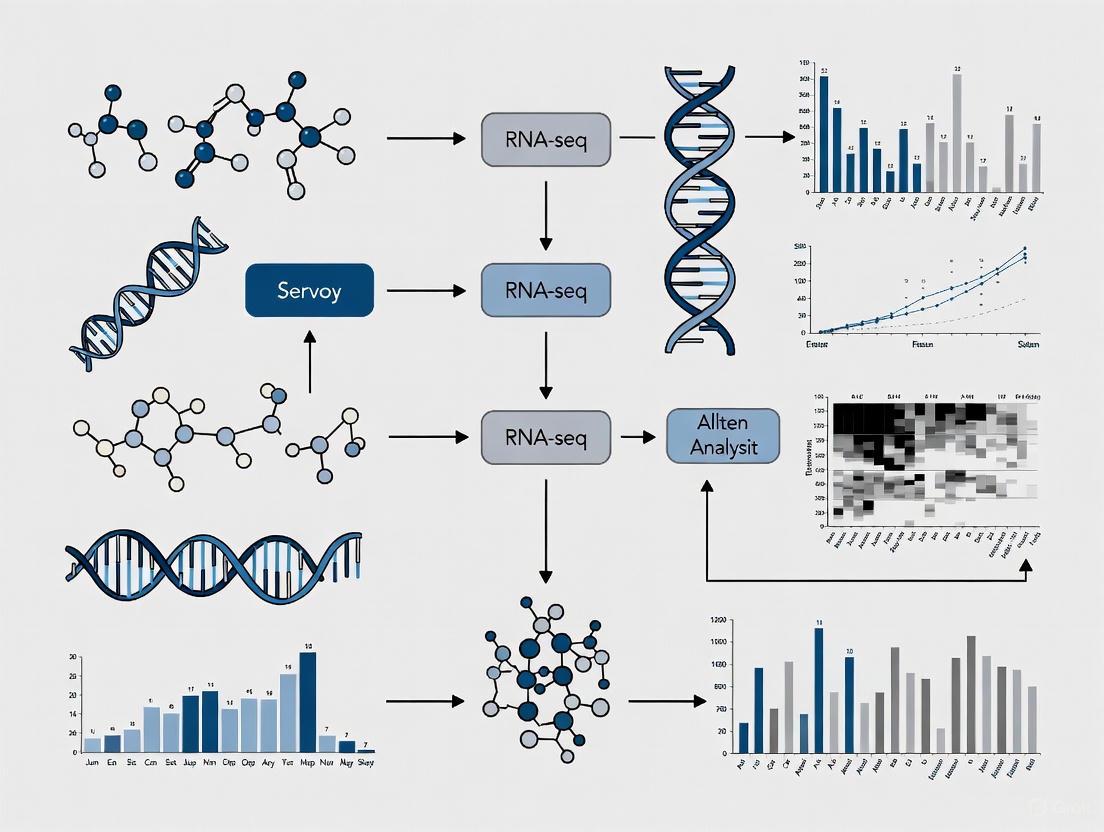
This guide provides researchers, scientists, and drug development professionals with a comprehensive framework for optimizing the STAR aligner in large-scale RNA-seq studies.
Optimizing STAR for Large-Scale RNA-seq: A Comprehensive Guide to Accelerate Biomedical Discovery
Abstract
This guide provides researchers, scientists, and drug development professionals with a comprehensive framework for optimizing the STAR aligner in large-scale RNA-seq studies. Covering foundational principles, advanced methodological workflows, practical troubleshooting, and rigorous validation strategies, it addresses critical challenges in cloud infrastructure, computational efficiency, and cost-effectiveness. Drawing from recent performance analyses and real-world applications, we present actionable optimization techniques that can significantly reduce execution time and computational costs while maintaining high data quality, ultimately accelerating transcriptomic research in drug discovery and clinical applications.
Understanding STAR Aligner Fundamentals for Large-Scale Transcriptomics
The Role of STAR in Modern RNA-seq Analysis Pipelines
The Spliced Transcripts Alignment to a Reference (STAR) aligner employs a novel two-step algorithm that enables ultrafast and accurate mapping of RNA-seq reads, which is particularly crucial for handling spliced transcripts where exons are non-contiguous [1] [2].
Core Algorithmic Steps
STAR's alignment strategy consists of two main phases [1] [2]:
Seed Searching: STAR searches for the Maximal Mappable Prefix (MMP) - the longest substring of the read that exactly matches one or more locations on the reference genome. This sequential search of unmapped read portions makes the algorithm extremely efficient. The algorithm uses uncompressed suffix arrays for rapid searching with logarithmic scaling against reference genome size.
Clustering, Stitching, and Scoring: In the second phase, seeds are clustered based on proximity to "anchor" seeds, then stitched together using a dynamic programming algorithm that allows for mismatches, insertions, deletions, and splice junctions. This process reconstructs complete read alignments across splice junctions.
Performance Characteristics
STAR demonstrates exceptional performance characteristics that make it suitable for large-scale RNA-seq analyses [1]:
| Performance Metric | Capability | Comparison to Other Aligners |
|---|---|---|
| Mapping Speed | >50x faster than other aligners | Aligns 550 million 2×76 bp paired-end reads per hour on 12-core server |
| Read Length Adaptability | Suitable for both short (36 bp) and long reads (several kb) | Outperforms aligners designed only for short reads |
| Memory Requirements | 16-32 GB for mammalian genomes | Higher than some aligners but justified by performance gains |
| Accuracy | 80-90% validation rate for novel splice junctions | High precision and sensitivity |
Implementation Guide: Running STAR in Practice
Basic Two-Step Workflow
Implementing STAR follows a structured two-step process that ensures efficient alignment [2]:
Critical Parameters for Large-Scale Analyses
Optimizing STAR parameters is essential for handling large-scale datasets efficiently. Below are key parameters with recommended settings:
| Parameter Category | Key Parameters | Recommended Setting | Function |
|---|---|---|---|
| Genome Indexing | --sjdbOverhang |
ReadLength - 1 (max 100) | Specifies the length of the genomic sequence around annotated junctions |
| Read Alignment | --outFilterMultimapNmax |
10 (default) | Maximum number of multiple alignments allowed for a read |
| Output Control | --outSAMtype |
BAM SortedByCoordinate | Output sorted BAM files for downstream analysis |
| Quantification | --quantMode |
GeneCounts | Output read counts per gene |
Troubleshooting Common STAR Issues
Frequently Encountered Problems and Solutions
Problem: "FATAL ERROR: quality string length is not equal to sequence length"
This common error typically indicates issues with input FASTQ files [3].
- Cause: Malformed FASTQ records, often due to improper trimming or file corruption
- Solution:
- Inspect the problematic read using:
grep -A 3 "READ_ID" file.fastq - Verify sequence and quality strings have equal length
- Check trimming parameters - avoid arbitrary cropping that might create inconsistencies
- Inspect the problematic read using:
Problem: Excessive Memory Usage
- Cause: Mammalian genomes require substantial RAM [4] [1]
- Solution:
- Allocate at least 32GB RAM for human/mouse genomes
- Use
--genomeSAsparseto reduce memory requirements for large genomes - Consider using a compute cluster with sufficient resources
Problem: Slow Alignment Performance
- Cause: Insufficient computational resources or suboptimal parameters [5]
- Solution:
- Increase thread count with
--runThreadNbased on available cores - Use fast local storage for temporary files
- Implement the optimizations discussed in Section 4
- Increase thread count with
Optimization Strategies for Large-Scale Datasets
Cloud-Based Scaling and Cost Optimization
Recent research has identified specific optimizations for running STAR in cloud environments for large-scale transcriptomics projects [5]:
| Optimization Category | Strategy | Impact |
|---|---|---|
| Computational | Early stopping of alignment process | 23% reduction in total alignment time |
| Infrastructure | Selecting appropriate EC2 instance types | Significant cost reduction |
| Cost Management | Using spot instances for non-critical jobs | Up to 70% cost savings without performance loss |
| Data Distribution | Efficient STAR index distribution to worker nodes | Reduced startup time for parallel processing |
Performance Tuning Parameters
For large-scale analyses, these advanced parameters can significantly improve performance:
--limitOutSJcollapsed: Prevents memory overflow with many novel junctions--outBAMsortingThreadN: Dedicated threads for BAM sorting parallelization--genomeLoad: Controls genome loading behavior in shared memory systems
Essential Research Reagent Solutions
Core Computational Tools for STAR Pipeline
| Tool/Resource | Function | Usage in Pipeline |
|---|---|---|
| STAR Aligner [4] [1] | Spliced alignment of RNA-seq reads | Core alignment algorithm - maps reads to reference genome |
| SRA-Toolkit [5] | Access and conversion of SRA files | prefetch downloads SRA files; fasterq-dump converts to FASTQ |
| DESeq2 [5] | Differential expression analysis | Normalization and statistical analysis of count data from STAR |
| SAMtools | Processing alignment files | Handles BAM file operations and utilities |
| Resource | Content | Application |
|---|---|---|
| Ensembl Database | Reference genomes and annotations | Provides FASTA and GTF files for genome indexing |
| NCBI SRA [5] | Public repository of sequencing data | Source of input RNA-seq datasets for analysis |
| iGenome | Pre-built reference indices | Community-shared genome indices for various species |
Frequently Asked Questions (FAQs)
Q: What are the minimum computational resources required for STAR with human genome alignment? A: Mammalian genomes require at least 16GB of RAM, ideally 32GB. Multi-core processors (8-12 cores) significantly improve performance through parallelization [4] [1].
Q: How does STAR handle paired-end reads differently from single-end? A: STAR processes paired-end reads as a single entity, clustering and stitching seeds from both mates concurrently. This increases sensitivity as only one correct anchor from either mate is sufficient for accurate alignment [1].
Q: Can STAR detect novel splice junctions and fusion transcripts? A: Yes, STAR can perform unbiased de novo detection of canonical and non-canonical splices, as well as chimeric (fusion) transcripts, without prior knowledge of junction loci [1].
Q: What is the recommended read length for optimal STAR performance?
A: STAR works efficiently with various read lengths, from short (36bp) to long reads (several kb). The --sjdbOverhang parameter should be set to read length minus 1, with a maximum of 100 [2].
Q: How can I validate that my STAR installation is working correctly? A: The STAR GitHub repository provides test datasets and examples. You can compile the software and run a small test alignment to verify proper functionality [4].
Computational Demands and Challenges of Large-Scale RNA-Seq Datasets
Technical Support Center
This guide provides troubleshooting and FAQs for researchers optimizing STAR (Spliced Transcripts Alignment to a Reference) for large-scale RNA-seq datasets, framed within a thesis on enhancing its performance for extensive transcriptome research.
Troubleshooting Guides
Issue 1: Genome Generation Process Killed Due to Memory Allocation Failure
Problem
During genome index generation, the process is killed, and the terminal shows an error similar to: terminate called after throwing an instance of 'std::bad_alloc' what(): std::bad_alloc [6].
Explanation
The std::bad_alloc error typically indicates that the computer has run out of available RAM while building the genome index. STAR's algorithm uses uncompressed suffix arrays (SAs) for speed, which requires significant memory, especially for large genomes like human (hg38) [1] [6]. This is often exacerbated when running the software within a Virtual Machine (VM), as the host system also requires memory, reducing the amount fully available to STAR [6].
Solution
- Increase Available RAM: The most effective solution is to access a computing node with more RAM. Building a human genome index often requires more than the 32 GB of RAM available in the reported scenario [6].
- Use Pre-built Indices: If available, download a pre-built genome index for your reference genome and STAR version to avoid the generation step entirely [6].
- Optimize Virtual Machine Settings: If using a VM, ensure the allocated RAM is no more than ~80% of the host's total physical RAM to prevent memory swapping, which uses much slower storage drives [6].
- Consider Alternative Aligners: For systems with limited RAM, consider aligners like HISAT2, Salmon, or Kallisto, which may have lower memory footprints, especially if the primary goal is gene-level quantification [6].
Issue 2: Extremely Slow Alignment Speed
Problem STAR alignment for a sample is anomalously slow, taking days instead of hours to complete [7].
Explanation A primary cause for severely slow alignment is a reference genome composed of a very large number of contigs or scaffolds (e.g., millions). This disrupts the efficient clustering and stitching of seeds in STAR's algorithm [7]. While STAR is designed for high-speed mapping (e.g., >50x faster than other aligners [1]), performance drastically degrades when the number of contigs exceeds 50,000-100,000 [7].
Solution
- Consolidate Contigs: Concatenate many short contigs into a single "super-contig" separated by
Npadding.- Sort contigs by length and keep the longest ones (e.g., 50,000) separate.
- Combine the remaining short contigs into one super-contig. Padding each short contig to a uniform length (e.g., 1 kb) simplifies post-alignment coordinate conversion [7].
- Generate the genome index using the combined FASTA files (long contigs and the super-contig) [7].
- Modify Annotations: Modify the GTF annotation file to match the new genome structure by either:
- Post-Alignment Processing: After mapping, convert alignment coordinates from the super-contig back to the original separate contigs [7].
Issue 3: Storage Space Exceeded During Analysis
Problem An alignment job fails because it exceeds the storage quota, even though the initial FASTQ files are smaller than the quota [8].
Explanation RNA-seq analysis creates intermediate and output files that can be much larger than the original input files. STAR alignment, in particular, can generate substantial temporary data and output (e.g., BAM files) that quickly consume storage space [8].
Solution
- Check and Purge Data: Review your analysis directory and permanently delete any unneeded data from previous runs. On systems like Galaxy, purge deleted data and reset the quota calculation by logging out and back in [8].
- Monitor Output File Types: Be aware that outputs like
Aligned.sortedByCoord.out.bamand extensive log files (Log.out) are generated and consume space [7] [2]. - Switch Aligners: If storage pressure persists, use a lighter-weight aligner like HISAT2 [8].
Frequently Asked Questions (FAQs)
Q1: What are the core algorithmic steps in STAR that make it fast, and why is it memory-intensive? STAR's speed comes from a two-step process: 1) Seed searching: It uses sequential Maximum Mappable Prefix (MMP) searches against an uncompressed suffix array (SA) of the reference genome, allowing for extremely fast lookup with logarithmic scaling [1] [2]. 2) Clustering/stitching: Seeds are clustered and stitched together based on proximity [1]. The memory intensity primarily arises from storing and manipulating the uncompressed SA of the entire genome in RAM for rapid access [1].
Q2: How do I choose the value for the critical --sjdbOverhang parameter?
The --sjdbOverhang parameter should be set to the maximum read length minus 1 [2]. For example, for 100 bp paired-end reads, use --sjdbOverhang 99. This parameter specifies the length of the donor/acceptor sequence on each side of a junction, and the default value of 100 is sufficient for most cases, even with varying read lengths [2].
Q3: My genome has a standard number of chromosomes. How much RAM do I need for genome generation and alignment? While requirements vary by genome size, for a human genome (hg38):
- Genome Generation: This is the most memory-intensive step. The process was reported to fail with 32 GB of RAM [6]. A separate successful run was performed on a cluster with "much higher memory allocation," suggesting that 32 GB is likely insufficient, and 64 GB or more may be needed [6].
- Read Alignment: This requires less RAM than indexing. One successful example for aligning to a human genome (chr1 only) used
--mem 16G[2]. For a full genome, a safe starting point is 32 GB of RAM.
Q4: Can STAR align long reads from technologies like PacBio? Yes, STAR can align long reads. However, there is a built-in maximum read length limit. Users have reported needing to adjust this threshold instead of trimming their long-read FASTQ files to meet the default limit [9].
Experimental Protocols for Performance Benchmarking
Protocol 1: Optimizing a Complex Genome for STAR Alignment
This protocol addresses the challenge of slow alignment with highly fragmented genomes [7].
Sort and Separate Contigs:
- Input: Reference genome FASTA file.
- Use a script (e.g., in Python or Bioawk) to sort all contigs by length in descending order.
- Output 1 (
Long.fa): The top N longest contigs (e.g., 50,000). - Output 2 (
Short.fa): All remaining contigs.
Create Super-Contig:
- Write a script to process
Short.fa. - Pad each short contig to a uniform length (e.g., 1000 bp) with
Ncharacters. - Concatenate all padded sequences into a single sequence in a new FASTA file (
SuperContig.fa), assigning it a unique name (e.g.,chrSuper). - Critical: Record the start coordinate within the super-contig for each original short contig.
- Write a script to process
Modify Annotation File (GTF):
- Option A (Filtering): Use
greporawkto filter the original GTF file, removing all annotation lines where the chromosome name matches a contig in theShort.fafile. - Option B (Coordinate Transformation): Write a script to parse the original GTF and the coordinate map from Step 2. For each feature on a short contig, add the super-contig start coordinate to its start and end positions. Change the chromosome name to
chrSuper.
- Option A (Filtering): Use
Generate Genome Index:
- Command:
STAR --runMode genomeGenerate --genomeDir /path/to/NewIndex --genomeFastaFiles Long.fa SuperContig.fa --sjdbGTFfile AnnotModified.gtf --runThreadN [Number][7].
- Command:
Align Reads and Convert Coordinates:
- Perform alignment using the new index.
- Post-process the resulting BAM file using a custom script to convert coordinates of alignments to
chrSuperback to their original contig names using the recorded map.
Protocol 2: Standard Workflow for Spliced Alignment with STAR
This is the standard protocol for aligning RNA-seq reads with STAR [2].
Genome Index Generation:
Read Alignment:
Workflow and Relationship Diagrams
STAR Alignment and Troubleshooting Workflow
STAR's Two-Step Alignment Algorithm
Research Reagent Solutions
This table details key computational "reagents" and their functions for a STAR-based RNA-seq analysis pipeline.
| Item | Function in Analysis | Example/Note |
|---|---|---|
| STAR Aligner | Performs the core task of spliced alignment of RNA-seq reads to a reference genome. | Ultrafast speed, but memory-intensive; requires careful parameter tuning [1] [2]. |
| Reference Genome (FASTA) | The DNA sequence of the organism used as the map for aligning sequencing reads. | Quality and contiguity are critical. A fragmented genome severely impacts STAR's speed [7]. |
| Annotation File (GTF/GFF) | Provides genomic coordinates of known genes, transcripts, and exons. | Used during genome indexing to improve junction detection sensitivity [2]. |
| Pre-built Genome Index | A pre-computed set of files that allows STAR to skip the time and memory-intensive indexing step. | Can be downloaded if available for your genome and STAR version, saving computational resources [6]. |
| Computational Resources | Adequate RAM, CPU cores, and storage space are essential reagents for running STAR successfully. | A lack of these will cause job failures (e.g., std::bad_alloc) [6] [8]. |
The STAR (Spliced Transcripts Alignment to a Reference) workflow is a multi-stage process that converts raw sequencing data from the Sequence Read Archive (SRA) into sorted BAM files ready for downstream analysis. The table below summarizes the key stages, their main tools, and critical output files for quality assessment [10] [5] [11].
| Workflow Stage | Primary Tool(s) | Key Inputs | Key Outputs | Purpose & Importance |
|---|---|---|---|---|
| 1. Data Retrieval | SRA-Toolkit (prefetch, fasterq-dump) [5] | SRA accession numbers | FASTQ files | Obtains raw sequence reads from public repositories like NCBI SRA [5]. |
| 2. Quality Control (QC) | Falco (FastQC), MultiQC, Cutadapt [10] | Raw FASTQ files | QC reports (HTML), trimmed FASTQ | Assesses sequence quality, adapter contamination, and overall library health [10]. |
| 3. Genome Indexing | STAR | Genome FASTA, annotation GTF | Genome Indices | Creates a reference index for rapid and accurate splice-aware alignment [5]. |
| 4. Alignment | STAR [10] [5] [11] | Trimmed FASTQ, Genome Indices | SAM/BAM files, mapping statistics | Maps sequencing reads to the reference genome, accounting for introns. |
| 5. Post-Alignment QC & Quantification | STAR, RSEM, Salmon [11] | Aligned BAM files | Read counts per gene, QC metrics | Generates a count matrix for differential expression analysis and assesses alignment quality [10] [11]. |
The following diagram illustrates the logical flow and dependencies between these stages:
Frequently Asked Questions (FAQs) and Troubleshooting
General Workflow Questions
Q1: What are the key advantages of using STAR over other aligners for large-scale RNA-seq projects?
STAR is a well-established and accurate aligner that performs splice-aware alignment, which is essential for accurately mapping RNA-seq reads across exon-intron boundaries [11]. For large-scale projects, its efficiency in processing tens of terabytes of data is critical [5]. Furthermore, a hybrid approach using STAR for initial alignment followed by Salmon for quantification leverages the detailed alignment information from STAR for quality control while using Salmon's advanced models for handling uncertainty in read assignment, providing a robust best-practice solution [11].
Q2: Should I trim my RNA-seq reads before alignment with STAR?
For standard RNA-seq libraries, trimming offers little to no benefit and is often unnecessary prior to mapping with STAR [12]. STAR is designed to handle adapter sequences and varying read quality internally. Trimming is generally only recommended for specialized library types, such as small RNA libraries.
Common STAR Errors and Solutions
Users frequently encounter specific issues during the STAR alignment step. The table below outlines common problems, their potential causes, and recommended solutions.
| Problem | Symptoms / Error Messages | Likely Causes | Solutions & Troubleshooting Steps |
|---|---|---|---|
| Empty/Small BAM files [13] [12] | - BAM file is very small (e.g., 20MB for human).- Quality scores in BAM are "?".- Most gene counts are zero. | - Incorrect reference genome.- High rate of unmapped reads.- Potential issues with the input FASTQ. | 1. Check the Log.final.out and ReadsPerGene.out.tab STAR output files to confirm the mapping rate [12].2. Verify you are using the correct, high-quality reference genome and annotation (GTF) for your species.3. Ensure the genome index was built with the same GTF file used in the analysis. |
| BAM Sorting Error [14] | FATAL ERROR: number of bytes expected from the BAM bin does not agree with the actual size on disk |
- Insufficient disk space during BAM sorting.- Limit on open files (ulimit). |
1. Ensure hundreds of GB of free disk space are available [14].2. Increase the ulimit -n value (e.g., to 10000) [14].3. Use the --limitBAMsortRAM parameter to control memory usage for sorting. |
| Low Mapping Rate | - Low percentage of uniquely mapped reads in Log.final.out. |
- Poor RNA quality (degraded samples).- Contamination (e.g., from host or other species).- Library preparation issues.- Mismatched genome. | 1. Check RNA quality metrics (RIN/RQN) before sequencing [15].2. For specific sample types like blood, consider additional depletion (e.g., globin removal) [16].3. Investigate potential contamination by aligning to a combined reference (e.g., human + viral) [12]. |
Q3: How can I optimize STAR for speed and cost-efficiency in a cloud environment?
Significant performance gains can be achieved through several optimizations [5]:
- Early Stopping: Implementing an early stopping feature can reduce total alignment time by up to 23% [5].
- Instance Selection: Choose compute-optimized (C-series) or memory-optimized (M-series) cloud instances with high-throughput disks. The optimal level of parallelism (number of CPU cores) should be determined through benchmarking.
- Spot Instances: STAR is suitable for using spot instances (preemptible VMs), which can drastically reduce costs without significantly impacting workflow reliability [5].
- Index Distribution: Pre-distributing the STAR genome index to worker instances, rather than building it on-the-fly, saves considerable time [5].
Experimental Protocols for Key Workflow Stages
Protocol 1: Building a STAR Genome Index
A correct genome index is foundational for a successful alignment.
Methodology:
- Gather Input Files: Download the reference genome sequence in FASTA format and the corresponding annotation in GTF format from a source like Ensembl.
- Run STAR Indexing Command: Explanation of Key Parameters [11]:
--runMode genomeGenerate: Directs STAR to run in genome indexing mode.--genomeDir: Path to the directory where the index will be stored.--sjdbOverhang 99: Specifies the length of the genomic sequence around annotated junctions. This should be set toReadLength - 1. For common 100bp paired-end reads,99is the ideal value.--runThreadN: Number of CPU threads to use for faster indexing.
Protocol 2: Executing the Alignment and Generating a Sorted BAM
This is the core step where reads are mapped to the reference genome.
Methodology:
- Input: Quality-checked (and optionally trimmed) FASTQ files and the pre-built genome index.
- Run STAR Alignment Command: Explanation of Key Parameters [10] [11] [12]:
--readFilesIn: Specifies the paths to the input FASTQ files (R1 and R2 for paired-end).--readFilesCommand "gunzip -c": Tells STAR how to decompress gzipped input files.--outSAMtype BAM SortedByCoordinate: Outputs the alignments directly as a coordinate-sorted BAM file, which is the standard input for many downstream tools.--quantMode GeneCounts: Instructs STAR to count the number of reads per gene, generating aReadsPerGene.out.tabfile based on the provided GTF. This is a crucial file for differential expression analysis.
Protocol 3: Implementing the STAR-Salmon Hybrid Workflow
This best-practice workflow combines the alignment-based QC of STAR with the robust quantification of Salmon.
Methodology [11]:
- Perform alignment with STAR using the
--quantMode TranscriptomeSAMparameter. This generates a BAM file aligned to the transcriptome instead of the genome. - Use this transcriptome BAM file as direct input to Salmon in its alignment-based mode (
salmon quant -a). - Salmon will then generate highly accurate, bias-corrected abundance estimates for genes and transcripts, effectively handling the uncertainty of multi-mapping reads.
The Scientist's Toolkit: Essential Research Reagents and Materials
Successful execution of the STAR workflow depends on both bioinformatics tools and high-quality starting materials. The table below details key resources and their functions.
| Item / Resource | Function / Role in the Workflow | Critical Specifications & Notes |
|---|---|---|
| Total RNA | The starting biological material for library preparation. | - Quantity: ≥ 1-2 µg is ideal [15].- Quality: RIN (RNA Integrity Number) > 8 or RQN > 7 for polyA-selection [15]. |
| Stranded Library Prep Kit | Converts RNA into a sequence-ready library. | - Strandedness: Stranded (directional) libraries are strongly recommended as they preserve the information about which genomic strand was transcribed [15]. |
| rRNA Depletion Kit | Removes abundant ribosomal RNA (rRNA) to enrich for mRNA and other RNAs. | - Selection: Required for non-polyadenylated RNAs (e.g., bacteria, lncRNA) or degraded samples (e.g., FFPE) [16] [15]. |
| Reference Genome (FASTA) | The DNA sequence of the target organism used as the mapping scaffold. | - Source: Use a primary source like Ensembl or GENCODE. Must match the annotation file. |
| Annotation File (GTF/GFF) | Defines the genomic coordinates of genes, transcripts, and exons. | - Source: Must be from the same source and version as the reference genome for accurate alignment and quantification [11]. |
| STAR Aligner | The core software that performs splice-aware alignment of RNA-seq reads. | - Resources: Requires significant RAM (~32GB for human) and fast storage for optimal performance [5]. |
| SRA-Toolkit | A set of tools to download and extract data from the NCBI Sequence Read Archive. | - Tools: prefetch downloads SRA files; fasterq-dump converts them to FASTQ format [5]. |
Frequently Asked Questions (FAQs)
Q1: What are the most common causes of genome index generation failures in STAR?
The most frequent issues are insufficient RAM, incompatible reference genome and annotation file formats, and incorrect parameter settings for complex genomes. For large genomes like wheat (~13.5 GB), you may encounter std::bad_alloc errors due to memory limitations, requiring parameter adjustments like reducing --genomeChrBinNbits [17].
Q2: Why do my reads fail to align after successful trimming? This often indicates truncated FASTQ files or quality control issues. The error "quality string length is not equal to sequence length" suggests file corruption during upload or trimming. Always verify read quality with tools like FastQC before alignment [18].
Q3: What does "no valid exon lines in the GTF file" mean and how do I fix it? This occurs when STAR cannot parse exon features from your annotation file. Solutions include: removing header lines from the GTF file, ensuring the GTF uses the same chromosome naming convention (e.g., "chr1" vs. "1") as your reference genome, or obtaining a properly formatted GTF from sources like UCSC or Ensembl [18].
Q4: How can I optimize STAR for large-scale RNA-seq datasets in cloud environments? Research shows that early stopping optimization can reduce total alignment time by 23% [5]. Additionally, select compute-optimized instance types, use spot instances for cost efficiency, ensure proper data partitioning, and implement efficient STAR index distribution to worker nodes [5].
Troubleshooting Guides
Genome Index Generation Issues
Problem: std::bad_alloc error or crash during genome indexing [17].
Solutions:
- Reduce memory usage:
- Use fewer threads (memory requirements increase linearly with thread count)
- Adjust
--genomeChrBinNbitsfor genomes with many scaffolds:min(18, log2(GenomeLength/NumberOfReferences)) - Use
--limitGenomeGenerateRAMto explicitly set memory limit
- Verify input files:
- Ensure reference FASTA is not corrupted
- Check that GTF/GFF files are properly formatted and compatible
Table: Recommended Parameters for Large Genomes [17]
| Genome Size | Threads | genomeChrBinNbits | Minimum RAM |
|---|---|---|---|
| < 3 GB | 8-12 | 14 | 32 GB |
| 3-10 GB | 4-8 | 14-15 | 64 GB |
| > 10 GB | 2-4 | 15-16 | 125+ GB |
Read Alignment Failures
Problem: "FATAL ERROR in reads input" or low mapping rates [18] [19].
Solutions:
- Validate input reads:
- Check for truncated FASTQ files by comparing sequence and quality string lengths
- Re-upload corrupted files rather than attempting repair
- Run quality control with FastQC or similar tools pre-alignment
- Address systematic alignment errors:
- Be aware that splice-aware aligners can introduce erroneous spliced alignments between repeated sequences [19]
- Consider post-alignment filtering with tools like EASTR to remove falsely spliced alignments
- For ribo-minus libraries, expect higher rates of spurious alignments requiring additional filtering [19]
Table: Common Alignment Error Patterns and Solutions [18] [19]
| Error Pattern | Probable Cause | Solution |
|---|---|---|
| "quality string length ≠ sequence length" | Truncated FASTQ | Re-upload files, verify integrity |
| Low mapping rate, many multi-mappers | Repetitive genome regions | Use EASTR filtering, adjust --outFilterMultimapNmax |
| "phantom" introns in repetitive regions | Alignment artifacts between repeats | Enable --alignEndsType Local and filter with EASTR |
Reference-Annotation Mismatch
Problem: "no valid exon lines in the GTF file" or reference-annotation identifier mismatch [18].
Solutions:
- Ensure chromosome naming consistency:
- UCSC genomes use "chr1" while Ensembl uses "1"
- Obtain reference and annotation from the same source when possible
- Use conversion tools like
Replace column by valuesif mismatch exists
- Obtain properly formatted annotation:
- Download from UCSC:
https://hgdownload.soe.ucsc.edu/goldenPath/<database>/bigZips/genes/ - Remove header lines from GTF files before use
- Validate GTF contains "exon" features in the third column
- Download from UCSC:
Workflow Optimization
STAR Alignment Strategy
STAR Alignment Workflow Diagram
Experimental Protocols
Protocol: Comprehensive STAR Alignment for Large-Scale Studies [5] [2]
Genome Index Generation:
- Download reference genome (FASTA) and annotations (GTF) from consistent sources
- Generate genome index:
Read Alignment:
- Execute alignment:
Post-Alignment Processing:
- Convert SAM to BAM:
samtools view -bS Aligned.out.sam > Aligned.out.bam - Sort BAM:
samtools sort Aligned.out.bam > Aligned.sorted.bam - Index BAM:
samtools index Aligned.sorted.bam - Quality assessment with Qualimap or RNA-SeQC
- Convert SAM to BAM:
Research Reagent Solutions
Table: Essential Materials for STAR Alignment Workflows [20] [2]
| Reagent/Resource | Function | Source Examples |
|---|---|---|
| Reference Genome FASTA | Genomic scaffold for read alignment | Ensembl, NCBI, UCSC |
| Annotation File (GTF) | Gene model information for splice-aware alignment | Ensembl, GENCODE, RefSeq |
| STAR Aligner Software | Spliced alignment of RNA-seq reads | GitHub: https://github.com/alexdobin/STAR |
| Quality Control Tools | Pre- and post-alignment quality assessment | FastQC, Qualimap, MultiQC |
| SAM/BAM Tools | Processing and analysis of alignment files | Samtools, BEDTools |
Advanced Optimization Techniques
For large-scale analyses processing "tens or hundreds of terabytes of RNA-sequencing data" [5], implement these cloud-native strategies:
Early Stopping Optimization: Reduces total alignment time by 23% through intelligent termination conditions [5]
Resource Allocation:
- Select compute-optimized instance types (c5 family on AWS)
- Leverage spot instances for cost reduction
- Implement auto-scaling based on workload
Data Distribution:
- Pre-distribute STAR indices to worker nodes to avoid redundant computation
- Use high-throughput storage solutions for temporary files
- Implement efficient data partitioning strategies for parallel processing
These foundational practices in reference genome preparation and index structure optimization form the basis for efficient, scalable RNA-seq analysis using the STAR aligner, particularly crucial for large-scale transcriptomics studies in both research and drug development contexts.
How can I improve the runtime of the STAR aligner in a cloud environment?
Optimizing STAR in the cloud involves selecting the right compute resources and configuration. Adhere to the following methodology for cost-efficient and scalable alignment:
Experimental Protocol for Cloud Optimization:
- Instance Selection: Choose compute-optimized or memory-optimized Amazon EC2 instances (e.g., instances in the C, M, or R families). Test different types to identify the most cost-effective option for your specific data and STAR version [5].
- Parallelism Tuning: Conduct a scalability test by running STAR with a subset of your data while varying the number of CPU cores (
--runThreadNparameter). Plot the runtime against the core count to identify the point where performance gains plateau, indicating the optimal core count for your instance type [5]. - Leverage Spot Instances: For interrupt-tolerant, large-scale batch jobs, use AWS Spot Instances to significantly reduce compute costs [5].
- Implement Early Stopping: To reduce total alignment time, implement a check for the presence of the final output BAM file's index. If the index exists from a previous successful run, you can skip re-running the alignment for that sample, achieving an estimated 23% reduction in processing time [5].
Performance and Scalability Data:
Optimization Technique Expected Performance Improvement Key Consideration Optimal Core Allocation Reduces runtime until a plateau is reached [5] Prevents resource wastage; the optimal number is instance- and data-dependent. Use of Spot Instances Significant cost reduction for large-scale processing [5] Instance termination can occur; design workflows to be fault-tolerant. Early Stopping Up to 23% reduction in total alignment time [5] Requires a system to track successful sample completion.
The pipeline tools after STAR (Picard/GATK) do not scale well and become a bottleneck. How can this be addressed?
This is a recognized limitation in scalable RNA-seq variant calling pipelines. The sequential nature of tools like Picard's MarkDuplicates and GATK's HaplotypeCaller limits their ability to utilize multiple cores efficiently [21].
Experimental Protocol for Cluster-Level Parallelization:
- Data Partitioning: Split the input FASTQ files or the aligned BAM files from STAR into smaller, non-overlapping chunks based on genomic regions [21].
- Distributed Processing: Use a distributed computing framework like Apache Spark to process these chunks in parallel across multiple nodes in a cluster. A solution like SparkRA has been developed specifically for this purpose [21].
- Result Merging: After parallel processing, the results from each chunk (e.g., variant calls) are aggregated and merged into a final, unified output file [21].
Scalability Data for Distributed Pipelines:
Scaling Scenario Speedup Compared to Original GATK Pipeline Notes Single Node (20 hyper-threaded cores) ~4x faster (5h reduced to 1.3h) [21] Achieved by parallelizing the bottlenecked Picard and GATK tools. Cluster (16 nodes) ~7.7x faster compared to a single node [21] Demonstrates effective scaling across multiple compute nodes. Versus Halvade-RNA ~1.2x faster on a cluster [21] Attributes performance gain to Spark's in-memory processing vs. Hadoop's disk-based model.
What are the essential quality control checkpoints in a transcriptomics pipeline?
A robust QC protocol is critical for generating reliable data. Checks should be performed at multiple stages.
- Experimental Protocol for Tiered Quality Control:
- Raw Read QC: Use FastQC to analyze sequence quality scores, GC content, adapter contamination, overrepresented k-mers, and duplicated reads. Outliers with significant deviations (e.g., >30% disagreement in GC content) should be investigated or discarded [22].
- Alignment QC: After mapping with STAR, use tools like Picard, RSeQC, or Qualimap to assess the percentage of mapped reads, uniformity of read coverage across exons, and strand specificity. A low mapping percentage or strong 3' bias can indicate poor RNA quality or library preparation issues [22].
- Expression Quantification QC: Analyze the distribution of read counts across genes and samples. Check for correlation between biological replicates and use Principal Component Analysis (PCA) to identify potential sample outliers or batch effects [23] [22].
Quality Control Workflow for Transcriptomics
How should I design my experiment for a large-scale Transcriptomics Atlas study?
Proper experimental design ensures that the data generated has the statistical power to answer your biological questions.
- Experimental Protocol for Study Design:
- Sequencing Depth: Determine the required number of sequenced reads per sample. While five million mapped reads may suffice for quantifying medium- to high-abundance transcripts, deeper sequencing (e.g., 50-100 million reads) is necessary to detect lowly expressed genes or novel isoforms [22].
- Biological Replicates: Include a sufficient number of biological replicates (e.g., cells or tissues from different individuals) to account for natural biological variation. The number of replicates depends on the expected effect size and variability, and is crucial for statistical power in differential expression analysis [22].
- Batch Effects: Minimize technical artifacts by processing samples from different experimental groups simultaneously. Randomize sample processing order and, if batches are unavoidable, include control samples across all batches to enable statistical correction later [23] [22].
My pipeline failed with a "MissingOutputException" during assembly. What does this mean?
This error is common in workflow management systems (e.g., Snakemake, Nextflow) and indicates that a rule or process completed successfully, but an expected output file was not created.
- Troubleshooting Protocol:
- Verify Tool Output: Check the log files of the failed rule (e.g.,
run_spades). The tool itself may have failed internally or produced output files with names different from those the pipeline expected [24]. - Check File System Latency: If the output files appear after a delay, use your workflow manager's
--latency-waitoption (or equivalent) to increase the time the system waits for outputs before declaring an error [24]. - Create Symbolic Links: If the tool generates the correct file but under a different name, a solution is to modify the pipeline script to create a symbolic link (using
ln -s) from the actual output file to the filename the pipeline expects [24].
- Verify Tool Output: Check the log files of the failed rule (e.g.,
| Item | Function in the Pipeline | Specification Notes |
|---|---|---|
| STAR Aligner | Maps RNA-seq reads to a reference genome, handling spliced alignment accurately and efficiently [25]. | Requires a pre-computed genome index. Resource-heavy (RAM: tens of GiB) [5]. |
| SRA-Toolkit | Provides utilities (prefetch, fasterq-dump) to download and convert public RNA-seq data from the NCBI SRA database into FASTQ format [5]. |
Essential for populating a Transcriptomics Atlas with public datasets. |
| Reference Genome | A FASTA file serving as the foundational scaffold for read alignment and quantification [5] [26]. | Sources include Ensembl and UCSC. Must match the organism and version of the annotation file. |
| Gene Annotation (GTF) | A GTF file defining the coordinates of known genes, transcripts, and exons, used for read counting and quantification [26]. | Critical for accurate gene-level and isoform-level analysis. |
| Apache Spark | A distributed in-memory computing framework used to parallelize non-scalable pipeline steps (e.g., Picard/GATK tools) across a compute cluster [21]. | Key for overcoming scalability bottlenecks in large-scale processing. |
Scalability Bottleneck and Solution in RNA-seq Pipeline
Implementing Scalable STAR Workflows: From Cloud Architecture to Experimental Design
Designing Cloud-Native Architectures for STAR Alignment Pipelines
Troubleshooting Guides
Performance and Cost Optimization
Issue: Pipeline execution is too slow or computationally expensive.
- Potential Cause 1: Using an outdated or inefficient reference genome.
- Solution: Use the latest Ensembl genome release. One study found that using "toplevel" sequences from Ensembl release 111 instead of release 108 resulted in a 12x faster execution time on average and reduced the required index size from 85 GiB to 29.5 GiB [27].
- Potential Cause 2: Processing datasets with inherently low mappability.
- Solution: Implement an "early stopping" strategy. By analyzing the
Log.progress.outfile after 10% of reads are processed, you can terminate jobs with insufficient mapping rates (e.g., below 30%). This can reduce total STAR execution time by approximately 23% [27] [5]. - Potential Cause 3: Suboptimal cloud instance type selection.
- Solution: For STAR's high memory requirements, consider memory-optimized instances (e.g., AWS r6a.4xlarge). Test different instance families and sizes to find the most cost-efficient type for your specific data [27] [5].
Issue: Instance fails to start or the pipeline crashes due to memory overflow.
- Potential Cause 1: The precomputed genomic index is larger than the instance's available memory.
- Solution: Ensure the instance type has enough RAM to load the entire STAR index. For the 29.5 GiB human genome index (Ensembl 111), an instance with at least 32 GiB of RAM is a reasonable starting point [27].
- Potential Cause 2: Multiple processes are competing for memory on a single node.
- Solution: Manage the level of parallelism. While STAR can use multiple threads, ensure that the combined memory footprint of all threads does not exceed the available system RAM [5].
Data and Workflow Management
Issue: Failures in downloading or accessing input data (SRA files).
- Potential Cause: Network timeouts or issues with the source data repository.
- Solution: Implement robust error handling and retry logic in your workflow script for data download steps (e.g., using
prefetchandfasterq-dumpfrom the SRA Toolkit) [5].
Issue: Difficulty managing and scaling thousands of alignment jobs.
- Potential Cause: Manual job scheduling and a static cluster cannot efficiently handle the workload.
- Solution: Use a dynamic, cloud-native architecture.
- Queue-Based Work Distribution: Use a messaging service (e.g., AWS SQS) to hold all the SRA IDs that need processing. Worker instances can poll this queue for tasks [27] [5].
- Auto-Scaling: Use an Auto-Scaling Group to automatically launch or terminate worker instances based on the number of tasks in the queue [27].
- Spot Instances: Leverance spot instances for significant cost savings, as they are suitable for fault-tolerant, batch-processing jobs like STAR alignment [5].
Frequently Asked Questions (FAQs)
Q1: Which cloud instance type is the most cost-effective for running STAR? The most cost-effective instance depends on the genome size and your throughput requirements. Conduct a small-scale benchmark with your specific data. Memory-optimized instances (e.g., AWS R6a family) are often a good fit. Using spot instances instead of on-demand can also lead to substantial cost reductions [5].
Q2: How can I quickly check if my STAR alignment is likely to succeed?
Monitor the Log.progress.out file, which reports the current percentage of mapped reads. If the mapping rate is very low (e.g., <10%) after processing a substantial portion of the reads (e.g., 10%), the job is a candidate for early termination, saving time and resources [27].
Q3: Our lab is new to cloud computing. What is the easiest way to run a STAR pipeline in the cloud? Consider using managed workflow services and pre-built cloud environments. The NIGMS Sandbox provides reusable tutorials and Jupyter notebooks for RNA-seq analysis on Google Cloud Platform, which can serve as a template [28].
Q4: What are the key differences between alignment-based (STAR) and alignment-free (Salmon) methods? The table below summarizes the core differences, which can guide your tool selection [29] [28].
Table: Comparison of RNA-seq Quantification Methods
| Feature | Alignment-Based (STAR) | Alignment-Free (Salmon, Kallisto) |
|---|---|---|
| Core Method | Maps reads to a reference genome | Uses pseudo-alignment in k-mer space |
| Pros | Accurate splice junction detection; Good for novel transcript discovery | Much faster; Allows for bootstrap re-sampling |
| Cons | Computationally intensive & slower | May miss novel splice boundaries; Less accurate for novel transcripts |
| Best For | Complex transcriptomes; Splice-aware analysis | Large datasets where speed is critical |
Experimental Protocols and Data
Protocol: Implementing Early Stopping for STAR
- Execute STAR with the
--quantModeflag to generate theLog.progress.outfile. - Monitor Progress: While the job is running, periodically check the
Log.progress.outfile to extract the current percentage of mapped reads. - Apply Threshold: Define a minimum mapping rate threshold (e.g., 30%) and a decision point (e.g., after 10% of total reads have been processed).
- Terminate or Continue: If the mapping rate at the decision point is below the threshold, manually or automatically terminate the job. Otherwise, allow it to continue to completion [27].
Protocol: Benchmarking Genome Versions
- Generate Indices: Build separate STAR indices for the different genome versions (e.g., Ensembl 108 vs. 111) using the same "toplevel" sequence type.
- Standardize Test Set: Select a representative subset of FASTQ files from your dataset for benchmarking.
- Control Environment: Run STAR alignment for the test set on both indices using the same instance type and parameters.
- Measure Outcomes: Record the total execution time, memory usage, and final mapping rate for each run [27].
Table: Sample Experimental Results for Genome Version Benchmarking
| Genome Version | Index Size (GiB) | Total Execution Time | Mean Mapping Rate |
|---|---|---|---|
| Ensembl Release 108 | 85.0 | 155.8 hours | >90% |
| Ensembl Release 111 | 29.5 | 12.7 hours | >90% |
Workflow and Architecture Diagrams
Cloud-Native STAR Pipeline Architecture
STAR Alignment Early Stopping Logic
The Scientist's Toolkit
Table: Essential Research Reagents and Resources for a Cloud STAR Pipeline
| Resource Name | Function / Purpose | Key Details |
|---|---|---|
| STAR Aligner | Spliced alignment of RNA-seq reads to a reference genome. | Version 2.7.10b; requires high RAM; supports novel junction detection [27] [1]. |
| SRA Toolkit | Download and convert sequence data from the NCBI SRA database. | Contains prefetch (download) and fasterq-dump (convert to FASTQ) [5]. |
| Ensembl Reference Genome | The reference sequence and annotation for alignment. | Use the latest "toplevel" unmasked genome for best results (e.g., Release 111) [27] [29]. |
| DESeq2 | Differential expression analysis from count data. | R package for normalization and statistical testing post-alignment [27] [28]. |
| Cloud Object Storage (S3) | Long-term, durable storage for pipeline inputs and results. | Holds STAR indices, raw SRA/FASTQ files, and final output files (e.g., BAM, counts) [27] [5]. |
Optimal AWS EC2 Instance Selection for Resource-Intensive Alignments
A technical guide for researchers scaling genomic discoveries in the cloud
This technical support center provides targeted guidance for researchers and scientists encountering computational challenges while running resource-intensive alignment tools, such as STAR, on AWS EC2. The recommendations are framed within the context of optimizing large-scale RNA-seq data analysis, a critical step in modern genomics and drug development research.
Frequently Asked Questions
1. My STAR alignment job failed with a message that it was "killed" or exceeded its memory allocation. What happened?
This error typically occurs when the EC2 instance runs out of RAM. The STAR aligner loads the entire genomic index into memory, which can require tens of gigabytes, depending on the genome [5] [27].
- Solution: Select a memory-optimized instance family (e.g., R, X, or high-memory instances [30]). For the human genome, start with an instance that has at least 128 GB of RAM, such as an
r6a.4xlarge, which has been successfully used in transcriptomics research [27]. Always verify your genome's index size and choose an instance with ample overhead.
2. How can I reduce cloud computing costs without significantly increasing processing time?
Consider the following cost-saving strategies:
- Use Spot Instances: For interruptible and fault-tolerant workflows, Spot Instances can provide significant savings. Research has confirmed the applicability of Spot Instances for running the STAR aligner [5].
- Implement Early Stopping: An "early stopping" optimization can be implemented by monitoring the
Log.progress.outfile generated by STAR. Terminating jobs with a mapping rate below a certain threshold (e.g., 30%) after processing only 10% of the reads can reduce total execution time by nearly 20% [27]. - Right-size Your Resources: Using a newer genome release (e.g., Ensembl Release 111) can drastically reduce index size and runtime. One experiment showed a 12x speedup and an index size reduction from 85 GiB to 29.5 GiB, allowing for the use of smaller, cheaper instances [27].
3. My data download and ingestion steps are a bottleneck. How can I improve this?
The initial data preparation stage often involves parallel downloads and format conversions.
- Solution: Architect your workflow to use dynamic parallelism. For example, use AWS Step Functions with a Map state to launch multiple AWS Batch jobs in parallel, each handling a specific Sequence Read Run (SRR) ID [31]. This approach efficiently scales the ingestion of FASTQ files from repositories like the NCBI SRA.
4. What is the best way to select an instance type for my specific alignment workload?
With over 800 EC2 instance types available, use the AWS EC2 Instance Selector CLI tool. This tool allows you to filter instance types based on your specific resource needs [32].
- Example Command: To find current generation, x86_64 instances with at least 64 vCPUs and 128 GiB of memory, you could run:
Troubleshooting Guides
Issue: High Compute Costs for Large-Scale RNA-seq Analysis
Problem: Processing tens of terabytes of RNA-seq data with the STAR aligner is proving to be prohibitively expensive.
Diagnosis and Resolution:
Application-Level Optimization:
- Use Updated Genomic References: As highlighted in the FAQs, always use the latest version of your genomic references. The reduction in compute requirements from a newer Ensembl release is one of the most effective optimizations [27].
- Parallelize Across a Cluster: For processing many samples, do not rely on a single large instance. Design a scalable, cloud-native architecture where a manager node distributes tasks to a pool of worker EC2 instances. Workers can pull SRA IDs from a queue (like Amazon SQS), process them, and upload results to a shared store (like Amazon S3). An Auto Scaling Group can manage the worker pool, scaling it based on the number of tasks [27].
Infrastructure-Level Optimization:
- Select Cost-Efficient Instances: Empirical performance analysis is crucial. Research into transcriptomics pipelines has identified that the
r6a.4xlargeinstance type offers a good balance of memory and compute for STAR alignment tasks [27]. The following table summarizes instance families relevant to bioinformatics workloads [30]:
- Select Cost-Efficient Instances: Empirical performance analysis is crucial. Research into transcriptomics pipelines has identified that the
| Instance Category | Example Families | Ideal For |
|---|---|---|
| Compute Optimized | C, Hpc [30] | Steps requiring high-performance processing (e.g., fasterq-dump). |
| Memory Optimized | R, X, High Memory, Z [30] | STAR alignment (loads entire index into RAM). |
| General Purpose | M, T [30] | General pipeline orchestration, lower-resource tasks. |
Issue: Alignment Workflow Failures or Unreliable Execution
Problem: The pipeline fails intermittently due to node failures or resource exhaustion.
Diagnosis and Resolution:
Checkpointing and State Management:
- Use a database like Amazon DynamoDB to track the status of data ingestion and alignment jobs. This provides checkpointing and avoids repetitive processing of the same sample, saving cost and time [31].
- For workflows, use an orchestrator like AWS Step Functions, which adds reliability and makes it easier to trace invocations and troubleshoot errors [31].
Building for Resilience:
- If using Spot Instances, design your application to handle interruptions gracefully. This can be achieved by frequently checkpointing progress to a persistent store like S3, so a new instance can resume the work [27].
The following reagents and software tools are critical for setting up and executing a STAR-based RNA-seq analysis pipeline in the AWS cloud [31] [5] [27].
| Item | Function |
|---|---|
| SRA-Toolkit | A collection of tools to download (prefetch) and convert (fasterq-dump) sequence files from the NCBI SRA database into FASTQ format. |
| STAR Aligner | A widely used, accurate aligner for mapping RNA-seq reads to a reference genome. It is resource-intensive, requiring significant RAM and CPU. |
| Reference Genome | A species-specific reference (e.g., from Ensembl). Using the latest "toplevel" genome is recommended for completeness, but note that newer releases can offer massive performance gains. |
| Annotation File (GTF/GFF3) | Provides genomic feature coordinates. Used by STAR during alignment to inform splice junction discovery and for downstream quantification. |
| DESeq2 | An R package used for normalizing count data and identifying differentially expressed genes from the output of STAR. |
Experimental Protocols & Optimization Methodologies
Protocol: Early Stopping for Low-Quality Alignments
This protocol describes how to implement an early stopping optimization to save computational resources.
- Execute STAR Alignment: Initiate the STAR aligner as usual.
- Monitor Progress File: During execution, periodically read the
Log.progress.outfile generated by STAR. - Calculate Mapping Rate: Extract the current percentage of mapped reads from the log.
- Apply Decision Logic: Once a predetermined fraction of total reads (e.g., 10%) has been processed, check the mapping rate.
- Terminate or Continue: If the mapping rate is below a set threshold (e.g., 30%), terminate the alignment job early. Otherwise, allow it to continue to completion [27].
This workflow is visualized below, illustrating the logical flow for this optimization.
Protocol: Selecting an Optimal EC2 Instance Type
This methodology outlines an experimental approach to select the most cost-effective instance type for your specific alignment workload.
- Define a Benchmark Dataset: Select a representative subset of your RNA-seq samples (e.g., 10-20 files with varying sizes).
- Choose Candidate Instances: Based on general guidance, select a few candidate instance types from memory-optimized (R-family) and compute-optimized (C-family) families. The
r6a.4xlargeis a strong candidate to include [27]. - Run Controlled Experiments: Process the same benchmark dataset on each candidate instance type. Use orchestration tools like AWS Batch to ensure consistent runtime conditions [33].
- Collect Metrics: For each run, record:
- Total execution time (wall time).
- CPU and memory utilization (via Amazon CloudWatch).
- Total cost (based on instance price and runtime).
- Analyze and Select: Identify the instance type that delivers the best balance of performance and cost (e.g., lowest cost per sample while meeting time constraints). Research has shown that systematic analysis can identify the most suitable and cost-efficient instance type for STAR [5].
The high-level architecture for a scalable, cloud-native alignment pipeline is shown below, integrating many of the solutions discussed.
Frequently Asked Questions
1. What is a STAR index and why is distributing it efficiently so important? The STAR index is a pre-computed reference structure created from a reference genome and annotations. STAR uses this index to perform its ultra-fast alignment of RNA-seq reads [1]. For large-scale analyses processing tens to hundreds of terabytes of data, the alignment step is a major bottleneck [5]. Efficiently distributing this index to all compute workers is a critical challenge, as delays in transferring this large file (often ~30 GB for the human genome) can drastically impact the overall time and cost of a research project [5].
2. What are the main strategies for distributing the STAR index to compute instances? Research into cloud-based transcriptomics pipelines has identified three primary methods [5]:
- Shared File System: The index is stored on a single, high-performance network-attached storage (e.g., AWS EFS, Lustre) that all compute instances can access.
- Container Image: The index is packaged directly into a Docker container image, which is then deployed to every compute instance.
- Instance Storage: The index is copied to the local, high-throughput disk (e.g., NVMe SSD) of each compute instance at the start of a job.
3. Which instance types are most cost-effective for running STAR alignments?
Performance analyses indicate that compute-optimized instance types (e.g., the c5 family in AWS EC2) are among the most suitable and cost-effective for the STAR aligner. The alignment performance scales with the number of cores, making instances with a high vCPU count beneficial. Furthermore, using spot instances (preemptible, lower-cost cloud instances) has been verified as a viable and reliable option for running these resource-intensive aligners, leading to significant cost reductions [5].
4. How much memory (RAM) is required to run STAR? STAR is memory-intensive. The minimum requirement is approximately 10 times the genome size in bytes. For the human genome (~3 billion bases), this equates to about 30 GB of RAM, with 32 GB being a common recommendation to ensure smooth operation [2] [34].
Troubleshooting Guide
| Problem | Possible Cause | Solution |
|---|---|---|
| High job startup latency | Index is being downloaded from an external source for every job. | Pre-load the index into a shared filesystem or use a container image to eliminate transfer time at runtime [5]. |
| Slow alignment speed (I/O wait) | Index is stored on a slow or congested network filesystem. | Use a high-throughput filesystem (e.g., Lustre) or, for the best performance, copy the index to the instance's local NVMe storage [5]. |
| "Out of Memory" error | The compute instance does not have enough RAM for the selected reference genome. | Select an instance type with sufficient RAM (e.g., >30 GB for human). Monitor memory usage in the STAR log files [2] [34]. |
| Inconsistent performance across workers | Underlying hardware or network performance varies between compute nodes. | Use a uniform instance type for all workers and ensure the index distribution method provides consistent access speeds [5]. |
Experimental Protocols & Data
Protocol 1: Benchmarking Index Distribution Methods
This methodology is adapted from cloud-based performance analyses of the STAR aligner workflow [5].
- Aim: To quantitatively compare the efficiency of different STAR index distribution strategies.
- Experimental Setup:
- Methods: Implement the three distribution strategies: Shared File System (e.g., NFS/EFS), Container Image, and Local Instance Storage.
- Metrics: Measure the total alignment time, which includes the time to make the index available to the worker and the core alignment execution time.
- Infrastructure: Run the experiment on a cluster of compute-optimized instances (e.g., AWS c5.9xlarge) using a spot instance fleet to assess cost-effectiveness.
- Key Findings:
- Storing the index on the local instance storage (NVMe) provided the fastest alignment times, as it eliminates network latency.
- Using a container image resulted in the most stable and consistent job startup times.
- The shared filesystem was the simplest to implement but could become a performance bottleneck with many concurrent workers [5].
Table 1: Quantitative Comparison of STAR Index Distribution Methods
| Distribution Method | Relative Alignment Time | Ease of Implementation | Consistency | Best For |
|---|---|---|---|---|
| Local Instance Storage | Fastest | Medium | High | Performance-critical, homogeneous clusters |
| Container Image | Medium | High | Highest | Dynamic, scalable cloud environments |
| Shared File System | Slowest (can be a bottleneck) | Easiest | Low (with many workers) | Prototyping or small-scale clusters |
Protocol 2: Selecting an Optimal Instance Type
- Aim: To identify the most cost-efficient cloud instance for STAR alignment jobs.
- Experimental Setup:
- Run identical STAR alignment jobs on a variety of instance types (e.g., compute-optimized
c5, memory-optimizedr5, general-purposem5). - Record the total execution time and calculate the cost based on the instance's hourly price.
- Run identical STAR alignment jobs on a variety of instance types (e.g., compute-optimized
- Key Findings:
- Compute-optimized instances (c5) generally provide the best balance of CPU power and cost for STAR's multi-threaded workload.
- The performance scales with the number of cores, but with diminishing returns. An optimal core count should be determined empirically for your specific dataset [5].
- Spot instances can be used reliably for STAR alignment, reducing compute costs by 60-80% without significantly impacting throughput [5].
Table 2: Research Reagent Solutions for STAR Alignment
| Item | Function / Description | Example / Specification |
|---|---|---|
| STAR Aligner | The core software for performing spliced alignment of RNA-seq reads to a reference genome. | Version 2.7.10b or later [5]. |
| Reference Genome | The standard DNA sequence for the species being studied, used to create the alignment index. | Human genome assembly GRCh38 (hg38) [2]. |
| Annotation File | A GTF file containing known gene models, which STAR uses to improve junction mapping. | Ensembl annotation (e.g., Homo_sapiens.GRCh38.92.gtf) [2]. |
| SRA Toolkit | A suite of tools to download and convert public RNA-seq data from repositories like NCBI SRA. | Used for prefetch and fasterq-dump to obtain input FASTQ files [5]. |
| Containerization | Technology to package the STAR software, its dependencies, and the genome index into a portable image. | Docker or Singularity images [5]. |
Workflow Visualization
STAR Index Distribution Strategy Selection
Leveraging Spot Instances for Cost-Effective Large-Scale Processing
Frequently Asked Questions
Q1: What are Spot Instances and why should I use them for my STAR alignment workflow? Spot Instances are cloud computing resources offered at up to a 90% discount compared to On-Demand prices, allowing you to access spare cloud capacity [35]. For large-scale RNA-seq projects processing terabytes of data, this can translate to annual savings of £120,000 or more [36]. They are ideal for fault-tolerant, flexible workloads like genomic alignment.
Q2: Can I reliably use Spot Instances for production-level research pipelines? Yes, with proper design. While Spot Instances can be interrupted with as little as a 30-second to 2-minute notice [35], strategies like checkpointing and using a hybrid of Spot and On-Demand Instances can maintain reliability for critical operations while maximizing savings [36]. Automation tools can further manage this complexity [35].
Q3: My STAR job was interrupted. How can I avoid losing progress? Implement a checkpointing system. This involves regularly saving the state of your alignment process. If an interruption occurs, the job can resume from the last checkpoint instead of starting over [36]. Designing your workflow with fault-tolerance in mind is key to leveraging Spot Instances successfully.
Q4: Which instance types are most cost-effective for STAR alignment on Spot? Research indicates that memory-optimized and high-throughput compute instances are often well-suited for the STAR aligner [5]. To select the best Spot Instance, use your cloud provider's Spot Instance Advisor to check the frequency of interruption and choose less popular instance types to improve stability [35].
Troubleshooting Guides
Problem: Frequent Spot Instance Interruptions
Solution: Improve instance selection and distribution.
- Diversify Your Fleet: Instead of relying on a single instance type, use a Spot Fleet (AWS) or similar managed group. Request multiple instance types simultaneously across different Availability Zones to increase your chances of obtaining and maintaining capacity [35].
- Consult the Spot Advisor: Before launching, check the Frequency of Interruption for your chosen instance type in the cloud console. Opt for types with a lower historical interruption rate (e.g., <5%) [35].
- Leverage Rebalance Recommendations: Enable this feature to receive an early warning when a Spot Instance is at an elevated risk of interruption. This allows your autoscaling group to proactively launch a replacement instance before the current one is terminated [37].
Problem: Data Loss or Pipeline Failure on Interruption
Solution: Architect your pipeline for resilience.
- Implement Checkpointing for STAR: Configure your workflow to periodically save alignment progress to persistent storage (e.g., Amazon S3). This is crucial for long-running alignment jobs. Upon interruption, a new instance can be spun up to continue from the last saved state [36].
- Use Persistent Storage: Ensure all input data, reference genomes (like the STAR index), and output directories are mounted on robust, network-attached storage (e.g., AWS FSx, EBS) that persists independently of the compute instance's lifecycle.
- Design with Microservices: In containerized environments (e.g., Docker, Kubernetes), design your application to be stateless. This allows pods to be easily terminated and restarted on new instances without affecting the overall service [35].
Problem: Insufficient Spot Capacity or High Prices
Solution: Optimize your bidding and fallback strategy.
- Set a Maximum Price: When configuring your Spot request, set your maximum price to be the On-Demand price. This ensures your instance will only be interrupted if the Spot price exceeds the On-Demand rate, not because of your bid [35].
- Adopt a Hybrid Strategy: For a production-grade pipeline, use a mix of Spot and On-Demand Instances. Configure your cluster to run the majority of workloads on Spot Instances but fail over to On-Demand Instances during periods of scarce Spot capacity or for critical, time-sensitive jobs that cannot tolerate interruptions [36] [37].
The table below summarizes potential cost savings from using Spot Instances for HPC workloads, which includes resource-intensive tasks like RNA-seq alignment with STAR [36].
| Instance Type | On-Demand Hourly Rate (£) | Spot Hourly Rate (£) | Typical Savings (%) |
|---|---|---|---|
| Standard Compute | 0.10 | 0.02 | 80% |
| High-Memory | 0.60 | 0.15 | 75% |
| GPU | 2.25 | 0.45 | 80% |
Monthly Cost Scenarios (for 10 instances running continuously) [36]:
- High-Memory Instances:
- On-Demand Cost: £4,320
- Spot Cost: £1,080
- Savings: £3,240 (75%)
- GPU Instances (5 instances):
- On-Demand Cost: £8,100
- Spot Cost: £1,620
- Savings: £6,480 (80%)
Experimental Protocol: Optimizing STAR in the Cloud
This protocol outlines key optimizations for running the STAR aligner cost-effectively on cloud infrastructure, incorporating findings from performance analyses [5].
1. Initial Data and Index Distribution
- Objective: Minimize startup latency by efficiently distributing the STAR genomic index to worker instances.
- Methodology:
- Store the precomputed genomic index in a high-throughput object storage service (e.g., Amazon S3).
- Upon instance launch, use a parallelized download tool to transfer the index to a high-performance local SSD or a fast, scalable network file system (e.g., FSx for Lustre) shared across nodes.
2. Early Stopping Optimization
- Objective: Reduce total alignment time by stopping the
fasterq-dumptool once sufficient data is retrieved. - Methodology:
- Integrate a progress monitoring script into the data download and conversion step.
- Configure the script to terminate the
fasterq-dumpprocess once a predetermined, sufficient file size is reached. This optimization has been shown to reduce total alignment time by 23% [5].
3. Determining Optimal Intra-Node Parallelism
- Objective: Find the most cost-efficient number of CPU cores for STAR on a given instance type.
- Methodology:
- Select a representative RNA-seq sample and a target instance type (e.g., a high-memory instance).
- Run the STAR alignment multiple times, varying the
--runThreadNparameter (e.g., from 4 to the maximum vCPUs on the instance). - Measure the wall-clock time and total cost for each run. The optimal thread count is often below the maximum, as STAR's scalability diminishes with added threads, making fewer cores on a cheaper instance more cost-effective [5].
4. Validating Spot Instance Suitability
- Objective: Confirm that the STAR workflow can run reliably and with significant savings on Spot Instances.
- Methodology:
- Deploy the optimized pipeline on a Spot Fleet using multiple instance types and Availability Zones.
- Run a large batch of jobs (e.g., processing hundreds of SRA samples).
- Monitor the job success rate, total execution time, and total cost.
- Compare these metrics against a baseline run entirely on On-Demand Instances to calculate actual savings and assess reliability [5].
Workflow Visualization
Optimized RNA-seq Alignment with Spot Instances
The Scientist's Toolkit: Research Reagent Solutions
| Item / Tool | Function in the Experiment |
|---|---|
| STAR Aligner | A splice-aware aligner that accurately maps RNA-seq reads to a reference genome. It is resource-intensive but provides highly reliable results, making it a primary focus for cloud optimization [5] [38]. |
| SRA-Toolkit | A collection of tools to download (prefetch) and convert (fasterq-dump) RNA-seq files from the NCBI SRA database into the FASTQ format required by STAR [5]. |
| Spot Instance Advisor | A cloud provider tool that provides historical data on interruption rates and potential savings for different instance types, aiding in the selection of stable Spot Instances [37]. |
| High-Throughput File System (e.g., FSx for Lustre) | Provides a fast, scalable storage backend for hosting the large STAR genomic index and handling high I/O demands during parallel alignment, reducing bottlenecks [5] [39]. |
| Automation & Orchestration (e.g., AWS Batch, Nextflow) | Managed services or workflow managers that automate the deployment, scaling, and fault-tolerance of the pipeline, crucial for managing a fleet of Spot Instances and handling interruptions [39] [35]. |
Troubleshooting Guides
Guide 1: Resolving Transcript Length Mismatch Between STAR and Salmon
Problem Description Users encounter a critical error when feeding STAR-aligned BAM files to Salmon for quantification. The error message indicates a sequence length discrepancy, for example: "SAM file says target NM_001001193.1 has length 508, but the FASTA file contains a sequence of length [502 or 501]" [40]. This prevents successful quantification.
Diagnosis and Root Cause This is a known issue stemming from how the STAR aligner generates the transcriptome BAM file. The problem occurs when the transcriptome alignment produced by STAR is not perfectly consistent with the reference transcriptome FASTA file used by Salmon, particularly in how transcript boundaries or sequences are represented [40] [41]. The issue is not with the Salmon tool itself but with the input generated by the alignment step [40].
Solution Steps
- Re-index your transcriptome: Ensure the STAR index was built with the same, precise transcriptome FASTA file you provide to Salmon. Consistency between the reference files used at all stages is crucial.
- Explore alternative aligners: As a troubleshooting step, consider using a different aligner specifically for generating the transcriptome BAM file, as suggested in community discussions [40].
- Bypass alignment for quantification: If the primary goal is gene expression quantification, you can use Salmon directly in its quasi-mapping mode (without STAR alignment). This is a valid and often faster approach. One user reported success by running an analysis without an aligner and linking the output to the Salmon directory [41].
Prevention Strategy Always use identical, version-controlled reference genomes and transcriptome FASTA files across your entire workflow, from genome indexing with STAR to quantification with Salmon.
Guide 2: Addressing High Multi-Mapping Rates in STAR Alignment
Problem Description Alignment rates for human RNA-seq data are expected to be 80-90%, but some experiments report uniquely mapped reads as low as 58-75%. A high percentage of reads (e.g., 18-35%) are mapped to multiple loci, raising concerns about data quality and downstream analysis validity [42].
Diagnosis and Root Cause High multi-mapping rates can result from several factors:
- Technical artifacts: Insufficient ribosomal RNA (rRNA) depletion during library preparation can be a contributor [42].
- Biological factors: The presence of highly homologous gene families or paralogous sequences makes it intrinsically difficult to assign some reads uniquely [42].
- RNA quality: Degraded or low-quality RNA samples can exacerbate multi-mapping.
Solution Steps
- Check for rRNA contamination: Use fast and sensitive tools like
bbdukto quantify the level of rRNA contamination in your raw reads. One analysis found that a 2% rRNA level was not significant enough to explain a 30% multi-mapping rate [42]. - Evaluate downstream impact: Generate a PCA/MDS plot post-quantification. If samples cluster by experimental group rather than by multi-mapping rate, it is generally acceptable to proceed with differential expression analysis [42].
- Use appropriate counting tools: Tools like Salmon, kallisto, or RSEM use an expectation-maximization algorithm to optimally distribute multi-mappers counts between transcripts/genes, which is superior to simply discarding them [42].
Interpretation Guidelines The following table summarizes key alignment metrics and their interpretations for STAR output:
Table 1: Interpreting Key STAR Alignment Metrics
| Metric | Typical Range (Human) | Interpretation | Action Required |
|---|---|---|---|
| Uniquely Mapped Reads | 80-90% [42] | Ideal alignment rate | None |
| Uniquely Mapped Reads | 58-75% [42] | Low alignment rate | Investigate RNA quality, library prep, and rRNA contamination. |
| Reads Mapped to Multiple Loci | 10-20% | Expected for complex genomes | None; use an EM-based quantifier [42]. |
| Reads Mapped to Multiple Loci | 18-35% [42] | High multi-mapping rate | Check for rRNA, evaluate impact via PCA. |
| Mismatch Rate per Base | ~0.60% [42] | Typical for RNA-seq | None. |
Guide 3: Fixing DESeq2 Input File Errors
Problem Description DESeq2 fails with errors such as "input file has repeated input file" or reports a "different number of rows" in the input count files [43].
Diagnosis and Root Cause
- Replicates error: The initial error often occurs because DESeq2 requires biological replicates for statistical testing. Analysis with only two samples (e.g., control vs. treated) without replicates is not supported [43].
- Different number of rows: This indicates a fundamental upstream problem where the same reference annotation was not used consistently for all samples during the read counting step (e.g., by featureCounts or HTSeq) [43]. This results in count matrices with different numbers of genes (rows).
Solution Steps
- Include biological replicates: Design your experiment to include multiple biological replicates per condition. Do not attempt to run DESeq2 without them [43].
- Verify count matrix consistency: Check that all input count files have the same number of rows. A discrepancy means the counting was not done against a unified set of gene features [43].
- Audit the upstream analysis: Retrace the steps of alignment and read counting. Ensure that every sample was processed using the exact same genome assembly and GTF/GFF annotation file [43].
- Avoid post-counting manipulation: Do not manually edit or subset count files after they are generated, as this can destroy row synchronization [43].
Frequently Asked Questions (FAQs)
Q1: Can I use STAR alignment results directly for DESeq2?
Yes, but not directly. STAR can generate a counts table (using --quantMode GeneCounts) that is compatible with DESeq2. Alternatively, you can use the sequence alignment BAM files as input to a dedicated counting tool like featureCounts or HTSeq-count to generate the gene-level count matrix that DESeq2 requires [5].
Q2: Why should I use Salmon if STAR can already perform quantification? While STAR's built-in quantification is a useful feature, Salmon employs a different, powerful methodology. Salmon uses an expectation-maximization algorithm to account for multi-mapping reads across transcripts, which can lead to more accurate abundance estimates compared to methods that discard multi-mappers [42]. It is also generally faster for quantification.
Q3: My STAR alignment rate is low (~65%). Should I discard my data? Not necessarily. While a lower alignment rate can indicate issues, the key is to diagnose the cause and evaluate the biological signal. Check for high multi-mapping rates and rRNA contamination. If post-quantification PCA shows that samples cluster by experimental condition, the data may still be valid for differential expression analysis, provided you have sufficient sequencing depth [42].
Q4: How can I optimize my STAR workflow for a large-scale study? For large-scale projects, consider these optimizations:
- Computational Efficiency: Leverage two-pass mapping and optimize the number of parallel threads [5].
- Cost Management: In cloud environments, select cost-efficient instance types and consider using spot instances for significant cost reduction [5].
- Early Stopping: Implement early stopping checks to reduce total alignment time; one study reported a 23% reduction [5].
Q5: What is the recommended workflow for integrating STAR, Salmon, and DESeq2? The recommended workflow involves using STAR for genome-guided alignment, Salmon for transcript quantification, and DESeq2 for differential expression analysis. The following diagram illustrates the flow of data and the key outputs at each stage:
The Scientist's Toolkit: Research Reagent Solutions
Table 2: Essential Software Tools for a STAR-based RNA-seq Pipeline
| Tool / Resource | Function in the Workflow | Key Parameters / Notes |
|---|---|---|
| STAR Aligner [5] | Spliced alignment of RNA-seq reads to a reference genome. | Key parameters: --quantMode GeneCounts TranscriptomeSAM for downstream compatibility; --twopassMode Basic for novel splice junction discovery. Requires a large amount of RAM. |
| Salmon [5] | Fast and accurate transcript-level quantification from RNA-seq data. | Can be run in alignment-based mode (using STAR's BAM) or in fast quasi-mapping/super-read mode. Uses an EM algorithm to handle multi-mapping reads [42]. |
| DESeq2 [5] | Differential expression analysis based on a negative binomial model. | Requires a count matrix and a sample information table. Input count matrices for all samples must have the same number of rows (genes) [43]. |
| SRA Toolkit [5] | Downloading and converting public sequencing data from the NCBI SRA database. | Tools: prefetch to download SRA files, fasterq-dump to convert to FASTQ format. |
| featureCounts [42] | Generating a gene-level count matrix from aligned BAM files. | A robust alternative to STAR's built-in count generation. Ensures counts are based on a consistent set of gene features from the GTF file. |
| CSA Cloud Controls Matrix [44] | A framework for security and compliance in cloud computing. | Note: While not a biological reagent, this is crucial for ensuring data security and compliance when running large-scale pipelines in cloud environments like AWS or Azure [44]. |
Experimental Design Considerations for Drug Discovery Applications
FAQs and Troubleshooting Guides
This section addresses common challenges and questions researchers face when using the STAR aligner for large-scale RNA-seq projects in drug discovery.
FAQ 1: What is the primary advantage of using STAR over other aligners for large-scale drug discovery projects?
STAR (Spliced Transcripts Alignment to a Reference) is designed for high precision and speed, which is crucial for processing the vast datasets typical in drug discovery. Its algorithm uses sequential maximum mappable seed search in uncompressed suffix arrays, allowing it to align hundreds of millions of paired-end reads per hour on a modest server. This represents a speed advantage of over 50 times compared to other aligners available at the time of its development. Furthermore, STAR can perform an unbiased de novo detection of canonical and non-canonical splice junctions, as well as chimeric (fusion) transcripts, which are highly relevant in oncology and other disease contexts [1].
FAQ 2: How should I determine the number of biological replicates and sequencing depth for a robust drug treatment study?
A well-powered experiment is critical for detecting subtle, yet biologically significant, changes in gene expression. The following table summarizes key considerations:
| Consideration | Recommendation | Rationale |
|---|---|---|
| Biological Replicates | A minimum of 3 per condition [45] | Enables accurate estimation of biological variance, which is essential for statistical tests of differential expression. |
| Sequencing Depth | Typically 20-50 million reads per sample [45] | Balances cost with the power to detect expression changes, especially in lowly expressed genes. |
| Pooling Replicates | Not recommended [45] | Pooling removes the ability to estimate biological variance and can lead to false positives for low-expression, high-variance genes. |
FAQ 3: My STAR alignment fails or runs out of memory. What are the key computational parameters to check?
STAR requires significant computational resources, particularly during the genome indexing step. The primary limitation is RAM. For mammalian genomes, the software author recommends at least 16GB of RAM, ideally 32GB [4]. Ensure your server or computing node meets these specifications. The memory requirement is largely dictated by the size of the reference genome.
FAQ 4: When should I use paired-end (PE) sequencing over single-end (SE) for my drug mechanism of action study?
The choice impacts the ability to accurately detect complex splicing events. The table below compares the two approaches:
| Feature | Single-End (SE) | Paired-End (PE) |
|---|---|---|
| Cost | Lower | Higher |
| Splice Junction Detection | Good | Superior |
| Novel Transcript Discovery | Limited | Highly Effective |
| Ideal For | Confirming known transcriptional profiles | Discovering novel splice variants, fusion genes, and comprehensive transcriptome characterization [45] |
For drug discovery applications where the goal is often to uncover novel mechanisms and biomarkers, PE sequencing is strongly recommended [45].
FAQ 5: How do I choose between an alignment-based tool like STAR and a pseudoalignment tool like Kallisto?
The choice depends on the primary goal of your analysis. The table below outlines the core differences:
| Tool | Method | Key Strengths | Best Suited For |
|---|---|---|---|
| STAR | Alignment-based to a reference genome [38] | Discovery of novel splice junctions, fusion genes, and novel transcripts [1] [38] | Exploratory studies where the goal is to find new biological entities. |
| Kallisto | Pseudoalignment to a reference transcriptome [38] | Extremely fast and memory-efficient quantification of known transcripts [38] | High-throughput studies focused on rapid quantification of a well-annotated transcriptome. |
For a drug discovery pipeline where the aim is to map reads to a reference genome and potentially discover novel events, STAR is the more appropriate tool [38].
Experimental Protocols for Key Procedures
Protocol 1: Basic RNA-seq Read Processing and Alignment with STAR
This protocol details the steps from raw sequencing data to aligned BAM files, which are ready for downstream quantification.
- Quality Control (QC): Use
FastQC(v0.12.1 or later) to assess the quality of the raw FASTQ files. Check for per-base sequence quality, adapter contamination, and overall sequence quality [46]. - Adapter Trimming: Trim adapter sequences and low-quality bases using
Cutadapt(v4.4 or later) [46]. - STAR Genome Indexing: Generate a genome index. This is a one-time per genome/annotation combination.
--sjdbOverhangshould be set to (read length - 1) [46].
- Read Alignment: Map the trimmed reads to the reference genome.
This produces a sorted BAM file,
Aligned.sortedByCoord.out.bam[46]. - Post-Alignment QC: Use
SAMtools(v1.17 or later) to generate statistics on the aligned BAM file [46].
Protocol 2: Read Count Quantification with featureCounts
This protocol describes how to generate a count matrix from the aligned BAM files, which is the input for differential expression analysis.
- Run featureCounts: Use the
featureCountsprogram from theSubreadpackage (v2.0.3 or later) [46].-T: Number of threads.-a: Gene annotation file (GTF/GFF).-o: Output count file.
The output counts.txt is a table where rows are genes and columns are samples, containing the number of reads assigned to each gene.
Workflow Diagram:
The Scientist's Toolkit: Essential Research Reagents and Materials
The following table lists key materials and software required for a standard RNA-seq analysis pipeline using STAR.
| Item | Function / Explanation |
|---|---|
| Reference Genome (.fa) | The DNA sequence of the target organism (e.g., human GRCh38) to which reads are aligned. Must be in FASTA format [46]. |
| Gene Annotation (.gtf/.gff) | A file containing the coordinates of known genes, transcripts, and exons. Used by STAR for splice junction information and by featureCounts to assign reads to genes [46]. |
| STAR Aligner | The core software used for performing spliced alignment of RNA-seq reads to the reference genome [1] [4]. |
| SAMtools | A suite of utilities used for post-processing alignments, including sorting, indexing, and manipulating BAM files [46]. |
| featureCounts (Subread) | A highly efficient read quantification program that summarizes aligned reads (BAM) into a count matrix based on genomic features (GTF) [46]. |
| FastQC | A quality control tool that provides an initial assessment of raw sequencing data, highlighting potential issues like low-quality bases or adapter contamination [46]. |
| Cutadapt | A tool to find and remove adapter sequences, primers, and other unwanted sequences from high-throughput sequencing reads [46]. |
STAR Algorithm Diagram:
Performance Tuning and Cost Optimization Strategies for STAR
Frequently Asked Questions
What is early stopping in the context of RNA-seq alignment? In the STAR aligner workflow, early stopping is an optimization technique that halts the alignment process for reads that can be mapped with sufficient confidence before completing all computational steps, reducing total processing time by 23% [47].
Does early stopping compromise alignment accuracy? No. The optimization is designed to trigger only for reads where the alignment meets a high-confidence threshold, ensuring results are consistent with the full alignment process [47].
What are the main system requirements for implementing these optimizations? The experiments were run in a cloud environment. Key specifications for the workflow are provided in the table below [47].
| Resource Type | Specification | Role in the Optimized Workflow |
|---|---|---|
| Computing Instance | EC2 Instance (Cloud) | Executes the STAR aligner workflow [47]. |
| Cost-Saving Instance | Spot Instances | Used for cost-efficient, large-scale processing [47]. |
Which step of the STAR pipeline is the most computationally intensive? The local alignment or "seeding" step, which involves retrieving maximal exact matches (MEMs), is a known computational bottleneck. Accelerating this step is a focus of parallelization efforts [48].
Troubleshooting Guides
Problem: High Computational Cost and Long Runtime for Large Datasets
| Solution Approach | Implementation Example | Quantitative Outcome |
|---|---|---|
| Implement Early Stopping | Integrate logic to halt alignment of individual reads once a high-confidence match is found [47]. | 23% reduction in total alignment time [47]. |
| Use Parallel MEM Retrieval | Implement a multi-threaded strategy to process multiple RNA-seq reads simultaneously during the seeding step [48]. | Speedup of 10.78x on a large human dataset [48]. |
| Utilize Cloud & Cost-Optimized Resources | Execute the workflow on scalable cloud infrastructure, leveraging spot instances for cost reduction [47]. | Significant execution time and cost reduction [47]. |
Experimental Protocol: Implementing Early Stopping
The following workflow diagram outlines the key stages in applying the early stopping optimization.
Problem: Performance Gains Are Not as Expected
| Potential Cause | Diagnostic Step | Recommended Action |
|---|---|---|
| Suboptimal Trigger Threshold | Profile the alignment to see the distribution of confidence scores for mapped reads. | Adjust the early stopping confidence threshold; it might be too strict or too lenient. |
| Inefficient Parallelization | Use performance profiling tools to analyze CPU usage across threads during the MEM retrieval step [48]. | Ensure the multi-threaded strategy is correctly implemented and not hindered by resource contention. |
| Incompatible Instance Type | Benchmark the workflow on different cloud instance types. | Select an instance type that offers the best balance of CPU and memory for the STAR workload [47]. |
The Scientist's Toolkit: Research Reagent Solutions
| Item | Function in the Experiment |
|---|---|
| STAR Aligner | A widely used RNA-seq read aligner that utilizes sequential maximum mappable seed search for high accuracy [48] [4]. |
| Cloud Computing Environment (e.g., AWS EC2) | Provides scalable, on-demand computing resources necessary for processing tens to hundreds of terabytes of RNA-seq data [47]. |
| uLTRA Spliced Alignment Algorithm | A highly accurate aligner for long RNA-seq reads; its seeding step was accelerated via parallel MEM retrieval [48]. |
| Performance Profiling Tool | Software used to identify the computationally most intensive parts (bottlenecks) of an alignment pipeline, such as the seeding stage [48]. |
| FM-Index & Sampled LCP Array | Data structures built from the reference genome that enable efficient genome indexing and rapid MEM retrieval during alignment [48]. |
Experimental Performance Data
The table below summarizes the performance improvements achieved by various optimization strategies as reported in the research.
| Optimization Technique | Dataset | Key Metric | Result |
|---|---|---|---|
| Early Stopping | RNA-seq Atlas Pipeline | Total Alignment Time | 23% reduction [47] |
| Parallel MEM Retrieval | Human (Large) | Speedup | 10.78x faster [48] |
| Parallel MEM Retrieval | Fruit Fly | Speedup | 7.23x faster [48] |
| Dual-Layered Parallel uLTRA | Benchmark Datasets | Speedup | 4.99x faster [48] |
Workflow Integration for Large-Scale Studies
For a complete view of how early stopping fits into a fully optimized pipeline for large-scale transcriptomics studies, refer to the following workflow.
Within the broader research on optimizing STAR for large-scale RNA-seq datasets, configuring computational parallelism is a critical factor influencing both performance and cost. Efficient core allocation ensures timely results and maximizes resource utilization. This guide provides targeted troubleshooting and methodologies for determining the optimal parallel configuration for the STAR aligner.
Frequently Asked Questions (FAQs)
1. How many CPU cores should I allocate for a STAR alignment job? The optimal number of cores is often between 6 to 12 for a single node. Allocating more cores reduces runtime, but the speedup becomes less significant beyond a certain point due to increasing overhead and diminishing returns. The exact number depends on your specific system, available memory, and the size of your dataset [5].
2. Why does my STAR job run out of memory (OOM) when I use multiple cores? STAR is memory-intensive, typically requiring ~30 GB of RAM for the human genome [34]. When you run multiple alignment threads, they share the same genome index loaded into memory. If the combined memory demand of all threads exceeds the available RAM, the job will fail. Ensure your system has sufficient total memory (e.g., 32GB for human genomes) for your chosen thread count [2] [34].
3. My STAR job is running slowly even with multiple cores. What could be wrong? This could be due to several factors:
- I/O Bottleneck: The speed of your storage system (disk I/O) can become a limiting factor when multiple threads are reading input files and writing output simultaneously [5].
- Over-subscription: If you allocate more threads than available physical cores, the system will spend significant time context-switching, which degrades performance.
- Network Storage Latency: If your input/output files are on a network filesystem, latency can slow down the process [5].
4. Can I run STAR on spot/cloud instances to save cost? Yes, research indicates that STAR is suitable for running on cloud spot instances, which can significantly reduce costs for large-scale processing. However, ensure you choose an instance type with a good balance of CPU and memory resources [5].
5. How can I determine the ideal number of cores for my specific dataset? Conduct a scalability experiment by running the same alignment job with varying core counts (e.g., 4, 8, 12, 16) and measure the execution time. The point where adding more cores no longer yields a significant speedup is your optimal configuration [5].
Troubleshooting Guides
Problem: Job Fails Due to Insufficient Memory
Symptoms: The job terminates with an error message indicating it is "out of memory" (OOM).
Solution Steps:
- Check Genome Index Size: Confirm the memory footprint of your reference genome. A human genome index typically requires ~30 GB [34].
- Reduce Thread Count: Lower the
--runThreadNparameter. This reduces the number of concurrent processes sharing the memory. - Increase Available Memory: If possible, allocate a machine or node with more RAM. For a human genome, 32GB is recommended [34].
- Verify Shared Database Access: On shared clusters, check if pre-built genome indices are available in a shared directory to avoid redundant loading [2].
Problem: Performance Scaling Plateaus with Added Cores
Symptoms: Increasing the core count leads to diminishing returns or no further reduction in runtime.
Solution Steps:
- Identify the Bottleneck:
- Use system monitoring tools (e.g.,
iostat,htop) to check if disk I/O or CPU is saturated. - Check the
Log.progress.outfile from STAR to monitor mapping speed [34].
- Use system monitoring tools (e.g.,
- Optimize I/O:
- Use local SSDs for temporary files if possible, as they offer higher throughput [5].
- Ensure input FASTQ files are on fast, local storage.
- Apply Early Stopping: For large datasets, use an optimization that stops the alignment process once a sufficient number of reads have been mapped for reliable quantification, which can reduce total alignment time by up to 23% [5].
- Tune Core Count: Refer to your scalability experiment results and do not allocate more cores than what provides a meaningful speedup.
Problem: Inefficient Resource Allocation in Cluster Environments
Symptoms: Jobs are stuck in a queue for a long time, or the cluster scheduler rejects job submissions.
Solution Steps:
- Profile Resource Usage: Run a test job to accurately measure the actual CPU and memory usage.
- Configure SLURM Headers Correctly: When using a scheduler like SLURM, precisely request resources in your job script. The following example requests 8 cores and 32GB of memory [49]:
- Match Parameters: Ensure the
--runThreadNparameter in your STAR command matches the--cpus-per-taskvalue in your SLURM script [2].
Experimental Protocols
Protocol: Scalability Analysis for Core Allocation
Objective: To empirically determine the optimal number of CPU cores for a STAR alignment job on a specific RNA-seq dataset and hardware setup.
Materials:
- A representative RNA-seq sample (FASTQ file)
- Pre-generated STAR genome index [2]
- Computational node with multiple cores and sufficient RAM
Methodology:
- Baseline Measurement: Run the STAR alignment command with a single core (
--runThreadN 1) and record the wall-clock time. - Parallel Execution: Repeat the alignment, systematically increasing the core count (
--runThreadN). Test values such as 2, 4, 6, 8, 12, and 16. - Data Collection: For each run, record:
- Execution time (from STAR's log file)
- CPU utilization (using system tools like
top) - Memory usage
- Data Analysis: Calculate the speedup for each core count relative to the baseline. Speedup = (Time with 1 core) / (Time with N cores).
Expected Outcome: A table and graph showing the relationship between core count and execution time, revealing the point of diminishing returns.
Core Allocation Decision Workflow
The following diagram illustrates the logical process for determining the optimal core configuration for a STAR job.
Performance Optimization Data
Table 1: Core Count vs. Performance Metrics
Data derived from empirical scalability analysis provides a guideline for core allocation. The values below are illustrative; actual numbers depend on your specific hardware and data.
Core Count (--runThreadN) |
Expected Relative Speedup | CPU Utilization | Notes |
|---|---|---|---|
| 1 | 1.0x (Baseline) | ~100% on 1 core | Useful for establishing a baseline. |
| 4 | 3.2x | High | Good balance for memory-bound systems. |
| 8 | 5.8x | High | Often the sweet spot for performance. |
| 12 | 7.5x | High | Diminishing returns may become evident. |
| 16 | 8.5x | Moderate-High | Likely limited by I/O or other bottlenecks [5]. |
Table 2: Essential Research Reagent Solutions
Key computational tools and resources required for optimizing STAR alignment.
| Item | Function & Purpose | Example/Reference |
|---|---|---|
| STAR Aligner | Performs splice-aware alignment of RNA-seq reads to a reference genome. | Version 2.7.10b; GitHub Repository [4] |
| Reference Genome | The genomic sequence against which reads are aligned. | Human genome (e.g., GRCh38) and corresponding annotation GTF file [2] [34]. |
| Genome Index | A pre-processed version of the reference genome for fast searching by STAR. | Generated using STAR --runMode genomeGenerate [2]. |
| High-Performance Compute Node | A computer with multiple CPU cores and large RAM. | Minimum 16GB RAM for mammals; 32GB recommended for human genome [34]. |
| Resource Manager | Software for managing jobs on a cluster (e.g., SLURM). | Used to request multiple cores and memory via job headers [49]. |
Memory and Storage Optimization for High-Throughput Processing
Troubleshooting Guides
Troubleshooting Guide 1: STAR Alignment Failures Due to Memory Overflow
Problem: STAR alignment job fails with a memory allocation error, often when processing large genomes (e.g., 15-18 Gbp crop genomes) or with high-throughput datasets [50].
Explanation: The STAR aligner uses an algorithm based on sequential maximum mappable seed search in uncompressed suffix arrays, which demands substantial RAM, especially for large reference genomes [1]. Insufficient memory causes job termination.
Solution: Optimize memory allocation and STAR parameters.
- Increase Available Memory: If possible, allocate more RAM to the compute node. For very large genomes, 64GB or more may be required [50].
- Optimize Genome Generation: Generate the genome index with a sufficient
--sjdbOverhangparameter (recommended value: read length - 1). This minimizes runtime memory issues [2]. - Leverage Parallel File Systems: For I/O bottlenecks, use high-performance, distributed file systems (e.g., VAST Data Platform with Solidigm SSDs) to reduce data access times and prevent workflow stalls [51].
Prevention: Always check the memory requirements for your specific genome size and read length before initiating alignment jobs. Consult the STAR manual for hardware recommendations.
Troubleshooting Guide 2: Slow Data Processing and High Runtime Costs
Problem: RNA-seq workflow, particularly the alignment step, is slow, leading to long wait times and increased computational costs [51].
Explanation: Processing millions of small RNA-seq files creates immense stress on storage and computing infrastructure, causing I/O bottlenecks, especially with traditional hard disk drives (HDDs) [51].
Solution: Implement a high-performance storage architecture and optimize data handling.
- Upgrade Storage Infrastructure: Transition from HDD-based storage to all-flash storage architectures. Benchmarking shows this can yield a 1.7x speed increase and a 40% reduction in runtime costs [51].
- Use Efficient File Formats: Store processed data in efficient, column-oriented formats like Parquet to enable faster conditional data access and filtering [52].
- Implement Parallel Computing: Use parallel computing resources to break down large computational tasks and execute them simultaneously across multiple processors, significantly speeding up execution [53] [54].
Prevention: Profile your workflow to identify bottlenecks. For data-intensive steps like alignment, ensure the storage system provides high IOPS (Input/Output Operations Per Second) and low latency.
Troubleshooting Guide 3: Inconsistent or Irreproducible Results
Problem: Variability in results when the same analysis is run by different users or at different times [55].
Explanation: Manual processing steps in a workflow are subject to inter- and intra-user variability and human error. A lack of standardization in parameters or tools can lead to inconsistent results [55].
Solution: Automate and standardize the workflow.
- Automate Liquid Handling: In wet-lab procedures, use non-contact dispensers with verification technology to ensure the correct volume is dispensed, standardizing assays and reducing errors [55].
- Use Defined Computational Parameters: In dry-lab analysis, avoid using default software parameters across different species. Carefully select and document tools and parameters (e.g., for read trimming and alignment) specific to your data type (plant, animal, fungal) to improve accuracy [56].
- Implement Workflow Management Systems: Use systems like Galaxy to encapsulate entire workflows, ensuring that every analysis follows the same precise steps and parameters [50].
Prevention: Establish and document standard operating procedures (SOPs) for both wet-lab and dry-lab components of the research pipeline.
Frequently Asked Questions (FAQs)
FAQ 1: What are the key hardware considerations for optimizing STAR for large-scale RNA-seq datasets?
Key considerations are memory (RAM), storage type, and parallel processing capabilities [50] [51] [54].
- Memory (RAM): The STAR aligner is memory-intensive. Large genomes (e.g., 15-18 Gbp) require substantial RAM, potentially 64GB or more, to hold the uncompressed suffix arrays of the genome index during alignment [50] [1].
- Storage: Use all-flash storage (SSDs) over traditional HDDs. SSDs provide the high IOPS and low latency needed to handle the millions of small files in RNA-seq, which can speed up workflows by 1.7x and reduce runtime costs by 40% [51].
- Processors: Multi-core processors are essential. STAR and other tools can use multiple threads (
--runThreadNparameter) to execute tasks in parallel, drastically reducing computation time [2] [54].
FAQ 2: How can I reduce the memory footprint of the STAR alignment process?
While STAR is inherently memory-intensive, you can manage its footprint by optimizing the genome generation step. The --sjdbOverhang parameter should be set to the maximum read length minus one. Using an ideal value prevents the program from allocating excessive, unused buffer space, making memory usage more efficient [2].
FAQ 3: What are the primary causes of data bottlenecks in high-throughput RNA-seq, and how can they be addressed?
The primary bottleneck is often the storage system's inability to handle the "data explosion" from raw input (e.g., 100GB) to processed output (e.g., 5TB) comprising millions of small files [51]. This is best addressed by:
- Distributed File Systems: Implementing a high-performance, reliable distributed file system that can deliver high IOPS [51].
- Parallel Computing Architectures: Using architectures that divide problems into smaller parts solved concurrently across multiple processors, improving throughput and efficiency [53] [54].
- Data Management Automation: Automating data management and analytical processes to streamline analysis and enable rapid insights [55].
FAQ 4: Why is it critical to tailor analysis parameters to specific species in RNA-seq workflows?
Different analytical tools demonstrate performance variations across species (human, animal, plant, fungi). Using similar default parameters across species without considering species-specific differences can compromise the applicability and accuracy of the results. Optimized parameters provide more accurate biological insights compared to default configurations [56].
Optimization Data and Protocols
Table 1: Performance Impact of Storage Solutions on RNA-seq Workflows
| Storage System Type | Relative Speed | Runtime Cost Change | Key Benefit for RNA-seq |
|---|---|---|---|
| Traditional HDD-based Storage | 1.0x (Baseline) | Baseline | Cost-effective for large, sequential reads. |
| All-Flash Storage (e.g., VAST with Solidigm SSDs) | 1.7x Increase [51] | 40% Reduction [51] | High IOPS for millions of small files; low latency. |
Table 2: Comparison of Parallel Computing Memory Architectures
| Architecture Type | Description | Pros | Cons | Best For |
|---|---|---|---|---|
| Shared Memory [53] [54] | All processors access a common global memory. | Fast communication; easier to program. | Memory bottleneck; limited scalability. | Single-node, multi-core servers. |
| Distributed Memory [53] [54] | Each processor has its own local memory; communication via network. | Highly scalable; no memory bottleneck. | Difficult to program; higher communication cost. | Multi-node computer clusters. |
| Hybrid [53] [54] | Combines shared memory within nodes and distributed memory across nodes. | Balances speed and scalability; efficient communication. | Increased complexity. | Modern supercomputers and large clusters. |
Experimental Protocol: Optimizing RNA-seq Read Trimming with fastp
Purpose: To remove adapter sequences and low-quality nucleotides from raw RNA-seq reads, improving subsequent mapping rates. This protocol uses fastp for its rapid operation and effectiveness [56].
Materials:
- Raw RNA-seq data in FASTQ format.
fastpsoftware (version 0.20.0 or later).- Computer with multiple CPU cores and adequate memory.
Method:
- Install fastp: Download the pre-compiled binary or compile from source.
- Basic Command Execution:
- Quality Control Review: Before running, check the base quality report of the original data to identify positions for targeted trimming (e.g., FOC and TES positions as described in the reference) [56].
- Advanced Parameters: For improved results, specify parameters based on the QC report, such as
--cut_front,--cut_tail, or--trim_poly_g. - Output: The tool generates cleaned FASTQ files and an HTML quality control report.
Validation: The proportion of Q20 and Q30 bases can be used as a metric. Studies show fastp can improve base quality by 1-6% [56].
Experimental Protocol: Generating a Genome Index with STAR
Purpose: To create a genome index file that the STAR aligner uses for rapid and accurate mapping of RNA-seq reads [2].
Materials:
- Reference genome sequence in FASTA format.
- Annotation file in GTF format.
- High-memory compute node (e.g., 32GB+ RAM for mammalian genomes).
Method:
- Load STAR Module:
module load gcc/6.2.0 star/2.5.2b(Environment-specific). - Create Index Directory:
mkdir /path/to/genome_index - Execute GenomeGenerate:
--runThreadN: Number of CPU cores to use.--sjdbOverhang: Should be set to (read length - 1). For paired-end reads, this is the length of one read minus one [2].
Validation: A successful run will generate multiple files (e.g., Genome, SA, SAindex) in the specified output directory without error messages.
Visualizations
Diagram 1: RNA-seq Data Optimization Workflow
Diagram 2: Hybrid Parallel Memory Architecture
The Scientist's Toolkit: Research Reagent Solutions
| Item | Function in Optimization Context |
|---|---|
| STAR Aligner | Ultrafast, accurate RNA-seq mapper that uses a novel algorithm for spliced alignment. Crucial for handling large-scale datasets [1] [25]. |
| fastp | A fast and user-friendly tool for quality control and adapter trimming of FASTQ data. Improves data quality and subsequent mapping rates [56]. |
| VAST Data Platform | A scalable, high-performance data platform that, combined with Solidigm SSDs, provides the IOPS and low latency needed for RNA-seq's small file explosion [51]. |
| Solidigm QLC SSDs | High-density solid-state storage drives that enable all-flash storage architectures, reducing I/O bottlenecks in data-intensive workflows [51]. |
| Parallel Computing Framework (e.g., MATLAB Parallel Server, Slurm) | Software that enables the distribution of computational tasks across multiple processors or nodes, drastically reducing processing time [53] [52]. |
Addressing Computational Bottlenecks in RNA-seq Data Processing
Frequently Asked Questions (FAQs) and Troubleshooting Guides
FAQ: Common STAR Aligner Performance Issues
Q1: My STAR alignment is running very slowly. Is this normal and how can I improve speed?
STAR alignment times can vary significantly based on multiple factors. While a 15-30 minute runtime for smaller datasets is reasonable, projects with larger genomes or datasets can take several hours [57]. For context, one researcher reported aligning 11.5 million reads in approximately 13 minutes, which was considered very fast [57]. If your alignment is taking substantially longer than expected, consider these optimization strategies:
- Disable BAM sorting during alignment: Generate unsorted BAM files with STAR, then sort separately using dedicated tools like samtools sort [57]
- Optimize thread usage: STAR doesn't always scale linearly with additional threads due to I/O limitations [57]
- Ensure sufficient RAM: STAR requires substantial memory (tens of GiBs) depending on reference genome size [5]
- Use high-throughput storage: Disk I/O can become a bottleneck with increasing thread counts [5]
Q2: Why does increasing thread count not always improve STAR alignment speed?
STAR's performance doesn't always scale linearly with additional CPU cores due to several inherent limitations [57]. The algorithm itself may not be written to leverage perfect parallelism, and input/output operations can become the limiting factor as more threads compete for disk access [57]. For optimal performance, researchers should perform scalability testing to identify the most cost-efficient core allocation for their specific hardware configuration [5].
Q3: Can STAR be used effectively with non-mammalian genomes such as plants or fungi?
Yes, STAR can align RNA-seq data from diverse species including plants and fungi, but researchers should be aware that performance characteristics may differ from mammalian genomes [56] [58]. Some users have reported unexpectedly long alignment times even with smaller plant genomes (~500MB) despite proper indexing [58]. When working with non-mammalian species, ensure appropriate genome indexing parameters and consider that standard analysis parameters may require species-specific optimization for accurate results [56].
Optimization Methodologies for Large-Scale RNA-seq Analysis
Experimental Design Considerations
Large-scale RNA-seq analysis requires careful experimental planning to minimize technical artifacts. Based on multi-center benchmarking studies, these factors significantly impact results:
Table 1: Key Experimental Factors Affecting RNA-seq Performance
| Factor | Impact | Recommendation |
|---|---|---|
| mRNA Enrichment Method | High impact on inter-laboratory variation | Choose based on research goals; rRNA depletion preserves non-polyadenylated transcripts [59] |
| Library Strandedness | Significant source of variation | Maintain consistency across samples in a study [59] |
| Input RNA Quality | Affects library complexity and coverage | Use high-quality RNA extraction methods; optimize sample preservation [60] |
| PCR Amplification | Introduces biases and duplicates | Use unique molecular identifiers (UMIs) to correct amplification bias [61] |
| Batch Effects | Major source of technical variation | Randomize samples across sequencing runs when possible [59] |
Bioinformatics Pipeline Optimization
A comprehensive benchmarking study evaluating 140 bioinformatics pipelines revealed that each step significantly influences results, particularly for detecting subtle differential expression [59]. Key considerations include:
- Gene annotation: Choice of annotation database substantially impacts expression quantification
- Alignment tools: STAR remains a widely used option with good performance characteristics
- Expression quantification: Different tools vary in their sensitivity and precision
- Normalization methods: Critical for cross-sample comparisons, with six major methods showing different performance characteristics [59]
Cloud-Based Scaling Strategies
For processing tens to hundreds of terabytes of RNA-seq data, cloud-native architectures provide scalable solutions. Recent research has demonstrated several effective optimization techniques:
Table 2: Cloud Optimization Strategies for STAR Workflows
| Optimization | Implementation | Benefit |
|---|---|---|
| Early Stopping | Leverage intermediate results | 23% reduction in total alignment time [5] |
| Spot Instances | Use preemptible cloud instances | Significant cost reduction for fault-tolerant workflows [5] |
| Instance Selection | Identify cost-efficient EC2 types | Better performance per dollar spent [5] |
| Index Distribution | Optimize reference genome distribution to workers | Reduced initialization time [5] |
Implementation Protocol: Cloud-Based STAR Optimization
- Infrastructure Setup: Deploy scalable cloud architecture using AWS Batch or Kubernetes-based solutions [5]
- Data Management: Store input data in high-throughput object storage with efficient transfer mechanisms
- Genome Index Distribution: Implement shared storage solutions or instance pre-loading for STAR genomic indexes
- Job Orchestration: Use workflow managers to handle job scheduling and fault tolerance
- Resource Allocation: Conduct scalability tests to determine optimal vCPU-to-memory ratios
- Cost Monitoring: Implement tagging and monitoring to track compute expenditure across projects
Visualization: STAR Optimization Workflow
STAR Alignment Optimization Workflow
Visualization: Cloud Scaling Architecture
Cloud Scaling Architecture for Large-Scale Analysis
Table 3: Key Research Reagents and Computational Resources
| Resource | Function | Application in RNA-seq |
|---|---|---|
| STAR Aligner [5] [1] | Spliced alignment of RNA-seq reads | Primary alignment tool for accurate read mapping |
| SRA Toolkit [5] | Access and conversion of SRA files | Retrieval and preprocessing of public sequencing data |
| fastp [56] | Quality control and adapter trimming | Rapid preprocessing with integrated quality reporting |
| Trim Galore [56] | Quality control with integrated FastQC | Wrapper tool combining Cutadapt and FastQC functionality |
| ERCC Spike-in Controls [59] | External RNA controls | Normalization and quality assessment across experiments |
| Unique Molecular Identifiers (UMIs) [61] | Molecular barcoding | Correction for amplification bias and PCR duplicates |
| DESeq2 [5] | Differential expression analysis | Statistical analysis of expression differences between conditions |
| Cloud Compute Instances [5] | Scalable computational resources | Large-scale processing of TB-scale RNA-seq datasets |
Cost-Reduction Techniques Without Sacrificing Alignment Accuracy
Frequently Asked Questions
Q1: What is the most impactful single optimization to reduce STAR alignment runtime for large datasets? A1: Implementing an early stopping optimization is the most impactful single technique. This approach can reduce total alignment time by 23% without compromising output quality. The method involves monitoring alignment progress and terminating processes that are unlikely to produce unique alignments beyond a certain threshold, thus conserving computational resources [5].
Q2: Which cloud instance types provide the best cost-efficiency for STAR alignment workflows? A2: The optimal instance type depends on your specific workload, but general guidance includes:
- Select instances with balanced CPU-to-memory ratios that match STAR's requirements
- Spot instances can provide significant cost savings for fault-tolerant workloads
- Conduct benchmarking tests across different instance families to identify the most cost-effective option for your specific data characteristics [5]
Q3: How can I optimize data distribution to improve STAR workflow efficiency? A3: Efficient STAR index distribution is critical for performance. Implement these strategies:
- Pre-position indexes on worker instances before job execution
- Use cloud-optimized storage solutions that provide high throughput
- Consider instance-attached storage for I/O intensive operations
- Parallelize data transfer operations across multiple nodes [5]
Q4: What level of parallelism within a single node delivers the best cost-to-performance ratio for STAR? A4: The optimal parallelism requires balancing thread count against resource utilization. While STAR can scale with multiple threads, there are diminishing returns. Conduct scaling tests on your specific instance type to identify the sweet spot where additional threads no longer provide meaningful performance improvements, as this varies by hardware and data characteristics [5].
Q5: Can pseudo-aligners like Salmon or Kallisto completely replace STAR for cost-sensitive projects? A5: Pseudo-aligners are recommended when cost plays a critical role and full alignment isn't strictly necessary. They provide significant cost reduction and faster processing times. However, for applications requiring highly reliable results and extensive alignment parameter customization, STAR remains the preferred choice despite higher resource requirements [5].
Troubleshooting Guides
Problem: High Computational Costs Without Performance Benefits
Symptoms
- Longer processing times than expected for dataset size
- Escalating cloud computing bills
- Low resource utilization during alignment
Solution Implement a systematic optimization approach:
Right-size computing resources
- Profile CPU, memory, and I/O requirements for your specific datasets
- Select instance types that match these requirements without overprovisioning
- Monitor resource utilization during execution to identify waste
Optimize parallelization
- Test different thread counts (--runThreadN parameter) to find the optimal setting
- Balance thread count with available memory bandwidth and I/O capacity
- Avoid overallocation that leads to resource contention
Leverage cost-effective resource types
- Use spot instances for interruptible workloads
- Implement checkpointing for long-running alignments
- Set up automatic fallback to on-demand instances if spot instances are revoked
Problem: Inefficient Data Management Causing Bottlenecks
Symptoms
- Long startup times before alignment begins
- High network transfer costs
- Storage performance limitations during processing
Solution Optimize data distribution and storage:
Implement efficient index distribution
- Create a centralized index repository
- Use parallel transfer protocols
- Cache indexes on worker nodes for repeated jobs
Select appropriate storage solutions
- Use high-throughput storage for temporary working directories
- Implement tiered storage based on access patterns
- Optimize storage class based on performance requirements
Reduce data transfer costs
- Process data in the same cloud region where it's stored
- Compress intermediate files when possible
- Implement data deduplication strategies
Performance Optimization Data
Table 1: Impact of Optimization Techniques on STAR Alignment Performance
| Optimization Technique | Performance Improvement | Cost Reduction | Implementation Complexity |
|---|---|---|---|
| Early Stopping | 23% faster alignment | Significant | Medium |
| Optimal Instance Selection | 15-30% better throughput | 20-40% | Low |
| Spot Instance Usage | Variable | 60-90% | Medium |
| Thread Count Tuning | 10-25% better utilization | 10-20% | Low |
| Efficient Index Distribution | 15% faster startup | Moderate | High |
Table 2: Research Reagent Solutions for STAR Optimization
| Resource | Function | Implementation Example |
|---|---|---|
| STAR Aligner | Performs accurate alignment of RNA-seq reads to reference genome | Version 2.7.10b with --quantMode GeneCounts for gene-level quantification [5] |
| SRA-Toolkit | Accesses and converts SRA files from NCBI database to FASTQ format | Use prefetch for raw SRA file retrieval and fasterq-dump for FASTQ conversion [5] |
| Reference Genome Index | Precomputed genomic index data structure required for alignment | Ensembl database resources; requires substantial RAM (tens of GiB) [5] |
| High-Throughput Storage | Enables efficient I/O operations during alignment with multiple threads | Instance-attached SSDs or high-performance cloud storage solutions [5] |
| Quality Control Tools | Identifies technical errors and ensures data quality pre-alignment | FastQC or multiQC for QC reports; Trimmomatic, Cutadapt for trimming [62] |
Experimental Protocols
Protocol 1: Early Stopping Implementation
Purpose: Validate early stopping optimization for reducing alignment time without sacrificing accuracy.
Materials
- RNA-seq dataset (FASTQ format)
- STAR aligner (v2.7.10b or newer)
- Reference genome index
- Computing instance with sufficient RAM
Methodology
- Baseline Measurement
- Run standard STAR alignment on representative dataset
- Record total execution time and alignment statistics
- Note percentage of uniquely mapped reads vs. multimappers
Threshold Determination
- Analyze alignment patterns to identify early termination points
- Set thresholds where continuing alignment provides diminishing returns
- Validate thresholds across multiple dataset types
Implementation
- Modify alignment workflow to monitor progress in real-time
- Implement conditional termination based on established thresholds
- Preserve all alignment outputs for quality comparison
Validation
- Compare alignment accuracy between standard and optimized runs
- Verify no significant difference in uniquely mapped reads
- Calculate time and cost savings [5]
Protocol 2: Parallelization Efficiency Testing
Purpose: Determine optimal thread count for cost-efficient alignment.
Materials
- Fixed RNA-seq dataset
- STAR aligner
- Target instance type
- Performance monitoring tools
Methodology
- Resource Profiling
- Run alignment with varying thread counts (1, 4, 8, 16, 32)
- Monitor CPU utilization, memory usage, and I/O throughput
- Record execution time for each configuration
Efficiency Analysis
- Calculate cost-efficiency based on instance pricing and run time
- Identify point of diminishing returns for additional threads
- Document resource contention issues if present
Recommendation Development
- Establish optimal thread count for specific instance type
- Create configuration guidelines for different data types
- Implement auto-scaling rules for variable workloads [5]
Workflow Optimization Diagram
STAR Alignment Optimization Workflow
Key Implementation Considerations
Resource Monitoring Implement comprehensive monitoring to track:
- CPU and memory utilization patterns
- I/O throughput and bottlenecks
- Cost accumulation in real-time
- Alignment progress and efficiency metrics
Validation Framework Establish quality checks to ensure optimizations don't impact accuracy:
- Compare alignment statistics before and after optimizations
- Validate gene count consistency across runs
- Verify no introduction of systematic biases
- Maintain reproducibility across computational environments
Cost-Benefit Analysis Regularly reassess optimization strategies based on:
- Changing cloud pricing models
- New instance type availability
- STAR algorithm updates
- Evolving research requirements
The optimization techniques presented enable significant cost reduction while maintaining the high alignment accuracy required for research-grade transcriptomic analysis. Implementation should be iterative, with continuous validation to ensure both economic and scientific objectives are met [5] [62].
Batch Processing Optimization for Handling Terabyte-Scale Datasets
Technical Support Center: FAQs & Troubleshooting Guides
This technical support center provides targeted assistance for researchers optimizing the STAR (Spliced Transcripts Alignment to a Reference) aligner for large-scale RNA-seq data analysis. The following FAQs and troubleshooting guides address common computational bottlenecks and configuration challenges encountered when processing terabyte-scale datasets.
Frequently Asked Questions (FAQs)
Q1: Our STAR alignment jobs are running slowly on a large dataset. What are the primary factors we should check to improve performance?
Performance in STAR is primarily bound by memory (RAM), disk I/O, and CPU utilization [5]. We recommend investigating the following aspects:
- Memory Allocation: STAR requires substantial RAM to hold the genome index in memory. For large genomes like human, at least 32 GB of RAM is recommended, though 64 GB or more is preferable for optimal performance with large batches [4]. Monitor your system during execution; if memory is exhausted, the system will use swap space on the disk, drastically slowing down the process.
- Disk Throughput: STAR performs intensive read and write operations. Using high-throughput storage, such as local NVMe SSDs on cloud instances, can significantly reduce I/O bottlenecks compared to network-attached storage [5].
- Parallel Threads: The
--runThreadNparameter controls the number of CPU threads used. The optimal setting is not always the maximum available. It is crucial to benchmark performance, as excessive threads can lead to diminishing returns due to increased overhead. A performance analysis has shown that finding the most cost-efficient core allocation is key [5].
Q2: How can we reduce the computational cost of running STAR alignments on hundreds of samples in the cloud?
Several cloud-specific optimizations can lead to substantial cost savings:
- Use Spot Instances: For fault-tolerant batch jobs, consider using preemptible cloud instances (e.g., AWS Spot Instances). Research has validated the applicability of spot instances for running resource-intensive aligners like STAR, offering significant cost reductions without compromising the alignment workflow's success [5].
- Select Cost-Efficient Instances: Not all cloud instances are equally efficient for STAR's workload. Profiling different instance types (e.g., high-CPU vs. general-purpose) is essential to identify the most cost-effective option for your specific data and alignment parameters [5].
- Implement Early Stopping: For workflows that involve processing multiple files, implement a check to avoid reprocessing samples that have already been successfully completed. One study demonstrated that this "early stopping" optimization can reduce total alignment time by 23% [5].
Q3: We are getting errors during STAR execution related to memory or process failure. How can we make our batch workflow more robust?
Robustness is critical for long-running batch processes. Implement the following best practices:
- Resource Monitoring and Management: Use monitoring tools to track resource usage (RAM, CPU, disk) in real-time. Configure jobs with appropriate resource requests that include a safety margin above STAR's minimum requirements [63].
- Fault Tolerance and Checkpointing: Design your pipeline to handle node failures gracefully. This can be achieved by using cloud batch systems (e.g., AWS Batch) that automatically restart failed jobs [64]. While STAR itself does not natively support resuming from a checkpoint, your workflow script can be designed to check for and reuse successfully generated output files, preventing the need to restart from the beginning [5].
- Data Integrity Checks: Validate input FASTQ files and output BAM files at each step. Tools like
FastQCcan be run post-alignment to ensure the results meet expected quality metrics [65].
Q4: What is the difference between a "tightly coupled" and "loosely coupled" workload, and why does it matter for STAR alignment?
Understanding this distinction is vital for selecting the right computing infrastructure.
- Loosely Coupled Workloads: These consist of independent tasks that can be run simultaneously without needing to communicate. Processing individual RNA-seq samples through the STAR aligner is a classic example of a loosely coupled or "embarrassingly parallel" workload, as each sample can be aligned independently of the others [66].
- Tightly Coupled Workloads: These involve many small, interdependent processes that must communicate frequently. A weather simulation is a typical example [66].
For STAR alignment, your primary workload is loosely coupled at the sample level. This means you can achieve high throughput by using a high-throughput computing (HTC) paradigm, where you scale out by running many STAR jobs in parallel across a cluster or cloud environment [66] [5].
Troubleshooting Guides
Issue 1: Slow Alignment Speed (High Runtime)
| Symptom | Possible Cause | Diagnostic Steps | Solution |
|---|---|---|---|
| Job runtimes are significantly longer than expected. | 1. Insufficient I/O Bandwidth2. Suboptimal Thread Count3. Memory Paging (Swapping) | 1. Check disk I/O metrics (e.g., iostat).2. Profile runtime with different --runThreadN values (e.g., 8, 16, 32).3. Check system memory and swap usage (e.g., free -h). |
1. Use local SSDs or high-performance cloud file systems [5].2. Identify the performance-cost "sweet spot" for your instance; do not default to max threads [5].3. Allocate an instance type with more RAM [4]. |
Issue 2: Job Failures Due to Memory Exhaustion
| Symptom | Possible Cause | Diagnostic Steps | Solution |
|---|---|---|---|
| STAR process is killed by the operating system. Exit codes indicate an out-of-memory (OOM) error. | 1. Genome Index Too Large2. Too Many Concurrent Jobs | 1. Check the size of the genome index on disk. Note that it must be loaded into RAM.2. Check the total memory consumption across all running jobs on a node. | 1. Ensure the compute node has enough RAM (e.g., >32GB for mammals). Consider using a shared memory filesystem to load the index once per node [5] [4].2. Limit the number of concurrent STAR jobs per node to avoid exceeding total physical memory. |
Issue 3: High Cloud Computing Costs
| Symptom | Possible Cause | Diagnostic Steps | Solution |
|---|---|---|---|
| Cloud bill for batch processing is over budget. | 1. Inefficient Instance Type2. Paying for On-Demand Instances3. Reprocessing Existing Data | 1. Review the instance types used and their hourly cost.2. Check the cloud provider's billing console for instance pricing model.3. Audit the workflow to see if it checks for existing output. | 1. Perform benchmarking to identify the most cost-efficient instance type for STAR [5].2. Use Spot Instances or other preemptible resource types for the alignment step [5].3. Implement an "early stopping" mechanism to skip processed samples [5]. |
Experimental Protocols & Methodologies
Protocol 1: Benchmarking STAR Performance and Cost-Efficiency in the Cloud
This protocol outlines a method to identify the optimal cloud compute configuration for running the STAR aligner on a large dataset.
1. Objective: To determine the most cost-effective cloud instance type and configuration for a terabyte-scale STAR alignment workflow.
2. Materials:
- Input Data: A representative subset of RNA-seq samples in FASTQ format (e.g., 10-20 samples from your dataset) [5].
- Software: STAR aligner, SRA-Toolkit (if downloading data), and workflow management script [5].
- Computing Environment: Access to a cloud platform (e.g., AWS, GCP) with the ability to launch different instance types.
3. Methodology:
1. Select Instance Candidates: Choose a diverse set of instance types with varying CPU core counts, memory sizes, and storage options (e.g., instances with local NVMe SSDs).
2. Prepare the Environment: For each instance type, deploy a new node, mount the shared data storage, and ensure the STAR binary and genome index are available.
3. Run Alignment Trials: Execute the STAR alignment on the fixed set of samples for each instance type. Use a consistent set of parameters, but vary the --runThreadN parameter to test different levels of parallelism (e.g., 4, 8, 16, 32 threads).
4. Data Collection: For each trial, record:
* Total wall-clock time for alignment.
* Peak memory usage.
* CPU utilization.
* Total cost based on the instance's hourly price and runtime.
4. Analysis:
* Calculate a cost-efficiency metric, such as cost per sample aligned.
* Plot the runtime versus the number of threads to identify the point of diminishing returns for each instance type.
* Select the configuration that offers the best balance of speed and cost for your specific workload.
Protocol 2: Implementing a Fault-Tolerant Batch Architecture for STAR
This protocol describes the setup of a cloud-native, robust architecture for running large-scale STAR alignments.
1. Objective: To design and deploy a batch processing system for STAR that is resilient to node failures and cost-effective.
2. Materials:
- Cloud provider account (AWS, GCP, Azure).
- Centralized object storage (e.g., AWS S3) for input FASTQ and output BAM files.
- A shared file system or strategy for distributing the STAR genome index [5].
3. Methodology: 1. Architecture Design: Implement a master-worker pattern using a cloud batch service (e.g., AWS Batch) or a container orchestration system (e.g., Kubernetes with Argo Workflows) [5]. 2. Data Management: * Store input data in a centralized, durable object storage. * Solve the "STAR index distribution" problem by either pre-loading it onto a shared file system accessible by all workers or by using a fast, automated copy to the local SSD of each worker node at startup [5]. 3. Job Definition: Configure the batch jobs to use spot instances to reduce costs. The system should be able to automatically retry a job if a spot instance is terminated [5] [64]. 4. Workflow Logic: Implement idempotency in your workflow script. Before processing a sample, the script should check the output directory in object storage to see if a valid output file for that sample already exists. If it does, the processing for that sample should be skipped ("early stopping") [5].
The following diagram illustrates this optimized, fault-tolerant cloud architecture:
Optimized Cloud Architecture for STAR
The Scientist's Toolkit: Research Reagent Solutions
This table details the essential computational "reagents" and tools required to set up and run an optimized, large-scale STAR alignment workflow.
| Item | Function / Purpose | Specification & Notes |
|---|---|---|
| STAR Aligner | The core software that performs the alignment of RNA-seq reads to a reference genome. | Version 2.7.10b or newer. Requires compilation from source for optimal performance; use make STAR CXXFLAGS_SIMD=sse if your processor lacks AVX support [4]. |
| Reference Genome | The DNA sequence of the organism being studied, used as a scaffold for aligning the RNA-seq reads. | Sourced from repositories like Ensembl. Must be indexed by STAR before alignment, a process that generates the genome index files [5]. |
| SRA-Toolkit | A suite of tools to access and download sequencing data from public repositories like the NCBI Sequence Read Archive (SRA). | Used for data acquisition. The prefetch tool downloads SRA files, and fasterq-dump converts them into FASTQ format for alignment [5]. |
| High-Performance Compute (HPC) Instance | The physical or virtual compute node that executes the alignment. | For mammalian genomes, select instances with >32 GB RAM, multiple CPU cores, and local NVMe SSD storage for high disk I/O. Profiling is required to find the most cost-effective type [5] [4]. |
| Object Storage / Shared File System | Centralized storage for input data and final output files. | Used for storing input FASTQ files and resulting BAM files. Services like AWS S3 provide durability and scalability [5]. |
| Batch Orchestration System | Manages the queueing, scheduling, and execution of thousands of individual alignment jobs. | Cloud services like AWS Batch or Kubernetes-based workflows (KubeFlow, Argo Workflows) automate scaling and manage job dependencies, simplifying large-scale execution [5]. |
Benchmarking STAR Performance: Validation Frameworks and Comparative Analysis
Establishing Quality Metrics for STAR Alignment Validation
Troubleshooting Guides
Common STAR Alignment Issues and Solutions
Q1: My STAR alignment is taking too long. How can I improve performance?
A: Performance bottlenecks in STAR alignment typically stem from three main areas: insufficient computational resources, suboptimal workflow configuration, or inefficient data handling. Based on recent cloud-based transcriptomics optimization research, implement the following solutions:
- Enable early stopping optimization: Research demonstrates this can reduce total alignment time by up to 23% by terminating processes once sufficient alignment quality is achieved [5].
- Optimize thread allocation: STAR scales efficiently with increased threads, but requires balancing with available RAM. For large RNA-seq datasets (80+ billion reads), ensure adequate memory allocation alongside CPU cores [5].
- Utilize high-throughput storage: STAR performance heavily depends on disk I/O throughput. Use SSD storage or high-performance cloud storage solutions to prevent storage bottlenecks during alignment operations [5].
Table: Performance Optimization Impact for STAR Alignment
| Optimization Technique | Performance Improvement | Implementation Complexity |
|---|---|---|
| Early stopping | 23% time reduction | Low (parameter adjustment) |
| Optimal thread allocation | 15-40% improvement (resource-dependent) | Medium (requires benchmarking) |
| High-throughput storage | 20-35% I/O improvement | High (infrastructure changes) |
| Spot instances usage | 60-70% cost reduction | Medium (cloud configuration) |
Q2: How much memory should I allocate for human transcriptome alignment?
A: Memory requirements for STAR alignment depend on your reference genome and sample complexity. For human transcriptome analysis:
- The human reference genome typically requires ~30GB RAM for basic alignment operations [5].
- Large-scale experiments processing tens to hundreds of terabytes may require proportional memory scaling - monitor your specific workload requirements.
- For cloud deployments, select instance types with sufficient memory-to-core ratios. Research indicates that balanced instance types provide the best cost-to-performance ratio for STAR workloads [5].
Implement this validation protocol to determine your optimal memory configuration:
Q3: What quality metrics should I track to validate STAR alignment performance?
A: Establish a comprehensive quality monitoring framework with these essential metrics:
- Alignment Rate: Target >70% unique alignment rate for high-quality RNA-seq data
- Multi-mapping Rate: Monitor reads mapping to multiple locations (typically 5-15%)
- Gene Detection: Count of genes with detectable expression levels
- Duplicate Reads: Percentage of PCR duplicates (should be <20% for most applications)
- Splice Junction Detection: Number of annotated and novel splice junctions identified
Table: STAR Alignment Quality Metrics Benchmark
| Quality Metric | Optimal Range | Warning Threshold | Critical Threshold |
|---|---|---|---|
| Unique Alignment Rate | >80% | 70-80% | <70% |
| Multi-mapping Rate | 5-15% | 15-25% | >25% |
| Duplicate Reads | <20% | 20-30% | >30% |
| Genes Detected | >10,000 | 5,000-10,000 | <5,000 |
| Splice Junctions | Sample-dependent | 20% below expected | 40% below expected |
Q4: How do I handle STAR alignment failures due to memory issues?
A: Memory allocation failures typically occur during the genome loading phase or with complex samples. Implement these solutions:
- Verify genome index compatibility: Ensure your STAR index matches the exact version and build parameters
- Increase memory allocation: For human genomes, allocate a minimum of 32GB RAM, with 64GB recommended for large datasets
- Optimize genome parameters: Consider using a reduced representation of the genome if full alignment isn't required
- Check for memory leaks: Monitor memory usage throughout alignment process and restart if progressive memory consumption occurs
Experimental Protocols for Validation
Protocol 1: Benchmarking STAR Performance
Purpose: Systematically evaluate STAR alignment performance across different computational configurations [5].
Materials:
- RNA-seq dataset (minimum 3 samples with varying complexities)
- Reference genome (ENSEMBL GRCh38 recommended)
- Pre-built STAR index
- Computational resources (multiple instance types for comparison)
Methodology:
- Resource Allocation: Test alignment across at least three different instance types with varying core/RAM configurations
- Parameter Optimization: Execute alignment with both default and optimized parameters (including early stopping)
- Performance Monitoring: Record execution time, memory usage, and CPU utilization at 5-minute intervals
- Quality Assessment: Calculate alignment metrics for each configuration
- Cost Analysis: Compute cost-to-performance ratio for cloud deployments
Protocol 2: Quality Metric Validation Framework
Purpose: Establish standardized quality controls for ongoing STAR alignment validation.
Materials:
- Control RNA-seq sample (commercial reference material recommended)
- STAR alignment pipeline
- Quality assessment tools (SAMtools, Qualimap, MultiQC)
- Reference dataset with expected values
Methodology:
- Control Alignment: Process control sample with each batch of experimental samples
- Metric Calculation: Compute all quality metrics from the table above
- Deviation Detection: Flag samples falling outside expected ranges
- Trend Analysis: Monitor metric trends across multiple batches
- Threshold Adjustment: Refine thresholds based on accumulating laboratory-specific data
Research Reagent Solutions
Table: Essential Materials for STAR Alignment Validation
| Reagent/Resource | Function | Specifications |
|---|---|---|
| STAR Aligner Software | Sequence alignment | Version 2.7.10b or newer [5] |
| SRA-Toolkit | Data retrieval and conversion | Includes prefetch and fasterq-dump [5] |
| ENSEMBL Reference Genome | Alignment reference | GRCh38 with comprehensive annotation |
| Control RNA-seq Sample | Quality control | Commercial reference material (e.g., SEQC samples) |
| DESeq2 Package | Normalization and analysis | For count normalization and differential expression [5] |
FAQs
Q5: Which instance types are most cost-effective for cloud-based STAR alignment?
A: Research indicates that memory-optimized instances provide the best price-to-performance ratio for STAR alignment. The optimal instance type depends on your specific workload [5]:
- For large-scale batch processing: Use spot instances for 60-70% cost reduction
- For time-sensitive analysis: On-demand instances with optimal core-to-memory ratios
- Always conduct small-scale benchmarking with your specific data before full deployment
Q6: Can I use STAR for real-time RNA-seq analysis?
A: While STAR is primarily designed for batch processing, optimized workflows can significantly reduce processing time:
- Implementation of early stopping optimization reduces time-to-results by 23% [5]
- Strategic resource allocation can align typical samples in 2-4 hours instead of 6-8 hours
- For true real-time requirements (<1 hour), consider pseudoaligners like Salmon or Kallisto as complementary approaches
Q7: How do I distribute the STAR index efficiently in cloud environments?
A: STAR index distribution is a critical bottleneck in scalable implementations. Effective strategies include:
- Pre-positioning indexes in object storage with fast retrieval capabilities
- Using shared file systems (e.g., AWS EFS) for multiple concurrent alignment jobs
- Implementing instance caching for repeated workflows
- Research shows that optimized index distribution can improve overall workflow efficiency by 15-25% in large-scale deployments [5]
Within the context of optimizing STAR for large-scale RNA-seq datasets, this technical support center addresses the specific challenges and considerations for microRNA (miRNA) studies. miRNA sequencing data presents unique analytical hurdles due to the short length of the reads (typically 18-45 nucleotides) and the need for precise mapping to distinguish between highly similar mature sequences and isomiRs. The selection of an alignment tool and its configuration is a critical determinant of data quality, impacting all downstream biological interpretations. This guide provides a comparative analysis of three common aligners—STAR, Bowtie2, and BBMap—focusing on their performance in miRNA research. It offers detailed troubleshooting guides and FAQs to help researchers, scientists, and drug development professionals make informed decisions and optimize their pipelines for accurate and reliable miRNA profiling.
Evaluating aligners based on key metrics relevant to miRNA studies is essential for pipeline optimization. The following table summarizes the comparative performance of STAR, Bowtie2, and BBMap based on recent benchmarking studies.
Table 1: Comparative Performance of Aligners in miRNA/sRNA Studies
| Aligner | Best For | Typical miRNA Alignment Rate | Strengths | Key Weaknesses |
|---|---|---|---|---|
| STAR | Comprehensive analysis, sensitivity to isomiRs, novel miRNA discovery [67] | ~50-75% [68] | Ultrafast speed; built-in adapter clipping; sensitive splice-aware algorithm (though typically disabled for miRNA); excellent for large genomes [25] [69] | High memory requirements for large genomes [70]; requires careful parameter tuning for short reads [69] |
| Bowtie2 | Standard miRNA pipelines, balanced sensitivity and specificity [67] [68] | >90% (can be normal with good QC) [68] | Memory-efficient; well-established for short reads; good with default parameters [71] [68] | Susceptible to adapter contamination if trimming is incomplete; lacks built-in soft clipping for adapters [69] |
| BBMap | Scenarios with high mismatch/indel rates, bacterial sRNAs [72] | Varies | Very tolerant of errors and indels; global alignment strategy [72] | Can be less effective for standard eukaryotic miRNA analysis compared to STAR and Bowtie2 [67] |
Recommendation: For most eukaryotic miRNA studies, STAR and Bowtie2 are more effective than BBMap [67]. Combining STAR with a quantification tool like Salmon appears to be the most reliable approach. For studies where discovery and sensitivity to sequence variants are paramount, STAR's soft-clipping and sensitive local alignment are advantageous. For standard, well-annotated miRNA profiling where computational resources are a constraint, Bowtie2 is a robust and efficient choice.
Experimental Protocols & Configuration
Optimized Protocol for STAR in miRNA Analysis
STAR must be reconfigured from its default settings, which are designed for longer, spliced mRNAs, to handle short miRNA reads effectively [69].
Key Methodology:
- Genome Indexing: Generate a STAR index for your reference genome. A GTF annotation file is not required at the mapping stage for miRNA analysis, as splicing is not a factor [69].
- Alignment with miRNA-Specific Parameters: Use the following parameters to optimize for short, unspliced reads and control mismatches [69].
- Post-Alignment Filtering (Optional): To remove alignments where excessive soft-clipping at the 5' end might indicate unreliable mappings, use the provided
awkscript [69].
Optimized Protocol for Bowtie2 in miRNA Analysis
Bowtie2 is commonly used in miRNA pipelines but requires careful attention to adapter trimming and parameter granularity [70] [68].
Key Methodology:
- Adapter Trimming: Perform rigorous adapter trimming before alignment, as Bowtie2 lacks built-in adapter soft-clipping. Tools like
cutadaptorfastpare recommended [69] [56]. - Alignment with Sensitive Parameters: Use the
--localand--very-sensitive-localpresets for optimal sensitivity with short reads [70]. - Granular Control for Mismatches: To exert fine control over the number of mismatches allowed (replicating Bowtie1's
-vbehavior), use the--score-minparameter. This is crucial for distinguishing highly similar miRNAs. If encountering issues with the score function, an alternative is to use BBMap'ssubfilteror post-filter the SAM file [70].
Troubleshooting Guides & FAQs
FAQ 1: Why is my miRNA alignment rate with Bowtie2 over 90%? Is this too high?
A high alignment rate (>90%) can be normal, provided the data quality is high and adapters were thoroughly trimmed before alignment [68]. However, it should be interpreted with caution. A high rate could also indicate a problem with the reference genome or that your "small RNA" library contains a significant proportion of other RNA biotypes (e.g., fragments of mRNA, tRNA, or rRNA). To validate:
- Check Trimming: Ensure adapter removal was successful using a tool like
FastQC. - Map to miRBase: Align your reads to the mature miRNA database (miRBase) to confirm the proportion of bona fide miRNAs.
- Expect Multi-mapping: miRNA sequences are often duplicated in the genome. A high rate of multi-mapped reads is expected and should not be discarded without consideration [68].
FAQ 2: I am getting a high number of uniquely mapped reads with STAR without trimming. Is this reliable?
No, this is likely a mapping artifact. While STAR's soft-clipping feature makes it robust to incomplete trimming, aligning without prior adapter removal is not recommended [69]. Reads that should be multi-mappers can become uniquely mapped because the few untrimmed adapter bases at the 3' end may, by chance, match the genome sequence in a specific locus. This leads to inflated and inaccurate unique mapping rates. Best Practice: Always perform quality and adapter trimming before mapping, even when using a aligner with built-in clipping like STAR [69] [56].
FAQ 3: How do I control the number of mismatches in Bowtie2 for my short RNA sequences?
Controlling mismatches in Bowtie2 is less straightforward than in Bowtie1. The primary method is by adjusting the scoring system via the --score-min parameter [70]. The command --score-min L,0,0.99 is a practical approach to enforce very strict alignment. For absolute, explicit control (e.g., "allow exactly one mismatch"), you may need to:
- Post-filter alignments: Allow alignments with a higher number of mismatches initially and then use a script or tool to filter the SAM file, retaining only reads with your desired mismatch count (using the
NMtag). - Consider Bowtie1: For ungapped alignment with a fixed maximum number of mismatches (
-voption), Bowtie1 can be a more direct solution, though you lose the benefits of soft-clipping [70].
FAQ 4: When should I consider using multiple aligners in my miRNA study?
Using a multi-alignment framework (MAF) is recommended in scenarios where maximizing sensitivity and minimizing false positives is critical [67] [72]. This is particularly relevant for:
- Discovery-Oriented Studies: When searching for novel miRNAs or sRNA biotypes where reference bias from a single aligner could lead to omissions [72].
- Bacterial sRNA Studies: As benchmarking has shown significant differences in aligner performance for bacterial genomes and OMV-associated sRNAs [72].
- Critical Validation: If your findings hinge on a small set of specific miRNAs, using 2-3 aligners and taking the consensus of their results adds a strong layer of validation. The "intersect-then-combine" approach is advised, where overlapping results are considered trustworthy, and differences are investigated carefully [72].
Workflow Visualization
The following diagram illustrates the recommended decision-making workflow for selecting and applying an aligner in a miRNA study, based on the research goals and data characteristics.
The Scientist's Toolkit
Table 2: Essential Research Reagents and Computational Tools for miRNA Analysis
| Item / Tool | Function / Description | Relevance to miRNA Analysis |
|---|---|---|
| Cutadapt / fastp | Trimming adapter sequences and performing quality control on raw FASTQ files. | Critical for removing sequencing adapters ligated to short miRNA molecules, preventing misalignment [56]. |
| STAR | Spliced Transcripts Alignment to a Reference; an ultrafast RNA-seq aligner. | Highly accurate for miRNA when parameters are optimized for short, unspliced reads; enables novel miRNA discovery [67] [69]. |
| Bowtie2 | A memory-efficient tool for aligning sequencing reads to long reference sequences. | The established standard in many miRNA pipelines; efficient for profiling against well-annotated genomes [67] [68]. |
| BBMap | A suite of short-read aligners and bioinformatics tools. | Useful for specific scenarios requiring high tolerance for errors and indels, such as in bacterial sRNA studies [72]. |
| Salmon / Samtools | Tools for transcript quantification and manipulating SAM/BAM files. | Used for counting reads aligned to miRNA features. Combining STAR with Salmon is a highly reliable quantification approach [67]. |
| Multi-Alignment Framework (MAF) | A user-friendly Bash script framework for running multiple aligners. | Allows comprehensive comparison of results from different algorithms, reducing false positives and improving confidence [67]. |
| Unique Molecular Identifier (UMI) | Artificial sequences of known length introduced during library prep. | Used for PCR deduplication to correct for amplification bias, crucial for accurate quantification of miRNA expression levels [67]. |
Multi-Alignment Framework (MAF) Approaches for Result Verification
What is a Multi-Alignment Framework (MAF) and why is it used for verification?
A Multi-Alignment Framework (MAF) is a user-friendly, script-based platform designed to run multiple alignment programs and quantification tools on the same RNA-seq dataset. Its primary purpose for verification is to provide a comprehensive analysis of subtle to significant differences in results that may arise from different alignment algorithms [67].
By comparing outputs from several aligners, researchers can:
- Identify technical artifacts versus true biological signals
- Reduce false positives in downstream analyses like differential expression
- Gain confidence in results consistently observed across multiple methods
- Pinpoint alignment-specific biases that might affect their specific dataset
This approach is particularly valuable for ensuring robust findings in large-scale studies where methodological artifacts could otherwise lead to incorrect biological interpretations [67].
What are the specific steps to implement a basic MAF?
The MAF is implemented through structured Bash scripts that integrate various bioinformatics tools into a unified workflow [67]. Below is the general workflow and the corresponding diagram.
Detailed Methodology:
Initial Quality Control: Process raw FASTQ files through quality assessment tools like FastQC or MultiQC to identify potential technical errors, adapter contamination, or unusual base composition [67] [65].
Read Trimming and Cleaning: Use tools such as Trimmomatic or Cutadapt to remove low-quality bases, adapter sequences, and other technical sequences that could interfere with accurate mapping [67] [65].
Parallel Multi-Alignment: Execute multiple alignment programs simultaneously on the cleaned reads. The framework is adaptable, but commonly used aligners include:
Post-Alignment Quality Control: Assess the quality of the alignment outputs using tools like SAMtools and Qualimap. This step checks metrics such as alignment rates, mapping quality scores, and coverage depth to identify poorly aligned reads or other issues [67] [65].
Read Quantification: Quantify expression levels from the alignment files using tools like Salmon or featureCounts. This generates count matrices that summarize how many reads were assigned to each gene or transcript in each sample [67] [65].
Result Comparison and Analysis: The final, crucial step is to systematically compare the quantification results (e.g., read counts per gene) and alignment metrics (e.g., splice junction detection) across all alignment methods used. Consistent findings across multiple methods provide high-confidence results [67].
What performance differences should I expect between aligners in a MAF?
Different alignment programs utilize distinct algorithms, which can lead to variations in performance and outcomes. The table below summarizes findings from a study that compared three aligners within a MAF for small RNA analysis.
Table 1. Comparative Effectiveness of Alignment Programs in Small RNA Analysis [67]
| Alignment Program | Reported Effectiveness | Common Strengths | Considerations for Use |
|---|---|---|---|
| STAR | More effective than BBMap | Accurate spliced alignment; ultrafast speed; novel splice junction detection [73] [25] | Ideal for mRNA and spliced transcripts; requires significant memory for genome indexing [67] |
| Bowtie2 | More effective than BBMap | Efficient for short reads; versatile for various applications [67] | A good general-purpose aligner for unspliced or small RNA data [67] |
| BBMap | Less effective than STAR or Bowtie2 for the tested small RNA case study | Comprehensive suite of tools for various sequence analysis tasks | Performance may vary depending on the specific data type and application [67] |
The most reliable approach identified in the study was combining STAR alignment with Salmon quantification [67].
What are the most common alignment issues and how can I troubleshoot them?
Table 2. Common RNA-seq Alignment Issues and Troubleshooting Strategies
| Problem | Potential Causes | Troubleshooting Steps | Tools for Diagnosis |
|---|---|---|---|
| High multimapping rates | Reads originating from repetitive genomic regions (e.g., rRNA genes) [74] | 1. Identify overrepresented sequences (e.g., BLAST top sequences).2. Exclude reads mapped to rRNA regions.3. Visualize alignments in IGV to confirm repetitive origin. | FastQC, BLAST, SAMtools, IGV [74] |
| High percentage of unmapped reads: "too short" | Over-trimming during preprocessing; stringent alignment filtering; potential contamination [75] | 1. Review read length distribution after trimming.2. Adjust alignment score thresholds (e.g., --outFilterScoreMinOverLread).3. Check for contamination from other species. |
FastQC, MultiQC, STAR log files [75] |
| Poor alignment with specialized data (e.g., colorspace) | Using tools that do not support the native data format, leading to information loss [74] | 1. Use aligners designed for the specific technology (if available).2. If conversion to standard FASTQ is necessary, be aware it may reduce data quality. | Check tool documentation for accepted input formats [74] |
| Low overall alignment rate | Poor RNA quality, sample degradation, high contamination, or incorrect reference genome [76] [65] | 1. Check RNA integrity number (RIN) before sequencing.2. Use SortMeRNA to filter rRNA sequences.3. Verify that the reference genome and annotation match the organism and strain. | FastQC, SortMeRNA, Qualimap [74] [65] |
How do I quantify results after alignment and use them for verification?
After alignment, the next critical step is quantification to determine expression levels. The MAF approach integrates multiple quantification methods to cross-validate findings.
Table 3. Common Quantification Methods Used in a Multi-Alignment Framework [67] [65]
| Quantification Tool | Methodology | Key Features | Usage in MAF |
|---|---|---|---|
| Salmon | Pseudo-alignment (alignment-free) | Fast, memory-efficient; incorporates statistical models to improve accuracy [65] | Often combined with STAR alignments for a reliable workflow [67] |
| SAMtools | Alignment-based counting | A versatile toolkit for processing alignment files; can be used for read counting [67] [65] | Provides a complementary, alignment-based quantification approach [67] |
| featureCounts | Alignment-based counting | Efficiently assigns reads to genomic features (e.g., genes, exons) [65] | Used for generating raw count matrices from BAM files for downstream differential expression analysis [65] |
Verification Protocol: The power of MAF lies in comparing these quantification outputs.
- Run at least two different quantification methods (e.g., Salmon and featureCounts) on the same set of alignments.
- Calculate the correlation of gene-level counts (e.g., Pearson correlation) between the different methods. A high correlation (e.g., >0.9) across methods increases confidence in the expression estimates.
- Investigate genes with large discrepancies in counts between methods by visually inspecting their alignments in a tool like IGV. This can help identify regions where alignment ambiguity might be causing quantification differences [67] [65].
The Scientist's Toolkit: Essential Research Reagents & Solutions
Table 4. Key Materials and Tools for Implementing a Multi-Alignment Framework
| Item Name | Function / Purpose | Examples / Notes |
|---|---|---|
| Alignment Software Suite | Maps sequencing reads to a reference genome/transcriptome. | STAR [67] [73], Bowtie2 [67], HISAT2 [65] |
| Quantification Tools | Counts the number of reads mapped to each genomic feature. | Salmon [67] [65], featureCounts [65], SAMtools [67] |
| Quality Control Tools | Assesses data quality before and after alignment. | FastQC [65], MultiQC [65], Qualimap [65] |
| Preprocessing Tools | Cleans raw reads by removing adapters and low-quality bases. | Trimmomatic [65], Cutadapt [67] [65] |
| Reference Genome & Annotation | The genomic sequence and gene model file for the target species. | Must be from a consistent source and version (e.g., ENSEMBL, UCSC). |
| MAF Bash Scripts | Automates the workflow by integrating all tools into a single pipeline. | Custom scripts (e.g., 30_se_mrna.sh, 30_pe_mrna.sh) [67] |
| Computational Resources | Provides the necessary processing power and storage for large datasets. | Linux server with multiple cores and sufficient RAM (e.g., 256GB) [67] |
In large-scale RNA-seq research, the consistency of transcript quantification is a foundational element that can dramatically influence the validity of downstream biological conclusions. Variability in quantification output, even when identical computational tools and input data are used, introduces unwanted noise and can compromise the detection of genuine differentially expressed genes. The integration of the spliced aligner STAR with the ultra-fast quantification tool Salmon presents a powerful, yet complex, pipeline for handling modern RNA-seq datasets [77] [38]. While STAR provides highly accurate, splice-aware mapping to the genome [2] [34], Salmon offers wicked-fast transcript quantification, operating in a mapping-based mode that can use STAR's BAM output [77] [78]. However, researchers often encounter inconsistencies, from initial alignment failures due to improper genome indexing [79] to fluctuating transcript counts in seemingly identical quantification runs [80]. This guide provides a targeted troubleshooting framework to diagnose and resolve these issues, ensuring that your STAR-Salmon workflow delivers the robust and reproducible results required for high-stakes research and drug development.
Frequently Asked Questions (FAQs)
Q1: My STAR run failed with a "FATAL ERROR: could not open genome file" message. What is wrong?
This error almost always indicates a problem with the STAR genome index [79]. The solution is to ensure that you have generated the index correctly using STAR --runMode genomeGenerate before attempting alignment and that the path specified in the --genomeDir parameter is correct and contains the necessary index files [2].
Q2: Why does Salmon give slightly different quantification results when I run the same data multiple times?
Salmon uses probabilistic models and, by default, multi-threaded execution, which can lead to non-deterministic results due to floating-point rounding differences in parallel operations. To enforce determinism, run Salmon with a single thread (-p 1). While this is slower, it ensures perfect reproducibility [80].
Q3: How do I choose between a full alignment with STAR versus a pseudoalignment with Kallisto for my project? The choice hinges on your research goals. For discovery-focused projects where the identification of novel splice junctions, fusion genes, or other complex RNA arrangements is a priority, STAR's alignment-based approach is superior [34] [38]. For projects focused purely on the speed and efficiency of gene expression quantification against a well-annotated transcriptome, Kallisto's pseudoalignment is an excellent choice [81] [38]. Experimental factors like read length and library complexity also influence this decision [38].
Q4: After alignment with STAR, how can I quickly check if my sample has potential DNA contamination? Use quality control tools like Qualimap to assess the reads' genomic origin. A high percentage of reads mapping to intronic regions (e.g., significantly above the expected ~30%) can indicate potential genomic DNA contamination [82].
Troubleshooting Guides
STAR Genome Indexing and Alignment Failures
Problem: A STAR run immediately fails with an error stating it could not open the genome file or genomeParameters.txt [79].
Solution: This is a common issue resolved by properly generating the STAR genome index.
- Generate the Index: You must run STAR in
genomeGeneratemode before your first alignment job. A sample SLURM script for this task is below [2]. - Verify Paths: Double-check that the path provided to
--genomeDirin your alignment command points to the directory containing the generated index.
Table: Critical Parameters for STAR Genome Indexing
| Parameter | Function | Recommended Value |
|---|---|---|
--runMode |
Sets STAR to index generation mode. | genomeGenerate |
--genomeDir |
Directory to store the genome indices. | User-defined path |
--genomeFastaFiles |
Path to the reference genome FASTA file(s). | Path to your .fa file |
--sjdbGTFfile |
Provides gene annotations for improved junction discovery. | Path to your .gtf file |
--sjdbOverhang |
Specifies the length of the genomic sequence around annotated junctions. | ReadLength - 1 |
Inconsistent Quantification Results in Salmon
Problem: Running Salmon multiple times on the same data and index yields fluctuating values in the NumReads column for a small number of transcripts [80].
Solution: This is a known issue related to multi-threading and probabilistic quantification.
- Force Determinism: Run Salmon with the
-p 1or--threads 1parameter to use a single thread. This eliminates the non-determinism caused by parallel processing [80]. - Validate Mappings: Ensure you are using the
--validateMappingsflag (now default in recent versions), which employs a more sensitive and accurate selective alignment algorithm [78]. - Check Read Order: While less common, ensure your input BAM files are not sorted by transcriptome position, as Salmon assumes a random order of reads. You can randomize the order if needed [78].
Low or Unexpected Alignment Rates in STAR
Problem: The STAR Log.final.out file reports an unusually low percentage of uniquely mapping reads.
Solution: Investigate potential causes using a step-by-step approach.
- Inspect Raw Read Quality: Re-examine the initial
FastQCreports for adapter contamination or severe quality drops. Re-run trimming withTrimGaloreorfastpif necessary [77]. - Check for rRNA Contamination: Use tools like
SortMeRNAto quantify and remove ribosomal RNA reads, which can dominate libraries and inflate unmapped rates if not addressed [77]. - Verify Genome-Annotation Compatibility: Ensure the reference genome FASTA file and the GTF annotation file are from the same source and build (e.g., both GRCh38 from Ensembl). Mismatches cause spliced reads to fail alignment [34].
- Employ a Two-Pass Method: For enhanced discovery of novel junctions, use STAR's two-pass mapping mode. This uses the splice junctions detected in a first alignment pass as a "novel" annotation for a second pass, improving overall mapping rates [34].
Experimental Protocols for Consistent Quantification
Protocol 1: Deterministic STAR-Salmon Quantification Workflow
This protocol ensures a reproducible pipeline from raw reads to transcript quantification.
Research Reagent Solutions
- Reference Genome FASTA: The DNA sequence of the organism. Provides the primary mapping target for STAR. (Source: ENSEMBL, UCSC)
- Annotation GTF File: Contains coordinates of known genes, transcripts, and exons. Informs STAR of known splice junctions. (Source: ENSEMBL, GENCODE)
- Salmon Transcriptome Index: A pre-built index of the transcriptome. Required for Salmon's mapping-based quantification. (Can be built from the FASTA of cDNA sequences)
Methodology:
- Quality Control & Trimming: Run
FastQCon raw FASTQ files. Perform adapter and quality trimming withTrimGaloreorfastp[77]. - Genome Alignment with STAR:
- Transcript Quantification with Salmon:
Protocol 2: Comprehensive Alignment Quality Assessment
After running STAR, it is crucial to evaluate the quality of the generated BAM files.
Methodology:
- STAR Mapping Statistics: Examine the
Log.final.outfile from STAR. Key metrics include Uniquely Mapped Reads % (aim for >70-75% for human/mouse), Multi-Mapped Reads %, and Unmapped Reads % [82]. - SAMtools Flagstat: Run
samtools flagstaton your BAM file for a quick overview of mapping success and read pairing information [83] [82]. - In-Depth QC with Qualimap: Run
Qualimap rnaseqfor a comprehensive analysis. This tool provides vital information on [77] [82]:- Reads Genomic Origin: The distribution of reads across exonic, intronic, and intergenic regions. High intronic counts may suggest DNA contamination.
- 5'-3' Bias: A coverage bias along transcripts indicating potential RNA degradation.
- Strand Specificity: Confirms the success of stranded library protocols.
Diagram 1: Deterministic RNA-seq Quantification and QC Workflow
The Scientist's Toolkit: Essential Research Reagents & Software
Table: Key Tools for a Robust STAR-Salmon Pipeline
| Tool / Resource | Category | Primary Function |
|---|---|---|
| STAR | Spliced Aligner | Performs fast, splice-aware alignment of RNA-seq reads to a reference genome [2] [34]. |
| Salmon | Quantification Tool | Estimates transcript abundance from reads, optionally using BAM alignments as input [77] [78]. |
| SAMtools | Utilities | Provides utilities for manipulating and generating statistics from SAM/BAM files (e.g., flagstat, view) [83] [82]. |
| FastQC | Quality Control | Provides an initial quality report on raw sequence data, highlighting potential issues [77]. |
| TrimGalore/fastp | Preprocessing | Wrapper tools that perform adapter and quality trimming of raw FASTQ files [77]. |
| Qualimap | Quality Control | Generates advanced, RNA-seq-specific QC metrics and figures from BAM alignment files [77] [82]. |
| SortMeRNA | Preprocessing | Identifies and removes ribosomal RNA reads from the dataset to improve useful signal [77]. |
| ENSEMBL/GENCODE | Data Resource | Source for high-quality, version-controlled reference genomes and gene annotations. |
Frequently Asked Questions (FAQs)
1. How does STAR's performance scale with the number of processor cores? STAR's mapping speed shows significant improvement with increased core count, but the scaling is not linear indefinitely. The optimal number of threads depends on the specific computational architecture. For large-scale analyses in a cloud environment, studies have found that the cost-efficiency per core can decrease beyond a certain point, making it crucial to test different core allocations to find the most cost-effective configuration for your specific hardware and data volume [5].
2. What are the most critical parameters for managing runtime with very large datasets?
The --genomeSAindexNbases parameter is crucial for index generation and must be adjusted for smaller genomes. For alignment, the --limitIO and --limitOutSJcollapsed parameters can help manage memory and disk I/O. Furthermore, leveraging an "early stopping" optimization, which avoids re-aligning previously processed samples, has been shown to reduce total alignment time by up to 23% in large-scale cloud workflows [5].
3. How can I prevent STAR from reporting alignments with unrealistically long introns?
You can constrain intron size using the --alignIntronMax parameter. The default maximum intron size is very large to accommodate all biological possibilities, but this can lead to erroneous alignments in complex genomic regions, such as gene clusters. For a typical mammalian genome, setting --alignIntronMax to 250,000 or lower based on known biological boundaries can filter out spurious alignments. One strategy is to start with a small value (e.g., 70,000) and iteratively align the data, removing successfully mapped reads between rounds with increasing intron size [84].
4. My genome is very large (>15GB). How can I manage memory usage during alignment? Large genomes require substantial RAM. If you encounter memory overflows, consider:
- Using a compute node with more RAM.
- Ensuring the genome index is built with the correct
--genomeSAindexNbases(typicallymin(14, log2(GenomeLength)/2 - 1)). - Using the
--genomeLoadoption to load the genome into shared memory, which can reduce memory footprint per parallel job [50].
5. For large-scale studies, when should I consider a pseudoaligner like Kallisto over STAR? The choice depends on the analysis goal [38].
- Use STAR when your research requires the detection of novel splice junctions, chimeric (fusion) transcripts, or other novel genomic events. STAR provides base-level resolution against the genome [1] [38].
- Use Kallisto when the primary goal is fast and memory-efficient gene expression quantification against a well-annotated transcriptome. Kallisto is often preferred for large-scale studies involving thousands of samples where computational speed and cost are critical, and the focus is on known transcripts [5] [38].
Troubleshooting Guides
Problem: Long Alignment Runtimes on a Large Dataset
Issue: Aligning a large RNA-seq dataset (e.g., hundreds of millions of reads) is taking an impractically long time.
Diagnosis and Solution: This is a common challenge in large-scale transcriptomics. The solution involves optimizing both hardware resources and STAR's parameters.
- Parallelize the Alignment: Use the
--runThreadNparameter to specify multiple cores. STAR's algorithm is designed for speed and shows significant performance gains with more cores [1] [2]. - Optimize I/O Operations: For very large jobs, using the
--limitIOoption can prevent overloading the disk I/O subsystem, which can sometimes improve overall stability and speed. - Leverage Early Stopping in Pipelines: If you are re-running an analysis on a dataset where some samples have already been aligned, implement a workflow that checks for existing output and skips processing for those samples. This can reduce total pipeline runtime by over 20% [5].
- Hardware Selection: In cloud environments, select instance types with high-throughput disks and a balanced CPU-to-memory ratio. Tests have shown that not all instance types are equally cost-efficient for STAR [5].
Table: Impact of Optimization Techniques on Runtime
| Optimization Technique | Implementation Example | Expected Benefit |
|---|---|---|
| Multi-threading | Set --runThreadN 12 to use 12 CPU cores [2] |
>50x faster than other aligners; near-linear speedup with more cores [1] |
| Early Stopping | Check for existing BAM files before running alignment [5] | Up to 23% reduction in total pipeline runtime [5] |
| Cloud Instance Selection | Choosing compute-optimized (e.g., C5) instances in AWS [5] | Significant cost and time savings for large-scale processing [5] |
Problem: Excessive Memory Usage Leading to Job Failure
Issue: The STAR job fails with an "out of memory" error, especially during the genome indexing step or when aligning to a large genome.
Diagnosis and Solution: STAR requires the entire genome index to be loaded into memory, which can be demanding for large genomes [5].
- Allocate Sufficient RAM: First, ensure your computational node has enough physical RAM. For the human genome, 32GB is often sufficient, but very large or complex genomes may require significantly more [50].
- Adjust Indexing Parameter: The
--genomeSAindexNbasesparameter controls the length of the suffix array index. The default value of 14 is optimal for most mammalian genomes. However, for genomes significantly larger or smaller than human, this parameter must be adjusted using the formula:genomeSAindexNbases = min(14, log2(GenomeLength)/2 - 1)[2]. - Use Shared Memory (Advanced): In a multi-user environment, you can load the genome index into shared memory (RAM) once using
--genomeLoad LoadAndKeep, which subsequent STAR processes can then access, reducing the total memory footprint per job [50].
Problem: Misalignment in Genomic Regions with High Sequence Similarity
Issue: Alignments in complex regions, such as olfactory receptor gene clusters, show reads spanning long, biologically implausible introns, potentially merging two separate genes.
Diagnosis and Solution: This occurs because STAR's sensitive algorithm can initially map a read to a region with a high degree of sequence similarity, even if it requires introducing a large intron [84].
- Constrain Intron Size: Use the
--alignIntronMaxparameter to set a biologically informed maximum intron size. For example, if you know genes in your region of interest are never more than 700,000 bases apart, you can set--alignIntronMax 700000to filter out alignments with larger introns [84]. - Iterative Alignment Strategy: A more robust strategy is to perform iterative alignment:
- First Pass: Run STAR with a conservative
--alignIntronMax(e.g., 70,000). - Extract Unmapped Reads: Use tools like
samtoolsto extract reads that failed to align in the first pass. - Second Pass: Re-align the unmapped reads with a more liberal
--alignIntronMax(e.g., the default or a larger known biological maximum). This approach preserves sensitive detection of real, long introns while reducing spurious alignments in the first pass [84].
- First Pass: Run STAR with a conservative
The following diagram illustrates this iterative alignment strategy for handling complex regions:
The Scientist's Toolkit: Essential Research Reagents and Materials
Table: Key Materials for a STAR Alignment Experiment
| Item Name | Function / Description | Considerations for Large-Scale Studies |
|---|---|---|
| Reference Genome (FASTA) | The DNA sequence of the organism used as the mapping scaffold [2]. | Source from authoritative databases (e.g., Ensembl, NCBI). Ensure version consistency throughout the project. |
| Annotation File (GTF/GFF) | Provides genomic coordinates of known genes, transcripts, and exons. Crucial for generating the splice junction database and for downstream quantification [2]. | Must match the version of the reference genome. Using a comprehensive annotation improves detection of canonical splice sites. |
| STAR Genome Index | A pre-built, searchable data structure of the reference genome. This is a prerequisite for alignment and is loaded into memory during runtime [2]. | Generation requires significant CPU, memory, and time. Store in a shared, high-throughput location to avoid rebuilding. |
| SRA Toolkit | A suite of tools to download and convert data from the NCBI Sequence Read Archive (SRA). Used to acquire public datasets or internal data stored in SRA format [5]. | The fasterq-dump tool is used to convert SRA files into the FASTQ format required by STAR. |
| High-Performance Computing (HPC) or Cloud Resources | The computational infrastructure required to run STAR, characterized by multi-core CPUs, large RAM, and fast disks [5] [2]. | For cloud-based workflows, select cost-efficient instance types and consider using spot instances for significant cost reduction [5]. |
| SAMtools | A program for post-processing alignments. It is used to convert SAM to BAM, sort, index, and extract subsets of alignment data [20] [2]. | Essential for managing the large BAM output files and preparing them for downstream analysis or visualization. |
Experimental Protocol: Benchmarking STAR Scalability
This protocol provides a methodology to empirically test STAR's performance across different dataset sizes and computational resources, a key experiment for any thesis on optimizing STAR for large-scale RNA-seq.
Objective: To measure the relationship between runtime/memory usage and variables such as dataset size, number of CPU cores, and genome size.
Materials:
- Hardware: A server or cloud instance with at least 16 cores and 64 GB RAM.
- Software: STAR aligner, SRA Toolkit, SAMtools, and a benchmarking script.
- Data: A large RNA-seq dataset (e.g., from ENCODE). Subsample it to create smaller datasets (e.g., 10M, 50M, 100M reads).
Methodology:
Genome Index Preparation:
- Download reference genomes of different sizes (e.g., E. coli, mouse, human).
- Generate STAR indices for each using the command below. Adjust
--genomeSAindexNbasesfor the smaller genomes [2].
Data Preparation:
- Select a large, publicly available RNA-seq dataset (e.g., SRRXXXXXXX from SRA).
- Use
seqtkor a custom script to randomly subsample the original FASTQ files to create smaller datasets (e.g., 10%, 50%, 100% of the original).
Benchmarking Run:
- For each combination of (dataset size, number of CPU cores, genome size), run the STAR alignment command.
- Use the
timecommand to record the wall-clock time and peak memory usage.
Data Collection: Record for each run: Wall-clock time, Peak memory usage, CPU utilization, and Final output file size.
The workflow for this scalability benchmarking experiment is outlined below:
Expected Outputs: You will generate a dataset that allows you to create plots showing:
- Runtime vs. Number of threads (for a fixed dataset size).
- Runtime vs. Dataset size (for a fixed number of threads).
- Memory usage vs. Genome size.
Table: Example Data Structure for Scalability Results
| Genome | Dataset Size (M reads) | Number of Threads | Wall-clock Time (min) | Peak Memory (GB) |
|---|---|---|---|---|
| Mouse (2.7Gb) | 50 | 4 | 45 | 28 |
| Mouse (2.7Gb) | 50 | 8 | 25 | 28 |
| Mouse (2.7Gb) | 50 | 16 | 15 | 29 |
| Human (3.2Gb) | 50 | 8 | 30 | 32 |
| Mouse (2.7Gb) | 100 | 8 | 50 | 28 |
| Human (3.2Gb) | 100 | 8 | 60 | 32 |
Accuracy Assessment in Nascent and Mature RNA Quantification
Frequently Asked Questions (FAQs)
Q1: Why is accurate quantification of nascent RNA particularly challenging in RNA-seq? Accurate nascent RNA quantification is difficult because the traditional transcriptome reference is restricted to regions of mature mRNA. This limitation causes reads originating from nascent, unprocessed transcripts to be prone to mismapping within the mature RNA regions, and these external reads cannot be accurately matched to specific transcript targets [85].
Q2: What computational strategy can improve the mapping accuracy for nascent RNA reads? A proposed strategy involves expanding the bioinformatic "region of interest" to encompass both nascent and mature mRNA transcripts. Coupled with this, using an algorithm to identify "distinguishing flanking k-mers" (DFKs) serves as a sophisticated background filter, enhancing the precision of mapping and quantification for both molecular types [85].
Q3: What are the minimum computational resources recommended for aligning RNA-seq data with STAR? For a genome like human (~3 GigaBases), STAR requires at least 30 GigaBytes of RAM, with 32 GB being recommended. You also need sufficient free disk space (>100 GigaBytes) for storing output files and genome indices [34].
Q4: Is it necessary to provide gene annotations when running STAR? While it is possible to run STAR without gene annotations, it is not recommended. Annotations in GTF format allow STAR to identify and correctly map spliced alignments across known splice junctions. If annotations are unavailable, you should use the 2-pass mapping strategy for more accurate alignment to novel junctions [34].
Q5: How can I check the progress and quality of an ongoing STAR mapping job?
While STAR is running, you can check the Log.progress.out file in the run directory. This file is updated every minute and shows the number of processed reads and various mapping statistics, which is useful for initial quality control [34].
Troubleshooting Guides
Issue 1: High Rates of Mismapped Reads in Nascent RNA Analysis
Problem: A significant number of reads are being incorrectly assigned to mature mRNA regions when they originate from nascent transcripts.
Diagnosis:
- Symptom: Inconsistent or biologically implausible results when quantifying expression from intronic regions.
- Diagnostic Check: Examine alignment files in a genome browser to see if reads are piling up in intronic regions or other non-exonic areas that are part of the nascent transcript but excluded from the standard mature transcript model.
Solution: Implement an expanded reference region strategy.
- Expand the "Region of Interest": Modify your analysis framework to include both nascent (unprocessed) and mature (processed) mRNA transcript targets in the reference [85].
- Apply a DFK Filter: Utilize an algorithm that identifies Distinguishing Flanking K-mers (DFKs). This acts as a sophisticated background filter to enhance mapping accuracy [85].
- Re-quantify: Rerun the quantification step using this more comprehensive framework to achieve precise counts for both mature and nascent RNA molecules.
Issue 2: Poor Spliced Alignment Accuracy with Novel Junctions
Problem: STAR fails to accurately map reads across splice junctions that are not present in the supplied gene annotation file.
Diagnosis:
- Symptom: Low mapping rates and high counts of unmapped reads, as reported in the
Log.final.outfile. - Diagnostic Check: Check the
SJ.out.tabfile for novel junctions with low read counts or ambiguous strand information.
Solution: Use a 2-pass mapping strategy to improve the detection of novel junctions [34].
- First Pass: Run STAR on all samples to discover novel junctions. The output will include a
SJ.out.tabfile for each sample. - Merge Junctions: Combine the
SJ.out.tabfiles from all samples. - Second Pass: Rerun STAR on each sample, but this time include the merged junction file from the first pass as an additional input (
--sjdbFileChrStartEnd /path/to/merged_SJ.out.tab) to guide the alignment.
Problem: A large percentage of reads remain unmapped after alignment with STAR.
Diagnosis:
- Symptom: The
Log.final.outfile shows a high percentage of unmapped reads. - Diagnostic Check: Use
fastqcon your input FASTQ files to check for adapter contamination, poor quality scores, or overrepresented sequences [46].
Solution: Address the root causes of poor mapping by pre-processing your raw sequencing data [46].
- Quality Control: Run
fastqcto assess raw read quality. - Adapter Trimming: Use tools like
cutadaptto remove adapter sequences and trim low-quality bases from the reads. - Re-align: Run STAR again with the cleaned FASTQ files. Ensure you are using the correct
--sjdbOverhangparameter (read length minus 1) and a sufficient--genomeSAindexNbasesparameter for your genome size.
Experimental Protocols
Protocol 1: Basic RNA-seq Read Alignment with STAR
This protocol describes the foundational steps for mapping RNA-seq reads to a reference genome using STAR [34].
Necessary Resources:
- Hardware: Computer (Unix, Linux, or Mac OS X) with sufficient RAM (e.g., 32 GB for human genome) and disk space (>100 GB).
- Software: STAR software (latest release recommended).
- Input Files:
- Reference genome FASTA file.
- Genome annotation GTF file.
- RNA-seq reads in FASTQ format (gzipped or uncompressed).
Methodology:
- Generate Genome Indices: (If not using pre-built indices)
- Map Reads:
- Remove
--readFilesCommand zcatif FASTQ files are uncompressed. - For single-end data, specify only one FASTQ file in
--readFilesIn.
- Remove
Key Parameters:
--runThreadN: Number of CPU threads to use.--genomeDir: Path to the directory containing the genome indices.--sjdbOverhang: Should be set to the read length minus 1. This specifies the length of the genomic sequence around annotated junctions.
Protocol 2: Two-Pass Mapping for Novel Junction Discovery
This advanced protocol increases the sensitivity of spliced alignment to junctions not present in the initial annotation [34].
Methodology:
- First Pass Mapping: Perform a standard mapping run (as in Protocol 1) for all your samples. This generates a file of novel junctions for each sample (
SJ.out.tab). - Merge Junction Files: Combine the
SJ.out.tabfiles from all samples into one list. - Second Pass Mapping: Rerun STAR for each sample, but now include the merged list of novel junctions from the first pass.
Protocol 3: Workflow for Nascent vs. Mature RNA Quantification
This protocol outlines a strategy to accurately distinguish and quantify nascent and mature RNA molecules from RNA-seq data [85].
Methodology:
- Reference Modification: Expand the standard transcriptome reference to include genomic regions that encode for both nascent (unprocessed) and mature (processed) mRNA transcripts.
- Algorithmic Filtering: Develop or apply an algorithm to identify Distinguishing Flanking K-mers (DFKs). These k-mers serve as a high-precision background filter.
- Read Mapping & Classification: Map sequencing reads to the expanded reference. Use the DFKs to enhance mapping accuracy and to help delineate whether a read originates from a nascent or mature RNA molecule.
- Quantification: Generate separate count matrices for nascent and mature RNA species, as well as for reads of ambiguous status.
The Scientist's Toolkit: Research Reagent Solutions
The following table details key materials and computational tools essential for experiments in nascent RNA quantification and STAR alignment.
| Item | Function/Benefit |
|---|---|
| STAR Aligner | Ultra-fast, accurate splice-aware aligner for RNA-seq data. Capable of detecting annotated and novel splice junctions, as well as more complex arrangements like chimeric RNA [34]. |
| Distinguishing Flanking K-mers (DFKs) | A computational "background filter" identified by a specialized algorithm to improve the accuracy of mapping sequencing reads, crucial for distinguishing nascent from mature RNA [85]. |
| Gene Annotation (GTF File) | Provides known gene models and splice sites. Supplying this to STAR significantly improves the accuracy of spliced alignments across known junctions [34]. |
| Salmon | A tool for transcript quantification from RNA-seq data that uses pseudoalignment to rapidly and accurately estimate transcript-level abundance [11]. |
| nf-core/rnaseq | A portable, community-maintained Nextflow pipeline for RNA-seq data analysis. It automates the entire process from raw reads to counts, including alignment with STAR and quantification with Salmon [11]. |
| SAMtools | A suite of utilities for processing and manipulating alignments in the SAM/BAM format, which is the standard output of aligners like STAR. Used for sorting, indexing, and extracting data [46]. |
| biomaRt / AnnotationHub | Bioconductor packages that provide easy access to extensive biological annotation data, enabling the mapping of gene identifiers and retrieval of metadata (e.g., gene symbols, functional descriptions) [86]. |
Key Parameters for STAR Alignment
This table summarizes critical parameters and their recommended settings for a successful STAR alignment run [34].
| Parameter | Typical Setting | Description & Rationale |
|---|---|---|
--runThreadN |
# of CPU cores | Number of parallel threads to use. Increasing this speeds up the run. |
--genomeDir |
/path/to/dir |
Path to the directory where the genome indices were built. |
--sjdbGTFfile |
annotations.gtf |
Path to the annotation file. Strongly recommended for guiding splice junction mapping. |
--sjdbOverhang |
ReadLength - 1 | Specifies the length of the genomic sequence around annotated junctions. Critical for accurate mapping of splice junctions. |
--readFilesCommand |
zcat |
Command to read compressed files. Omit if files are uncompressed. |
--outSAMtype |
BAM SortedByCoordinate |
Output alignments as a coordinate-sorted BAM file, which is the standard for downstream analysis. |
Diagnostic Metrics for STAR Alignment Jobs
Monitor these key metrics from STAR's output logs to assess the quality of your alignment run [34].
| Metric | Ideal Outcome | Indication of a Problem |
|---|---|---|
| Uniquely Mapped Reads | > 70-90% | Low percentages suggest issues with read quality, adapter contamination, or incorrect reference genome. |
| Mapping Speed | Millions of reads/hr | Very slow speeds may indicate insufficient RAM or CPU resources. |
| Multi-mapped Reads | Varies, but consistent | A sudden increase can indicate a loss of library complexity or the presence of repetitive sequences. |
| Unmapped Reads: Short | Low percentage | High percentages suggest poor quality reads or a high degree of fragmentation. |
Workflow Visualization
Diagram 1: Comparative RNA-seq Analysis Workflow
Comparative RNA-seq analysis workflow from raw data to interpretation.
Diagram 2: Strategy for Nascent RNA Quantification
Strategy for accurate nascent RNA quantification using an expanded reference and DFK filtering.
Conclusion
Optimizing STAR for large-scale RNA-seq datasets requires a holistic approach that integrates foundational knowledge, methodological precision, systematic troubleshooting, and rigorous validation. The implementation of cloud-native architectures, strategic optimizations like early stopping, and careful instance selection can dramatically enhance performance while reducing costs. These advancements are particularly crucial for drug discovery and clinical applications, where reliable, scalable transcriptomic analysis directly impacts target identification and biomarker discovery. Future directions will likely focus on enhanced cloud-serverless hybrid models, AI-driven optimization of alignment parameters, and improved integration with single-cell and spatial transcriptomics methodologies, further accelerating the translation of RNA-seq data into biomedical insights.
References
- 1. STAR: ultrafast universal RNA-seq aligner - PubMed Central [https://pmc.ncbi.nlm.nih.gov/articles/PMC3530905/]
- 2. Alignment with STAR | Introduction to RNA-Seq using high ... [https://hbctraining.github.io/Intro-to-rnaseq-hpc-O2/lessons/03_alignment.html]
- 3. Problem with STAR aligner [https://www.biostars.org/p/368737/]
- 4. alexdobin/STAR: RNA-seq aligner [https://github.com/alexdobin/STAR]
- 5. Performance Analysis and Optimization of the STAR ... [https://arxiv.org/html/2506.12611v1]
- 6. STAR alignment getting KILLED in process. Please help! [https://www.biostars.org/p/9527714/]
- 7. STAR is very slow [https://groups.google.com/g/rna-star/c/zQvZXDa5MHA]
- 8. storage space and STAR analysis [https://biostar.galaxyproject.org/p/25989/index.html]
- 9. issues with max read length allowed in STAR · Issue #276 ... [https://github.com/alexdobin/STAR/issues/276]
- 10. Reference-based RNA-Seq data analysis [https://training.galaxyproject.org/training-material/topics/transcriptomics/tutorials/ref-based/tutorial.html]
- 11. [Tutorial] Bulk RNA-seq DE analysis [https://informatics.fas.harvard.edu/resources/tutorials/differential-expression-analysis/]
- 12. BAM File Quality Sequences Are "?" and File Size is Very ... [https://www.biostars.org/p/9596446/]
- 13. STAR produces empty bam files · Issue #321 [https://github.com/alexdobin/STAR/issues/321]
- 14. Problem with generating BAM file #1292 - alexdobin/STAR [https://github.com/alexdobin/STAR/issues/1292]
- 15. FAQ's [https://rnaseqcore.vet.cornell.edu/faqs]
- 16. RNA-Seq Frequently Asked Questions [https://web.genewiz.com/faqs/rna-seq]
- 17. Error creating indices using STAR [https://bioinformatics.stackexchange.com/questions/4340/error-creating-indices-using-star]
- 18. RNA Seq, error alignment after trimming [https://help.galaxyproject.org/t/rna-seq-error-alignment-after-trimming/8791]
- 19. Identifying and eliminating systematic alignment errors in multi ... [https://pmc.ncbi.nlm.nih.gov/articles/PMC10632439/]
- 20. How to handle large RNA-seq sets in STAR? [https://www.lifescienceshub.ai/guides/how-to-handle-large-rna-seq-sets-in-star-step-by-step-guide]
- 21. SparkRA: Enabling Big Data Scalability for the GATK RNA-seq ... [https://pmc.ncbi.nlm.nih.gov/articles/PMC7016739/]
- 22. A survey of best practices for RNA-seq data analysis [https://genomebiology.biomedcentral.com/articles/10.1186/s13059-016-0881-8]
- 23. A Beginner's Guide to Analysis of RNA Sequencing Data [https://pmc.ncbi.nlm.nih.gov/articles/PMC6096346/]
- 24. atlas metatranscriptome data - MissingOutputException in ... [https://github.com/metagenome-atlas/atlas/issues/696]
- 25. Optimizing RNA-Seq Mapping with STAR [https://www.rna-seqblog.com/optimizing-rna-seq-mapping-with-star/]
- 26. QuickRNASeq lifts large-scale RNA-seq data analyses to the ... [https://bmcgenomics.biomedcentral.com/articles/10.1186/s12864-015-2356-9]
- 27. Optimizing STAR Aligner for High Throughput Computing ... [https://arxiv.org/html/2409.05886v1]
- 28. Reusable tutorials for using cloud-based computing ... [https://pmc.ncbi.nlm.nih.gov/articles/PMC11245317/]
- 29. 10 Best Practices for Effective RNA-Seq Data Analysis - Focal [https://www.getfocal.co/post/10-best-practices-for-effective-rna-seq-data-analysis]
- 30. EC2 Instance Types 101: The Definitive Guide For 2025 [https://www.cloudzero.com/blog/ec2-instance-types/]
- 31. analyze public RNA sequencing data using ... [https://aws.amazon.com/blogs/architecture/genomics-workflows-part-7-analyze-public-rna-sequencing-data-using-aws-healthomics/]
- 32. aws/amazon-ec2-instance-selector: A CLI tool and go ... [https://github.com/aws/amazon-ec2-instance-selector]
- 33. RNA-Seq [https://docs.seqera.io/platform-enterprise/23.4/getting-started/rnaseq]
- 34. Mapping RNA-seq Reads with STAR - PMC [https://pmc.ncbi.nlm.nih.gov/articles/PMC4631051/]
- 35. Spot Instances: How to Reduce Cloud Costs by 90% [https://cast.ai/blog/reduce-cloud-costs-with-spot-instances/]
- 36. On-Demand vs Spot Instances for HPC: Cost Analysis [http://hokstadconsulting.com/blog/on-demand-vs-spot-instances-for-hpc-cost-analysis]
- 37. What Are Spot Instances? Strategies to Reduce Cloud Costs [https://www.tierpoint.com/blog/spot-instances/]
- 38. Kallisto vs. STAR: Alignment and Quantification of Bulk ... [https://www.elucidata.io/blog/kallisto-vs-star-alignment-and-quantification-of-bulk-rna-seq-data]
- 39. AWS re:Invent 2025: Your Complete Guide to High ... [https://aws.amazon.com/blogs/hpc/aws-reinvent-2025-your-complete-guide-to-high-performance-computing-sessions/]
- 40. Aligning to transcriptome with STAR generates error ... [https://www.biostars.org/p/9603773/]
- 41. issue with STAR alignment crashes salmon #3671 [https://github.com/bcbio/bcbio-nextgen/issues/3671]
- 42. output - high STAR -mapping, low multi (human) alignment [https://www.biostars.org/p/318258/]
- 43. Troubleshooting problems with DESeq2 [https://help.galaxyproject.org/t/troubleshooting-problems-with-deseq2/6290]
- 44. The Importance of CSA STAR Control Mapping SaaS for Security... [https://www.neumetric.com/journal/csa-star-control-mapping-saas-3410/]
- 45. RNA-seq Data: Challenges in and Recommendations for ... [https://pmc.ncbi.nlm.nih.gov/articles/PMC4230301/]
- 46. Transcriptomics / RNA-seq Alignment with STAR / Hands-on [https://training.galaxyproject.org/training-material/topics/transcriptomics/tutorials/rna-seq-bash-star-align/tutorial.html]
- 47. [2506.12611] Accelerating Cloud-Based Transcriptomics [https://arxiv.org/abs/2506.12611]
- 48. Accelerating spliced alignment of long RNA sequencing ... [https://www.sciencedirect.com/science/article/abs/pii/S0010482524006267]
- 49. Parallel Computing in R for Bioinformatics [https://rtguides.it.tufts.edu/bio/tutorials/parallel-computing-in-r.html]
- 50. Managing Memory Overflows in RNA-Seq Workflows [https://help.galaxyproject.org/t/optimizing-star-mapping-for-large-scale-genome-annotation-managing-memory-overflows-in-rna-seq-workflows/13319]
- 51. DUG unlocks faster RNA sequencing with VAST Data ... [https://www.rna-seqblog.com/dug-unlocks-faster-rna-sequencing-with-vast-data-platform-solidigm-storage/]
- 52. Use Parallel Computing to Optimize Big Data Set for Analysis [https://www.mathworks.com/help/parallel-computing/use-parallel-computing-to-optimize-big-data-for-analysis.html]
- 53. Parallel Computing Memory Architecture: A Complete ... [https://medium.com/data-and-beyond/parallel-computing-memory-architecture-a-complete-guide-to-beginners-755f4e3d1c66]
- 54. Introduction to Parallel Computing Tutorial - | HPC @ LLNL [https://hpc.llnl.gov/documentation/tutorials/introduction-parallel-computing-tutorial]
- 55. How Automation Overcomes Variability & Limitations in ... [https://dispendix.com/blog/how-automation-overcomes-variability-limitations-in-hts-troubleshooting]
- 56. A comprehensive workflow for optimizing - RNA seq data analysis [https://bmcgenomics.biomedcentral.com/articles/10.1186/s12864-024-10414-y]
- 57. STAR alignment speed [https://www.biostars.org/p/9580730/]
- 58. STAR aligner take forever with small plant genome #856 [https://github.com/alexdobin/STAR/issues/856]
- 59. A real-world multi-center RNA-seq benchmarking study ... [https://www.nature.com/articles/s41467-024-50420-y]
- 60. Bias in RNA-seq Library Preparation: Current Challenges ... [https://pmc.ncbi.nlm.nih.gov/articles/PMC8079181/]
- 61. Challenges in Single-Cell RNA Seq Data Analysis & ... [https://www.elucidata.io/blog/challenges-and-solutions-in-single-cell-rna-seq-data-analysis]
- 62. From bench to bytes: a practical guide to RNA sequencing ... [https://www.frontiersin.org/journals/genetics/articles/10.3389/fgene.2025.1697922/full]
- 63. Batch Processing Demystified: Tools, Challenges, and ... [https://www.acceldata.io/blog/batch-processing-demystified-tools-challenges-and-solutions]
- 64. High Performance Computing (HPC) [https://aws.amazon.com/hpc/]
- 65. a practical guide to RNA sequencing data analysis [https://pmc.ncbi.nlm.nih.gov/articles/PMC12599993/]
- 66. What is high performance computing (HPC) [https://cloud.google.com/discover/what-is-high-performance-computing]
- 67. Evaluating the Effectiveness of Various Small RNA Alignment ... [https://pmc.ncbi.nlm.nih.gov/articles/PMC12195907/]
- 68. miRNA alignment using bowtie 2 [https://www.biostars.org/p/348381/]
- 69. STAR for miRNA [https://groups.google.com/g/rna-star/c/RBWvAGFooMU]
- 70. Aligning very short sequences using bowtie2, I need fine ... [https://www.biostars.org/p/9571755/]
- 71. Bioinformatics Applications - TTS Research Technology Guides [https://rtguides.it.tufts.edu/bio/apps/index.html]
- 72. Benchmarking of five NGS mapping tools for the reference ... [https://pmc.ncbi.nlm.nih.gov/articles/PMC11294920/]
- 73. Optimizing RNA-Seq Mapping with STAR - PubMed - NIH [https://pubmed.ncbi.nlm.nih.gov/27115637/]
- 74. RNAseq mapping issues - usegalaxy.eu support [https://help.galaxyproject.org/t/rnaseq-mapping-issues/15574]
- 75. High % of reads unmapped: too short in subset of samples- ... [https://github.com/alexdobin/STAR/issues/731]
- 76. Garbage In, Garbage Out: Dealing with Data Errors ... [https://blog.omni-inc.com/blog/garbage-in-garbage-out-dealing-with-data-errors-bioinformatics]
- 77. rnaseq: Output [https://nf-co.re/rnaseq/3.12.0/docs/output]
- 78. The mapping-based mode of Salmon runs in two phases [https://salmon.readthedocs.io/en/latest/salmon.html]
- 79. STAR - a typical error, many fixes tried [https://www.biostars.org/p/372776/]
- 80. Salmon read number discrepancy across identical runs #613 [https://github.com/COMBINE-lab/salmon/issues/613]
- 81. Benchmark of long non-coding RNA quantification for RNA... [https://pubmed.ncbi.nlm.nih.gov/31808800/]
- 82. Introduction to RNA-Seq using high-performance computing [https://hbctraining.github.io/Intro-to-rnaseq-hpc-O2/lessons/04_alignment_quality.html]
- 83. Alignment QC | Griffith Lab [https://rnabio.org/module-02-alignment/0002/06/01/Alignment_QC/]
- 84. Do you have abnormally long introns in your RNA Seq ... [https://www.biostars.org/p/140835/]
- 85. Accurate quantification of nascent and mature RNAs from ... [https://pubmed.ncbi.nlm.nih.gov/39657125/]
- 86. Annotating Genes, Genomes, and Variants [https://www.bioconductor.org/help/course-materials/2015/UseBioconductorFeb2015/A01.5_Annotation.html]