Solving Common pheatmap Errors in R: A Comprehensive Guide for Biomedical Researchers
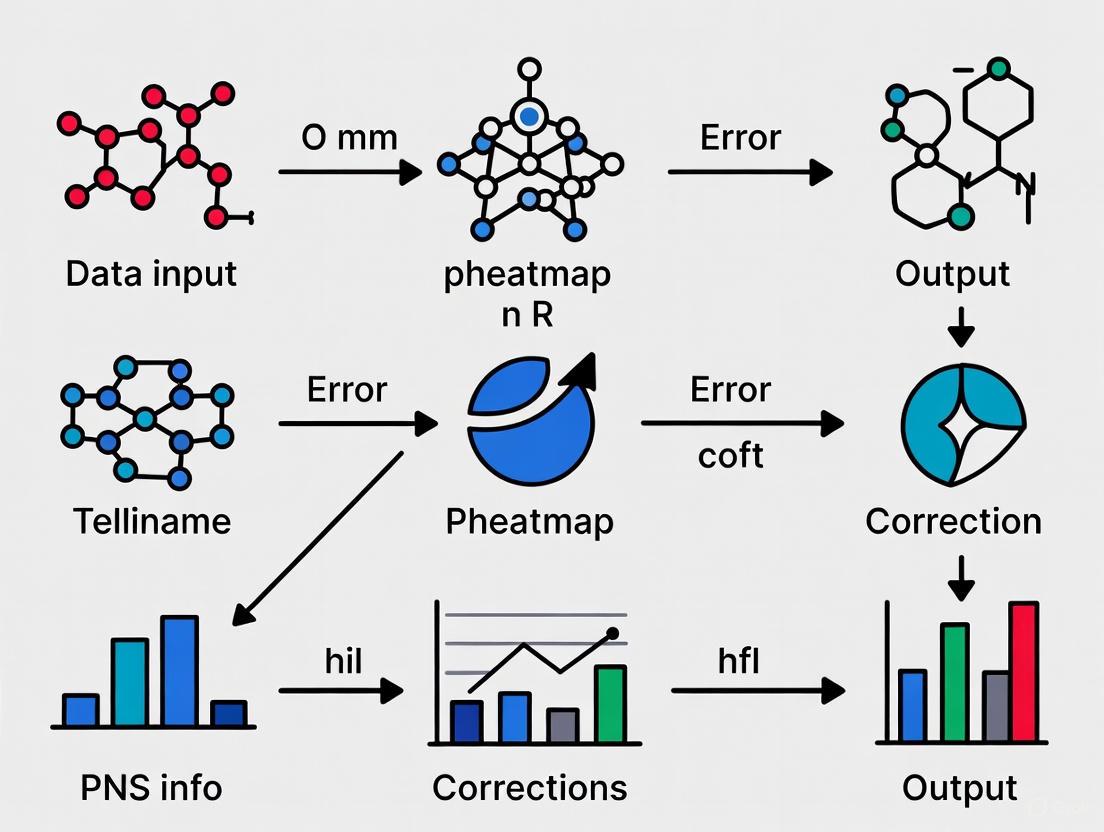
This article provides a complete guide to creating, customizing, and troubleshooting heatmaps using the pheatmap package in R.
Solving Common pheatmap Errors in R: A Comprehensive Guide for Biomedical Researchers
Abstract
This article provides a complete guide to creating, customizing, and troubleshooting heatmaps using the pheatmap package in R. Tailored for researchers and scientists in drug development, it covers foundational concepts, advanced annotation techniques, solutions to widespread errors like NA/NaN values and color mapping failures, and best practices for data validation. Readers will learn to efficiently visualize complex biological data, from RNA-seq results to metabolomic profiles, while avoiding common computational pitfalls that can disrupt analysis workflows.
Understanding pheatmap: Core Concepts and Data Preparation
What is pheatmap and Why It's Preferred for Biological Data
What is pheatmap and what makes it suitable for biological data?
pheatmap (which stands for Pretty Heatmap) is an R package used to create clustered heatmaps, which are graphical representations of data where individual values in a matrix are represented as colors [1]. It is particularly suited for biological data analysis for several reasons:
- Integrated Clustering: It automatically performs and visualizes hierarchical clustering on rows and/or columns, showing patterns and groups within the data through dendrograms [1]. This is essential for identifying co-expressed genes or similar samples.
- Handles Large Datasets: It is designed to effectively visualize large matrices of data, which are common in fields like genomics, where researchers often work with thousands of genes across numerous samples [1].
- Annotation Support: It allows for the addition of annotation tracks to the rows and columns, enabling researchers to color-code samples by treatment groups or genes by functional categories, providing immediate contextual information [2].
- Specialized for Biology: Unlike the general-purpose
geom_tile()in ggplot2, which requires cumbersome steps to add dendrograms,pheatmapis built specifically for the complex, clustered visualizations needed in biology, streamlining the entire process [1].
Research Reagent Solutions
The following table details key components used when creating a heatmap for biological data analysis with pheatmap.
| Component | Function in Analysis | Example/Brief Explanation |
|---|---|---|
| Normalized Data Matrix | Primary input; rows often represent features (e.g., genes), columns represent samples. | A matrix of normalized log2 counts per million (log2 CPM) from an RNA-seq experiment [1]. |
| Distance Metric | Defines the dissimilarity between rows/columns for clustering. | Common methods: Euclidean (straight-line distance) or Manhattan (sum of absolute differences) [1]. |
| Clustering Algorithm | Groups rows/columns based on the calculated distance matrix. | The complete linkage method is a common default, which uses the maximum distance between clusters [1]. |
| Color Palette | Maps data values to colors for visual interpretation. | Can be a custom gradient (e.g., colorRampPalette) or predefined palettes from viridis or RColorBrewer [3] [2]. |
| Annotation Data Frame | Provides metadata for samples or features. | A data frame where row names match matrix column names and contain a factor for the treatment group [4] [2]. |
A Standard Workflow for Creating a Biological Heatmap
The diagram below outlines the core process of creating an annotated and clustered heatmap from a biological data matrix using pheatmap.
Detailed Methodology:
- Data Import and Preparation: Begin with a normalized data matrix, such as log-transformed counts from an RNA-seq experiment [1]. The data is read into R, typically using
read.csv(), ensuring the first column containing gene names is set as the row names (row.names=1) [1]. - Annotation Creation: Create a separate data frame for sample (column) or gene (row) annotations. The row names of this annotation data frame must exactly match the column or row names of the main data matrix, respectively. This is a critical step to ensure correct mapping of metadata [4].
- Execute pheatmap: The core function
pheatmap()is called with the data matrix and key arguments [3]:mat = [your_matrix]: The primary numeric data matrix.annotation_col = [your_annotation_df]: Adds the sample annotation track.color = colorRampPalette(c("blue", "white", "red"))(100): Defines a custom color gradient.scale = "row": Normalizes the data by Z-score across rows (genes), which helps in visualizing patterns relative to the mean expression of each gene [4] [2].cluster_rows/cluster_cols = TRUE: Enables hierarchical clustering.
Troubleshooting Common pheatmap Errors
Error:'gpar' element 'fill' must not be length 0
- Problem: This error occurs when providing an annotation data frame to
pheatmap[5] [4]. - Solution: The most common fix is to ensure the row names of your annotation data frame exactly match the column names (for
annotation_col) or row names (forannotation_row) of the main data matrix you are plotting.pheatmapuses these names for lookup, not just the order of the rows [5] [4].
Error:NA/NaN/Inf in foreign function call (arg 10)
- Problem: The clustering algorithm cannot handle missing (
NA), not-a-number (NaN), or infinite (Inf) values in your data [6]. - Solution: Clean your data matrix by removing or imputing these values. You can use functions like
is.na()orcomplete.cases()to identify and handle problematic values before passing the matrix topheatmap.
Error:Error in unit(y, default.units) : 'x' and 'units' must have length > 0
- Problem: This is often caused by incorrect use of the
breaksparameter [7]. - Solution: The
breaksargument should be a sequence of numbers that covers the data range and is one element longer than the color vector. Avoid passing a single number. If set toNA, breaks are calculated automatically [7].
Frequently Asked Questions (FAQs)
How can I change the color of the axis labels and dendrograms in pheatmap?
While pheatmap doesn't have direct arguments for these colors, you can modify the returned plot object using grid functions [8]:
How do I change the number of clusters or prevent clustering altogether?
You can control clustering with the cluster_rows and cluster_cols arguments [3].
- To disable clustering: Set
cluster_rows = FALSEand/orcluster_cols = FALSE[3]. - To pre-define clusters (k-means): Use the
kmeans_kparameter [3].
My data is skewed. How can I improve the color representation?
For skewed data, the default uniform color breaks can be misleading. Use quantile breaks so each color represents an equal proportion of the data, providing better visual contrast [2].
Alternatively, you can transform the data using a log transformation (e.g., log10(mat)) before plotting [2].
A troubleshooting guide for researchers to prevent common
pheatmaperrors.
Common Problem 1: Data Frame Converts to Character Matrix
A frequent preprocessing error occurs when a data frame containing numeric values stored as characters is converted to a matrix, resulting in an unexpected character matrix that is incompatible with pheatmap and other numerical analysis functions.
Solution
Ensure all columns are numeric before converting to a matrix. Here are two reliable methods:
Method 1: Using data.matrix() or as.matrix() with apply
The data.matrix() function is designed to convert a data frame to a numeric matrix [9]. Alternatively, use apply() or sapply() with as.numeric [9].
Method 2: Using dplyr
The dplyr package offers a concise way to convert all columns at once using mutate(across()) [10].
Comparison of Conversion Methods
| Method | Code | Best Use Case |
|---|---|---|
data.matrix() |
data.matrix(df) |
Simple, fast conversion; base R. |
apply() + as.numeric |
as.matrix(sapply(df, as.numeric)) |
More explicit type control. |
dplyr Pipeline |
df %>% mutate(across(...)) %>% as.matrix() |
Integrating into a dplyr data wrangling workflow. |
Common Problem 2: Factor Level Mismatch in Annotation Colors
When adding column or row annotations to a heatmap, you may encounter the error: Factor levels on variable condition do not match with annotation_colors [11]. This happens when the factor levels in your annotation data frame do not exactly match the names specified in your annotation_colors list.
Solution
Create the annotation data frame and color list carefully, ensuring names and levels align perfectly. The correct workflow is:
1. Create the annotation data frame with correct row names
2. Define the color list with matching names
3. Generate the heatmap
Experimental Protocol: Data Preprocessing for Heatmap Visualization
This protocol ensures your data is correctly structured for pheatmap to avoid common errors.
- Data Verification: Check the structure of your data frame using
str(df). Confirm that all columns intended for the heatmap are numeric or character vectors that can be converted, not factors. - Data Conversion: Apply one of the conversion methods above (e.g.,
data.matrix(df)) to create a numeric matrix. - Dimension Verification: Check the matrix with
class(num_matrix)andmode(num_matrix)to confirm it is a "matrix" and of "numeric" type. - Annotation Setup: Build the annotation data frame, ensuring
rownames(annotation_df)exactly matchcolnames(num_matrix)(orrownames(num_matrix)for row annotations). - Color Mapping: Define the
annotation_colorslist as a named list where each element is a named vector corresponding to the factors in your annotation data frame.
The Scientist's Toolkit: Research Reagent Solutions
| Item | Function in Analysis |
|---|---|
data.frame() |
The initial, often mixed-type, data structure loaded from CSV/Excel files. |
as.matrix() |
Base R function for matrix conversion; requires numeric columns for a numeric result. |
data.matrix() |
The preferred base R function for reliable conversion of a data frame to a numeric matrix [9]. |
dplyr package |
Provides a powerful and readable syntax for data manipulation, including type conversion. |
pheatmap package |
The function for creating annotated heatmaps, requiring a numeric matrix as primary input. |
Workflow Diagram: From Data Frame to Annotated Heatmap
The diagram below outlines the logical workflow for converting a data frame into a numeric matrix and successfully creating an annotated heatmap, highlighting critical steps where errors commonly occur.
Frequently Asked Questions
Q1: My data frame has row names. How do I preserve them during conversion?
If your data frame has meaningful row names set (e.g., Gene IDs), they are automatically preserved when you use data.matrix() or as.matrix(). If your row names are stored in a separate column (e.g., the first column), you will need to explicitly assign them after creating the matrix.
Q2: Why does pheatmap still give a character error even after using as.matrix()?
This is the core problem addressed above. The as.matrix() function on a data frame with character columns will create a character matrix. You must first convert all relevant columns to a numeric data type. Using data.matrix() or the dplyr approach is a more robust solution.
Q3: What should I do if my annotation has more than two groups?
The same principles apply. Ensure the annotation_df has the correct factor levels, and the annotation_colors list contains a named vector with a color for every level.
Common Data Import and Preprocessing Pitfalls
Frequently Asked Questions
1. Why do I get the error '$ operator not defined for this S4 class' when trying to access the heatmap object?
This error typically occurs due to a package conflict. If you have the ComplexHeatmap package loaded after pheatmap, it masks the pheatmap function. The pheatmap function from the pheatmap package returns a list, but the one from ComplexHeatmap returns an S4 class object, which cannot be accessed with the $ operator [12]. To resolve this, either detach the ComplexHeatmap package using detach("package:ComplexHeatmap", unload = TRUE) or explicitly call the function with pheatmap::pheatmap(your_data) [12].
2. Why does my heatmap plot look incorrect or show an error about unit length?
This is often caused by incorrect data structure or misused function parameters. The pheatmap function requires the main input to be a numeric matrix. Using a data.frame can lead to unexpected behavior. Furthermore, the breaks parameter must be a sequence of numbers that is one element longer than the color vector, not a single number [7]. Ensure your data is a matrix using data <- as.matrix(your_dataframe).
3. Why does my heatmap fail to display entirely, causing RStudio to hang?
This can be a complex issue, but a good first step is to restart your R session with a cleared workspace [12]. If the problem persists, it may be related to the interactive plotting environment or specific data characteristics. Try testing with a small, synthetic matrix to isolate the problem [13].
Troubleshooting Guide: Common pheatmap Errors
The table below summarizes frequent issues, their likely causes, and solutions.
| Error / Symptom | Root Cause | Solution / Diagnostic Protocol |
|---|---|---|
Error in obj$tree_row : $ operator not defined for this S4 class [12] |
Package conflict with ComplexHeatmap masking the original pheatmap function. |
Restart R session. Call the function explicitly with pheatmap::pheatmap() or change package loading order [12]. |
Error in unit(y, default.units): 'x' and 'units' must have length > 0 [7] |
Incorrect use of the breaks parameter or an invalid (non-matrix) data structure. |
Convert data to a matrix with as.matrix(). Ensure breaks is a sequence (e.g., seq(-2, 2, by=0.1)). |
| Empty plot or RStudio hangs [14] [13] | Problem with the plotting device, interactive renderer, or underlying data. | Restart R session. Create a minimal reproducible example with a small random matrix to test basic functionality. |
| Heatmap displays unexpected white areas or colors [7] | Data matrix was generated with too few random values, causing unintended repeating structure. | Regenerate the data matrix to ensure it has the correct number of unique values (e.g., nrow * ncol). Check data for NA values. |
Experimental Protocol: Robust Heatmap Generation with pheatmap
This protocol provides a standardized method for importing data and creating a clustered heatmap with annotations to avoid common preprocessing errors.
1. Data Import and Preprocessing
- File Input: Read data from plain text (e.g.,
.txt,.csv) into R as adata.frameusingread.delim()orread.csv(). - Matrix Conversion: Convert the
data.frameto a numeric matrix. The row names (usually gene identifiers) must be set correctly.
2. Data Quality Control
- Inspect Structure: Use
str(data_matrix)andhead(data_matrix)to confirm the object is a matrix and the data is numeric. - Handle Missing Data: Decide on a strategy for
NAvalues, such as filtering rows with too many NAs or imputation. - Data Transformation & Scaling: Normalize data if needed. A common practice is to scale rows (genes) to Z-scores.
3. Annotation Dataframe Preparation
- Create separate data frames for row (gene) and column (sample) annotations. Row names of annotation data frames must match the row or column names of the main data matrix [15] [16].
4. Heatmap Generation and Object Handling
- Generate the heatmap. To suppress the immediate plot and store the result, use
silent = TRUE. - The returned object is a list containing clustering and other information.
Experimental Workflow Diagram
The Scientist's Toolkit: Essential R Packages and Functions
The table below lists key R packages and their functions that are essential for preparing and visualizing data for heatmaps.
| Package / Reagent | Function | Role in Experimental Process |
|---|---|---|
| pheatmap | pheatmap() |
Core function for generating clustered and annotated heatmaps. Returns an object containing dendrogram and layout information [15]. |
| base R | as.matrix() |
Critical for data preprocessing; converts a data frame to the numeric matrix format required by pheatmap. |
| base R | cutree() |
Used to extract cluster assignments from the dendrogram stored in the heatmap object (e.g., heatmap_obj$tree_row) [15]. |
| dendextend | as.dendrogram() |
Aids in advanced manipulation and visualization of dendrograms obtained from the heatmap object [15]. |
| RColorBrewer | brewer.pal() |
Provides aesthetically pleasing and perceptually appropriate color palettes for customizing the heatmap color scheme [16]. |
A technical guide for researchers navigating cluster analysis in R
What does the default pheatmap output show?
The default pheatmap output displays your data matrix using a color spectrum, creating an intuitive visual representation where higher values correspond to more intense colors [17]. This visualization includes two key analytical components:
- Dendrograms: Hierarchical clustering trees shown along rows and columns [17]
- Clustering: Automatic grouping of similar rows and columns based on their values [18]
When you execute pheatmap(your_data_matrix), the function performs several automated analyses: it clusters both rows and columns using hierarchical clustering, calculates appropriate color scaling, and renders the complete visualization with dendrograms [19]. This makes it particularly valuable for genomics research, where it's commonly used to visualize patterns in gene expression across different samples [17].
Troubleshooting Common pheatmap Interpretation Issues
How should I interpret the dendrogram branching patterns?
Dendrograms illustrate hierarchical relationships based on similarity, with branch lengths representing the degree of dissimilarity between objects [17]. To accurately interpret these patterns:
- Shorter branches indicate higher similarity between connected elements [17]
- Longer branches represent greater dissimilarity [17]
- Cluster formation occurs where branches merge, grouping similar rows (genes) or columns (samples) [17]
In biological contexts like RNA sequencing, samples with similar gene expression profiles or genes with comparable expression patterns will cluster together [17]. The dendrogram provides a visual assessment of these relationships, helping identify potential batch effects, biological replicates that cluster as expected, or unexpected sample groupings that may indicate issues with experimental conditions [17].
What do the rows and columns represent in a typical bioinformatics heatmap?
In bioinformatics applications, particularly gene expression analysis:
- Rows typically represent individual genes [17]
- Columns usually represent experimental samples or conditions [17]
- Tile colors show expression levels of each gene in each sample [17]
For example, in the airway study dataset from Himes et al. 2014, the rows correspond to differentially expressed genes, while columns represent different airway smooth muscle cell line samples under control or dexamethasone treatment conditions [17]. The dendrogram along the columns shows how samples cluster based on expression similarity, while the row dendrogram reveals groups of genes with comparable expression patterns across samples [17].
How can I extract and work with clustering information from pheatmap output?
You can capture and analyze the clustering results by saving the pheatmap output to an object [19]:
The returned object contains tree_row and tree_col elements, which store the hierarchical clustering results for further analysis [19]. This enables advanced operations like custom dendrogram visualization, cluster membership identification, and integration with other analytical workflows.
Why does my heatmap show unexpected clustering patterns?
Unexpected clustering can result from several factors:
- Inappropriate scaling: Use
scale = "row"to z-score normalize by row when comparing patterns across features with different magnitudes [17] [19] - Distance method selection: Different distance calculations (Euclidean, correlation, etc.) may yield different clustering results [17]
- Data artifacts: Extreme outliers can dominate the color scale and distort patterns
Before interpreting biological significance, verify your data preprocessing approach matches your analytical goals. For gene expression data, row scaling is often appropriate as it highlights relative expression patterns across genes [19].
How can I customize annotation colors in pheatmap?
To modify annotation colors, create a named list specifying colors for each annotation category:
The critical requirement is that the list names in annotation_colors must match both the names in your annotation data frame and the column names of your annotation data frame [20].
Why am I getting errors with the breaks parameter?
The breaks parameter requires a sequence of numbers that covers your data range and has one more element than your color vector [7]. A common mistake is providing a single number instead of a sequence:
The error occurs because breaks expects a sequence defining the boundaries between color intervals, not just the number of breaks [7].
Research Reagent Solutions
| Reagent/Function | Purpose in Analysis | Application Context |
|---|---|---|
pheatmap Package [21] |
Generate publication-quality clustered heatmaps | Primary visualization tool for matrix data |
colorRampPalette() |
Create custom color gradients | Enhance visual discrimination of values |
RColorBrewer Palettes [20] |
Provide colorblind-friendly schemes | Ensure accessibility of visualizations |
hclust() Function [19] |
Perform hierarchical clustering | Dendrogram generation for row/column clustering |
| Z-score Scaling [17] | Normalize data across features | Standardize variables for comparable scales |
| Euclidean Distance [17] | Calculate dissimilarity between objects | Default clustering metric in pheatmap |
| Dendrogram Extraction [19] | Access cluster relationships | Post-analysis of grouping patterns |
Workflow Diagram
The following diagram illustrates the computational process behind pheatmap's output generation:
This workflow processes your input data through sequential steps to produce the final visualization, with optional scaling that significantly impacts clustering results [17] [19].
Methodology: pheatmap Cluster Analysis Protocol
Purpose: To generate and interpret clustered heatmaps for exploratory data analysis [17]
Procedure:
Data Preparation
Basic Heatmap Generation
Data Scaling (if required)
Cluster Extraction and Analysis
Customization for Publication
Interpretation Notes: Focus on the dendrogram structure to identify natural groupings in your data, then examine the corresponding heatmap regions to understand the expression patterns driving these clusters [17]. Biological validation of clustered groups is essential before drawing conclusions.
Building Advanced Annotated Heatmaps for Biomedical Data
Step-by-Step Guide to Creating Basic Heatmaps with Proper Color Scaling
A troubleshooting guide for researchers to visualize data effectively and avoid common pitfalls in R.
This guide addresses the common challenges researchers face when creating heatmaps with the pheatmap package in R. You will learn to create clear, publication-ready visualizations, implement proper color scaling, and troubleshoot frequent errors, enabling more accurate interpretation of your biological data.
Frequently Asked Questions (FAQs)
How do I create a basic heatmap from my data matrix? Install and load the
pheatmappackage. Your data should be a numeric matrix. The most basic heatmap is created withpheatmap(your_data_matrix)[15] [22]. For a better default view, it is often recommended to scale your data by row (e.g., to display Z-scores) [15].Why does my heatmap fail to show any clustering? Clustering is enabled by default. If it's missing, check your function parameters. Explicitly set
cluster_rows = TRUEandcluster_cols = TRUEto ensure hierarchical clustering is applied to rows and columns, respectively [22].How can I add sample group annotations to my heatmap? Create an annotation data frame where row names match your matrix column names. Use the
annotation_colargument to add it to the heatmap [15] [22]. Theannotation_colorsargument allows you to specify the exact colors for each group [15].I get "Error: $ operator not defined for this S4 class" when accessing the heatmap object. What does this mean? This occurs when the
ComplexHeatmappackage masks thepheatmapfunction. Restart your R session or explicitly call the function withpheatmap::pheatmap()to resolve this conflict [12].How do I control the color range and legend on my heatmap? Use the
breaksargument. This argument requires a numeric sequence that is one element longer than your color vector. It allows you to define exactly how data values map to specific colors, fixing the legend range [23].Why is my heatmap not saving correctly to a file? Assign the heatmap to an object and use
grid.draw()on thegtableslot of that object within a graphics device likepng()anddev.off()[15].
Troubleshooting Common pheatmap Errors
Problem 1: Data Scaling and Normalization Issues
The Challenge: Heatmap colors do not accurately represent patterns in your data because the data was not properly scaled or normalized.
The Solution: Apply row-based Z-score normalization to make values comparable across different genes or features [15].
Experimental Protocol:
- Create a Scaling Function: Define a function to calculate the Z-score for each row in your matrix.
- Apply the Function: Use the
applyfunction to normalize the matrix. TheMARGIN = 1argument indicates operations are performed by row. - Generate the Heatmap: Create the heatmap using the normalized matrix.
Key Reagent Solutions:
| Reagent/Function | Type | Primary Function in Analysis |
|---|---|---|
pheatmap R package |
Software Package | Creates annotated, clustered heatmaps from a data matrix [15]. |
cal_z_score custom function |
Data Processing Algorithm | Standardizes data by row to Z-scores for better visualization of variation [15]. |
apply() function |
Base R Function | Applies a function over margins of an array or matrix (rows/columns). |
Problem 2: Incorrect Annotation Integration
The Challenge: Sample or group annotations are missing, incorrect, or use default colors, reducing the heatmap's informational value.
The Solution: Properly construct annotation data frames and manually define color schemes for clarity and consistency [15] [22].
Experimental Protocol:
- Create Annotation Data Frame:
- Define the Color Mapping: Create a named list that specifies colors for each annotation level.
- Generate the Annotated Heatmap: Pass both the annotation and its colors to the
pheatmapfunction.
The following diagram illustrates the logical workflow and required data structures for creating an annotated heatmap:
Problem 3: Package Conflicts and Object Access Errors
The Challenge: The $ operator not defined for this S4 class error appears when trying to access the heatmap object, preventing extraction of clustering information.
The Solution: This is typically a namespace conflict. Ensure you are using the correct pheatmap function [12].
Experimental Protocol:
- Restart R Session: The simplest solution is to restart your R session, which clears loaded namespaces.
- Use Explicit Namespacing: Alternatively, explicitly call the
pheatmapfunction from its package and access thetree_rowelement from the returned list. - Check Loaded Packages: If the problem persists, check the order of loaded packages. Detaching other heatmap packages like
ComplexHeatmapbefore usingpheatmapmay be necessary.
Problem 4: Manual Control of Color Scaling
The Challenge: The default color legend does not represent the desired range of values, making visual interpretation difficult.
The Solution: Manually set the breaks parameter to define the exact numeric intervals for the color gradient [23].
Experimental Protocol:
- Define the Color Palette: Choose a color palette that transitions between key colors (e.g., blue-white-red).
- Create the Break Points: Generate a sequence of numbers that covers your desired value range. The length must be one more than the color vector.
- Generate the Heatmap with Fixed Scaling:
Quantitative Data for Color Scaling:
| Parameter | Description | Example Values for Z-scores |
|---|---|---|
breaks |
A sequence defining the intervals for color mapping. | seq(-2, 2, length.out=51) |
color |
A vector of colors defining the gradient. | colorRampPalette(c("navy","white","red"))(50) [23] |
| Number of Colors | Determines the smoothness of the color gradient. | 50 levels [23] |
| Number of Breaks | Always equals length(colors) + 1. |
51 breakpoints [23] |
The Scientist's Toolkit: Research Reagent Solutions
| Essential Tool | Function | Application in Heatmap Creation |
|---|---|---|
| Data Matrix | A numerical matrix where rows represent features (e.g., genes) and columns represent samples. | The primary input for the pheatmap function. Must be a matrix object for proper rendering [15]. |
| Annotation Data Frame | A data frame that stores grouping information for rows or columns. Row names must match matrix column/row names [15] [22]. | Links metadata to the heatmap, coloring sample or feature labels to indicate groups. |
| Color Palette | A set of colors defined by their HEX codes, used for the heatmap gradient and annotations. | Ensures visual consistency and accessibility. Using a dedicated palette (e.g., #4285F4, #EA4335, #34A853) [24] improves clarity. |
| Dendextend Package | An R package for manipulating and visualizing dendrograms. | Used to customize and extract cluster information from the dendrograms generated by pheatmap [15]. |
Understanding Heatmap Annotations
Heatmap annotations are crucial components that display additional information associated with the rows or columns of your heatmap. In biological research, they are indispensable for visualizing sample groups (e.g., treatment vs. control), clinical variables (e.g., disease stage, patient sex), or other metadata, transforming a simple heatmap into a powerful, multi-dimensional data visualization tool. [1] [25]
Frequently Asked Questions (FAQs)
FAQ 1: How do I add sample group annotations to my pheatmap?
- Problem: A researcher has a gene expression matrix and a separate data frame specifying the treatment group for each sample. They want to add a color-coded bar to the heatmap to annotate these groups.
- Solution: The solution involves using the
annotation_colargument inpheatmap. You must create a data frame where row names match the column names of your expression matrix, and columns represent your annotation variables. - Protocol:
- Prepare your annotation data frame. Ensure its row names exactly match the column names of your main heatmap matrix.
- Create a named list of colors for your annotations. The list names must match the annotation data frame's column names.
- Pass both the annotation data frame and the color list to the
pheatmapfunction.
- Prevention: Always verify that
rownames(annotation_df)is identical tocolnames(heatmap_matrix)to prevent mismatches. Usingall(rownames(annotation_df) == colnames(heatmap_matrix))is a good check. [1] [26]
FAQ 2: Why is my color scheme for annotations not working?
- Problem: The heatmap generates, but the annotation colors are defaults (randomly generated grays) instead of the specified colors.
- Solution: This error occurs due to an incorrect structure for the
annotation_colorslist. The list must be a named list, where each name corresponds to a column in the annotation data frame, and each value is a named vector mapping factor levels to colors. [1] [25] - Diagnosis & Fix:
- Incorrect:
annotation_colors = list(c("red", "blue")) - Correct:
annotation_colors = list(Treatment = c(Control="red", Dex="blue")) - Ensure the names in the color vector (e.g., "Control", "Dex") exactly match the factor levels in your annotation data frame. For continuous/numeric annotations, you must use a color mapping function from
circlize::colorRamp2. [25]
- Incorrect:
FAQ 3: How can I create a custom, diverging color palette for my data?
- Problem: A user wants to visualize their data (e.g., log-fold changes) with a custom, smooth color gradient from blue (for negative values) through white (zero) to red (for positive values), rather than the default palette.
- Solution: Use the
colorRampPalettefunction to generate a smooth color vector and pass it to thecolorargument inpheatmap. For precise control, especially with asymmetric data ranges, use thebreaksparameter. [27] [26] - Protocol:
- Prevention: When using
breaks, the vector must be one element longer than thecolorvector. This defines intervals for color mapping. [27] [28]
FAQ 4: How do I assign specific colors to specific value ranges?
- Problem: A scientist needs to color specific value ranges in the heatmap with distinct colors, for example, values from -1 to -0.5 as dark green and 0.5 to 1 as purple, with a clear cutoff at zero.
- Solution: This requires a combination of a custom color vector and a carefully defined
breaksargument that aligns with the desired value thresholds. [28] - Protocol:
FAQ 5: Why does pheatmap throw an error when I use the 'breaks' parameter?
- Problem: Using the
breaksargument results in an error:Error in unit(y, default.units) : 'x' and 'units' must have length > 0. - Solution: This error is triggered by an incorrectly specified
breaksvector. Thebreaksmust be a numeric sequence that covers the entire range of values in the matrix and must be exactly one element longer than thecolorvector. [7] - Diagnosis & Fix:
- Problem: Using the
Data Presentation Tables
Table 1: Common pheatmap Annotation Parameters and Usage
| Parameter | Data Type | Description | Example Usage |
|---|---|---|---|
annotation_col |
Data Frame | Adds column annotations; row names must match matrix column names. | annotation_col = sample_data |
annotation_row |
Data Frame | Adds row annotations; row names must match matrix row names. | annotation_row = gene_annot |
annotation_colors |
Named List | Specifies colors for annotations; links factor levels to hex colors. | annotation_colors = list(Group = c("A"="#EA4335", "B"="#34A853")) |
color |
Color Vector | Defines the color palette for the main heatmap cells. | color = colorRampPalette(c("blue", "white", "red"))(100) |
breaks |
Numeric Vector | Sets value thresholds for color mapping; must cover data range. | breaks = seq(-3, 3, length.out=101) |
cluster_rows/cols |
Logical | Controls whether rows/columns are clustered. | cluster_rows = FALSE |
Table 2: Recommended Color Palette Types for Different Data [26] [29]
| Data Type | Palette Type | Description | Example Scenarios | pheatmap Code Snippet |
|---|---|---|---|---|
| Sequential | Single Hue | Shades of a single color, from light to dark. | Gene expression values (log CPM), correlation values (0 to 1). | colorRampPalette(c("#F1F3F4", "#EA4335"))(100) |
| Diverging | Dual Hue | Two contrasting colors with a neutral central color. | Log-fold change data (positive and negative values), Z-scores. | colorRampPalette(c("#4285F4", "#FFFFFF", "#EA4335"))(100) |
| Qualitative | Multiple Colors | Distinct colors for categorical data. | Sample groups, tissue types, mutation status. | c(A = "#4285F4", B = "#EA4335", C = "#FBBC05", D="#34A853") |
The Scientist's Toolkit: Research Reagent Solutions
Table 3: Essential R Packages for Heatmap Creation and Annotation
| Package Name | Primary Function | Key Application in Annotation |
|---|---|---|
| pheatmap | Creates pretty, clustered heatmaps with annotations. | Core functionality for adding side-color bars for sample groups and clinical variables. [1] [26] |
| RColorBrewer | Provides color palettes for data visualization. | Access to pre-defined, perceptually sound sequential and diverging palettes. [26] |
| circlize | Defines complex color mappings. | Creates smooth color gradients for continuous annotation variables using colorRamp2. [25] |
| ComplexHeatmap | Creates highly customizable and complex heatmaps. | Advanced annotation systems, including multiple annotation types and flexible layouts. [26] [25] |
Experimental Protocol for Adding Annotations
Step-by-Step Methodology for Annotating a Gene Expression Heatmap with Clinical Data
- Data Preparation: Begin with a normalized gene expression matrix (e.g., log2(CPM)) where rows are genes and columns are samples. Prepare a separate annotation data frame with clinical variables (e.g.,
Treatment,Sex,Stage). Critical Step: Confirmrownames(annotation_df)perfectly matchcolnames(expression_matrix). - Color Scheme Definition: Define a named list for
annotation_colors. Use hex color codes for consistency. For continuous variables like "Age", usecirclize::colorRamp2(c(min_age, max_age), c("white", "blue")). - Heatmap Generation: Execute the
pheatmapfunction, specifying the main matrix,annotation_col, andannotation_colors. - Validation & Iteration: Visually inspect the output to ensure colors correctly represent the metadata. Adjust color palettes or clustering parameters as needed for clarity.
Workflow Visualization
The following diagram illustrates the logical workflow and data relationships for creating an annotated heatmap.
Customizing Annotation Colors and Themes for Publication-Ready Figures
This technical support center addresses common challenges researchers face when using the pheatmap function in R, specifically focusing on achieving publication-quality figures through proper annotation and theme customization.
Troubleshooting Guides
Scenario 1: Annotation Colors Do Not Change as Expected
Problem: When using pheatmap, specifying a custom color palette for row or column annotations does not work; the function continues to use its default colors.
Solution: The structure of the annotation_colors argument is incorrect. It requires a nested list where the list names must exactly match the column names in your annotation data frame [20].
Step-by-Step Protocol:
- Create your annotation data frame with a categorical variable, for example, "Category".
- Generate a color palette with the same number of colors as unique levels in your categorical variable.
- Create a named vector where names correspond to the factor levels and values are the hex color codes.
- Place this vector inside a list, where the name of the list element is the same as the column name in your annotation data frame ("Category").
- Pass this list to the
annotation_colorsargument inpheatmap.
Example Code:
Scenario 2: Graphics Window Pops Up When Saving to File
Problem: Even when specifying an output filename (e.g., "TEST.png"), the heatmap still opens in the R graphics window, which can be disruptive in script-based workflows [20].
Solution: This behavior is often environment-specific. To suppress the pop-up, you can explicitly tell R not to use the interactive graphics device [20].
Step-by-Step Protocol:
- Before calling
pheatmap, usepdf(NULL)or assign the heatmap to a variable. - If the issue persists, ensure the
filenameparameter is correctly specified and that you have write permissions in the directory. - The plot should save directly to the file without popping up.
Example Code:
Scenario 3: Customizing Text Color for Row or Column Names
Problem: There is no built-in parameter in pheatmap to change the color of row or column name labels, for example, to highlight up-regulated genes in red and down-regulated genes in blue [30].
Solution: This requires post-processing the pheatmap object by modifying the grid graphical objects (grobs) [8] [30].
Step-by-Step Protocol:
- Create a vector of colors that matches the order of the row or column names in the final plot.
- Generate the heatmap and store the output object.
- Access the grobs within the stored object to modify the graphical parameters (
gp) for the text. - Use
grid::gpar(col = your_color_vector)to set the new colors. - Re-plot the modified object.
Example Code:
Note: The exact index of the grob (e.g., grobs[[5]]) may vary. Inspection of the p$gtable$grobs object may be necessary to identify the correct one [8] [30].
Scenario 4: Adding Multiple Annotations to Rows or Columns
Problem: A single annotation is straightforward, but adding multiple metadata columns (e.g., "Pathway" and "Expression Level") to the heatmap is challenging.
Solution: The annotation_row or annotation_col argument can accept a multi-column data frame [31].
Step-by-Step Protocol:
- Create a data frame for your annotations with rownames that exactly match the rownames (for rows) or colnames (for columns) of your input matrix.
- Include all desired annotation columns (e.g., "GeneClass", "AdditionalAnnotation") in this data frame [31].
- For the
annotation_colorsargument, create a named list where each element is a named color vector corresponding to a column in your annotation data frame.
Example Code:
Frequently Asked Questions (FAQs)
Q1: How can I create a completely reproducible figure generation workflow?
A1: Using pheatmap and R scripts inherently promotes reproducibility. Save all code—from data preprocessing and color definitions to the final pheatmap call—in a script file. This allows you or other researchers to regenerate identical figures [32].
Q2: My heatmap has too many categories for ColorBrewer palettes. What should I use?
A2: The colorRampPalette function can extend any base set of colors to create a continuous palette of the required size, or use the viridis package for colorblind-friendly continuous palettes [20] [32].
Q3: Are there more customizable alternatives to pheatmap?
A3: The ComplexHeatmap package is widely considered more powerful and customizable than pheatmap and can handle extremely complex annotation and styling requirements [30].
Experimental Protocols
Protocol 1: Defining and Applying a Custom Color Theme
Objective: Establish a consistent, reusable color theme for all heatmaps in a research paper or thesis.
Methodology:
- Define a Palette: Select a core set of colors, such as the Google logo palette (
#4285F4,#EA4335,#FBBC05,#34A853), for visual consistency [33]. - Create Annotation Colors: Programmatically generate named color vectors for all annotation categories using these core colors.
- Apply to Heatmaps: Use the structured list for the
annotation_colorsargument in everypheatmapcall.
Key Reagent Solutions:
- RColorBrewer Package: Provides pre-defined, colorblind-safe palettes [20] [32].
- viridis Package: Offers perceptually uniform colormaps [32].
- colorRampPalette Function: A base R function to create continuous color gradients [20].
Protocol 2: Workflow for Annotation Color Customization
This workflow outlines the standard operating procedure for correctly applying custom annotation colors, which helps prevent common errors.
Research Reagent Solutions
| Item/Function | Purpose | Example/Note |
|---|---|---|
| pheatmap Package | Primary function for creating clustered heatmaps with annotations. | Provides more control and customization than base R heatmap() [34]. |
| Annotation Data Frame | Holds metadata for rows/columns. | Rownames must match matrix; factors recommended for categorical data [20] [31]. |
| annotation_colors | Argument for supplying custom colors for annotations. | Must be a correctly structured, named list [20]. |
| RColorBrewer/viridis | Packages providing color palettes. | Essential for accessible, publication-quality color schemes [32]. |
| grid Package | For low-level customization of plot elements. | Used to modify text colors and other graphical parameters post-production [8] [30]. |
Unlock the full potential of your research heatmaps with expert solutions to common pheatmap challenges.
This technical support center addresses frequent challenges researchers face when using the pheatmap package in R for visualizing complex biological data, such as gene expression or metabolomics datasets. The following troubleshooting guides and FAQs provide targeted solutions for advanced techniques, enabling more precise and informative visualizations in scientific research and drug development.
Troubleshooting Guides
Guide 1: Resolving the "subscript out of bounds" Annotation Error
Problem: You encounter the error Error in annotation_colors[[colnames(annotation)[i]]] : subscript out of bounds when trying to create an annotated heatmap [35].
Diagnosis: This error typically occurs due to one of two issues:
- A mismatch between the names specified in your
ann_colorslist and the factor levels present in yourannotation_roworannotation_coldata frame [35]. - The input data object is a dataframe instead of a matrix, which
pheatmaprequires [35].
Solution:
- Verify Annotation Names: Ensure every factor level in your annotation data frame has a corresponding color definition in the
ann_colorslist [35]. - Convert Data to Matrix and Set Row Names: Ensure your heatmap data is a matrix and has proper row names [35] [36].
Guide 2: Fixing Improper Clustering and Scaling
Problem: Heatmap clustering appears incorrect, or the color scaling does not represent the data well, potentially obscuring important biological patterns.
Diagnosis: The data may not be scaled appropriately, or the clustering parameters need adjustment. Using a very small matrix (e.g., 30x30 with only 90 random values) can also cause unexpected behavior [7].
Solution:
- Apply Correct Scaling: Use the
scaleparameter to normalize data, which is crucial when features (genes) have different ranges [36]. - Control Clustering Explicitly: Turn clustering on or off for rows and columns as needed [36] [18].
- Ensure Adequate Matrix Size: Create a sufficiently large matrix for meaningful clustering [7].
Guide 3: Correctly Segmenting Heatmaps with Cutree Parameters
Problem: You want to divide your heatmap into a specific number of gene or sample clusters but the cutree_rows or cutree_cols parameters do not work as expected.
Diagnosis: The cutree parameters define the number of clusters to extract from the hierarchical clustering tree. Incorrect usage can lead to unexpected partitions.
Solution:
- Split Heatmap into Clusters: Use
cutree_rowsandcutree_colsto split the heatmap after clustering [36] [18]. - Extract Cluster Assignments: Obtain cluster membership for downstream analysis [36].
Frequently Asked Questions (FAQs)
FAQ 1: How can I add and customize annotations for sample groups?
Answer: Create annotation data frames for rows and/or columns, ensuring row names match the heatmap matrix column names [36].
- Create Annotation Data Frame:
- Define Annotation Colors:
- Generate Annotated Heatmap:
FAQ 2: What is the best way to customize color schemes in pheatmap?
Answer: Use the colorRampPalette function to create a continuous color gradient tailored to your data [36] [18].
FAQ 3: How do I control the visual layout, including cell size and labels?
Answer: Use pheatmap's extensive formatting parameters to control the appearance [36].
Experimental Protocols
Protocol 1: Creating a Publication-Quality Annotated Heatmap
Objective: Generate a clustered, annotated heatmap suitable for publication, incorporating sample groups and custom color schemes.
Methodology:
- Data Preparation: Load and preprocess your data, ensuring proper matrix conversion [36].
- Annotation Setup: Define sample and gene annotations [36].
- Heatmap Generation: Execute
pheatmapwith comprehensive parameters [36] [18].
Expected Output: A publication-ready heatmap with sample annotations, row clustering, and a divergent color scheme highlighting expression differences.
Protocol 2: Advanced Matrix Segmentation for Pattern Discovery
Objective: Identify and visualize distinct gene and sample clusters through matrix segmentation.
Methodology:
- Data Scaling and Clustering: Apply row-wise scaling and hierarchical clustering [36].
- Cluster Extraction: Define the number of clusters for both dimensions [36] [18].
- Cluster Analysis: Extract cluster assignments for downstream analysis [36].
Expected Output: A segmented heatmap revealing 4 gene clusters and 3 sample clusters, with cluster assignments available for further biological interpretation.
The Scientist's Toolkit
Research Reagent Solutions
| Reagent/Resource | Function | Example Usage |
|---|---|---|
pheatmap R Package |
Primary tool for creating annotated heatmaps [37] [36]. | pheatmap(df_mat, annotation_col=sample_annot) |
colorRampPalette() |
Creates custom color gradients for data representation [36] [18]. | colorRampPalette(c("blue", "white", "red"))(50) |
data.matrix() |
Converts data frames to numeric matrix format required by pheatmap [35] [36]. |
df_mat <- data.matrix(df) |
cutree() Function |
Extracts cluster assignments from hierarchical clustering trees [36]. | cutree(hm$tree_row, k=5) |
| Annotation Data Frames | Stores metadata for sample/gene grouping [36]. | data.frame(Condition=rep(c("A","B"), each=3)) |
Data Presentation Tables
Table 1: pheatmap Scaling Methods Comparison
| Scaling Method | Parameter | Use Case | Effect on Data |
|---|---|---|---|
| Row Scaling | scale="row" |
Standardizing genes/features across samples [36]. | Converts each row to Z-scores (mean=0, SD=1). |
| Column Scaling | scale="column" |
Standardizing samples across genes/features [36]. | Converts each column to Z-scores (mean=0, SD=1). |
| No Scaling | scale="none" |
Preserving raw data values [36]. | Maintains original data scale. |
Table 2: Clustering Control Parameters
| Parameter | Default | Effect | Common Settings |
|---|---|---|---|
cluster_rows |
TRUE |
Enables/disables row clustering [36] [18]. | TRUE, FALSE |
cluster_cols |
TRUE |
Enables/disables column clustering [36] [18]. | TRUE, FALSE |
clustering_method |
"complete" |
Linkage method for clustering [37]. | "complete", "average", "single" |
cutree_rows |
1 |
Number of row clusters to display [36] [18]. | Integer (e.g., 3, 5) |
cutree_cols |
1 |
Number of column clusters to display [36] [18]. | Integer (e.g., 2, 4) |
Workflow Visualization
Pheatmap Generation and Troubleshooting Workflow
Diagnosing and Fixing Common pheatmap Error Messages
Resolving 'NA/NaN/Inf in foreign function call (arg 10)' Errors
A Technical Support Guide for Researchers
This guide addresses the 'NA/NaN/Inf in foreign function call (arg 10)' error, a common obstacle when generating clustered heatmaps with the pheatmap function in R. For scientists in drug development and bioinformatics, this error can halt analysis of genomic, proteomic, or other high-throughput data. Understanding its causes and solutions is crucial for maintaining robust data analysis workflows.
Troubleshooting Guide
The error occurs during the hierarchical clustering process within pheatmap, specifically when the hclust function attempts to compute distances between rows or columns of your matrix but encounters invalid values (NA, NaN, or Inf) or a data structure that prevents this calculation [38] [6] [39].
Primary Causes and Immediate Checks
- Excessive Missing Values in Data Matrix: The most common cause is that for some pairs of rows in your matrix, there are no complete pairs of observations, making it impossible to compute a valid Euclidean (or other) distance [38]. This happens even if no single row is entirely
NAand no single row has zero variance. - Incorrect
breaksArgument Configuration: If thebreaksargument is provided as a single number (e.g.,breaks = 11) instead of a sequence, it will cause errors. Thebreaksargument must be "a sequence of numbers that covers the range of values in mat and is one element longer than color vector" [7] [40]. - Non-Numeric or Character Data: While the error message specifically mentions
NA/NaN/Inf, the underlying clustering function will also fail if your matrix contains character variables. All data must be numeric [41]. - Hidden
InfValues: Thelog10(protdata)transformation in your code can generate-Infvalues if your originalprotdatamatrix contains any zeros, aslog10(0)is undefined. Replacing zeros withNAbefore the log-transformation is essential [38].
The following diagnostic workflow helps systematically identify and resolve the cause in your dataset:
Detailed Solution Protocols
Solution 1: Systematic Removal of Problematic Rows
This method identifies and removes rows that prevent distance calculation [38].
Experimental Protocol:
- Compute Distance Matrix: Calculate the distance matrix for your data and check for
NAvalues. - Identify Rows Causing NAs: Find which rows are responsible for the most
NApairwise distances. - Iterative Removal: Remove the most problematic rows one by one until the distance matrix contains no
NAvalues. - Generate Heatmap: Use the cleaned matrix for clustering.
Solution 2: Judicious Imputation of Missing Values
For cases where removing rows is undesirable, imputation preserves sample size. Use this with caution, as the method should be chosen based on your data's properties [6].
Methodology:
- Simple Imputation: Replace
NAvalues with a specific value like zero, the mean, or median of the row.
Researcher Note: Imputing zeros is simple but may not be biologically valid, especially if a zero represents an undetectable level rather than a true absence. It can also introduce bias in the clustering and scaling [38] [6].
- Advanced Imputation: Consider more sophisticated imputation methods from packages like
impute(e.g.,impute.knn) which use k-nearest neighbors to estimate missing values, potentially preserving data structure better.
Solution 3: Parameter Adjustment and Data Transformation
- Disable Clustering: If clustering is not essential for your visualization, simply disable it for rows.
- Ensure Proper Log-Transformation: Always handle zeros before applying a log-transform to prevent
-Infvalues. - Verify
breaksArgument: If using thebreaksparameter, ensure it is a sequence, not a single number [7] [40].
Solution Comparison Table
| Solution | Methodology | Best For | Advantages | Limitations |
|---|---|---|---|---|
| Systematic Row Removal | Identifies & removes rows causing NA distances [38] |
Large datasets where minor data loss is acceptable | Guarantees a computable distance matrix; no artificial data introduced | Reduces number of features/rows in analysis |
| Judicious Imputation | Replaces NA with estimated values (e.g., 0, mean) [6] |
Studies where preserving sample size is critical | Maintains original matrix dimensions; simple to implement | Can distort natural data structure and clustering |
| Parameter Adjustment | Disables clustering (cluster_rows=FALSE) [38] |
Exploratory analysis where visualization is primary over clustering | Simple, quick fix; avoids the error completely | Loss of dendrogram and clustered organization |
Frequently Asked Questions (FAQs)
Why does this error occur even after I've replaced all zeros withNAand my data has no zero-variance rows?
The error is not about your individual rows, but about the relationship between rows. Hierarchical clustering requires calculating a distance (e.g., Euclidean) between every pair of rows. If two rows do not share a single common non-NA value in any column, a valid distance between them cannot be computed, resulting in an NA in the distance matrix. This can happen even if every row has several non-NA values [38]. You can confirm this by checking sum(is.na(as.matrix(dist(your_matrix)))).
Is it safe to imputeNAvalues with zero in my proteomic/genomic data?
This is a critical scientific consideration, not just a technical one. Replacing NA (often resulting from undetectable levels) with zero assumes that the protein or gene was completely absent, which might not be biologically true. This can severely skew downstream analysis, like log-fold change calculations or clustering [38] [6]. The best practice is to use a method appropriate for your data type (e.g., k-nearest neighbors imputation, minimum imputation, etc.) or to use the systematic row removal strategy.
I am sure my matrix has noNA,NaN, orInf. Why am I still seeing this error?
First, double-check by calling sum(is.na(mat)), sum(is.nan(mat)), and sum(is.infinite(mat)). If these are all zero, the issue might lie with the breaks argument. If you provide a breaks vector that does not cover the entire range of values in your scaled or transformed matrix, it can lead to unexpected behavior and errors. Ensure your breaks sequence is appropriate for the actual range of your data [7] [40].
What is the 'arg 10' in the error message referring to?
The "arg 10" refers to the 10th argument passed to the underlying C code of the hclust function. This is a low-level technical detail and is not typically something an R user needs to interact with directly. For troubleshooting, you should focus on the first part of the message: NA/NaN/Inf in foreign function call, which points to invalid data as the root cause [38] [42] [39].
The Scientist's Toolkit: Essential Research Reagents
| Reagent / Resource | Function in Analysis | Experimental Consideration |
|---|---|---|
R pheatmap Package |
Generates clustered heatmaps with detailed annotation and customization [40]. | Critical for visualization; ensure the latest version is installed. |
Distance Matrix (dist) |
Quantifies dissimilarity between rows/columns for clustering. | Check for NAs with is.na(as.matrix(dist(your_data))) to preempt errors [38]. |
| ColorBrewer Palettes | Provides color schemes suitable for scientific publication and color-blindness. | Access via RColorBrewer::brewer.pal; use sequential for counts, diverging for z-scores [40]. |
| Data Cleaning Script | Custom R code to replace zeros, remove low-coverage rows, and handle outliers. | This is a key, lab-specific "reagent" that ensures data quality before analysis. |
A troubleshooting guide for researchers encountering a common but confusing R error.
The error object of type 'closure' is not subsettable occurs when R code attempts to use subsetting operations (like [ ] or $) on a function (which R internally calls a "closure") as if it were a data object like a vector, list, or data frame [43] [44]. In the context of creating heatmaps with pheatmap, this typically happens when a variable intended to hold color definitions or data is mistaken for a built-in R function.
FAQ: Frequently Asked Questions
1. What does 'closure' mean in this error message? In R, a "closure" is another term for a function that is not a built-in primitive. This includes most functions you create or use from packages. The error message indicates you are trying to subset (i.e., extract a part of) a function, which is an invalid operation [44].
2. I'm sure my variable name is correct. Why am I still getting this error?
This error can occur if you have accidentally named your variable after a function that already exists in your R environment and then try to subset it [43] [44]. Common examples include url, data, table, or col. Always ensure your variable names do not conflict with base R function names.
3. Can this error occur in Shiny applications?
Yes. In Shiny, a common cause is trying to subset a reactive expression without calling it with parentheses () first. A reactive expression is a function and must be executed to return its value [43].
Incorrect:
reactive_df$col1
Correct:
reactive_df()$col1
4. How is this error related to the pheatmap package specifically?
When using pheatmap, this error most often surfaces when defining complex color mappings, particularly for annotations. A frequent mistake is providing a simple vector to the annotation_colors argument instead of a correctly structured named list [45].
Troubleshooting Guide: A Step-by-Step Diagnostic
Follow the logic in the diagram below to diagnose and fix the issue in your pheatmap code.
Step 1: Identify the Offending Variable
The error message will typically point to a specific line in your code. Look for the variable mentioned just before the error. In the console, it might look like:
Error in col[intersect(names(col), all_type)] : object of type 'closure' is not subsettable
Here, the problematic variable is col [46].
Step 2: Check for Variable Name Conflicts
The most common cause is a name conflict. Check if your variable name is also the name of a built-in R function.
- Action: Run
?your_variable_namein the console (e.g.,?col). If a help page for a function appears instead of an error, you have found a conflict. - Solution: Rename your variable to something unique and unambiguous. For example, use
my_color_vectororheatmap_colorsinstead ofcol[43] [44].
Step 3: Check Variable Definition and Scope
If the name is unique, the variable might not be defined in the current scope.
- Action: Check your environment for the variable's existence and confirm it was created without errors earlier in your script. A simple typo when creating the variable can lead to this error.
Common Scenarios and Solutions in Heatmap Creation
Scenario 1: Incorrectannotation_colorsStructure in pheatmap
The pheatmap function requires the annotation_colors argument to be a named list, not a simple vector of colors. Providing a vector causes an internal function to fail, often resulting in the "closure" error [45].
Incorrect Code:
Corrected Code & Protocol:
Scenario 2: Conflict with thecolFunction
R has a built-in function called col(). If you use col as a variable name for your color palette, you will get this error when trying to subset it [46].
Incorrect Code:
Corrected Code:
The Scientist's Toolkit: Research Reagent Solutions
The following table details essential "reagents" for successfully creating publication-quality heatmaps in R, helping to avoid common pitfalls.
| Research Reagent | Function in Experiment | Common Pitfall & Solution |
|---|---|---|
| Color Palette Vector | Defines the color gradient for data representation in the heatmap. | Pitfall: Using a function name like col as the variable. Solution: Name it color_palette or my_colors. |
| Annotation Data Frame | Links sample/gene metadata (e.g., cell type, treatment) to the heatmap for visualization. | Pitfall: Row names do not match the matrix column/row names. Solution: Explicitly set row.names when creating the data frame. |
annotation_colors List |
Maps specific colors to groups in your annotation data frame. | Pitfall: Providing a simple vector instead of a named list. Solution: Structure as list(AnnotationName = c(Group1="color1", Group2="color2")). |
| Numerical Matrix | The core data input for pheatmap. Must be numeric, with NA values handled appropriately. |
Pitfall: Clustering fails with NA values. Solution: Use na.omit() or na.exclude() on the matrix, or set cluster_rows/cols=FALSE [47]. |
Addressing Scaling Problems with Zero-Variance and Uniform Data
Within the broader context of solving common pheatmap errors in R research, scaling problems present significant challenges for researchers, scientists, and drug development professionals. When working with biological datasets, particularly in genomics, transcriptomics, and proteomics, zero-variance and uniform data can disrupt standard heatmap visualization procedures. The pheatmap package in R, while powerful for clustering and pattern recognition, behaves unpredictably with such data distributions, often producing uninformative visualizations or complete function failures. This technical support center document provides targeted troubleshooting guidance to address these specific scaling challenges, ensuring robust heatmap generation for critical research applications.
FAQs: Understanding Scaling Challenges
What causes scaling failures with zero-variance data in pheatmap?
Zero-variance data occurs when all values for a particular feature (row) or sample (column) are identical. During scaling operations (either "row" or "column" scaling), pheatmap cannot calculate meaningful standard deviations, leading to mathematical undefined operations. The algorithm attempts division by near-zero values, producing NaN (Not a Number) or infinite values that cannot be properly mapped to color gradients. This fundamentally disrupts the visualization pipeline, as the color mapping function expects finite, varying numerical inputs [3].
Why does uniform data disrupt clustering in heatmaps?
Uniform data lacks the variability necessary for meaningful distance calculations in clustering algorithms. Hierarchical clustering, the default method in pheatmap, relies on distance metrics like Euclidean or correlation distance to establish relationships between data points. When rows or columns contain identical values, the distance between them approaches zero, creating degenerate dendrograms where all elements appear equally similar. This results in collapsed or meaningless cluster patterns that provide no analytical value for identifying biological subgroups or expression patterns [2] [48].
How can I diagnose scaling problems before running pheatmap?
Researchers can implement several diagnostic checks to identify potential scaling issues:
What are the practical implications of scaling errors in drug development research?
In pharmaceutical research, scaling errors can lead to misinterpretation of compound efficacy, faulty patient stratification, or incorrect biomarker identification. For example, when analyzing drug response data across cell lines, zero-variance features might represent housekeeping genes or failed measurements. Improper handling of these features can skew cluster patterns, potentially leading to incorrect conclusions about drug mechanism of action or patient response subgroups. These visualization artifacts could direct therapeutic development down unproductive pathways, wasting resources and delaying treatment availability [49].
Troubleshooting Guide
Error: "NaN produced during scaling" or "Infinite values in scaled matrix"
Problem Identification: This error occurs when pheatmap attempts to scale zero-variance rows or columns, resulting in mathematical undefined operations.
Solution Protocol:
- Pre-filter zero-variance features:
- Alternative scaling approaches:
Problem: Uniform color mapping with no contrast
Problem Identification: The heatmap displays a uniform color field without meaningful variation, despite data containing expected variability.
Root Causes:
- Extreme outliers dominating the color scale
- Insensitive color breaks for the data distribution
- Truncated values due to improper breakpoints
Solution Protocol:
- Implement quantile-based color breaks:
- Outlier management strategy:
Error: Cluster collapse with uniform data
Problem Identification: Dendrograms appear collapsed with no branching structure, or clustering produces trivial single-member clusters.
Solution Protocol:
- Distance metric adjustment:
- Cluster-free visualization:
Diagnostic Framework
Systematic Problem Identification Workflow
The following diagnostic diagram illustrates the logical pathway for identifying and addressing scaling problems in pheatmap:
Data Assessment Metrics Table
The following table summarizes key metrics for assessing data quality before pheatmap generation:
| Metric | Calculation Method | Threshold for Issues | Corrective Action |
|---|---|---|---|
| Zero-variance rows | apply(data, 1, var) == 0 |
> 1% of total rows | Pre-filter or impute with caution |
| Zero-variance columns | apply(data, 2, var) == 0 |
Any columns | Investigate measurement failure |
| Value range | max(data) - min(data) |
Range < 0.1 × mean | Consider data transformation |
| Outlier impact | quantile(data, 0.95) / quantile(data, 0.05) |
Ratio > 100 | Apply Winsorization |
| Missing data | sum(is.na(data)) / length(data) |
> 5% of values | Implement appropriate imputation |
Experimental Protocols
Protocol 1: Zero-Variance Filtering and Heatmap Regeneration
Purpose: To identify and remove zero-variance features preventing effective heatmap generation.
Materials:
- R statistical environment (v4.0+)
- pheatmap package installed
- Dataset with suspected zero-variance features
Methodology:
- Load required packages:
- Implement variance diagnostic function:
- Execute filtering and visualization:
Validation: Successful execution without scaling errors, with visible color variation across the heatmap.
Protocol 2: Quantile Break Implementation for Uniform Data
Purpose: To create effective color mapping for datasets with uneven value distribution.
Materials:
- Same as Protocol 1
- RColorBrewer package for enhanced color palettes
Methodology:
- Develop quantile break function:
- Apply with pheatmap:
Validation: Heatmap displays graduated color scheme with visible pattern differentiation, even with challenging data distributions.
Research Reagent Solutions
Essential Computational Tools for Scaling Challenges
| Tool/Resource | Function | Application Context |
|---|---|---|
| Variance filter | Pre-processing removal of non-informative features | Zero-variance row/column elimination |
| Quantile break algorithm | Color scale optimization | Balanced color distribution for skewed data |
| Winsorization function | Outlier management | Preventing extreme values from dominating color mapping |
| Stability constant | Mathematical stabilization | Avoiding division by zero in scaling operations |
| Jitter injection | Distance metric preservation | Enabling clustering with low-variance data |
| Custom color palettes | Enhanced visual discrimination | Improved pattern recognition in uniform regions |
Addressing scaling problems with zero-variance and uniform data requires a systematic approach to data assessment, preprocessing, and visualization parameter optimization. By implementing the diagnostic frameworks and experimental protocols outlined in this technical support document, researchers can overcome common pheatmap errors and generate biologically meaningful visualizations. These solutions ensure that heatmap generation supports rather than hinders the analytical process in critical drug development and biomedical research applications. Future work in this area should focus on automated detection of visualization problems and adaptive parameter selection based on data characteristics.
In the context of a broader thesis on solving common pheatmap errors in R research, this guide addresses one of the most frequent and frustrating issues encountered by researchers, scientists, and drug development professionals: annotation color specification mismatches. The pheatmap package in R is an invaluable tool for visualizing complex biological data, from gene expression patterns in transcriptomic studies to protein abundance in proteomic analyses. However, proper annotation is crucial for interpreting these visualizations correctly. A recurring problem documented across multiple research forums and support channels is the "Factor levels do not match with annotation_colors" error, which typically arises from inconsistencies between factor level definitions and color specification. This error not only halts analysis pipelines but can lead to misinterpretation of scientific results if colors incorrectly represent biological groups or experimental conditions. This technical guide provides comprehensive troubleshooting methodologies to resolve these annotation mismatches, ensuring your heatmap visualizations accurately represent your underlying data.
## Key Questions Answered:
- What causes the "Factor levels do not match with annotation_colors" error in pheatmap?
- How should annotation colors be properly structured to match factor levels?
- What methodologies ensure correct mapping between discrete categories and color specifications?
- How can researchers troubleshoot and validate their annotation color configurations?
> Troubleshooting Q&A: Annotation Color Errors
What causes the "Factor levels do not match with annotation_colors" error in pheatmap?
This error occurs when there's a mismatch between the defined factor levels in your annotation data frame and the names assigned in your annotation_colors list. The pheatmap function requires exact matching between these elements to properly map colors to annotation categories. Specifically, the error triggers when:
- The names in your color vectors don't match the actual factor levels in your annotation data
- The annotation data contains factor levels that aren't specified in your color mapping list
- The structure of the annotationcolors list doesn't correspond to the annotationrow or annotation_col data frames
One researcher reported this issue despite confirming their 'group.risk' had only two factors ("high risk" and "low risk"), highlighting that the problem isn't always obvious without careful inspection of factor level names and color vector names [50].
How do I properly structure annotation colors to match factor levels?
The correct structure requires using named vectors within the annotation_colors list, where each color value has a name corresponding exactly to its associated factor level. The proper format is:
As noted in the official pheatmap documentation and user experiences, you must "specify which colour is which, as the factors and the colour names need to match" [50] [40]. The critical aspect is that the names in your color vectors (e.g., "High", "Low") must exactly match the factor levels present in your annotation data frame, including case sensitivity.
What is the complete workflow for creating proper annotation structures?
A robust methodology involves these key steps:
- Step 1: Verify factor levels in your annotation data frame using
levels(annotation_df$variable_name)orunique(annotation_df$variable_name)for non-factor vectors - Step 2: Create named color vectors where names exactly match the factor levels identified in Step 1
- Step 3: Construct the annotation_colors list with the same names as your annotation data frame columns
- Step 4: Ensure the row names of your annotation data frame match the column names (for annotationcol) or row names (for annotationrow) of your heatmap matrix
One successful implementation demonstrated this workflow:
This approach ensures all components are properly aligned, eliminating the factor level mismatch error [11].
How can I troubleshoot existing annotation color errors?
When encountering the factor level mismatch error, follow this systematic troubleshooting protocol:
- Diagnostic Check: Use
str(annotation_col)andstr(ann_colors)to examine the structure of your annotation data and color list - Factor Verification: Confirm factor levels using
levels(annotation_col$your_variable)for each annotation variable - Name Alignment: Check that color vector names match exactly with factor levels, including:
- Case sensitivity ("High" ≠ "high")
- Leading/trailing whitespaces
- Special characters
- List Structure Validation: Ensure your ann_colors list names match the column names in your annotation data frame
A researcher successfully resolved their error by modifying their code from:
to:
This change explicitly mapped colors to specific factor levels, resolving the mismatch [50].
> Error Resolution Workflow
> Annotation Color Specification: Common Issues and Solutions
Table 1: Troubleshooting common annotation color errors in pheatmap
| Error Symptom | Root Cause | Solution | Code Example |
|---|---|---|---|
| "Factor levels on variable X do not match with annotation_colors" | Unnamed color vectors | Use named vectors in annotation_colors | c(Level1="red", Level2="blue") instead of c("red", "blue") |
| Partial coloring or incorrect color mapping | Case sensitivity mismatch | Ensure exact case matching between factor levels and color names | Match "High"/"low" exactly, not "HIGH"/"Low" |
| Some annotations show default colors | Missing factor levels in color specification | Include all factor levels in color vectors | If 3 levels exist, provide 3 named colors |
| Error after subsetting data | Factor levels retain unused categories | Use droplevels() or convert to character | annotation$var <- droplevels(annotation$var) |
| Column/row names mismatch | Annotation rownames don't match matrix names | Explicitly set rownames in annotation data frame | rownames(annotation) <- colnames(matrix) |
> Research Reagent Solutions: Essential Tools for Annotation Work
Table 2: Key R functions and packages for managing pheatmap annotations
| Function/Package | Purpose | Application in Annotation Work |
|---|---|---|
pheatmap() |
Primary heatmap generation | Main function with annotation_row/col parameters |
factor() |
Data type conversion | Ensures categorical variables are proper factors with correct levels |
levels() |
Factor inspection | Diagnoses existing factor level names and order |
droplevels() |
Data cleaning | Removes unused factor levels after data subsetting |
RColorBrewer |
Color palette management | Provides color-blind friendly palettes for annotations |
colorRampPalette() |
Custom color generation | Creates continuous color gradients for numeric annotations |
str() |
Object structure examination | Debugging annotation list and data frame structures |
> Experimental Protocol: Methodologies for Robust Annotation Implementation
Protocol 1: Creating Proper Annotation Structures
Based on successful implementations documented in the research community [20] [11], this protocol ensures robust annotation color specification:
Annotation Data Frame Preparation:
- Create a data frame with one column per annotation variable
- Explicitly set row names to match heatmap matrix column/row names
- Verify factor variables have correct levels using
levels()or convert character vectors to factors with explicit level ordering
Color List Construction:
- For each annotation variable, create a named vector where names exactly match factor levels
- Use color-blind friendly palettes when possible (RColorBrewer::brewer.pal())
- Wrap these named vectors in a list with names matching annotation data frame column names
Validation Step:
- Create a minimal test heatmap with a subset of data
- Verify color mappings before applying to full dataset
Example implementation:
Protocol 2: Comprehensive Troubleshooting Methodology
When errors persist, this diagnostic protocol adapted from multiple research cases [50] [11] systematically identifies resolution pathways:
Factor-Level Diagnostic:
- Run
sapply(annotation_col, levels)to examine all factor levels - Check for non-printing characters or whitespace using
grep("[^[:print:]]", levels)
- Run
Color List Validation:
- Verify list names match annotation column names exactly
- Confirm each color vector has names matching all relevant factor levels
- Check for color vector recycling issues when multiple annotations exist
Matrix-Annotation Alignment:
- Ensure
rownames(annotation_col)matchescolnames(heatmap_matrix) - Confirm no missing or extra names in either component
- Ensure
Reproducible Example Test:
- Create a minimal version of the data that reproduces the error
- Systematically adjust each component until error resolves
This methodology is particularly valuable for drug development professionals working with large, complex datasets where manual inspection of all factor levels is impractical.
> Advanced Annotation Techniques
Handling Continuous Annotation Variables
While this guide focuses on categorical annotations, pheatmap also supports continuous annotation variables using different color specification approaches [28]:
Multi-Level Annotation Structures
For complex experimental designs with multiple annotation layers, ensure hierarchical consistency between all factor levels and their associated color mappings. Research has shown that annotation errors frequently occur when the same variable name is used for both row and column annotations with different factor levels [11].
Handling Large Datasets and Graphical Anomalies like White Lines
Core Issue: White Lines in Large Heatmaps
A frequently reported issue when generating heatmaps from large datasets (e.g., 10,000 rows by 2,000 columns) using the pheatmap package in R is the appearance of unexpected white lines across the rows and columns of the heatmap. These lines are graphical artifacts that do not correspond to NA values or gaps in the underlying data matrix [51].
The primary cause of these artifacts is related to the graphical rendering system of R, particularly at high resolutions or when generating large image files. The issue is often influenced by the output device and its resolution settings, and can occur whether plotting directly in RStudio or saving to a file [51].
Systematic Troubleshooting Workflow
The following diagram outlines a systematic approach to diagnose and resolve white line artifacts in pheatmap visualizations:
Step-by-Step Diagnostic Protocol
Verify Data Integrity: Confirm your matrix contains no
NAvalues or infinite values that could be misinterpreted as gaps. Usesum(is.na(your_matrix))to check forNAs [51].Modify Output Parameters: Adjust the resolution and dimensions of the output file. For
pheatmap, specifyfilename,width,height, andresparameters to create high-resolution bitmaps (e.g., PNG) that may reduce rendering artifacts [51].Remove Cell Borders: Explicitly set
border_color = NAin thepheatmapfunction call to remove all cell borders, which can sometimes manifest as white lines at certain resolutions [3].Simplify the Visualization: For extremely large matrices, consider reducing the complexity by:
- Plotting subsets of the data
- Increasing
cellwidthandcellheightparameters - Removing row or column labels with
show_rownames = FALSEorshow_colnames = FALSE[3]
Alternative Package: If artifacts persist, switch to the
ComplexHeatmappackage, which offers more robust graphical rendering for large datasets and greater customization control [52].
Essential Research Reagent Solutions
| Reagent/Tool | Function in Experiment | Key Parameter |
|---|---|---|
| pheatmap R Package | Primary heatmap generation for gene expression data | pheatmap(your_matrix, border_color = NA, ...) [3] |
| ComplexHeatmap Package | Alternative for large, complex heatmaps with better rendering | ComplexHeatmap::pheatmap(...) [52] |
| RColorBrewer Palette | Provides optimized color schemes for data visualization | color = brewer.pal(n, "PaletteName") [20] [16] |
| ColorRampPalette | Creates custom continuous color gradients | colorRampPalette(c("low_color", "high_color"))(n) [20] |
| Grid Graphics System | Low-level manipulation of plot grobs for advanced edits | grid::grid.gedit(...) and grid::grid.draw(...) [53] |
Frequently Asked Questions (FAQs)
Q1: The white lines in my heatmap change position when I adjust the resolution or output device size. Why does this happen, and how can I fix it?
This behavior confirms the issue is a graphical rendering artifact, not a data problem. The solution involves a multi-parameter approach:
- Primary Fix: Set
border_color = NAin yourpheatmapcall [3]. - Device Strategy: Save the plot directly to a file (e.g., PNG) with specified dimensions and resolution instead of relying on the RStudio graphics device [51].
- Code Example:
Q2: Are there specific size thresholds (number of rows/columns) that trigger these graphical artifacts in pheatmap?
While no exact universal threshold exists, users commonly report issues with matrices around 10,000 rows by 2,000 columns [51]. The triggering size depends on available memory, graphics device capabilities, and output format. If approaching this scale, consider using ComplexHeatmap proactively [52].
Q3: How can I control the color scale range and breaks in pheatmap to ensure proper data representation?
Use the breaks parameter to define a numeric sequence that covers your desired value range. This sequence must be one element longer than your color vector [23]:
- Protocol:
- Application: This method ensures values from -1 to 1 map correctly to your color scale, even if your data doesn't span the full range [23].
Q4: What is the most efficient way to switch from pheatmap to ComplexHeatmap if graphical issues persist?
ComplexHeatmap features high compatibility with pheatmap syntax:
- Direct Conversion: Replace
pheatmap()withComplexHeatmap::pheatmap()in your code [52]. - Legend Customization:
ComplexHeatmapprovides a more straightforwardheatmap_legend_paramparameter for legend control [54]:
Ensuring Visualization Accuracy and Comparing Heatmap Tools
Validating Heatmap Output Against Source Data Integrity
A systematic approach to ensure your visualization accurately represents your underlying dataset.
Creating a heatmap is a fundamental step in analyzing large biological datasets, but the visualization is only as reliable as the data integrity and code used to generate it. Missteps in data preprocessing, color scaling, or handling missing values can lead to misinterpretation of results. This guide provides a structured framework to validate your pheatmap output against your source data.
Troubleshooting Common pheatmap Data Integrity Issues
| Problem Scenario | Root Cause | Diagnostic Step | Solution Code Example |
|---|---|---|---|
| Incorrect Annotation Colors [20] | Annotation color list is misnamed or structure is incorrect. | Verify the annotation colors list structure matches the annotation data frame's column name. | mat_colors <- list(group = brewer.pal(3, "Set1"))names(mat_colors$group) <- unique(col_groups) [2] |
| Misleading Color Scale [27] [55] | Default uniform breaks poorly represent a non-uniform data distribution. | Compare data distribution (density plot) with the color key in the heatmap. | mat_breaks <- quantile(mat, probs = seq(0, 1, length.out = 11))pheatmap(mat, color = inferno(10), breaks = mat_breaks) [2] |
| Clustering Fails with NAs [47] | dist() and hclust() functions cannot handle NA values. |
Check for NAs with any(is.na(mat)). Clustering will throw an error. |
Option 1: Remove NA columns:mat_clean <- mat[, !apply(mat, 2, function(x) any(is.na(x)))] [47]Option 2: Disable clustering:pheatmap(mat, cluster_rows=FALSE, cluster_cols=FALSE) |
| Dendrogram Branch Order Obscures Patterns [2] | Default hierarchical clustering does not sort dendrogram branches. | Visualize the dendrogram alone to see if similar clusters are distant. | library(dendsort)sort_hclust <- function(...) as.hclust(dendsort(as.dendrogram(...)))pheatmap(..., cluster_rows = sort_hclust(hclust(dist(mat)))) [2] |
Essential Research Reagent Solutions
| Item | Function in pheatmap Validation |
|---|---|
| RColorBrewer Package | Provides color palettes suitable for scientific publication and categorical annotations. Use brewer.pal() for reliable colors [2]. |
| Quantile Break Calculation | A method to create color breaks so each color represents an equal proportion of the data, preventing visual bias from skewed data [2]. |
| Data Transformation | Applying a log-scale can reveal patterns in highly skewed data and change clustering behavior. Use log10(mat) in the heatmap function [2]. |
| Manual Dendrogram Extraction | Extract and plot the clustering object from pheatmap to verify its structure. Use my_heatmap <- pheatmap(..., silent=TRUE) and inspect my_heatmap$tree_row [15]. |
Your Heatmap Validation Workflow
The following diagram outlines a systematic workflow to diagnose and resolve the most common data integrity issues in pheatmap generation.
Frequently Asked Questions
How do I correctly set custom annotation colors to ensure they match my categories?
The most common error is an incorrectly structured annotation_colors list. It must be a named list where each element's name matches a column in your annotation data frame, and the colors are named vectors [20] [15].
Why does my heatmap's color scale not accurately reflect the patterns in my data?
This often occurs when using the default uniform color breaks with non-uniformly distributed data (e.g., skewed). A single color may represent a vast majority of your data points, hiding internal variation [2]. Switch to quantile breaks to ensure each color represents an equal number of data points, making patterns within the majority of your data more visible [2].
What should I do if my data contains NAs and clustering fails?
The underlying clustering functions require complete data. You have two main strategies [47]:
- Remove incomplete cases/features: Filter out rows or columns containing
NAvalues. - Disable clustering: If the order is not critical, create the heatmap without dendrograms using
cluster_rows = FALSE, cluster_cols = FALSE.
How can I change the default dendrogram order to make it more informative?
The default hierarchical clustering does not optimize branch order. Use the dendsort package to sort the dendrogram so that more similar clusters are positioned closer together, which often reveals clearer patterns [2]. Apply this sorted cluster object to your pheatmap call.
Best Practices for Reproducible Heatmap Generation
Troubleshooting Common pheatmap Errors
FAQ 1: Why does my pheatmap code throw a "'gpar' element 'fill' must not be length 0" error and how can I resolve it?
This error typically occurs when using column or row annotations with an asymmetrical matrix (where rows and columns represent different entities). The system cannot properly match the annotation data to the heatmap elements.
Solution Methodology: Ensure that the row names of your annotation data frame exactly match the column names (or row names) of your heatmap data matrix. The reproducible example below demonstrates both the error and its solution:
The key is ensuring that rownames(annotation_c) matches colnames(DAT) exactly, allowing the package to correctly map annotations to the corresponding heatmap columns [56].
FAQ 2: Why does pheatmap give me "Error in unit(y, default.units): 'x' and 'units' must have length > 0" and how do I fix the color scaling?
This error occurs when the breaks parameter is used incorrectly. The breaks argument must be a sequence of numbers that covers the data range and is exactly one element longer than the color vector [7].
Solution Methodology: Properly define breaks as a sequence spanning your data range. For specialized color mapping with specific value ranges, explicitly define both breaks and colors:
For specific value-to-color mappings (e.g., -1 to -0.5 as dark green):
This approach ensures each color is properly mapped to the corresponding data range [28].
FAQ 3: Why don't my annotations appear on the heatmap, and why is there no error message?
Annotations may not display when the annotation object is not properly structured as a data frame with correct row names matching the heatmap matrix.
Solution Methodology: Ensure your annotation is a data frame with appropriate row names and use the correct pheatmap parameters:
If using column annotations, the row names of the annotation data frame must match the column names of the heatmap matrix exactly [57].
FAQ 4: How can I change text colors and appearance without visual artifacts?
When customizing text properties, you may encounter overlapping default and custom text. This requires accessing the underlying grid graphical objects [8].
Solution Methodology:
Modify the gpar properties of specific grobs (graphical objects) in the pheatmap output:
Note: The grob indices ([[3]], [[4]], etc.) may vary depending on your specific heatmap components. For more robust text customization, consider using the ComplexHeatmap package as an alternative [52].
Table 1: Common pheatmap Errors and Resolution Methods
| Error Type | Primary Cause | Solution Approach | Code Example |
|---|---|---|---|
| 'gpar element fill' length 0 | Annotation data frame missing row names | Set rownames(annotation) <- colnames(matrix) |
rownames(anno) <- colnames(data) [56] |
| 'x and units must have length > 0' | Incorrect breaks parameter usage |
Create sequence with seq(min(data), max(data), length.out = n+1) |
breaks = seq(-2, 2, length.out = 11) [7] |
| Annotations not displaying | Incorrect annotation object structure | Use data frame with proper row names for annotation | annotation_row = data.frame(...) [57] |
| Text customization artifacts | Default and custom text overlapping | Clear graphics device after plot creation | dev.off() before grob modification [52] |
Table 2: Color Break Strategies for Different Data Types
| Data Distribution | Break Type | Color Palette Approach | Use Case |
|---|---|---|---|
| Normal distribution with center at zero | Uniform breaks with center | Diverging palette with white at zero | Gene expression data, log-fold changes [58] |
| Skewed distribution | Quantile breaks | Single hue sequential palette | Highly skewed experimental measurements [58] |
| Specific value thresholds | Custom breaks | Exact color-value mapping | Statistical significance (p-values) [28] |
| Categorical groupings | Qualitative breaks | Distinct colors for each group | Sample types, experimental conditions [29] |
Experimental Protocols for Reproducible Heatmaps
Protocol 1: Standardized pheatmap Generation with Annotation
Objective: Create a fully reproducible heatmap with row and column annotations with guaranteed color-value relationships.
Materials:
- R statistical environment (version 4.0 or higher)
- pheatmap package installed
- Data matrix in appropriate format
Methodology:
- Data Preparation:
Annotation Setup:
Color Scheme Definition:
Heatmap Generation:
Validation: Verify that all annotations align correctly with heatmap elements and color legend accurately represents data range.
Protocol 2: Advanced Color Break Strategy for Non-Normal Data
Objective: Implement quantile-based color breaks to better visualize non-normally distributed data.
Methodology:
- Data Distribution Assessment:
Quantile Break Calculation:
Heatmap with Quantile Breaks:
Validation: Compare with uniformly distributed breaks to confirm improved visual representation of data distribution [58].
Workflow Visualization
Visual Guide to pheatmap Troubleshooting Workflow
Research Reagent Solutions
Table 3: Essential Tools for Reproducible Heatmap Generation
| Tool/Package | Primary Function | Application Context |
|---|---|---|
| pheatmap R package | Primary heatmap generation | Creating publication-quality heatmaps with annotations [26] |
| RColorBrewer | Color palette management | Accessing scientifically validated color schemes [26] |
| colorRampPalette | Custom color gradient creation | Generating smooth transitions between specified colors [7] |
| grid package | Graphical object manipulation | Advanced customization of plot elements and text properties [8] |
| dendextend package | Dendrogram customization | Enhanced control over clustering appearance and coloring [26] |
| ComplexHeatmap | Advanced heatmap features | Complex multi-heatmap arrangements and annotations [26] |
A technical guide for researchers navigating R's heatmap landscape
This guide provides a structured comparison of common R heatmap packages to help you select the right tool and troubleshoot frequent issues in biomedical data visualization.
Frequently Asked Questions
1. My pheatmap doesn't display when I assign it to a variable in a script. What's wrong?
When pheatmap() is called in a non-interactive environment (like a script or loop), the heatmap won't draw automatically. You must explicitly use the draw() function from the ComplexHeatmap package if you've assigned the plot to an object [59].
Also, ensure no graphics devices are stuck by running dev.off() until it returns an error [60].
2. Why does pheatmap give me an error about 'x and units must have length > 0'?
This error often occurs when the breaks parameter is used incorrectly. The breaks argument must be a sequence of numbers that covers the range of values in your matrix and must be exactly one element longer than your color vector [7]. Do not provide a single number.
3. How can I make my heatmap look more professional for publications?
- Color Selection: Use sophisticated color palettes instead of defaults. Try
viridisfor perceptual uniformity orRColorBrewerpalettes like "RdYlBu" [59] [61]. - Annotation: Add row and column annotations to incorporate metadata [59].
- Text Labels: Conditionally format text colors for better contrast against backgrounds [62].
- Package Choice: Consider
ComplexHeatmapfor its superior customization options and modern appearance [61].
4. Are clustering differences between heatmap.2 and pheatmap significant? Given identical parameter configurations, both functions should produce similar clustering results. Observed differences typically stem from different default settings, including [63]:
- Default color schemes (pheatmap has a broader default palette)
- Dendrogram reordering functions
- Scaling functions
- Default distance and linkage metrics Always check and match these parameters when comparing results across packages.
Performance and Feature Comparison
| Feature | pheatmap | heatmap.2 | ComplexHeatmap |
|---|---|---|---|
| Typical Runtime (with clustering) [64] | ~19.77s | ~17.09s | ~22.27s |
| Runtime (no clustering) [64] | ~4.37s | ~15.35s | ~2.94s |
| Learning Curve | Moderate | Steep | Steeper |
| Annotation Support | Good | Limited | Excellent |
| Multiple Heatmaps | Not supported | Not supported | Fully supported [59] |
| Return Type | Plot object | Plot output | Heatmap object [59] |
Performance data based on 1000×1000 matrix benchmark tests [64]
Parameter Translation Guide
This table helps transition from pheatmap to ComplexHeatmap::Heatmap() [59]:
| pheatmap Argument | ComplexHeatmap Equivalent |
|---|---|
color |
color (or circlize::colorRamp2() for advanced mapping) |
cluster_rows |
cluster_rows |
cluster_cols |
cluster_columns |
annotation_row |
left_annotation = rowAnnotation(df = annotation_row) |
annotation_col |
top_annotation = HeatmapAnnotation(df = annotation_col) |
show_rownames |
show_row_names |
show_colnames |
show_column_names |
cellwidth |
width = ncol(mat)*unit(cellwidth, "pt") |
gaps_row |
row_split (with constructed splitting variable) |
display_numbers |
Custom layer_fun or cell_fun |
Experimental Protocol: Performance Benchmarking
Objective: Compare computational efficiency of heatmap functions for large datasets.
Materials:
- R installation (version 4.0.2 or higher)
- R packages:
ComplexHeatmap,pheatmap,gplots,microbenchmark - Hardware: Standard research computer with at least 8GB RAM
Methodology:
- Data Generation: Create a 1000×1000 random matrix to simulate large gene expression data [64]:
Clustering Pre-computation (for relevant tests):
Benchmarking Setup: Test three scenarios using
microbenchmarkwith 5 repetitions each [64]:- Full clustering with dendrogram drawing
- Heatmap bodies only (no clustering)
- Pre-computed clustering with dendrogram drawing
Execution:
Analysis: Compare mean execution times across packages and conditions.
The Scientist's Toolkit: Research Reagent Solutions
| Tool/Package | Primary Function | Research Application |
|---|---|---|
| pheatmap | Static heatmap visualization | Quick, standardized heatmap generation for exploratory analysis |
| ComplexHeatmap | Advanced heatmap assembly | Publication-quality figures with multiple annotations and panels |
| heatmap.2 (gplots) | Legacy heatmap creation | Compatibility with existing codebases and protocols |
| microbenchmark | Precise timing metrics | Performance comparison of computational methods |
| colorRampPalette | Custom color generation | Creating specialized color gradients for data emphasis |
| RColorBrewer | Colorblind-friendly palettes | Ensuring accessibility and interpretability of visualizations |
Heatmap Package Selection Workflow
Troubleshooting Common pheatmap Issues
Frequently Asked Questions (FAQs)
Q1: I get the error "installation of package had non-zero exit status" when trying to install pheatmap. What should I do?
This error often indicates missing system dependencies or dependencies from other R packages.
- Solution: The pheatmap package depends on several other R packages. If the installation of pheatmap fails, try installing its dependencies first. A common missing dependency is
colorspace[65]. You can manually install it using: Ensure all dependencies, such asRColorBrewer,scales,rlang, andgtable, are correctly installed before attempting to install pheatmap again [66] [67].
Q2: How can I resolve the warning 'lib is not writable' during package installation?
This occurs when R does not have permission to write packages to the specified library directory.
- Solution: Change the permissions on the target directory to make it writable [66]. Alternatively, you can install the package to a personal library path within your home directory where you have write permissions. You can specify this path using the
libargument ininstall.packages().
Q3: Why does a graphics window pop up even when I am saving the heatmap directly to a file? This can be an issue with the interactive behavior of R in certain environments like Emacs.
- Solution: The pheatmap function should not open a graphics window when the
filenameargument is provided [20]. If this persists, try explicitly closing all graphics devices before generating the plot withgraphics.off()[20].
Q4: How do I change the annotation colors from their defaults? Customizing annotation colors requires correctly defining a list of colors.
- Solution: You must create a named list where the names correspond to the columns in your annotation data frame. The following example shows the correct structure [20] [2]:
Troubleshooting Common pheatmap Errors
The table below summarizes frequent errors, their likely causes, and solutions.
| Error Message | Cause | Solution |
|---|---|---|
Error in hclust(...): NA/NaN/Inf in foreign function call [6] |
The input data matrix contains non-numeric, NA, NaN, or infinite (Inf) values that prevent distance calculation. |
Clean your matrix. Use is.na(), is.nan(), and is.infinite() to find problematic values. Impute or remove these values. Ensure the matrix is numeric with as.matrix() [6]. |
package was installed before R 4.0.0: please re-install it [66] |
Packages installed with an older version of R may be incompatible with a new R version after an upgrade. | Re-install the package and all its dependencies in the new R version library directory. |
lib is not writable [66] |
Insufficient file permissions for the specified R library directory. | Change directory permissions or install packages to a user library where you have write access. |
installation of package had non-zero exit status [66] [65] |
Missing system libraries, R package dependencies, or compiler tools. | Install missing R dependencies first (e.g., colorspace). On high-performance computing (HPC) systems, load required compiler modules (e.g., gcc) [66] [68]. |
| Graphics window pops up when saving to file [20] | Can be environment-specific, related to how certain IDEs (e.g., Emacs) handle graphics. | This is not the default behavior. Use graphics.off() to close all graphics devices before running your pheatmap command with the filename argument [20]. |
Experimental Protocols and Methodologies
Protocol 1: Installing pheatmap on an HPC System (e.g., Quest, Mox) Installing R packages on shared HPC systems often requires specific module configurations.
- Access the System: Log in to the HPC cluster's login node.
- Load Required Modules: Purge any conflicting modules and load the necessary ones, including R and compiler tools.
- Launch R: Start an R session from the command line.
- Install pheatmap: Run the installation command from within R. Note: If you encounter permission issues, install the package to a local library in your home directory [66] [68].
Protocol 2: Generating a Basic Clustered Heatmap for Transcriptomic Data This protocol outlines the creation of a heatmap from RNA-seq data, such as gene expression values.
- Data Preparation: Load your data, typically a matrix where rows are genes/transcripts and columns are samples. Ensure row names and column names are set. Handle or remove any missing values.
- Optional: Data Transformation: Apply a transformation (e.g., log, Z-score) to improve visualization. For gene expression, a log transformation is common.
- Generate the Heatmap: Use pheatmap with clustering enabled.
Protocol 3: Creating an Annotated Heatmap for Metabolomic Data This protocol is for visualizing metabolomic data, often integrating sample metadata.
- Prepare the Data Matrix: Create a numeric matrix of metabolite abundances (rows = metabolites, columns = samples).
- Create an Annotation Data Frame: Make a data frame for sample annotations (e.g., treatment group, time point). The row names must match the column names of the data matrix.
- Define Annotation Colors: Specify the colors for each level in your annotation.
- Generate the Annotated Heatmap: Combine all elements in the pheatmap function.
The Scientist's Toolkit: Research Reagent Solutions
| Item | Function in pheatmap Analysis |
|---|---|
| RColorBrewer Package | Provides color palettes suitable for data visualization, especially for categorical annotations [20] [2]. |
| viridis Package | Offers colorblind-friendly and perceptually uniform color gradients for the heatmap body [2]. |
| gtable & scales Packages | Core dependencies for pheatmap that handle the underlying layout and scaling of plot components [67]. |
| dendsort Package | Used to reorder dendrograms, making clusters more interpretable by placing similar branches together [2]. |
| Annotation Data Frame | A data structure that holds metadata (e.g., sample type, condition) for visualizing grouping bars on the heatmap [2]. |
| Color Vector | A user-defined vector of hex codes (e.g., #4285F4) to customize the heatmap's color scale and annotations [2]. |
| pheatmap Argument | Data Type | Common Values / Range | Effect on Visualization |
|---|---|---|---|
scale |
character | "none", "row", "column" |
Normalizes data: "row" highlights pattern across rows; "column" across columns [3]. |
cluster_rows |
logical | TRUE, FALSE |
Enables/disables hierarchical clustering of rows [3]. |
cluster_cols |
logical | TRUE, FALSE |
Enables/disables hierarchical clustering of columns [3]. |
kmeans_k |
integer | e.g., 2, 3, 4 |
Applies k-means clustering to rows, splitting the heatmap into a set number of groups [3]. |
color |
vector | Hex codes (e.g., #4285F4) |
Defines the color gradient for the data matrix [3]. |
breaks |
vector | Numeric sequence | Manually sets the value ranges mapped to each color in the gradient [2]. |
fontsize |
numeric | 8, 10, 12 |
Controls the base font size for row and column labels [3]. |
cellwidth |
numeric | 10, 15, 20 |
Sets the width of each cell in the heatmap in points [3]. |
Workflow and Logical Relationship Diagrams
Workflow for Creating a Heatmap and Handling Errors
pheatmap Installation Issue Resolution Logic
Conclusion
Mastering pheatmap in R requires understanding both its powerful visualization capabilities and common computational pitfalls. This guide synthesizes solutions to frequent errors involving missing data, color specification, and annotation mismatches that disrupt biomedical research workflows. Proper data preprocessing, careful parameter specification, and output validation are crucial for creating accurate, publication-ready visualizations. As multi-omics data grows in complexity, robust heatmap generation becomes increasingly vital for revealing biological patterns in drug development and clinical research. Future directions include integrating pheatmap into automated analysis pipelines and adapting techniques for emerging data types like single-cell sequencing and spatial transcriptomics.
References
- 1. Lesson5 - Data Visualization with R - Bioinformatics [https://bioinformatics.ccr.cancer.gov/docs/data-visualization-with-r/Lesson5_intro_to_ggplot_version4/]
- 2. Make heatmaps in R with pheatmap [https://slowkow.com/notes/pheatmap-tutorial/]
- 3. pheatmap function in R [https://r-charts.com/correlation/pheatmap/]
- 4. Question: Pheatmap annotation [https://www.biostars.org/p/255220/]
- 5. Error for "gpar" while using pheatmap! [https://www.biostars.org/p/175858/]
- 6. Improving my Heatmap in R after error. (pheatmap) [https://stackoverflow.com/questions/63818087/improving-my-heatmap-in-r-after-error-pheatmap]
- 7. Problems with pheatmap usage [https://stackoverflow.com/questions/24832214/problems-with-pheatmap-usage]
- 8. pheatmap: change text color [https://stackoverflow.com/questions/54140152/pheatmap-change-text-color]
- 9. Right way to convert data.frame to a numeric matrix, when ... [https://stackoverflow.com/questions/16518428/right-way-to-convert-data-frame-to-a-numeric-matrix-when-df-also-contains-strin]
- 10. Change a matrix from character data to numeric ... [https://forum.posit.co/t/change-a-matrix-from-character-data-to-numeric-data-without-changing-the-row-and-column-names/137222]
- 11. Glitch in pheatmap() condition grouping, along with other ... [https://stackoverflow.com/questions/60996251/glitch-in-pheatmap-condition-grouping-along-with-other-points-of-confusion]
- 12. r - pheatmap: cannot access heatmap objects [https://stackoverflow.com/questions/71955379/pheatmap-cannot-access-heatmap-objects]
- 13. Heatmaply does not show plot · Issue #260 [https://github.com/talgalili/heatmaply/issues/260]
- 14. Hello, I have a problem when I try to creating heatmap. ... [https://stackoverflow.com/questions/75706526/hello-i-have-a-problem-when-i-try-to-creating-heatmap-it-just-wont-show]
- 15. Making a heatmap in R with the pheatmap package [https://davetang.org/muse/2018/05/15/making-a-heatmap-in-r-with-the-pheatmap-package/]
- 16. Step-by-step heatmap tutorial with pheatmap() [https://biostatsquid.com/step-by-step-heatmap-tutorial-with-pheatmap/]
- 17. Lesson5: Visualizing clusters with heatmap and dendrogram [https://bioinformatics.ccr.cancer.gov/docs/data-visualization-with-r/Lesson5_intro_to_ggplot/]
- 18. Draw Heatmap with Clusters Using pheatmap in R [https://www.geeksforgeeks.org/r-language/draw-heatmap-with-clusters-using-pheatmap-in-r/]
- 19. Making a heatmap in R with the pheatmap package [https://davetang.github.io/muse/pheatmap.html]
- 20. R pheatmap: change annotation colors and prevent ... [https://stackoverflow.com/questions/41628450/r-pheatmap-change-annotation-colors-and-prevent-graphics-window-from-popping-up]
- 21. pheatmap: Pretty Heatmaps version 1.0.13 from CRAN [https://rdrr.io/cran/pheatmap/]
- 22. 15.1 pheatmap function from the pheatmap package [https://biocorecrg.github.io/CRG_RIntroduction_2021/pheatmap-function-from-the-pheatmap-package.html]
- 23. Manually set range of colour scale in PHeatmap in R [https://bioinformatics.stackexchange.com/questions/22502/manually-set-range-of-colour-scale-in-pheatmap-in-r]
- 24. Google New Color Palette [https://www.color-hex.com/color-palette/51381]
- 25. Chapter 3 Heatmap Annotations - Zuguang Gu [https://jokergoo.github.io/ComplexHeatmap-reference/book/heatmap-annotations.html]
- 26. Heatmap in R: Static and Interactive Visualization - Datanovia [https://www.datanovia.com/en/lessons/heatmap-in-r-static-and-interactive-visualization/]
- 27. Making a continuous color chart for heatmap using pheatmap [https://stackoverflow.com/questions/71298942/making-a-continuous-color-chart-for-heatmap-using-pheatmap]
- 28. Assigning specific color to a range of values in heatmap ... [https://stackoverflow.com/questions/68597478/assigning-specific-color-to-a-range-of-values-in-heatmap-using-pheamap]
- 29. How to Choose the Right Heatmap Colors Palette? [https://vwo.com/blog/heatmap-colors/]
- 30. How to change color of rownames display in pheatmap [https://www.biostars.org/p/480612/]
- 31. how to display multiple row annotations on pheatmap [https://www.biostars.org/p/285370/]
- 32. Six hour hands-on to creating publication-quality plots in R [https://github.com/hbctraining/publication_perfect]
- 33. Google Logo 4 Colors #4285f4, #ea4335, #fbbc05, #34a853 [https://colorswall.com/palette/170959]
- 34. Pheatmap in R: Create Customizable Clustered Heatmaps [https://docs.kanaries.net/topics/R/pheatmap]
- 35. - r : Pheatmap in annotation_colors[[colnames... - Stack Overflow Error [https://stackoverflow.com/questions/55432392/pheatmaperror-in-annotation-colorscolnamesannotationi-subscript-out-o]
- 36. : create annotated heatmaps in pheatmap (detailed R ) guide [https://www.reneshbedre.com/blog/heatmap-with-pheatmap-package-r.html]
- 37. pheatmap A function to draw clustered heatmaps. [https://www.rdocumentation.org/packages/pheatmap/versions/1.0.13/topics/pheatmap]
- 38. NA/NaN/Inf in foreign function call (arg 10) [https://stackoverflow.com/questions/61469201/pheatmap-won-t-cluster-rows-na-nan-inf-in-foreign-function-call-arg-10]
- 39. Problems with NA in my matrix #938 [https://github.com/jokergoo/ComplexHeatmap/issues/938]
- 40. Help for package pheatmap [https://cran.r-project.org/web/packages/pheatmap/refman/pheatmap.html]
- 41. Na/NaN/Inf in foreign function call [https://www.statology.org/randomforest-na-nan-inf-in-foreign-function-call/]
- 42. Error in hclust(d = d.dist, method = "average") : NA/NaN/Inf ... [https://github.com/lmc297/bactaxR/issues/5]
- 43. Error in
: object of type 'closure' is not subsettable [https://stackoverflow.com/questions/11308367/error-in-my-code-object-of-type-closure-is-not-subsettable] - 44. Object of Type Closure is Not Subsettable [https://qualityandinnovation.com/2019/02/23/object-of-type-closure-is-not-subsettable/]
- 45. Changing colour labels of samples with pheatmap [https://www.biostars.org/p/9487697/]
- 46. Oncoprint - "closure' is not subsettable · Issue #135 [https://github.com/jokergoo/ComplexHeatmap/issues/135]
- 47. error arising when create heatmap in R [https://www.biostars.org/p/434814/]
- 48. Complex heatmap visualization - PMC [https://pmc.ncbi.nlm.nih.gov/articles/PMC10989952/]
- 49. Please help with "pheatmap" in R [https://www.biostars.org/p/208578/]
- 50. Error in changing the annotation color of pheatmap [https://www.biostars.org/p/9589608/]
- 51. break (white) lines presenting in the columns and rows of ... [https://github.com/raivokolde/pheatmap/issues/81]
- 52. pheatmap: how to avoid fontface, fontsize, and color from ... [https://www.biostars.org/p/9470610/]
- 53. Change pheatmap plot background colour [https://stackoverflow.com/questions/58376792/change-pheatmap-plot-background-colour]
- 54. R - Legend title or units when using Pheatmap [https://stackoverflow.com/questions/36852101/r-legend-title-or-units-when-using-pheatmap]
- 55. how to customize the color key value in pheatmap [https://groups.google.com/g/ggplot2/c/K0HjrYAlxso]
- 56. Pheatmap error: 'gpar' element 'fill' must not be length 0 , ... [https://www.biostars.org/p/240404/]
- 57. annotations doesnt show and no error message · Issue #87 [https://github.com/raivokolde/pheatmap/issues/87]
- 58. pheatmap_advanced - Coding for Life Sciences - GitHub Pages [https://landau1994.github.io/2020/04/20/pheatmap_advanced/]
- 59. Translate from pheatmap to ComplexHeatmap - Zuguang Gu [https://jokergoo.github.io/2020/05/06/translate-from-pheatmap-to-complexheatmap/]
- 60. pheatmap troubles...!! [https://www.biostars.org/p/9468447/]
- 61. Make Heatmap Look More Professional in R [https://stackoverflow.com/questions/63262418/make-heatmap-look-more-professional-in-r]
- 62. conditionally change label text colours with (ggplot2 or plotly) [https://stackoverflow.com/questions/59080936/r-heatmap-conditionally-change-label-text-colours-with-ggplot2-or-plotly]
- 63. The difference between heatmap.2 and pheatmap [https://www.biostars.org/p/343754/]
- 64. Which heatmap function is faster? - Zuguang Gu [https://jokergoo.github.io/2020/06/19/which-heatmap-function-is-faster/]
- 65. R program - install.packages [https://stackoverflow.com/questions/76686747/r-program-install-packages]
- 66. Installing R Package on Mox #1218 [https://github.com/RobertsLab/resources/discussions/1218]
- 67. pheatmap: Pretty Heatmaps [https://raivokolde.r-universe.dev/pheatmap]
- 68. Troubleshooting Installing R Packages on Quest and ... [https://services.northwestern.edu/TDClient/30/Portal/KB/ArticleDet?ID=1834]