Solving STAR Alignment Low Mapping Rates: A Researcher's Guide to Troubleshooting and Optimization
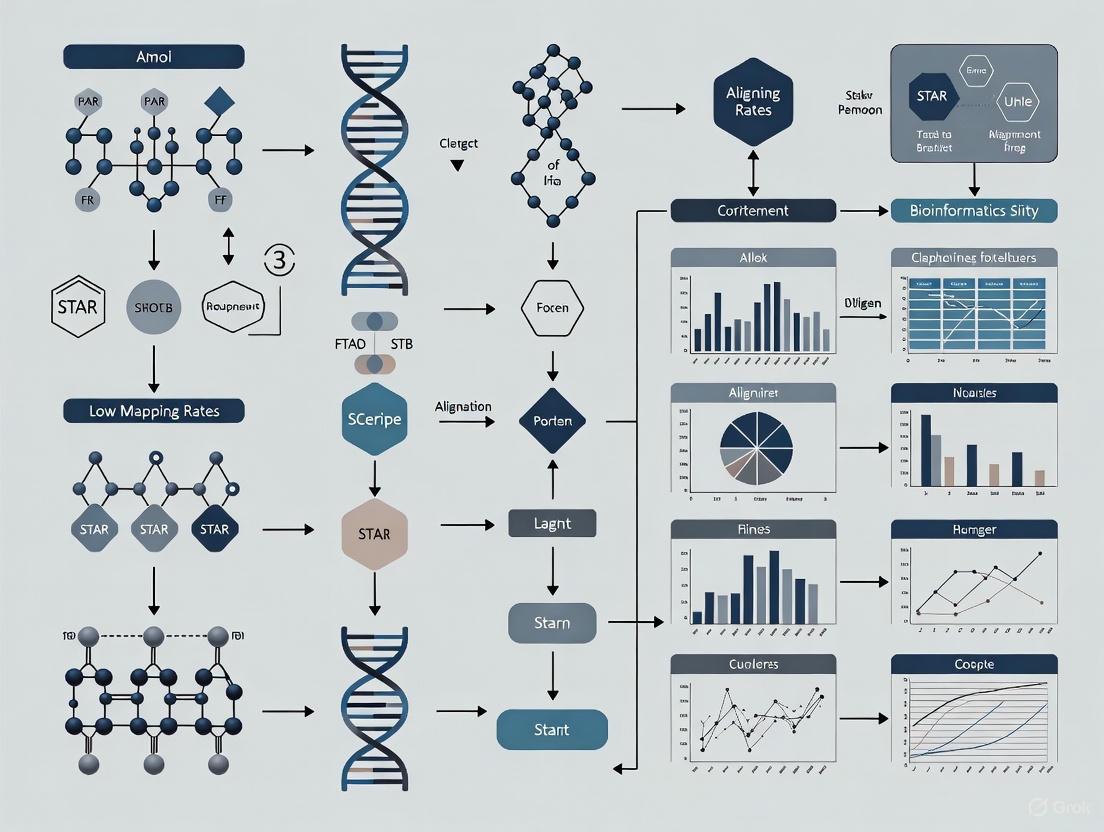
Low mapping rates in STAR RNA-seq alignment can compromise gene expression analysis and downstream clinical interpretations.
Solving STAR Alignment Low Mapping Rates: A Researcher's Guide to Troubleshooting and Optimization
Abstract
Low mapping rates in STAR RNA-seq alignment can compromise gene expression analysis and downstream clinical interpretations. This guide provides researchers and drug development professionals with a comprehensive framework to diagnose, troubleshoot, and resolve low mapping rate issues. Drawing on the latest benchmarking studies and optimization techniques, we cover foundational principles, methodological choices, practical troubleshooting steps, and validation strategies. By implementing these evidence-based recommendations, scientists can significantly improve alignment efficiency, data quality, and the reliability of their transcriptomic findings for biomedical research and diagnostic applications.
Understanding STAR Alignment: Why Mapping Rates Matter for Reliable Transcriptomics
STAR (Spliced Transcripts Alignment to a Reference) employs a unique two-step strategy to align RNA-seq reads to a reference genome efficiently. This method is specifically designed to handle the challenges of RNA-seq data, particularly the presence of spliced alignments where reads may span exon-intron boundaries. The algorithm's core innovation lies in its use of sequential Maximum Mappable Prefix (MMP) searching, which enables both high accuracy and significantly faster performance compared to other aligners [1].
Frequently Asked Questions (FAQs)
What are the most common causes of low mapping rates in STAR?
Low mapping rates can result from several experimental and computational factors. Common issues include high ribosomal RNA (rRNA) content in total RNA-seq samples, adapter contamination, poor quality or short reads, and using an incorrect or incomplete reference genome during indexing [2] [3] [4].
How does the presence of ribosomal RNA affect my mapping rate?
Ribosomal RNAs (rRNAs) are present in high copy numbers across the genome. During alignment, reads originating from rRNA often map to multiple genomic locations. By default, STAR discards reads that map to more than 10 locations (--outFilterMultimapNmax), which can lead to a significant number of reads being classified as unmapped if your library has substantial rRNA content, even after ribodepletion [4].
My reads are being classified as "too short." What does this mean?
STAR may classify reads as "too short" for two primary reasons. First, the initial read length (after adapter trimming) may be so short that it could match the reference in many places, providing low confidence in its correct origin. Second, when running with --alignEndsType Local (the default), STAR may only be able to align a small portion of the read. This often indicates high degradation in your RNA sample [5] [4].
I have good quality DNA-seq mapping rates but poor RNA-seq rates with STAR. Why?
This discrepancy often relates to fundamental differences between DNA and RNA sequencing. RNA-seq libraries can contain sequences not present in a standard reference genome assembly (like multiple rRNA genes), may have reads spanning splice junctions, and are more susceptible to degradation. Furthermore, inefficient ribodepletion or poly-A selection during library preparation can lead to a high proportion of unwanted sequences that don't map to the primary genome [4].
Troubleshooting Guide: Solving Low Mapping Rate Issues
Step 1: Verify Read and Library Quality
- Check for Adapter Contamination: Use tools like FastQC to detect adapter sequences. Trimming adapters with tools like Cutadapt has been shown to improve mapping rates significantly, in some cases doubling them (e.g., from 25% to 50%) [3].
- Assess rRNA Content: If working with total RNA-seq, quantify the proportion of reads mapping to rRNA sequences. Even with ribodepletion, some residual rRNA may be present.
- Evaluate Sequence Quality: Examine per-base sequence quality scores and look for biases in the initial bases, which can indicate random primer bias during library construction [2].
Step 2: Validate Your Reference Genome and Index
- Ensure Genome Completeness: Use a primary assembly genome file that includes all chromosomes and unplaced scaffolds. Using an incomplete genome fasta file is a common cause of very low mapping rates. One researcher found their mapping rate increased from under 10% to 84% after correcting this issue [5].
- Confirm GTF/GFF Annotation Compatibility: Use an annotation file (GTF) that matches the genome assembly version (e.g., GRCh38 for human). Mismatches can prevent proper identification of splice junctions.
- Check
sjdbOverhangParameter: When generating indices, set--sjdbOverhangto read length minus 1. For reads of varying length, usemax(ReadLength)-1[1].
Step 3: Optimize STAR Alignment Parameters
Adjusting key parameters can help recover more mappings while maintaining accuracy. The table below summarizes critical parameters and their effects:
Table: Key STAR Parameters for Optimizing Mapping Rates
| Parameter | Default Value | Optimization Strategy | Effect on Mapping |
|---|---|---|---|
--outFilterMultimapNmax |
10 | Increase to 20-50 for complex genomes | Retains more multi-mapping reads (e.g., rRNA) |
--alignSJoverhangMin |
5 | Reduce to 3-4 | Allows alignment with shorter overhangs |
--alignSJDBoverhangMin |
3 | Reduce to 1-2 | Permits more spliced alignments |
--outFilterScoreMinOverLread |
0.66 | Lower to 0.5 | Relaxes alignment score threshold |
--outFilterMatchNminOverLread |
0.66 | Lower to 0.5 | Reduces minimum matched length threshold |
--alignEndsType |
Local | Switch to EndToEnd for full-length alignment | Prevents "too short" classifications |
Step 4: Explore Alternative Approaches
If mapping rates remain low after parameter optimization:
- Consider Pseudoalignment Tools: For gene quantification only, tools like Salmon or Kallisto use less memory and may provide satisfactory results without traditional alignment [6].
- Validate with Another Aligner: Test a subset of reads with HISAT2 to determine if the issue is STAR-specific or data-specific [6].
STAR Algorithm Workflow Visualization
STAR's Two-Step Alignment Process
Research Reagent Solutions for Optimal STAR Alignment
Table: Essential Materials and Resources for STAR Workflow
| Reagent/Resource | Function | Usage Notes |
|---|---|---|
| Reference Genome (FASTA) | Provides genomic sequence for alignment | Use primary assembly, not "top-level" |
| Gene Annotation (GTF) | Defines exon-intron boundaries for splice-aware alignment | Ensure compatibility with genome version |
| STAR Aligner Software | Performs the alignment algorithm | Current version recommended for bug fixes |
| Quality Control Tools (FastQC) | Assesses read quality before alignment | Identifies adapter contamination, poor quality bases |
| Trimming Tools (Cutadapt, Trimmomatic) | Removes adapter sequences and low-quality bases | Critical for improving mapping rates |
| Computing Resources | Executes memory-intensive alignment | STAR requires ~32GB RAM for human genome |
Experimental Protocol: Comprehensive Workflow for Resolving Low Mapping Rates
Protocol 1: Systematic STAR Alignment Optimization
Initial Quality Assessment
- Run FastQC on raw FASTQ files
- Note any adapter contamination, per-base sequence content biases, or quality drops
- Document read length distribution
Read Preprocessing
- Trim adapters using Cutadapt:
cutadapt -a ADAPTER_SEQ -o output.fq input.fq - Remove low-quality bases (e.g., Q<20) and short reads (<25bp)
- For random primer bias in initial bases, consider trimming first 3-12bp [2]
- Trim adapters using Cutadapt:
Genome Index Preparation
- Download complete primary assembly FASTA and matching GTF
- Generate STAR index with proper
sjdbOverhang:
Iterative Alignment Testing
- Begin with default parameters to establish baseline mapping rate
- Systematically adjust parameters from the table above
- Monitor changes in uniquely mapped, multi-mapped, and unmapped reads
Protocol 2: Diagnostic Analysis of Unmapped Reads
Categorize Unmapped Reads
- Extract unmapped reads from BAM file using samtools
- Determine length distribution of unmapped reads
Identify Contaminating Sequences
- Align unmapped reads to rRNA sequences using BLAST or specialized tools
- Check for contamination from vectors, bacteria, or other organisms
Visualize Alignment Issues
- Use IGV to examine read alignments in problematic regions
- Compare with annotation tracks to identify potential missing features
By implementing these troubleshooting strategies and understanding the core principles of STAR's MMP search algorithm, researchers can systematically diagnose and resolve low mapping rate issues, leading to more reliable and comprehensive RNA-seq data analysis.
Why can't I use a standard DNA-seq aligner for my RNA-seq data?
RNA-seq alignment presents a unique challenge not found in DNA-seq: the need to map reads across splice junctions. In eukaryotic cells, mature RNA transcripts are formed by splicing together non-contiguous exons, meaning a single sequencing read can span an intron, with its sequence derived from two genomic locations that are far apart in the reference genome [7]. Standard DNA-seq aligners are designed for contiguous sequences and typically cannot handle this discontinuity, leading to a failure to map a large portion of RNA-seq data.
Spliced aligners, like STAR, are specifically engineered to detect these junctions. They use specialized algorithms to identify the precise exon-intron boundaries, allowing them to accurately map the "gapped" or "split" reads that are characteristic of RNA-seq data [7] [8]. Attempting to use a DNA-seq aligner would result in a catastrophically low mapping rate for any spliced reads.
How does a spliced aligner like STAR work?
STAR (Spliced Transcripts Alignment to a Reference) uses a novel two-step algorithm to achieve ultra-fast and accurate spliced alignments [7].
Step 1: Seed Search STAR uses sequential alignment to find the Maximal Mappable Prefix (MMP). It starts from the beginning of a read and finds the longest sequence that exactly matches one or more locations in the reference genome. It then repeats this process for the unmapped portion of the read. This method naturally identifies the locations of splice junctions without prior knowledge [7].
Step 2: Clustering, Stitching, and Scoring In the second phase, the seeds (MMPs) are clustered together based on their genomic proximity. A stitching procedure then connects these seeds, allowing for one gapped alignment that represents the complete read, potentially spanning multiple exons [7].
The diagram below illustrates this two-step process for aligning a read across a splice junction.
What are the key differences in output between spliced and DNA-seq alignment?
The fundamental difference lies in the ability to handle non-contiguous sequences. The table below summarizes the core challenges of RNA-seq data that spliced aligners are designed to solve.
| Challenge Feature | DNA-seq Mapping | Spliced RNA-seq Alignment (e.g., STAR) |
|---|---|---|
| Splice Junctions | Cannot map across introns; fails on spliced reads. | Specifically detects canonical and non-canonical splice junctions [7]. |
| Read Structure | Treats each read as a single, contiguous sequence. | Can split a single read into multiple segments to map to distant genomic loci [7]. |
| Reference Requirement | Requires only a reference genome. | Benefits greatly from annotated gene models (GTF files) to guide junction mapping [9]. |
| Output Complexity | Outputs simple, continuous genomic coordinates. | Outputs complex alignments that can include gaps (introns) and can be chimeric (fusion transcripts) [7] [9]. |
| Multi-mapping Reads | Handles repeats. | Must also handle genes with multiple similar isoforms. |
| Item | Function in the Experiment |
|---|---|
| Reference Genome | A high-quality reference genome sequence (FASTA file) for the species of interest. This is the sequence to which reads are aligned [9]. |
| Annotation File (GTF/GFF) | A file containing known gene models, including exon and intron coordinates. STAR uses this during genome indexing to improve junction detection accuracy [9]. |
| High-Quality RNA Samples | Intact RNA (e.g., RIN > 8) is crucial. Degraded RNA leads to an abundance of fragmented transcripts and spurious junction calls, reducing mapping rates. |
| STAR Aligner | The software package that performs the ultra-fast spliced alignment of RNA-seq reads to the reference genome [7] [9]. |
| Computational Resources | A server with substantial RAM (~30-32GB for human genome) and multiple CPU cores. STAR's speed and accuracy rely on loading the genome index into memory [7] [9]. |
A Basic Protocol for Running STAR
This protocol outlines the essential steps for mapping RNA-seq reads to a reference genome using STAR [9].
Necessary Resources:
- Software: STAR (latest release recommended).
- Hardware: A Unix/Linux/Mac OS system with sufficient RAM (at least 10x the genome size; 32GB for human) and multiple CPU cores.
- Input Files:
- Reference genome FASTA file.
- Gene annotation GTF file.
- RNA-seq reads in FASTQ format (gzipped or uncompressed).
Method:
- Generate Genome Indices: First, you must create a genome index. This is a one-time step for each genome/annotation combination.
--runThreadN: Number of CPU threads to use.--genomeDir: Directory where the genome indices will be stored.--sjdbOverhang: Should be read length minus 1. For 101bp paired-end reads, this is 100 [9].
- Map RNA-seq Reads: Once the index is built, perform the mapping.
--readFilesIn: Specify read1 and read2 files for paired-end data.--readFilesCommand zcat: Usezcatto read gzipped files directly. Omit this if files are uncompressed.
Troubleshooting Guide: Addressing Low Mapping Rates
Low mapping rates in STAR can stem from several sources. The following table outlines common problems and their solutions.
| Problem | Possible Cause | Solution / Diagnostic Step |
|---|---|---|
| Low overall alignment rate | Poor quality or degraded RNA. | Check RNA Integrity Number (RIN) before sequencing. Re-isolve RNA if degraded. |
Mismatch between read length and --sjdbOverhang parameter. |
Ensure --sjdbOverhang is set to (Read Length - 1) during genome indexing [9]. |
|
| Incorrectly formatted or missing GTF annotation file. | Validate the GTF file and ensure the path is correctly specified with --sjdbGTFfile. |
|
| High rates of mismatches | High sequencing error rate. | Check the base quality scores in your FASTQ files using tools like FastQC. |
| Genetic differences between sample and reference. | Consider enabling options for a higher number of mismatches (e.g., --outFilterMismatchNoverLMax). |
|
| Few novel junctions detected | The algorithm is overly reliant on provided annotations. | Use the 2-pass mapping method. In the first pass, novel junctions are discovered; in the second pass, they are used to realign all reads, significantly improving sensitivity [9]. |
| High multimapping rates | Reads originating from repetitive regions or multi-copy genes. | This is expected for some reads. STAR outputs a "MAPQ" (mapping quality) score; filter alignments with low MAPQ for analyses requiring unique mappings. |
Key FAQs for STAR Alignment
Q1: Can STAR use my own set of splice junctions instead of a GTF file? Yes. STAR can use a set of empirically determined junctions from a first pass of mapping. This is the foundation of the 2-pass method, which is highly recommended for detecting novel junctions without a full genome annotation [9].
Q2: My data has a lot of multimapped reads. Is this normal for RNA-seq? Yes, this is a common characteristic of RNA-seq data. Many genes have multiple isoforms that share exonic sequences, and some genes belong to families with highly similar sequences. STAR outputs all possible alignments for these reads by default. For downstream analysis like gene counting, it is important to use tools that can properly handle these multimapped reads (e.g., via EM algorithms) [8].
Q3: How does STAR's performance compare to other spliced aligners? In independent evaluations, STAR has been shown to outperform other aligners by a factor of more than 50 in mapping speed while simultaneously maintaining high sensitivity and precision. It is particularly noted for its high alignment yield, basewise accuracy, and efficiency in splice junction discovery [7] [8].
In genomic analyses, particularly in RNA-seq experiments, the mapping rate is a fundamental quality metric that indicates the percentage of sequencing reads successfully aligned to a reference genome or transcriptome. For researchers and drug development professionals, a low mapping rate can signal potential issues in the wet-lab protocol or bioinformatic analysis, jeopardizing the integrity of downstream results. This guide defines the key metrics associated with mapping rates in the STAR aligner, explores their impact on analysis, and provides actionable troubleshooting methodologies to resolve common issues.
FAQ: Mapping Rate Fundamentals and Common Issues
What is mapping rate and why is it important?
The mapping rate is the proportion of sequencing reads that an aligner, like STAR, successfully places on a reference genome. A high mapping rate indicates that a large portion of your data corresponds to the expected genome, increasing confidence in subsequent analyses like differential gene expression or variant calling. Conversely, a low mapping rate suggests potential problems with the sample, library preparation, or reference, which can introduce bias and reduce the statistical power of your experiment.
Why does my total RNA-seq data have a low mapping rate even though STAR is a sensitive aligner?
A low mapping rate in total RNA-seq data, especially when compared to poly-A-enriched data, is a common issue with a few primary culprits [4]:
- Ribosomal RNA (rRNA) Abundance: Total RNA is dominated by ribosomal RNA (rRNA). These reads often map to multiple genomic locations (multi-mapping reads) because the genome contains many nearly identical copies of rRNA genes. By default, STAR discards reads that map to more than 10 locations (
--outFilterMultimapNmax), classifying them as unmapped [4]. - Reads Mapped as "Too Short": STAR may classify a significant number of reads as "too short." This can happen if the initial read is very short after adapter trimming, or if STAR can only align a small part of the read with high confidence, leading to low confidence in its correct genomic origin [4].
- Incomplete Reference Genome: In some cases, not all repetitive sequences, like certain rRNA genes, are fully represented in the standard reference genome (e.g., the
Rn45ssequence in mouse). This can cause reads originating from these sequences to remain unmapped [4]. - RNA Degradation: If the RNA sample is degraded, the sequencing data will be saturated with short RNA fragments. Reads shorter than ~14 nucleotides are essentially unmappable because they can align randomly to many locations in the genome [4].
A collaborator's STAR alignment has a low mapping rate. What key metrics should I ask for to diagnose the problem?
To begin diagnosis, request the STAR log file (Log.final.out). The key metrics to examine are summarized in the table below [10].
| Metric Category | Metric Name | Description | Impact on Mapping Rate |
|---|---|---|---|
| Uniquely Mapped Reads | Uniquely mapped reads % |
Percentage of reads mapped to a single, unique location in the genome. | This is the core of a good mapping rate. Ideally, this value should be high. |
| Multi-Mapped Reads | % of reads mapped to multiple loci |
Percentage of reads aligned to more than one genomic location. | A high value can explain a low uniquely mapped rate. Common in repetitive regions. |
| Unmapped Reads | % of reads unmapped: too short |
Reads that are too short for a confident, unique alignment. | High values suggest adapter contamination or RNA degradation. |
% of reads unmapped: other |
Reads that failed to map for other reasons. | Could indicate poor sequencing quality or major reference genome issues. | |
| Splice Junction Alignment | % of reads mapped to too many loci |
Reads that exceed the maximum allowed number of alignments (default is 10). | A subset of multi-mapping reads; can be high in rRNA-rich total RNA-seq. |
Troubleshooting Guide: Resolving Low Mapping Rates
The following workflow provides a systematic approach to diagnosing and fixing low mapping rates in STAR alignments.
Detailed Troubleshooting Steps
Step 1: Inspect the STAR Log File
Begin by thoroughly examining the Log.final.out file from your STAR run. Use the table in the FAQ section to identify which metric is most affected.
Step 2 & 3: Diagnose Based on the Symptom
The diagnostic path depends on which category of unmapped reads is highest.
For High Multi-Mapping Reads (e.g., from rRNA):
- Confirm the Cause: Align the unmapped reads to a database of ribosomal RNA sequences. A high mapping rate to this database confirms rRNA contamination [4].
- Solution: While you can increase the
--outFilterMultimapNmaxparameter to allow more alignments per read, this is not always advisable for gene counting as it assigns reads ambiguously. The best solution is to improve wet-lab protocols: for total RNA-seq, ensure efficient ribodepletion. For future experiments, choose the appropriate RNA selection method (poly-A vs. ribodepletion) for your biological question [4].
For High "Too Short" Reads:
- Confirm the Cause: Check the raw read quality scores and the length distribution of reads after adapter trimming. A high proportion of short fragments indicates degradation or adapter contamination [4].
- Solution: Always perform adapter trimming and quality control on raw sequencing reads using tools like
cutadaptorTrimmomaticbefore alignment. If RNA degradation is suspected, re-extract RNA from the source material under optimal conditions to prevent degradation [4].
For High "Other" Unmapped Reads:
- Confirm the Cause: Verify that the correct reference genome and annotation (GTF file) are used. Also, check the
Q30 Bases in RNA readmetric from the STAR summary file, as low sequencing quality can prevent alignment [10]. - Solution: Ensure you are using a comprehensive reference genome that includes all scaffolds and patches, not just primary chromosomes. Re-download the reference and annotation from a trusted source like Ensembl or GENCODE [4].
Step 4 & 5: Implement and Re-run
After applying the relevant solution, re-run the STAR alignment with the modified parameters or improved input data. Re-inspect the log files to see if the mapping rate has improved.
The following table lists key materials and tools required for a robust RNA-seq experiment and analysis.
| Item | Function & Importance in Analysis |
|---|---|
| High-Quality RNA Sample | The foundation of the experiment. Integrity (RIN > 8) is crucial to prevent overrepresentation of short, unmappable fragments. |
| rRNA Depletion Kit | For total RNA-seq, efficiently removes abundant rRNA, dramatically increasing the percentage of informative, mappable reads. |
| Adapter Trimming Software | Tools like cutadapt remove adapter sequences from reads, preventing them from being classified as "too short" by the aligner. |
| Comprehensive Reference Genome | A FASTA file including all sequence contigs, not just primary chromosomes. Essential for mapping reads from repetitive regions. |
| Gene Annotation File (GTF) | Provides genomic coordinates of features. STAR uses this to correctly map spliced reads across exon-intron boundaries [9]. |
| STAR Aligner | The mapping software itself. Its sensitive algorithm can detect spliced and novel junctions, which is vital for accurate RNA-seq analysis [9]. |
Common Biological and Technical Scenarios That Inevitably Lead to Low Mapping
Frequently Asked Questions (FAQs)
1. My uniquely mapped read percentage in STAR is very low (~10%) even though another aligner reported >90%. What is wrong? This is a common issue with several potential causes. The most likely scenarios are:
- Incomplete Genome Index: A corrupted, incomplete, or incorrectly generated genome index is a primary culprit [5]. If your genome index was created very quickly or the source FASTA file was much smaller than expected, this is a strong indicator.
- Ribosomal RNA Contamination: A high percentage of reads mapping to multiple loci can be caused by insufficient depletion of ribosomal RNA (rRNA) [11]. If 90% of your alignments assign to rRNA, it drastically reduces the uniquely mapping rate for mRNA reads.
- Out-of-Order Paired-End Reads: If mates in your two paired-end FASTQ files are out of order (e.g., due to individual trimming), STAR will fail to map them properly as pairs, often categorizing them as "too short" or unmapped [5] [12].
2. A large portion of my reads are unmapped because they are 'too short.' What does this mean? While STAR doesn't have a strict minimum read length, the "too short" flag often indicates that the aligner could not find a significant, high-quality match for the read [5]. This can be a symptom of:
- The paired-end read sync issue mentioned above, where mates are mis-paired [12].
- High adapter or low-quality content if trimming was not performed or was ineffective.
- Alignment to sequences not present in the genome index, such as contaminants.
3. What does a high "% of reads mapped to multiple loci" indicate? A very high multi-mapping rate (e.g., over 60%) often points to biological or technical factors that create ambiguous reads [11]. Common causes include:
- Ribosomal RNA Contamination: rRNA sequences are often highly repetitive, causing reads to map to many locations [11].
- Other Repetitive Elements: Reads derived from high-copy number gene families (e.g., actin, hemoglobin) or transposable elements will inherently map to multiple genomic loci.
- Short Read Length: After trimming, very short reads are more likely to find multiple, equally good matches in the genome.
4. Is the STAR aligner still maintained? Should I switch to another tool? As of 2024, the frequency of updates to the primary STAR repository has decreased, though the software is stable and functional for the vast majority of use cases [13]. The core code is considered feature-complete and robust. For scientific transparency and methodological stability, continuing to use the well-established, open-source STAR is generally recommended over switching to opaque commercial alternatives [13].
Troubleshooting Guide: A Step-by-Step Diagnostic Workflow
Follow this logical workflow to systematically identify the cause of a low mapping rate.
Diagnostic Protocols
Protocol 1: Verifying Genome Index Integrity An incorrect genome index is a leading cause of low mapping rates [5].
- Methodology:
- Check the size of your genome FASTA file. For example, the primary assembly for mm39/GRCm39 is approximately 2.7 GB. If your file is significantly smaller, it is likely incomplete or the wrong file [5].
- Re-download the genome sequence from a trusted source (e.g., Ensembl, UCSC). Ensure you select the "primary assembly" file, not the "top-level" assembly which includes haplotypes and can be much larger [5].
- Re-generate the STAR genome index using the correct, complete FASTA file and its corresponding GTF annotation file. Note the time it takes; a complete index for a mammalian genome should take considerable time (e.g., >25 minutes with multiple threads) [5].
- Re-run the alignment with the new index.
Protocol 2: Diagnosing Ribosomal RNA Contamination High rRNA levels consume sequencing reads that then map ambiguously across the genome [11].
- Methodology:
- Obtain an annotation file for ribosomal RNA sequences (e.g., from RepeatMasker).
- Use a quantification tool like
featureCountson your BAM file, providing the rRNA annotation. - Run
featureCountstwice: once allowing for multi-mapping reads (-M) and once without. - Calculate the percentage of alignments assigned to rRNA. A percentage of 90% or higher indicates severe rRNA contamination, explaining the low unique mapping rate [11].
Protocol 3: Checking Paired-End Read Synchronization Improperly ordered paired-end files will prevent STAR from mapping mates correctly [12].
- Methodology:
- Map the first and second mate files separately in single-end mode.
- Compare the single-end mapping rates to your original paired-end rate. If the single-end rates are significantly higher (e.g., 80% vs. 60%), it indicates a problem with read pairing in your original FASTQ files [12].
- Check that all read names (lines 1, 5, 9...) in the two FASTQ files are identical and in the same order.
- If you performed trimming, ensure it was done in a way that maintained pairing (e.g., using
trimmomatic PEmode instead ofSE).
Table 1: Quantitative Scenarios from User Reports
| Scenario | Uniquely Mapped % | Multi-Mapped % | Unmapped: Too Short % | Key Evidence & Diagnosis |
|---|---|---|---|---|
| Bad Genome Index [5] | ~10% (Initial) | - | ~88% | Initial genome index built from a small (~30x smaller) FASTA file. Resolution: Index from full primary assembly fixed the issue, achieving 84% unique mapping. |
| rRNA Contamination [11] | 23.49% | 61.47% | 14.94% | featureCounts analysis showed ~90% of alignments assigned to rRNA repeats when multi-mapping reads were counted. |
| Paired-End Sync Issue [12] | ~62% (Paired) | ~8% | ~30% | Mapping mates separately in single-end mode showed a ~80% mapping rate, confirming the paired-end files were out of order. |
Table 2: Research Reagent Solutions
| Reagent / Material | Function in Troubleshooting | Specification / Note |
|---|---|---|
| Genome FASTA (Primary Assembly) | The reference genome sequence for alignment. | Source from Ensembl/UCSC. For mouse (mm39), use Mus_musculus.GRCm39.dna.primary_assembly.fasta (~2.7GB) [5]. |
| Annotation GTF File | Provides gene model information for generating the genome index. | Must match the genome assembly version (e.g., Mus_musculus.GRCm39.104.gtf) [5]. |
| rRNA Annotation File | Used to quantify contamination levels from ribosomal RNA. | Can be obtained from resources like RepeatMasker [11]. |
| STAR Aligner | Spliced Transcripts Alignment to a Reference. | Use a stable version (e.g., 2.7.4+). The software is mature and effective when used with correct inputs [5] [13]. |
| featureCounts | Tool to assign alignments to genomic features. | Used here to diagnose rRNA contamination by counting reads overlapping rRNA annotations [11]. |
Why is my STAR alignment rate low, and what do the error messages mean?
A low mapping rate in STAR typically manifests through specific messages in the Log.final.out file. The table below summarizes common error categories, their root causes, and immediate diagnostic steps.
| Error Category / Log Message | Potential Root Cause | Diagnostic & Resolution Steps |
|---|---|---|
| High "% of reads unmapped: too short" [5] [14] | The aligned segment of the read (after soft-clipping) is shorter than the filter threshold, not that the raw read is too short. | 1. Verify genome index: A corrupted or incomplete genome index is a common cause [5].2. Check read pairing: Ensure R1 and R2 files are perfectly synchronized; out-of-order mates can cause this [5] [12].3. Adjust --outFilterScoreMinOverLread and --outFilterMatchNminOverLread (e.g., from 0.66 to 0.3) to relax alignment stringency [14]. |
| High "% of reads mapped to multiple loci" [11] | Ribosomal RNA (rRNA) contamination. Reads originating from highly repetitive rRNA regions map to many genomic locations. | 1. Quantify rRNA content: Align a subset of reads to an rRNA sequence database or use annotation files (e.g., from RepeatMasker) with tools like featureCounts [11].2. Consider rRNA depletion: If contamination is high (e.g., >90% [11]), inform future library prep protocols. |
| Low uniquely mapped reads % with high multi-mapping [15] | General repetitive sequences or an incorrect reference. | 1. Confirm data and reference match: Ensure the RNA-seq data is from the same species/strain as the reference genome [15].2. Check data quality: Use FastQC to detect abnormalities like per-base sequence content fluctuations, which may require trimming [2] [15]. |
| Discrepancy between paired-end and single-end mapping [12] | Improperly paired FASTQ files. If mates in R1 and R2 files are out of order, STAR cannot align them as pairs. | 1. Run STAR on mates separately: If single-end mapping rate is good but paired-end is poor, it indicates a pairing issue [12].2. Validate file sync: Ensure corresponding reads in R1 and R2 files have the same identifiers and order. Avoid trimming files individually [5]. |
A Systematic Workflow for Diagnosing Low Mapping Rates
The following diagram outlines a step-by-step experimental protocol to systematically identify and resolve the cause of low mapping rates in STAR alignments.
Experimental Protocol: Root Cause Diagnosis
Initial Log File Inspection
- Methodology: Open the
Log.final.outfile from your STAR run. Focus on the "UNMAPPED READS" and "MULTI-MAPPING READS" sections. The specific percentages in categories like "too short" or "multiple loci" are the primary diagnostic clues [11] [5] [14]. - Interpretation: The category with the highest percentage directs you to the most likely troubleshooting path, as outlined in the table and diagram above.
- Methodology: Open the
Genome Index Verification
- Methodology: Compare the file size of your genome FASTA file with the expected size from the source (e.g., Ensembl). For example, the primary assembly for mm39 should be approximately 2.7 GB. Regenerate the STAR index using the correct, full-length genome file [5].
- Interpretation: An index built from a partial or corrupted genome file will result in a very high percentage of reads being classified as "too short" because they cannot find their matching sequence [5].
FASTQ File Synchronization Check
- Methodology: Use a simple command-line check to ensure read pairs are in sync (e.g.,
wc -l R1.fastq R2.fastqshould show the same number of lines). Alternatively, run STAR on one of the mates separately using--readFilesIn R1.fastqand compare the mapping rate to the paired-end run [12]. - Interpretation: A significantly higher mapping rate in single-end mode strongly indicates that the paired-end FASTQ files are not correctly synchronized, often due to individual trimming of R1 and R2 files [5] [12].
- Methodology: Use a simple command-line check to ensure read pairs are in sync (e.g.,
rRNA Contamination Assay
- Methodology: Download an rRNA gene annotation file for your organism (e.g., from RepeatMasker). Use a read quantification tool like
featureCountswith this annotation on your BAM file, allowing for multi-mapping reads [11]. - Interpretation: If a very high percentage (e.g., >90%) of your alignments are assigned to rRNA repeats, this confirms ribosomal RNA contamination as the cause of the high multi-mapping rate [11].
- Methodology: Download an rRNA gene annotation file for your organism (e.g., from RepeatMasker). Use a read quantification tool like
The Scientist's Toolkit: Essential Research Reagents & Materials
The following table lists key software and data resources essential for the experiments and troubleshooting procedures described in this guide.
| Tool / Resource | Function in Diagnosis | Example Use Case |
|---|---|---|
| STAR Aligner [12] | Spliced alignment of RNA-seq reads to a reference genome. | Primary tool for generating the alignment data and diagnostic Log.final.out file. |
| FastQC [2] [15] | Quality control analysis of raw sequencing data. | Detecting sequence content biases or adapter contamination that may impair alignment. |
| featureCounts [11] | Assigning aligned reads to genomic features. | Quantifying the proportion of reads aligning to rRNA regions to assess contamination. |
| RepeatMasker Annotation [11] | Provides genomic coordinates of repetitive elements, including rRNA genes. | Used as a reference with featureCounts to specifically count rRNA-derived reads. |
| Ensembl Genome & Annotation [5] | Source of high-quality reference genome (FASTA) and gene annotation (GTF) files. | Ensuring the correct and complete reference is used for genome indexing and alignment. |
Note on Experimental Framework: This troubleshooting guide is constructed within the broader thesis context that solving STAR alignment issues requires a hypothesis-driven approach. Each error message is treated as observable data, leading to a specific, testable hypothesis (e.g., "The genome index is incomplete"), which is then validated or refuted through a defined experimental protocol [5] [12]. This methodology ensures that fixes are targeted and evidence-based, moving beyond arbitrary parameter adjustments.
Methodological Setup for Success: Best Practices in Experimental Design and STAR Workflow
Troubleshooting Guide: Resolving Low Mapping Rates in STAR Alignment
FAQ: Addressing Common Pre-alignment Issues
What does a "low uniquely mapped reads percentage" in my STAR log indicate?
A low percentage of uniquely mapped reads (e.g., below 70-80% for high-quality data) often signals issues with the input data or reference genome prior to alignment. The Log.final.out file categorizes unmapped reads; a high percentage of "unmapped: too short" is a common symptom, which can mean the aligner could not find a confident alignment for the read, not necessarily that the read itself is short [16] [17] [18].
My data is from total RNA-seq. Why is my mapping rate low? Total RNA-seq libraries contain a high fraction of ribosomal RNA (rRNA). Ribosomal RNAs are present in multiple copies across the genome, causing many reads to map to numerous locations and be discarded as multi-mappers or classified as "too short" by default aligner settings [19] [4]. While a ribodepletion kit is used during library prep, it may not be 100% efficient, and overrepresented sequences in a FastQC report often correspond to rRNA [19].
I've trimmed my adapters. What else could cause "too short" unmapped reads? Even after adapter trimming, other factors can result in a high percentage of "too short" unmapped reads. These include poor read quality (leading to excessive soft-trimming), short insert sizes in paired-end libraries where reads overlap significantly, and the presence of degraded RNA or small RNA fragments that are too short to map uniquely to the genome [4] [18].
Key Experiments and Data
Case Study: Impact of Incorrect Read Specification One researcher reported a uniquely mapped reads rate of only 0.22%. The primary issue was that the sequencing data was from a paired-end run, but the reads were not properly split and were mapped as a single-end library [16].
Table 1: Mapping Statistics Before and After Correction for Paired-End Data
| Metric | Incorrect (Single-End) | Corrected (Paired-End) |
|---|---|---|
| Uniquely Mapped Reads | 0.22% | Expected >70% |
| Reads Unmapped: Too Short | 99.61% | Significant decrease |
| Primary Cause | Paired-end reads processed as single-end | Properly split forward and reverse reads |
Experiment: Quantifying rRNA Contamination To assess rRNA contamination, a researcher can align a subset of unmapped reads to a curated rRNA reference sequence. One guide details creating a ribosomal RNA reference sequence for this purpose. If a large proportion of unmapped reads align to this database, it confirms rRNA contamination as a significant factor in the low mapping rate [19].
Protocol: Adjusting STAR Alignment Parameters for Suboptimal Reads For data with lower quality ends or shorter effective lengths, relaxing some of STAR's default alignment score thresholds can recover a portion of mapped reads. A recommendation from the STAR developer is to use the following parameters [18]:
This set of options allows alignments with a matched length of 40 or more bases, which can be particularly helpful for data from platforms like Ion Torrent [18].
Workflow Visualization
The following diagram illustrates the logical troubleshooting workflow for diagnosing the root causes of low mapping rates.
The Scientist's Toolkit: Research Reagent Solutions
Table 2: Essential Tools for Pre-alignment QC and Troubleshooting
| Tool / Resource | Function | Use Case / Explanation |
|---|---|---|
| FastQC | Quality Control Visualization | Provides an initial overview of read quality, per-base sequence content, and overrepresented sequences that may be adapters or contaminants [17] [19]. |
| fastp / BBDuk | Adapter Trimming & Filtering | Removes adapter sequences and low-quality bases from read ends, preventing them from interfering with alignment [17] [19]. |
| FastQ Screen | Contaminant Screening | Checks for the presence of reads originating from contaminants like rRNA, phiX, or other species by mapping to a collection of reference genomes [19]. |
| Ribosomal RNA Reference | Contaminant Reference | A curated FASTA file of ribosomal RNA sequences. Used to identify and quantify the proportion of rRNA in a sample [19]. |
| Multi-FASTA Genome | Comprehensive Reference | A genome reference that includes all contigs, not just primary chromosomes. Essential for mapping reads that originate from repetitive regions like rDNA [4]. |
| Qualimap | Post-Alignment QC | Generates a comprehensive QC report from BAM files, highlighting issues like 5'/3' bias or DNA contamination [20] [21]. |
A guide to navigating genome file choices to achieve optimal alignment rates.
Selecting the correct genome assembly from Ensembl is a critical first step in RNA-seq analysis. Using an inappropriate genome file is a common, yet easily preventable, error that can lead to severely reduced mapping rates and compromised data quality. This guide provides clear, actionable advice to help you select the right genome build for your experiment.
Frequently Asked Questions
What is the fundamental difference between the 'primary_assembly' and 'toplevel' genome files?
The primary_assembly file contains the primary haplotypes for each chromosome, representing the fundamental reference sequence for the species. In contrast, the toplevel file includes everything in the primary assembly plus alternative haplotypes and patch sequences for known variable regions [22]. These extra sequences represent genetic diversity but are problematic for most standard aligners.
For a standard RNA-seq experiment, which genome file should I use?
For the vast majority of RNA-seq analyses, including those using STAR, you should use the primary_assembly file [22]. Using the toplevel assembly can artificially inflate multimapping rates, as reads from complex regions may map equally well to the primary assembly and several alternative haplotypes, causing the aligner to discard them [22]. The primary assembly provides a single, consistent reference for unambiguous alignment.
What if my species of interest only has a 'toplevel' file available?
Some assembled genomes do not have separate haplotype or patch regions. In these specific cases, the Ensembl documentation states: "If the primary assembly file is not present, that indicates that there are no haplotype/patch regions, and the 'toplevel' file is equivalent" [23]. You can safely use the toplevel file for these species.
Could using the wrong genome file really cause a dramatic drop in mapping rate?
Yes. One researcher reported a mapping rate of under 10% when using an incorrect or corrupted genome index. After regenerating the index with the proper primary assembly file, their mapping rate increased to 84% [5]. This highlights the severe impact that an incorrect reference can have.
Besides the assembly type, what other versioning issues should I consider?
- Sequence Data Integrity: Ensure you have downloaded the complete genome FASTA file. A partial or corrupted file will lead to massive mapping failures [5].
- Annotation Consistency: Always use a GTF/GFF annotation file that corresponds to the exact same version of the genome assembly you are aligning to. Mismatched genome and annotation versions can cause errors in gene quantification.
- Release Cycle Awareness: Ensembl releases updated genomes and annotations on a quarterly cycle [24]. For reproducibility, always note the specific Ensembl release version used in your analysis.
Troubleshooting Guide: Low Mapping Rate
If you are experiencing low mapping rates with STAR, the following workflow helps diagnose and resolve the issue, with a focus on verifying your genome index.
Key Considerations for Genome Index Generation
When regenerating your genome index, ensure your methodology is sound. The table below details the essential components for this critical step.
Table: Research Reagent Solutions for Genome Indexing
| Item | Function | Technical Specification & Best Practice |
|---|---|---|
| Genome FASTA File | Provides the reference nucleotide sequence for alignment. | Source: Ensembl. Selection: Use the *primary_assembly.fa.gz file. Verification: Confirm the file size is as expected (e.g., ~2.7 GB for mouse mm39) to rule out partial downloads [5]. |
| Annotation GTF File | Provides genomic coordinates of genes and transcripts for guided alignment and read quantification. | Source: Must match the genome assembly version (e.g., Mus_musculus.GRCm39.104.gtf for GRCm39). Usage: Provided to STAR during indexing with the --sjdbGTFfile parameter [5]. |
| STAR Aligner | The software that builds the genome index and performs the splice-aware alignment of RNA-seq reads. | Command: Use STAR --runMode genomeGenerate [5]. Threads: Allocate sufficient threads (--runThreadN) for speed. GenomeDir: Use a dedicated, empty directory for the index output. |
Other Common Causes of Low Mapping Rate
While an incorrect genome index is a prime suspect, other factors can also contribute to poor alignment performance:
- Paired-End Read Sync: If you performed quality trimming on paired-end reads individually, the R1 and R2 files may have fallen out of order. This can cause many read pairs to fail alignment and be classified as 'too short' [5]. Always use tools that maintain read pair synchronization.
- rRNA Contamination: In total RNA-seq protocols without ribodepletion, a high fraction of reads can be ribosomal RNA. These reads often map to multiple genomic loci and are discarded as multimappers, lowering the unique mapping rate [4].
- RNA Degradation: Samples with significant RNA degradation can produce many short fragments that are difficult or impossible to map uniquely [4].
Key Takeaways for Robust Alignments
To ensure high-quality RNA-seq alignments, consistently apply these practices:
- Default to Primary Assembly: Make
*primary_assembly.fayour standard choice for RNA-seq with STAR and other common aligners. - Verify File Integrity: Check that downloaded genome files have the expected size to prevent issues with corrupt indices.
- Maintain Version Consistency: Use matched pairs of genome FASTA and annotation GTF files from the same Ensembl release.
- Check Read Sync: After trimming, ensure your paired-end read files remain synchronized.
Troubleshooting Guides
Guide 1: Resolving Critically Low Mapping Rates
A very low uniquely mapped read percentage (e.g., under 10%) often points to a fundamental issue early in the workflow.
Problem: Incorrect or Corrupted Genome Index
- Solution: The most common cause is an improperly generated genome index. One user resolved this by re-downloading the genome assembly and re-generating the index, which increased their mapping rate from under 10% to 84% [5].
- Actionable Check:
- Ensure you are using the primary assembly genome file (e.g.,
Mus_musculus.GRCm39.dna.primary_assembly.fasta), not the "toplevel" assembly which includes haplotypes and can be much larger [5]. - Verify the file size of your genome FASTA file is as expected (e.g., ~2.7 GB for the mouse mm39 primary assembly) [5].
- Re-run genome generation with the correct file and note that a proper index for a mammalian genome typically takes more than 25 minutes to generate on a standard server [5].
- Ensure you are using the primary assembly genome file (e.g.,
Problem: Paired-End Read Files Are Out-of-Sync
Guide 2: Addressing High Multi-Mapping Reads
A high percentage of reads mapping to multiple loci (e.g., over 60%) can complicate quantification.
Problem: Ribosomal RNA (rRNA) Contamination
- Solution: A dominant cause of multi-mapping reads is insufficient ribosomal RNA depletion during library prep. One study found that nearly 90% of alignments were to rRNA regions [11].
- Actionable Check:
Problem: Overly Permissive Alignment Parameters
- Solution: The parameters
--outFilterMismatchNmax,--outFilterMismatchNoverLmax, and--outFilterMismatchNoverReadLmaxcontrol the number of allowed mismatches. Making them too strict will reduce multi-mapping but also the overall mapping rate, requiring a balance [25]. - Actionable Check:
- Adjust these parameters iteratively. Start by modifying
--outFilterMismatchNmaxalone to find a value that reduces multi-mapping without drastically hurting unique mapping rates [25]. - There is a trade-off between accuracy/sensitivity and precision. Stricter parameters yield higher confidence mappings but may leave genuinely mappable reads unmapped [25].
- Adjust these parameters iteratively. Start by modifying
- Solution: The parameters
Frequently Asked Questions (FAQs)
FAQ 1: Does STAR perform strand-aware mapping, and how do I set it for stranded data?
STAR's mapping step itself is strand-agnostic; it finds the best genomic location regardless of strand [26]. However, the quantification step is strand-aware. When you use the --quantMode GeneCounts option, STAR outputs a file (ReadsPerGene.out.tab) with four columns [26]:
- column 1: Gene ID
- column 2: Counts for unstranded RNA-seq
- column 3: Counts for the 1st read strand aligned with RNA (e.g.,
-s yesin htseq-count) - column 4: Counts for the 2nd read strand aligned with RNA (e.g.,
-s reversein htseq-count)
For TruSeq Stranded Total RNA libraries (where the second read strand is aligned with the original RNA strand), you should use the counts from column 4 [26].
FAQ 2: Can I mix single-end and paired-end samples in the same differential expression analysis?
Yes, but it requires careful processing. The simplest and most reliable solution is to process all data in single-end mode [27]. Discard the second read (R2) of your paired-end samples and use only the first read (R1) for all samples. Studies have shown a high Pearson correlation (>0.95) of count data between single-end and paired-end modes for the same sample, ensuring comparability for differential gene expression analysis [27].
FAQ 3: What is the impact of using a newer Ensembl genome release?
Using a newer Ensembl genome release can lead to massive performance improvements. One optimization study found that switching from release 108 to 111 for the human "toplevel" genome resulted in [28]:
- A 12-fold average speedup in execution time.
- A ~65% reduction in index size (from 85 GB to 29.5 GB).
- Nearly identical mapping rates (less than 1% mean difference) [28]. This allows for the use of smaller, cheaper computing instances and faster processing [28].
FAQ 4: My alignment is slow and resource-intensive. How can I optimize it?
Consider the "early stopping" optimization. By monitoring the Log.progress.out file, you can terminate alignments that have a very low mapping rate after processing only 10% of the reads [28]. This approach can reduce total execution time by about 19.5% by quickly filtering out unsuitable data (e.g., single-cell data in a bulk RNA-seq pipeline) [28].
Table 1: STAR Parameter Optimization for Mismatch Control
This table summarizes key parameters for managing read mismatches. Adjusting these requires balancing sensitivity and precision [25].
| Parameter | Default | Function | Optimization Guidance |
|---|---|---|---|
--outFilterMismatchNmax |
10 | Maximum number of mismatches per read pair. | Start here. Adjust based on read length and expected variation. A smaller value increases precision but may lower the mapping rate [25]. |
--outFilterMismatchNoverLmax |
0.3 | Maximum number of mismatches per read relative to read length. | Adjust if mismatches are concentrated in longer or shorter reads [25]. |
--outFilterMismatchNoverReadLmax |
1.0 | Maximum mismatch ratio per read. | Keep at default unless you have a specific reason to change it [25]. |
Table 2: Essential Research Reagent Solutions
This table lists key materials and their functions for a successful RNA-seq experiment using STAR.
| Item | Function | Recommendation |
|---|---|---|
| Reference Genome | Primary sequence for read alignment. | Download the "primary_assembly" (not "toplevel") from Ensembl or GENCODE to ensure correct size and avoid alignment issues [5]. |
| Annotation File (GTF) | Provides gene model coordinates for index generation and quantification. | Use the version that matches your genome assembly (e.g., Mus_musculus.GRCm39.104.gtf for GRCm39) [5]. |
| Stranded RNA Library Prep Kit | Preserves strand-of-origin information during sequencing. | Kits like Illumina Stranded mRNA Prep or Illumina Stranded Total RNA Prep with Ribo-Zero Plus are standard for generating stranded data [29]. |
| Ribosomal RNA Depletion Kit | Removes abundant rRNA to increase informative sequencing reads. | Critical for total RNA-seq. Use with kits like Illumina Stranded Total RNA Prep to minimize multi-mapping reads caused by rRNA [11] [29]. |
Workflow Diagram: Troubleshooting Low Mapping Rates
The following diagram outlines a logical, step-by-step process for diagnosing and resolving low mapping rates, incorporating the key solutions from the guides and FAQs.
Frequently Asked Questions (FAQs)
Q1: How does a gene annotation file directly impact my STAR alignment mapping rate? A comprehensive gene annotation file (in GTF or GFF format) is crucial for the initial genome indexing step in STAR. During indexing, STAR uses the annotation to identify the coordinates of exons and splice junctions. If this annotation is incomplete or incorrect, the aligner will lack the necessary roadmap to accurately map RNA-seq reads that span splice junctions. This can result in a large proportion of reads being classified as unmapped or multi-mapping, significantly lowering the unique mapping rate [30]. Providing a high-quality annotation file allows STAR to build a more complete splice junction database, guiding the alignment of reads across intron boundaries and improving overall mapping efficiency.
Q2: My unique mapping rate is extremely low, but the sequencing facility reported high rates with BWA. What is a common cause? A common issue, as reported by multiple users, is an error during the STAR genome index generation. One researcher resolved this exact problem by discovering they had used an incomplete or corrupted genome FASTA file for indexing. The key indicator was that their genome file was substantially smaller than the expected size. After re-downloading the correct primary genome assembly and rebuilding the index, their unique mapping rate improved from under 10% to 84% [5]. Always verify the integrity and version of your reference genome and annotation files.
Q3: Besides annotation, what other factors can lead to a high multi-mapping rate? A high percentage of reads mapped to multiple loci is often indicative of high levels of ribosomal RNA (rRNA) contamination in your RNA-seq library [11]. Since ribosomal RNA sequences are highly repetitive, reads derived from them will map to many locations in the genome. Other common causes include the presence of other repetitive elements (e.g., ALU, LINE) or a high degree of sequence similarity among paralogous genes. Proper rRNA depletion during library preparation is the best countermeasure.
Q4: What is the two-pass alignment method and when should I use it?
Two-pass alignment is a powerful strategy for maximizing the discovery of novel splice junctions that may not be present in your original annotation file. In the first pass, STAR aligns your reads using only the provided gene annotation to identify splice junctions. In the second pass, STAR uses the list of new junctions discovered in the first pass (found in the SJ.out.tab file) as an additional "annotation" to guide the final alignment [30]. This method is particularly recommended for samples from non-model organisms or tissues where the transcriptome annotation is incomplete.
Troubleshooting Guide: Low Mapping Rate
The following table outlines common symptoms, their potential causes, and recommended solutions.
| Symptom | Potential Cause | Diagnostic Steps | Solution |
|---|---|---|---|
| Very low unique mapping rate (<30%) and high "% of reads unmapped: too short" [5] | Incorrectly built genome index; Paired-end reads out of sync [5] | Check index generation log; Validate read pairing with a small subset. | Re-generate the STAR genome index using a verified, primary genome assembly FASTA file [5]. |
| High "% of reads mapped to multiple loci" (e.g., >60%) [11] | Ribosomal RNA contamination; Repetitive sequences. | Align reads to an rRNA sequence database; Check for over-represented sequences in FASTQC. | Bioinformatically filter rRNA reads post-alignment; Optimize rRNA depletion protocol during library prep. |
| Low unique mapping rate and few annotated splices | Incomplete or outdated gene annotation file. | Compare your GTF file with a recent version from Ensembl or GENCODE. | Use a more comprehensive, high-quality annotation file (GTF/GFF) from a trusted source for genome indexing [30]. |
| Consistently low mapping across all samples | Suboptimal alignment parameters. | Run STAR with default parameters on a sub-set of data to establish a baseline. | Consider adjusting --outFilterMatchNmin or --scoreMin parameters, but avoid over-optimization [31]. |
Experimental Protocol: Two-Pass Alignment for Novel Junction Discovery
This protocol leverages the SJ.out.tab file from an initial alignment as an enhanced annotation guide for a second, more sensitive alignment round [30].
1. First Pass Alignment Run a standard STAR alignment on your RNA-seq data. The key is to generate a splice junction output file.
2. Second Pass Alignment Use the junctions discovered in the first pass to inform the final alignment.
Workflow Diagram: Annotation Integration in STAR
The following diagram illustrates the critical role of gene annotation files in the STAR RNA-seq alignment workflow, highlighting how both pre-existing and newly discovered annotations are integrated.
Research Reagent Solutions
The table below lists essential materials and resources for ensuring successful RNA-seq alignment with STAR.
| Item | Function & Importance in Annotation Integration |
|---|---|
| Reference Genome (FASTA) | The primary DNA sequence of the organism. Must be the same version as the gene annotation file. The "primary assembly" is recommended over "top-level" to avoid haplotypes [5]. |
| Gene Annotation (GTF/GFF) | Provides the coordinates of known genes, transcripts, exons, and splice junctions. Used by STAR during indexing to create a database of known splice sites. High-quality files from Ensembl/GENCODE are recommended [32] [33]. |
| SJ.out.tab File | A STAR-generated file listing all detected splice junctions from an alignment. It can be fed back into STAR as an annotation guide in a two-pass workflow to improve the mapping of novel junctions [30]. |
| Ribosomal RNA (rRNA) Annotation | A BED or GTF file containing the genomic locations of rRNA repeats. Used to quantify and bioinformatically remove reads originating from rRNA, which are a major source of multi-mapping [11]. |
Cloud-Native and High-Throughput Computing Architectures for Scalable STAR Analysis
A low mapping rate is one of the most frequent and critical challenges researchers encounter when using the STAR (Spliced Transcripts Alignment to a Reference) aligner for RNA-seq data analysis. This issue, characterized by an unexpectedly high percentage of unmapped reads, can severely compromise downstream analyses such as differential expression and transcript quantification. Within the context of cloud-native and high-throughput computing architectures, resolving these mapping inefficiencies becomes paramount for processing tens to hundreds of terabytes of sequencing data in a cost-effective and timely manner. This technical support center provides a structured framework for diagnosing and resolving the root causes of low mapping rates, integrating specialized troubleshooting guides, detailed experimental protocols, and optimized cloud-based workflows to enhance the accuracy, speed, and reliability of large-scale transcriptomics studies. The following sections are designed to empower researchers, scientists, and drug development professionals with practical solutions directly applicable to their genomic analyses.
Troubleshooting Guide: Addressing Low Mapping Rates
FAQ: Common Causes and Solutions
Q1: Why are a high percentage of my reads reported as 'too short' even though my read length is sufficient (e.g., 150bp)?
A: In STAR's terminology, "too short" does not refer to the original input read length. Instead, it indicates that the aligned segment of the read was too short to pass STAR's filtering thresholds [14]. This is often governed by the --outFilterScoreMin and --outFilterMatchNmin parameters or their OverLread counterparts.
- Solution: Adjust the alignment stringency parameters. Lowering these values can rescue alignments that would otherwise be filtered out.
--outFilterScoreMinOverLread 0.3--outFilterMatchNminOverLread 0.3- One user reported that adjusting these parameters reduced the "% of reads unmapped: too short" from 41.43% to 0% [14].
- Diagnostic Tip: Check the "Average mapped length" in the
Log.final.outfile. If this value is significantly lower than your "Average input read length," it indicates that only small portions of your reads are aligning, pointing to potential issues with sequence quality or the reference genome.
Q2: My mapping rate is low, and I suspect my paired-end reads are out of order. How can I verify and fix this?
A: Incorrectly paired reads in R1 and R2 FASTQ files are a common cause of poor paired-end mapping performance. STAR requires that corresponding mates are on the same line in the two files [5] [12].
- Verification: Compare the read names (lines 1, 5, 9, ...) in both of your FASTQ files to ensure they match perfectly and are in the same order. You can use command-line tools like
pasteandawkfor a quick check on a subset of reads. - Solution:
- Avoid trimming R1 and R2 files separately, as this can desynchronize them.
- realign each mate separately as a single-end experiment. A significant improvement in the single-end mapping rate strongly suggests a pairing issue [12].
- If files are out of order, use tools like
fastq-pairto re-synchronize them.
Q3: Could a problem with my genome index be causing low mapping rates?
A: Yes, an incomplete or corrupted genome index is a potential culprit [5].
- Verification: Ensure you have used the correct and complete primary genome assembly FASTA file for your species. One researcher resolved a 10% mapping rate issue by re-downloading the mm39 genome, which was 30 times larger than their initial file, and re-generating the index. This fixed the problem, increasing the mapping rate to 84% [5].
- Solution:
- Download the primary genome assembly (e.g.,
*primary_assembly.fa) from a reputable source like Ensembl, not the "toplevel" assembly which includes haplotypes and may be unnecessarily large for standard RNA-seq [5]. - Re-generate the genome index using the complete file and repeat the alignment.
- Download the primary genome assembly (e.g.,
Q4: A large proportion of my reads are multi-mapping. What does this indicate?
A: A high percentage of reads mapped to multiple loci often suggests the presence of repetitive sequences or insufficient ribosomal RNA (rRNA) depletion in your RNA-seq library [11].
- Diagnostic Tip: Use a tool like
featureCountswith rRNA repeat annotations from RepeatMasker to estimate the fraction of your alignments originating from rRNA. One analysis found that 90% of alignments were assigned to rRNA regions [11]. - Solution: For future experiments, consider optimizing your rRNA depletion protocol. For existing data, you can filter or mask rRNA reads before quantification, though be aware of potential pitfalls, such as the loss of genes with homologous sequences.
Q5: How can cloud-native architectures help optimize STAR analysis and diagnose issues?
A: Cloud environments provide the scalability and flexibility needed for large-scale STAR analyses.
- Early Stopping: Implement an "early stopping" approach by monitoring the
Log.progress.outfile. This file reports the current percentage of mapped reads. By analyzing this progress, you can terminate alignments with a very low mapping rate (e.g., below 30%) after processing only ~10% of the reads, saving substantial computational resources. One study reported a 23% reduction in total alignment time using this method [28] [34]. - Resource Optimization: Using a newer Ensembl genome release (e.g., release 111 vs. 108) can drastically reduce index size and runtime. One optimization led to a 12x speedup and a reduction in index size from 85 GiB to 29.5 GiB, allowing for the use of smaller, cheaper cloud instances [28].
The table below summarizes key quantitative findings from troubleshooting scenarios and optimization studies.
Table 1: Quantitative Impact of Common Issues and Optimizations on STAR Alignment
| Scenario / Optimization | Initial Metric | Final Metric | Key Parameter / Change |
|---|---|---|---|
| Incomplete Genome Index [5] | 10% unique mapping rate | 84% unique mapping rate | Used correct primary assembly FASTA |
| 'Too Short' Filtering [14] | 41.43% reads unmapped as "too short" | 0% reads unmapped as "too short" | --outFilterScoreMinOverLread 0 --outFilterMatchNminOverLread 0 |
| Read Pair Synchronization [12] | ~62% uniquely mapped (paired-end) | ~80% uniquely mapped (single-end) | Aligned each mate separately, revealing pairing issue |
| Genome Version Update [28] | 85 GiB index, 12x slower | 29.5 GiB index, 12x faster | Used Ensembl release 111 instead of release 108 |
| Early Stopping [28] [34] | 100% of alignment time | 77% of alignment time (23% savings) | Abort jobs with <30% mapping rate after 10% of reads |
Experimental Protocols & Workflows
Core STAR Alignment Protocol
This protocol provides a baseline for running STAR aligner, which can be deployed on a high-performance computing (HPC) cluster or a cloud virtual machine [1].
1. Genome Index Generation
- Objective: Create a genome index to dramatically speed up the alignment process.
- Methodology:
- Critical Parameters:
--runThreadN: Number of CPU threads to use.--genomeDir: Path to store the generated index.--sjdbOverhang: Specifies the length of the genomic sequence around the annotated junction to be used in constructing the splice junction database. This should be set toReadLength - 1[1].
2. Read Alignment
- Objective: Map sequencing reads from FASTQ files to the reference genome.
- Methodology:
- Critical Parameters:
--readFilesCommand zcat: For reading compressed.fastq.gzfiles.--outSAMtype BAM SortedByCoordinate: Outputs a coordinate-sorted BAM file, ready for use with other tools.--quantMode GeneCounts: Outputs read counts per gene directly, based on the provided GTF file.
Cloud-Native High-Throughput Workflow
The following diagram illustrates an optimized, scalable architecture for running the STAR aligner in the cloud, integrating the troubleshooting insights and optimizations discussed.
Cloud Native STAR Analysis Workflow
Workflow Description:
- Data Ingestion: Sequence reads are downloaded from the NCBI SRA repository [28].
- Preprocessing & Queue: Raw SRA files are converted to FASTQ format. The sample IDs are sent to an Amazon SQS (Simple Queue Service) queue for distributed job management [28].
- Dynamic Resource Allocation: An Auto Scaling Group manages a cluster of EC2 instances, which can use cheaper Spot Instances. Each instance polls the SQS queue for a job, downloads the pre-computed STAR index, and loads it into memory [28].
- Alignment with Early Stopping: The STAR alignment is executed. A monitoring process checks the
Log.progress.outfile. If the mapping rate is unacceptably low after a small fraction (e.g., 10%) of reads are processed, the job is terminated early to save resources [28]. - Post-Processing and Storage: Successful alignments proceed to count normalization (e.g., with DESeq2). Final results are uploaded to a persistent Amazon S3 bucket [28].
Research Reagent Solutions
The table below lists essential materials and software tools required for setting up and optimizing a STAR analysis pipeline.
Table 2: Essential Research Reagents and Computational Tools for STAR Analysis
| Item Name | Function / Purpose | Specification / Note |
|---|---|---|
| Reference Genome | Primary sequence for read alignment. | Use "primary_assembly" FASTA files from Ensembl [5]. |
| Annotation File (GTF/GFF) | Provides gene model information for junction discovery and quantification. | Ensure version compatibility with the genome build (e.g., GRCh38.92) [1]. |
| STAR Aligner | Splice-aware aligner for RNA-seq reads. | Use a recent version (e.g., 2.7.10b) [28]. |
| AWS EC2 Instance | Cloud compute resource. | Memory-optimized (e.g., r6a.4xlarge) is recommended for large genomes [28]. |
| SRA Toolkit | Utilities for downloading and converting data from SRA. | Includes prefetch and fasterq-dump [28]. |
| DESeq2 R Package | For normalization and differential expression analysis of count data. | Used in the post-alignment step [28]. |
Troubleshooting Low Mapping Rates: A Step-by-Step Diagnostic and Optimization Framework
Frequently Asked Questions
What does a "high multi-mapping" rate indicate in my STAR alignment? A high percentage of reads mapped to multiple loci typically indicates that a significant proportion of your RNA-seq reads originate from genomic regions with highly similar or identical sequences [35]. This is a common challenge when sequencing genes from large families (like rRNAs, snRNAs, or snoRNAs), processed pseudogenes, or other repetitive elements [35] [11]. In one case, a user found that nearly 90% of their alignments mapped to rRNA repeats, directly explaining the high multi-mapping rate [11].
Could my genome index be causing low unique mapping rates? Yes, an improperly generated genome index is a known cause of very low unique mapping rates. One researcher initially had a unique mapping rate of under 10%, which jumped to 84% after regenerating the genome index with the correct, complete primary assembly FASTA file [5]. Using an incomplete, corrupted, or top-level assembly (which includes haplotypes) instead of the primary assembly can cause this issue [5].
Does read trimming affect pairing and multi-mapping rates? Yes, trimming reads individually can sometimes cause mates in paired-end sequencing files to fall out of order [5]. Since STAR requires paired-end reads to be in sync (mates at the same line in their respective files), this can lead to improperly mapped pairs that are often categorized as unmapped or "too short" [5]. Mapping the raw reads without trimming is a recommended troubleshooting step [12].
Troubleshooting Guides
Guide 1: Diagnosing the Source of High Multi-Mapping Reads
Objective: To determine if repetitive elements, particularly ribosomal RNA (rRNA), are the primary contributors to a high multi-mapping rate.
Experimental Protocol:
- Align reads using STAR with standard parameters to generate a BAM file.
- Count reads mapping to rRNA features using featureCounts (from the Subread package) or a similar tool.
- Use the
-Mflag to include multi-mapping reads in the count. - Provide an annotation file (GTF) that includes rRNA repeat annotations. You can obtain these from resources like RepeatMasker.
- Use the
- Interpret the results:
- A very high percentage of successfully assigned alignments (e.g., >90%) when using
-Mindicates that rRNA contamination is a major issue [11]. - Compare this to the percentage when not using
-M, which will typically be very low.
- A very high percentage of successfully assigned alignments (e.g., >90%) when using
The table below summarizes a real-world example from a researcher who followed this protocol:
Table 1: Example rRNA Quantification Results using featureCounts
| Counting Mode | Total Alignments | Assigned Alignments | Assignment Percentage | Interpretation |
|---|---|---|---|---|
With Multi-mappers (-M) |
126,691,323 | 114,589,457 | 90.4% | High rRNA contamination |
| Unique Mappers Only | 126,691,323 | 2,308,221 | 1.8% | Confirms most are multi-mapping |
Guide 2: Resolving Genome Index and Alignment Issues
Objective: To ensure the genome index was built correctly and to adjust alignment parameters to improve mapping rates.
Experimental Protocol:
- Verify Genome Assembly File: Download the primary genome assembly (e.g.,
Mus_musculus.GRCm39.dna.primary_assembly.fastafor mm39) from a reputable source like Ensembl. Do not use the "toplevel" assembly for standard RNA-seq analysis [5]. - Regenerate Genome Index: Use the correct, complete FASTA file to generate a new STAR index. The process should take considerably longer (e.g., >25 minutes) than with an incomplete file [5].
- Check Read File Pairing: Ensure paired-end read files are perfectly synchronized. You can compare all read names (lines 1, 5, 9, etc.) in the two FASTQ files to verify this [12].
- Re-run Alignment: Map your reads using the new index. A correctly generated index should significantly improve mapping speed and unique mapping rate [5].
Table 2: Common Scenarios and Solutions for Low Mapping Rates
| Scenario | Observed Symptom | Recommended Solution |
|---|---|---|
| Corrupted/Incomplete Index | Very low unique mapping rate (<10%); fast alignment [5]. | Re-download the primary genome assembly and regenerate the STAR index [5]. |
| rRNA Contamination | High % of reads mapped to multiple loci; featureCounts confirms high rRNA assignment [11]. | Use rRNA depletion protocols during library prep or employ tools to mask rRNA reads during quantification. |
| Out-of-Sync Paired Ends | Low unique mapping for pairs, but good mapping for each mate separately [12]. | Check for trimming errors; re-sync or re-trim read pairs together; map raw reads without trimming [12]. |
The Scientist's Toolkit
Table 3: Key Research Reagents and Computational Tools
| Item / Tool Name | Function / Purpose |
|---|---|
| STAR Aligner | Spliced Transcripts Alignment to a Reference; fast and accurate aligner for RNA-seq data [5] [11] [12]. |
| featureCounts | Counts mapped reads to genomic features (e.g., genes); useful for quantifying reads overlapping rRNA annotations [11]. |
| RepeatMasker | A program that screens DNA sequences for interspersed repeats and low complexity DNA sequences; provides rRNA and other repeat annotations. |
| ShortStack | A tool for small RNA analysis that uses a locality-based weighting approach to improve the placement of multi-mapped reads [36]. |
| Primary Assembly (Ensembl) | The primary genomic assembly, excluding haplotypes and patches; the standard for RNA-seq alignment to minimize ambiguous mapping [5]. |
Decision Workflow for Managing Multi-Mapping Reads
The following diagram outlines a logical workflow for investigating and resolving high multi-mapping rates, based on the strategies discussed.
Frequently Asked Questions (FAQ)
1. Why are my mapping rates low even with high-quality reads? Low mapping rates can result from several library-specific issues. A common cause is an incorrectly specified library type (strandedness). If your tool misidentifies a stranded library as unstranded, a significant portion of reads may be discarded. Another prevalent issue is an incomplete or corrupted genome index, which can cause a vast majority of reads to be classified as "too short" or unmapped because they have nowhere to align correctly [5]. Contamination, such as residual adapter sequences or primer dimers, can also prevent reads from mapping to the reference genome.
2. How does library strandedness impact my alignment results?
In a stranded RNA-seq library, the strand information of the original transcript is preserved. Protocols like the TruSeq Stranded kit achieve this by incorporating dUTP during the second-strand synthesis, effectively quenching that strand during amplification [37]. If your alignment software is not informed of this stranded nature (e.g., by using the --libType option in Salmon), it will attempt to map reads to both strands of the genome. This can lead to a high number of multi-mapping or discordant reads being discarded, severely impacting your mapping rate and the accuracy of transcript quantification [2].
3. My reads are being discarded for being "too short." What does this mean? This message from aligners like STAR often does not refer to the physical length of your reads. Instead, it typically means that the "effective length" of the read—the part that can be aligned confidently to the reference—is too short. This can happen if your reads are of low quality or, more critically, if they are aligned against an incomplete genome index. One researcher confirmed that a "botched-up index" was the direct cause of 88% of their reads being flagged as "too short," which was resolved by regenerating the index from the correct primary genome assembly [5].
4. What are common signs of library construction issues in my data?
- Adapter Contamination: A high number of reads that are discarded during trimming or that fail to map.
- Primer Dimers: An abnormal peak of very short fragments (e.g., 50-80 bp) in your fragment analysis or Bioanalyzer results [38].
- Over-digestion in RFLP/T-RFLP: Unexpected banding patterns or smearing on a gel due to prolonged incubation or excessive enzyme [38] [39].
- Low Complexity: A high degree of PCR duplication or low diversity in base composition, particularly at the beginnings of reads [2].
Troubleshooting Guide
Issue 1: Incorrect Library Strandedness Specification
Symptoms:
- Mapping rates are lower than expected (e.g., 50-65%) [2].
- The aligner's log shows a high number of fragments with "inconsistent" mappings [2].
- Strand mapping bias warnings appear in the output.
Solutions:
- Verify Your Library Prep Kit: Confirm the protocol used. Most modern kits (e.g., Illumina TruSeq Stranded) are stranded [37] [40].
- Use the Correct Aligner Parameter: Explicitly set the library type flag in your alignment command. Do not rely on auto-detection.
- Understand the Orientation: For TruSeq Stranded mRNA libraries sequenced paired-end:
Issue 2: Problems Related to Fragment Length and Selection
Symptoms:
- Aligner reports a high percentage of reads as "too short" [5].
- Low unique mapping rate despite high genome coverage with a different aligner (e.g., BWA) [5].
- Unusually fast alignment runtime, suggesting the index is not being fully traversed [5].
Solutions:
- Ensure a Complete Genome Index: This is a critical step. Download the correct primary assembly genome fasta file, not the "top-level" assembly which includes haplotypes and can cause issues [5]. Re-generate your aligner's index with this file.
- Validate Fragment Size Distribution: After library preparation, use a fragment analyzer (e.g., Agilent Bioanalyzer) to check for a clean peak in the expected size range and the absence of a large primer dimer peak.
- Optimize Size Selection: If using gel-free size selection with beads, precisely calibrate the bead-to-sample ratio to recover your desired fragment range and exclude short adapter dimers.
Issue 3: Library Complexity and Contamination
Symptoms:
- Warnings in FastQC reports for "Per base sequence content," especially biased nucleotide composition in the first ~12 bases [2].
- A high number of mappings are discarded due to low alignment score [2].
- Peaks in fragment analysis at unexpected sizes [38].
Solutions:
- Trim Adapters and Low-Quality Bases: Use tools like
cutadaptorTrimmomaticto remove adapter sequences and low-quality ends. Pay attention to random primer biases in the initial bases [2]. - Check for Contamination:
- rRNA/DNA Contamination: While often removed during library prep, quantify their levels in your trimmed reads. Levels >5% can be problematic [2].
- PCR Contaminants: Use gel electrophoresis to check for primer dimers before sequencing. If present, re-optimize your PCR conditions or re-purify the library [38].
Experimental Protocols & Data
Table 1: Quantitative Indicators of Common Library Issues from Real-World Examples
| Issue Type | Symptom | Quantitative Measure | Possible Solution |
|---|---|---|---|
| Strandedness | Low mapping rate; inconsistent strand mappings [2] | Mapping rate ~56%; 864,409 fragments with inconsistent mappings [2] | Explicitly set --libType ISR or equivalent [2] |
| Genome Index | Reads reported as "too short" [5] | 88% of reads unmapped for being "too short" [5] | Re-download primary genome assembly and re-generate index [5] |
| Alignment Score | Mappings discarded due to score [2] | 57,476,847 mappings discarded [2] | Check for sequence bias/contamination; enable/validate --validateMappings [2] |
| Contamination | Presence of short unwanted fragments [38] | Peaks in the 50-100 bp range during fragment analysis [38] | Optimize PCR; use bead-based clean-up; gel extraction |
Protocol: Resolving Suspected Genome Index Problems
If you encounter very low mapping rates with STAR, follow this protocol to rule out index issues [5]:
- Obtain the Correct Genome: Download the "primary assembly" FASTA file for your organism (e.g.,
Mus_musculus.GRCm39.dna.primary_assembly.fafrom Ensembl). Avoid the "top-level" assembly. - Re-generate the Genome Index: Use the correct genome file to create a new index.
- Re-run Alignment: Execute the alignment using the newly generated index.
- Validation: A successful fix should result in a significant increase in mapping rate (e.g., from <10% to >80%) and a normal alignment runtime [5].
The Scientist's Toolkit
Table 2: Key Research Reagent Solutions
| Reagent/Kit | Function | Technical Note |
|---|---|---|
| TruSeq Stranded mRNA Kit | Generate strand-specific RNA-seq libraries. | Uses dUTP incorporation to quench the second strand, preserving strand information [37]. |
| Restriction Endonucleases (4-base cutters) | Digest amplified products for RFLP/T-RFLP analysis. | Frequent cutters improve resolution. Must be stored at -20°C and used with the correct buffer [38] [39]. |
| HiDi Formamide | Denaturant for capillary electrophoresis. | Essential for sample stability and consistent injection; do not substitute with water [42]. |
| Internal Size Standard (e.g., LIZ 600) | Precise sizing of DNA fragments during capillary electrophoresis. | Run with every sample to create a standard curve for accurate fragment sizing [42]. |
| NEB Cutter Software | Free online tool for selecting appropriate restriction enzymes. | Validates the presence of a recognition site in your DNA sequence of interest [38]. |
Workflow and Visualization
The following diagram illustrates the core workflow of a dUTP-based stranded RNA-seq library preparation, which is crucial for understanding how strandedness is maintained.
Diagram 1: Workflow of stranded RNA-seq library preparation with dUTP.
When troubleshooting a low mapping rate problem, a systematic approach is necessary to efficiently identify the root cause.
Diagram 2: A logical flowchart for troubleshooting low mapping rates.
Frequently Asked Questions (FAQs) and Troubleshooting Guides
FAQ 1: Why is my mapping rate in STAR so low?
Answer: A low mapping rate in STAR can be attributed to several common causes. A frequent issue, especially with total RNA-seq data, is a high fraction of reads originating from ribosomal RNA (rRNA) [4]. These reads often map to multiple genomic locations and, by default, STAR discards reads that map to more than 10 loci, categorizing them as unmapped [4]. Another prevalent problem is an incorrect or incomplete genome index [5]. Using a corrupted, partial, or improperly generated genome index will prevent reads from aligning correctly. Other potential causes include a high degree of read degradation (leading to many reads being "too short" to map uniquely) and paired-end read files that are out of sync [4] [5].
FAQ 2: How can I check if my genome index was built correctly?
Answer: A key indicator of a correctly built index is the file size and the time it takes to generate it. For example, the primary assembly for the mouse genome (mm39/GRCm39) should be approximately 2.7 GB in size [5]. If your index was built from a much smaller FASTA file or was generated unusually quickly, it is likely incomplete or corrupted. Always ensure you download the "primary assembly" FASTA file from sources like Ensembl for standard RNA-seq analysis, not the "top-level" assembly which includes haplotypes and may cause issues [5].
FAQ 3: What is the most common reason for "too short" unmapped reads?
Answer: While STAR itself does not have a strict minimum read length requirement, reads are classified as "too short" when the aligner cannot find a long enough high-quality match to the reference genome with confidence [4]. This can happen if the reads are genuinely short due to RNA degradation, or if adapter sequences have not been trimmed prior to alignment. It can also occur if paired-end reads become out of order between the two files, preventing STAR from properly mapping the read pair [5].
Optimization Protocols and Parameters
Protocol 1: Troubleshooting Low Mapping Rates
Follow this logical workflow to systematically diagnose and resolve low mapping rates in STAR.
Protocol 2: Optimizing STAR Alignment for Performance and Cost
This protocol is designed for large-scale analyses in cloud or high-performance computing (HPC) environments, focusing on runtime and cost efficiency without compromising mapping accuracy [43].
- Early Stopping Optimization: Implement an early stopping mechanism if possible. This can reduce total alignment time by up to 23% for large-scale processing workloads [43].
- Parallelism Configuration: Profile STAR's performance on your specific infrastructure. Allocate the optimal number of cores per node to maximize cost-efficiency, as over-provisioning threads may not yield linear speedups [43].
- Instance Type Selection: For cloud environments (e.g., AWS EC2), select instance types that balance CPU, memory, and high-throughput disk I/O for the best alignment performance per dollar [43].
- Use of Spot Instances: Leverage preemptible cloud instances (spot instances) for the alignment step, as STAR is fault-tolerant and can be restarted, leading to significant cost reductions [43].
Key Parameter Tables for STAR Optimization
Table 1: Parameters to Manage Multi-Mapping and rRNA Reads
| Parameter | Default Value | Recommended Adjustment | Function |
|---|---|---|---|
--outFilterMultimapNmax |
10 | Increase to 20 or 50 [4] | Maximum number of loci a read can map to before being discarded. |
--quantMode |
- | GeneCounts |
Provides transcript quantification and counts per gene [43]. |
--alignSJDBoverhangMin |
1 | - | Minimum overhang for spliced alignments. |
Table 2: Parameters for Computational Resource Optimization
| Parameter | Typical Setting | Function & Optimization Consideration |
|---|---|---|
--runThreadN |
Varies (e.g., 6-16) [1] [5] | Number of parallel threads. Allocate based on node cores; performance does not scale infinitely [43]. |
--genomeDir |
/path/to/index |
Path to the pre-generated genome index. In the cloud, efficient distribution of this index to worker nodes is critical [43]. |
--limitBAMsortRAM |
- | Maximum RAM for BAM sorting (e.g., 50000000000 for 50GB). Useful for controlling memory usage. |
--outSAMtype |
BAM Unsorted |
BAM SortedByCoordinate for coordinate-sorted output, which uses more memory [1] [5]. |
Table 3: Key Computational Materials for STAR Alignment
| Item | Function & Description | Source |
|---|---|---|
| Reference Genome (Primary Assembly) | A complete and accurate FASTA file of the reference genome. Using the "primary assembly" without haplotypes is crucial for a reliable index and high mapping rates [5]. | Ensembl, GENCODE |
| Annotation File (GTF) | A gene transfer format file containing genomic feature annotations. Used during genome indexing (--sjdbGTFfile) to inform the aligner about known splice junctions [1]. |
Ensembl, GENCODE |
| STAR Genome Index | A pre-computed index of the reference genome and annotations. This is a memory-intensive, one-time process that is required before read alignment [1]. | Self-generated or pre-built from shared databases. |
| SRA Toolkit | A suite of tools to access and convert sequence data from the NCBI Sequence Read Archive (SRA). Used to download (prefetch) and convert (fasterq-dump) data into FASTQ format for alignment [43]. |
NCBI |
| Ribosomal RNA (rRNA) Sequence File | A FASTA file containing ribosomal RNA sequences. Used to identify and filter out rRNA reads from total RNA-seq data before alignment, which can significantly improve mapping rates [4]. | SILVA, RDP |
This guide provides technical support for researchers encountering low mapping rates during RNA-seq alignment with STAR. The "Early Stopping" strategy helps conserve computational resources by identifying and terminating alignment jobs that are likely to yield poor results.
Frequently Asked Questions
1. What is the 'Early Stopping' strategy in the context of STAR alignment? The 'Early Stopping' strategy is a resource-saving protocol that involves monitoring the progress of a STAR alignment job and terminating it early if the initial mapping rate is too low. This prevents wasting extensive computational time and resources on samples that will ultimately fail quality thresholds. Research shows this approach can identify suboptimal alignments after processing just 10% of the total reads, allowing for early termination of problematic jobs [28].
2. When should I consider implementing early stopping for my alignments? You should implement early stopping when processing large batches of RNA-seq data, particularly when working with:
- Single-cell RNA-seq data, which often shows incomplete mRNA coverage
- Samples from unknown sources or with uncertain quality
- Large datasets where computational efficiency is a priority
- Automated pipelines processing hundreds or thousands of files [28]
3. What mapping rate threshold should I use for early stopping decisions? While thresholds depend on your specific experiment, studies implementing early stopping have used a 30% mapping rate as a cut-off for human data. If after processing 10% of reads the mapping rate remains below this threshold, termination is recommended. Adjust this based on your organism, sample type, and quality requirements [28].
4. How much computational savings can I expect from early stopping? Substantial savings are possible. One study of 1,000 alignments found that 38 jobs could be early terminated, resulting in a 19.5% reduction in total STAR execution time (saving 30.4 hours out of 155.8 total hours) [28].
5. What are common causes of low mapping rates that justify early stopping?
- Incorrect genome index: Using corrupted, partial, or improperly generated genome indexes
- Sample quality issues: Single-cell data with incomplete mRNA coverage
- Contamination: rRNA or other contaminant sequences
- Read synchronization: Paired-end reads that are out of order in R1/R2 files
- Reference mismatch: Using the wrong genome version or assembly type [5] [28]
Quantitative Evidence for Early Stopping Effectiveness
Table 1: Performance Impact of Early Stopping in STAR Alignment
| Metric | Value | Context |
|---|---|---|
| Reads Processed for Decision | 10% | Percentage of total reads needed to make early stopping decision [28] |
| Alignments Early Terminated | 38/1000 (3.8%) | Number of jobs that could be safely stopped early in a sample set [28] |
| Time Savings | 30.4 hours out of 155.8h (19.5%) | Total execution time reduction through early stopping [28] |
| Recommended Threshold | 30% mapping rate | Cut-off value for terminating low-quality alignments [28] |
Table 2: Impact of Genome Index Quality on Mapping Rates
| Factor | Poor Quality Index | Corrected Index |
|---|---|---|
| Index Generation Time | Significantly faster (indicating potential issues) | ~25 minutes (proper generation) [5] |
| Unique Mapping Rate | <10% | 84% (properly indexed) [5] |
| Alignment Speed | Very slow | ~30 minutes with --runThreadN 16 [5] |
| Common Causes | Corrupted/incomplete genome file, wrong assembly type | Proper primary assembly genome [5] |
Experimental Protocols
Protocol 1: Implementing Early Stopping in STAR Alignment
Materials Needed:
- STAR aligner (version 2.7.10b or newer)
- Computing cluster or cloud environment with monitoring capabilities
- Pre-generated genome index
- RNA-seq data in FASTQ format
Methodology:
- Monitor Progress File: STAR generates a
Log.progress.outfile during alignment that reports current percentage of mapped reads [28]. - Set Checkpoint Intervals: Configure monitoring to check the progress file after approximately 10% of total reads have been processed [28].
- Evaluate Mapping Rate: Calculate the current mapping rate from the progress statistics.
- Apply Decision Rule: If the mapping rate remains below 30% at this checkpoint, terminate the alignment job [28].
- Log Results: Record the termination decision and reason for future reference.
Protocol 2: Proper Genome Index Generation to Prevent Low Mapping Rates
Materials Needed:
- Ensembl genome assembly (primary assembly, not toplevel)
- Adequate memory (128GB RAM recommended)
- High-performance computing resources
Methodology:
- Download Correct Genome: Obtain the primary assembly, not the toplevel assembly, for your organism [5].
- Verify File Size: Confirm the genome file size matches expectations (e.g., ~2.7GB for human primary assembly) [5].
- Generate Index: Use STAR's genomeGenerate function with appropriate parameters:
- Validate Index: Note the generation time - a properly generated index should take significant time (e.g., 25+ minutes for human genome) [5].
- Test Alignment: Run a small test alignment to verify mapping rates before processing full dataset.
Workflow Visualization
Research Reagent Solutions
Table 3: Essential Materials for STAR Alignment with Early Stopping
| Item | Function | Specification |
|---|---|---|
| STAR Aligner | Performs RNA-seq read alignment | Version 2.7.10b or newer recommended [28] |
| Genome Assembly | Reference for read alignment | Use primary assembly, not toplevel (e.g., GRCm39 for mouse) [5] |
| Computing Resources | Hardware for alignment execution | 128GB RAM, 16+ CPU cores recommended [28] |
| Monitoring Script | Tracks alignment progress | Custom script to parse Log.progress.out [28] |
| Validation Dataset | Quality control check | Small subset of reads to test alignment parameters [5] |
Advanced Troubleshooting Guide
Issue: Persistently low mapping rates even with proper indexing
Solutions:
- Verify read synchronization: For paired-end reads, ensure R1 and R2 files are perfectly synchronized. Out-of-order mates can cause mapping failures [5].
- Check library type: Confirm strandedness parameters match your library preparation method [2].
- Examine read quality: Use FastQC to identify adapter contamination or quality issues in the first 12 bases [2].
- Consider data type: Single-cell RNA-seq data naturally has lower mapping rates due to incomplete mRNA coverage and may not be suitable for standard alignment pipelines [28].
Issue: High multi-mapping rates reducing unique alignment percentage
Solutions:
- rRNA contamination check: Use bbduk or similar tools to quantify and remove rRNA contamination [44].
- Understand expected ratios: For human data, 60-80% unique mapping and 20-30% multi-mapping may be acceptable depending on experiment [44].
- Gene counting method: Note that STAR's quantMode discards multi-mappers by default, which may be appropriate for most differential expression analyses [44].
FAQ: How do alignment end, output filter, and scoring parameters influence my STAR mapping rate?
These parameters control fundamental aspects of the alignment process. --alignEndsType defines how read ends are handled during alignment, directly impacting which reads are considered successfully aligned. --outFilterType determines how to filter alignments from the initial mapping, which can discard many valid reads if set too stringently. --scoreDel (part of the scoring scheme) influences how gaps are penalized; adjusting it can make spliced alignments more likely to be accepted.
Improper configuration often manifests as a high percentage of reads unmapped for being "too short"—a designation that often means the aligned portion of the read was too short, not the read itself [14]. The table below summarizes the core function and common issues for each parameter.
| Parameter | Core Function | Common Pitfall | Impact on Mapping Rate |
|---|---|---|---|
--alignEndsType |
Controls the alignment of read ends. The default Local allows soft-clipping. |
Local can soft-clip ends with a few mismatches, potentially making the aligned segment "too short" if the filter thresholds are high [4]. |
Directly affects which alignments are considered valid. |
--outFilterType |
Selects which alignments to output based on the initial mapping. BySJout is a common option. |
Using BySJout may filter out reads that do not align to established splice junctions, which can be detrimental in novel transcript discovery [45]. |
Can significantly reduce output alignments if the filtering is too aggressive. |
--scoreDel (part of --scoreGap flags) |
Sets the penalty for deletions (which include introns in RNA-seq). The default is -2. |
An overly severe penalty (e.g., -8) can discourage the alignment of reads across canonical splice junctions, leading to unmapped reads. |
A less negative score (e.g., -2) makes spliced alignments more likely to meet the minimum score threshold. |
FAQ: What is the single most common mistake when tuning these parameters?
The most common mistake is adjusting alignment filters without first verifying the integrity of the input genome and annotations. In one documented case, a user had a unique mapping rate below 10%, with 88% of reads unmapped for being "too short." The issue was traced back to an incomplete or corrupted genome fasta file used for generating the STAR index. Regenerating the index with a complete genome assembly increased the mapping rate to 84% [5]. Always confirm you are using the correct, complete primary genome assembly before parameter tuning.
FAQ: My reads are long, but STAR reports them as "too short." What should I adjust?
The "too short" flag indicates that the aligned segment of the read failed to meet the minimum length or score thresholds, not that the original read was short [14]. Your first step should be to adjust the --outFilterMatchNmin and --outFilterScoreMin parameters or their OverLread counterparts.
The following workflow provides a systematic guide for troubleshooting this issue, starting with the most critical checks.
Methodology for Parameter Adjustment:
- Test with a Subset: Use a small subset of your reads (e.g., 100,000) for rapid iteration of parameters.
- Monitor Log Files: Check the
Log.final.outandLog.progress.outfiles after each run. The final log provides a summary, while the progress log helps you spot issues early [9]. - Iterate and Isolate: Change one parameter at a time to understand its specific effect. If you relax
--outFilterScoreMinOverLreadand see a major improvement, you know the initial score threshold was a key bottleneck.
FAQ: When should I use--alignEndsType EndToEndversus the defaultLocal?
Use Local for standard RNA-seq alignment. This mode allows soft-clipping at the read ends, which is useful for handling sequencing errors or RNA degradation at the fragment ends.
Use EndToEnd when you require the entire read to be aligned without soft-clipping. This is often critical for small RNA sequencing (e.g., miRNAs) where the entire short sequence is informative [46]. It can also be used as a diagnostic step; if mapping rate improves significantly with EndToEnd, it suggests the default Local mode was soft-clipping too aggressively for your data. However, be aware that EndToEnd is more sensitive to mismatches at the read ends, so you may need to pair it with a slightly more permissive --outFilterMismatchNmax [46].
FAQ: Does--outFilterType BySJoutonly help with two-pass mapping?
No, the BySJout filter is beneficial even in single-pass mapping. This parameter tells STAR to filter out alignments that do not conform to the splice junctions detected from the annotations provided during genome indexing (--sjdbGTFfile) or from the initial mapping pass [45]. It helps reduce false-positive splice junctions and improves the quality of the output. However, for projects focused on discovering novel isoforms or junctions not in the supplied annotation, this filter might be too restrictive and could lead to lower mapping rates for novel transcripts.
Experimental Protocol: A Method for Diagnosing Low Mapping Rates
This protocol is designed to systematically identify the root cause of a low mapping rate.
1. Hypothesis: Low uniquely mapped read percentage is caused by either an invalid reference genome, inappropriate alignment parameters, or a high level of multimapping sequences (e.g., rRNA).
2. Key Research Reagent Solutions:
| Reagent / Resource | Function / Purpose | Critical Consideration |
|---|---|---|
| Reference Genome (Primary Assembly) | The sequence against which reads are aligned. | Must be the primary assembly, not a "top-level" assembly that includes haplotypes, to avoid inflation of multimappers [5]. |
| Annotation File (GTF/GFF) | Provides known gene models and splice sites for the genome index. | Crucial for accurately mapping spliced reads. Use a version that matches your genome build. |
| STAR Aligner | Performs the spliced alignment of RNA-seq reads. | Use a recent version for the latest features and bug fixes [9]. |
| FastQC | Assesses raw read quality and sequence content. | Helps rule out general quality issues before alignment. |
| BBTools (bbduk) | Checks for rRNA contamination. | A fast and sensitive method to quantify the fraction of reads deriving from ribosomal RNA [44]. |
3. Procedure:
1. Validate Inputs: Confirm the integrity and type of your genome fasta file. A complete primary assembly for mouse (mm39/GRCm39) is about ~2.7 GB, not a much smaller partial file [5].
2. Run a Diagnostic Alignment:
- Use --alignEndsType EndToEnd and --outFilterMismatchNmax 1 [46]. This stringent test forces full-length alignment with minimal errors.
- Interpretation: If the mapping rate is now high, the issue likely lies with the default Local alignment or its interaction with filters. If the rate remains low, the problem could be more fundamental (e.g., genome mismatch, high contamination).
3. Relax Output Filters:
- Set --outFilterMatchNminOverLread 0 and --outFilterScoreMinOverLread 0 [14]. This disables the "too short" filter.
- Interpretation: A significant increase in mapped reads indicates your original score and length thresholds were too high for your data.
4. Quantify Contamination:
- Use a tool like bbduk to align unmapped reads to a database of ribosomal RNA sequences [44].
- Interpretation: A high percentage of alignment to rRNA explains a high multi-mapping rate and overall low unique rate, pointing to an issue with the library preparation's ribodepletion.
4. Expected Outcome: Following this protocol will pinpoint the issue to either the reference, the key alignment parameters, or the sample quality itself, allowing for targeted resolution.
Validation and Comparative Analysis: Benchmarking Performance and Exploring Alternatives
Troubleshooting Guide: Resolving Common ERCC Spike-in and Alignment Issues
Why are my reads aligning only to ERCC spike-ins and not to the target genome?
This problem typically occurs due to an incorrect reference genome used during the alignment index generation step.
Problem: All or most sequencing reads map exclusively to ERCC spike-in sequences, with minimal to no alignment to your target organism's genome.
Solution:
- Verify Genome FastA File: Ensure you use the correct genomic DNA sequence file (e.g.,
*.dna.primary_assembly.fa), not a cDNA or transcriptome file. Using a cDNA file, which contains only transcript sequences, will prevent the alignment of genomic reads [47]. - Confirm Genome and Annotation Compatibility: The genome sequence (FastA) and annotation (GTF) files must be from the same source and version (e.g., both from Ensembl release 104). Mismatched files can cause alignment failures [5].
- Re-generate Genome Index: After verifying the files, create a new STAR index using the correct genomic FastA file and the annotation GTF file [47].
- Validate with a Subset: Test the new index with a small subset of your reads (e.g., 100,000 reads) to confirm improved mapping rates before processing the entire dataset [5].
Low mapping rates can stem from various sources, including high ribosomal RNA content or issues with the sequencing library itself.
Problem: A low percentage of reads uniquely map to the reference genome.
Solutions and Diagnostics:
- Check for Ribosomal RNA (rRNA) Contamination: Total RNA-seq samples contain abundant rRNA. If not efficiently depleted during library preparation, these reads can dominate your dataset. rRNA reads often map to multiple genomic locations and may be classified as multi-mapping or unmapped [4]. You can quantify rRNA content by aligning reads to an rRNA sequence database.
- Verify Paired-end Read Synchronization: For paired-end data, ensure that read pairs in the two FASTQ files are perfectly synchronized. If reads become out of order (e.g., due to separate trimming of R1 and R2), STAR will fail to map many pairs correctly, often categorizing them as "too short" [5].
- Inspect Read Quality and Trimming: Examine the STAR log file. A high percentage of reads unmapped due to being "too short" may indicate poor read quality or the presence of adapter contamination. Use quality control tools like FastQC and perform adapter trimming prior to alignment [4].
Frequently Asked Questions (FAQs)
What are ERCC RNA Spike-In Controls?
The External RNA Control Consortium (ERCC) RNA Spike-In mixes are a set of 92 synthetic, unlabeled, polyadenylated RNA transcripts. They are added to RNA samples after isolation but before library preparation. These controls have minimal sequence homology to eukaryotic genomes, preventing spurious alignment, and are used to assess key performance metrics in RNA-seq experiments, including the limit of detection, dynamic range, and the accuracy of differential expression measurements [48] [49].
How do I use ERCC spike-ins to validate my experiment?
ERCC controls serve as an internal "ground truth" because their sequences and concentrations are known. By analyzing how well the RNA-seq data reflects this known input, you can evaluate your experiment's performance.
- Spike the controls: Add a small volume of the ERCC mix (typically 1-2% of total reads) to your RNA sample before library prep [48].
- Process and sequence: Proceed with your standard RNA-seq workflow.
- Analyze the output:
- Linearity and Dynamic Range: Plot the log of the known input concentration of each ERCC transcript against the log of its measured read count (e.g., FPKM). A highly linear relationship (Pearson's r > 0.96) indicates accurate quantification across a wide range of abundances [48].
- Sensitivity: Determine the lowest concentration ERCC transcript that can be reliably detected to define your experiment's limit of detection [48].
What is the difference between the ERCC RNA Spike-In Mix and the ERCC Ex-Fold Spike-In Mix?
The ERCC RNA Spike-In Mix (Cat. No. 4456740) contains a single set of 92 transcripts at fixed ratios. It is used to assess a platform's dynamic range and lower limit of detection. The ERCC Ex-Fold Spike-In Mix (Cat. No. 4456739) contains the same 92 transcripts but divided into two mixes that are spiked into different sample groups at varying ratios. This allows for the additional assessment of differential expression accuracy between samples [49].
What are the best practices for incorporating reference materials in multi-center studies?
Large-scale consortium studies have highlighted the importance of standardized reference materials to ensure cross-laboratory reproducibility.
- Use Multiple Reference Materials: Employ samples with both large (e.g., MAQC A and B) and subtle (e.g., Quartet project samples) biological differences. This allows for benchmarking performance across different experimental scenarios, which is critical for detecting subtle, clinically relevant differential expression [50].
- Spike-in Controls are Essential: Include ERCC or similar spike-ins in all samples to provide a universal, sample-specific standard for quantifying technical performance metrics [50].
- Systematically Document Workflow Variations: Acknowledge that inter-laboratory variations arise from both experimental processes (e.g., mRNA enrichment protocol, library strandedness) and bioinformatics pipelines. Using reference materials helps quantify this variation and identify optimal practices [50].
Table 1: Key Performance Metrics from a Multi-Center RNA-Seq Benchmarking Study Using Reference Materials [50]
| Performance Metric | Description | Typical Finding with Reference Materials |
|---|---|---|
| Signal-to-Noise Ratio (SNR) | Ability to distinguish biological signals from technical noise. | Lower for samples with subtle differences (e.g., Quartet: avg SNR 19.8) vs. large differences (e.g., MAQC: avg SNR 33.0). |
| Absolute Expression Accuracy | Correlation between measured expression and a TaqMan reference dataset. | Higher correlation for a smaller gene set (Quartet: r=0.876) vs. a larger gene set (MAQC: r=0.825). |
| Spike-in Quantification Linearity | Correlation between known ERCC input and measured read counts. | Consistently high across laboratories (Average Pearson's r = 0.964). |
Table 2: Troubleshooting Common Scenarios in STAR Alignment with Spike-Ins
| Scenario | Possible Cause | Solution | Validation Method |
|---|---|---|---|
| Reads map only to ERCCs [47] | Incorrect genome file (e.g., cDNA) used for indexing. | Re-generate STAR index with the primary genomic DNA assembly. | Check chrName.txt in index; should list chromosomes, not genes. |
| Low unique mapping rate; high multi-mapping [11] [4] | High levels of ribosomal RNA or other repetitive elements. | Improve rRNA depletion or use --outFilterMultimapNmax to allow more alignments (with caution). |
Quantify rRNA content by aligning to an rRNA database. |
| High % of reads "too short" [5] | Paired-end files out of sync or adapter contamination. | Ensure read order is preserved in R1 and R2; perform adapter trimming. | Run a small subset through a sync-checking tool. |
Experimental Protocols and Workflows
Protocol: Validating RNA-Seq Performance Using ERCC Spike-In Controls
Purpose: To assess the sensitivity, dynamic range, and quantification accuracy of an RNA-seq experiment.
Materials:
- ERCC RNA Spike-In Mix (e.g., Thermo Fisher, Cat. No. 4456740)
- Total RNA sample
- Standard RNA-seq library preparation kit
- Spike-in Addition: Add a defined volume of the ERCC RNA Spike-In Mix to your purified total RNA sample. The typical recommendation is to spike 1 µL of the ERCC mix per 1000 ng of total RNA, but the manufacturer's protocol should be followed.
- Library Preparation: Proceed with your standard RNA-seq library preparation protocol (e.g., poly-A selection or ribodepletion, reverse transcription, adapter ligation, and PCR amplification).
- Sequencing: Sequence the library on your chosen platform.
- Data Analysis:
- Alignment: Align reads to a combined reference genome that includes both the target organism and the ERCC spike-in sequences.
- Quantification: Obtain read counts or FPKM values for each ERCC transcript.
- Standard Curve Generation: Create a scatter plot of the log~10~(known input concentration) for each ERCC transcript versus the log~10~(measured read count/FPKM). Perform linear regression analysis on the data.
- Assessment: A strong linear correlation (e.g., R² > 0.9) indicates good technical performance across the dynamic range.
Protocol: Using Reference Materials for Cross-Study Benchmarking
Purpose: To evaluate the reproducibility and accuracy of gene expression measurements across different laboratories or protocols.
Materials:
- Publicly available reference RNA samples (e.g., Quartet project, MAQC samples)
- ERCC spike-in controls
- Laboratory's standard RNA-seq workflow
Methodology [50]:
- Sample Panel Design: Include a panel of reference samples. A comprehensive design might consist of:
- Baseline Samples: Four biologically distinct but similar samples (e.g., Quartet M8, F7, D5, D6).
- Mixed Samples: Two samples created by mixing baseline samples at defined ratios (e.g., 3:1 and 1:3).
- Spike-ins: Add ERCC controls to one or more of the baseline samples.
- Distributed Processing: Process these samples using your laboratory's standard RNA-seq protocol.
- Centralized Analysis:
- Calculate standard performance metrics (see Table 1) against the provided "ground truth" data (e.g., reference datasets, known mixing ratios, and ERCC concentrations).
- Compare your lab's results with those from other laboratories to identify outliers and sources of technical variation.
Workflow Visualization
The Scientist's Toolkit: Research Reagent Solutions
Table 3: Essential Materials for RNA-Seq Validation and Quality Control
| Reagent / Material | Function | Key Features |
|---|---|---|
| ERCC RNA Spike-In Mix (Cat. No. 4456740) [49] | Assess dynamic range and limit of detection in an experiment. | 92 synthetic polyA+ RNAs; minimal homology to eukaryotic genomes. |
| ERCC Ex-Fold Spike-In Mix (Cat. No. 4456739) [49] | Specifically designed to assess accuracy of differential expression measurements. | Two mixes with transcripts at different ratios for spiking into comparison groups. |
| Quartet Reference Materials [50] | Multi-omics reference materials from a Chinese quartet family for benchmarking subtle differential expression. | Homogeneous, stable samples with small biological differences, mimicking clinical scenarios. |
| MAQC Reference Materials [50] | Widely used reference RNA samples (e.g., from cancer cell lines) with large biological differences. | Useful for benchmarking protocol performance under conditions of large expression changes. |
| Ion AmpliSeq RNA ERCC Companion Panel [49] | A targeted panel for quantifying a subset of 10 ERCC transcripts, compatible with specific Ion AmpliSeq kits. | Provides a rapid, cost-effective way to evaluate dynamic range in targeted sequencing. |
When encountering a low mapping rate with the STAR aligner, it is crucial to understand how it performs relative to other popular RNA-seq analysis tools. Your choice of alignment and quantification software can significantly impact your results, from the number of genes identified to the accuracy of differential expression analysis. This guide provides a technical comparison of STAR, Kallisto, HISAT2, and Salmon to help you diagnose issues and select the optimal workflow for your research, framed within the context of solving STAR's low mapping rate problems.
Tool Comparison: Alignment vs. Quantification
Understanding the fundamental differences between these tools is the first step in selecting the right one and troubleshooting its performance.
Tool Type Comparison: Alignment vs. Quantification
- Alignment-Based Tools (STAR, HISAT2): These are splice-aware aligners that perform base-by-base alignment of reads to a reference genome, outputting a BAM file with genomic coordinates [51]. They can discover novel genes, transcripts, and splice junctions [51].
- Quantification-Based Tools (Kallisto, Salmon): These are pseudoaligners or quasi-mappers that rapidly determine the set of transcripts a read is compatible with, without performing base-level alignment [52] [51]. Their primary output is transcript abundance. They are faster and use less memory but depend entirely on a provided transcriptome annotation and cannot discover novel features [51].
Performance Benchmarking and Selection Guide
Different tools exhibit variations in performance regarding mapping rates, gene detection, and resource consumption. The table below summarizes key quantitative findings from controlled studies.
| Tool | Reported Mapping Rate (%) | Number of Expressed Genes Identified | Computational Resource Demand | Key Characteristics |
|---|---|---|---|---|
| STAR | 84% - 99.5% [52] [5] | 33,602 (genomic reference) [52] | High memory usage; ~15x more RAM than Kallisto [51] | Spliced aligner; outputs genome coordinates; can identify non-coding RNAs [52] [2] |
| HISAT2 | 95.9% - 98.1% (in Col-0 & N14 accessions) [52] | 33,602 (genomic reference) [52] | Lower resource demand than STAR [53] | Graph-based alignment; efficient for DNA and RNA [52] [50] |
| Kallisto | N/A (Pseudoalignment) | 32,243 (transcriptomic reference) [52] | Very low; suitable for a laptop [51] | Pseudo-aligner; based on k-mers and De Bruijn graphs [52] [4] |
| Salmon | ~56% - 65% (can vary with library type) [2] | 32,243 (transcriptomic reference) [52] | Very low; similar to Kallisto [51] | Quasi-mapper; uses selective alignment or quasi-mapping [52] [5] |
The workflow for RNA-seq analysis typically involves several phases, with different tools excelling at different stages, as shown in the following experimental workflow.
Standard RNA-seq Analysis Workflow
Troubleshooting FAQ: Low Mapping Rates in STAR
A low mapping rate in STAR can stem from several issues. Here are specific questions and answers to guide your troubleshooting.
What does a "too short" mapping error mean, and how can I fix it?
A high percentage of reads unmapped because they are "too short" often indicates that the aligned segments of the reads are insufficient for STAR to confidently assign their genomic location.
- Problem Insight: The "too short" classification can be triggered even with long reads if their quality is poor at the ends, causing STAR to only map a small, low-confidence segment [18].
- Solution - Adjust Parameters: Relax the thresholds for the minimum aligned length. This can be done by setting the following parameters [18]:
--outFilterScoreMinOverLread 0--outFilterMatchNminOverLread 0--outFilterMatchNmin 40These changes allow alignments with 40 or more matched bases, which can significantly increase the mapping rate.
Why is my mapping rate low with total RNA-seq compared to poly-A selected data?
Total RNA-seq libraries contain a high fraction of ribosomal RNA (rRNA) and transfer RNA (tRNA) reads.
- Problem Insight: Ribosomal RNA genes are present in multiple copies across the genome. Reads derived from them often map to numerous genomic locations. By default, STAR considers a read unmapped if it aligns to more than 10 loci (
--outFilterMultimapNmax), leading to these reads being discarded [4]. - Solution: You can increase the
--outFilterMultimapNmaxparameter, but this may introduce ambiguity. A better practice is to perform ribodepletion during library preparation to remove rRNA before sequencing.
I've verified my data is high quality, but STAR's mapping rate is still low. What else could be wrong?
An incorrectly built or corrupted genome index is a common, yet frequently overlooked, cause of persistently low mapping rates.
- Problem Insight: If the genome index is incomplete, STAR lacks the necessary reference information to place the reads, resulting in a high proportion of unmapped sequences [5].
- Solution - Rebuild the Genome Index: Ensure you are using the correct primary genome assembly file (not the "top-level" assembly which may include haplotypes). Confirm the file size is as expected (e.g., the mouse mm39 primary assembly is ~2.7 GB). Then, regenerate your STAR index using a command like [5]:
The Scientist's Toolkit: Essential Research Reagents & Materials
The following table lists key materials and software tools referenced in the benchmark studies discussed in this guide.
| Item Name | Function / Role in Experiment |
|---|---|
| Quartet & MAQC Reference RNA Samples | Well-characterized RNA reference materials from cell lines used for multi-center RNA-seq benchmarking and accuracy assessment [50]. |
| ERCC Spike-In Controls | Synthetic RNA spikes with known concentrations added to samples to evaluate the accuracy of transcript quantification [50]. |
| DESeq2 / edgeR / limma | R packages for statistical analysis of differential gene expression from count data [52] [53] [54]. |
| FastQC | Quality control tool for high-throughput sequence data, used to check raw reads before alignment [55]. |
| fastp / Trim Galore | Tools for automated adapter trimming and quality filtering of FASTQ files [55]. |
| HISAT2 | A hierarchical, graph-based aligner for genomic data, efficient for RNA-seq read alignment [52] [53]. |
| Kallisto | A pseudo-aligner for transcriptome-based quantification that uses k-mers for ultra-fast analysis [52] [51]. |
| Salmon | A quantification tool that uses quasi-mapping and rich statistical models to estimate transcript abundance [52] [51]. |
| STAR | A splice-aware aligner that uses an uncompressed suffix array for accurate mapping of RNA-seq reads to a genome [52] [2]. |
Frequently Asked Questions
1. What is an acceptable mapping rate for RNA-seq, and when should I be concerned? For an ideal RNA-seq library from a well-annotated model organism, the unique read mapping rate should generally be greater than or equal to 90%. Mapping rates close to 70% may still be acceptable depending on the quality of the input RNA and the reference genome, but rates significantly lower than this indicate a serious issue that requires investigation before proceeding with differential expression analysis [56].
2. Can I still perform differential expression analysis with a low mapping rate? While it is technically possible, a low mapping rate can severely impact the sensitivity and accuracy of your analysis. One study found that by removing 15% of genes with the lowest average read count (a related issue), researchers could identify 480 more differentially expressed genes (DEGs) than without filtering. Furthermore, appropriate filtering of noisy data can increase both the sensitivity (true positive rate) and precision (positive predictive value) of DEG detection [57]. Proceeding with a low-quality alignment may result in a high false discovery rate and cause you to miss genuine biological signals.
3. My mapping rate is low, but another aligner (HISAT2/TopHat) works fine. Why? This is a common observation. The discrepancy often arises because different aligners have default settings. STAR, by default, requires both reads in a pair to map in a proper, concordant manner. Other aligners might output single-end alignments or improper pairs that STAR filters out. If you experience this, a useful diagnostic step is to map each read mate separately using STAR. If the single-end mapping rate is much higher, it strongly indicates a problem with read pairing in your FASTQ files, which can sometimes be introduced by trimming software [12].
4. A large percentage of my reads are unmapped because they are "too short." What does this mean? This is a typical error classification in STAR's output. While STAR itself does not have a strict minimum read length, a high percentage of "too short" reads often points to a fundamental problem with the alignment. The primary cause can be using an incomplete, corrupted, or incorrect genome index. One researcher resolved this issue by re-downloading the full genome assembly, which was 30 times larger than the file used initially. After generating a new index, their mapping rate jumped from under 10% to 84% [5]. Other causes can include severe adapter contamination or poor read quality.
Troubleshooting Guide: Diagnosing Low Mapping Rate
The following flowchart provides a systematic pathway for diagnosing and resolving the most common causes of low mapping rates in STAR RNA-seq alignment.
In-Depth Diagnostic Steps
1. Verify Genome Index Integrity The most critical step is to ensure your genome index was built correctly.
- Protocol: Download the "primary assembly" genome file (not the "toplevel" assembly that includes haplotypes and patches) from a source like Ensembl. The primary assembly for mouse (mm39) or human (GRCh38) is typically around 2.7GB [5]. Use this file to regenerate your STAR index.
- Evidence: One user fixed a 10% mapping rate by discovering their initial genome file was incomplete. After rebuilding the index with the correct file, the mapping rate increased to 84% [5]. Furthermore, using a newer Ensembl genome release (v111 vs. v108) can reduce index size and speed up alignment by over 12 times without sacrificing mapping rate [28].
2. Inspect Read Pairing and Integrity STAR is stringent about proper paired-end alignment.
- Protocol: Run STAR on your R1 and R2 files independently using the
--readFilesIncommand for a single file. Compare the single-end mapping rate to your paired-end rate. Also, verify that read names in the two FASTQ files are perfectly in sync (lines 1, 5, 9, etc., should be identical except for the mate identifier[/1 or /2]) [12]. - Evidence: A user reported a 62% paired-end mapping rate, but when mapping each mate separately, the rate jumped to nearly 80% [12]. This is often caused by trimming software that does not maintain perfect synchronization between paired files.
3. Check for Sample Contamination Contamination can consume a large portion of your sequencing reads.
- Protocol: Extract a few thousand unmapped reads and use a tool like
BLASTto identify their origin [56]. For rRNA contamination, which is common, you can align your reads to an rRNA sequence database (e.g., SILVA) or usefeatureCountswith rRNA annotations to quantify the percentage of ribosomal reads [11]. - Evidence: Genomic DNA (gDNA) contamination is a frequent culprit, disproportionately affecting the quantification of low-abundance transcripts and raising false discovery rates [58]. One analysis found that 90% of multi-mapping reads originated from rRNA, explaining the low unique mapping rate [11].
4. Review Trimming and Raw Read Quality Over-trimming or poor input RNA can produce reads that are too short to map uniquely.
- Protocol: Try aligning the raw, untrimmed reads. If the mapping rate improves significantly, your trimming step may have been too aggressive. Always use tools like FastQC to assess the initial quality of your sequences.
- Evidence: A user's initial analysis showed that 88% of reads were unmapped for being "too short," despite the input read length being 151 bases. The root cause was ultimately an incomplete genome index, highlighting the need for correct diagnostics [5].
How Low Mapping Rate and Data Quality Impact DEG Discovery
The quality of your alignment directly influences the statistical power and reliability of your downstream differential expression analysis.
Table 1: Effects of Data Quality Issues on DEG Analysis
| Data Quality Issue | Impact on DEG Discovery | Supporting Evidence |
|---|---|---|
| Low Mapping Rate | Reduces sequencing depth and power, decreasing the total number of detectable DEGs and lowering sensitivity (true positive rate). | Low mapping rates prevent a significant portion of reads from being quantified, effectively reducing usable data. One study optimized a pipeline to require a >30% mapping rate [28]. |
| High Multi-Mapping Reads | Inflates counts for some genes, complicating normalization and increasing false positives. Makes expression quantification less accurate. | In one case, >60% of reads mapped to multiple loci, with 90% of these attributed to rRNA. This confounds accurate quantification of individual genes [11]. |
| gDNA Contamination | Particularly alters the quantification of low-abundance transcripts, leading to a higher false discovery rate (FDR) and false enrichment of pathways. | A systematic study found that gDNA contamination in Ribo-Zero libraries generated hundreds of false DEGs, with 94% of affected genes being low-abundance [58]. |
| Presence of Low-Expression Genes | Without filtering, these noisy genes reduce the sensitivity of DEG detection across the entire dataset. | Filtering out the lowest 15% of genes by average count increased the number of detectable DEGs by 480 and improved both sensitivity and precision [57]. |
Table 2: Guide to Low-Expression Gene Filtering
| Filtering Method | Description | Recommendation |
|---|---|---|
| Average Read Count | Filters genes based on the mean raw count across all samples. | Considered an ideal method, as it achieves a high F1 score (balancing sensitivity and precision) while filtering a relatively small proportion of genes [57]. |
| CPM (Counts Per Million) | Filters genes based on the mean counts per million mapped reads. | A common and effective method, equivalent to RPKM without length normalization [57]. |
| LODR (Limit of Detection Ratio) | Uses spike-in controls to define a minimum count threshold for reliable detection. | Can be too strict and filter out many true DEGs; best used to assess if sequencing depth is adequate for genes of interest [57]. |
| Intergenic Distribution | Attempts to model and filter based on background "noise" levels. | Not generally recommended, as it highly depends on genome annotation completeness and can be unreliable [57]. |
Optimal Filtering Threshold: There is no universal threshold. The optimal value (e.g., the minimum average count) depends on your specific RNA-seq pipeline, particularly the transcriptome annotation and DEG detection tool used [57]. A practical approach is to filter out the genes with the lowest average counts in a range from 5% to 20% and observe the point at which the total number of detected DEGs is maximized. This threshold has been shown to correlate closely with the threshold that maximizes the true positive rate [57].
Table 3: Key Research Reagent Solutions
| Item | Function in RNA-seq Workflow |
|---|---|
| DNase I Treatment | Digests residual genomic DNA during RNA extraction to prevent gDNA contamination, which is a major source of false positives, especially for low-expression genes [58]. |
| ERCC Spike-In Controls | A set of synthetic RNA molecules at known concentrations. Used to assess quantification accuracy, determine detection limits, and benchmark the performance of the entire wet-lab and computational workflow [56] [57]. |
| rRNA Depletion Kits | Kits such as RiboCop or Ribo-Zero selectively remove ribosomal RNA from the total RNA sample, greatly increasing the fraction of informative mRNA reads in the library [56]. |
| Poly(A) Selection | Enriches for mRNA molecules with poly-A tails, capturing the mature transcriptome. This also reduces intronic and intergenic reads compared to rRNA depletion protocols [58] [56]. |
| SIRVs (Spike-In RNA Variants) | Complex spike-in controls based on alternatively spliced synthetic genes. Used as a ground-truth set to fine-tune bioinformatics tools and parameters for highly accurate results [56]. |
Frequently Asked Questions
What are the most common causes of low mapping rates in RNA-seq alignments like STAR? Common causes include using an incomplete or corrupted genome index, paired-end read files that are out of sync, and high rates of rRNA or DNA contamination. Multi-center studies highlight that experimental factors, such as mRNA enrichment methods, are a primary source of technical variation that can impact alignment success [50].
How can I troubleshoot a STAR alignment where most reads are reported as 'too short'? A high percentage of reads flagged as 'too short' often indicates that paired-end mates in your two FASTQ files are out-of-order, meaning mates are not found on the same line of the two files [5]. This can occur if reads are trimmed individually. Verify read sync and ensure you are using a correctly generated genome index from the primary assembly, not a top-level assembly that includes haplotypes [5].
My sequencing facility got a 95% mapping rate with BWA MEM, but I get under 10% with STAR. What is wrong? This discrepancy strongly suggests an issue with your STAR genome index. One researcher reported the same problem, traced to using a partial or corrupted genome assembly file that was about 30 times smaller than the full primary assembly [5]. Regenerating the index with the correct, complete genome file resolved the issue, increasing their mapping rate to 84% [5].
Does library strandedness affect my alignment mapping rate?
Yes. While the alignment tool itself may not directly use this information, specifying the correct --libType is crucial for accurate quantification and can influence the reported success of the alignment. Using an overly broad category (like IU for "automatic inference of unstrandedness") might slightly increase the mapping rate but can introduce significant strand mapping bias, which is not recommended [2].
Troubleshooting Guide: Low Mapping Rate in STAR
Step 1: Verify Your Genome Index
The most critical factor for STAR mapping rate is a correctly built genome index.
| Action Item | Detailed Protocol | Rationale |
|---|---|---|
| Confirm Genome File | Download the "primary assembly" FASTA file (e.g., Mus_musculus.GRCm39.dna.primary_assembly.fasta for mm39) from Ensembl. Avoid "top-level" assemblies which include haplotypes and are much larger. |
A partial or top-level assembly lacks the complete sequence context, causing most reads to fail alignment [5]. |
| Check File Size | Verify the size of your primary genome FASTA file. For example, the mouse mm39 primary assembly is approximately 2.7 GB. A file significantly smaller than expected is likely incomplete. | A researcher fixed a 10% mapping rate by re-downloading the genome, which was 30 times larger than their previous file [5]. |
| Re-generate Index | Use the correct primary assembly FASTA and corresponding GTF annotation file to rebuild your index: STAR --runMode genomeGenerate --genomeDir /path/to/new_index --genomeFastaFiles /path/to/primary_assembly.fasta --sjdbGTFfile /path/to/annotations.gtf --runThreadN 2 [5]. |
A robust index is the foundation for accurate read placement. |
Step 2: Inspect and Validate Input Reads
Ensure your read files are intact and properly structured.
| Action Item | Detailed Protocol | Rationale |
|---|---|---|
| Check Read Sync | If a large fraction of reads are "too short", use a script to validate that read pairs in your _1.fastq and _2.fastq files are in the same order. Always trim paired-end reads together. |
Mates that are out-of-order are often unmapped or incorrectly mapped, leading to a high "too short" count [5]. |
| Assess Contamination | Check your FastQC report for high rRNA or genomic DNA contamination. While STAR maps to the transcriptome, high levels of contamination can consume sequencing depth and reduce the reported mapping rate to target features [2]. | Contamination, even if low (<5%), can contribute to alignment problems and reduce usable data [2]. |
Step 3: Execute Alignment and Interpret Log File
Run STAR and carefully review the output statistics.
| Action Item | Detailed Protocol | Rationale |
|---|---|---|
| Run Alignment | Execute your STAR alignment command. Example: STAR --runThreadN 16 --genomeDir /path/to/new_index --readFilesIn R1.fastq.gz R2.fastq.gz --readFilesCommand zcat --outSAMtype BAM SortedByCoordinate --quantMode GeneCounts --outFileNamePrefix ./sample_alignment [5]. |
This command sorts the output BAM and generates read counts per gene. |
| Analyze Log File | Examine the final Log.final.out file. Key metrics to check: Uniquely mapped reads %, % of reads mapped to too many loci, and % of reads unmapped: too short. |
The log provides a definitive breakdown of mapping outcomes and is essential for diagnosis [5]. |
Insights from Multi-Center Benchmarking
Large-scale studies like the Quartet project provide a framework for understanding technical variability in RNA-seq. The following table summarizes key factors that influence data quality, which directly relates to the success of alignment and quantification.
| Factor | Impact on Data & Alignment | Source |
|---|---|---|
| mRNA Enrichment | A primary source of inter-laboratory variation. Different protocols can lead to varying levels of ribosomal RNA and background noise, affecting which reads are available for alignment to the transcriptome [50]. | [50] |
| Library Strandedness | Incorrect specification can lead to quantification errors and a misunderstanding of mapping success. The tool may detect the correct type (e.g., ISR), but forcing an incorrect type can bias results [2]. | [2] |
| Bioinformatics Pipelines | Among 140 tested pipelines, each step (alignment, quantification, normalization) was a source of variation. The choice of alignment tool directly affects the initial mapping rate and subsequent analysis [50]. | [50] |
| Reference Materials | Using well-characterized reference materials (e.g., Quartet, MAQC) with built-in ground truth allows labs to benchmark their entire workflow, from wet-lab to alignment, against a known standard [50] [59]. | [50] [59] |
The Scientist's Toolkit: Essential Research Reagents & Materials
The Quartet and MAQC projects rely on standardized reference materials to ensure consistency and reliability across laboratories.
| Item | Function in Experimental Protocol |
|---|---|
| Quartet RNA Reference Materials | Comprises four well-characterized RNA samples (M8, F7, D5, D6) derived from a family quartet. They are used to benchmark the accuracy of transcriptomic measurements and detect subtle differential expression in real-world scenarios [50] [60]. |
| MAQC Reference RNA Samples | Includes Universal Human Reference RNA (UHRR - Sample A) and Human Brain Reference RNA (HBRR - Sample B). These were used in the original MAQC study to assess cross-platform and cross-site reproducibility of gene expression measurements [59]. |
| ERCC Spike-In Controls | 92 synthetic RNAs from the External RNA Control Consortium are spiked into samples in known concentrations. They provide a built-in truth for evaluating the accuracy of quantification and dynamic range [50]. |
| Titration Pools (e.g., T1, T2) | Defined mixtures of two reference RNAs (e.g., 3:1 or 1:3 ratios of M8 and D6 from the Quartet set). These provide known mixing ratios to assess the accuracy of relative expression measurements [50]. |
Experimental Protocol: Using Reference Materials for Workflow Validation
This protocol allows you to benchmark your entire RNA-seq and alignment pipeline.
- Acquire Reference Materials: Obtain the Quartet RNA samples (M8, F7, D5, D6) and/or MAQC samples (A: UHRR, B: HBRR) [50] [59].
- Spike-In ERCC Controls: Follow the manufacturer's protocol to add ERCC spike-in mixes to the appropriate samples at a defined dilution [50].
- Library Preparation and Sequencing: Process the reference samples alongside your project samples using your standard laboratory RNA-seq protocol. It is critical to include multiple technical replicates for each reference sample.
- Alignment and Quantification: Process the raw data through your standard STAR alignment and quantification pipeline.
- Benchmarking Analysis:
- Calculate the mapping rates for all samples from the STAR log files.
- Assess the accuracy of absolute expression by correlating your quantified values with the provided TaqMan or reference dataset for the same samples [50].
- Evaluate quantification linearity by checking how well your data reflects the known mixing ratios of the titration pools (T1, T2) [50].
- Use the known concentrations of ERCC spike-ins to assess the sensitivity and dynamic range of your workflow [50].
STAR Alignment Troubleshooting Workflow
The following diagram outlines a logical pathway for diagnosing and fixing a low mapping rate issue with STAR.
Best Practice Experimental Workflow
This diagram visualizes a robust RNA-seq workflow informed by multi-center study insights, incorporating reference materials for quality control.
Frequently Asked Questions
What is the fundamental difference between alignment and pseudoalignment?
- Alignment (e.g., with STAR) determines the precise base-by-base location of a sequencing read on a reference genome or transcriptome, reporting coordinates and splice junctions. This generates large BAM files and is computationally intensive but provides rich data for quality checks and variant calling [61] [62].
- Pseudoalignment (e.g., with Kallisto or Salmon) rapidly determines the set of transcripts a read could originate from without performing exact base-level alignment. It does this by breaking reads into k-mers and matching them against a pre-built index of the transcriptome. This process is extremely fast and memory-efficient because it avoids the costly step of examining every possible genomic location [61] [63].
When should I choose a pseudoaligner for a clinical research project? Pseudoalignment is an excellent choice in the following scenarios:
- Primary goal is gene expression quantification: When your main objective is to obtain transcript- or gene-level counts for differential expression analysis, pseudoaligners provide accurate results much faster [64] [61].
- Working with thousands of samples: The significant speed and memory efficiency make pseudoaligners ideal for large-scale studies where processing time and computational resources are a constraint [61].
- Rapid iterative analysis: When you need to quickly test hypotheses or re-analyze data with different parameters [61].
When should I stick with a traditional aligner like STAR? A traditional, alignment-based approach is recommended when:
- Comprehensive quality control is essential: STAR's BAM output allows for extensive QC checks, such as visualizing read coverage, verifying splice junctions, and detecting genomic anomalies [61].
- The analysis requires precise genomic coordinates: Applications like variant calling, novel isoform discovery, or ChIP-seq require base-level alignment information [61].
- You have sufficient computational resources: For smaller studies where the longer run times and higher memory usage are acceptable [62].
I am getting a low mapping rate with STAR, but Kallisto pseudoaligns most of my reads. What could be the cause? This is a common issue. The discrepancy often arises from the different references used by each tool.
- STAR typically aligns to the entire genome, and reads that fall in non-transcribed regions (like intergenic or intronic areas) will not align and contribute to a lower mapping rate [65].
- Kallisto performs pseudoalignment to the transcriptome only. If your transcriptome index is incomplete or does not match the biological sample well, it can lead to an over- or under-estimation of alignable reads [65].
- Solution: Ensure you are using a comprehensive and accurate transcriptome annotation. For STAR, you can check alignment rates to specific genomic features to diagnose where reads are being lost.
How do I validate that a pseudoalignment workflow is suitable for my clinical study? Robust validation is crucial for clinical applications.
- Benchmark against gold standards: Use well-characterized reference samples, such as the MAQCA and MAQCB samples, for which orthogonal data like whole-transcriptome RT-qPCR exists.
- Compare fold changes: The most critical metric for clinical studies is often the accurate detection of differential expression. Compare the log-fold changes obtained from your pseudoalignment workflow against the RT-qPCR data. High correlation (e.g., R² > 0.93 as shown in benchmarks) indicates reliable performance [64].
- Inspect inconsistent genes: Be aware that a small, method-specific set of genes may show inconsistent expression measurements. These genes are often smaller, have fewer exons, and are lower expressed. Manual validation of key biomarkers from this set is advisable [64].
Troubleshooting Guides
Issue: Low Pseudoalignment Rate in Kallisto
Problem: Kallisto reports a low percentage of reads pseudoaligned, even though other tools show evidence of good-quality data.
Investigation and Resolution:
| Possible Cause | Diagnostic Steps | Recommended Action |
|---|---|---|
| Incorrect transcriptome reference | Verify the organism and genome build of your Kallisto index. Check if it matches the sample source. | Re-build or download a comprehensive transcriptome index (e.g., from Ensembl, Gencode) that matches your data. |
| Sequence read contamination | Run FastQC on your raw FASTQ files to check for overrepresented sequences or adapters. | Use a tool like Trim Galore! or cutadapt to remove adapter contamination before pseudoalignment. |
| Library strandedness mismatch | Kallisto can infer strandedness automatically. Check the Kallisto log file for its decision. | Explicitly set the --rf-stranded or --fr-stranded flag in Kallisto if you know the library preparation protocol used. |
| Fragment length deviation | Kallisto estimates fragment length from the data. Check if the estimated length distribution is realistic for your library. | For paired-end reads, you can provide a user-defined fragment length and standard deviation using the -l and -s options. |
Issue: Discrepancies in Downstream Analysis (e.g., Differential Expression)
Problem: Gene lists from differential expression analysis differ significantly between alignment and pseudoalignment workflows.
Investigation and Resolution:
| Possible Cause | Diagnostic Steps | Recommended Action |
|---|---|---|
| Inherent methodological differences | Compare the expression values and fold-changes of the discrepant genes. Check if they are low-abundance or have few exons. | Focus on genes that are consistently called by multiple methods. Validate key, discrepant biomarkers using an orthogonal method like RT-qPCR [64]. |
| Quantification at different feature levels | Confirm whether one method quantifies at the gene level while another quantifies at the transcript level. | When comparing workflows, ensure you are aggregating transcript-level estimates (e.g., from Kallisto, Salmon) to the gene level for a fair comparison. |
| Multimapping read handling | Pseudoaligners use expectation-maximization (EM) algorithms to probabilistically resolve multimapping reads. | Tools like Karp have been developed to incorporate base-quality scores into this resolution, which can improve accuracy. Consider such advanced tools [63]. |
Protocol: Benchmarking Pseudoalignment Against RT-qPCR Data
This protocol outlines how to validate a pseudoalignment workflow using external RT-qPCR data, as demonstrated in a benchmarking study [64].
- Obtain Reference Samples: Use well-characterized RNA samples like the MAQCA (Universal Human Reference RNA) and MAQCB (Human Brain Reference RNA).
- Generate RNA-seq Data: Sequence the samples on your preferred platform to generate paired-end FASTQ files.
- Process with Pseudoaligner: Run the FASTQ files through the pseudoalignment workflow (e.g., Kallisto or Salmon) to generate transcript-level abundance estimates (TPM/counts).
- Align with qPCR Data:
- For pseudoaligners, aggregate transcript-level TPM values to the gene level for the specific transcripts detected by the qPCR assays.
- Filter genes based on a minimum expression threshold (e.g., 0.1 TPM in all samples) to avoid bias from lowly expressed genes.
- Calculate Correlation:
- Compute the Pearson correlation between the log-transformed RNA-seq TPM values and the normalized RT-qPCR Cq-values for expression intensity.
- Compute the Pearson correlation between the log-fold changes (MAQCA vs. MAQCB) derived from RNA-seq and RT-qPCR.
Quantitative Performance Comparison of RNA-seq Workflows [64]
| Workflow | Type | Expression Correlation with qPCR (R²) | Fold Change Correlation with qPCR (R²) |
|---|---|---|---|
| Salmon | Pseudoalignment | 0.845 | 0.929 |
| Kallisto | Pseudoalignment | 0.839 | 0.930 |
| Tophat-Cufflinks | Alignment-based | 0.798 | 0.927 |
| STAR-HTSeq | Alignment-based | 0.821 | 0.933 |
| Tophat-HTSeq | Alignment-based | 0.827 | 0.934 |
Performance Trade-offs: STAR vs. Kallisto [62]
| Metric | STAR | Kallisto |
|---|---|---|
| Computational Speed | Baseline (Slower) | ~4x faster |
| Memory Usage | Baseline (Higher) | ~7.7x less memory |
| Genes Detected | Globally more genes and higher gene-expression values | Fewer genes |
| Alignment Accuracy | Higher correlation with RNA-FISH validation data | Slightly lower correlation |
| Cell-type Annotation | Similar or better detection of known markers | Good performance |
The Scientist's Toolkit
Research Reagent Solutions for RNA-seq Analysis
| Item | Function in the Experiment |
|---|---|
| Reference Transcriptome | A curated set of all known transcript sequences (FASTA format). Used to build the index for pseudoaligners like Kallisto and Salmon. |
| Genome Annotation (GTF/GFF) | A file describing the coordinates of genes, transcripts, exons, and other genomic features. Essential for assigning reads to features and for creating the transcriptome. |
| STAR Aligner | A splice-aware aligner that maps RNA-seq reads to a reference genome. Produces detailed BAM files suitable for QC and precise genomic analysis [62] [61]. |
| Kallisto | A tool that performs pseudoalignment for rapid transcriptome-based quantification. It uses a k-mer based algorithm and a de Bruijn graph index [62] [61]. |
| Salmon | A tool that performs "lightweight" alignment and quantification, similar to Kallisto. It can operate in pure pseudoalignment mode or use alignment information from BAM files [61]. |
| High-Performance Computing (HPC) Cluster | Essential for running alignment-based workflows like STAR, which are computationally intensive and require significant memory and processing power [61]. |
| nf-core/rnaseq | A standardized, portable Nextflow pipeline that automates RNA-seq analysis from raw data to counts, integrating both STAR and Salmon for alignment and quantification [61]. |
Workflow Visualization
The following diagram illustrates the key decision points and considerations for choosing between alignment and pseudoalignment in a clinical research context.
Decision Guide: Alignment vs. Pseudoalignment
Conclusion
Resolving STAR alignment low mapping rates is not a single-step fix but a systematic process that integrates foundational knowledge, meticulous methodology, targeted troubleshooting, and rigorous validation. Key takeaways include the profound impact of genome reference version, the necessity of comprehensive quality control, and the effectiveness of strategies like early stopping for resource optimization. For biomedical and clinical research, these improvements are crucial for detecting subtle differential expression—a requirement for distinguishing disease subtypes or stages. Future directions will involve adapting these principles to long-read sequencing technologies and further automating quality assessment to make robust, clinical-grade RNA-seq analysis more accessible. Implementing these evidence-based practices will enhance data reliability, accelerate discovery, and strengthen the translational pathway from bench to bedside.
References
- 1. Alignment with STAR | Introduction to RNA-Seq using high ... [https://hbctraining.github.io/Intro-to-rnaseq-hpc-O2/lessons/03_alignment.html]
- 2. Questions about low mapping rates · Issue #533 [https://github.com/COMBINE-lab/salmon/issues/533]
- 3. sudden change in STAR alignment of RNA-seq data [https://help.galaxyproject.org/t/sudden-change-in-star-alignment-of-rna-seq-data/13703]
- 4. Why total RNA-seq usually yields low mapping rate? [https://bioinformatics.stackexchange.com/questions/2897/why-total-rna-seq-usually-yields-low-mapping-rate]
- 5. Low mapping frequency on STAR [https://www.biostars.org/p/9495468/]
- 6. STAR alignment getting KILLED in process. Please help! [https://www.biostars.org/p/9527714/]
- 7. STAR: ultrafast universal RNA-seq aligner - PubMed Central [https://pmc.ncbi.nlm.nih.gov/articles/PMC3530905/]
- 8. Systematic evaluation of spliced alignment programs for ... [https://pmc.ncbi.nlm.nih.gov/articles/PMC4018468/]
- 9. Mapping RNA-seq Reads with STAR - PMC [https://pmc.ncbi.nlm.nih.gov/articles/PMC4631051/]
- 10. STAR Aligner Metrics | WARP - Broad Institute [https://broadinstitute.github.io/warp/docs/Pipelines/Optimus_Pipeline/starsolo-metrics]
- 11. Low mapping rate in RNA-seq · Issue #844 · alexdobin/STAR [https://github.com/alexdobin/STAR/issues/844]
- 12. low alignment rate using star [https://groups.google.com/g/rna-star/c/7wTdlt7YRf8]
- 13. STAR aligner - Is this still maintained? [https://www.biostars.org/p/9608151/]
- 14. RNA STAR high percentage of unmapped reads: too short [https://help.galaxyproject.org/t/rna-star-high-percentage-of-unmapped-reads-too-short/7303]
- 15. What to do when alignment rate is low even though ... [https://biostar.galaxyproject.org/p/17257/index.html]
- 16. Very low unique mapped reads - STAR alignment [https://www.biostars.org/p/333472/]
- 17. STAR ALIGNMENT [https://www.biostars.org/p/9580618/]
- 18. High % of reads unmapped: too short. Could it be caused ... [https://groups.google.com/g/rna-star/c/VS3wiSciQtg]
- 19. Low mapping rate due to rRNA [https://www.biostars.org/p/9526056/]
- 20. Introduction to RNA-Seq using high-performance computing [https://hbctraining.github.io/Intro-to-rnaseq-hpc-salmon/lessons/03_QC_STAR_and_Qualimap_run.html]
- 21. QC with STAR and Qualimap | Introduction to RNA-seq using ... [https://hbctraining.github.io/Intro-to-rnaseq-fasrc-salmon-flipped/lessons/10_QC_Qualimap.html]
- 22. What Ensembl genome version should I use for alignments ... [https://bioinformatics.stackexchange.com/questions/540/what-ensembl-genome-version-should-i-use-for-alignments-e-g-toplevel-fa-vs-p]
- 23. Is it okay to use a ENSEMBL toplevel genome for mapping ... [https://www.biostars.org/p/398167/]
- 24. The Ensembl Release Cycle [http://www.ensembl.org/info/about/release_cycle.html]
- 25. Parameter optimization STAR [https://www.biostars.org/p/299619/]
- 26. How to perform strand-aware (RNA-Seq) mapping using ... [https://www.biostars.org/p/407788/]
- 27. How much paired end vs single end RNA-seq reads can ... [https://www.biostars.org/p/142162/]
- 28. Optimizing STAR Aligner for High Throughput Computing ... [https://arxiv.org/html/2409.05886v1]
- 29. Paired-End vs. Single-Read Sequencing Technology [https://www.illumina.com/science/technology/next-generation-sequencing/plan-experiments/paired-end-vs-single-read.html]
- 30. Gene Annotation Input Files [https://support-docs.illumina.com/SW/dragen_v42/Content/SW/DRAGEN/SoftwareInpGAF_fDG.htm]
- 31. Improving the mapping rate by aligner parameters [https://www.biostars.org/p/295502/]
- 32. Annotating Genomes with GFF3 or GTF files - NCBI - NIH [https://www.ncbi.nlm.nih.gov/genbank/genomes_gff]
- 33. Annotate with GFF/GTF/GVF file [https://resources.qiagenbioinformatics.com/manuals/clcgenomicsworkbench/2500/index.php?manual=Annotate_with_GFF_GTF_GVF_file.html]
- 34. [2506.12611] Accelerating Cloud-Based Transcriptomics [https://arxiv.org/abs/2506.12611]
- 35. Handling multi-mapped reads in RNA-seq - PMC [https://pmc.ncbi.nlm.nih.gov/articles/PMC7330433/]
- 36. Repeat mapping [http://adomingues.github.io/2016/04/21/Repeat-mapping/]
- 37. Directional sequencing and strandedness for TruSeq ... [https://knowledge.illumina.com/library-preparation/rna-library-prep/library-preparation-rna-library-prep-faq-list/000001233]
- 38. RFLP Analysis- Common Problems and Troubleshooting [https://geneticeducation.co.in/rflp-analysis-common-problems-and-troubleshooting/]
- 39. Technicalities and Glitches of Terminal Restriction ... [https://pmc.ncbi.nlm.nih.gov/articles/PMC4039717/]
- 40. Stranded vs Non-Stranded RNA-Seq [https://blog.genewiz.com/stranded-vs-non-stranded-rna-seq]
- 41. Which strand is sequenced for my strand-specific RNA-seq ... [https://dnatech.ucdavis.edu/faqs/which-strand-is-sequenced-for-my-strand-specific-rna-seq-data]
- 42. Fragment Analysis Support—Troubleshooting [https://www.thermofisher.com/us/en/home/technical-resources/technical-reference-library/capillary-electrophoresis-applications-support-center/fragment-analysis-support/fragment-analysis-support-troubleshooting.html]
- 43. Performance Analysis and Optimization of the STAR ... [https://arxiv.org/html/2506.12611v1]
- 44. output - high multi- STAR , mapping (human) low alignment [https://www.biostars.org/p/318258/]
- 45. Question regarding STAR parameters · Issue #1485 [https://github.com/alexdobin/STAR/issues/1485]
- 46. Low unique maping when aligning smRNA-seq data using ... [https://groups.google.com/g/rna-star/c/TBlHMJKg_Ls]
- 47. Reads not aligned with STAR, only spike-ins [https://www.biostars.org/p/246165/]
- 48. Synthetic spike-in standards for RNA-seq experiments - PMC [https://pmc.ncbi.nlm.nih.gov/articles/PMC3166838/]
- 49. ERCC RNA Spike-In Mix - FAQs [https://www.thermofisher.com/store/v3/products/faqs/4456740]
- 50. A real-world multi-center RNA-seq benchmarking study ... [https://www.nature.com/articles/s41467-024-50420-y]
- 51. Could you explain the difference between STAR, ... [https://www.biostars.org/p/400121/]
- 52. Evaluation of Seven Different RNA-Seq Alignment Tools ... [https://pmc.ncbi.nlm.nih.gov/articles/PMC7084517/]
- 53. A comparison of transcriptome analysis methods with ... [https://bmcgenomics.biomedcentral.com/articles/10.1186/s12864-022-08465-0]
- 54. Benchmarking long-read RNA-sequencing analysis tools ... [https://www.rna-seqblog.com/benchmarking-long-read-rna-sequencing-analysis-tools-using-in-silico-mixtures/]
- 55. A comprehensive workflow for optimizing RNA-seq data analysis [https://bmcgenomics.biomedcentral.com/articles/10.1186/s12864-024-10414-y]
- 56. Tertiary Data Analysis of RNA-Seq data | RNA Lexicon [https://www.lexogen.com/blog/rna-lexicon-data-analysis-and-quality-control-tertiary-analysis/]
- 57. Effect of low-expression gene filtering on detection ... [https://pmc.ncbi.nlm.nih.gov/articles/PMC4983442/]
- 58. Genes expressed at low levels raise false discovery rates in ... [https://bmcgenomics.biomedcentral.com/articles/10.1186/s12864-022-08785-1]
- 59. The MicroArray Quality Control (MAQC) project shows inter [https://pmc.ncbi.nlm.nih.gov/articles/PMC3272078/]
- 60. Multiomics Quartet Project (MAQC-V) [https://www.nature.com/collections/ibadeahigd]
- 61. [Tutorial] Bulk RNA-seq DE analysis [https://informatics.fas.harvard.edu/resources/tutorials/differential-expression-analysis/]
- 62. Evaluation of STAR and Kallisto on Single Cell RNA-Seq ... [https://pmc.ncbi.nlm.nih.gov/articles/PMC7202009/]
- 63. Using pseudoalignment and base quality to accurately ... [https://pmc.ncbi.nlm.nih.gov/articles/PMC5945057/]
- 64. Benchmarking of RNA-sequencing analysis workflows ... [https://www.nature.com/articles/s41598-017-01617-3]
- 65. Low alignment rate even though STAR aligns almost all ... [https://github.com/pachterlab/kallisto/issues/198]