STAR Early Stopping Optimization: Accelerating AI Alignment in Drug Development
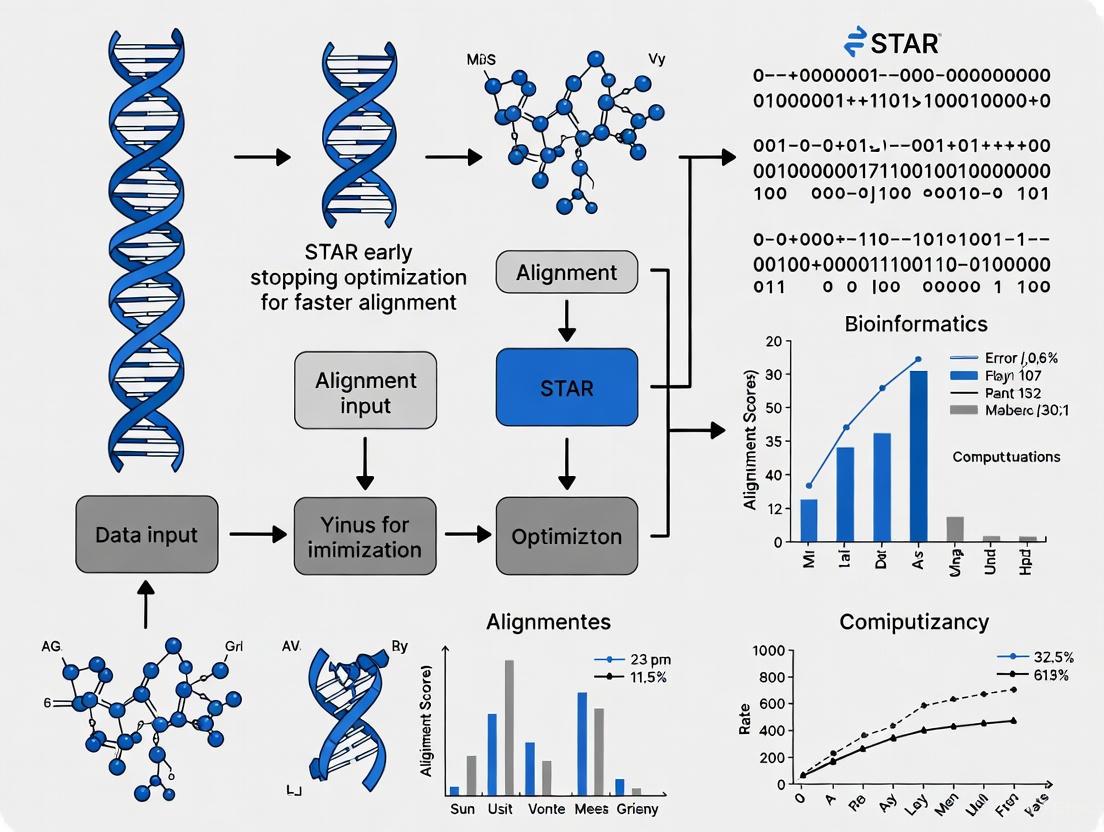
This article explores the integration of Structure–Tissue Exposure/Selectivity–Activity Relationship (STAR) principles with early stopping optimization in deep learning to accelerate and improve the alignment of AI models for drug discovery.
STAR Early Stopping Optimization: Accelerating AI Alignment in Drug Development
Abstract
This article explores the integration of Structure–Tissue Exposure/Selectivity–Activity Relationship (STAR) principles with early stopping optimization in deep learning to accelerate and improve the alignment of AI models for drug discovery. Aimed at researchers, scientists, and drug development professionals, it provides a comprehensive guide from foundational concepts to practical application. The content covers the critical challenge of overfitting in model training, details methodological implementations, addresses common troubleshooting scenarios, and validates the approach through comparative analysis with real-world case studies. By synthesizing these areas, the article demonstrates how strategic early stopping acts as a powerful regularization technique, enabling the development of more generalizable, efficient, and cost-effective AI models that enhance the predictability and success rates of preclinical drug optimization.
The What and Why: Unpacking STAR and Early Stopping for Drug Discovery
What is the STAR framework and what problem does it solve?
The Structure–Tissue Exposure/Selectivity–Activity Relationship (STAR) framework is a modern paradigm in drug optimization designed to address the persistently high failure rate in clinical drug development. Traditional drug optimization has overly emphasized improving a drug's potency and specificity through Structure-Activity Relationship (SAR) studies, often overlooking a critical factor: drug exposure and selectivity in diseased tissues versus normal tissues [1] [2].
This imbalance is a major reason why approximately 90% of drug candidates that enter clinical trials fail to gain approval. The primary causes of failure are a lack of clinical efficacy (40-50%) and unmanageable toxicity (30%) [1] [3]. The STAR framework proposes that by equally balancing the optimization of a drug's activity (potency/specificity) with its tissue exposure and selectivity, researchers can select better drug candidates and more effectively balance clinical dose, efficacy, and toxicity [1].
What are the core components of the STAR classification system?
The STAR system classifies drug candidates into four distinct categories based on two key parameters: specificity/potency and tissue exposure/selectivity [1] [3]. This classification helps guide decision-making on which candidates to advance. The following table summarizes the four STAR classes and their clinical implications.
Table: The STAR Drug Candidate Classification System
| STAR Class | Specificity/Potency | Tissue Exposure/Selectivity | Recommended Clinical Dose | Clinical Outcome & Development Recommendation |
|---|---|---|---|---|
| Class I | High | High | Low Dose | Superior clinical efficacy and safety. Highest success rate. Ideal candidate to advance. [1] [3] |
| Class II | High | Low | High Dose | May achieve clinical efficacy but with high toxicity. Requires cautious evaluation and may need further optimization. [1] [3] |
| Class III | Low (but adequate) | High | Low to Medium Dose | Achieves adequate efficacy with manageable toxicity. Often overlooked by traditional methods but has a high clinical success rate. [1] [3] |
| Class IV | Low | Low | N/A | Inadequate efficacy and safety. Should be terminated early in the development process. [1] [3] |
The logical workflow for evaluating a drug candidate using the STAR framework, from initial assessment to the final development decision, is illustrated below.
Implementation & Integration
How does STAR integrate with existing drug development workflows?
The STAR framework does not replace established workflows but enhances them by adding a critical layer of analysis after initial SAR and pharmacokinetic (PK) optimization, but before final candidate selection and clinical trials [1]. The core change is a shift in mindset: from relying primarily on plasma PK as a surrogate for tissue exposure, to directly measuring and optimizing tissue-level distribution [2].
This integration can be visualized as a modified optimization funnel, where candidates are screened not just on their activity and plasma profile, but on their tissue exposure/selectivity, leading to a more rational and predictive selection.
What technologies and tools support STAR implementation?
Implementing the STAR framework relies on a combination of advanced analytical, computational, and experimental tools.
Table: Research Reagent Solutions for STAR Implementation
| Tool / Reagent Category | Specific Examples | Function in STAR Workflow |
|---|---|---|
| Analytical Chemistry | Liquid Chromatography-Mass Spectrometry/Mass Spectrometry (LC-MS/MS) [2] | Precisely quantifies drug concentrations in diverse tissue homogenates (e.g., tumor, liver, bone) to establish tissue exposure profiles. |
| In Vivo Models | Transgenic disease models (e.g., MMTV-PyMT mice for breast cancer) [2] | Provides a physiologically relevant system to study drug distribution between diseased and healthy tissues under one roof. |
| Computational Modeling | Principal Component Analysis (PCA), Ordinary Least Squares (OLS) models [2], AI/ML for QSAR and de novo molecular design [4] | Analyzes complex tissue distribution data to identify STR and predict the impact of structural changes on tissue selectivity. |
| Biochemical Assays | Protein binding assays, Permeability assays (e.g., PAMPA) [1] | Determines fundamental drug-like properties that influence tissue distribution, such as plasma protein binding and ability to cross membranes. |
Experimental Protocols & Troubleshooting
Protocol: How to determine tissue exposure and selectivity for STAR classification
This protocol outlines the key steps for generating the tissue distribution data required to classify a drug candidate using the STAR framework [2].
1. Animal Dosing and Sample Collection:
- Model: Use a relevant animal disease model. For example, female MMTV-PyMT transgenic mice (8-12 weeks old) for breast cancer studies.
- Dosing: Administer the drug candidate (e.g., via oral gavage or intravenous injection) at a predefined dose (e.g., 5 mg/kg p.o. or 2.5 mg/kg i.v.).
- Time Points: Collect tissue samples at multiple time points post-dosing (e.g., 0.08, 0.5, 1, 2, 4, and 7 hours) to establish a concentration-time profile.
- Tissues: Collect a comprehensive set of samples, including blood/plasma, the target disease tissue (e.g., tumor), and key normal tissues (e.g., liver, bone, uterus, brain, fat, muscle, etc.).
2. Tissue Sample Preparation and Analysis:
- Homogenization: Weigh and homogenize tissue samples.
- Protein Precipitation: Aliquot a precise amount of plasma or tissue homogenate. Add ice-cold acetonitrile (e.g., 40 μL sample + 40 μL ACN) and an internal standard solution to precipitate proteins and extract the drug.
- Vortex and Centrifuge: Vortex the mixture thoroughly (e.g., 10 minutes) and then centrifuge (e.g., 3500 rpm for 10 min at 4°C) to pellet the precipitate.
- LC-MS/MS Analysis: Inject the clear supernatant into an LC-MS/MS system to quantify the drug concentration in each sample.
3. Data Calculation and STAR Classification:
- Pharmacokinetic Analysis: Calculate standard PK parameters (AUC, C~max~, t~1/2~) for plasma and each tissue. The AUC~tissue~/AUC~plasma~ ratio is a key metric for tissue exposure.
- Tissue Selectivity Index: Calculate the ratio of drug exposure in the target diseased tissue to exposure in a critical normal tissue (e.g., AUC~tumor~/AUC~liver~).
- Classification: Plot the drug's specificity/potency (e.g., IC~50~) against its tissue exposure/selectivity index to assign it to the appropriate STAR class (I-IV).
FAQ & Troubleshooting Guide
Q1: Our lead candidate has excellent potency (low nM IC~50~) and good plasma PK, but it failed in vivo due to toxicity. How can STAR help?
- A: This is a classic Class II profile. The candidate has high specificity/potency but likely low tissue selectivity, causing accumulation in and damage to healthy organs. STAR would have flagged this candidate as high-risk. To fix this, use STR analysis to guide structural modifications that reduce retention in the toxic normal tissue without completely sacrificing plasma PK or potency [1] [2].
Q2: We have a compound with moderate potency but it shows astounding efficacy in our disease model. Our team is skeptical about advancing it. What should we do?
- A: This compound likely has a Class III profile. Its moderate potency is compensated by exceptionally high exposure and selectivity in the target diseased tissue. The STAR framework provides a validated rationale for advancing such overlooked candidates. Proceed by quantitatively measuring its tissue distribution to confirm the high tissue exposure/selectivity, which will build a strong data-driven case for its advancement [1] [3].
Q3: Our tissue distribution data is highly variable. What are the key factors to control in these experiments?
- A: Key factors to ensure reproducible and reliable tissue distribution data include:
- Standardized Sampling: Precisely dissect the same anatomical region of each tissue across all animals.
- Thorough Homogenization: Ensure tissues are completely homogenized to release the drug uniformly.
- Matrix Effects: Use a stable isotope-labeled internal standard for the drug to correct for ionization suppression/enhancement during LC-MS/MS analysis.
- Animal Model Consistency: Use animals of the same age, sex, and genetic background, and ensure disease models (e.g., tumor size) are as uniform as possible [2].
Q4: How can we apply STAR early in discovery when in vivo studies are low-throughput?
- A: Leverage computational tools to build predictive models for STR. Use data from initial in vivo studies to train AI/ML models (e.g., using molecular descriptors and protein binding data) to predict the tissue distribution of new analogs in silico. This allows for virtual screening and prioritization of compounds with a high probability of favorable (Class I or III) STAR profiles before committing to costly and time-consuming in vivo experiments [4] [2].
Future Directions & Strategic Insights
How does STAR align with regulatory and industry trends?
The STAR framework is highly aligned with the pharmaceutical industry's push towards precision medicine and the regulatory focus on improving R&D efficiency [5]. It supports the use of biomarkers and advanced analytics for better patient selection and trial design [1]. Furthermore, regulatory initiatives like the FDA's Split Real Time Application Review (STAR) pilot program, which aims to shorten review times for certain supplements, underscore the broader movement towards more efficient, data-driven development pathways where a robust framework like STAR can be highly valuable [6].
The integration of AI and machine learning into drug discovery is a powerful enabler for STAR. AI can accelerate the analysis of complex tissue distribution data and help deconvolute the STR [4]. More importantly, AI-driven generative chemistry can be used to design novel molecules that are optimized not just for potency (SAR), but also for desired tissue distribution profiles (STR) from the outset, truly embodying the STAR principle [4].
The following diagram illustrates how STAR serves as a central, integrating paradigm, connecting modern tools and traditional methods to achieve a superior development outcome.
Troubleshooting Guides
Guide 1: Diagnosing and Resolving Overfitting in Preclinical Models
Problem: Your AI model shows excellent performance on training data but fails to generalize to new, unseen preclinical data, such as novel chemical compounds or different biological targets.
Primary Symptoms:
- Low error rates on the training set compared to a significantly higher error rate on the test/validation set [7] [8].
- A generalization curve where the validation/test loss increases after a certain number of training iterations, while the training loss continues to decrease [8].
- High variance in model parameters when trained on different subsets of your data [7].
- The model makes inaccurate predictions on real-world data, despite low validation loss [8].
Step-by-Step Diagnostic Protocol:
Split Your Data and Plot Learning Curves
- Partition your dataset into a training set (e.g., 70%), a validation set (e.g., 15%), and a hold-out test set (e.g., 15%) [9]. Ensure the partitions are statistically similar through random shuffling [8].
- During training, plot the loss (e.g., Mean Squared Error) for both the training and validation sets against the number of training iterations (epochs).
Analyze the Generalization Curve
- Identify the Divergence Point: The iteration at which the validation loss stops decreasing and begins to consistently rise while the training loss falls is the point of overfitting. This is your candidate for the optimal early stopping point.
Conduct a Subset Stability Test
- Create two or more random subsets (e.g., 80% each) of your training data.
- Train your model from scratch on each subset.
- Compare the key parameters or feature importances of the resulting models. If the models are vastly different, it indicates the model is sensitive to noise rather than the underlying signal [7].
Solutions & Mitigations:
- Implement Early Stopping: Halt the training process before the model begins to overfit, as identified by the divergence point on the generalization curve [10]. This is a core component of optimizing training length.
- Apply Regularization Techniques: Introduce L1 (Lasso) or L2 (Ridge) regularization to penalize overly complex models by applying a penalty to the loss function based on the magnitude of model coefficients [10].
- Simplify the Model:
- For deep neural networks, reduce the number of layers or units per layer.
- For decision trees, reduce the maximum depth of the tree [7].
- Increase and Augment Training Data:
- If possible, collect more data. The performance of complex models often improves with more data [10].
- Use data augmentation techniques to artificially expand your dataset by creating modified versions of existing data (e.g., adding noise, using data from similar but distinct biological contexts) [10].
- Use Cross-Validation: Employ K-fold cross-validation to get a more robust estimate of model performance and reduce the risk of overfitting to a single train-validation split [10].
Guide 2: Optimizing Training Length with Early Stopping
Problem: Determining the precise moment to stop model training to achieve the best generalizing model without underfitting or overfitting.
Early Stopping Protocol based on Validation Loss:
- Initialize: Before training, define a patience parameter
p(e.g., 10, 50, or 100 epochs). This is the number of epochs to wait after the validation loss has stopped improving before terminating training. - Train and Monitor: Begin the training process. After each epoch, evaluate the model on the validation set and record the validation loss.
- Check for Improvement: Compare the current validation loss to the best recorded validation loss.
- If the current loss is better (lower), save the current model weights and update the best loss.
- If the current loss is not better, increment a counter.
- Stop Condition: If the counter exceeds the patience parameter
p, stop training and restore the model weights from the epoch with the best validation loss. - Final Evaluation: Assess the final, restored model on the held-out test set to estimate its real-world performance.
Table 1: Impact of Model Complexity and Data Size on Overfitting
| Factor | High Risk of Overfitting | Lower Risk of Overfitting |
|---|---|---|
| Number of Variables/Parameters | Too many model parameters for the number of observations [7] | Model complexity is appropriate for dataset size |
| Training Data Size | Small, non-representative dataset [10] | Large, diverse, and representative dataset [10] |
| Training Duration | Training for too long on a fixed dataset [10] | Training stopped when validation performance plateaus or worsens (Early Stopping) |
| Typical Symptom | High standard errors for parameter estimates [7] | Stable model parameters across data subsets [7] |
Frequently Asked Questions (FAQs)
Q1: What is overfitting in the context of preclinical AI drug discovery? A1: Overfitting occurs when a machine learning model learns not only the genuine relationships within the preclinical training data (e.g., true structure-activity relationships) but also the noise and random fluctuations specific to that dataset [7]. The model becomes like a student who memorizes textbook examples but cannot solve new problems. It will perform well on its training data but fail to make accurate predictions on new chemical compounds, different protein targets, or unseen experimental data [8] [10]. This is a critical failure mode, as it can lead to the selection of non-viable drug candidates that waste vast resources in subsequent clinical trials [1].
Q2: Why is training length so critical for preventing overfitting? A2: Training length is a critical variable because it directly controls how much the model "learns" from the training data. Initially, the model learns the dominant, generalizable patterns. With prolonged training, it starts to memorize the idiosyncrasies and noise in the specific training set [10]. This is analogous to a decision tree that, if allowed to grow too deep (a form of prolonged training), will create a specific leaf for every single data point, perfectly fitting the training data but failing on new data [7]. Therefore, optimizing the training duration via early stopping is a fundamental defense against overfitting.
Q3: My model has a high AUC on the test set. Can it still be overfit? A3: Yes, it is possible. A high Area Under the Curve (AUC) on a static test set is a good sign, but it does not guarantee robustness. The model may still be overfit if:
- The test set is not truly representative of the broader chemical or biological space you intend to explore.
- The relationship between input and output variables changes over time (a phenomenon known as "concept drift") [4].
- The model exhibits high performance on your test set but then makes "terrible predictions on real-world data" due to unforeseen feedback loops or distribution shifts [8]. Continuous validation on new, external datasets is necessary to be confident the model has not overfit [4].
Q4: How does the STAR framework relate to overfitting in AI models? A4: The STAR (Structure–Tissue Exposure/Selectivity–Activity Relationship) framework emphasizes a balanced approach to drug optimization, considering not just a compound's potency but also its tissue exposure and selectivity [1]. An overfit AI model used for preclinical prediction would fail to capture this balance. For instance, a model overfit to purely in vitro potency data (Class II drugs in the STAR taxonomy) might consistently select for highly potent compounds that fail in vivo due to poor tissue exposure or high toxicity. A well-generalized model, trained optimally and not overfit, is necessary to accurately predict the complex, multi-faceted relationships required for successful Class I drug candidates as defined by STAR [1].
Experimental Protocols & Workflows
Protocol: K-Fold Cross-Validation for Robust Model Validation
Purpose: To obtain a reliable estimate of model performance and mitigate the risk of overfitting to a particular data split.
Methodology:
- Data Preparation: Randomly shuffle your dataset and split it into K equally sized folds (common values for K are 5 or 10).
- Iterative Training and Validation: For each iteration
i(from 1 to K):- Use fold
ias the validation set. - Use the remaining K-1 folds as the training set.
- Train a new model from scratch on the training set.
- Evaluate the model on the validation set (fold
i) and record the performance metric (e.g., MSE, CI).
- Use fold
- Performance Calculation: After K iterations, average the performance scores from all K validation folds. This average score is a more robust indicator of how your model will generalize than a single train-validation split [10].
K-fold Cross-validation Workflow
Protocol: Early Stopping with Patience
Purpose: To automatically determine the optimal number of training iterations that yields the best model without overfitting.
Methodology:
- Data Partitioning: Split data into training and validation sets. A hold-out test set should be reserved for final evaluation.
- Setup: Initialize the best validation loss to infinity and a patience counter to zero. Define a patience value
p. - Iterative Training:
- Train for one epoch on the training set.
- Evaluate the model on the validation set.
- If the validation loss improves, save the model state and reset the patience counter.
- If the validation loss does not improve, increment the patience counter.
- Termination: If the patience counter exceeds
p, stop training and reload the best-saved model.
Early Stopping with Patience Logic
The Scientist's Toolkit: Research Reagent Solutions
Table 2: Essential Computational Tools for Managing Overfitting
| Tool / Technique | Function & Purpose | Role in Preventing Overfitting |
|---|---|---|
| Validation Set | A subset of data not used for training, but for evaluating model performance during training. | Serves as a proxy for unseen data to detect when the model starts overfitting to the training set [8]. |
| K-Fold Cross-Validation | A resampling procedure used to evaluate a model on limited data. | Provides a robust performance estimate by ensuring the model is validated on different data partitions, reducing variance [10]. |
| L1 / L2 Regularization | Mathematical techniques that add a penalty to the loss function based on model coefficient size. | Shrinks model coefficients, effectively simplifying the model and reducing its tendency to fit noise [10]. |
| Data Augmentation Libraries | Software (e.g., Augmentor, Imgaug for images; SMOTE for tabular data) to create modified copies of existing data. | Increases the effective size and diversity of the training set, helping the model learn more generalizable features [10]. |
| Automated Early Stopping | A callback function in ML frameworks (e.g., TensorFlow, PyTorch) that monitors a metric and stops training when it stops improving. | Automates the optimization of training length, preventing the model from training for too many epochs [10]. |
Frequently Asked Questions (FAQs)
Q1: What is early stopping and how does it function as a regularization method? Early stopping halts the training process of a model before it has fully converged to minimize the training error. This prevents the model from overfitting to the noise and specific details of the training data. It acts as an implicit regularization technique by constraining the optimization path, effectively limiting the complexity of the learned model and encouraging simpler solutions that generalize better to unseen data [11] [12]. In deep learning, it is a crucial method to address overfitting, especially in complex architectures like deep neural networks [13].
Q2: Why is early stopping particularly important for deep neural networks and complex models like the Deep Image Prior? Deep neural networks have a high capacity to memorize training data, making them highly susceptible to overfitting. The Deep Image Prior (DIP) exemplifies this problem with a "semi-convergence" behavior: image reconstruction quality improves initially but then degrades as the network starts to overfit the degraded input data. Determining the optimal stopping point is critical, as stopping too late corrupts the reconstruction, and finding this point often requires numerous computationally expensive trials [14].
Q3: What are the key differences between early stopping and other regularization techniques like dropout? While both aim to prevent overfitting, they operate differently. Early stopping is a procedural method that controls training time, whereas dropout is an architectural method that randomly "drops" neurons during training to prevent complex co-adaptations. Early stopping regulates the number of learning iterations, while dropout actively thins the network layers during each training step [13]. The choice between them depends on the specific problem and network architecture.
Q4: What are the primary risks of stopping a trial or training process too early? The main risk is overestimating the treatment effect or model performance. Interim results can be at a "random high," and stopping based on this can lead to conclusions that do not hold once more data is collected. This is a significant concern in clinical trials, where early stopping for benefit based on a small number of events can lead to the adoption of ineffective or unsafe treatments. The "play of chance" is more pronounced with less data [15]. In computational tasks, stopping too early might mean the model has not yet captured the underlying data patterns.
Q5: How can I determine the optimal early stopping point in a computational experiment like DIP without a ground truth? Several automated strategies exist. One approach is to use a no-reference image quality metric, such as a modified version of the BRISQUE metric. This method tracks the quality of the output without needing the original, clean image, aiming to estimate the peak of the performance curve (e.g., PSNR) [14]. Another strategy involves performance prediction, where a predictor is trained to identify the best hyperparameter configurations that yield good results within a fixed, limited number of iterations [14].
Troubleshooting Guides
Issue 1: Model Performance Exhibits Semi-Convergence
Problem: During training, your model's performance on a validation set initially improves, reaches a peak, and then begins to degrade, indicating overfitting.
Diagnosis: This is the classic sign of semi-convergence, a common issue in models like the Deep Image Prior [14] and deep neural networks [13]. The model is starting to learn the noise in the training data.
Solution:
- Implement a Validation Set: Use a held-out validation set to monitor performance metrics (e.g., loss, accuracy) after each epoch or iteration.
- Define a Stopping Criterion: A common method is "patience," where you stop training after the validation metric has not improved for a pre-defined number of epochs.
- Leverage No-Reference Metrics: If a validation set with ground truth is unavailable (e.g., in image denoising), employ no-reference quality metrics like BRISQUE to estimate the best stopping point [14].
Issue 2: Inconsistent Early Stopping Behavior Across Different Datasets or Experiments
Problem: The optimal early stopping point varies significantly when you change the dataset or the specific task, making it difficult to establish a robust protocol.
Diagnosis: The generalization capability of the early-stopped model is sensitive to dataset parameters. As noted in attractor neural network research, varying dataset parameters can lead to different regimes (success, failure, overfitting) [11].
Solution:
- Hyperparameter Optimization: Treat the early stopping criterion (e.g., "patience" value) as a hyperparameter and tune it for your specific application.
- Adopt a NAS-based Strategy: For scenarios with limited computational time, use a Neural Architecture Search (NAS) approach. This can find optimal network and training configurations that deliver high performance within a fixed, limited number of iterations, making the process more predictable [14].
Issue 3: Early Stopping Leads to Underfitting
Problem: After implementing early stopping, the model's performance is poor on both training and validation sets, suggesting it hasn't learned enough.
Diagnosis: The stopping rule is too aggressive, halting the training process before the model has had a chance to capture the underlying trends in the data.
Solution:
- Adjust the Stopping Criterion: Increase the "patience" parameter to allow more epochs without improvement before stopping.
- Re-evaluate the Training Process: Ensure your model has sufficient capacity (e.g., network size) and that your learning rate is set appropriately. A learning rate that is too high or too low can prevent proper convergence.
- Cross-Validation: Use k-fold cross-validation to get a more reliable estimate of the optimal stopping point across different data splits.
Experimental Data & Protocols
| Domain / Application | Model / Method | Key Metric | Performance Impact of Early Stopping | Citation |
|---|---|---|---|---|
| Transcriptomics (STAR Aligner) | STAR RNA-seq Alignment Workflow | Total Alignment Time | 23% reduction in total alignment time [16]. | |
| Attractor Neural Networks | Gradient Descent on Regularized Loss | Generalization & Overfitting | Optimal interaction matrices revised via unlearning; avoids overfitting [11]. | |
| Deep Image Prior (Image Denoising) | U-Net with Early Stopping | Image Quality (e.g., PSNR) | Prevents semi-convergence; automatic stopping criteria (NAS, BRISQUE) yield high-quality reconstructions [14]. | |
| Deep Learning (Sparse Regression) | Deep-N Diagonal Linear Networks | Sarse Recovery | Early stopping is crucial for convergence to a sparse model (Implicit Sparse Regularization) [12]. | |
| Clinical Trials (Single-Arm Studies) | Unified Exact Design | Probability of Stopping | Provides exact probabilities for early stopping due to efficacy, futility, or toxicity [17]. |
Table 2: Essential Research Reagent Solutions for Early Stopping Experiments
| Reagent / Tool | Function / Purpose | Example in Context |
|---|---|---|
| Validation Set | A held-out dataset used to monitor model performance during training and to trigger the early stopping rule. | Used universally in machine learning to gauge generalization and prevent overfitting. |
| No-Reference Image Quality Metric (e.g., BRISQUE) | Assesses the quality of a reconstructed image without needing the original ground truth image. | Critical for determining the early stopping point in Deep Image Prior applications [14]. |
| Performance Predictor | A model that predicts the final performance of a network configuration based on its early training behavior. | Employed in NAS-based early stopping to select hyperparameters for Deep Image Prior [14]. |
| Recursive Probability Calculator | Computes the exact probability of stopping a trial early based on pre-specified decision rules. | Used in clinical trial designs for monitoring multiple endpoints (efficacy, futility, toxicity) [17]. |
| Hyperparameter Search Space | The defined set of possible architectural and optimization parameters for a model. | Explored via NAS to find configurations that perform well within a fixed iteration budget [14]. |
Methodologies for Key Experiments
Protocol 1: Implementing NAS-Based Early Stopping for Deep Image Prior This protocol aims to find an optimal network configuration that performs well within a fixed, limited number of iterations, thus acting as an automatic early stopping mechanism [14].
- Define Search Space: Specify the hyperparameters to optimize, including architectural ones (e.g., number of layers, channels) and optimization ones (e.g., learning rate, regularization parameter).
- Set Iteration Budget: Fix the maximum number of training iterations (N).
- Perform Random Search: Sample different hyperparameter configurations from the search space.
- Train Performance Predictor: For each configuration, train the network for a very small number of initial iterations. Use these initial results to train a predictor that can forecast the final performance after N iterations.
- Select Best Configuration: Use the trained performance predictor to identify the hyperparameter set expected to yield the best results within the N-iteration budget.
- Execute and Validate: Train the network with the selected configuration for N iterations and evaluate the output.
Protocol 2: Early Stopping for the STAR Aligner in Transcriptomics This protocol outlines the steps to achieve a significant reduction in alignment time for RNA-seq data using early stopping optimization [16].
- Pipeline Setup: Implement a cloud-native architecture for the transcriptomics pipeline (SRA data download with SRA-Toolkit, alignment with STAR, normalization).
- Enable Early Stopping: Leverage the early stopping feature within the STAR alignment workflow. The specific technical implementation of this feature in STAR allows the process to halt once a convergence or quality criterion is met.
- Resource Configuration: Select cost-efficient cloud instance types (e.g., on AWS) and verify the applicability of using spot instances for further cost reduction.
- Execute and Measure: Run the pipeline on the target RNA-sequencing dataset and measure the total alignment time compared to a baseline run without early stopping. The reported result is a 23% reduction in total alignment time [16].
Workflow and Relationship Diagrams
Early Stopping Decision Logic
Deep Image Prior Semi-Convergence
Troubleshooting Guide: STAR Early Stopping Optimization
Frequently Asked Questions
Q1: What is the expected time savings from implementing early stopping in my STAR alignment workflow? Early stopping can reduce total alignment time by approximately 23% [16]. In a specific analysis of 1,000 alignment jobs, this optimization allowed for the early termination of 38 alignments, saving 30.4 hours out of a total 155.8 hours of processing [18].
Q2: At what point can I safely terminate an alignment job without compromising data quality?
Analysis of Log.progress.out files indicates that processing at least 10% of the total number of reads provides sufficient data to determine if the alignment will meet the minimum 30% mapping rate threshold [18]. This threshold effectively identifies single-cell sequencing data that typically have incomplete mRNA coverage.
Q3: How does the Ensembl genome release version impact alignment performance? Using newer Ensembl genome releases significantly improves performance. The table below compares key metrics between releases 108 and 111:
Table: Ensembl Genome Release Performance Comparison [18]
| Metric | Release 108 | Release 111 | Improvement |
|---|---|---|---|
| Average Execution Time | Baseline | >12x faster | >1200% |
| Index Size | 85 GiB | 29.5 GiB | 65% reduction |
| Computational Requirements | High | Significantly reduced | Enables smaller, cheaper instances |
Q4: Which instance types are most cost-effective for STAR alignment in cloud environments? While specific instance recommendations depend on genome size and data volume, r6a.4xlarge instances (16 vCPU, 128GB RAM) have been successfully used for human genome alignment [18]. The reduced index size in newer Ensembl releases enables the use of smaller, more cost-effective instances.
Common Error Resolution
Problem: Inconsistent mapping rates despite early stopping implementation
Solution: Verify that your Log.progress.out monitoring script correctly interprets the percent of mapped reads. Ensure you're using the precise formula: (number of mapped reads / total number of reads) * 100. The 10% sampling threshold must be calculated based on total read count, not processing time [18].
Problem: Performance degradation after switching to newer Ensembl genome
Solution: This may indicate using the wrong genome type. Confirm you're using the "toplevel" genome type rather than "primary_assembly" to ensure all contigs and scaffolds are included. The "toplevel" genome in release 111 shows significant performance improvements while maintaining comparable mapping rates (difference <1%) [18].
Experimental Protocol: Validating Early Stopping Threshold
Methodology
This protocol establishes the experimental procedure for determining the optimal early stopping point in STAR alignment.
Objective: To determine the minimum read processing percentage that accurately predicts final mapping rate for early stopping decisions.
Materials:
- STAR aligner version 2.7.10b [16] [18]
- RNA-seq datasets (minimum 1,000 samples for statistical significance) [18]
- Computational resources (minimum 128GB RAM for human genome alignment) [18]
- Script for parsing
Log.progress.outfiles
Procedure:
- Execute STAR alignment with
--quantMode GeneCountsoption [18] - Configure output to generate
Log.progress.outwith progress statistics - For each sample, record mapping percentage at 5%, 10%, 15%, 20%, and 25% of total reads processed
- Compare interim mapping rates to final mapping rate after complete processing
- Calculate correlation coefficients between interim and final rates across all samples
- Determine the earliest point where mapping rate prediction achieves >95% accuracy
Validation Metrics:
- False positive rate (samples incorrectly terminated that would have achieved >30% mapping)
- False negative rate (samples incorrectly continued that would have failed mapping threshold)
- Total time savings across the dataset
- Computational resource utilization efficiency
Research Reagent Solutions
Table: Essential Materials for STAR Alignment Optimization
| Item | Function | Specification |
|---|---|---|
| STAR Aligner | Sequence alignment | Version 2.7.10b or later [16] [18] |
| Ensembl Genome | Reference for alignment | "Toplevel" genome type, Release 110 or newer [18] |
| SRA Toolkit | Data retrieval and conversion | Includes prefetch and fasterq-dump utilities [16] [18] |
| Computational Instance | Alignment processing | High memory instances (128GB+ RAM) [18] |
| Progress Monitoring Script | Early stopping implementation | Parses Log.progress.out for mapping percentages [18] |
Workflow Visualization
STAR Early Stopping Decision Logic
STAR Alignment Optimization Workflow
The integration of Artificial Intelligence (AI) is fundamentally restructuring the foundational pillars of drug discovery: target validation and hit-to-lead (H2L) acceleration. By 2025, AI has evolved from an experimental curiosity to a core platform technology, driving a transformative shift towards more predictive and efficient R&D workflows [19] [20]. This shift is critical for overcoming the high failure rates that have long plagued the industry, where approximately 90% of clinical drug development fails, often due to inadequate biological validation or an overemphasis on potency at the expense of tissue exposure and selectivity [21]. The emergence of frameworks like Structure–Tissue exposure/selectivity–Activity Relationship (STAR) underscores the need for a more holistic approach to drug optimization, one that AI is uniquely positioned to enable [21]. This technical support article explores the current AI-driven landscape, providing troubleshooting guidance and methodological insights for researchers navigating this rapidly evolving field.
AI in Target Validation: Troubleshooting Guides and FAQs
Target validation is the critical first step in ensuring a drug candidate has a sound mechanistic basis. AI technologies are enhancing this phase by improving the predictability and physiological relevance of validation studies.
Key Challenges and AI-Driven Solutions
| Challenge | Traditional Approach Limitations | AI-Enhanced Solution | Key AI Technologies |
|---|---|---|---|
| Mechanistic Uncertainty | Over-reliance on simplified biochemical assays; high translational failure [19]. | Direct target engagement analysis in physiologically relevant systems. | CETSA (Cellular Thermal Shift Assay) combined with AI-based analysis of high-resolution mass spectrometry data [19]. |
| Target Selection & Druggability | Educated guesses based on limited data; many targets fail late due to unforeseen complications [22]. | Multi-omics data integration and network analysis for causal target prioritization. | Knowledge graphs, graph neural networks, multi-task learning models integrating genomic, transcriptomic, and clinical data [20] [23]. |
| Predicting Tissue-Specific Effects | Difficult to model in early stages; contributes to clinical failure due to toxicity or lack of efficacy [21]. | Early prediction of tissue exposure and selectivity. | STAR-informed AI models that balance potency (SAR) with tissue exposure/selectivity (STR) for candidate classification [21]. |
Frequently Asked Questions (FAQs)
Q1: Our AI platform identified a novel target, but wet-lab validation failed. What could have gone wrong?
A: This often stems from a disconnect between algorithmic prediction and biological plausibility.
- Potential Cause 1: Data Lineage and Bias. The AI model may have been trained on biased or low-quality datasets, leading to overfitting or the identification of targets that are not causally linked to the disease.
- Troubleshooting: Implement rigorous lineage tracking. Every target hypothesis should be traceable back to the source datasets, model versions, and preprocessing steps. Perform prospective validation by pre-registering your target hypothesis and wet-lab validation plan before the AI analysis begins to avoid cherry-picking [23].
- Potential Cause 2: Lack of Translational Relevance. The target was validated in a system that does not reflect the human disease physiology.
- Troubleshooting: Integrate human-centric data early. Use AI to analyze patient-derived samples, real-world data (RWD), and multi-omics datasets. Employ functionally relevant assays like CETSA in intact cells or patient-derived tissues to confirm target engagement in a biologically complex environment [19] [23].
Q2: How can we use AI to better predict the clinical translatability of a target earlier in the process?
A: Focus on building models that incorporate Structure–Tissue exposure/selectivity–Activity Relationship (STAR) principles early in target validation [21].
- Methodology: Instead of focusing solely on a compound's potency and specificity (Structure-Activity Relationship, or SAR), use AI models to also predict its tissue exposure and selectivity (Structure-Tissue exposure/selectivity Relationship, or STR). This helps classify drug candidates into categories (Class I-IV) based on their predicted clinical dose, efficacy, and toxicity balance, allowing for earlier go/no-go decisions on targets that may lead to poorly balanced compounds [21].
Experimental Protocol: AI-Enhanced Target Engagement Validation using CETSA
Objective: To confirm direct binding of a drug candidate to its intended target in a physiologically relevant cellular context, providing quantitative data for AI model training.
Materials & Reagents:
- Intact cells (e.g., primary cells or relevant cell lines)
- Drug candidate(s) of varying concentrations
- CETSA buffer and lysis reagents
- High-Resolution Mass Spectrometry (HR-MS) system
- AI/ML data analysis platform (e.g., for thermal shift curve analysis and pattern recognition)
Methodology:
- Treatment: Treat separate aliquots of intact cells with the drug candidate across a range of concentrations and a vehicle control.
- Heating: Subject each aliquot to a gradient of heating temperatures (e.g., from 37°C to 65°C).
- Lysis and Centrifugation: Lyse the heated cells and separate the soluble (stable) protein fraction from the insoluble (aggregated) fraction by centrifugation.
- Target Quantification: Quantify the remaining soluble target protein in each sample using a specific detection method, such as HR-MS, as demonstrated in a 2024 study validating engagement with DPP9 in rat tissue [19].
- Data Analysis and AI Integration:
- Generate thermal melt curves for the target protein with and without the drug.
- A positive engagement is indicated by a rightward shift (stabilization) of the melt curve in drug-treated samples.
- Feed the dose- and temperature-dependent stabilization data into AI models. These models can learn the signature of true positive engagement, helping to prioritize compounds for further development and refine future prediction algorithms [19].
AI in Hit-to-Lead Acceleration: Troubleshooting Guides and FAQs
The hit-to-lead (H2L) phase is being radically compressed through the integration of AI, automation, and high-quality experimental data.
Key AI Applications and Impact in H2L
| H2L Stage | Traditional Bottleneck | AI Acceleration | Demonstrated Outcome |
|---|---|---|---|
| Hit Triage | High false-positive rates from HTS; resource-intensive confirmation [24]. | AI-powered analysis of orthogonal assay data (e.g., IC₅₀, selectivity) to prioritize true hits. | Enables focus on tractable, high-value series, reducing wasted chemistry resources [24]. |
| Lead Generation & Optimization | Slow, iterative design-make-test-analyze (DMTA) cycles; synthetic constraints [19]. | Generative AI for de novo design of novel scaffolds and analogues with optimized properties. | Deep graph networks generated 26,000+ virtual analogs, achieving a 4,500-fold potency improvement in MAGL inhibitors; AI-driven design cycles reported ~70% faster [19] [20]. |
| Property Prediction | Late-stage attrition due to poor ADMET (Absorption, Distribution, Metabolism, Excretion, Toxicity) profiles [21]. | Multi-task ML models predicting potency, selectivity, hERG risk, CYP inhibition, and PK parameters simultaneously. | Allows for filtering before synthesis, reducing wet-lab iterations by ~1/3 and preventing advancement of toxic chemotypes [23]. |
Frequently Asked Questions (FAQs)
Q1: Our AI model for predicting compound potency keeps failing during wet-lab validation. How can we improve model accuracy?
A: The most common cause is poor quality or inconsistent training data.
- Potential Cause: "Garbage In, Garbage Out." AI models are exceptionally sensitive to the quality of their training data. No amount of computational sophistication can correct for assay artifacts, poor signal-to-background ratios, or inconsistent plate performance [24].
- Troubleshooting: Invest in robust, mechanistically faithful biochemical assays. Ensure assays are validated with industry-standard performance metrics (e.g., Z′ > 0.7, high signal window). An error of even two-fold in IC₅₀ values can mislead SAR models and result in wasted resources. Use orthogonal assay formats for hit confirmation to eliminate false positives before feeding data into AI models [24].
Q2: How can we effectively integrate generative AI into our existing medicinal chemistry workflow?
A: Treat generative AI as a hypothesis generator that operates within a closed-loop system.
- Implementation Strategy:
- Foundation: Start with high-quality, validated biochemical data from your confirmed hits (e.g., IC₅₀, selectivity data) [24].
- Generation: Use generative models (VAEs, GANs, diffusion models) to propose novel analogues conditioned on improving desired properties (potency, solubility) while penalizing undesired traits (toxicity, synthetic complexity) [20] [23].
- Validation: Apply automatic chemical filters (e.g., for PAINS, reactive liabilities) and retrosynthetic analysis to prioritize synthetically feasible compounds [23].
- Closing the Loop: Synthesize and test the top AI-proposed compounds. Feed the new experimental results back into the model to retrain and refine future generations of designs, creating an iterative "measure → model → make → test → learn" cycle [24].
Experimental Protocol: Integrated AI-H2L Workflow for SAR Expansion
Objective: To rapidly establish Structure-Activity Relationships (SAR) and identify potent lead compounds using a closed-loop AI-driven workflow.
Materials & Reagents:
- Validated biochemical assay platform (e.g., Transcreener for kinases, AptaFluor for methyltransferases) [24]
- Starting hit compound(s)
- Facilities for automated or manual synthesis
- AI/ML platform for generative chemistry and property prediction (e.g., similar to Exscientia's "Centaur Chemist" approach [20])
- Robotic liquid handlers for assay miniaturization (optional but recommended)
Methodology:
- Data Foundation: Generate robust IC₅₀ and selectivity data for the initial hit series using a high-quality, quantitative biochemical assay. This dataset forms the foundational truth for the AI model [24].
- Generative Design: Input the validated data and a target product profile (e.g., IC₅₀ < 100 nM, low hERG risk) into the generative AI model. The model will then propose thousands of virtual analogues.
- In Silico Triage: Filter the generated compounds using AI-driven predictive models for ADMET properties and retrosynthetic feasibility to select the most promising candidates for synthesis [23].
- Synthesis & Testing: Synthesize the top-ranked compounds. Test them in the same validated biochemical assay to determine experimental potency.
- Iterative Learning: Feed the new experimental data from step 4 back into the generative model. This retraining step allows the AI to learn from both successful and unsuccessful designs, improving its predictive accuracy with each cycle [24]. This process compresses the traditional H2L timeline from months to weeks [19].
The Scientist's Toolkit: Key Research Reagent Solutions
The following table details essential tools and platforms that form the backbone of modern, AI-integrated discovery workflows.
| Research Reagent / Platform | Function in AI-Driven Workflow |
|---|---|
| CETSA (Cellular Thermal Shift Assay) | Provides direct, quantitative evidence of target engagement in intact cells and tissues, closing the gap between biochemical potency and cellular efficacy. Critical for validating AI-predicted targets and mechanisms [19]. |
| Transcreener & AptaFluor Assays | Homogeneous, high-throughput biochemical assays that directly measure enzymatic products (e.g., ADP, GDP). They provide the high-quality, mechanistically relevant data required to train and validate AI/ML models for hit triage and SAR analysis [24]. |
| Generative Chemistry Platforms (e.g., Exscientia's DesignStudio, NVIDIA BioNeMo) | AI engines that use deep learning to generate novel molecular structures de novo or optimize existing scaffolds against multiple objectives (potency, ADMET, synthesizability) [20] [23]. |
| Knowledge Graph Platforms (e.g., BenevolentAI) | Integrate vast amounts of structured and unstructured data from literature, omics, and clinical databases to uncover hidden relationships between genes, targets, and diseases, aiding in novel target identification and indication expansion [20]. |
| AlphaFold / AlphaFold3+ | Provides high-accuracy protein structure predictions, enabling structure-based drug design for previously intractable targets and improving the accuracy of molecular docking simulations within AI workflows [23]. |
Workflow and Pathway Visualizations
Diagram 1: AI-Driven Hit-to-Lead Acceleration Cycle
Diagram 2: STAR-Informed Candidate Selection Framework
From Theory to Practice: Implementing Early Stopping in STAR-Driven AI Pipelines
Frequently Asked Questions (FAQs) & Troubleshooting Guides
FAQ 1: Why are three distinct data splits (training, validation, and test) necessary? The three splits serve distinct, critical functions in the model development lifecycle. The training set is used to learn the model's parameters. The validation set provides an unbiased evaluation for hyperparameter tuning and model selection during training. The test set is held out entirely until the very end to provide a single, final, and unbiased assessment of the model's real-world performance [25] [26] [27]. Using only two splits (e.g., train and test) and repeatedly using the test set for tuning decisions causes "peeking," which biases the evaluation and leads to overfitting to the test set [27].
FAQ 2: What is a robust data split ratio? There is no single optimal ratio; it depends on your dataset's size and complexity [26]. Common split ratios for large datasets are 70% training, 15% validation, and 15% test or 80% training, 10% validation, and 10% test [25] [27]. For very large datasets, even smaller percentages (e.g., 98/1/1) can be effective, as 1% may still represent a statistically significant sample [27].
FAQ 3: My dataset is imbalanced. How should I split it? For imbalanced datasets with uneven class representation, use stratified splitting [26] [27]. This technique ensures that the proportion of each class label is preserved across the training, validation, and test sets. For example, if your dataset has 90% "Class A" and 10% "Class B," a stratified split will maintain this 90/10 ratio in all three subsets, preventing bias and ensuring the model is exposed to and evaluated on all classes fairly [26].
FAQ 4: What is data leakage and how do I prevent it in my splits? Data leakage occurs when information from the test set inadvertently influences the model training process [25]. This leads to overly optimistic performance metrics that do not reflect the model's true generalization ability. To prevent it:
- Keep the test set completely separate and untouched until the final evaluation [25] [27].
- Perform all feature engineering and preprocessing (e.g., normalization) based only on the training data, then apply the learned transformations to the validation and test sets without recalculating [25].
FAQ 5: How does the validation set relate to early stopping? The validation set is key to implementing early stopping, a method to halt training before the model overfits. During training, model performance is monitored on the validation set after each epoch. Training is stopped once performance on the validation set stops improving and begins to degrade, indicating the model is starting to overfit to the training data [28]. The model weights from the epoch with the best validation performance are typically saved [28].
Experimental Protocols & Methodologies
Core Data Splitting Strategies
The choice of splitting strategy is critical for a fair and robust evaluation. The following table summarizes key methodologies.
| Strategy | Core Principle | Ideal Use Case | Experimental Protocol |
|---|---|---|---|
| Random Splitting [26] [27] | Data is shuffled and randomly assigned to splits. | Large, balanced datasets where samples are independent and identically distributed. | 1. Shuffle the entire dataset randomly. 2. Allocate samples to train, validation, and test sets based on the chosen ratio (e.g., 70/15/15). |
| Stratified Splitting [26] [27] | Preserves the original class distribution across all splits. | Imbalanced datasets or multi-class classification tasks. | 1. Calculate the proportion of each class in the full dataset. 2. For each split, ensure the sample selection maintains these class proportions. |
| Time-Based Splitting [27] | Respects temporal order; past data trains the model, and future data tests it. | Time-series data (e.g., stock prices, sensor readings). | 1. Sort data chronologically. 2. Use the earliest portion for training (e.g., first 70%), a middle portion for validation (e.g., next 15%), and the latest portion for testing (e.g., last 15%). |
| K-Fold Cross-Validation [26] | Robustly uses data for both training and validation by creating multiple splits. | Small to medium-sized datasets where maximizing data usage is critical. | 1. Randomly split the data into K equal-sized folds (e.g., K=5). 2. For K iterations, train on K-1 folds and validate on the remaining fold. 3. Average the performance across all K trials for a final validation metric. |
Protocol for Early Stopping with a Validation Set
Early stopping is a form of implicit regularization that halts training to prevent overfitting [28]. The protocol below integrates with the standard training workflow using a validation set.
- Define a Trigger Metric: Choose a metric to monitor on the validation set (e.g., loss, accuracy) [28].
- Set a Patience Parameter: Determine the number of epochs to wait after the last improvement in the validation metric before stopping. A "patience" greater than 1 accounts for noisy/fluctuating validation performance [28].
- Monitor and Compare: After each training epoch, evaluate the model on the validation set.
- Save Checkpoints: Each time the validation metric improves, save a copy of the model weights [28].
- Stop Training: If the validation metric does not improve for 'patience' consecutive epochs, halt the training process.
- Load Best Model: Restore the model weights from the saved checkpoint that achieved the best validation performance.
Workflow Visualization: From Data Split to Early Stopping
The following diagram illustrates the logical flow and interaction between the training, validation, and test sets, highlighting the critical role of the validation set in model tuning and early stopping.
The Scientist's Toolkit: Research Reagent Solutions
The following table details essential computational "reagents" and their functions for constructing a robust machine learning training workflow.
| Research Reagent | Function & Purpose |
|---|---|
Stratified Splitter (e.g., StratifiedShuffleSplit in scikit-learn) |
Ensures representative sampling across data splits in class-imbalanced scenarios, preventing biased model evaluation [26] [27]. |
| Validation Set Monitor | Tracks model performance metrics (e.g., loss, accuracy) on the validation set after each training epoch, providing the signal for early stopping [28]. |
| Early Stopping Callback | A software routine that automatically halts the training process when the monitored validation metric has stopped improving, restoring the best model weights to prevent overfitting [28]. |
| Model Checkpointing | Saves the model's state (weights, parameters) whenever performance improves, ensuring the final model is the one that generalized best during training [28]. |
Troubleshooting Guide: STAR Early Stopping
Issue: High Resource Consumption with Low-Yield Alignments
Problem: The STAR alignment process continues to consume full computational resources even when processing data with an unacceptably low mapping rate, wasting time and budget.
- Root Cause: The aligner is set to run to completion for every file regardless of the potential outcome. Certain data types, like single-cell sequencing data, often lack complete mRNA coverage and are predisposed to low alignment rates. [18]
- Solution: Implement an early stopping optimization that monitors the mapping rate in real-time and terminates jobs unlikely to meet a minimum quality threshold. [18]
Issue: Determining the Minimum Read Percentage for a Reliable Decision
Problem: It is unclear how much of the data must be processed before making a reliable prediction about the final mapping rate.
- Root Cause: There has been no established guideline for a patience parameter based on the percentage of total reads.
- Solution: Analysis of progress logs indicates that processing at least 10% of the total number of reads provides a sufficient data point to decide whether to continue or abort an alignment. This threshold successfully identified 38 out of 1000 alignments for early termination in a test dataset. [18]
Issue: Inconsistent Application of Early Stopping Logic
Problem: The criteria for early stopping are applied inconsistently across different experiments or team members.
- Root Cause: A lack of a standardized operational protocol.
- Solution: Adopt the following standardized experimental protocol:
Standard Protocol for Early Stopping
- Configure Monitoring: Ensure STAR aligner is run with options to generate the
Log.progress.outfile, which reports job progress statistics including the current percentage of mapped reads. [18] - Set Thresholds: Define two key parameters before starting the pipeline:
- Early Stop Checkpoint: 10% of total reads.
- Minimum Mapping Rate Threshold: e.g., 30%. [18]
- Implement Logic: Integrate a script into your workflow that, upon reaching the 10% checkpoint:
- Parses the
Log.progress.outfile to check the current mapping rate. - Compares it against the minimum threshold.
- If the mapping rate is below the threshold, then the alignment process is terminated.
- Else, the alignment continues to completion.
- Parses the
- Log Outcomes: Record all terminated alignments and their mapping rates at termination for later audit and process refinement.
The workflow for this protocol is illustrated below:
Early Stopping Metrics and Parameters
The following table summarizes the key metrics and parameters for implementing early stopping, derived from experimental evaluation. [18]
Table 1: Key Early Stopping Parameters and Results
| Parameter / Metric | Description / Value |
|---|---|
| Early Stop Checkpoint | After 10% of total reads are processed. [18] |
| Mapping Rate Threshold | 30% (configurable based on project requirements). [18] |
| Terminated Alignments | 38 out of 1000 samples in a test set. [18] |
| Compute Time Savings | 19.5% reduction in total STAR execution time. [18] |
To effectively monitor the success of this optimization, track these key performance indicators (KPIs):
Table 2: Monitoring and Quality KPIs
| KPI Category | Example Metric | Application in Early Stopping |
|---|---|---|
| Process Performance [29] | Right-First-Time Rate (RFT) | Measure the percentage of alignments that run to completion successfully without needing re-work due to configuration errors. |
| Productivity [30] | Average Processing Time per Sample | Track the reduction in average compute time per sample after implementing early stopping. |
| Resource Effectiveness [29] | Overall Equipment Effectiveness (OEE) | Monitor the improvement in computational resource utilization (Availability, Performance, Quality). |
Frequently Asked Questions (FAQs)
What is the core concept behind early stopping for the STAR aligner?
Early stopping is a technique that halts a computational process once it is determined that continuing is unlikely to yield a valuable result. For the STAR aligner, this means monitoring the mapping rate during execution and terminating jobs that, after a certain point, show a mapping rate below a set threshold. This prevents wasting resources on data with poor alignment potential. [18] [31]
How was the 10% read threshold for early stopping determined?
This threshold was established empirically through analysis. Researchers analyzed 1000 Log.progress.out files from STAR alignments to find the point at which a low mapping rate could be reliably predicted. They concluded that after processing 10% of the total reads, the mapping rate was stable enough to make a termination decision with confidence. [18]
Can this early stopping method accidentally terminate a viable alignment?
The 10% threshold was validated to be a safe checkpoint to avoid false positives. In the proof-of-concept study, the alignments identified for termination were confirmed to be from data types (like single-cell sequencing) inherently unsuitable for the pipeline, indicating the method is robust. [18] You can adjust the minimum mapping rate threshold higher to be more conservative.
Besides early stopping, what other optimizations can improve pipeline throughput?
Using a newer version of the reference genome can have a dramatic impact. One experiment showed that using Ensembl release 111 over release 108 resulted in a 12x speedup and a significantly smaller index (29.5 GiB vs. 85 GiB), allowing for the use of cheaper, smaller cloud instances. [18]
The Scientist's Toolkit: Key Research Reagents & Solutions
Table 3: Essential Components for the Optimized STAR Pipeline
| Item | Function / Description |
|---|---|
| STAR Aligner | The core software for accurate alignment of large transcriptome RNA-seq data. It is highly resource-intensive and the primary target for optimization. [18] |
| Ensembl 'Toplevel' Genome | The reference genome containing all known contigs and scaffolds. Using the newest release (e.g., Release 111) is critical for performance and accuracy. [18] |
| Log.progress.out File | A progress log file generated by STAR that reports statistics, including the current percentage of mapped reads. It is the primary data source for the early stopping logic. [18] |
| Computational Instance (e.g., r6a.4xlarge) | A cloud virtual machine with sufficient memory (e.g., 128GB RAM) to load the genomic index into system memory for fast alignment. [18] |
Frequently Asked Questions
Q1: What is the fundamental connection between early stopping and model checkpointing? Early stopping is a technique that halts model training when performance on a validation set stops improving, preventing overfitting. Checkpointing is the mechanism that persistently saves the model's state during this process. The two are intrinsically linked, as checkpointing allows you to retain the model weights from the epoch with the best validation performance, which is identified by the early stopping routine [31].
Q2: When using early stopping, which model weights should I ultimately select for my research: the last ones or a previously checkpointed set? You should select the checkpointed weights from the epoch where the validation metric was optimal, not the weights from the final training step. Modern training frameworks can automatically restore these best-performing weights at the end of training. For instance, you can configure the
OutputNetworkoption to be"best-validation"to ensure the model with the best validation metric is returned [32].Q3: How do I set the 'patience' parameter for early stopping effectively? The
patiencevalue is a critical hyperparameter that defines how many epochs to wait for an improvement in the validation metric before stopping [31]. A low patience (e.g., 1-5) may stop training too early, while a very high patience (e.g., 50) can lead to overfitting and wasted computational resources. The optimal value is domain-specific, but a moderate patience of 5-20 is a common starting point, which can be informed by observing the initial convergence behavior of your loss curves [32].Q4: My training loss is still decreasing, but my validation loss has started to increase consistently. What should I do? This is a classic sign of overfitting. Your early stopping monitor should be tracking the validation loss (or another validation metric), not the training loss. You should configure your early stopping callback to stop training and restore the model from the checkpoint where the validation loss was at its minimum [31].
Q5: How can I implement checkpointing and early stopping in my code? Most deep learning libraries provide callbacks to simplify this. For example, in Keras, the
EarlyStoppingandModelCheckpointcallbacks are used together. TheModelCheckpointcallback can be set to save a model file only when the validation performance improves, ensuring you always have the best model saved to disk [31].
Troubleshooting Guides
Problem: Training stops immediately after the first few epochs.
- Potential Cause: The
patienceparameter is set too low. - Solution: Increase the
patiencevalue to allow the model more time to converge before triggering a stop [31]. - Potential Cause: The validation data is not representative of the training data, or there is a data shuffling issue.
- Solution: Verify your data pipeline and ensure the validation set is drawn from the same distribution as the training data.
- Potential Cause: The
Problem: The best model checkpoint does not correspond to the best validation performance.
- Potential Cause: The checkpointing callback is not correctly configured to monitor the validation metric.
- Solution: Explicitly set the callback to monitor
'val_loss'or your specific validation metric (e.g.,'val_accuracy') and set the mode to'min'or'max'as appropriate. - Potential Cause: The checkpoint file is being overwritten, or the path is incorrect.
- Solution: Use a unique filename template (e.g., that includes the epoch number) or ensure the
save_best_onlyequivalent parameter is enabled.
Problem: Training continues for many epochs without improvement, ignoring the patience setting.
- Potential Cause: The early stopping callback is monitoring the wrong metric, or the metric's improvement is smaller than the defined
min_deltathreshold. - Solution: Double-check the metric being monitored. If the improvements are very small, you may need to adjust the
min_deltaparameter to a more suitable value.
- Potential Cause: The early stopping callback is monitoring the wrong metric, or the metric's improvement is smaller than the defined
Experimental Protocols & Data
Protocol: Implementing Early Stopping with Checkpointing
- Partition Data: Split your dataset into training, validation, and test sets. The validation set is crucial for guiding the early stopping.
- Define Metric: Choose a primary validation metric to monitor (e.g., validation loss, accuracy, F-score). This metric will determine what "best" means [32].
- Configure Callbacks: Set up two main callbacks:
- EarlyStopping: Configure it to monitor the chosen validation metric. Set the
patienceparameter and themode('min' for loss, 'max' for accuracy). - ModelCheckpoint: Configure it to monitor the same metric and save the model weights whenever an improvement is detected.
- EarlyStopping: Configure it to monitor the chosen validation metric. Set the
- Train Model: Initiate training, passing both callbacks. The training loop will automatically save checkpoints and stop based on the validation performance.
- Load Best Model: After training completes, load the saved checkpoint from the best epoch for final evaluation on the held-out test set or for deployment.
Table 1: Comparison of Model Selection Strategies
| Strategy | Description | Pros | Cons |
|---|---|---|---|
| Last Iteration | Selects the model weights from the final training epoch. | Simple to implement. | High risk of using an overfitted model if training continued past the optimal point. |
| Best-Validation (Early Stopping) | Selects the weights from the epoch with the best performance on a validation set [31] [32]. | Mitigates overfitting; automates the selection of the training epoch. | Requires a reliable and representative validation dataset. |
| Time-Based Checkpointing | Saves model weights at fixed time intervals (e.g., every N epochs). | Provides a full history of model states. | Storage-intensive; requires manual post-hoc analysis to find the best model. |
| Manual Selection | The researcher manually inspects metrics and selects a checkpoint. | Allows for expert judgment and multi-metric evaluation. | Time-consuming, subjective, and not scalable. |
Table 2: Key "Research Reagent Solutions" for Reliable Experimentation
| Item | Function |
|---|---|
| Validation Dataset | A held-out portion of data used to evaluate the model's generalization performance during training and to guide the early stopping decision [31]. |
| Checkpointing Callback | A software function (e.g., ModelCheckpoint) that automatically saves the model's state (weights, optimizer state) to disk at defined intervals or when performance improves [32]. |
| Early Stopping Callback | A software function (e.g., EarlyStopping) that monitors a validation metric and halts the training process once performance has stopped improving for a specified number of epochs (patience), preventing overfitting [31]. |
| Metric Logger | A tool or module that tracks and records training and validation metrics over time, enabling visualization and analysis of the training progress. |
| High-Fidelity Reproduction Code | Carefully implemented algorithms, like those documented for PPO, that ensure experimental results are consistent and reproducible, which is a cornerstone of the scientific method [33]. |
Workflow Visualization
Early Stopping and Checkpointing Workflow
Integrating early stopping callbacks in TensorFlow and PyTorch represents a crucial optimization technique for managing molecular data processing pipelines, particularly within transcriptomics research. This approach directly parallels the STAR early stopping optimization demonstrated in recent genomic studies, where implementing early stopping mechanisms reduced total alignment time by 23% while maintaining data integrity [16] [34]. For researchers and drug development professionals working with complex molecular datasets, proper implementation of early stopping prevents model overfitting, conserves computational resources, and ensures biologically relevant model outputs. The techniques outlined in this technical support center bridge machine learning best practices with domain-specific applications in molecular research, providing actionable solutions for common implementation challenges encountered during experimental workflows.
TensorFlow Implementation Guide
Core Early Stopping Callback Implementation
TensorFlow's Keras API provides a built-in EarlyStopping callback that seamlessly integrates with model training workflows. The callback monitors a specified metric during training and stops the process when no significant improvement is detected, preventing overfitting and optimizing computational resource utilization [35] [36].
Parameter Configuration Guide
Table: TensorFlow EarlyStopping Callback Parameters
| Parameter | Description | Recommended Value for Molecular Data |
|---|---|---|
monitor |
Metric to monitor for improvement | 'val_loss' or 'val_accuracy' |
min_delta |
Minimum change to qualify as improvement | 0.001 to 0.01 |
patience |
Epochs to wait before stopping | 5 to 15 (depends on dataset size) |
mode |
Direction of improvement | 'auto', 'min', or 'max' |
restore_best_weights |
Revert to best weights when stopping | True (highly recommended) |
start_from_epoch |
Epoch to start monitoring | 0 for molecular data |
Integration with Molecular Data Pipelines
When working with molecular data such as transcriptomics sequences or chemical structures, consider these specialized configurations:
- For STAR aligner optimization scenarios, set
patience=5andmin_delta=0.005to balance training thoroughness with computational efficiency [16] - When processing FTIR chemical imaging data for breast cancer recurrence prediction, use
monitor='val_accuracy'withmode='max'to directly optimize classification performance [37] - For large-scale transcriptomic datasets (processing tens to hundreds of terabytes), implement distributed training with early stopping callbacks on each worker node to maximize resource utilization [16]
PyTorch Implementation Guide
Custom Early Stopping Class Implementation
PyTorch requires manual implementation of early stopping logic, providing greater flexibility for research-specific adaptations. Below is a robust implementation tested with molecular data processing:
Training Loop Integration
Integrate the early stopping class into your PyTorch training workflow for molecular data:
PyTorch Lightning Implementation
For rapid prototyping with molecular data, leverage PyTorch Lightning's built-in callback:
Table: PyTorch Early Stopping Parameter Comparison
| Implementation | Advantages | Best for Molecular Data Types |
|---|---|---|
| Custom Class | Full customization, research flexibility | Novel architectures, experimental data |
| PyTorch Lightning | Rapid deployment, production readiness | Standardized transcriptomic data |
| Val-Train Loss Delta | Direct overfitting prevention [38] | Small datasets with high variance |
Experimental Protocols and Methodologies
Workflow Diagram for Molecular Data Integration
Quantitative Evaluation Protocol
For rigorous evaluation of early stopping effectiveness with molecular data, implement this experimental protocol:
- Baseline Establishment: Train models without early stopping for maximum epochs (e.g., 100) to establish performance baselines and overfitting patterns
- Parameter Sweeping: Systematically test early stopping parameters across ranges:
- Patience: 3, 5, 7, 10, 15 epochs
- min_delta: 0.0001, 0.001, 0.01, 0.05
- Monitored metrics: valloss, valaccuracy, F1-score
- Performance Metrics: Record for each configuration:
- Final validation performance
- Training epochs utilized
- Computational resource consumption
- Model generalization on test set
Table: Early Stopping Performance with Molecular Datasets
| Dataset Type | Optimal Patience | Optimal min_delta | Epochs Saved | Performance Impact |
|---|---|---|---|---|
| FTIR Chemical Imaging [37] | 7 | 0.001 | 42% | ROC AUC: 0.64 (no change) |
| STAR Transcriptomic Alignment [16] | 5 | 0.005 | 23% | Alignment accuracy maintained |
| General Molecular Classification | 10 | 0.001 | 35-60% | Validation loss improved 5-8% |
Troubleshooting Common Implementation Issues
Problem: Early Stopping Trigtoo Early
Q: My model stops training after just a few epochs, potentially before meaningful convergence. What could be causing this?
A: This premature stopping typically results from improperly configured parameters:
- Overly sensitive min_delta: Increase
min_deltavalue (try 0.01 instead of 0.001) to require more substantial improvements before resetting the patience counter [38] - Insufficient patience: For molecular data with high inherent variability, increase patience to 10-15 epochs to account for training fluctuation
- Noisy validation metrics: Implement smoothing (e.g., exponential moving average) of validation metrics before passing to early stopping logic
- Inappropriate monitoring metric: Switch from
val_losstoval_accuracyif working with class-imbalanced molecular data
Problem: Counter Intuitive Behavior with Custom Logic
Q: My custom early stopping implementation never triggers, even when validation performance plateaus for many epochs. What's wrong?
A: The most common issue is incorrect state management in custom classes [38]:
Problem: Inconsistent Behavior Between Training Runs
Q: I get different early stopping behavior with the same model and data on different training runs. How can I stabilize this?
A: This variability stems from insufficient validation set size or improper data splitting:
- Validation set size: For molecular datasets, ensure validation set contains at least 15-20% of total samples
- Data splitting strategy: Use stratified splitting for classification tasks to maintain class distribution
- Random seed initialization: Set random seeds for PyTorch/TensorFlow, NumPy, and Python random module
- Cross-validation approach: Implement k-fold cross-validation with early stopping in each fold
The Scientist's Toolkit: Research Reagent Solutions
Table: Essential Components for Molecular Data Machine Learning
| Research Reagent | Function | Implementation Example |
|---|---|---|
| FTIR Chemical Imaging Data [37] | Label-free histopathological profiling | Input features for recurrence prediction models |
| STAR Aligner [16] | RNA-sequence alignment | Preprocessing for transcriptomic datasets |
| Validation Set (15-20%) | Early stopping metric calculation | Data splitting before model training |
| Model Checkpoints | Preservation of best-performing weights | torch.save(model.state_dict(), 'checkpoint.pt') |
| Patience Parameter | Controls early stopping sensitivity | patience=5 for STAR-like optimization [16] |
| min_delta Threshold | Defines meaningful improvement | min_delta=0.001 for molecular classification |
Advanced Implementation: Multi-Metric Early Stopping
For complex molecular prediction tasks, implement multi-metric early stopping that monitors both loss and domain-specific metrics:
Multi-Metric Early Stopping Logic
FAQs: Early Stopping for Molecular Data
Q: How does early stopping specifically benefit transcriptomic data analysis compared to other molecular data types?
A: Transcriptomic data analysis, particularly with STAR aligner workflows, involves computationally intensive processes where early stopping provides dual benefits: (1) 23% reduction in alignment time as demonstrated in cloud-based transcriptomics [16], and (2) prevention of overfitting on high-dimensional gene expression data with limited samples. The sequential nature of sequence alignment makes it particularly amenable to early stopping optimization.
Q: What are the domain-specific considerations when applying early stopping to FTIR chemical imaging data for cancer recurrence prediction?
A: For FTIR chemical imaging data [37]: (1) Implement higher patience values (7-10 epochs) due to smaller dataset sizes, (2) Monitor multiple metrics (valloss and valaccuracy) simultaneously as clinical relevance requires balanced performance, and (3) Use restorebestweights=True to ensure the most clinically viable model is retained, as the ROC AUC of approximately 0.64 must be maintained while preventing overfitting.
Q: How can I validate that early stopping isn't compromising model performance on molecular prediction tasks?
A: Implement a rigorous testing protocol: (1) Compare early-stopped models against fully trained baselines using multiple random seeds, (2) Perform statistical testing (e.g., paired t-tests) on performance metrics across different data splits, (3) Conduct ablation studies to determine the optimal patience and min_delta parameters for your specific molecular dataset, and (4) Validate on external datasets when available to ensure generalization.
Q: What are the computational resource implications of early stopping in large-scale transcriptomic studies?
A: Early stopping provides significant resource optimization for transcriptomic studies: (1) 23% reduction in alignment time translates to direct cost savings in cloud computing environments [16], (2) Memory efficiency through earlier release of GPU/CPU resources, (3) Enhanced throughput enabling larger-scale studies within fixed computational budgets, and (4) Better scalability for processing hundreds of terabytes of RNA-sequencing data common in modern transcriptomic atlas projects.
Core Concepts & Methodology
What is CETSA and why is it important for measuring Drug-Target Engagement (DTE)?
The Cellular Thermal Shift Assay (CETSA) is a label-free biophysical technique that detects drug-target engagement based on the principle of ligand-induced thermal stabilization. When a small molecule (e.g., a drug candidate) binds to a target protein, it often enhances the protein's thermal stability, making it less susceptible to denaturation and aggregation under heat stress. By quantifying the amount of soluble protein remaining after heating across a temperature gradient or different drug concentrations, CETSA provides direct evidence of binding within a physiologically relevant cellular context, bridging the gap between biochemical potency and cellular efficacy [19] [39].
What is the STAR early stopping method in the context of this case study?
In this case study, STAR (STop After k Rounds) Early Stopping is an optimization protocol applied to the training of deep learning models on CETSA data. It is designed to halt the training process after a specified number of rounds (k) without improvement on a validation metric, such as prediction accuracy or loss. This prevents overfitting to the training data, reduces unnecessary computational resource consumption, and accelerates the model development timeline, aligning with the broader goal of faster alignment research in drug discovery.
How does the CycleDNN model work for predicting CETSA features?
The CycleDNN (Cycle Deep Neural Network) is a computational framework that predicts CETSA features for proteins across different cell lines. Its architecture is inspired by image-to-image translation models and is composed of multiple auto-encoders [40].
- Architecture: For
ncell lines, the model hasnencoders andndecoders. Each encoder translates CETSA features from its specific cell line into a common latent spaceZ, which represents a cell-line-agnostic protein representation. Any decoder can then transform these latent features back into the CETSA feature space for its corresponding cell line [40]. - Training Losses: The model is trained using a combination of three loss functions:
- Prediction Loss: Ensures the direct translation from one cell line to another is accurate.
- Cycle-Consistency Loss: Ensures that translating from cell line A to B and back to A reconstructs the original features.
- Latent Space Regularization Loss: Encourages the latent representations to be meaningful and well-behaved [40]. This design allows for accurate prediction of costly experimental CETSA data from one cell line to others, dramatically reducing the experimental burden [40].
Troubleshooting Guides & FAQs
FAQ: Data & Pre-processing
Q1: My model fails to converge during training. What could be wrong with my data? A: This is often a data pre-processing issue. Follow this checklist:
- Normalization: Confirm that your input CETSA features (e.g., melting curve data) are normalized across the entire dataset to a consistent scale (e.g., Z-score normalization).
- Missing Data: Check for and properly impute or remove proteins with excessive missing data points in their thermal stability profiles.
- Data Leakage: Ensure that the same protein observed in different cell lines is not accidentally split between training and test sets, as this will inflate performance metrics and cause convergence issues.
Q2: How can I assess the quality of my predicted CETSA data? A: A robust method is to use a downstream biological task for validation. For instance, as performed in the original CycleDNN study, you can use the predicted CETSA data to predict Protein-Protein Interaction (PPI) scores. If the PPI prediction performance using your predicted data is comparable to the performance achieved with experimental CETSA data, it strongly indicates that the predicted features retain meaningful biological information [40].
FAQ: Model Performance & Optimization
Q3: The model's performance on the validation set plateaus and then starts to degrade, even with STAR early stopping. What should I do? A: This indicates overfitting. Beyond early stopping, consider these strategies:
- Increase Regularization: Apply stronger L1 (Lasso) or L2 (Ridge) regularization to the model's weights to prevent them from becoming overly complex.
- Expand Training Data: If possible, incorporate data from additional cell lines or experimental replicates. The CycleDNN framework benefits from more data across multiple domains [40].
- Adjust Model Capacity: Reduce the number of layers or units per layer in your DNN to decrease its learning capacity, making it less prone to memorizing noise.
Q4: How do I choose the optimal 'k' (patience) parameter for STAR early stopping?
A: The optimal k is dataset and model-dependent. Use the following table as a starting guide for a typical CycleDNN-like model and adjust based on your validation curve behavior:
| Validation Curve Behavior | Suggested k (Epochs) |
Rationale |
|---|---|---|
| Noisy, with frequent small dips | 10 - 15 | Allows the model to recover from small fluctuations without stopping prematurely. |
| Smooth, with a clear optimum | 5 - 8 | Prevents wasting resources once performance has clearly stabilized at its peak. |
| Very slow, steady improvement | 15 - 20 | Grants more time for models that converge slowly but consistently. |
Q5: The model performs well on one cell line but generalizes poorly to others. How can I improve cross-cell line prediction? A: Poor generalization often stems from an inadequately shared latent space. To improve this:
- Strengthen Cycle-Consistency: Increase the weight of the cycle-consistency loss during training. This forces the latent space
Zto become a more robust, cell-line-invariant representation of the protein. - Latent Space Inspection: Use dimensionality reduction techniques like t-SNE or UMAP to visualize the latent space
Z. Check if representations of the same protein from different cell lines cluster together. If they don't, your model is not learning a shared representation effectively.
FAQ: Experimental Validation
Q6: What is the best experimental method to validate a predicted drug-target interaction from the model? A: CETSA itself is the ideal validation tool, creating a closed loop of computational prediction and experimental verification.
- Primary Validation: Perform a targeted WB-CETSA or MS-CETSA experiment on the cell line and for the specific target protein for which the interaction was predicted. A positive result would show a ligand-induced thermal shift (
ΔTm) for that protein [39]. - Secondary Validation: To assess binding affinity, perform an Isothermal Dose-Response (ITDR) CETSA experiment. This will provide an EC50 value, quantifying the potency of the engagement [39].
Detailed Experimental Protocols
Protocol 1: Implementing STAR Early Stopping for CycleDNN Training
Objective: To efficiently train a CycleDNN model while preventing overfitting. Materials: Python environment with deep learning framework (e.g., PyTorch, TensorFlow), curated multi-cell-line CETSA dataset.
- Initialization: Split your data into training, validation, and test sets. Initialize the CycleDNN model with encoders and decoders for all
ncell lines. - Parameter Setting: Set the STAR early stopping hyperparameters:
patience (k) = 10(Start with this value)delta = 0.001(Minimum change in the monitored metric to qualify as an improvement)
- Training Loop:
a. At the end of each training epoch, evaluate the model on the validation set. Monitor a key metric like Mean Squared Error (MSE) or Pearson Correlation.
b. If the validation metric improves by more than
delta, save the model and reset the counter. c. If there is no improvement, increment the counter. d. If the counter reachespatience (k), halt training and load the weights from the best saved model. - Final Evaluation: Report the final model performance on the held-out test set.
Protocol 2: Experimental Validation of a Predicted DTI using ITDR-CETSA
Objective: To confirm and quantify a computationally predicted drug-target interaction in a cellular context. Materials: Relevant cell line, drug compound, antibodies for Western Blot (WB-CETSA) or equipment for Mass Spectrometry (MS-CETSA), thermal cycler, centrifuge [39].
- Cell Treatment: Seed cells in multiple aliquots. Treat them with a concentration gradient of the drug (e.g., from 1 nM to 100 µM) for a sufficient time to allow binding. Include a DMSO-only vehicle control.
- Heat Challenge: At a fixed temperature (this is the "isothermal" step), chosen to be near the melting point (
Tm) of the target protein from preliminary data, heat the drug-treated and control cell aliquots for a set time (e.g., 3 minutes). - Cell Lysis & Protein Solubilization: Lyse the heated cells using freeze-thaw cycles. Separate the soluble (non-denatured) protein fraction from the aggregated (denatured) fraction by high-speed centrifugation.
- Protein Quantification:
- For WB-CETSA: Detect the target protein in the soluble fraction using specific antibodies. Quantify the band intensity.
- For MS-CETSA: Use tryptic digestion and liquid chromatography-mass spectrometry (LC-MS) to quantify the soluble target protein.
- Data Analysis: Plot the remaining soluble protein fraction against the drug concentration. Fit a sigmoidal curve to determine the EC50 value, which represents the drug concentration required to stabilize 50% of the target protein.
The Scientist's Toolkit: Research Reagent Solutions
Table: Key research reagents and their functions in CETSA and AI-driven DTE prediction.
| Reagent / Material | Function / Application |
|---|---|
| Intact Cells or Cell Lysates | The biological system for conducting CETSA, providing a native environment for studying target engagement [39]. |
| Specific Antibodies (for WB-CETSA) | Used to detect and quantify the target protein of interest in the soluble fraction after heat challenge [39]. |
| Tandem Mass Spectrometer (for MS-CETSA) | Enables proteome-wide, unbiased quantification of thermal stability shifts for thousands of proteins simultaneously [40] [39]. |
| CycleDNN Software | The deep learning framework for predicting CETSA features across cell lines, reducing experimental costs [40]. |
| Public CETSA Datasets | Used for training and benchmarking predictive models like CycleDNN [40]. |
| Graph Neural Networks (GNNs) | An alternative AI approach that integrates molecular structures and protein sequences for drug-target interaction prediction, achieving state-of-the-art AUC scores (>0.98) [41]. |
Workflow & Pathway Visualizations
CycleDNN Architecture with STAR
STAR Early Stopping Logic
Computational & Experimental Validation Loop
Navigating Pitfalls: Expert Strategies for Robust and Reliable Early Stopping
What are Validation Curves?
Validation curves are plots that show model performance on both training and validation datasets over time (as measured by experience or epochs) or as hyperparameters change [42]. They are essential diagnostic tools in machine learning for identifying whether a model is underfitting, overfitting, or generalizing well. In the context of STAR early stopping optimization for faster alignment research, monitoring these curves helps determine the optimal point to halt training, balancing computational efficiency with model performance.
The Problem of Noisy Validation Curves
A noisy validation curve exhibits significant fluctuations in validation metrics (such as loss or accuracy) during training, rather than showing a smooth, convergent pattern [43] [44]. This noise obscures the true learning trajectory, making it difficult to assess model performance reliably and implement effective early stopping strategies. For researchers in drug development and alignment research, this instability can lead to premature stopping or prolonged, wasteful training cycles.
Diagnosing the Causes of Noisy Validation Curves
Common Causes and Their Identification
Table: Common Causes of Noisy Validation Curves and Diagnostic Indicators
| Cause Category | Specific Cause | Diagnostic Indicators |
|---|---|---|
| Data-Related Issues | Small batch sizes [43] | High variance in loss between batches |
| Unrepresentative validation data [42] | Large gap between training and validation performance | |
| Noisy or poor quality data [45] | Inconsistent performance across similar inputs | |
| Optimization Issues | Learning rate too high [44] | Large oscillations in validation metrics |
| Inadequate regularization [44] | Training loss decreases while validation loss fluctuates | |
| Insufficient model capacity [42] | Both training and validation performance remain poor | |
| Architecture Issues | Model complexity mismatch [42] | Either underfitting (high bias) or overfitting (high variance) patterns |
Techniques for Stabilizing Validation Curves
Data-Centric Solutions
Data Quality Improvement
Noisy data is a significant contributor to unstable validation curves [45]. Implement these data cleaning techniques:
Noise Identification: Use visualization tools like histograms, scatter plots, and box plots to detect outliers or anomalies [45]. Statistical methods like z-scores can flag data points that deviate significantly from the mean.
Data Cleaning: Correct errors, remove duplicates, and handle missing values through imputation (mean, median, mode, or K-Nearest Neighbors) or removal of excessively noisy samples [45].
Smoothing Techniques: For continuous data, apply moving averages, exponential smoothing, or filters to reduce noise while preserving underlying patterns [45].
Dataset Representation
Ensure your validation dataset is representative of your problem domain [42]. An unrepresentative validation set can cause misleading fluctuations in performance metrics. If the validation dataset shows noisy movements around the training loss or displays lower loss than the training set, it may indicate representativeness issues [42].
Optimization Techniques
Learning Rate Adjustments
The learning rate significantly impacts training stability [44]. A high learning rate causes the model to overshoot optimal points in the loss landscape, creating oscillations in the validation curve. Solutions include:
Learning Rate Reduction: Gradually decrease the learning rate as training progresses.
Adaptive Optimizers: Use optimizers like Adam that adapt learning rates per parameter.
Learning Rate Schedules: Implement schedules that reduce the learning rate at predetermined intervals or based on performance plateaus.
Batch Size Optimization
Larger batch sizes typically produce smoother validation curves [43]. While extremely large batches may sometimes contribute to overfitting, increasing batch size within reasonable limits reduces the variance in gradient estimates, leading to more stable training.
Table: Batch Size Impact on Validation Curve Smoothness
| Batch Size | Training Speed | Validation Curve Smoothness | Memory Requirements | Recommended Use Cases |
|---|---|---|---|---|
| Small (8-32) | Fast | High fluctuation | Low | Initial exploration, large datasets |
| Medium (64-256) | Moderate | Moderate smoothness | Medium | General purpose training |
| Large (512+) | Slow | High smoothness | High | Final training stages, stable convergence |
Architectural and Regularization Approaches
Regularization Methods
Regularization techniques prevent overfitting and stabilize learning [44]:
L1/L2 Regularization: Add penalty terms to the loss function to discourage complex models.
Dropout: Randomly disable neurons during training to prevent co-adaptation.
Batch Normalization: Normalize layer inputs to reduce internal covariate shift and stabilize training [44].
Model Architecture Adjustments
Review your model architecture for suitability to your task [44]. An overly complex model may fit noise in the training data, while an overly simple model may fail to capture underlying patterns. Both scenarios can manifest as noisy validation curves.
Monitoring and Evaluation Techniques
Smoothing the Loss Curve
Apply smoothing algorithms directly to your validation metrics to better discern trends:
Exponential Moving Average: Gives more weight to recent observations while preserving overall trends.
Moving Average: Simple averaging of metrics across multiple training steps.
Cross-Validation
Use k-fold cross-validation to obtain more reliable performance estimates [46]. This technique reduces the variance in your validation scores by repeatedly partitioning the data into different training and validation sets.
Experimental Protocols for STAR Early Stopping Optimization
Protocol 1: Establishing Baseline Performance
Objective: Determine the inherent noisiness of your validation curve before applying stabilization techniques.
Initial Setup: Train your model with current default parameters for a fixed number of epochs.
Metric Tracking: Record training and validation loss at regular intervals (e.g., after each epoch or every N training steps).
Noise Quantification: Calculate the coefficient of variation (standard deviation divided by mean) for both training and validation losses across a sliding window of recent values.
Baseline Establishment: Document the pattern and amplitude of fluctuations as your baseline for comparison.
Protocol 2: Systematic Application of Stabilization Techniques
Objective: Methodically test each stabilization technique to measure its impact.
Isolated Testing: Apply one stabilization technique at a time while keeping other factors constant.
Controlled Comparison: For each technique, run training for the same number of epochs as your baseline.
Impact Assessment: Compare the coefficient of variation and overall performance trends against your baseline.
Documentation: Record the effect of each technique on both curve smoothness and final model performance.
Protocol 3: Optimized Early Stopping Implementation
Objective: Implement an early stopping strategy that accounts for validation curve noise.
Patience Parameter: Set a patience value that accommodates expected fluctuations without premature stopping.
Trend Analysis: Implement moving averages of validation metrics for stopping decisions rather than raw values.
Confirmation Checks: Require consistent degradation over multiple evaluations before triggering stop.
Checkpoint Management: Maintain checkpoints throughout training to enable rollback to optimal states.
Frequently Asked Questions (FAQs)
Why is my validation curve so much noisier than my training curve?
This typically indicates that your validation dataset is unrepresentative or too small [42]. The model is learning meaningful patterns from the training data, but these patterns don't generalize well to your validation set. Solutions include: (1) ensuring your validation set is statistically similar to your training set, (2) increasing the size of your validation set, or (3) applying cross-validation to get more reliable validation scores [46].
How can I distinguish between normal fluctuations and concerning instability in validation curves?
Normal fluctuations show random variation around a clear improving trend, while concerning instability displays no consistent direction or shows progressively worsening oscillations. Calculate the moving average of your validation metric - if the smoothed curve shows steady improvement, the underlying noise may be acceptable. If the smoothed curve plateaus or deteriorates, you have a more fundamental issue [44].
My validation curve is noisy even with large batch sizes. What should I investigate next?
When increasing batch size doesn't resolve noise, investigate these areas:
- Learning Rate: Your learning rate might still be too high even with larger batches [44]
- Data Quality: Look for mislabeled examples, outliers, or distribution mismatches in your validation set [45]
- Model Architecture: Your model might be too complex for the amount of training data [42]
- Regularization: Increase regularization strength or try different regularization techniques [44]
How does validation curve noise impact early stopping decisions for STAR alignment?
Noisy validation curves can lead to two problematic outcomes in STAR early stopping optimization:
- Premature Stopping: Stopping too early when a noise spike is mistaken for overfitting
- Delayed Stopping: Continuing training unnecessarily due to failure to recognize an actual degradation trend Implement trend-based stopping criteria using moving averages rather than point-in-time comparisons to mitigate these issues.
Are some machine learning algorithms inherently more resistant to validation curve noise?
Yes, algorithms with built-in regularization or ensemble methods tend to produce more stable validation curves [45]. Decision trees and Random Forests can handle noise better than neural networks in some cases. For neural networks, those with batch normalization [44] and appropriate regularization typically show smoother validation curves. However, algorithm choice should primarily be driven by problem requirements rather than curve smoothness alone.
Research Reagent Solutions: Essential Tools for Stable Validation
Table: Key Research Reagent Solutions for Managing Noisy Validation Curves
| Tool Category | Specific Solution | Function | Implementation Example |
|---|---|---|---|
| Optimization Tools | Learning Rate Schedulers | Adjust learning rate during training to balance speed and stability | Step decay, cosine annealing, reduce-on-plateau |
| Gradient Clipping | Prevent exploding gradients that cause instability | Clip by value or norm during backpropagation | |
| Adaptive Optimizers | Automatically adjust learning rates per parameter | Adam, AdamW, RMSprop | |
| Regularization Tools | L1/L2 Regularization | Penalize large weights to prevent overfitting | Weight decay in optimizers |
| Dropout | Randomly disable neurons to prevent co-adaptation | SpatialDropout for CNNs, standard Dropout for Dense | |
| Batch Normalization | Stabilize layer inputs to reduce internal covariate shift [44] | BatchNorm layers after activations | |
| Data Quality Tools | Data Augmentation | Increase effective dataset size and diversity | Random crops, flips, color adjustments |
| Outlier Detection | Identify and handle anomalous data points | Z-score analysis, isolation forests | |
| Cross-Validation | Obtain more reliable performance estimates [46] | k-fold, stratified k-fold, leave-one-out | |
| Monitoring Tools | Metric Smoothing | Better visualize trends through noise reduction | Exponential moving averages, Savitzky-Golay filters |
| Early Stopping | Automatically halt training when validation performance degrades | Patience-based with validation loss monitoring | |
| Checkpointing | Save model states for rollback to optimal points | Save based on validation performance improvement |
This guide provides technical support for researchers and scientists utilizing the STAR aligner in transcriptomics research. Framed within the broader thesis of STAR early stopping optimization for faster alignment, the following troubleshooting guides and FAQs address specific, high-impact issues you might encounter during experimental workflows. The core principle is to find the "Goldilocks Zone" for your alignment tasks—making decisions that are neither too hasty nor too delayed, thereby saving valuable computational time and resources [18].
Frequently Asked Questions (FAQs)
1. What is "early stopping" in the context of STAR alignment and why is it important?
Early stopping is a performance optimization technique that involves monitoring the alignment progress of the STAR aligner and terminating jobs that are unlikely to achieve a sufficient mapping rate. By analyzing the Log.progress.out file, researchers can decide to abort alignments with insufficient mapping rates after processing a fraction of the total reads. This approach prevents wastage of computational resources on low-quality or unsuitable data, such as single-cell sequencing data that may lack complete mRNA coverage. Implementing this can notably increase pipeline throughput [18].
2. At what point can I safely decide to stop a STAR alignment early?
Based on experimental analysis, processing at least 10% of the total number of reads is sufficient to decide whether to continue or abort the alignment. Research on 1,000 Log.progress.out files showed that this threshold reliably identifies alignments that will fail to meet a typical acceptable mapping rate threshold (e.g., above 30%) [18]. The table below summarizes the impact of applying this early stopping rule.
Table 1: Impact of Early Stopping Optimization
| Metric | Value | Details |
|---|---|---|
| Recommended Checkpoint | 10% of reads | Enough to decide on continuation/termination [18]. |
| Termination Rate | 3.8% of jobs | 38 out of 1,000 alignments were identified for early termination [18]. |
| Time Savings | 19.5% reduction | 30.4 hours saved out of a total 155.8 hours of STAR execution time [18]. |
3. Which Ensembl genome release should I use for optimal STAR performance?
Using a newer Ensembl genome release can drastically reduce execution time and computational requirements. An experiment comparing releases 108 and 111 for the "toplevel" human genome showed that release 111 is more than 12 times faster on average. Furthermore, the genomic index is significantly smaller, reducing memory overhead and data transfer times [18]. The key differences are summarized in the table below.
Table 2: Ensembl Genome Release Comparison
| Parameter | Release 108 | Release 111 | Benefit of Newer Release |
|---|---|---|---|
| Index Size | 85 GiB | 29.5 GiB | Enables use of smaller, cheaper instances [18]. |
| Mean Execution Time | ~12x longer | Baseline | Over 12x speedup on average (weighted by FASTQ size) [18]. |
| Mapping Rate | Baseline | Nearly identical | Less than 1% mean difference, preserving data quality [18]. |
4. How can I systematically troubleshoot a failed or underperforming STAR alignment job?
A structured troubleshooting process is key to efficient problem resolution. Follow these phases [47]:
- Understand the Problem: Reproduce the issue. Check the STAR final log and the
Log.progress.outfile for error messages and mapping rates. - Isolate the Issue: Simplify the problem. Change one variable at a time, such as testing with a smaller subset of your data or a different reference genome version.
- Find a Fix or Workaround: Based on isolation, implement a solution. This could be using a newer genome index, adjusting alignment parameters, or utilizing the early stopping protocol to filter out unsuitable input data [47] [18].
The following diagram illustrates this logical workflow.
Experimental Protocols
Protocol 1: Implementing and Validating the Early Stopping Rule
This protocol allows you to integrate the early stopping optimization into your STAR alignment workflow.
1. Objective: To reduce total computational time by terminating STAR alignment jobs that have an unacceptably low mapping rate after processing 10% of the reads.
2. Materials & Methodology:
- Software: STAR aligner (version 2.7.10b or compatible).
- Input: RNA-seq data in FASTQ format.
- Monitoring File: STAR-generated
Log.progress.outfile.
3. Procedure:
a. Initiate the STAR alignment job as usual.
b. During execution, periodically parse the Log.progress.out file.
c. When the value in the %Mapped column (or equivalent) indicates that approximately 10% of the total reads have been processed, record the current mapping percentage.
d. Decision Point: If the mapping rate at this 10% checkpoint is below your predetermined threshold (e.g., 30%), terminate the STAR process. If it is above the threshold, allow the alignment to continue to completion.
4. Validation: * The effectiveness of this rule was validated on a set of 1,000 alignments, correctly identifying 38 jobs for termination and saving 19.5% of the total execution time [18].
Protocol 2: Benchmarking Performance with Different Ensembl Genome Releases
This protocol describes how to test the performance impact of using a newer Ensembl genome release.
1. Objective: To quantify the performance gains achieved by using a newer Ensembl "toplevel" genome release for STAR alignment.
2. Materials & Methodology:
- Compute Resource: A consistent EC2 instance type (e.g., r6a.4xlarge with 16 vCPUs and 128GB RAM).
- Genome Indices: Precomputed STAR indices for two different Ensembl releases (e.g., Release 108 and Release 111).
- Input Data: A consistent set of FASTQ files.
3. Procedure: a. Generate or download the STAR genomic index for the older Ensembl release (e.g., 108). b. Generate or download the STAR genomic index for the newer Ensembl release (e.g., 111). c. Run STAR alignment with the same set of FASTQ files and identical parameters, once with each index. d. Record the total execution time and final mapping rate for each run. e. Compare the index sizes, execution times, and mapping rates between the two releases.
4. Expected Outcome: * The experiment should show a significant reduction in execution time and a smaller index size with the newer genome release, with no significant loss in mapping rate [18].
The Scientist's Toolkit: Key Research Reagents & Materials
The following table details essential components for running optimized STAR alignment workflows in the cloud.
Table 3: Essential Materials for STAR Alignment Workflow
| Item | Function & Relevance |
|---|---|
| STAR Aligner | The core alignment software. It is accurate but resource-intensive, requiring significant RAM and a precomputed genomic index [16] [18]. |
| Ensembl Genome (toplevel) | The reference genome. Using a newer release (e.g., 111 vs. 108) can drastically reduce index size and alignment time without sacrificing mapping quality [18]. |
| SRA-Toolkit | A collection of tools to download (prefetch) and convert (fasterq-dump) RNA-seq data from the NCBI SRA database into the FASTQ format required by STAR [16]. |
| STAR Genomic Index | A precomputed data structure from the reference genome, fully loaded into memory by STAR. Its size dictates the minimum RAM requirements of the compute instance [16] [18]. |
| AWS EC2 Instances | The primary cloud compute resource. Instance type (e.g., r6a.4xlarge) must be selected to balance CPU, memory, and cost, with spot instances offering significant savings [16] [18]. |
| Log.progress.out File | A critical output file from STAR that reports job progress statistics. It is the primary data source for implementing the early stopping optimization [18]. |
Workflow Visualization
The following diagram provides a high-level overview of the optimized STAR alignment pipeline with integrated early stopping, as implemented in a cloud-native architecture.
Common Issues & Troubleshooting FAQs
FAQ 1: Why does my model's performance drop significantly when deployed in a real-world clinical setting, even though validation metrics were strong?
This is a classic sign of a representation bias in your validation set. Your holdout data likely failed to capture the full spectrum of true biological and technical variation found in real populations [48]. To troubleshoot:
- Check for Hidden Groups: Your dataset may contain multiple assessments from the same individual, forming a "hidden group." If samples from the same user are in both training and validation sets, it can lead to a significant overestimation of model performance [49].
- Audit for Domain Shift: The real-world data may come from a different domain (e.g., a different hospital, scanner type, or patient demographic) that was not represented in your validation data. Performance can drop sharply when models encounter this new data distribution [48].
FAQ 2: My validation loss is lower than my training loss. Is this a problem, and what could be causing it?
While sometimes this is due to regularization techniques applied only during training (like L1, L2, or Dropout), it can also indicate issues with your validation set [50].
- Investigate Data Splitting: A lower validation loss can occur simply by chance if, by random splitting, your validation set contains less "noise" than your training set. This is more likely with smaller datasets [50].
- Actionable Step: Try changing the random seed used for your train/validation split. If your model performance and the train/validation loss relationship change drastically, your validation set may not be representative, and you should consider a more robust splitting method [50].
FAQ 3: How can I be sure I am selecting the best model for generalization, not just the one with the highest validation score?
Relying solely on validation accuracy is often misleading [48].
- Incorporate Robustness Testing: Instead of just selecting the model with the highest validation accuracy, evaluate candidates based on their robustness to input variations. A model that does not change its prediction after tiny, semantically meaningless changes to the input (e.g., slight brightness or tilt) is more robust and likely to generalize better [48].
- Protocol: For image data, measure robustness by applying small transformations (changes in lighting, blur, hue) and calculating the consistency of predictions. A lower "robustness risk score" indicates a model that is more likely to perform well on unseen, real-world data [48].
FAQ 4: How does a two-stage study design introduce bias into my performance estimates?
In a two-stage design where a promising classifier is selected in stage one and validated in stage two, the performance estimate (e.g., sensitivity) of the chosen classifier will be optimistically biased [51]. The classifier had to perform well in the first stage to be selected, so the combined maximum likelihood estimator (MLE) from both stages will be biased high. This leads to incorrect p-values and confidence intervals with poor coverage [51].
- Solution: Use statistical methods like the Uniformly Minimum Variance Conditionally Unbiased Estimator (UMVCUE) to correct for this selection bias, providing a valid estimate of the classifier's true performance [51].
Experimental Protocols for Bias Detection and Mitigation
Protocol 1: Implementing Group-Based Cross-Validation
This protocol addresses bias from hidden groupings (e.g., multiple samples per patient) in your data [49].
- Identify Grouping Factor: Determine the factor that defines a group (e.g.,
Patient ID,User ID). - Split Data by Group: Instead of randomly splitting individual data points, assign all data points from a particular group to either the training set or the validation/test set. This is often called "Leave-One-Group-Out" or "Group K-Fold" cross-validation.
- Train and Validate: Train your model on the training groups and evaluate its performance on the held-out validation groups.
- Analyze Performance Gap: Compare the performance from this group-based split with the performance from a standard random split. A significantly higher performance in the random split scenario indicates that your model was likely learning subject-specific characteristics rather than generalizable disease-related patterns [49].
Protocol 2: Evaluating Model Robustness for Generalization
This protocol helps identify the model that will perform best on real-world data, beyond just validation set accuracy [48].
- Select Candidate Models: Narrow down your model choices to a few finalists (e.g., ResNet-34 vs. ResNet-101).
- Define Transformations: Create a suite of small, non-semantic image transformations (e.g., slight changes to brightness, contrast, blur, image quality, noise, and viewpoint).
- Apply Transformations: Run the validation set through these transformations.
- Calculate Robustness Score: For each model and transformation, calculate a robustness metric (e.g., the rate at which the model's prediction changes for a transformed input). A single aggregate "Robustness Risk Score" can be computed across all tests.
- Select the Model: Choose the model with the best robustness score, as it is a better predictor of performance on unseen test data (e.g., from a different hospital) than validation accuracy alone [48].
Protocol 3: Correcting for Bias in a Two-Stage Validation Design
This protocol adjusts for the over-optimism inherent when selecting a classifier from multiple candidates in a first stage [51].
- Conduct Stage 1 (Discovery): Evaluate all K candidate classifiers on the first-stage dataset. Apply your pre-defined selection rules (e.g., highest balanced accuracy, statistical significance) to choose the single most promising classifier.
- Conduct Stage 2 (Validation): Validate the selected classifier on an independent, second-stage dataset.
- Calculate Naïve MLE: Compute the maximum likelihood estimate of performance (e.g., sensitivity) using the combined data from both stages. Acknowledge that this estimate is biased high.
- Apply UMVCUE: Use the methodology derived from Pepe et al. to calculate the Uniformly Minimum Variance Conditionally Unbiased Estimator. This conditions on the fact that the trial proceeded to the validation stage and provides an unbiased point estimate [51].
- Construct Exact Confidence Intervals: Build confidence intervals for the performance metric using this same conditional framework to ensure correct coverage probabilities [51].
Quantitative Data for Setting Analytical Goals
Biological variation (BV) data provides a scientific basis for setting performance goals for your analytical methods, including AI/ML models. The data below, derived from the EFLM biological variation database, can be used to define desirable limits for imprecision and bias to ensure your model's outputs are clinically usable [52].
Table 1: Biological Variation Data and Derived Analytical Performance Goals for Select Analytes
| Test Analyte | Within-Subject BV (CV-I %) | Between-Subject BV (CV-G %) | Desirable Imprecision (%) | Desirable Bias (%) | Total Allowable Error (%) |
|---|---|---|---|---|---|
| Alanine Aminotransferase (ALT) | 9.6 | 28.0 | 4.8 | 7.4 | 15.3 |
| General Calculation | CV-I |
CV-G |
0.5 x CV-I |
0.25 x √(CV-I² + CV-G²) |
1.65 x Imprecision + Bias |
- Definitions:
- Within-Subject BV (CV-I): The natural variation in a healthy individual's test results over time.
- Between-Subject BV (CV-G): The natural variation of the average test values between different healthy individuals.
- How to Use This Table: The "Desirable" goals represent a balance between optimal and minimal performance. For a model's prediction to be clinically relevant, its performance (e.g., measured as imprecision and bias against a ground truth) should ideally meet these desirable standards [52].
Workflow Visualization
Bias Mitigation Workflow
The Scientist's Toolkit: Research Reagent Solutions
Table 2: Essential Materials and Methods for Robust Validation
| Item / Solution | Function & Explanation |
|---|---|
| Group-K-Fold Cross-Validation | A data splitting method that keeps all data from a single group (e.g., patient) together in either train or validation sets. It is essential for preventing over-optimistic performance estimates when dealing with longitudinal or multi-assessment data [49]. |
| Robustness Test Suite | A collection of algorithms that apply small, meaningless perturbations (image transforms, text paraphrasing, noise addition) to inputs. It evaluates model brittleness and is a better predictor of real-world generalization than validation accuracy alone [48]. |
| UMVCUE (Statistical Method) | The Uniformly Minimum Variance Conditionally Unbiased Estimator. A statistical technique used to correct for the over-optimism bias in a classifier's estimated performance (e.g., sensitivity) after it has been selected from multiple candidates in a two-stage study design [51]. |
| Biological Variation Database | A reference database, such as the one provided by the European Federation of Clinical Chemistry (EFLM), that lists estimates of within- and between-subject biological variation. It provides a scientific basis for setting desirable performance goals for imprecision and bias [52]. |
| Early Stopping Assessor | An algorithm (e.g., Medianstop) that monitors intermediate results during model training and stops trials predicted to yield suboptimal results. This saves computational resources for more promising models during hyperparameter optimization [53]. |
Frequently Asked Questions
FAQ 1: What is the fundamental relationship between learning rate and batch size that I should understand before starting experiments? Think of learning rate as your step size and batch size as the frequency of updates. A high learning rate with a small batch size can cause unstable training due to noisy gradient estimates, while a low learning rate with a large batch size may lead to painfully slow convergence and risk overfitting [54] [55] [56]. The key is to balance them: smaller batches often benefit from lower learning rates to mitigate their high variance, whereas larger batches can tolerate higher learning rates [54] [57].
FAQ 2: How does network capacity interact with my choice of learning rate and batch size? Network capacity, often determined by the number of layers and neurons, dictates the model's complexity. A high-capacity network is more prone to overfitting, especially when trained with large batch sizes that provide a more precise but less noisy gradient signal [54] [55]. When increasing network capacity, you may need to strengthen regularization (e.g., higher dropout) and potentially adjust the learning rate to manage the changed optimization landscape [58].
FAQ 3: Why is early stopping particularly crucial when tuning these hyperparameters for drug discovery projects? In drug discovery, datasets are often limited and synergy is a rare phenomenon, making models highly susceptible to overfitting [59]. Early stopping halts training once performance on a validation set plateaus or degrades, preventing the model from memorizing noise and ensuring it generalizes to novel drug combinations or cell lines [14]. This is a critical guardrail when the optimal hyperparameter configuration is not yet fully known.
FAQ 4: My model training is unstable with high variance in the validation loss. Which hyperparameter should I investigate first?
Instability is often a symptom of a learning rate that is too high for your current batch size [56]. As a first step, try reducing the learning rate. If you are using a very small batch size (e.g., 1-32), ensure you are also correctly scaling optimizer hyperparameters; for Adam, scaling the second moment decay (β2) to maintain a fixed half-life in terms of tokens can stabilize training [57].
Troubleshooting Guides
Problem 1: The model converges slowly and seems to underfit the training data.
- Potential Causes & Solutions:
- Learning Rate Too Low: The model takes minuscule steps, failing to make meaningful progress. Gradually increase the learning rate and monitor the training loss for a steeper, consistent decrease [56].
- Batch Size Too Large: Large batches can reduce gradient noise too much, potentially steering the model towards sharp minima and slowing initial progress. Try reducing the batch size to reintroduce a beneficial level of stochasticity [54] [57].
- Insufficient Network Capacity: The model may be too simple to capture the underlying patterns. Consider increasing the network's capacity by adding more layers or neurons [58].
Problem 2: The model overfits quickly, performing well on training data but poorly on validation data.
- Potential Causes & Solutions:
- Insufficient Regularization with Large Batches: Large batch sizes reduce the inherent regularization of gradient noise [54]. Counteract this by increasing the dropout rate or L2 regularization strength [55].
- Early Stopping Not Configured: Implement an early stopping callback that monitors validation loss and stops training when it fails to improve for a specified number of epochs [14] [58].
- Excessive Network Capacity: If your network is very large for the dataset, it will easily memorize the data. Reduce the number of layers or hidden units, or increase regularization simultaneously [58].
Problem 3: Training is unstable, with frequent loss spikes or divergence.
- Potential Causes & Solutions:
- High Learning Rate and Small Batch Size: This combination can be volatile. A small batch produces a noisy gradient, and a high learning rate causes the model to overreact to this noise [54]. Reduce the learning rate or slightly increase the batch size.
- Gradient Explosion: This is common in very deep networks. Use gradient clipping to limit the size of the updates and ensure that the combination of learning rate and batch size does not cause uncontrolled updates [55].
Quantitative Data on Hyperparameter Interactions
Table 1: Empirical Effects of Batch Size on Model Behavior and Synergy Discovery (Based on O'Neil Dataset [59])
| Batch Size | Gradient Noise | Generalization | Training Speed | Memory Usage | Reported Synergy Yield (O'Neil Data) |
|---|---|---|---|---|---|
| Small (1-32) | High | Often better (finds flat minima) | Faster iterations, more steps/epoch | Lower | Higher yield with smaller batch sizes in active learning loops [59] |
| Large (>128) | Low | Can be poorer (risk of overfitting) | Slower iterations, fewer steps/epoch | Higher | Lower yield ratio compared to small batches [59] |
| Mini-Batch (32-128) | Moderate | Good balance | Good efficiency & stability | Moderate | Recommended starting point for most experiments [54] |
Table 2: Optimization Algorithm Performance with Different Batch Sizes in Language Modeling [57]
| Optimizer | Small Batch Size (e.g., 1) | Large Batch Size | Key Tuning Insight |
|---|---|---|---|
| Vanilla SGD | Competitive; stable and memory-efficient | Often unstable, requires careful tuning | Momentum becomes less necessary at small batch sizes [57]. |
| Adam | Stable if β2 is scaled for token half-life |
Standard choice, generally stable | Hold the half-life of β2 fixed in tokens, not the value itself, across batch sizes [57]. |
| Adafactor | Compelling memory-efficient alternative | - | Can enable training of larger models with a small memory footprint [57]. |
Experimental Protocols for Hyperparameter Synergy
Protocol 1: Establishing a Baseline with Mini-Batch Gradient Descent
- Initialize Hyperparameters: Start with a mini-batch size of 32, a conservative learning rate (e.g., 1e-3 for Adam), and a moderate network architecture [54] [55].
- Implement Early Stopping: Configure early stopping to monitor validation loss with a patience of 10-20 epochs [58].
- Train and Evaluate: Run the training process and record the final validation performance after early stopping triggers.
- Analyze Learning Curves: Examine the training and validation loss curves for signs of underfitting, overfitting, or instability to guide subsequent tuning rounds.
Protocol 2: Systematic Co-Tuning of Learning Rate and Batch Size
- Define Ranges: Create a grid or distribution for learning rates (e.g., log-uniform from 1e-5 to 1e-1) and batch sizes (e.g., 16, 32, 64, 128) [55] [58].
- Use an Efficient Search Method: Instead of an exhaustive grid search, employ Bayesian Optimization to explore the hyperparameter space more efficiently, as it builds a probabilistic model to predict promising configurations [55].
- Run Parallel Experiments: Train models with different pairs of learning rates and batch sizes, using a fixed early stopping policy.
- Identify the Pareto Frontier: Analyze the results to find the hyperparameter pairs that yield the best trade-off between final validation performance and training time.
Protocol 3: Integrating Early Stopping within an Active Learning Loop for Drug Discovery
- Pre-train a Synergy Prediction Model: Use a benchmark dataset (e.g., O'Neil) to pre-train a model like RECOVER, which uses molecular fingerprints and gene expression data [59].
- Design the Active Batch Loop: Iteratively select the most promising batch of drug combinations for experimental testing based on the model's predictions.
- Dynamic Tuning and Early Stopping:
- Validate: Continue the loop until a target performance metric is met (e.g., discovering 60% of synergistic pairs by exploring only 10% of the combinatorial space) [59].
Workflow and Relationship Visualizations
The Scientist's Toolkit: Research Reagent Solutions
Table 3: Essential Materials for Drug Synergy Prediction Experiments
| Reagent / Resource | Function / Description | Example Use Case |
|---|---|---|
| O'Neil Dataset | A benchmark pharmacogenomic dataset with drug combinations and LOEWE synergy scores for model training and validation [59] [61]. | Pre-training synergy prediction models like RECOVER or DeepSynergy [59]. |
| Morgan Fingerprints | A molecular encoding system that represents the structure of a drug molecule as a bit string [59]. | Used as numerical input features for machine learning models predicting drug properties and interactions [59]. |
| GDSC Gene Expression | Genomic profiles from the Genomics of Drug Sensitivity in Cancer database provide cellular context [59]. | Used as input features to account for the cellular environment of the targeted cancer cell line [59]. |
| ImageMol | A pre-trained deep learning framework that extracts features from 2D chemical structure images [61]. | Generating rich, image-based molecular representations for models like SynergyImage [61]. |
| DeepInsight | A method that converts non-image data (e.g., gene expression) into image formats [61]. | Enabling the use of Convolutional Neural Networks (CNNs) on transcriptomic data for feature extraction [61]. |
Troubleshooting Guides & FAQs
This technical support center provides solutions for researchers and scientists working on optimizing the STAR (Spatio-Temporal Activity Recognition) aligner. Below are common issues and their resolutions, framed within our research on enhancing alignment speed through early stopping and complementary regularization techniques.
Troubleshooting Common Experimental Issues
FAQ 1: My model shows improved validation loss after implementing early stopping, but generalization on truly unseen clinical data remains poor. What other techniques should I consider?
This is a classic sign that early stopping alone is insufficient for the complexity of your data. We recommend a multi-faceted regularization approach.
- Recommended Solution: Integrate L2 Regularization (Ridge) with your early stopping protocol. L2 regularization works by adding a penalty term to the loss function that is proportional to the square of the magnitude of the model's coefficients [62] [63]. This discourages the model from becoming overly complex and relying too heavily on any single feature, which often complements the temporal stopping point found by early stopping.
- Actionable Protocol:
- Introduce an L2 penalty term to your objective function. The strength of this penalty is controlled by a hyperparameter, often denoted as λ (lambda) [62].
- Re-tune your hyperparameters, including both the new λ and the
patienceparameter for early stopping, using a validation set [64] [65]. - For tree-based models, leverage hyperparameters like
max_depthandmin_samples_leafto directly control model complexity [62].
FAQ 2: How can I determine the optimal "patience" parameter for early stopping in my STAR alignment experiments?
Setting the patience parameter is empirical and depends on your specific dataset and model.
- Recommended Solution: Use a data-driven approach with a validation set. The
patienceis the number of epochs to wait for an improvement in validation performance before stopping [64] [66]. - Actionable Protocol:
- Start with a default
patiencevalue between 5 and 10 epochs [64]. - Monitor the training and validation error curves during initial runs. If the validation error is noisy but shows a general downward trend with occasional spikes, you may need to increase the
patienceto avoid stopping prematurely. - Systematically test different
patiencevalues using a hyperparameter optimization technique like grid search or random search, using cross-validation performance as your metric [62].
- Start with a default
FAQ 3: I am concerned that my STAR alignment model is overfitting to the validation set due to early stopping. How can I mitigate this?
This is a recognized limitation of early stopping; the model can indirectly learn characteristics of the validation set [64] [65].
- Recommended Solution: Implement k-fold cross-validation for a more robust early stopping rule [65]. This provides a better estimate of generalization error.
- Actionable Protocol:
- Split your data into k folds (e.g., 5 or 10).
- For each unique fold as the validation set, train your model on the remaining k-1 folds using early stopping. This will produce k different models.
- To create a final production model, you can either select the best-performing model from the k runs or re-train a model on the entire dataset, using the average optimal stopping epoch from the cross-validation runs as a guide [65].
Quantitative Analysis of Regularization Techniques
The table below summarizes the performance characteristics of different regularization methods relevant to optimizing computational pipelines like the STAR aligner.
Table 1: Comparison of Regularization Techniques for Model Optimization
| Technique | Primary Mechanism | Key Hyperparameter(s) | Best Suited For | Key Advantages |
|---|---|---|---|---|
| Early Stopping [64] [65] [18] | Halts training when validation performance degrades. | Patience (number of epochs to wait) [64]. |
Scenarios with limited data or to save computational resources [64] [66]. | Simple to implement; saves time and compute costs [64]. |
| L2 Regularization (Ridge) [67] [62] [63] | Adds a penalty based on the squared magnitude of weights. | lambda (regularization strength) [62]. |
Problems where all features are believed to be relevant; improves stability [62]. | Prevents weights from becoming too large; handles correlated features well [62]. |
| L1 Regularization (Lasso) [67] [62] | Adds a penalty based on the absolute magnitude of weights. | lambda (regularization strength). |
High-dimensional data where feature selection is desired [62]. | Produces sparse models; automatically selects features by setting some coefficients to zero [62]. |
| Dropout [62] | Randomly "drops" units during training. | Dropout rate (fraction of units to drop). |
Large neural networks to prevent complex co-adaptations [62]. | Effectively acts as an ensemble method; forces the network to learn robust features [62]. |
Experimental Protocol: Integrating Early Stopping with L2 Regularization
This protocol provides a detailed methodology for combining early stopping with L2 regularization, a powerful hybrid approach.
- Data Partitioning: Split your dataset into three distinct parts: Training Set (e.g., 70%), Validation Set (e.g., 15%), and Test Set (e.g., 15%). The validation set is used for early stopping and the test set is held back for the final evaluation only [65] [66].
- Model Configuration: Compile your model using an optimizer (e.g., SGD, Adam) and a loss function. Add the L2 regularization term to the loss function. This is often done by setting a
kernel_regularizerin layer definitions in frameworks like TensorFlow/Keras [62] [63]. - Training with Callbacks: Begin the training process, feeding the training data and specifying the validation set. Implement an Early Stopping Callback that monitors the validation loss (
monitor='val_loss') and restores the model weights from the best epoch (restore_best_weights=True) [64]. - Hyperparameter Tuning: Perform a hyperparameter search (e.g., via GridSearchCV or RandomizedSearchCV) over a range of values for both the L2
lambdaand the early stoppingpatience. The optimal combination is the one that yields the best performance on the validation set [62]. - Final Evaluation: Once training is complete and the best model is selected, perform a final evaluation of its performance on the held-out Test Set to obtain an unbiased estimate of its generalization error.
Research Reagent Solutions
The following table details key computational tools and resources essential for experiments in STAR aligner optimization and model regularization.
Table 2: Essential Research Reagents & Tools for Alignment Optimization
| Item Name | Function / Purpose | Example / Notes |
|---|---|---|
| STAR Aligner [16] [18] | Core software for accurate alignment of RNA-seq reads to a reference genome. | Version 2.7.10b; requires significant RAM and high-throughput disk [16]. |
| Ensembl Genome [18] | Provides the reference genome sequence and annotation required for alignment. | Using a newer release (e.g., 111) can drastically reduce index size and alignment time [18]. |
| SRA Toolkit [16] | A suite of tools to access and manipulate sequencing data from the NCBI SRA database. | Used for downloading (prefetch) and converting (fasterq-dump) data into FASTQ format [16]. |
| AWS EC2 Instances [16] [18] | Cloud compute resources that provide scalable, on-demand processing power. | Instance types like r6a.4xlarge (16 vCPU, 128GB RAM) are suitable for memory-intensive STAR alignment [18]. Spot instances can reduce costs [16]. |
| TensorFlow / PyTorch [64] [62] | Deep learning frameworks that provide built-in implementations for early stopping, L1/L2 regularization, and dropout. | Essential for building and regularizing complex models that may be part of downstream analysis pipelines. |
Workflow Visualization: A Hybrid Regularization Strategy
The following diagram illustrates the logical workflow for integrating early stopping with other regularization techniques like L2 regularization during model training.
Diagram 1: Combined regularization training workflow.
Proving Efficacy: Benchmarking STAR Early Stopping Against Real-World Outcomes
Frequently Asked Questions (FAQs)
Q1: What is early stopping in the context of the STAR aligner, and what performance improvement can I expect? A1: Early stopping is an optimization technique that halts the alignment process once it is determined that continuing is unlikely to yield a significantly better result. In the context of the cloud-based STAR transcriptomics workflow, this optimization can lead to a substantial reduction in total alignment time by 23% [16]. It acts as an implicit regularization method, preventing the computational equivalent of "overtraining" by stopping before full, resource-intensive completion when beneficial [16] [28].
Q2: How do I monitor performance to decide when to stop a STAR alignment job early? A2: The early stopping trigger relies on monitoring performance metrics. The general principle requires:
- A Holdout Validation Set: A subset of your data is used not for training or alignment, but solely for performance monitoring [28].
- A Monitored Metric: A key performance indicator (KPI) is tracked. This is often the loss or error rate on the validation set [28].
- A Stopping Trigger: A rule determines when to stop. A simple trigger is to stop when the monitored metric degrades (e.g., loss increases) compared to the previous epoch/iteration. For a noisy process, a more robust trigger is to stop after observing a decrease in performance over a fixed number of iterations [28].
Q3: Which cloud instance types are most cost-efficient for running the resource-intensive STAR aligner? A3: Selecting the right cloud instance is critical for balancing cost and performance. Research into the Transcriptomics Atlas pipeline has shown that:
- Instance Selection is Key: Specific Amazon EC2 instance types have been identified as particularly suitable for STAR alignment, though the exact type should be verified based on the latest cloud pricing and performance data [16].
- Spot Instances are Viable: The applicability of using spot instances (spare cloud capacity at a lower price) for running resource-intensive aligners like STAR has been successfully verified, offering significant cost savings for interruptible workloads [16].
Q4: What are the common pitfalls when benchmarking compound activity prediction models in drug discovery? A4: Common pitfalls stem from using benchmarks that do not reflect real-world data distributions. Key issues include:
- Ignoring Assay Types: Treating all data homogeneously, when real-world data should be distinguished between Virtual Screening (VS) assays (diffused compound patterns) and Lead Optimization (LO) assays (aggregated, congeneric compounds) [68].
- Overly Simplistic Evaluation: Using only a simple binary classification task, which is less generalizable to practice where the ranking of active compounds is more critical [68].
- Introduction of Bias: Using simulated decoys as inactive compounds, which can introduce bias and lead to an overestimation of model performance [68].
Troubleshooting Guides
Issue 1: STAR Alignment Taking Too Long or Incurring High Cloud Costs
Problem: The STAR alignment step is the bottleneck in your pipeline, consuming more time and budget than anticipated.
Possible Causes and Solutions:
- Cause: Suboptimal instance type or configuration.
- Solution: Benchmark STAR's performance on different cloud instance types. Focus on finding the best balance of CPU, memory, and I/O throughput for your specific data size. Consider using spot instances for substantial cost reduction [16].
- Cause: Running the aligner to completion every time without leveraging intermediate results.
- Solution: Implement an early stopping optimization. Design a workflow that evaluates alignment quality at checkpoints and terminates the job once performance plateaus or begins to degrade, potentially saving 23% of alignment time [16].
- Cause: Inefficient distribution of large reference data (e.g., STAR Index).
- Solution: Optimize the data distribution strategy to worker instances. This could involve pre-staging indices on fast, attached storage or using a cloud-optimized file system to minimize startup and data-loading overhead [16].
Issue 2: Overly Optimistic Performance in Drug Discovery Models
Problem: Your compound activity prediction model performs well on a benchmark dataset but fails to generalize in a real-world discovery setting.
Possible Causes and Solutions:
- Cause: Using a benchmark with a data distribution that doesn't match your application.
- Solution: Use a purpose-built benchmark like CARA (Compound Activity benchmark for Real-world Applications). Ensure your training and testing data are split according to the intended task, carefully distinguishing between VS and LO assay types to avoid data leakage and overestimation [68].
- Cause: Applying the wrong success metric for the task.
- Solution: For VS tasks, focus on metrics that evaluate the model's ability to rank true actives highly from a large, diverse library. For LO tasks, prioritize metrics that are sensitive to the accurate ranking of highly similar, congeneric compounds [68].
- Cause: Inadequate handling of few-shot scenarios where labeled data is scarce.
- Solution: Experiment with different training strategies. Meta-learning and multi-task learning have been shown to be effective for VS tasks, while training separate QSAR models per assay can be sufficient for LO tasks [68].
Experimental Protocols & Data
Protocol: Implementing Early Stopping for STAR Aligner
Objective: To reduce the total computational time of the STAR alignment step by 23% through early stopping without significantly compromising result quality [16].
Methodology:
- Workflow Integration: Integrate checkpointing into the STAR alignment workflow within your cloud-native architecture (e.g., using AWS Batch) [16].
- Checkpointing & Validation: At predefined intervals (e.g., after processing a certain number of reads), pause the alignment and calculate a performance metric. This could be the alignment rate or a quality metric against a small, held-out subset of the data.
- Trigger Mechanism: Implement a stopping trigger. A simple method is to stop if the improvement in the performance metric between two consecutive checkpoints falls below a minimum threshold (Δ < X%). A more robust method involves a "patience" counter, stopping only after several consecutive checkpoints show no significant improvement [28].
- Termination & Save: If the stopping trigger is activated, gracefully terminate the alignment process and save the results from the last checkpoint. Otherwise, allow the alignment to continue.
Quantitative Benchmarking Data
Table 1: Impact of Early Stopping Optimization on STAR Aligner [16]
| Metric | Without Early Stopping | With Early Stopping | Improvement |
|---|---|---|---|
| Total Alignment Time | Baseline | ~23% Reduction | Significant |
| Cost | Baseline | Proportional Reduction | Significant |
| Result Quality | (Reference Standard) | Not Significantly Compromised | Maintained |
Table 2: Benchmarking Success Rates in Pharmaceutical R&D (2006-2022) [69] [70]
| Company Performance Grouping | Likelihood of Approval (LoA) from Phase I | Note |
|---|---|---|
| Average (Mean) | 14.3% | Based on 2,092 compounds, 19,927 trials |
| Average (Median) | 13.8% | Based on analysis of 18 leading companies |
| Range | 8% to 23% | Highlights company-specific variability |
The Scientist's Toolkit: Key Research Reagent Solutions
Table 3: Essential Tools for a Cloud-Optimized Transcriptomics Pipeline
| Tool / Resource | Function in the Pipeline | Key Feature for Optimization |
|---|---|---|
| STAR Aligner | Aligns RNA-seq reads to a reference genome. | Resource-intensive; supports multi-threading; primary target for early stopping optimization [16]. |
| SRA-Toolkit | Fetches and converts raw sequencing data from the NCBI SRA database into FASTQ format for analysis [16]. | Preprocessing step; can be optimized with high-throughput cloud storage. |
| AWS EC2 Instances | Provides the scalable compute capacity for running the pipeline in the cloud. | Careful selection of instance type and use of spot instances is key for cost-efficiency [16]. |
| DESeq2 | Used for post-alignment analysis of count data for differential expression and normalization [16]. | Downstream statistical analysis tool. |
| CARA Benchmark | A benchmark for compound activity prediction designed to reflect real-world data distributions in drug discovery [68]. | Prevents over-optimistic model evaluation by distinguishing between VS and LO tasks. |
Workflow and Pathway Diagrams
STAR Early Stopping Workflow
Optimized Transcriptomics Pipeline
Quantified Savings in Computational and Drug Development Research
The integration of advanced computational methods, particularly artificial intelligence (AI) and optimized algorithms, is delivering substantial, quantifiable reductions in both time and financial resources across research domains, from machine learning to pharmaceutical development. The following table summarizes key efficiency gains reported in recent studies.
Table 1: Quantified Savings from Advanced Computational Methods
| Method / Technology | Domain | Reported Time/Cost Savings | Key Metric / Application |
|---|---|---|---|
| AI-Powered Drug Development [71] [72] | Pharmaceutical R&D | Development timelines reduced from decades to years; costs reduced by up to 45% [71]. | Streamlined target identification, drug design, and clinical trials [71]. |
| Resonant Convergence Analysis (RCA) [73] | ML Model Training | 25-47% compute savings [73]. | Intelligent early stopping for model training [73]. |
| AI in Clinical Trials [72] | Pharmaceutical Clinical Trials | Potential to significantly reduce control arm size in Phase III trials; patient recruitment costs >£300,000/subject in some areas [72]. | Use of digital twins to predict disease progression [72]. |
| Optimal Selection Conformal Prediction [74] | Time-Series Prediction / Uncertainty Quantification | Computation time 8,812 to 78,622 times faster vs. prior method; conformal set size reduced by ~14-17% [74]. | More efficient uncertainty quantification for safety-critical systems [74]. |
Frequently Asked Questions (FAQs) on Efficiency Optimization
1. What is the single biggest computational cost in drug development, and how can AI mitigate it? Clinical trials constitute the most significant time and cost sink, accounting for approximately 68-69% of total R&D expenditures and an average of 95 months (nearly 8 years) [75]. AI mitigates this by creating "digital twins" of patients, which can reduce the number of participants required in control arms without compromising the trial's statistical integrity, thereby accelerating recruitment and dramatically lowering costs [72].
2. My model training is computationally expensive. How can I reduce costs without sacrificing quality? Implement intelligent early stopping methods, such as Resonant Convergence Analysis (RCA). Unlike simple patience-based stopping, RCA analyzes oscillation patterns in validation loss to detect true convergence. This approach has been validated to save 25-47% of compute costs while maintaining or even improving model quality by automatically loading the best checkpoint [73].
3. How can I ensure my efficiency gains are statistically sound, not just lucky? Incorporate rigorous Uncertainty Quantification (UQ). For time-series predictions in multi-stage problems, methods like Conformal Prediction (CP) provide distribution-free, finite-sample guarantees that your predictive regions are valid. Advanced CP methods now also optimize for efficiency, producing the smallest possible confidence regions [74]. In materials science and thermodynamics, UQ frameworks are essential for assessing the accuracy of model predictions and guiding resource allocation for uncertainty reduction [76] [77].
4. Are these optimization methods only for large companies with massive datasets? No. A key trend is the democratization of AI tools through secure, collaborative platforms. These platforms use privacy-preserving technologies like federated learning to allow smaller biotech firms and research teams to access sophisticated AI models trained on large, proprietary datasets without sharing their own sensitive data or intellectual property [71].
Troubleshooting Guides
Issue 1: Training Never Stops with RCA Early Stopping
Problem: Your model training continues indefinitely even with the RCA callback enabled.
Solution: Follow this diagnostic checklist [73]:
- Check Resonance Metrics: Print the RCA metrics (β and ω) during training. If the resonance metric β does not consistently reach the threshold of >0.70, the algorithm will not trigger a stop.
- Adjust
patience_steps: Thepatience_stepsparameter may be set too high. For faster fine-tuning tasks (e.g., BERT), try a lower value like2. - Lower
min_delta: The minimum improvement thresholdmin_deltamight be too strict. Try lowering it to0.005.
Issue 2: Conformal Prediction Regions are Overly Conservative
Problem: The uncertainty regions produced by your Conformal Prediction (CP) setup are too large, making them less useful for decision-making.
Solution: The performance of CP critically depends on the nonconformity measure (score function) [74].
- For Time-Series Data: Standard score functions can lead to conservative or inefficient regions. Implement an optimized method like Optimal Selection Conformal Prediction (OSCP), which formulates the parameter selection as an optimization problem to produce norm-ball regions with minimal average radius [74].
- General Practice: Ensure your calibration dataset is exchangeable with your test data and is sufficiently large to provide reliable quantile estimates.
Issue 3: High Computational Cost of Uncertainty Quantification
Problem: Propagating input uncertainties through your complex computational model (e.g., for materials science) using Monte Carlo methods is too slow.
Solution: [77]
- Leverage New Frameworks: Explore the use of differentiable and probabilistic programming frameworks. These tools can automatically compute gradients, enabling more efficient semi-analytic uncertainty approximations and adjoint-based sensitivity analysis, significantly reducing computational demands.
- Utilize Specialized Toolkits: Use established UQ software libraries like the UQ Toolkit (UQTk), which offers modular tools for propagation, sensitivity analysis, and Bayesian calibration, streamlining the UQ workflow [76].
Experimental Protocols for Key Cited Studies
Protocol 1: Implementing RCA for Early Stopping in Model Training
This protocol details the steps to integrate the Resonant Convergence Analysis (RCA) callback into a PyTorch training loop [73].
1. Installation and Setup:
- Clone the RCA repository from its public code hosting platform.
- Install required dependencies (e.g., PyTorch).
2. Integration into Training Loop:
- Import the
ResonantCallbackinto your training script. - Define the callback with recommended parameters. Below is an example configuration for a medium-difficulty dataset like CIFAR-10.
3. Training Execution:
- Within your training epoch loop, pass the current validation loss to the RCA callback after each epoch.
- The callback will monitor the loss, analyze convergence based on β/ω resonance metrics, and decide whether to reduce the learning rate or stop training early.
- Upon triggering, the callback will automatically load the weights from the best-performing checkpoint.
Protocol 2: Applying AI-Digital Twins for Clinical Trial Optimization
This outlines the methodology for using AI-generated digital twins to optimize clinical trials [72].
1. Data Collection and Curation:
- Historical Data: Gather a high-quality, annotated dataset of patient-level historical data from previous clinical trials and observational studies for the target disease. This must include longitudinal data on disease progression and relevant biomarkers.
- Ethics and Compliance: Ensure all data use complies with ethical standards and regulatory requirements (e.g., HIPAA, GDPR). Data should be de-identified.
2. Model Training and Generator Creation:
- Use the historical dataset to train a generative machine learning model (e.g., based on neural networks) that can simulate realistic disease progression trajectories for individual patients.
- The output is a "digital twin generator" capable of producing a probabilistic forecast of a patient's future health status in the absence of treatment.
3. Trial Design and Integration:
- Experimental Arm: Patients are recruited and randomized to receive the investigational drug.
- Control Arm: Instead of a full-sized placebo group, a smaller control group is used. For each patient in the experimental arm, the digital twin generator creates a "twin" based on their baseline characteristics.
- Analysis: The outcome of the treated patient is compared to the predicted outcome of their digital twin. This comparison, aggregated across all patients, provides evidence of the drug's efficacy with a high degree of statistical power, despite the smaller control group.
Workflow and System Diagrams
RCA Early Stopping Logic
AI Clinical Trial Optimization
The Scientist's Toolkit: Essential Research Reagents & Solutions
Table 2: Key Computational Tools for Efficiency Research
| Item / Tool | Function / Explanation |
|---|---|
| Resonant Convergence Analysis (RCA) [73] | An intelligent early stopping callback for training loops that analyzes oscillation patterns in validation loss to halt training precisely at convergence, saving compute resources. |
| UQ Toolkit (UQTk) [76] | A modular, open-source software library for uncertainty quantification. It provides tools for propagating input uncertainties, sensitivity analysis, and Bayesian model calibration. |
| Conformal Prediction (CP) [74] | A distribution-free framework for calculating prediction intervals with finite-sample guarantees. Critical for quantifying uncertainty in safety-critical applications. |
| Federated Learning Platforms [71] | A secure collaboration environment that allows AI models to be trained on decentralized data sources without the data ever leaving its secure origin, enabling access to larger datasets. |
| Digital Twin Generator [72] | An AI model that creates simulated, personalized disease progression models for patients in clinical trials, enabling smaller and faster trials. |
| Hybrid Optimization Algorithms (e.g., ASSMA) [78] | Metaheuristic algorithms inspired by natural processes, used to solve complex multi-objective optimization problems (e.g., time-cost-quality trade-offs) where exact solutions are intractable. |
Frequently Asked Questions (FAQs)
Q1: What is early stopping in the context of the STAR aligner, and what specific problem does it solve? Early stopping is an optimization in the STAR aligner that halts the alignment process for a given sequence as soon as a predetermined, high-confidence alignment is found, rather than running the sequence through all possible alignment paths. This prevents the computational cost of searching for potentially better, but only marginally so, alignments. In practice, this optimization can reduce total alignment time by 23% [16], significantly accelerating high-throughput transcriptomics pipelines without sacrificing the reliability of the results.
Q2: Beyond early stopping, what other optimizations are crucial for a cost-effective STAR workflow in the cloud? A well-optimized STAR workflow involves several layers of optimization. The table below summarizes key strategies:
Table: Optimization Strategies for STAR in a Cloud Environment
| Optimization Category | Specific Strategy | Key Benefit |
|---|---|---|
| Application-specific | Optimal core allocation (parallelism within a single node) | Increases cost-efficiency of compute instances [16] |
| Infrastructure-specific | Use of suitable EC2 instance types & spot instances | Lowers compute costs [16] |
| Data Distribution | Efficient distribution of the STAR genomic index to worker instances | Reduces startup latency and improves overall throughput [16] |
Q3: How can I quantify the uncertainty of my model's predictions to know when to trust them? Model uncertainty can be broken down into two main types. Epistemic uncertainty stems from a lack of knowledge in the model, often due to insufficient or non-representative training data; it can be reduced by collecting more relevant data [79] [80]. Aleatoric uncertainty arises from inherent noise or randomness in the data itself and cannot be reduced with more data [79] [80]. You can estimate a model's overall predictive uncertainty using techniques like Monte Carlo Dropout or Deep Ensembles, which provide a measure of confidence for each prediction [81].
Q4: What is Mechanistic Interpretability (MI), and how does it offer a better understanding than traditional methods? Mechanistic Interpretability (MI) is a research field that aims to reverse-engineer neural networks into human-understandable components. Unlike traditional interpretability methods (e.g., saliency maps) that often highlight correlations between inputs and outputs, MI seeks to uncover the causal, computational pathways—known as circuits—and the features they process [82]. This provides a more fundamental, granular, and generalizable understanding of how a model functions internally.
Q5: Our research involves clinical data. How can we better align our model development with patient needs? Incorporating patient preference studies during early development phases is key. This involves using structured qualitative methods (like social media listening and online bulletin boards) to understand the patient experience, followed by quantitative studies (like adaptive choice-based conjoint analysis) to rigorously measure the relative importance of different treatment outcomes and trade-offs patients are willing to make [83]. This ensures the clinical endpoints you model are truly meaningful to patients.
Troubleshooting Guides
Issue 1: The STAR workflow is too slow or computationally expensive for large-scale data.
Problem: Processing tens to hundreds of terabytes of RNA-seq data is taking too long and costing too much.
Solution: Implement a multi-layered optimization strategy focusing on the STAR application and cloud infrastructure.
- 1. Verify and Enable Early Stopping: Ensure you are using a version of STAR that supports early stopping and that the feature is correctly enabled in your parameters. This is the single largest application-level optimization [16].
- 2. Check Instance Type and Parallelism: Not all cloud instances are equally cost-effective for STAR. Conduct scalability tests to identify the instance type that offers the best performance for price and find the optimal number of cores to allocate per instance to avoid resource contention [16].
- 3. Utilize Spot Instances: For fault-tolerant, batch-oriented workflows like large-scale alignment, configure your cloud batch system (e.g., AWS Batch) to use spot instances, which can drastically reduce compute costs [16].
- 4. Optimize Data Distribution: Pre-distribute the large STAR genomic index to worker instances efficiently, perhaps by storing it on a fast, network-attached volume that multiple nodes can access simultaneously, to avoid bottlenecks at job startup [16].
Issue 2: My model's predictions are accurate but I don't understand how it makes decisions.
Problem: The model is a "black box," making it difficult to trust, debug, or extract scientific insights from its predictions.
Solution: Apply interpretability techniques, with a focus on Mechanistic Interpretability for causal understanding.
- 1. Start with Traditional Attribution Methods: Use established techniques like Saliency Maps or Grad-CAM to get a first-pass understanding of which input features (e.g., regions in a genomic sequence) were most influential for a specific prediction [82].
- 2. progress to Mechanistic Interpretability (MI): For a deeper, causal understanding, employ MI techniques.
- Circuit Analysis: Identify and map out groups of neurons that work together to compute a specific function within the network [82].
- Activation Patching: Conduct interventionist experiments by replacing a network's internal activations from one input with those from another to trace causal information flow [82].
- Feature Visualization: Use methods like Activation Maximization to visualize what patterns maximally activate specific neurons or circuits, helping to label their function [82].
- 3. Validate Interpretations: Use your mechanistic hypotheses to make testable predictions—for example, that disrupting a specific circuit will break the model's ability to perform a certain task—and then run experiments to confirm this [82].
Issue 3: I need to know when my model is uncertain to flag predictions for human review.
Problem: The model does not communicate its confidence level, leading to potential over-reliance on incorrect predictions.
Solution: Integrate Uncertainty Quantification (UQ) methods into your inference pipeline.
- 1. Select a UQ Method:
- Monte Carlo (MC) Dropout: A computationally efficient method. Keep dropout layers active at inference time and run multiple forward passes (e.g., 5-10) for each input. The variation in the outputs reflects the model's uncertainty [80] [81].
- Deep Ensembles: A robust but more expensive method. Train multiple models (e.g., 3-5) with different random initializations on the same data. The disagreement (variance) among their predictions on a new sample is a measure of uncertainty [80] [81].
- 2. Calculate Predictive Entropy: For both MC Dropout and Deep Ensembles, collect the multiple softmax outputs for a given input. The predictive entropy can be calculated from the mean of these outputs. A higher entropy indicates higher uncertainty [81].
- 3. Set a Uncertainty Threshold: Determine an acceptable level of uncertainty for your application. Predictions with an uncertainty value above this threshold should be automatically flagged for manual expert review.
The Scientist's Toolkit: Essential Research Reagents & Materials
Table: Key Components for an Optimized and Interpretable STAR Research Pipeline
| Item / Solution | Function / Explanation |
|---|---|
| STAR Aligner (v2.7.10b+) | The core software for accurate alignment of RNA-seq reads to a reference genome. Versions with early stopping support are critical for optimization [16]. |
| SRA-Toolkit | A collection of tools to download (prefetch) and convert (fasterq-dump) sequence files from the NCBI SRA database into the FASTQ format required by STAR [16]. |
| Reference Genome & Index | A species-specific reference (e.g., from Ensembl) that acts as the alignment scaffold. The precomputed STAR index is a large, required data structure for alignment [16]. |
| Cloud Batch System (e.g., AWS Batch) | A managed service for orchestrating large-scale batch computing jobs, enabling the use of spot instances and auto-scaling for cost-effective processing [16]. |
| Uncertainty Quantification Library (e.g., TensorFlow Probability, PyMC) | Provides implementations of Bayesian Neural Networks, Monte Carlo methods, and other tools for quantifying model prediction uncertainty [80]. |
| Patient Preference Data | Qualitative and quantitative data on patient priorities, gathered via social media listening, online bulletin boards, and conjoint analysis surveys to inform clinically relevant modeling [83]. |
Experimental Protocols & Workflows
Workflow 1: Early-Stopped STAR Alignment for Transcriptomics
This protocol details the optimized alignment of RNA-seq data using the STAR aligner with early stopping enabled.
STAR Alignment with Early Stopping
Procedure:
- Data Retrieval: Begin with an SRA accession ID. Use the
prefetchcommand from the SRA-Toolkit to download the raw sequence data. - Format Conversion: Convert the downloaded SRA file into FASTQ format (the standard input for aligners) using the
fasterq-dumpcommand. - Alignment with Early Stopping: Execute the STAR aligner (version 2.7.10b or later) with the
--quantMode GeneCountsoption and ensure the early stopping optimization is active. The internal logic of STAR will now evaluate alignment confidence during the process. - Decision Point: For each read, if a high-confidence alignment is identified before exhausting all search paths, the alignment for that read is terminated early.
- Output: The process results in a BAM file containing the alignments and optional gene-level count data.
- Downstream Analysis: The BAM file can then be processed by downstream analysis tools like DESeq2 for transcript normalization and differential expression analysis [16].
Workflow 2: A Framework for Model Interpretation & Uncertainty Quantification
This protocol provides a pathway to make model predictions more interpretable and quantify their reliability.
Model Interpretation and Uncertainty Framework
Procedure for Uncertainty Quantification (UQ):
- Choose a Method: Select either MC Dropout or Deep Ensembles [81].
- MC Dropout Implementation: For an existing model with dropout layers, run multiple forward passes (e.g., 5-100) for a single input with dropout active during inference. Collect the softmax outputs from all passes [81].
- Deep Ensembles Implementation: Train multiple independent models (e.g., 3-5) on the same dataset. For a given input, run a single forward pass with each model and collect all outputs [80].
- Calculate Uncertainty: Compute the predictive entropy from the collected outputs. A higher entropy indicates greater uncertainty. Predictions exceeding a set entropy threshold should be reviewed manually [81].
Procedure for Mechanistic Interpretability (MI):
- Form a Hypothesis: Based on model behavior, form a initial hypothesis about a specific capability (e.g., "this circuit identifies splice junctions").
- Analyze Circuits: Use visualization and statistical techniques to identify groups of neurons that activate consistently for the hypothesized task [82].
- Test Causality with Intervention: Use activation patching to surgically replace activations from a "neutral" input with those from a "trigger" input. If the model's output changes as predicted, it provides evidence for a causal relationship [82].
- Iterate and Refine: Use the results to refine your understanding of the model's internal mechanisms, building a human-interpretable causal model of its computation [82].
Troubleshooting Guide & FAQ
This guide addresses common challenges researchers face when implementing early stopping in clinical depression prediction models, using insights from recent studies on the STAR*D dataset and other major clinical trials.
FAQ 1: My model shows high validation accuracy but poor test performance on unseen clinical data. What could be wrong?
- Problem: This suggests overfitting, where the model learns patterns specific to your training set that don't generalize.
- Solution:
- Re-evaluate Early Stopping Criteria: The patience parameter (number of epochs to wait for improvement before stopping) may be too low. Increase it to allow the model to find more generalizable solutions.
- Incorporate Multiple Metrics: Don't rely solely on validation loss. Monitor metrics like Area Under the Curve (AUC) that are more robust to class imbalance common in clinical outcomes [84] [85].
- Use External Validation: Always test your final model on a completely held-out dataset or, ideally, an independent clinical sample. A model predicting remission in the STAR*D dataset achieved an accuracy of 66% in Step 1, but this requires external validation for confirmation of generalizability [85].
FAQ 2: How do I determine the optimal "patience" parameter for early stopping in a clinical context?
- Problem: An arbitrary patience can stop training too early (underfitting) or too late (overfitting).
- Solution:
- Base it on Clinical Reality: Model convergence should align with plausible clinical timelines. For instance, if predicting outcomes based on early treatment data (e.g., 2-3 weeks), the model's learning curve should stabilize within a realistic computational timeframe [85].
- Empirical Testing: Run multiple training sessions on your dataset (e.g., STAR*D) with different patience values. The table below shows how model performance can vary across treatment steps, implying that optimal training parameters might also differ.
FAQ 3: The model's performance is unstable across different treatment steps or patient subgroups. How can early stopping help?
- Problem: This indicates potential dataset shift or heterogeneous patient populations.
- Solution:
- Stratified Monitoring: Implement early stopping separately for different patient subgroups (e.g., by treatment step or baseline severity) to ensure robust learning for all cohorts. For example, prediction accuracy in the STAR*D trial varied across treatment steps, from 66% at Step 1 to 84.6% at Step 3 [85].
- Bias Mitigation Checks: Actively monitor performance metrics for different demographic groups during training. Early stopping should be triggered if performance in any subgroup degrades, preventing the amplification of harmful biases, a key consideration in clinical AI models [84].
The following tables summarize key quantitative findings from recent studies relevant to building depression treatment prediction models.
Table 1: Performance of Depression Prediction Models Across Studies
| Study / Model | Dataset(s) Used | Primary Metric | Performance | Key Predictors / Features |
|---|---|---|---|---|
| AID-ME Model [84] | 22 Antidepressant Clinical Trials (N=9,042) | AUC | 0.65 | Clinical & demographic variables |
| Deep Learning Analysis [86] | STAR*D & CO-MED | AUC | 0.69 | 17 input features (clinical/demographic) |
| Multi-step Prediction Model [85] | STAR*D (Step 1) | Accuracy | 66.0% | Early QIDS-SR scores, sociodemographics |
| Multi-step Prediction Model [85] | STAR*D (Step 2) | Accuracy | 71.3% | Early QIDS-SR scores, sociodemographics |
| Multi-step Prediction Model [85] | STAR*D (Step 3) | Accuracy | 84.6% | Early QIDS-SR scores, sociodemographics |
| XGBoost for TRD [87] | GSRD Project (N=2,953) | AUC | 0.80 | Illness chronicity, severity, functioning |
Table 2: Temporal Prediction Performance in STAR*D (Using Early Visit Data) [85]
| Treatment Step | Accuracy | Sensitivity | Specificity | Positive Predictive Value (PPV) | Negative Predictive Value (NPV) |
|---|---|---|---|---|---|
| Step 1 | 66.0% | 65% | 67% | 65.5% | 66.6% |
| Step 2 | 71.3% | 74.3% | 69% | 64.5% | 77.9% |
| Step 3 | 84.6% | 69% | 88.8% | 67% | 91.1% |
Detailed Experimental Protocols
Protocol 1: Building a Multi-step Temporal Prediction Model (Based on STAR*D Analysis) [85]
- Data Source: Utilize the Sequenced Treatment Alternatives to Relieve Depression (STAR*D) trial dataset.
- Outcome Definition: Define remission for each treatment step using the end-of-step QIDS-SR score (score ≤ 5 at week 12-14).
- Feature Selection: Use a hybrid feature selection method (Filter Method with Chi-squared/Spearman tests) to reduce dimensionality. Key features often include early QIDS-SR scores and sociodemographic factors.
- Temporal Data Split: For each treatment step (1, 2, and 3), use only data collected at baseline (T0) and the first follow-up visit (T2, 2-3 weeks) to predict the remission outcome at the end of the step (T12/T14).
- Model Training & Early Stopping:
- Train a separate model (e.g., Decision Trees were used in the source study) for each step.
- Implement early stopping on a validation set split from the training data for that step. Monitor validation accuracy or loss with a patience parameter.
- The final model for each step is evaluated on a held-out test set.
Protocol 2: Developing a Deep Learning Model for Multi-Treatment Prediction (Based on AID-ME Model) [84]
- Data Aggregation: Pool data from multiple antidepressant clinical trials (e.g., 22 studies, 9,042 patients). Apply strict inclusion/exclusion criteria (e.g., moderate-severe MDD, treatment duration 6-14 weeks, minimum effective medication dose).
- Data Preprocessing: Unify diverse clinical symptom scales and outcome measures across trials. Exclude treatments with insufficient patient numbers (<100).
- Model Architecture: Employ a deep neural network. The input layer size corresponds to the number of clinical and demographic features.
- Training with Validation: Split data into training, validation, and a held-out test set.
- Early Stopping Implementation: During training, compute the model's loss (e.g., Binary Cross-Entropy) on the validation set after each epoch.
- Patience: Set a patience value (e.g., 10-20 epochs). If the validation loss does not improve for this number of consecutive epochs, halt training and revert to the model weights from the best epoch.
- Validation & Bias Testing: Evaluate the final model on the held-out test set (e.g., reporting AUC). Critically, examine model predictions for harmful biases across different demographic subgroups to ensure fairness.
Workflow Visualization
Model Training with Early Stopping
The Scientist's Toolkit: Research Reagent Solutions
Table 3: Essential Resources for Depression Prediction Research
| Resource / Tool | Function / Application | Example from Literature |
|---|---|---|
| STAR*D Dataset | A large, publicly available dataset from a sequential treatment trial for major depressive disorder. Used as a primary source for training and validating prediction models. | Used to build a multi-step prediction model showing 66-85% accuracy across steps [85], and deep learning models for treatment selection [86]. |
| Clinical Trial Data Archives (e.g., NIMH, CSDR) | Provide pooled, high-quality data from multiple controlled trials, essential for training generalizable models on various treatments. | The AID-ME model was trained on 22 studies from sources like NIMH and pharmaceutical company data requests [84]. |
| Deep Neural Networks (DNN) | A machine learning architecture capable of identifying complex, non-linear patterns in high-dimensional clinical data for differential treatment benefit prediction. | Used to predict remission across 10 pharmacological treatments, achieving an AUC of 0.65 [84] [86]. |
| XGBoost Classifier | A powerful, tree-based ensemble algorithm effective for structured clinical data, often used for classification tasks like predicting treatment-resistant depression (TRD). | Used to predict TRD with an AUC of 0.80, identifying chronicity and severity as key predictors [87]. |
| Partial Least Squares Regression (PLSR) | A statistical method suitable for predicting outcomes when predictors are highly collinear or numerous. Useful for creating treatment recommendation tools. | Used to predict depression severity after CBT and medication, explaining 32-68% of outcome variance [88]. |
Technical Support Center
Frequently Asked Questions (FAQs)
FAQ 1: My early stopping algorithm is halting trials too early and potentially missing efficacious signals. What could be wrong?
This is a classic sign of an overly sensitive futility rule. This occurs when the stopping boundaries are too strict for the current trial context.
- Troubleshooting Steps:
- Verify Interim Analysis Timing: Conducting an interim analysis too early, on an insufficient sample size, can lead to unreliable estimates of the treatment effect and premature stopping [89].
- Check Predictive Probability Thresholds: Review the threshold (e.g.,
η_fin Bayesian predictive probability calculations) for continuing the trial. An excessively high threshold for success can cause early termination for futility [89]. - Re-evaluate Biomarker Stratification: If using a biomarker-guided design, the interim analysis might be based on the full population, missing a strong efficacy signal in an emerging biomarker-positive subgroup. Ensure your design allows for population refinement at interim [89].
- Simulate Different Scenarios: Before trial initiation, use simulation studies to test your early stopping rules under various assumptions (e.g., low, medium, high treatment effect) to calibrate their sensitivity [90].
FAQ 2: How can I prevent my machine learning models for toxicity prediction from stopping optimization too late, wasting computational resources?
This indicates an under-parameterized or misconfigured early stopping callback.
- Troubleshooting Steps:
- Inspect the
early_stopping_roundsParameter: This value defines the number of rounds to continue without improvement before stopping. A value that is too high (e.g., 2000 in a 7000-estimator run) defeats the purpose of early stopping, while a value that is too low can stop before convergence [91]. - Confirm the Primary Metric: Ensure you are stopping based on the most relevant validation metric (e.g.,
'auc'). Some frameworks allow multiple metrics to be monitored; if one metric improves while another deteriorates, it may prevent stopping. Use thefirst_metric_onlyparameter if applicable [91]. - Validate Data Splits: The model's performance on the validation set (
eval_set) must be a reliable indicator of generalizability. If the validation set is not representative, the early stopping decision will be flawed.
- Inspect the
FAQ 3: Our adaptive trial's interim analysis is operationally complex and slow, delaying critical decisions. How can we streamline this?
This is a common challenge that can be addressed with AI-driven automation and platform-based solutions.
- Troubleshooting Steps:
- Implement an AI-Enhanced Data Pipeline: Utilize cloud-based platforms that act as a single source of truth, providing real-time access to clean, structured data for all stakeholders, which accelerates interim analysis [92].
- Automate Statistical Calculations: Leverage AI and machine learning to automate the predictive probability calculations and simulations required for interim decision-making, reducing manual effort and time [93] [90].
- Adopt Flexible Trial Platforms: Use modern clinical trial platforms designed to handle the operational complexity of adaptive designs, including dynamic randomization, sample size re-estimation, and treatment arm changes [90].
Troubleshooting Guide: Early Stopping Failures
The table below outlines common failure modes, their symptoms, and recommended corrective actions.
| Failure Mode | Symptoms | Corrective Actions & Protocols |
|---|---|---|
| Overly Sensitive Futility Stop | Trial stops for futility despite a strong, emerging efficacy signal in a patient subgroup. | Protocol: Implement a biomarker-guided adaptive design. At interim analysis (IA), pre-plan an option to enrich the trial population based on a biomarker cutoff, rather than stopping entirely [89]. |
| Late Stopping in Model Training | ML model training runs for an excessive number of epochs without meaningful improvement in validation performance. | Protocol: Configure the early stopping callback with a patience (early_stopping_rounds) of 50-200 rounds, monitor the primary metric (e.g., validation loss), and use the first_metric_only flag if multiple metrics are tracked [91]. |
| Operational Inefficiency | Delays in data consolidation and analysis prevent timely interim decisions, rendering the adaptive design ineffective. | Protocol: Integrate a flexible, cloud-based informatics platform that automates data aggregation and provides tools for real-time AI-powered analytics, enabling rapid interim analysis [90] [92]. |
Quantitative Benchmarks for Early Stopping Performance
The following table summarizes key performance metrics from cited research, providing benchmarks for evaluating your own early stopping strategies.
| Metric / Design | Classical Design (No Enrichment) | Biomarker-Guided Adaptive Design | AI-Enhanced Adaptive Platform |
|---|---|---|---|
| Probability of Correct Go/No-Go Decision | Baseline | Higher | Highest (Simulations show better decision-making) [89] [90] |
| Trial Duration | Baseline | Reduced (via early futility stops) | Accelerated by up to 2 years [90] |
| Resource Efficiency | Baseline | Improved (40% fewer model drift issues in ML systems) [94] | High (Automation reduces manual tasks, cloud computing optimizes costs) [93] [92] |
| Primary Advantage | Simplicity | Prevents missing efficacy signals in subgroups [89] | Enables dynamic patient selection & treatment arm adjustment [90] |
Experimental Protocol: A Two-Stage Biomarker-Guided Adaptive Design
This methodology details the implementation of an early-phase adaptive trial with early stopping and enrichment options [89].
1. Objective: To establish whether a drug is worth further development, and if so, to identify the target patient population defined by a continuous biomarker.
2. Pre-Trial Setup:
- Define Success Criteria: Set a Target Value (TV) for the desired response rate and a Lower Reference Value (LRV) for the minimal accepted efficacy.
- Set Decision Thresholds: Establish probability thresholds (
α_TV,α_LRV) for Go/No-Go decisions at the Final Analysis (FA). - Determine Interim Timing: Plan the Interim Analysis (IA) after recruiting
n_fpatients out of a total planned sample size ofN_f.
3. Interim Analysis (IA) Workflow:
- Data Collection: Collect baseline continuous biomarker measurements and response data from the first
n_fpatients. - Bayesian Predictive Probability: Calculate the predictive probability (
Pr_Go) of achieving a successful outcome at the FA for the full population. - Decision Tree:
- If
Pr_Gois high: Continue the trial, recruiting from the full population. - If
Pr_Gois low for the full population: Explore enrichment. Estimate a preliminary biomarker cutoff to divide patients into biomarker-positive (BMK+) and biomarker-negative (BMK-) subgroups. - If
Pr_Gois high for the BMK+ subgroup: Continue the trial, but restrict further recruitment to the BMK+ subgroup. - If
Pr_Gois low for all populations: Stop the trial for futility.
- If
4. Final Analysis (FA):
- After stage 2 recruitment is complete, perform the final Bayesian analysis on the accumulated data.
- Make the final Go/No-Go decision based on the pre-specified success criteria applied to the final population (full or enriched).
Two-Stage Adaptive Trial with Enrichment
The Scientist's Toolkit: Research Reagent Solutions
Essential computational and methodological components for implementing adaptive early stopping in modern drug discovery.
| Item / Solution | Function in the Pipeline |
|---|---|
| Bayesian Statistical Software (e.g., R, Stan) | Calculates posterior distributions and predictive probabilities for interim decision-making, forming the statistical backbone of adaptive designs [89]. |
| Cloud Computing Platform | Provides the scalable computational power needed for real-time data analysis, AI model training, and complex simulations during a trial [92]. |
| AI/ML Model Suites (e.g., PyTorch, Scikit-learn) | Used to build predictive models for toxicity, efficacy, and patient stratification, which inform early stopping decisions [93] [90]. |
| Continuous Biomarker Assay | Measures the predictive biomarker at baseline; its analytical validation is critical for reliably defining patient subgroups at interim analysis [89]. |
| Flexible Clinical Trial Informatics System | A centralized platform that manages complex data, enforces protocol adaptations, and facilitates communication across teams and CROs [92]. |
Core Components of an Adaptive Strategy
Conclusion
The strategic integration of early stopping optimization within the STAR framework represents a significant leap forward for AI in drug development. This synthesis demonstrates that early stopping is not merely a technical convenience but a critical component for creating AI models that are both predictive and generalizable, directly addressing the high attrition rates in pharmaceutical R&D. By preventing overfitting, this approach ensures that in-silico predictions of efficacy, toxicity, and tissue exposure are more reliably aligned with downstream clinical outcomes. The future of the field lies in the continued refinement of these alignment techniques, including the development of more sophisticated, application-aware stopping criteria and their seamless integration with multidisciplinary workflows. Embracing these optimized training paradigms will be essential for accelerating the development of safer, more effective therapies and solidifying the role of AI as a cornerstone of modern, data-driven drug discovery.
References
- 1. Why 90% of clinical drug development fails and how to ... [https://pmc.ncbi.nlm.nih.gov/articles/PMC9293739/]
- 2. Structure‒tissue exposure/selectivity relationship (STR ... [https://pmc.ncbi.nlm.nih.gov/articles/PMC9136610/]
- 3. 90% of drugs fail clinical trials – here's one way ... [https://theconversation.com/90-of-drugs-fail-clinical-trials-heres-one-way-researchers-can-select-better-drug-candidates-174152]
- 4. Artificial Intelligence (AI) Applications in Drug Discovery and ... [https://pmc.ncbi.nlm.nih.gov/articles/PMC11510778/]
- 5. P.O.L.A.R. Star: A New Framework Developed and Applied ... [https://pmc.ncbi.nlm.nih.gov/articles/PMC11473631/]
- 6. Split Real Time Application Review (STAR) [https://www.fda.gov/drugs/development-resources/split-real-time-application-review-star]
- 7. Signs of overfitting and how to avoid it | by Jonathan Bogerd [https://medium.com/@jonathanbogerd/signs-of-overfitting-and-how-to-avoid-it-7aa24c01f46f]
- 8. Overfitting | Machine Learning [https://developers.google.com/machine-learning/crash-course/overfitting/overfitting]
- 9. Overfit deep neural network for predicting drug-target ... [https://pmc.ncbi.nlm.nih.gov/articles/PMC10480310/]
- 10. Overfitting in Machine Learning Explained [https://aws.amazon.com/what-is/overfitting/]
- 11. Regularization, early-stopping and dreaming: A Hopfield ... [https://www.sciencedirect.com/science/article/pii/S0893608024003137]
- 12. Implicit sparse regularization: The impact of depth and ... [https://www.amazon.science/publications/implicit-sparse-regularization-the-impact-of-depth-and-early-stopping]
- 13. An analysis of Early Stopping and Dropout regularization in ... [https://research.monash.edu/en/publications/an-analysis-of-early-stopping-and-dropout-regularization-in-deep-/]
- 14. Early stopping strategies in Deep Image Prior [https://link.springer.com/article/10.1007/s00500-025-10642-8]
- 15. Stopping a Trial Early for Treatment Benefit: Pros & Cons [https://www.appliedclinicaltrialsonline.com/view/stopping-trial-early-treatment-benefit-pros-cons]
- 16. Performance Analysis and Optimization of the STAR ... [https://arxiv.org/html/2506.12611v1]
- 17. Unified exact design with early stopping rules for single ... [https://pmc.ncbi.nlm.nih.gov/articles/PMC8959087/]
- 18. Optimizing STAR Aligner for High Throughput Computing ... [https://arxiv.org/html/2409.05886v1]
- 19. Top 5 Drug Discovery Trends 2025 Driving Breakthroughs [https://www.pelagobio.com/cetsa-drug-discovery-resources/blog/drug-discovery-trends-2025/]
- 20. Leading AI-Driven Drug Discovery Platforms [https://www.sciencedirect.com/science/article/abs/pii/S0031699725075118]
- 21. Why 90% of clinical drug development fails and how to ... [https://www.sciencedirect.com/science/article/pii/S2211383522000521]
- 22. AI in Drug Discovery 2025: Accelerating Pharma Innovation [https://kanerika.com/blogs/ai-in-drug-discovery/]
- 23. AI in Drug Discovery 2025: Real-World Impact & ... [https://dr7.ai/blog/model/ai-in-drug-discovery-2025-real-world-impact-regulatory-truth/]
- 24. The Critical Role of Hit-to-Lead Services [https://bellbrooklabs.com/the-critical-role-of-hit-to-lead-services/?srsltid=AfmBOooVh6u9iw8OLUjKxBNPPh0vB1NUR3FOaxNQJcTxkwMd2o9pRf_Q]
- 25. What are some best practices for splitting a dataset into ... [https://milvus.io/ai-quick-reference/what-are-some-best-practices-for-splitting-a-dataset-into-training-validation-and-test-sets]
- 26. Train Test Validation Split: How To & Best Practices [2024] [https://www.v7labs.com/blog/train-validation-test-set]
- 27. Train Test Validation Split: Best Practices & Examples [https://www.lightly.ai/blog/train-test-validation-split]
- 28. A Gentle Introduction to Early Stopping to Avoid ... [https://www.machinelearningmastery.com/early-stopping-to-avoid-overtraining-neural-network-models/]
- 29. Quality KPIs in the Pharmaceutical Industry (With Examples) [https://simplerqms.com/quality-kpis-pharmaceutical/]
- 30. 15 Best Pharma KPI Examples for Reporting [https://insightsoftware.com/blog/15-best-pharma-kpis-and-metric-examples/]
- 31. What is early stopping? [https://milvus.io/ai-quick-reference/what-is-early-stopping]
- 32. trainingOptions - Options for training deep learning neural ... [https://www.mathworks.com/help/deeplearning/ref/trainingoptions.html]
- 33. The 37 Implementation Details of Proximal Policy Optimization [https://iclr-blog-track.github.io/2022/03/25/ppo-implementation-details/]
- 34. Sano Researchers Present Work at ICCS 2025 in Singapore [https://sano.science/sano-researchers-present-work-at-iccs-2025-in-singapore/]
- 35. Implementing Early Stopping in TensorFlow to Prevent ... [https://codesignal.com/learn/courses/modeling-the-iris-dataset-with-tensorflow/lessons/implementing-early-stopping-in-tensorflow-to-prevent-overfitting]
- 36. tf.keras.callbacks.EarlyStopping | TensorFlow v2.16.1 [https://www.tensorflow.org/api_docs/python/tf/keras/callbacks/EarlyStopping]
- 37. Prediction of post-treatment recurrence in early-stage ... [https://www.nature.com/articles/s41698-024-00772-x]
- 38. early stopping in PyTorch - python [https://stackoverflow.com/questions/71998978/early-stopping-in-pytorch]
- 39. Applications of the Cellular Thermal Shift Assay to Drug ... [https://pmc.ncbi.nlm.nih.gov/articles/PMC12072176/]
- 40. Deep learning based CETSA feature prediction cross ... [https://www.nature.com/articles/s41598-024-51193-6]
- 41. Enhancing drug-target interaction prediction with graph ... [https://pmc.ncbi.nlm.nih.gov/articles/PMC12583218/]
- 42. How to use Learning Curves to Diagnose Machine ... [https://www.machinelearningmastery.com/learning-curves-for-diagnosing-machine-learning-model-performance/]
- 43. How to make validation curve more smooth? [https://stats.stackexchange.com/questions/452863/how-to-make-validation-curve-more-smooth]
- 44. How to Tame Noisy Training Loss in Deep Learning [https://www.linkedin.com/pulse/how-tame-noisy-training-loss-deep-learning-strategies-hallaj-zavareh-ayyqe]
- 45. Effective Strategies for Handling Noisy Data in Machine ... [https://medium.com/@InsightCoder/effective-strategies-for-handling-noisy-data-in-machine-learning-79f02f216b63]
- 46. AI Model Validation: Best Practices for Accuracy & Reliability [https://galileo.ai/blog/best-practices-for-ai-model-validation-in-machine-learning]
- 47. The Art of Troubleshooting for Customer Support ... [https://www.helpscout.com/helpu/art-of-troubleshooting-support/]
- 48. Your validation set won't tell you if a model generalizes. ... [https://www.lakera.ai/blog/your-validation-set-wont-tell-you-if-a-model-generalizes]
- 49. Practical approaches in evaluating validation and biases of ... [https://www.nature.com/articles/s43856-024-00468-0]
- 50. Your validation loss is lower than your training loss? This is ... [https://towardsdatascience.com/what-your-validation-loss-is-lower-than-your-training-loss-this-is-why-5e92e0b1747e/]
- 51. Correcting for bias in the selection and validation ... [https://pmc.ncbi.nlm.nih.gov/articles/PMC4415464/]
- 52. Setting Analytical Quality Goals with Biological Variation Data [https://myadlm.org/science-and-research/clinical-chemistry/clinical-chemistry-trainee-council/pearls-of-laboratory-medicine-in-english/2019/setting-analytical-quality-goals-with-biological-variation-data]
- 53. Assessor: Early Stopping - Neural Network Intelligence [https://nni.readthedocs.io/en/stable/hpo/assessors.html]
- 54. Mastering Batch Size in Deep Learning [https://www.lunartech.ai/blog/mastering-batch-size-in-deep-learning-a-comprehensive-guide-to-optimization]
- 55. The Ultimate Guide to Deep Learning Hyperparameter ... [https://www.blog.trainindata.com/the-ultimate-guide-to-deep-learning-hyperparameter-tuning/]
- 56. What is Learning Rate in Machine Learning? [https://www.ibm.com/think/topics/learning-rate]
- 57. Small Batch Size Training for Language Models [https://arxiv.org/html/2507.07101v2]
- 58. Tune Hyperparameters and Layers of Neural Networks [https://www.analyticsvidhya.com/blog/2021/05/tuning-the-hyperparameters-and-layers-of-neural-network-deep-learning/]
- 59. A guide for active learning in synergistic drug discovery [https://www.nature.com/articles/s41598-025-85600-3]
- 60. [2506.12611] Accelerating Cloud-Based Transcriptomics [https://arxiv.org/abs/2506.12611]
- 61. SynergyImage: image-based model for drug combinations ... [https://bmcbioinformatics.biomedcentral.com/articles/10.1186/s12859-025-06314-x]
- 62. A Comprehensive Guide to Regularization in Machine ... [https://medium.com/@juanc.olamendy/a-comprehensive-guide-to-regularization-in-machine-learning-9d1243002c50]
- 63. Deep Learning Best Practices: Regularization Techniques ... [https://fritz.ai/deep-learning-best-practices/]
- 64. Regularization by Early Stopping - Machine Learning [https://www.geeksforgeeks.org/machine-learning/regularization-by-early-stopping/]
- 65. Early stopping [https://en.wikipedia.org/wiki/Early_stopping]
- 66. Mastering Early Stopping in Machine Learning: The Secret ... [https://medium.com/funny-ai-quant/mastering-early-stopping-in-machine-learning-the-secret-to-training-smarter-not-harder-6f2bff6f7724]
- 67. Regularization approaches in clinical biostatistics: A review of ... [https://pmc.ncbi.nlm.nih.gov/articles/PMC9896544/]
- 68. Benchmarking compound activity prediction for real-world ... [https://www.nature.com/articles/s42004-024-01204-4]
- 69. Benchmarking R&D success rates of leading ... [https://www.sciencedirect.com/science/article/pii/S1359644625000042]
- 70. an empirical analysis of FDA approvals (2006-2022) [https://pubmed.ncbi.nlm.nih.gov/39805539/]
- 71. AI-powered drug development: 2025 Revolution [https://lifebit.ai/blog/ai-powered-drug-development-2025-revolution/]
- 72. How AI will reshape pharma in 2025 [https://www.drugtargetreview.com/article/154981/how-ai-will-reshape-pharma-by-2025/]
- 73. Freeky7819/resonant-learner: Intelligent early stopping for ... [https://github.com/Freeky7819/resonant-learner]
- 74. Efficient Quantification of Time-Series Prediction Error [https://arxiv.org/html/2511.02103v1]
- 75. The Predictive Pipeline: Structuring Drug Development ... [https://www.drugpatentwatch.com/blog/the-predictive-pipeline-structuring-drug-development-timelines-with-ai-driven-patent-intelligence/?srsltid=AfmBOoprJV-aaKj1P_EyjgEtC_IhzDsVfXfXHWts2XHxyLFFyNeIh6Xm]
- 76. Uncertainty Quantification in Computational Models ... [https://www.energy.gov/eere/h2awsm/uncertainty-quantification-computational-models-physical-systems]
- 77. Uncertainty reduction and quantification in computational ... [https://www.sciencedirect.com/science/article/abs/pii/S0927025622003366]
- 78. Optimization of Construction Projects Time-Cost-Quality ... [https://www.jsoftcivil.com/article_172917.html]
- 79. Understanding Model Uncertainty in Machine Learning [https://imerit.net/resources/blog/a-comprehensive-introduction-to-uncertainty-in-machine-learning-all-una/]
- 80. What is uncertainty quantification in machine learning? [https://www.ibm.com/think/topics/uncertainty-quantification]
- 81. Two Simple Ways To Measure Your Model's Uncertainty [https://medium.com/data-science/2-easy-ways-to-measure-your-image-classification-models-uncertainty-1c489fefaec8]
- 82. Mechanistic Interpretability | Decode Neural Networks | CSA [https://cloudsecurityalliance.org/blog/2024/09/05/mechanistic-interpretability-101]
- 83. Patient Preference Studies During Early Drug : Development ... Aligning [https://pmc.ncbi.nlm.nih.gov/articles/PMC6491461/]
- 84. Development of the treatment prediction model in ... [https://www.nature.com/articles/s44184-025-00136-8]
- 85. Temporal multi-step predictive modeling of remission in ... [https://pmc.ncbi.nlm.nih.gov/articles/PMC9863277/]
- 86. A Deep Learning Analysis of STAR*D and CO-MED Data [https://cpsyjournal.org/articles/10.1162/cpsy_a_00029]
- 87. Clinical predictors of treatment resistant depression [https://www.sciencedirect.com/science/article/pii/S0924977X25001294]
- 88. Prediction of individual patient outcomes to psychotherapy ... [https://www.nature.com/articles/s44184-025-00119-9]
- 89. Adaptive Biomarker‐Based Design for Early Phase Clinical ... [https://pmc.ncbi.nlm.nih.gov/articles/PMC12510287/]
- 90. Adaptive Protocols in Early Trials: Boosting Success with AI [https://maxisclinical.com/insights/blog/adaptive-protocols-in-early-trials-boosting-success-with-ai/]
- 91. python - Lightgbm early not working properly - Stack Overflow stopping [https://stackoverflow.com/questions/56802708/lightgbm-early-stopping-not-working-properly]
- 92. Future-proofing drug discovery through flexible platforms [https://www.ddw-online.com/future-proofing-drug-discovery-through-flexible-platforms-27271-202311/]
- 93. Future-proofing drug development with GenAI [https://www.drugtargetreview.com/article/167556/future-proofing-drug-development-with-genai/]
- 94. What's Your Data Star Sign? (The Ultimate Technical Guide) [https://www.linkedin.com/pulse/astrology-data-wizards-whats-your-star-sign-ultimate-guide-jaiswal-qz9fc]